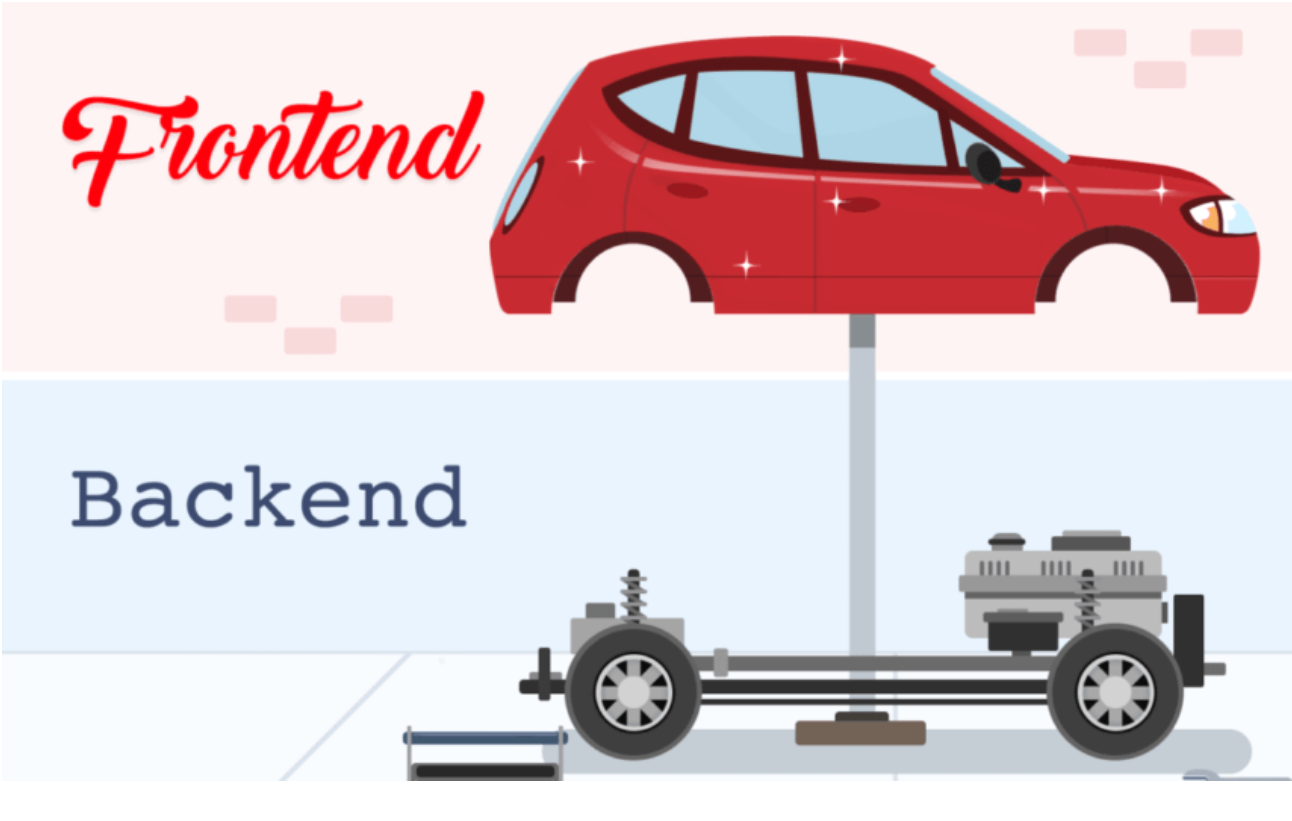
{back-end}
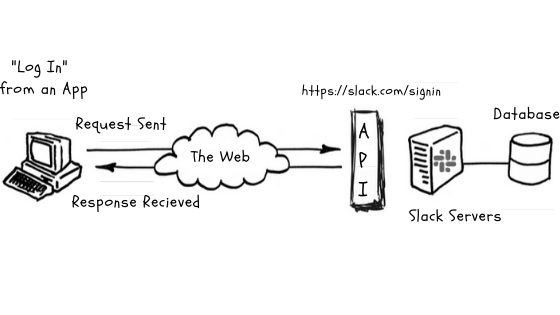
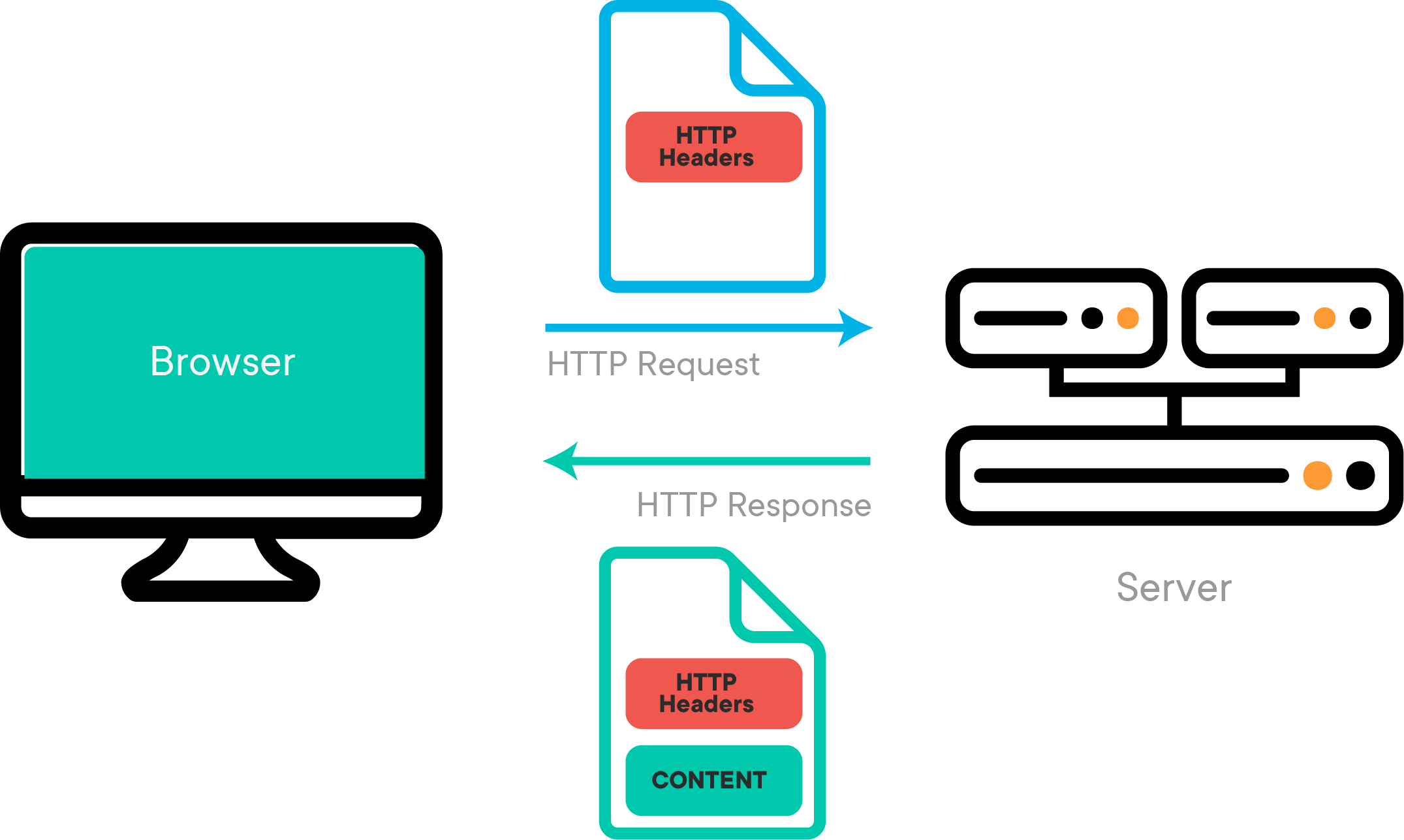
the part of a computer system or application that is not directly accessed by the user, typically responsible for storing and manipulating data.
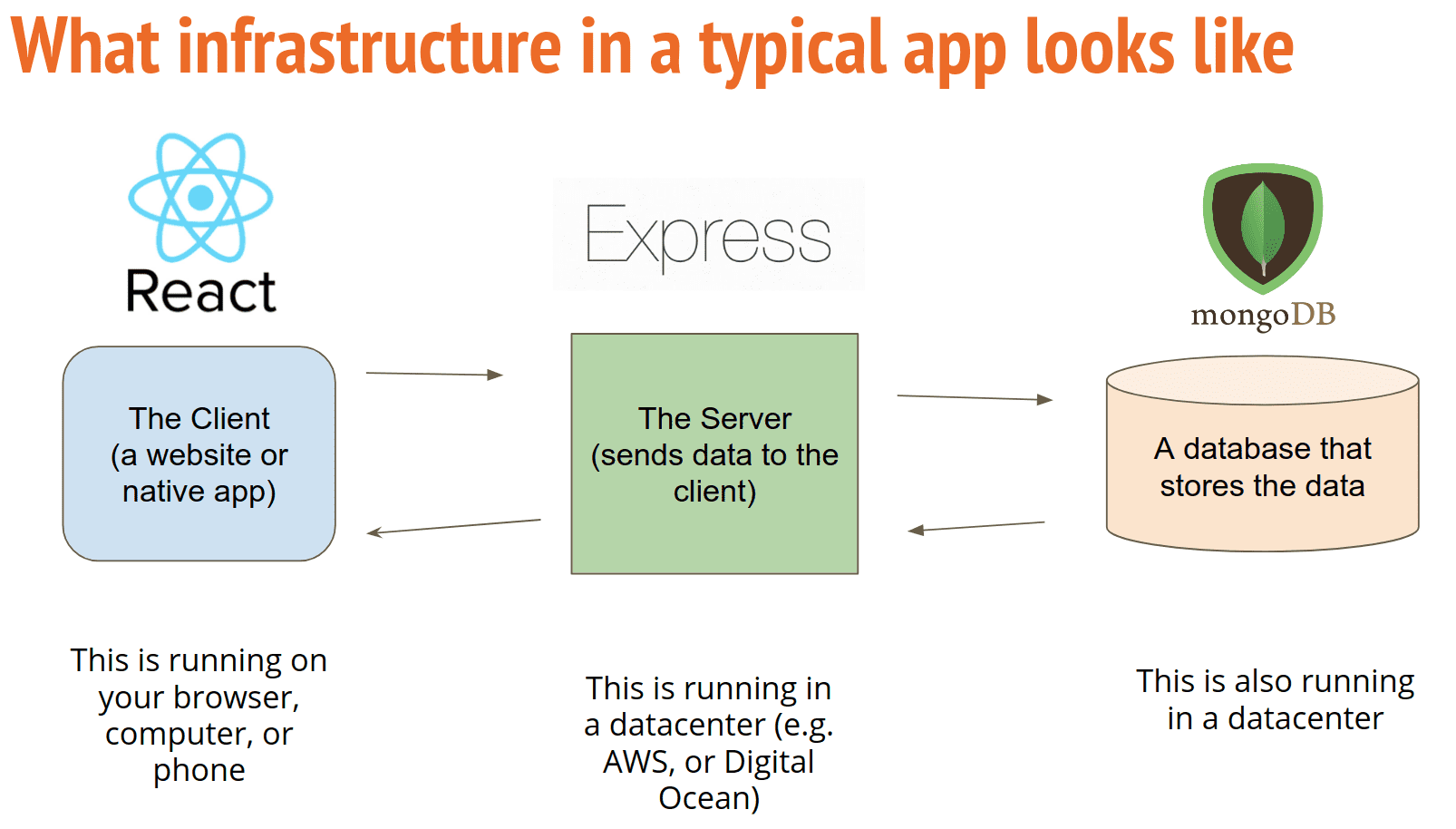
1
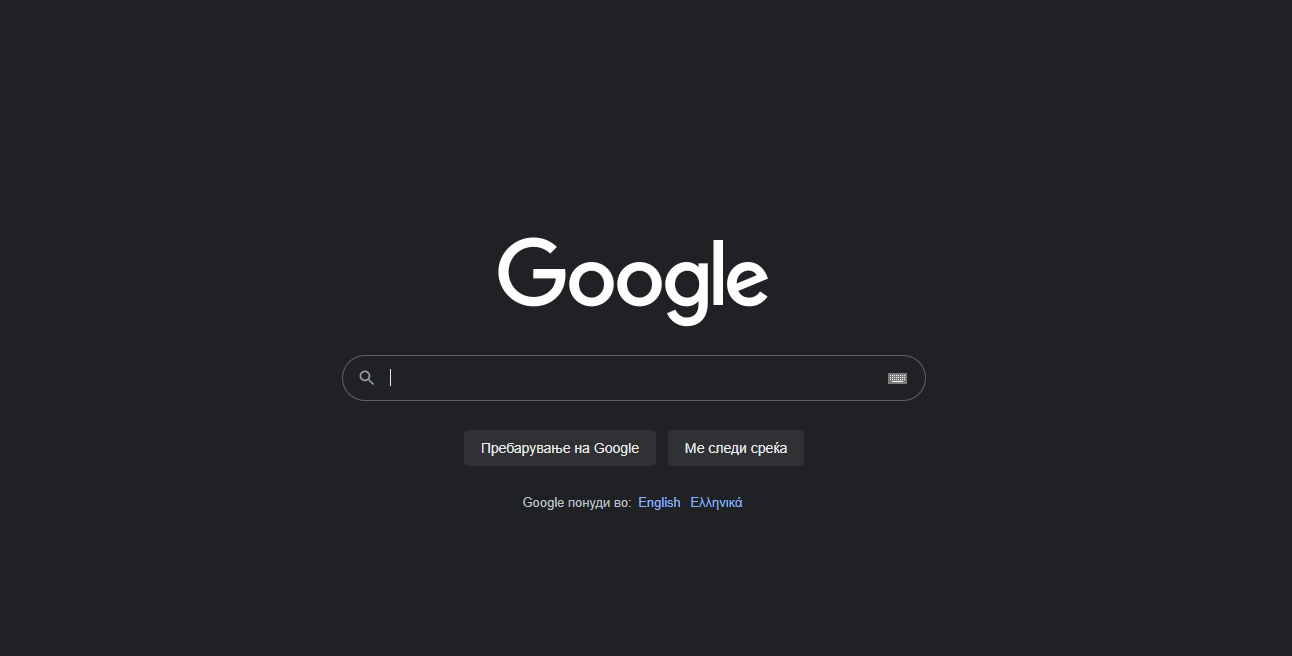
www.google.com
2
4
3
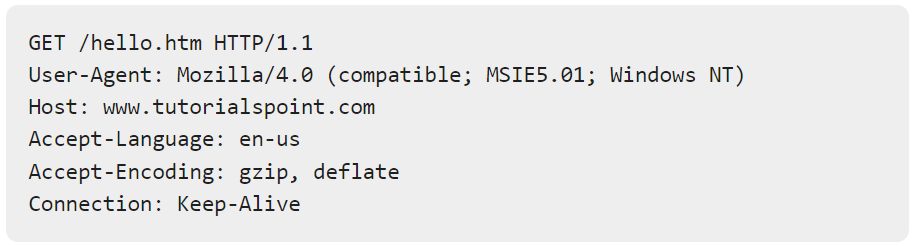
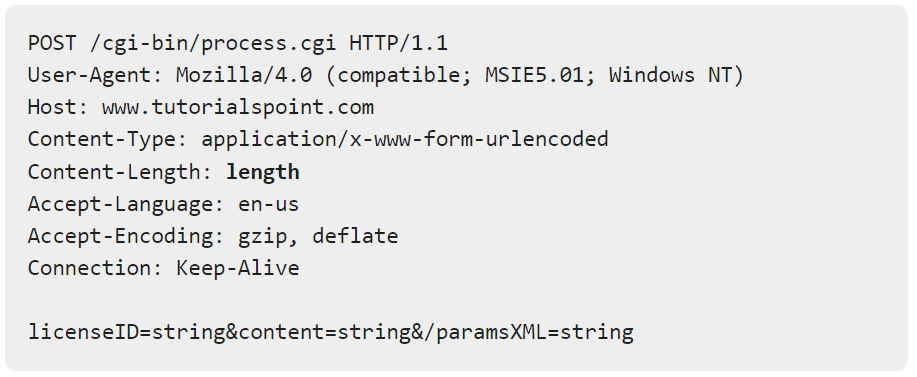
Method
URL
Protocol
Method
URL
Protocol
Body
{node.js}
an open-source, cross-platform, back-end JavaScript runtime environment that runs on the V8 engine and executes JavaScript code outside a web browser.
What is Node.js?
- Node.js is an open source server environment
1.
2.
Node.js is free
3.
Node.js runs on various platforms (Windows, Linux, Unix, Mac OS X, etc.)
# node.js
4.
Node.js uses JavaScript on the server
What Can Node.js Do?
- Node.js can generate dynamic page content
1.
2.
Node.js can create, open, read, write, delete, and close files on the server
3.
Node.js can collect form data
# node.js
4.
Node.js can add, delete, modify data in your database
var http = require('http');

http.createServer(function (req, res) {
  res.write('Hello Backend Node Server!');
  res.end();
}).listen(8080);
# server
Basic NodeJs server
Make a file named "myfirst.js" with above code
open cmd with Ctrl + `
run node myfirst.js
visit localhost:8080 from your browser
var http = require('http');

http.createServer(function (req, res) {
  res.writeHead(200, {'Content-Type': 'text/html'});
  res.write('Hello Backend Node Server!');
  res.end();
}).listen(8080);
# server
Basic NodeJs server
200 ?? - Status code, maybe you have seen 404-Not Found or 500-Internal Server Error
Content-Type ?? - This gets sent via the header, and tells the client (person who sent the request) what format the data is in
8080 ?? - Port number (default port 80)
Consider modules to be the same as JavaScript libraries.
A set of functions you want to include in your application.
What is a Module in Node.js?


Hospital == App
var http = require('http');# modules
Include Modules
To include a module, use the require() function with the name of the module.
Node.js has a set of built-in modules which you can use without any further installation. https://www.w3schools.com/nodejs/ref_modules.asp
exports.myDateTime = function () {
  return Date();
};
# modules
Create Modules
You can create your own modules, and easily include them in your applications.
The following example creates a module that returns a date and time object:
Use the exports keyword to make properties and methods available outside the module file.
Save the code above in a file called "myfirstmodule.js"
Include & Use Your Own Module
var http = require('http');
var dt = require('./myfirstmodule');

http.createServer(function (req, res) {
  res.writeHead(200, {'Content-Type': 'text/html'});
  res.write("The date and time are currently: " + dt.myDateTime());
  res.end();
}).listen(8080);
# modules
The benefits of modules is that you can code once and use it everywhere. When you need to change how the module works, you just need to change it in one place.
# file server
Node.js as a File Server
The Node.js file system module allows you to work with the file system on your computer.
To include the File System module, use the require() method:
The fs.readFile() method is used to read files on your computer.
var http = require('http');
var fs = require('fs');
http.createServer(function (req, res) {
  fs.readFile('demofile1.html', function(err, data) {
    res.writeHead(200, {'Content-Type': 'text/html'});
    res.write(data);
    return res.end();
  });
}).listen(8080);
<html>
<body>
<h1>My Header</h1>
<p>My paragraph.</p>
</body>
</html>Create a file in the same folder
demofile1.html
var url = require('url');
var adr = 'http://localhost:8080/default.htm?year=2022&month=may';
var q = url.parse(adr, true);

console.log(q.host); //returns 'localhost:8080'
console.log(q.pathname); //returns '/default.htm'
console.log(q.search); //returns '?year=2022&month=may'

var qdata = q.query; //returns an object: { year: 2022, month: 'may' }
console.log(qdata.month); //returns 'may'
# url module
Node.js URL Module
The URL module splits up a web address into readable parts.
# file server code
Now we know how to parse the query string, and we learned how to make Node.js behave as a file server.
Lets combine the two, and serve the file requested by the client.
Create two html files and save them in the same folder as your node.js files.
Node.js File Server
<!DOCTYPE html>
<html>
<body>
<h1>Winter</h1>
<p>I love the snow!</p>
</body>
</html>
<!DOCTYPE html>
<html>
<body>
<h1>Summer</h1>
<p>I love the sun!</p>
</body>
</html>summer.html
winter.html
# solution
Solution
Node.js File Server
var http = require('http');
var url = require('url');
var fs = require('fs');

http.createServer(function (req, res) {
  var q = url.parse(req.url, true);
  var filename = "." + q.pathname;
  fs.readFile(filename, function(err, data) {
    if (err) {
      res.writeHead(404, {'Content-Type': 'text/html'});
      return res.end("404 Not Found");
    }
    res.writeHead(200, {'Content-Type': 'text/html'});
    res.write(data);
    return res.end();
  });
}).listen(8080);
{npm}
the package manager used by Node.js applications - you can find a ton of modules here, so you don’t have to reinvent the wheel
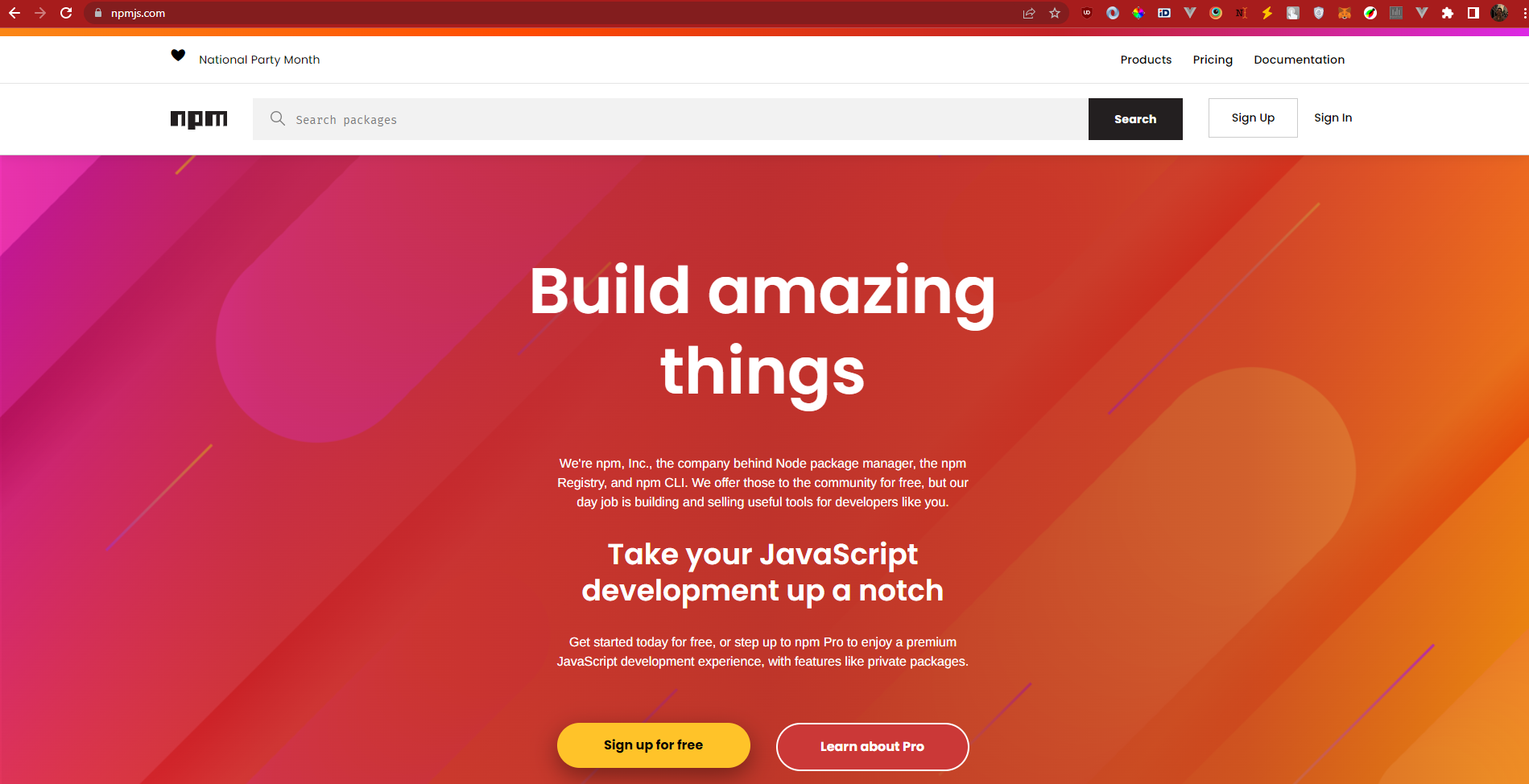
The website https://npmjs.com
// package.json
{
 "name": "@me/test-app",
 "version": "1.0.0",
 "description": "",
 "main": "index.js",
 "scripts": {
   "test": "echo \"Error: no test specified\" && exit 1",
   "start": "node index.js",
   "sayHi": "echo 'Hello!'"
 },
 "author": "",
 "license": "ISC"
}
# npm init && package.json
NPM init
npm init// package.json
{
"name": "@me/test-app",
"version": "1.0.0",
"description": "",
"main": "index.js",
"scripts": {
"test": "echo \"Error: no test specified\" && exit 1",
"start": "node index.js",
"sayHi": "echo 'Hello!'"
},
"author": "",
"license": "ISC"
}# npm init && package.json
CMD line
npm run test// package.json
{
"name": "@me/test-app",
"version": "1.0.0",
"description": "",
"main": "index.js",
"scripts": {
"test": "echo \"Error: no test specified\" && exit 1",
"start": "node index.js",
"sayHi": "echo 'Hello!'"
},
"author": "",
"license": "ISC"
}# npm init && package.json
CMD line
npm install// package.json
{
"name": "@me/test-app",
"version": "1.0.0",
"description": "",
"main": "index.js",
"scripts": {
"test": "echo \"Error: no test specified\" && exit 1",
"start": "node index.js",
"sayHi": "echo 'Hello!'"
},
"license": "ISC",
"dependencies": {
"<module>": "^5.29.2",
},
"author": ""
}# npm init && package.json
CMD line
npm install <module> --save
# Where <module> is the name of the module you want to install
// package.json
{
"name": "@me/test-app",
"version": "1.0.0",
"description": "",
"main": "index.js",
"scripts": {
"test": "echo \"Error: no test specified\" && exit 1",
"start": "node index.js",
"sayHi": "echo 'Hello!'"
},
"license": "ISC",
"devDependencies": {
"<module>": "^5.29.2",
},
"author": ""
}# npm init && package.json
CMD line
npm install <module> --save-dev
# Where <module> is the name of the module you want to install
a collection of the dependencies that are used in development of your application - the modules that you use to build it, but don't need to use when it's running. This could include things like testing tools, a local server to speed up your development, and more.
# npm init && package.json
CMD line
npm install <module> --global
npm install <module> -g        #short-hand
# Where <module> is the name of the module you want to install globally
One caveat with global modules is that, by default, npm will install them to a system directory, not a local one. With this as the default, you'll need to authenticate as a privileged user on your system to install global modules.
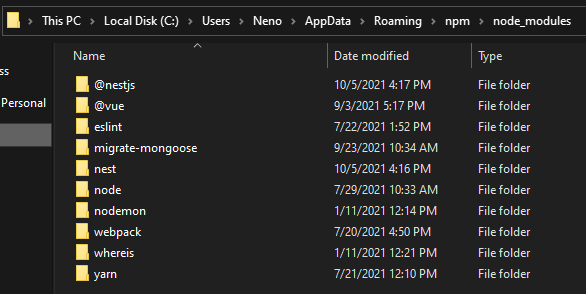
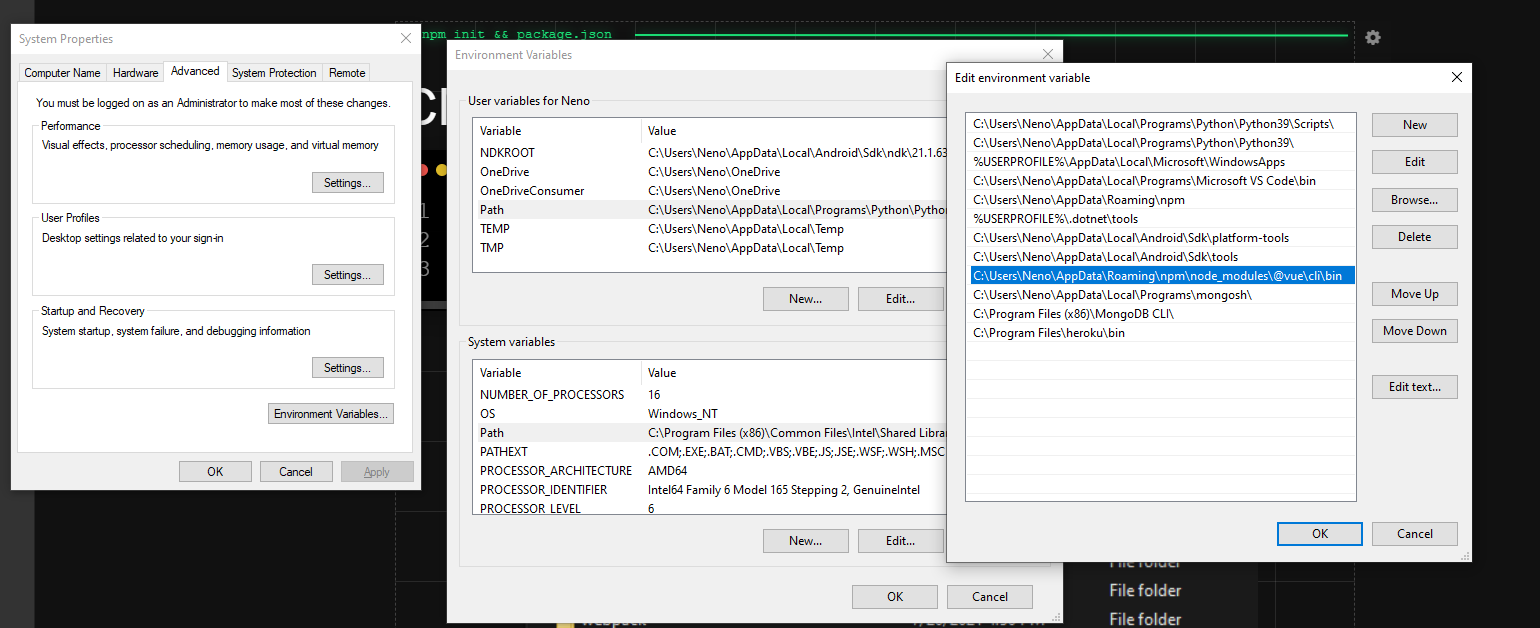
Environment Variables
# npm init && package.json
NPX
npm install -g npxnpx <module> # replace <module> with the package
# you want to run from package.jsonnpx cowsay aMaZiNg #running an uninstalled package using npxnpx https://gist.github.com/nTrajkovik/60db0ca94e318ceb68bfff29f4b14d8c{node.js}
global variables && more modules


VS
Read-Eval-Print-Loop (REPL)
# nodeJs
nodeglobalprocessconsoleCtrl + C // two times to exitglobal == window
dev console

npm install -g nodemon nodemon server.jsnpx nodemon server.jsnodemon
Events & callbacks
# nodeJs
const { EventEmitter } = require('events');
// EventEmitter is a class
const eventEmitter = new EventEmitter();
// we instantiate classes

// register an event
eventEmitter.on('eat', () => {
  console.log('🥩 nom-nom');
});

// raise an event
eventEmitter.emit('eat');
eventEmitter.emit('eat');
window.addEventListener()
Events & callbacks
# nodeJs
const { EventEmitter } = require('events');
// EventEmitter is a class
const eventEmitter = new EventEmitter();
// we instantiate classes

// register an event
eventEmitter.on('eat', (food) => {
  console.log(`${food} nom-nom`);
});

// raise an event
eventEmitter.emit('eat', ' 🥩 ');
eventEmitter.emit('eat', ' 🍕 ');
window.addEventListener()
Blocking & non-blocking
# nodeJs
const fs = require('fs');

const txt = fs.readFileSync('./hello.txt', 'utf-8');

console.log(txt);

console.log('Emergency thing to print!');
const fs = require('fs');
fs.readFile('./hello.txt', 'utf-8', (err, txt) => {
console.log(txt);
});
console.log('Emergency thing to print!');Blocking & non-blocking
# nodeJs
const fs = require('fs').promises;

async function printFile() {
    const txt = await fs.readFile('./index.html', 'utf-8');
    console.log(txt);
}
printFile();
console.log('Emergency thing to print!');
const fs = require('fs').promises;
// top level await available from Node v14.3
const txt = await fs.readFile('./index.html', 'utf-8');
console.log(txt);
console.log('Emergency thing to print!');os module
# nodeJs
const os = require('os');

var totalMemory = os.totalmem();
var freeMemory = os.freemem();

console.log('Total Memory: ' + totalMemory);
console.log(`Free Memory: ${freeMemory}`);
// Template string
// ES6 / ES2015 : ECMAScript 6
nodemailer - we can send emails
reset password, welcome to the platform etc. all are sent using some sort of mailer
# nodeJs
var nodemailer = require('nodemailer');

var transporter = nodemailer.createTransport({
  service: 'gmail',
  auth: {
    user: 'youremail@gmail.com',
    pass: 'yourpassword'
  }
});

var mailOptions = {
  from: 'youremail@gmail.com',
  to: 'myfriend@yahoo.com',
  subject: 'Sending Email using Node.js',
  text: 'That was easy!'
};

transporter.sendMail(mailOptions, function(error, info){
  if (error) {
    console.log(error);
  } else {
    console.log('Email sent: ' + info.response);
  }
});
upload files - formidable module
# nodeJs
npm install formidable
Demo time
Create upload form
# nodeJs
var http = require('http');

http.createServer(function (req, res) {
  res.writeHead(200, {'Content-Type': 'text/html'});
  res.write('<form action="fileupload" method="post" enctype="multipart/form-data">');
  res.write('<input type="file" name="filetoupload"><br>');
  res.write('<input type="submit">');
  res.write('</form>');
  return res.end();
}).listen(8080);
Parse uploaded file
# nodeJs
var http = require('http');
var formidable = require('formidable');

http.createServer(function (req, res) {
  if (req.url == '/fileupload') {
    var form = new formidable.IncomingForm();
    form.parse(req, function (err, fields, files) {
      res.write('File uploaded');
      res.end();
    });
  } else {
    res.writeHead(200, {'Content-Type': 'text/html'});
    res.write('<form action="fileupload" method="post" enctype="multipart/form-data">');
    res.write('<input type="file" name="filetoupload"><br>');
    res.write('<input type="submit">');
    res.write('</form>');
    return res.end();
  }
}).listen(8080);
Save file
# nodeJs
var http = require('http');
var formidable = require('formidable');
var fs = require('fs');

http.createServer(function (req, res) {
  if (req.url == '/fileupload') {
    var form = new formidable.IncomingForm();
    form.parse(req, function (err, fields, files) {
      var oldpath = files.filetoupload.filepath;
      var newpath = './' + files.filetoupload.originalFilename;
      fs.rename(oldpath, newpath, function (err) {
        if (err) throw err;
        res.write('File uploaded and moved!');
        res.end();
      });
 });
  } else {
    res.writeHead(200, {'Content-Type': 'text/html'});
    res.write('<form action="fileupload" method="post" enctype="multipart/form-data">');
    res.write('<input type="file" name="filetoupload"><br>');
    res.write('<input type="submit">');
    res.write('</form>');
    return res.end();
  }
}).listen(8080);
Let's code
# nodeJs
/*
 * Write a server which has the following routes:
 * localhost:8080/get-image -> returns the uploaded image
 * 		or error message if no image uploaded
 * localhost:8080/ -> returns upload file form
 * localhost:8080/upload-image -> accepts a file via forms
 * 		and saves it - if image exists, remove it
*/
{mongodb}
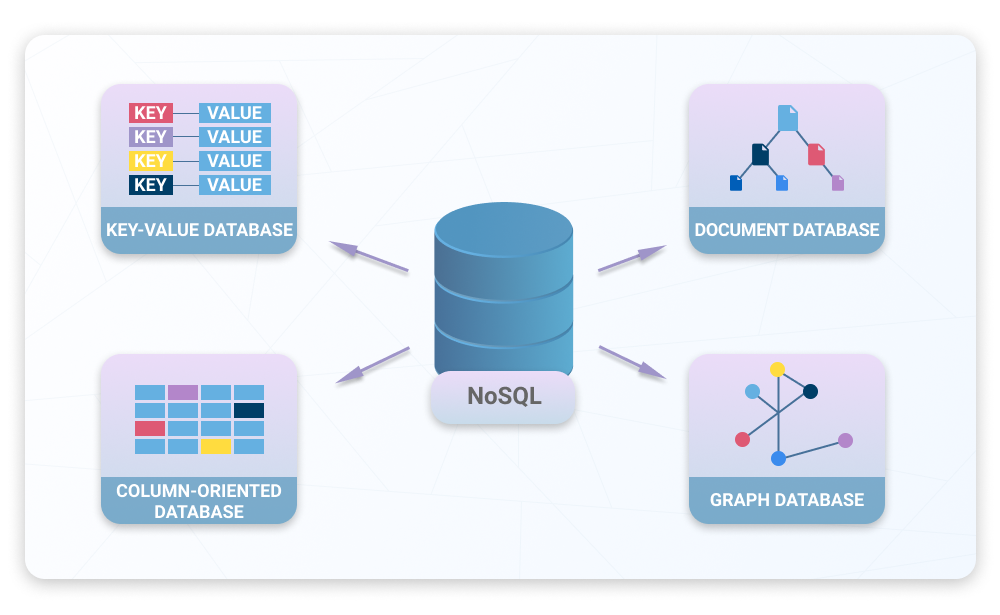
a source-available cross-platform document-oriented database program. Classified as a NoSQL database program, MongoDB uses JSON-like documents with optional schemas.

# storing variable
Storing data in a global variable
Serving static pages for users - as you have learned - can be suitable for landing pages, or for personal blogs. However, if you want to deliver personalized content you have to store the data somewhere.
const users = [];

http.createServer(function (req, res) {

  if (req.url == "/users" && req.method == 'post') {
    const user = req.body;
    users.push({
      name: user.name,
      age: user.age,
    });
  }
  res.write(`Successfully registered`);
  res.end();
}).listen(8080);
# storing variable
Storing in variable
Let’s take a simple example: user signup. You can serve customized
content for individual users or make it available for them after
identification only.
If a user wants to sign up for your application, you might want to
create a route handler to make it possible:




# storing var
This way you can store the users in a global variable, which will reside
in memory for the lifetime of your application.
Using this method might be problematic for several reasons:
• RAM is expensive,
• memory resets each time you restart your application,
• if you don’t clean up, sometimes you’ll end up with stack overflow.
# storing file
Storing data in a file
The next thing that might come up in your mind is to store the data in files. If we store our user data permanently on the file system, we can avoid the previously listed problems.
const fs = require('fs');

http.createServer(function (req, res) {

  if (req.url == "/users" && req.method == 'post') {
    const user = req.body;
    fs.appendToFile(
		'./users.txt',
        JSON.stringify({ name: user.name, age: user.age }),
		(err) => {
   			res.send('successfully registered');
   		}
	);
  }
  res.write(`Successfully registered`);
  res.end();
}).listen(8080);
# storing file
Storing in file
This way we won’t lose user data, not even after a server reset. This solution is also cost efficient, since buying storage is cheaper than buying RAM.


# storing file
Unfortunately storing user data this way still has a couple of flaws:
• Appending is okay, but think about updating or deleting.
• If we’re working with files, there is no easy way to access them in parallel (system-wide locks will prevent you from writing, like editing files while vscode is open).
• When we try to scale our application up, we cannot split files (you can, but it is way beyond the level of this tutorial) in between servers
This is where real databases come into play.
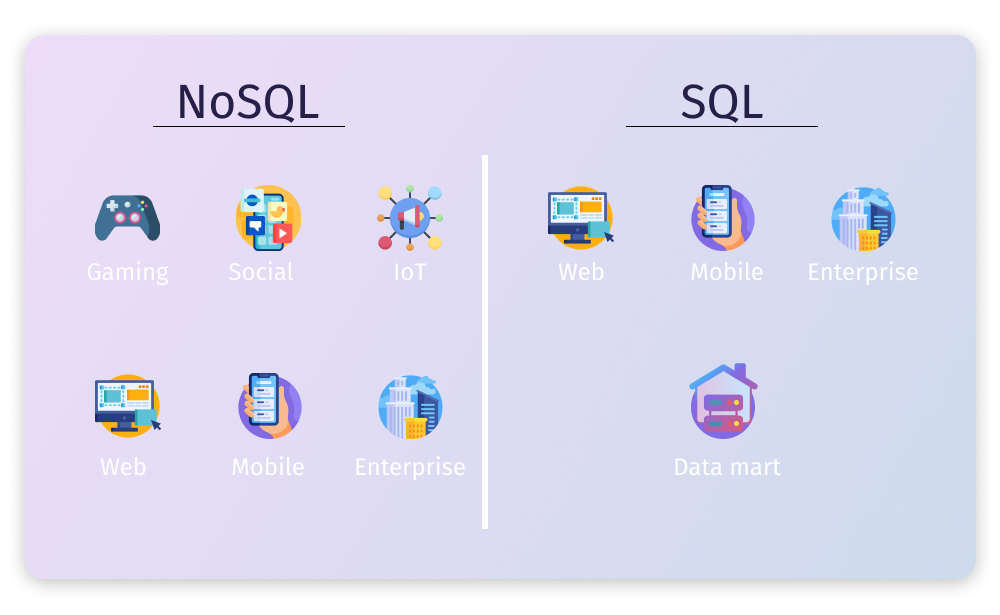
You might have already heard that there are two main kinds of
databases: NoSQL and SQL.
SQL

npm install mongodbnpm list mongodbTo use MongoDB we need to install a MongoDB driver

Atlas - fully managed DaaS (Database as a Service)
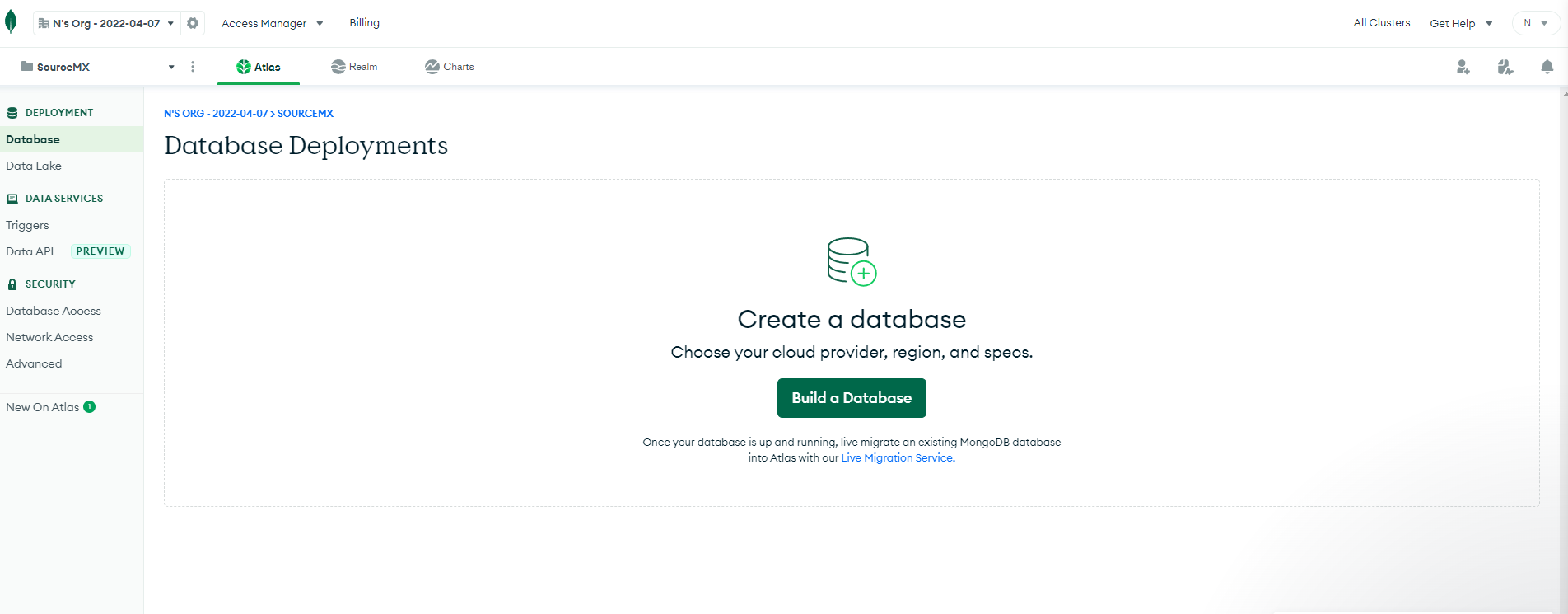
Clusters - a set of nodes where copies of the database are stored
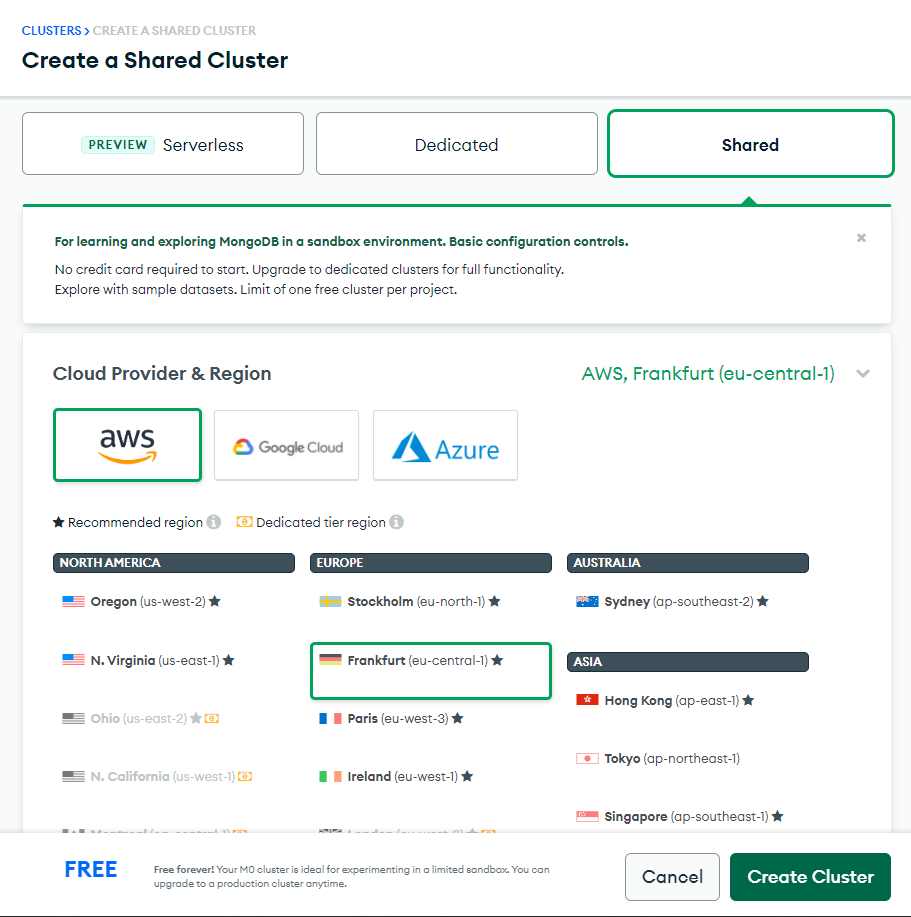

Demo time
const { MongoClient } = require('mongodb')

const uri = 'mongodb+srv://sourcemx:sourcemx@cluster0.4om6h.mongodb.net/?retryWrites=true&w=majority';

async function main() {
  const client = new MongoClient(uri);

  try {
    await client.connect();
    console.log('Connection success!');
  } catch (e) {
    console.error(e);
  } finally {
    await client.close()
  }
}

main().catch(console.error);
# mongodb
const { MongoClient } = require('mongodb')

const uri = 'mongodb+srv://sourcemx:sourcemx@cluster0.4om6h.mongodb.net/?retryWrites=true&w=majority';

async function main() {
  const client = new MongoClient(uri);

  try {
    await client.connect();
    console.log('Connection success!');
    await listDatabases(client);
  } catch (e) {
    console.error(e);
  } finally {
    await client.close()
  }
}

main().catch(console.error);

async function listDatabases(client) {
  const databasesList = await client.db().admin().listDatabases();
  console.log(databasesList);
}
# mongodb
const { MongoClient } = require('mongodb')

const uri = 'mongodb+srv://sourcemx:sourcemx@cluster0.4om6h.mongodb.net/?retryWrites=true&w=majority';

async function main() {
  const client = new MongoClient(uri);

  try {
    await client.connect();
    console.log('Connection success!');
    await addTodoNote(client, {title: 'Shopping list', description: 'Steak, Pizza, Fries'});
  } catch (e) {
    console.error(e);
  } finally {
    await client.close()
  }
}

main().catch(console.error);

async function addTodoNote(client, todoNote) {
  const result = await client.db('notes').collection('todos').insertOne(todoNote);
  console.log(`New note created with id ${result.insertedId}`);
}
# mongodb
  await client.db('notes').collection('todos').insertOne(todoNote);
  await client.db('notes').collection('todos').find().toArray();
  await client.db('notes').collection('todos')
			.deleteOne(
    { _id: ObjectId("563237a41a4d68582c2509da") },
  );
  await client.db('notes').collection('todos')
    		.updateOne(
    { _id: ObjectId("563237a41a4d68582c2509da") },
    newNoteObject
  );
# mongodb
Let's code
{HTTP request methods}
GET POST PUT DELETE
-
GET
The GET method requests a representation of the specified resource. Requests using GET should only retrieve data.
-
POST
The POST method submits an entity to the specified resource, often causing a change in state or side effects on the server.
-
DELETE
The DELETE method deletes the specified resource.
-
PUT
The PUT method replaces all current representations of the target resource with the request payload.
PATCH, CONNECT, OPTIONS, HEAD, TRACE...
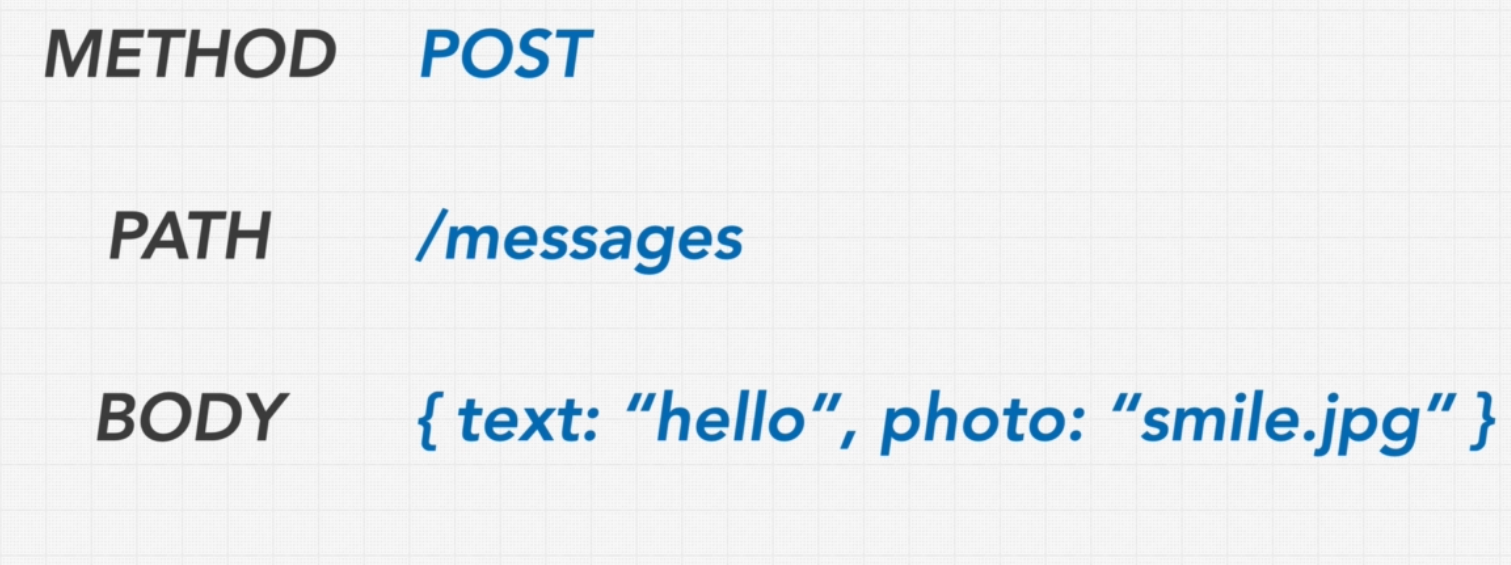
window.fetch('http://localhost:8080/note', {
    method: 'POST',
    body: JSON.stringify(
      { title: 'dog says', description: 'woof woof'}
    ),
})
# PRESENTING CODE
POST
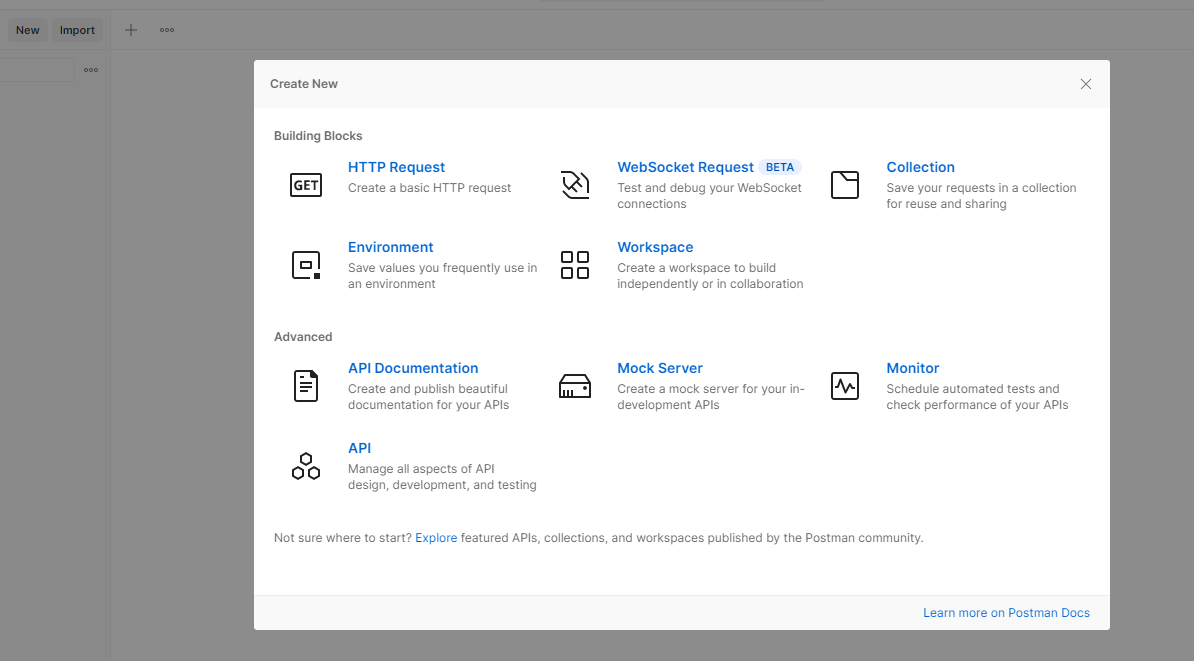
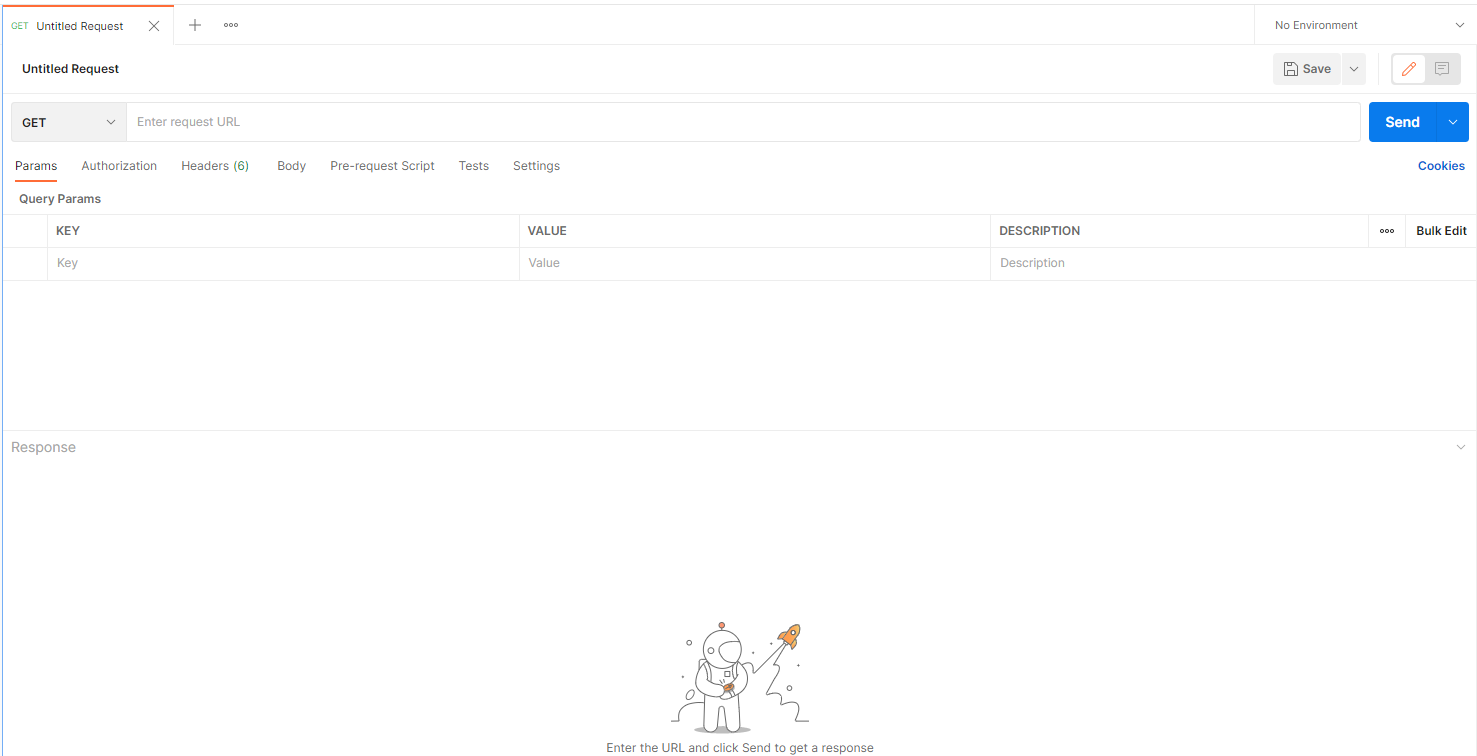
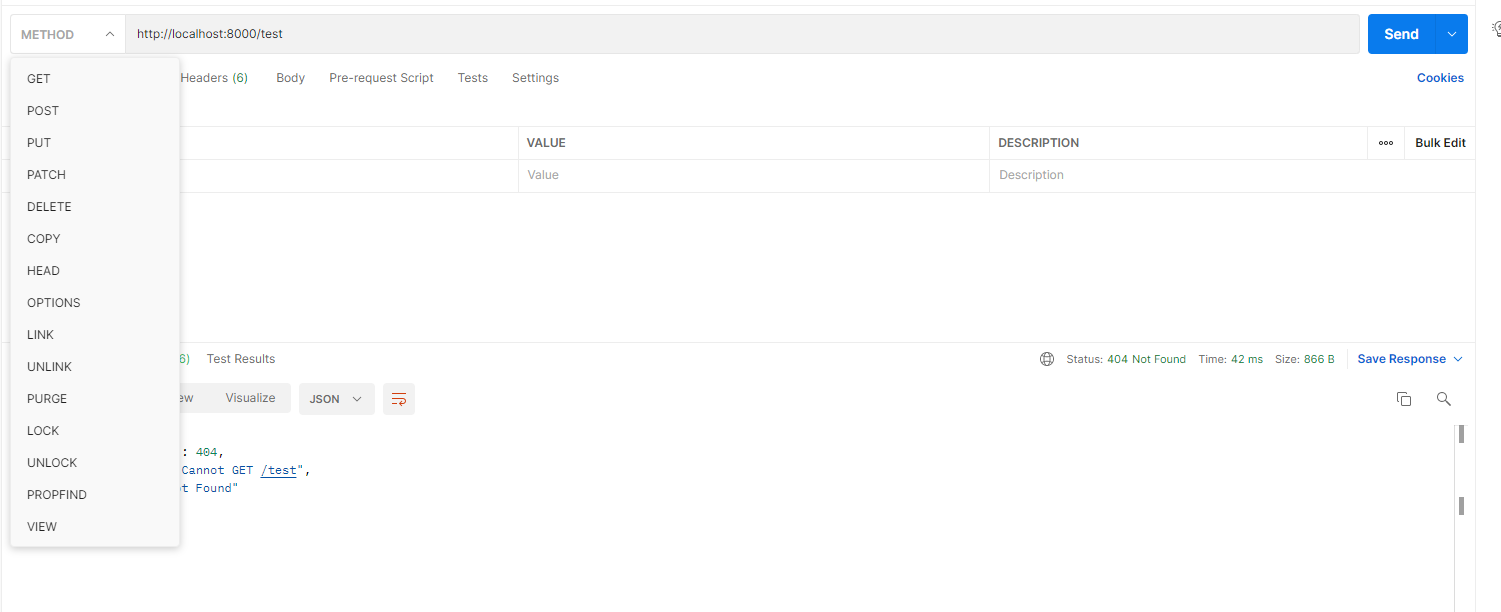
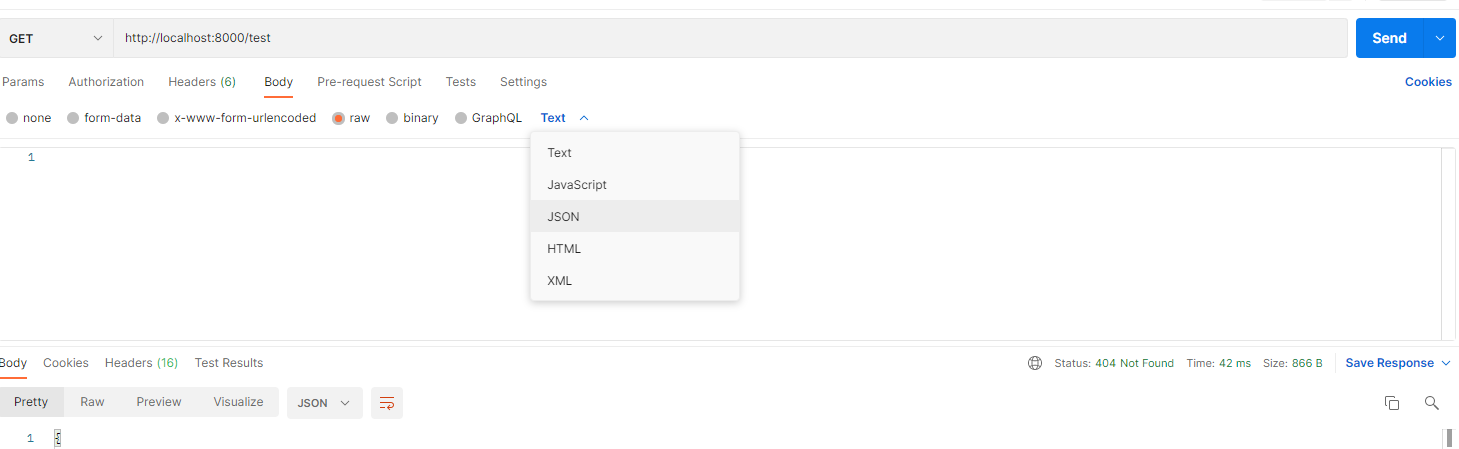
Postman is an API platform for building and using APIs. Postman simplifies each step of the API lifecycle and streamlines collaboration so you can create better APIs - faster.

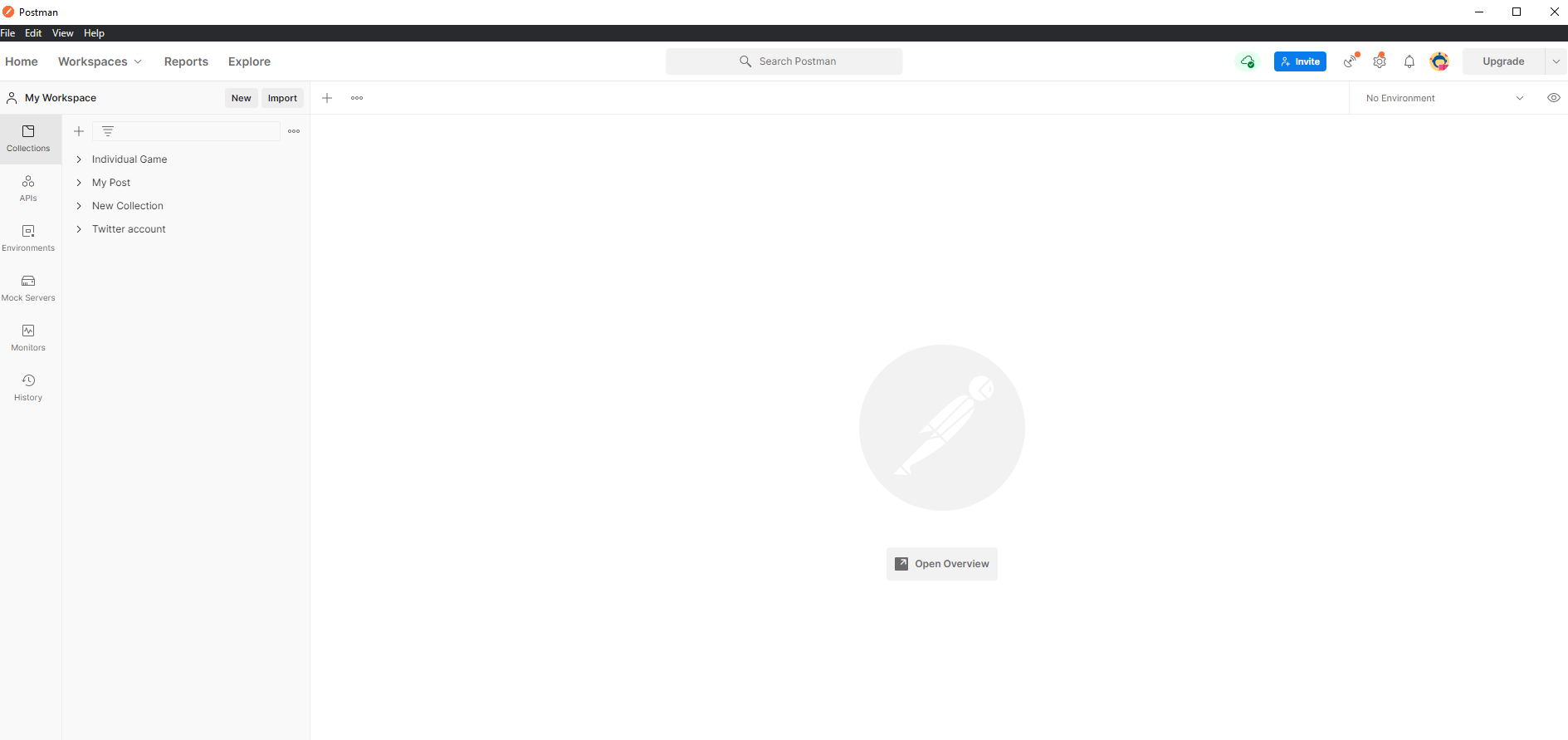
{nodejs + mongodb}
Request body data and updating
Let's code now!
{REST-API}
Representational State Transfer
REST determines how the API looks like.
It is a set of rules that developers follow when they create their API.
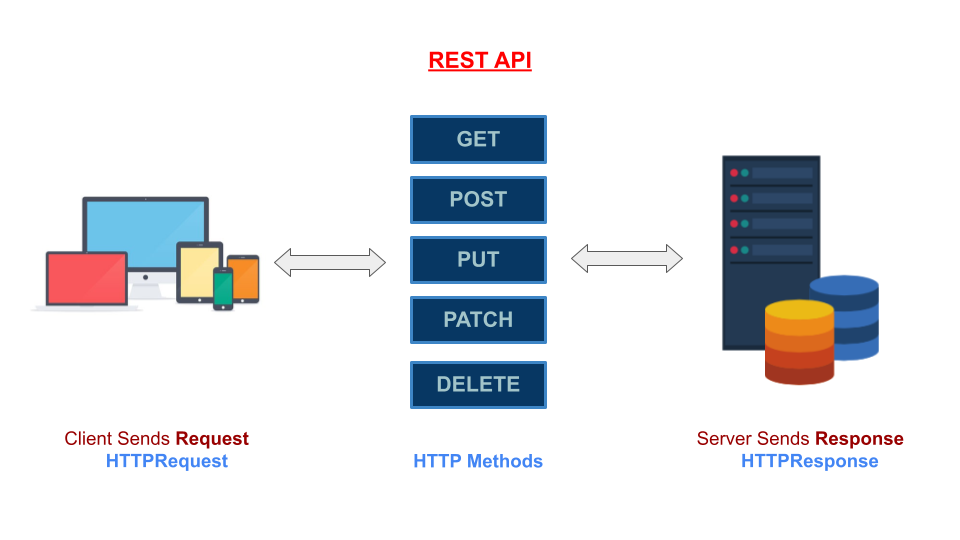
- One of these rules states that you should be able to get a piece of data (called a resource) when you link to a specific URL.
Rules
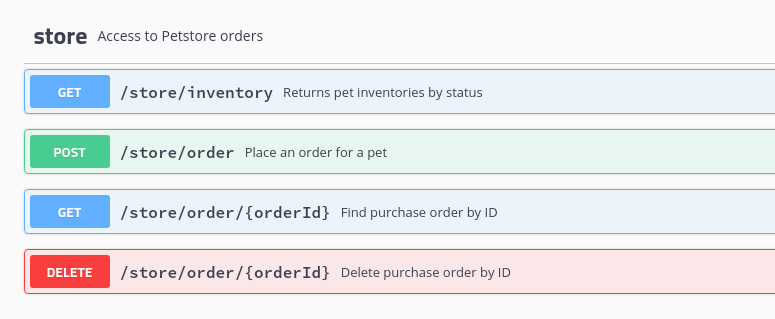
- Use nouns instead of verbs in endpoint paths
Rules
- Accept and respond with JSON
Rules
- Allow filtering, sorting, and pagination
Rules
{express}
fast, unopinionated, minimalist web framework for Node.js. It simplifies the server creation process that is already available in Node.
npm install express --save# express
Adding Express to your project is only an NPM install away:
 const express = require('express');
 const app = express();
 const port = 3000;
 app.get('/', (request, response) => {
 	response.send('Hello from Express!');
 });
 app.listen(port, (err) => {
   if (err) {
   	return console.log('something bad happened', err);
   }
   console.log(`server is listening on ${port}`);
 });
npm init // in a new folder # express
 const express = require('express');
 const app = express();
 const port = 3000;
 app.get('/', (request, response) => {
 	response.send('Hello from Express!');
 });
 app.listen(port, (err) => {
   if (err) {
   	return console.log('something bad happened', err);
   }
   console.log(`server is listening on ${port}`);
 });
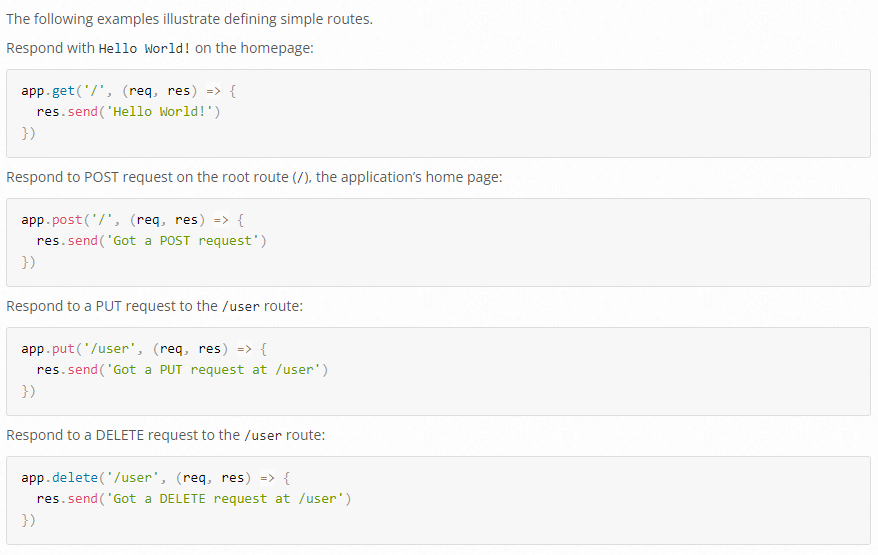
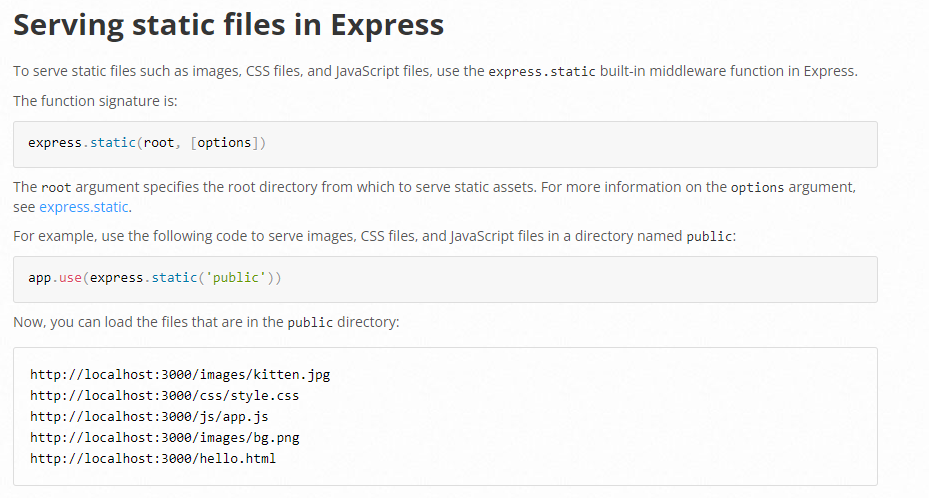
The biggest difference what you have to notice here is that Express
by default gives you a router. You don’t have to check manually for
the URL to decide what to do, but instead, you define the application’s routing with app.get, app.post, app.put, etc. They are translated to the corresponding HTTP verbs.

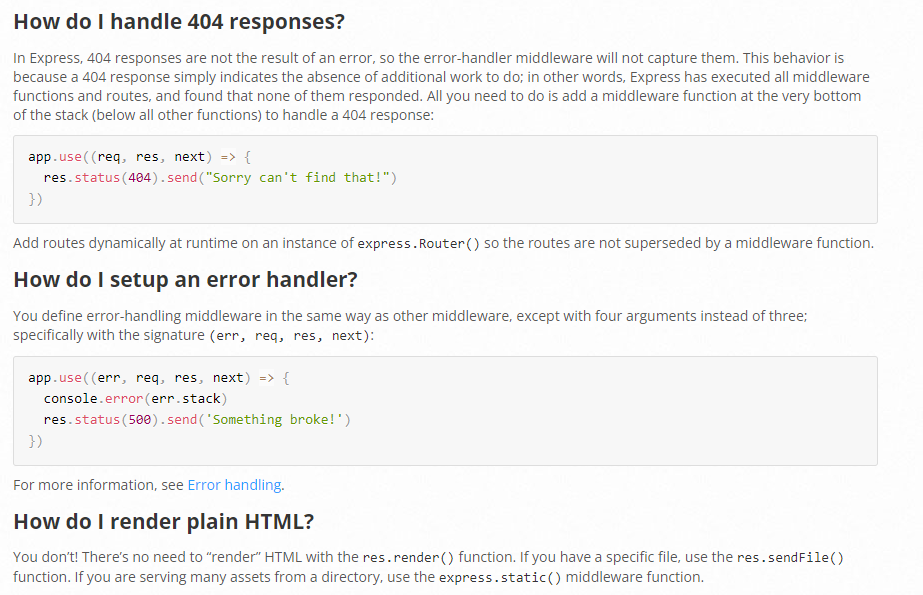
{FE + BE + DB}
Have FE + BE in same folder
# Code Structure
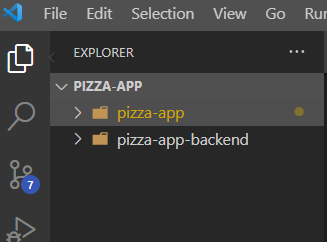
Have FE + BE in same folder
- separate repos
# Code Structure
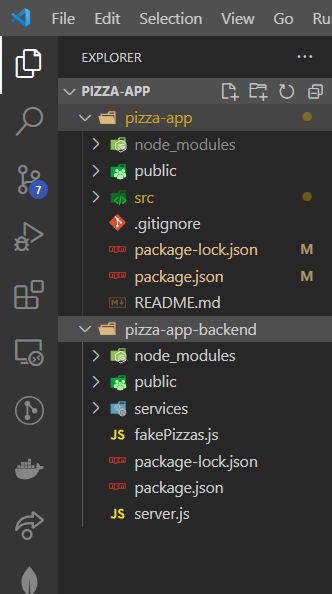
Let's put them together!
Start both projects
# Code Structure
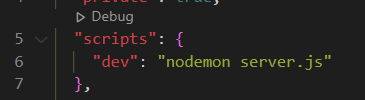
npm run devnpm run start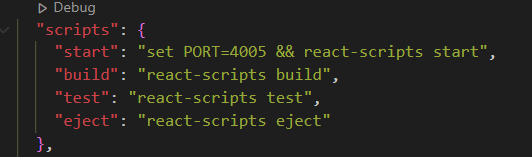
FE
BE
package.json
package.json
const CartProvider = ({ children }) => {
  const [pizzaProducts, setPizzaProducts] = useState([]);
  useEffect(function(){
      axios.get('http://localhost:8080/pizzas').then(response => {
      setPizzaProducts(response.data);
      })
  },[])
# calling our BE
Replace fake data with real data

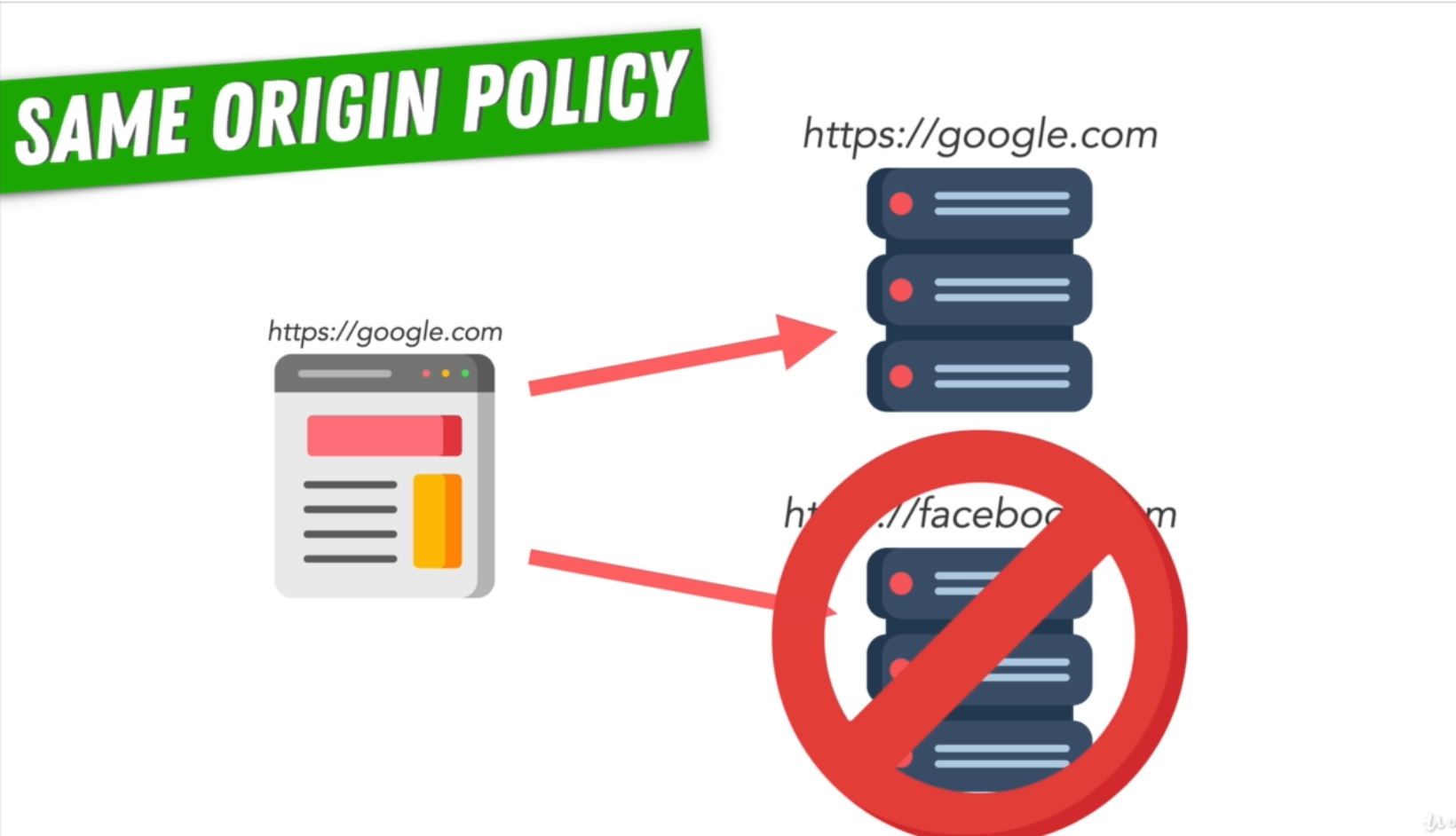
- Cross Origin Requests are requests from one origin to another origin.
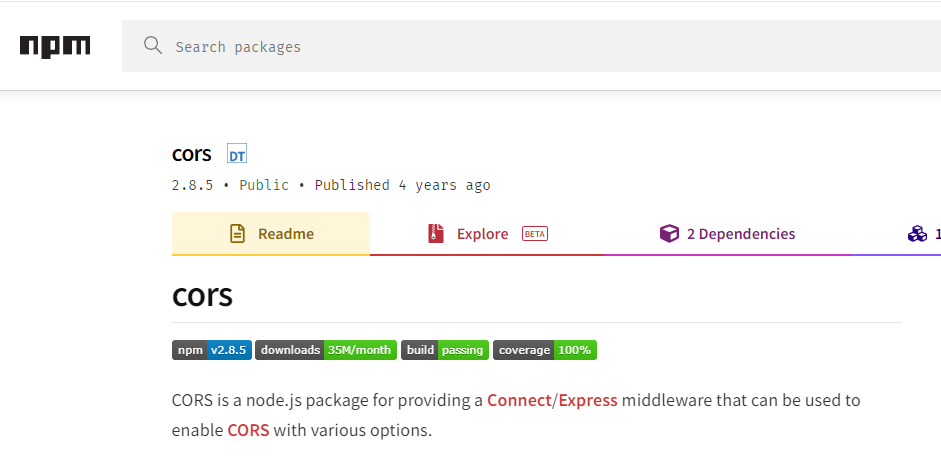
By default browsers block cross origin requests as a security feature.
CORS
Whitelisting


# ADMIN PANEL
Base64
Way of encoding binary data to a string. We can then decode it (or let the browser decode it by using the img tag)
{project structuring}
& other important stuff
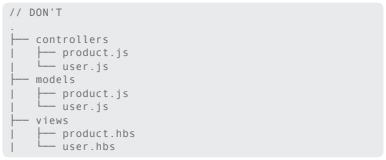
most Node.js frameworks don’t come with a fixed directory structure and it might be challenging to get it right from the beginning.
Fundamental rules
Organize your Files Around Features, Not Roles
1.
2.
Minimize Logic in index.js (server.js) Files
3.
Variable & Function naming conventions
# unwritten rules
Fundamental rules
Organize your Files Around Features, Not Roles
1.
# unwritten rules
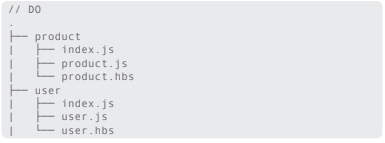
Fundamental rules
Minimize Logic in index.js Files (server.js)
2.
# unwritten rules
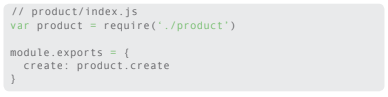
Fundamental rules
Variable & Function naming conventions
3.
# unwritten rules
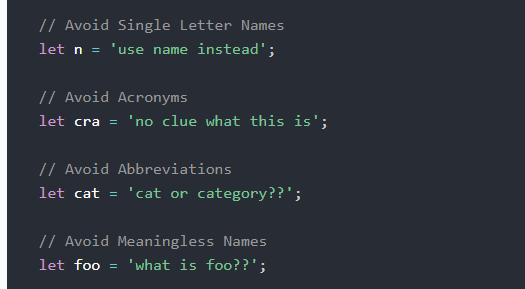
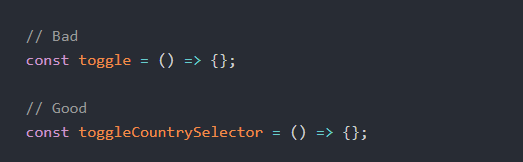
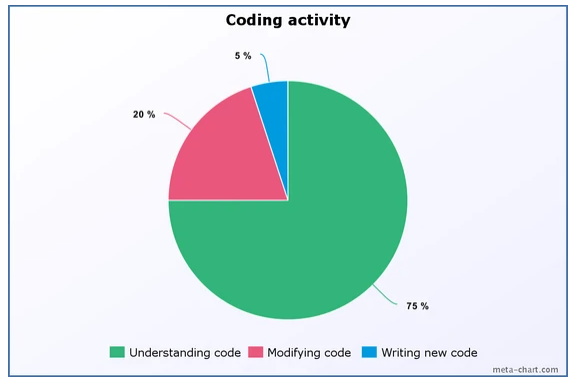
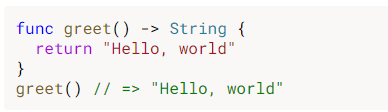
Good read: Source
Fundamental Rules
- Add Clear and Concise Comments to Your Code
4.
5.
Portability
6.
Reusability and Scalability
# more rules
7.
Don’t use synchronous functions
Fundamental Rules
- Add Clear and Concise Comments to Your Code
4.
# more rules
- working in a team
- forgetting own code
- adding todos in comments
- too much === bad
- clear and concise
- don't explain the code, explain the why
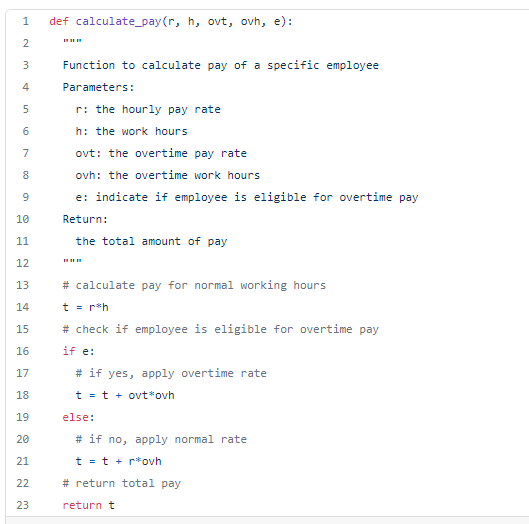
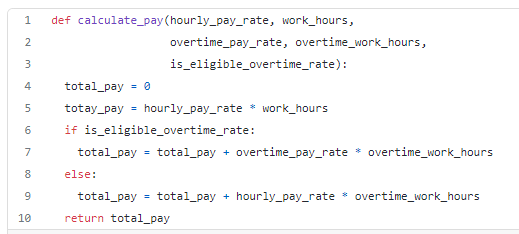
sometimes good code does not need comments
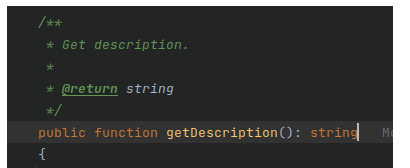

Fundamental Rules
5.
Portability
# more rules
- use variables and don't write hard-coded configurations (no localhost inside the code) use process.env.HOST_NAME
Fundamental Rules
6.
Reusability and Scalability
# more rules
- essential design goal
- if a module/service/component works, we can use it again and not code it from scratch every time
- cut down on development cost and resources
- scalability means a user can demand a change, new features, improvements. Ability to easily incorporate updates is essential in software
Fundamental Rules
# more rules
7.
Don’t use synchronous functions
- synchronous functions tie up executing processes untill they finish
- in high-traffic even a microsecond counts
- on initial setup it's okay to have synchronous
- if given choice sync vs async - always go async
Fundamental Rules
- Use try-catch
8.
9.
Use promises
10.
Handle exceptions properly
# more rules
11.
use .ENV
{important concepts}
some important practical concepts
we love acronyms
KISS
Keep It Simple Stupid
other variants:
Keep it short and simple
Keep it simple and straightforward
Occam’s Razor - The simplest solution is most likely the correct solution
Albert Einstein’s – “Make everything as simple as possible but not simpler”
Leonardo Da Vinci’s – “Simplicity is the ultimate sophistication”
Ludwig Mies Van Der Rohe’s – “Less is more”
DRY
Donot Repeat Yourself
When the DRY principle is applied successfully, a modification of any single element of a system does not require a change in other logically unrelated elements.
WET
Write Everything Twice
When we abstract too much when a requirement comes in we tend to use the same abstraction rather than code it in another (better) way.
SoC
Separation of Concerns
A program that embodies SoC well is called a modular program
e.g.
HTML, CSS, JavaScript
e.g.
pizzas.service.js, orders.service.js, tags.service.js
YAGNI
You ain’t gonna need it
"Always implement things when you actually need them, never when you just foresee that you need them."
DTSTTCPW
"do the simplest thing that could possibly work"
NodeJs - SMX Academy - 2022
By jeger12345