Programming
Introduction
- Programming in FRC for 3 years
- Creator of ATALibJ, Gordian, Scouting13, etc.
- Java, python, node
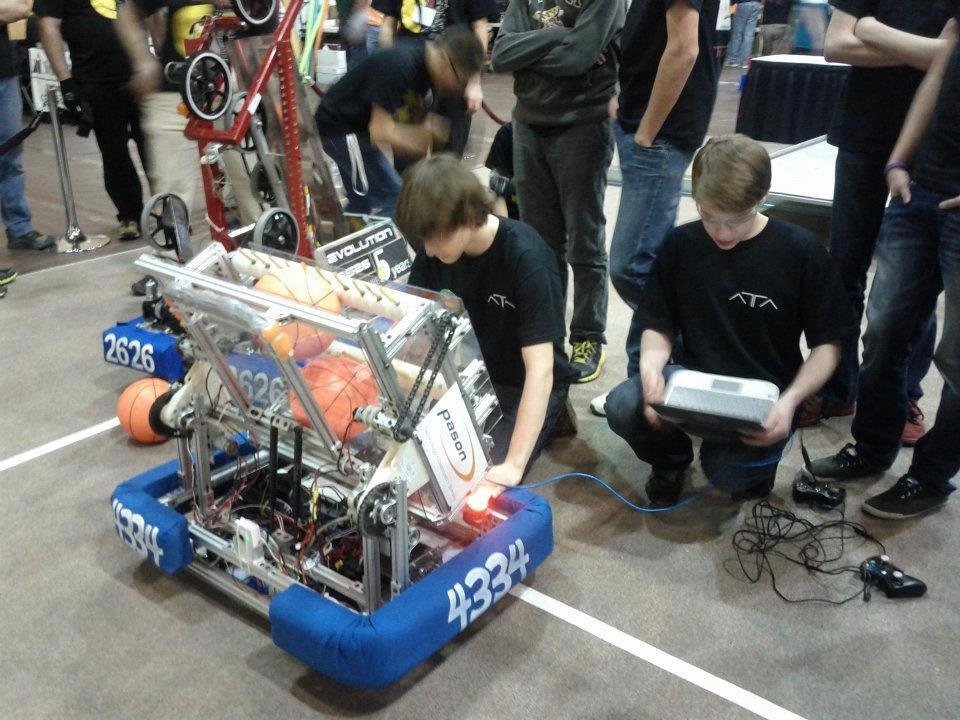
Starting Points
- Choosing your language
- Choosing your framework
- Choosing your environment
Your experience
Your comfort level
Your computer









Language
- Java
- Labview
- C++
- Python
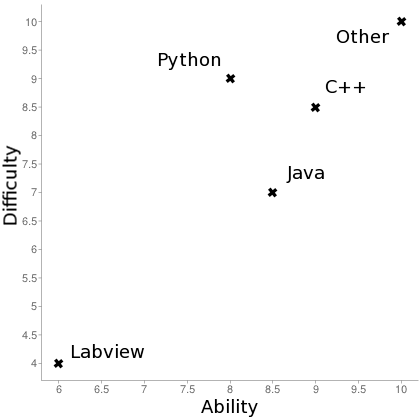
Java
-
GC
-
No Pointers
-
Easy extension
-
Performance?
Labview
- Not well supported here
- Slow
- Bad!
C++
- Restricted to windriver, mostly
- Performance?!
- Pointers, mem management, ugly (API not designed for nice C code)
The formula
Deployment
- Write code
- Build and/or compile code
- Package the code together
- Throw it on the RIO and reboot
To you, magic.
How code works
Code runs on the RIO
Network connection talks to Driverstation software
User input is translated by drivers on Driverstation, pushed as basic input through network
Output is absolutely stopped by internal libraries when disabled
Robot could run without you - just needs a gamemode signal
Inside the code
There will always be a loop; an instruction will run over-and-over
while ( isTeleoperatedMode() ) {
    drivebase.drive( joystick.getLeftStickValue(), joystick.getRightStickValue() )
}
Read as english...
While it is teleoperated mode, drive the left motors at the same speed as given by left stick value, and right motors at the same speed given by right stick value.
Input to Output
Essentially, find the appropriate way to change output according to input
You need to check the input each time!
eg.
- Button is on or off - turns motor on 100% or 0%
- Axis should drive at 50% speed - multiply input by 0.5
Fundamentals
ATALibJ
ATALibJ
You don't want to be writing the exact same kind of code for every action and behaviour
You want your code to be readable
You want control over structure and behaviour
You want something open source and consistently maintained
You are cool
ATALibJ
CommandBase
if (CONTROL_STYLE.equals("arcade")) {
    joystick1.addAxisBind(
        drivetrain.getArcade(joystick1.getLeftDistanceFromMiddle(),
                             joystick1.getRightX())
    );
} else if (CONTROL_STYLE.equals("tank")) {
    joystick1.addAxisBind(
        drivetrain.getTank(joystick1.getLeftDistanceFromMiddle(),
                           joystick1.getRightDistanceFromMiddle())
    );
}- Too long for one slide...
- Make a driving command, joystick subsystem
- Add to OI
- Docs literally do not tell you!
How readable does this look?
joystick1.addWhenPressed(XboxController.START,
        new SetSpikeRelay(photonCannon, SpikeRelay.Direction.FORWARDS));
joystick1.addWhenPressed(XboxController.BACK,
        new SetSpikeRelay(photonCannon, SpikeRelay.Direction.OFF));
joystick2.addWhenPressed(XboxController.A,
        new EnableModule(winchBack));
joystick2.addWhenPressed(XboxController.A,
        new SetDualActionSolenoid(winchRelease, DualActionSolenoid.Direction.RIGHT));
joystick2.addWhenPressed(XboxController.B,
        new DisableModule(winchBack));
joystick2.addWhenPressed(XboxController.B,
        new SetOutput(winchMotor, 0));
joystick2.addWhenPressed(XboxController.X,
        new ReverseDualActionSolenoid(loaderPiston));
joystick2.addWhenPressed(XboxController.BACK,
        new EnableModule(loaderController));
joystick2.addWhenPressed(XboxController.BACK,
        new SetOutput(loaderController, customSetpoint));
joystick2.addWhenPressed(XboxController.START,
        new SetOutput(customSetpoint, loaderPosition));
joystick2.addWhenPressed(XboxController.START,
        new SetOutput(loaderController, loaderPosition));
joystick2.addWhenPressed(XboxController.START,
        new EnableModule(loaderController));
Taken straight from 2014 competition code
Commands
Command groups are a Command that encompasses multiple commands strung together. It runs commands sequentially or concurrently in groups, in the order of how they are added.
public final class ShootAndRun extends CommandGroup {
    public ShootAndRun() {
        addSequential(new ChangeRPM(3750));
        addSequential(new Shoot());
        addSequential(new Shoot());
        addSequential(new Shoot());
        addConcurrent(new DriveForwards(1520));
        addConcurrent(new ChangeRPM(3200));
        addConcurrent(new RunGroundPickup());
        addSequential(new Shoot());
        addSequential(new Shoot());
        addSequential(new Shoot());
        addSequential(new Shoot());
    }
}
Commands as an extension of function
Commands used in autonomous and teleoperated
Default commands included
Interacts well with system (internal and external)
Virtually no overhead
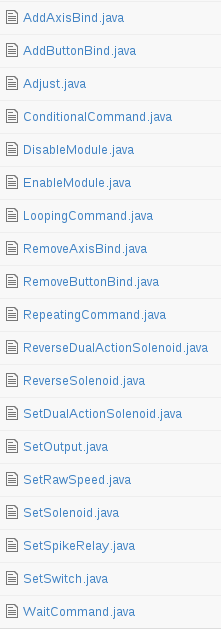
Quick overview of features
- Autonomous
- Command Groups
- Commands
- Controllers
- Enums
- Lists
- Logging
- Math Utilities
- Modules
- Robot Modes
- Subsystems
- Text Files
- Utilities
Gordian
Gordian and equivalent tools
Imagine autonomous like this
Text file with script held on RIO
Edit on-the-fly, push changes by FTP
Custom variables, actions, commands, extensions
Interact at a low level with the code
Gordian
def concat(x, i)

    def _concat(j, w, e)
        if(e > 0)
            return _concat(j + w, w, e - 1)
        else
            return j
        end
    end

    return _concat("",x,i)
end


print(concat("Hello World", 3))
Recursion, classes, methods, math, variables, and more
Greyhound Lua
Developed by 973 for 2011 (they won worlds that year)
Not actively maintained
Lua syntax and feature set
while num < 50 do
  num = num + 1
end

if num > 40 then
  print('over 40')
elseif s ~= 'walternate' then
  io.write('not over 40\n')
Technical Challenges
Main things you'll encounter
- Largely input and output
- Control loops
- Class structure and code organization
- Revision and version management
- Moving featureset - be ready to code at all times!
Honest experience
From someone who spent hours doing this...
- Lots of deployment problems out of your control
- Talk to electronics
- Lots of opposite behaviour
- Lots of wrong port numbers
- Lots of unnecessary features
Support Network
Your support network
- Other student
- Mentor
- Chief Delphi
- Stack Overflow
- Me!
Planning ahead of time
You should start in week 1-2
All features should be functional by week 4
Learn the basics ahead of time - get familiar with the workflow
Install things before; that is a stupid thing to stall you
More Opportunities
-
Scouting
-
Android, IOS, Desktop, etc.
-
-
Team website
-
Libraries, tools, etc.
-
Take the opportunity to learn something.
-
Find something to do, and learn from it.
-
Programming team
-
Should never be over 5 people
-
Better to have 100% dedicated members
-
Leadership roles
-
Programming team leader
-
Programming mentor
-
-
Member roles
-
Organization (version control, etc.)
-
Documentation
-
Code Review (bug fixes, etc.)
-
-
Depends on your time commitment
-
Depends on your experience
-
Version control?
-
Formal or casual process?
-
-
Can be adjusted according to needs
-
Team took on a really ambitious programming goal?
-
Priorities
-
Robot moving
-
Robot driving
-
Robot functioning modules (shooting, etc.)
-
Robot using sensors
-
Robot operating autonomously
- Robot sending useful data

Learn the control system!
Quick tips
- Ports... ports ports ports
- Be patient; I've never done anything productive when frustrated
- Do not worry about performance until it's an issue
- Code structure!
- Documentation!
Find me
joelg236.github.io


/joelg236
Programming
By Joel Gallant
Programming
Programming Session Nov 1