Keyboard Layout Tinkering
Warsaw, 2023

Warsaw JUG
Professional tools won't make you a pro,
but a pro won't compromise on their tools.
~ Alan Reiser
The purpose
Part 1
Buying a keyboard
https://www.wikihow.tech/Choose-a-Gaming-Keyboard
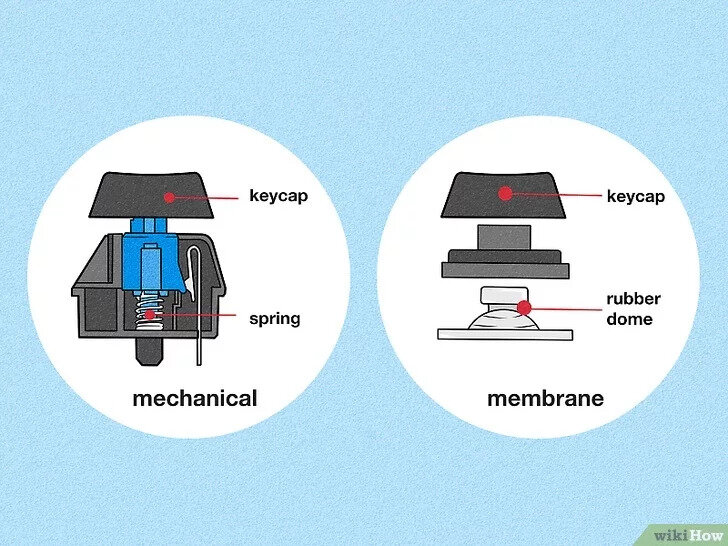
Membrane vs Mechanical
https://www.penaddict.com/blog/2020/3/11/a-brief-introduction-to-mechanical-keyboard-switches
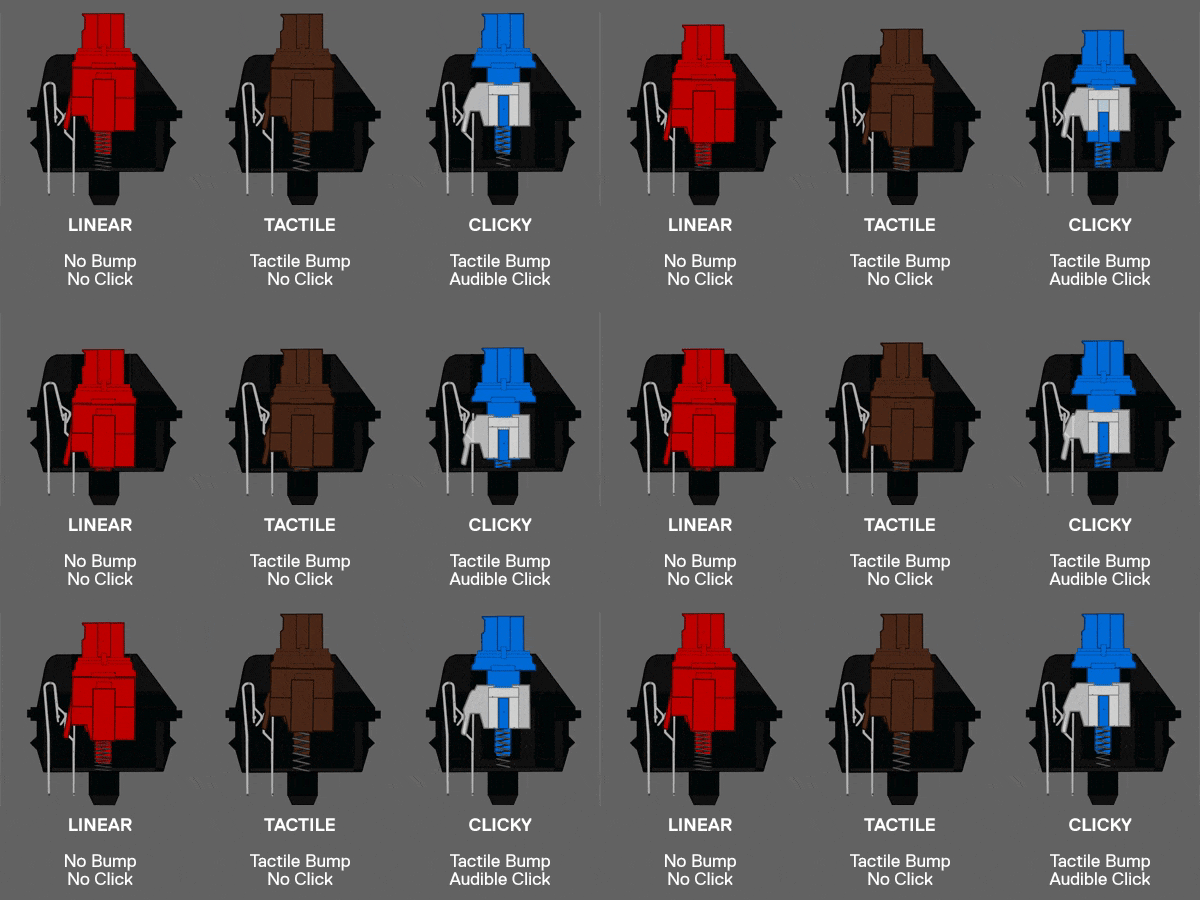
Switch type
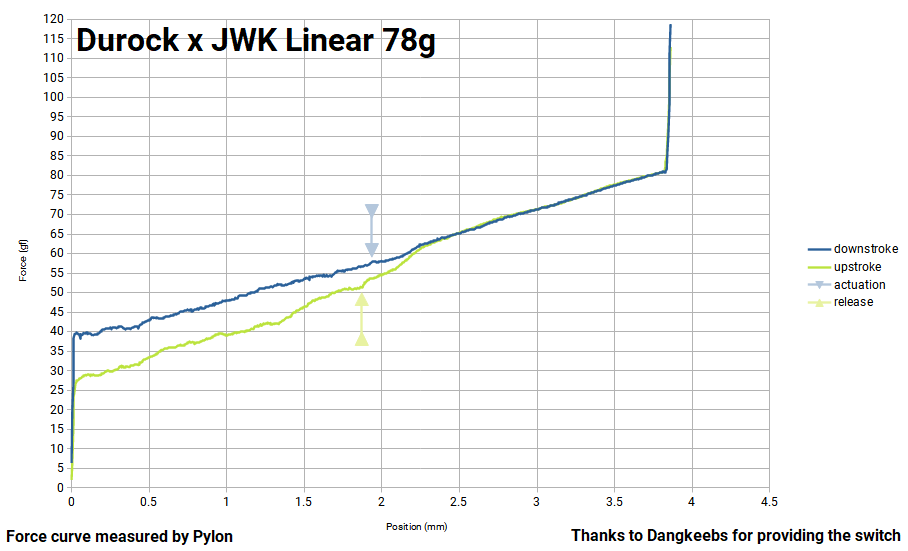
https://github.com/bluepylons/Open-Switch-Curve-Meter/tree/main/Force%20curve%20measurements
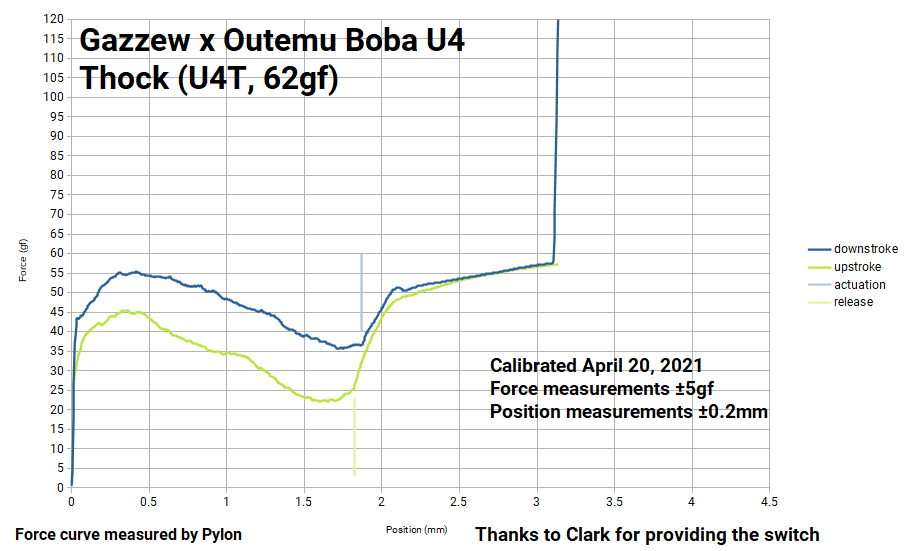
https://github.com/bluepylons/Open-Switch-Curve-Meter/tree/main/Force%20curve%20measurements
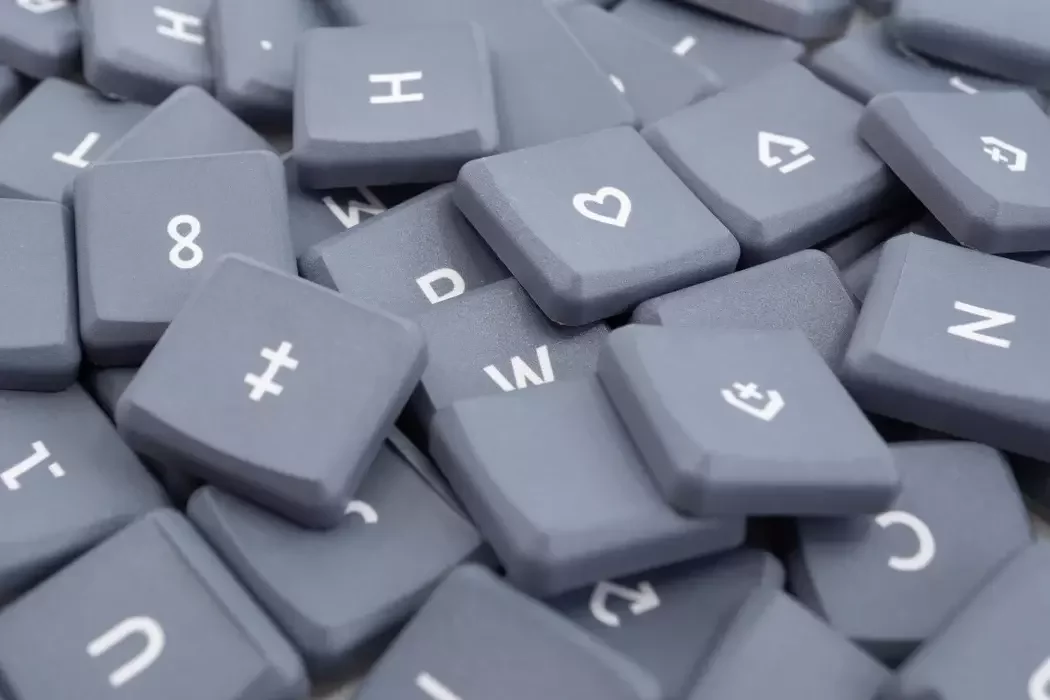
https://splitkb.com/products/mbk-legend-40s-choc-low-profile-keycaps
Keycaps
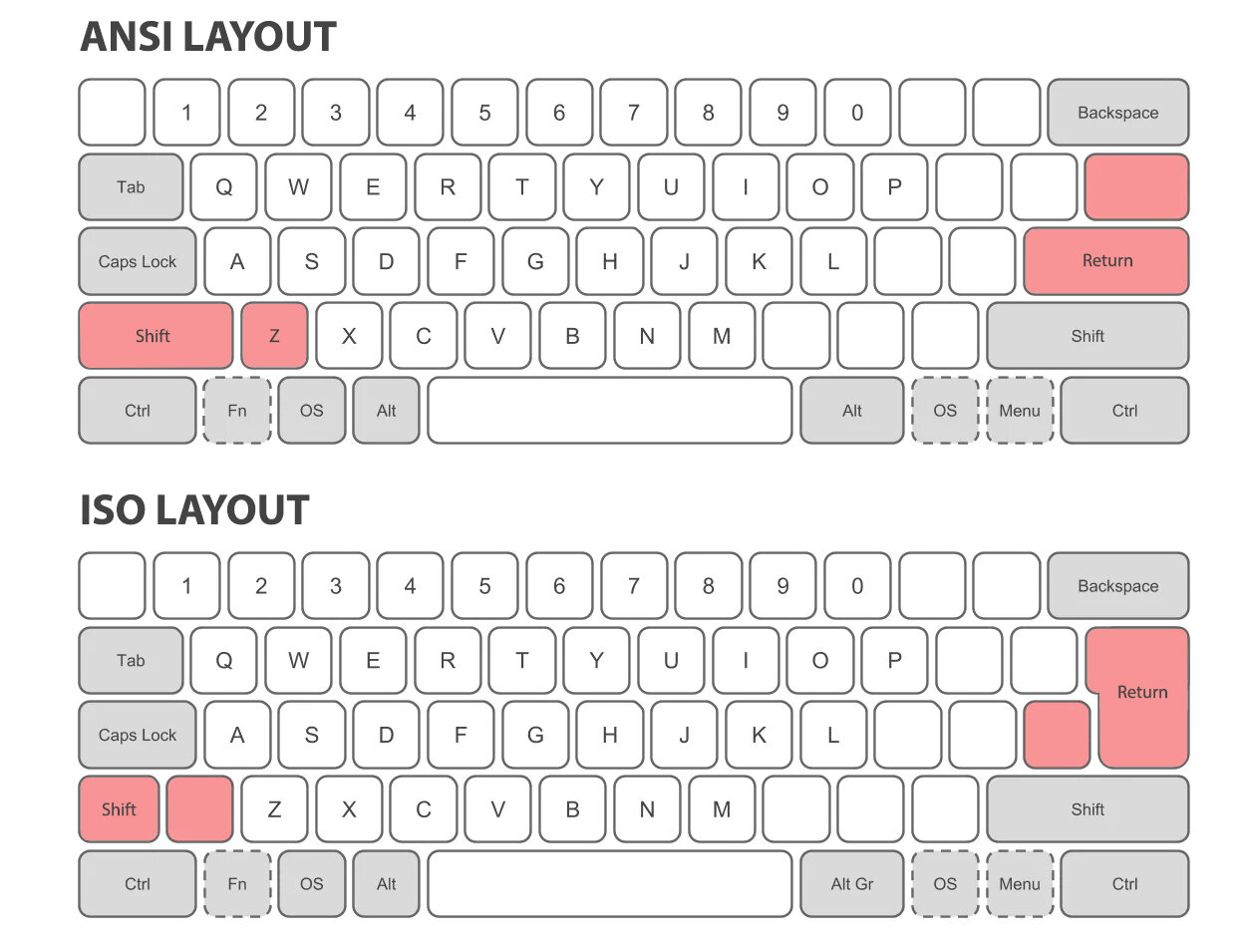
https://www.computerlounge.co.nz/blog/tips-and-tricks/is-there-a-best-keyboard-size--sizing-up-mechanical-keyboards
Layout
Keyboard size guide
Key clusters
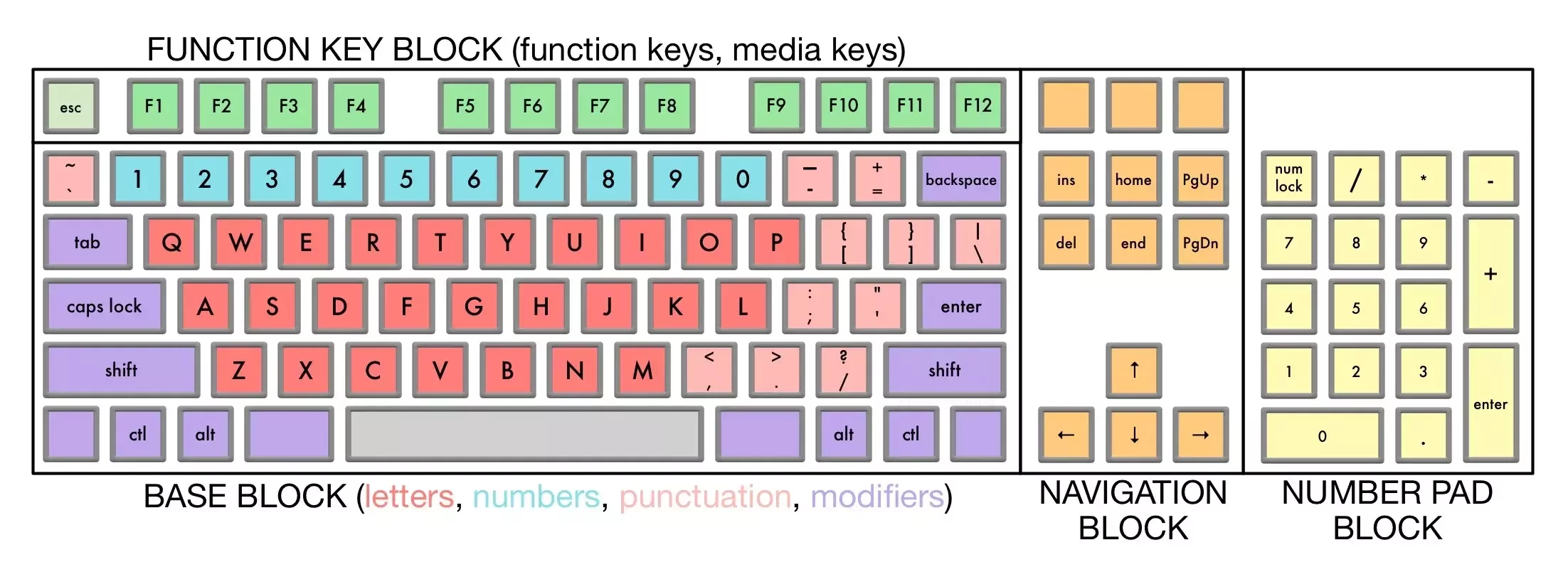
https://trauring.org/how-many-keys-are-there-on-a-keyboard/
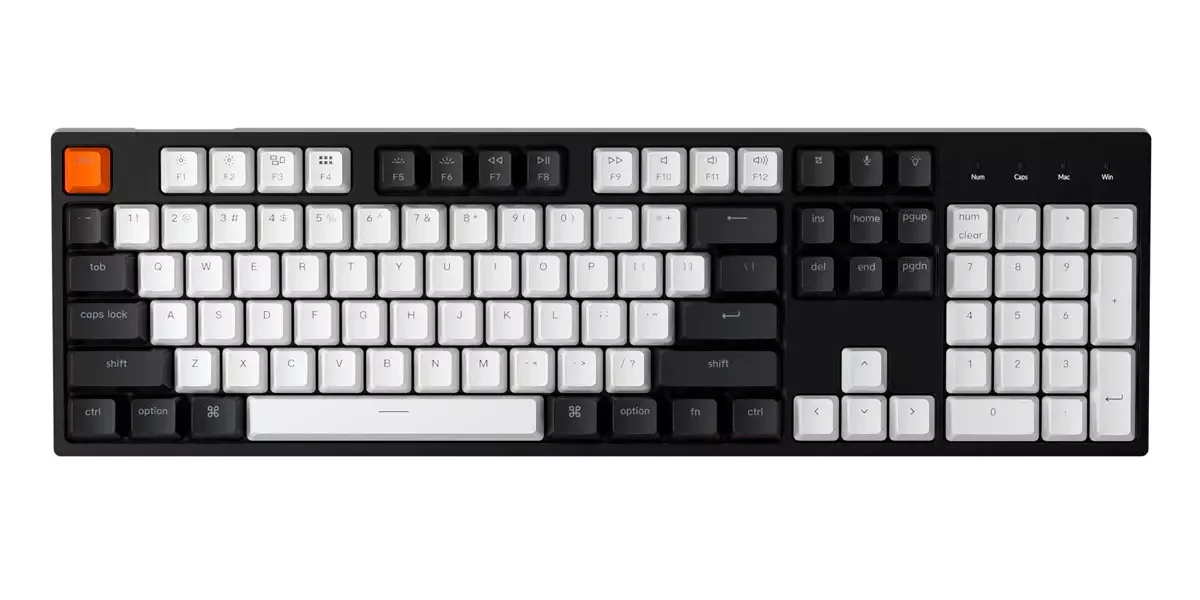
Full size - 100%
https://www.keychron.com/blogs/news/keyboard-size-layout-buying-guide
96% - compact full
https://www.keychron.com/blogs/news/keyboard-size-layout-buying-guide
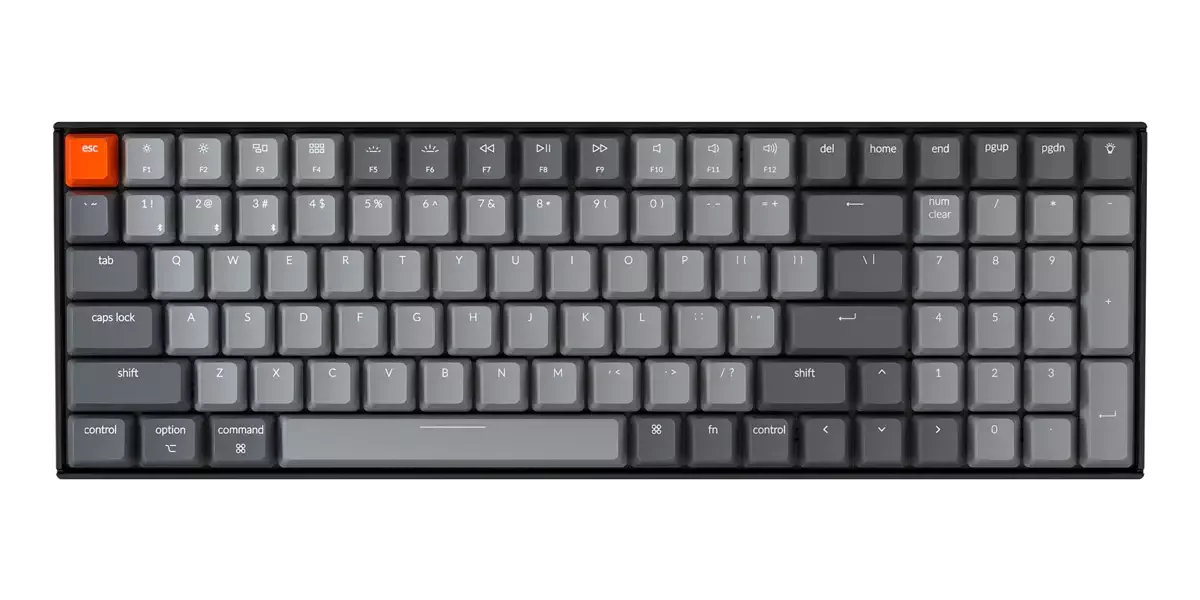
Missing Keys: some navigation keys (PrtScn, Scroll Lock, and Pause)
80% - TKL
https://www.keychron.com/blogs/news/keyboard-size-layout-buying-guide
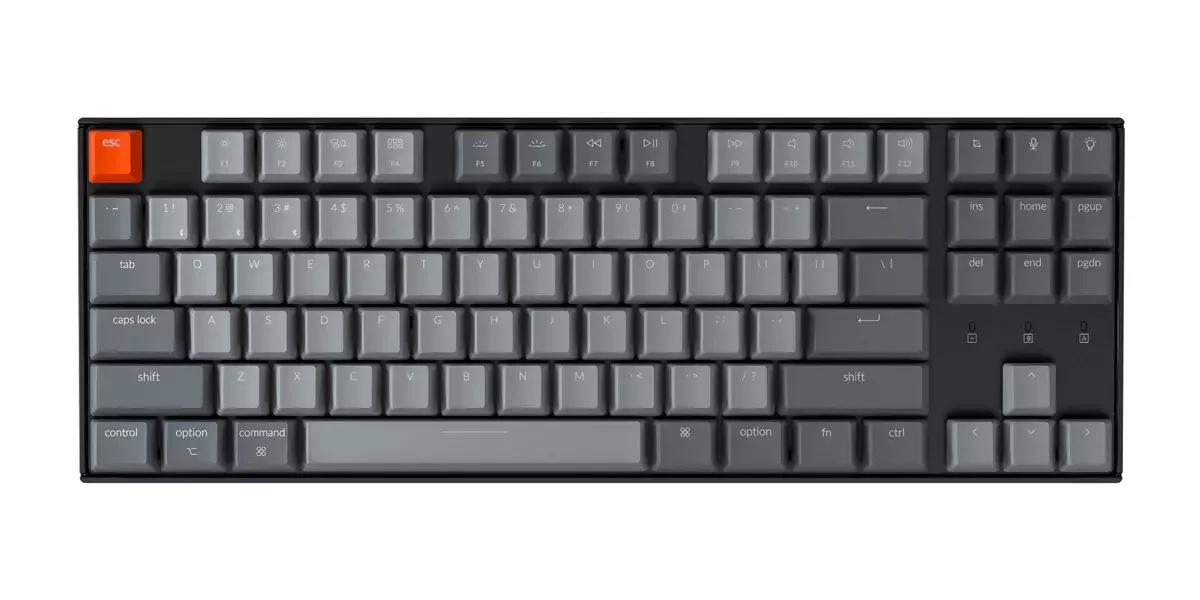
Missing Keys: number pad
75% - compact TKL
https://www.eurogamer.net/digitalfoundry-best-75-percent-keyboards
Missing Keys: number pad
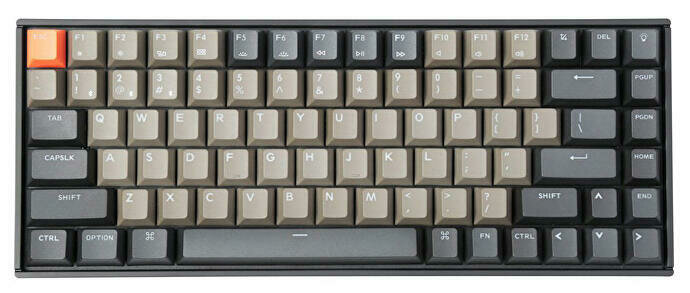
65%
https://www.keychron.com/blogs/news/keyboard-size-layout-buying-guide
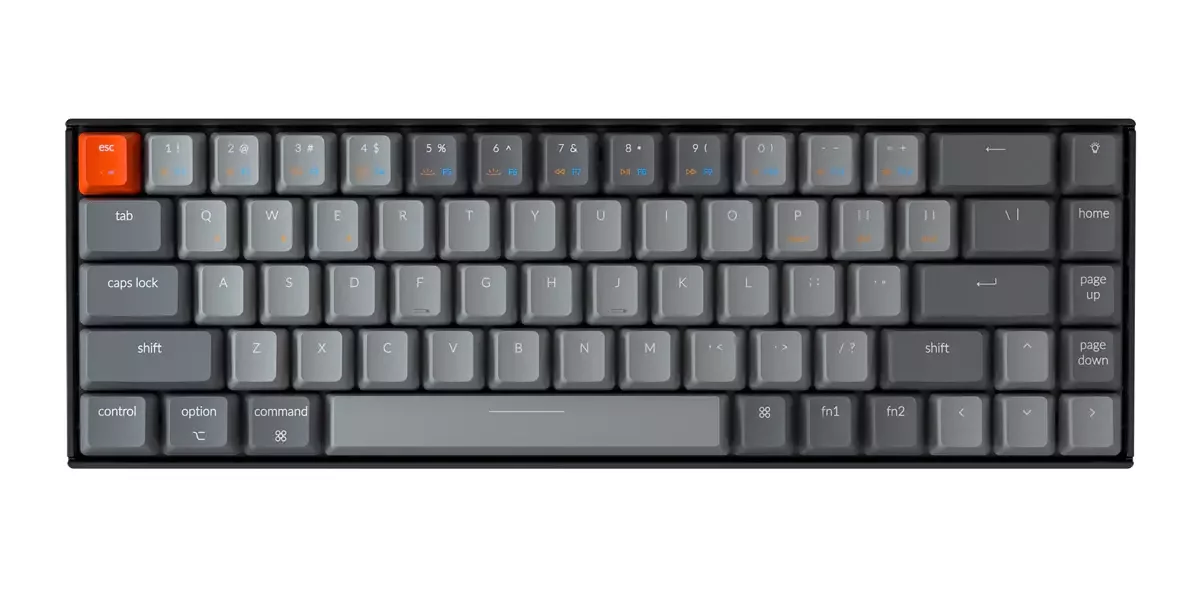
Missing Keys: number pad, some navigation keys (Del, End, Insert, PrtScn, Scroll Lock, and Pause), function keys
60%
https://www.keychron.com/blogs/news/keyboard-size-layout-buying-guide
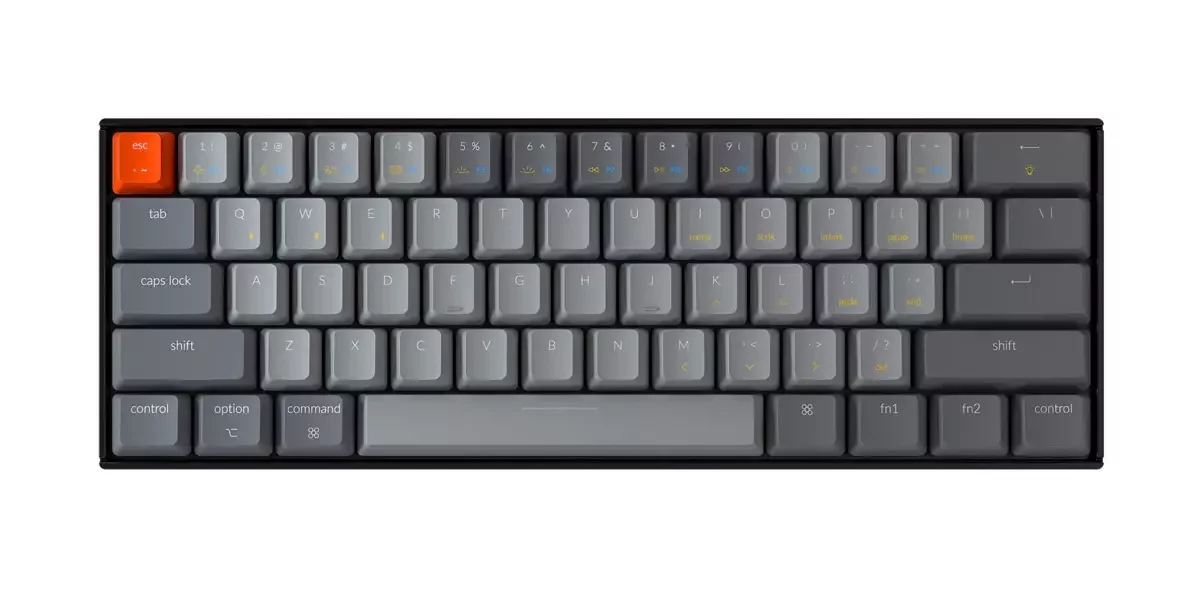
Missing keys: number pad, navigation keys, function keys, arrow keys
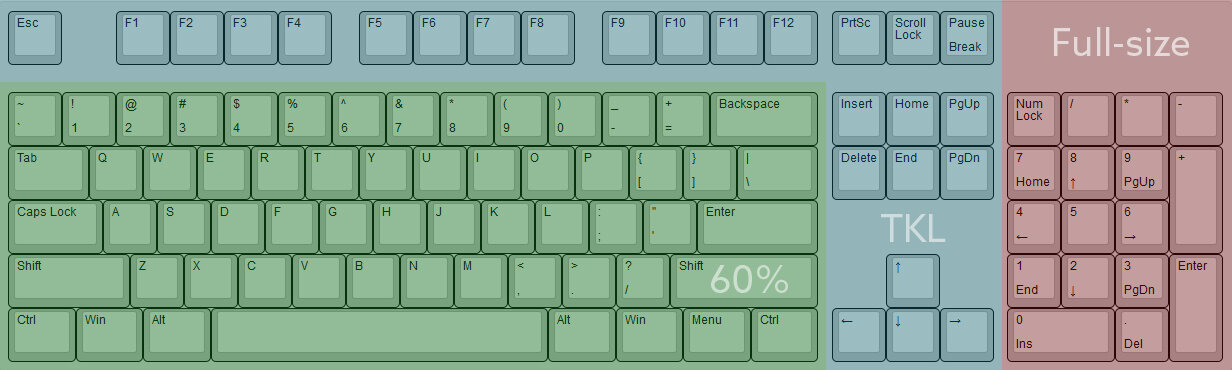
https://labs.library.concordia.ca/blog/why-mechanical-keyboards-keyboard-sizes/
Full vs TKL vs 60%
50%
https://www.keychron.com/blogs/news/keyboard-size-layout-buying-guide
Missing keys: number pad, navigation keys, function keys, arrow keys, number row
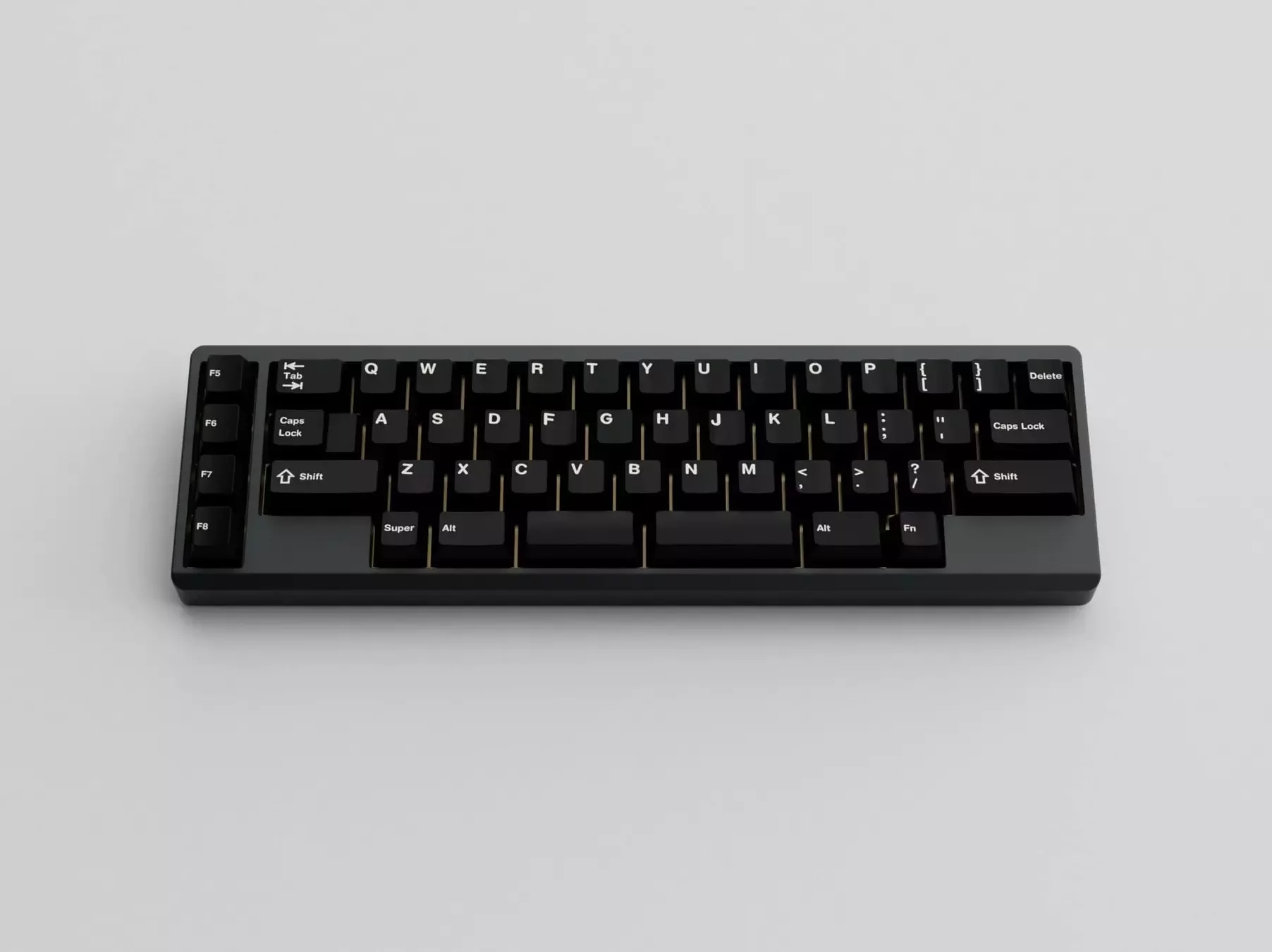
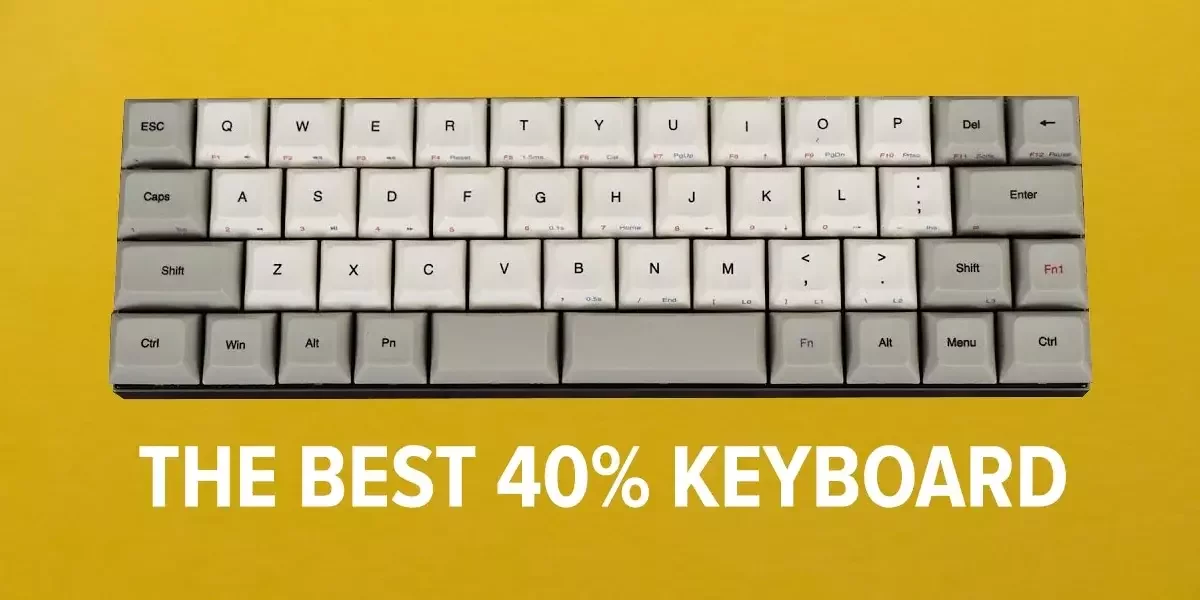
40%
https://thegamingsetup.com/gaming-keyboard/reviews/best-40-percent
Missing keys: number pad, navigation keys, function keys, number row, arrow keys
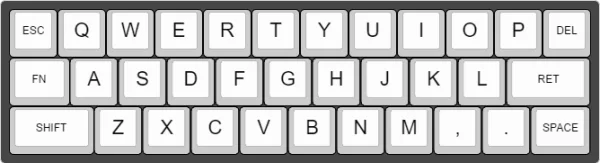
30%
https://boingboing.net/2017/04/24/30-keyboard-is-tiny-adorable.html
Missing keys: almost all but the base cluster
Requirements
- normal
- low profile
- compact / minimalistic
- mechanical (tactile switches)
- programmable (nice to have)
- wireless (nice to have)
16.03.2022
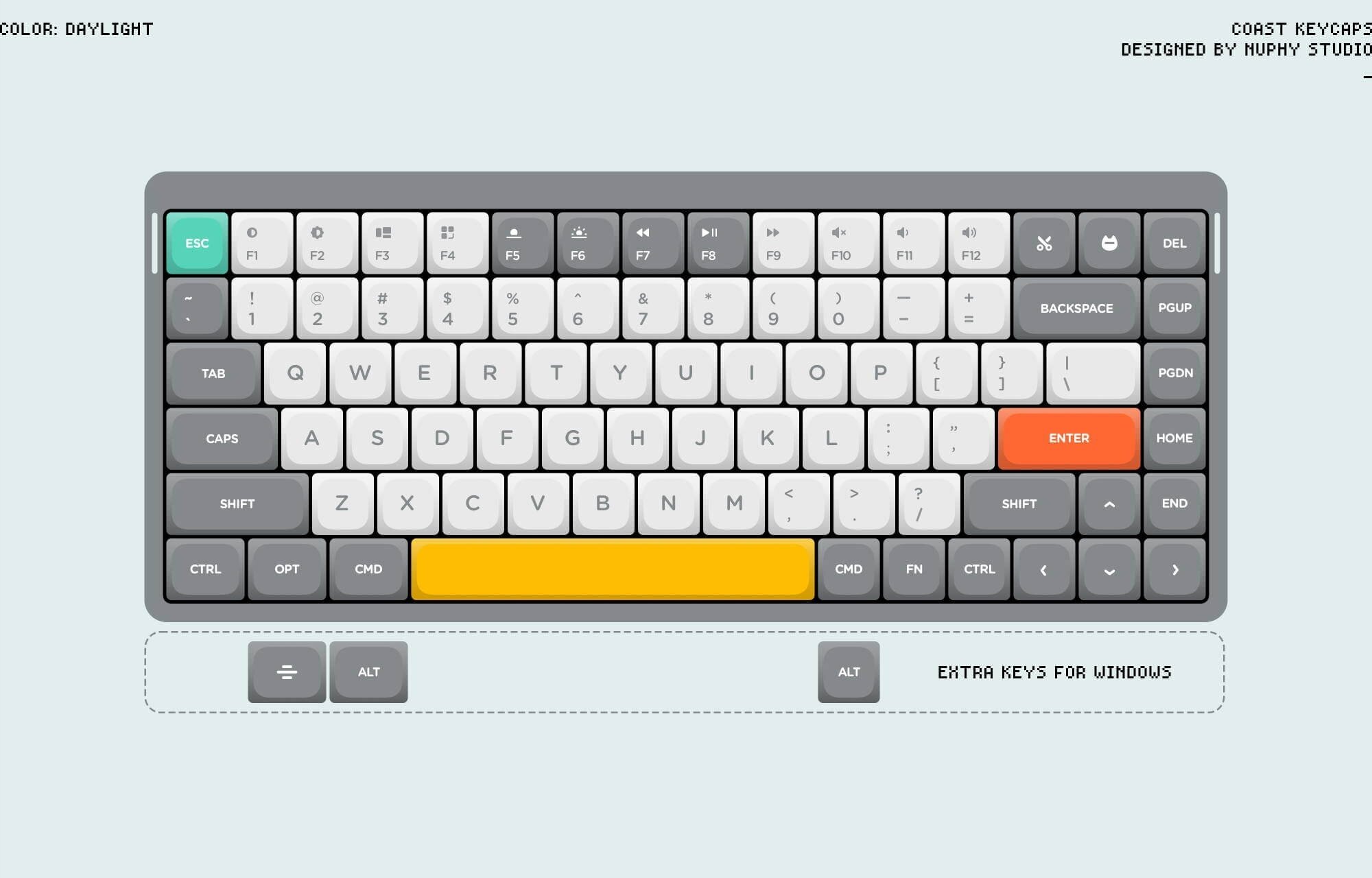
Nuphy Air75
Touch typing
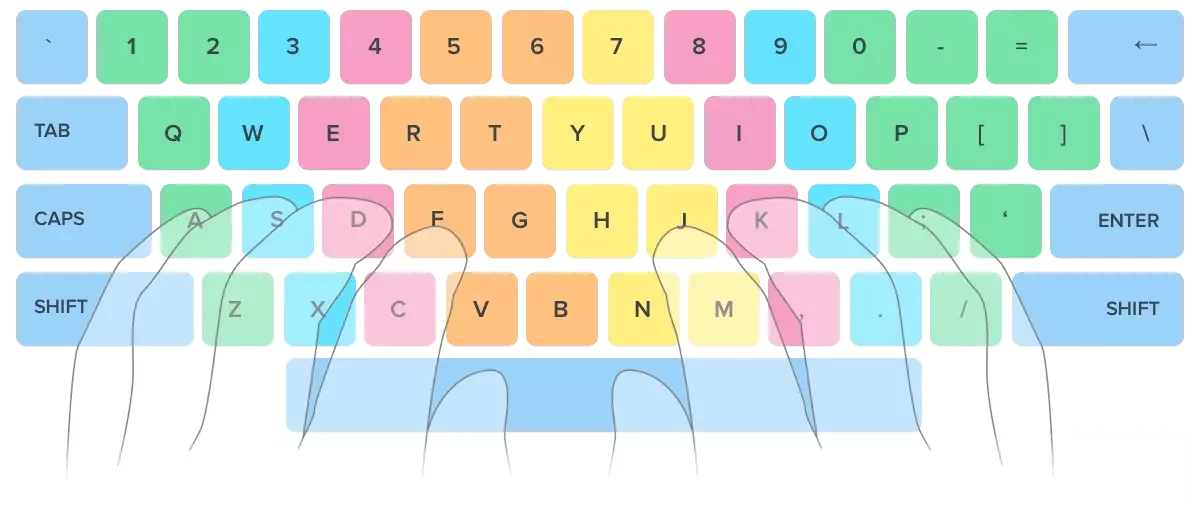
https://www.ratatype.com/learn/
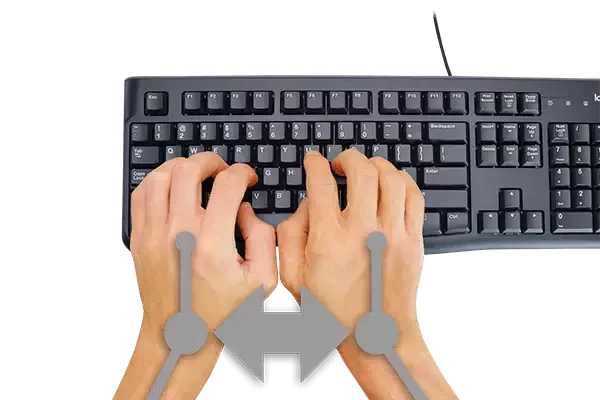
Cramped Wrists & Hands
https://cloudnineergo.com/products/cloud-nine-ergotkl-ergonomic-split-mechanical-keyboard
Towards the ergonomy
Part 2
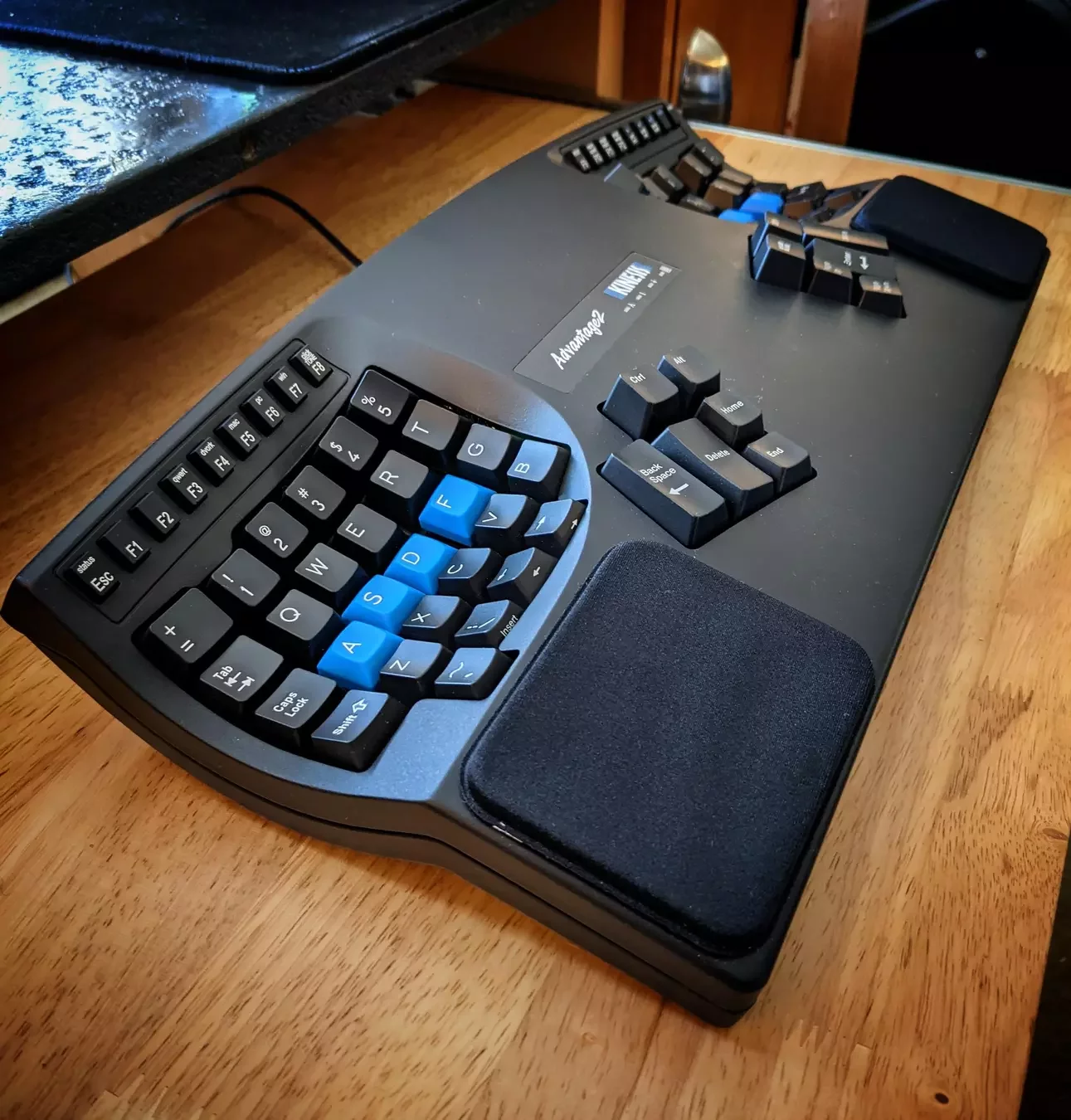
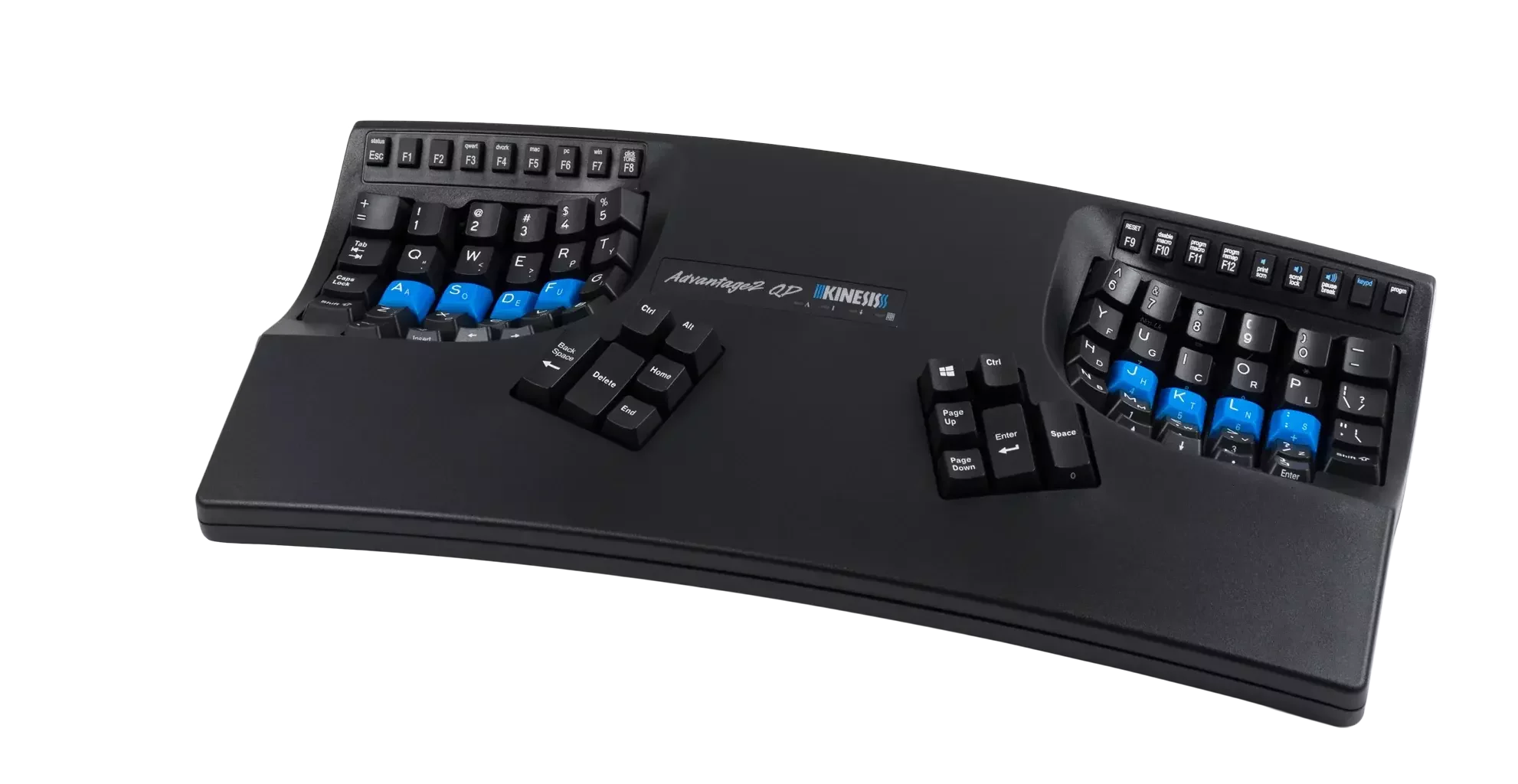
Kinesis Advantage 2
- programmable*
- thumb cluster
- fixed split
- 20 degree tenting
- palm support
- key wells
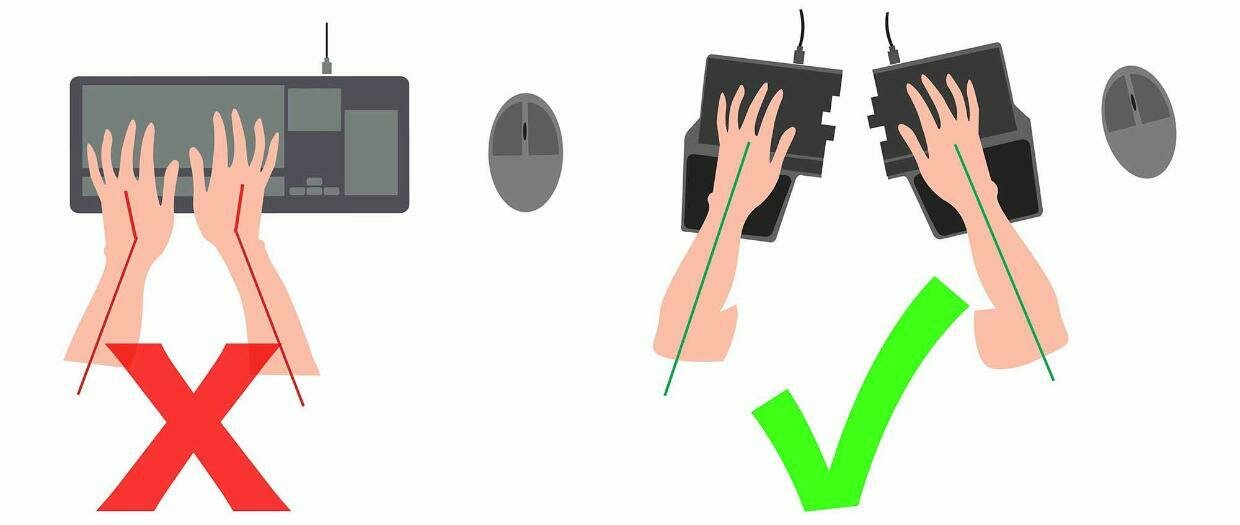
https://twitter.com/DygmaLab/status/1153993228871438336/photo/1
Ulnar deviation
Forearm Pronation
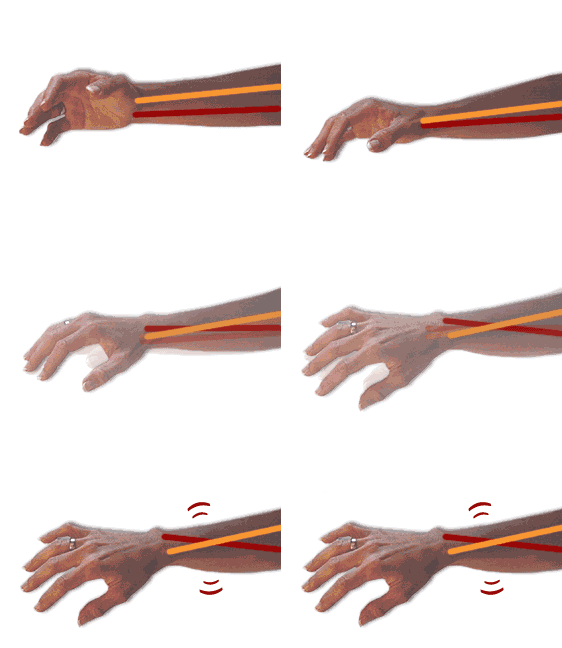
http://www.ergopedia.ca/risk_factors/Pronation_or_Working_with_the_Hands_Flat_on_the_Worksurface.html
https://zty.pe/

Kinesis layout
https://www.reddit.com/r/MechanicalKeyboards/comments/5qaqrd/show_us_your_customized_keyboard_layouts_heres_my/
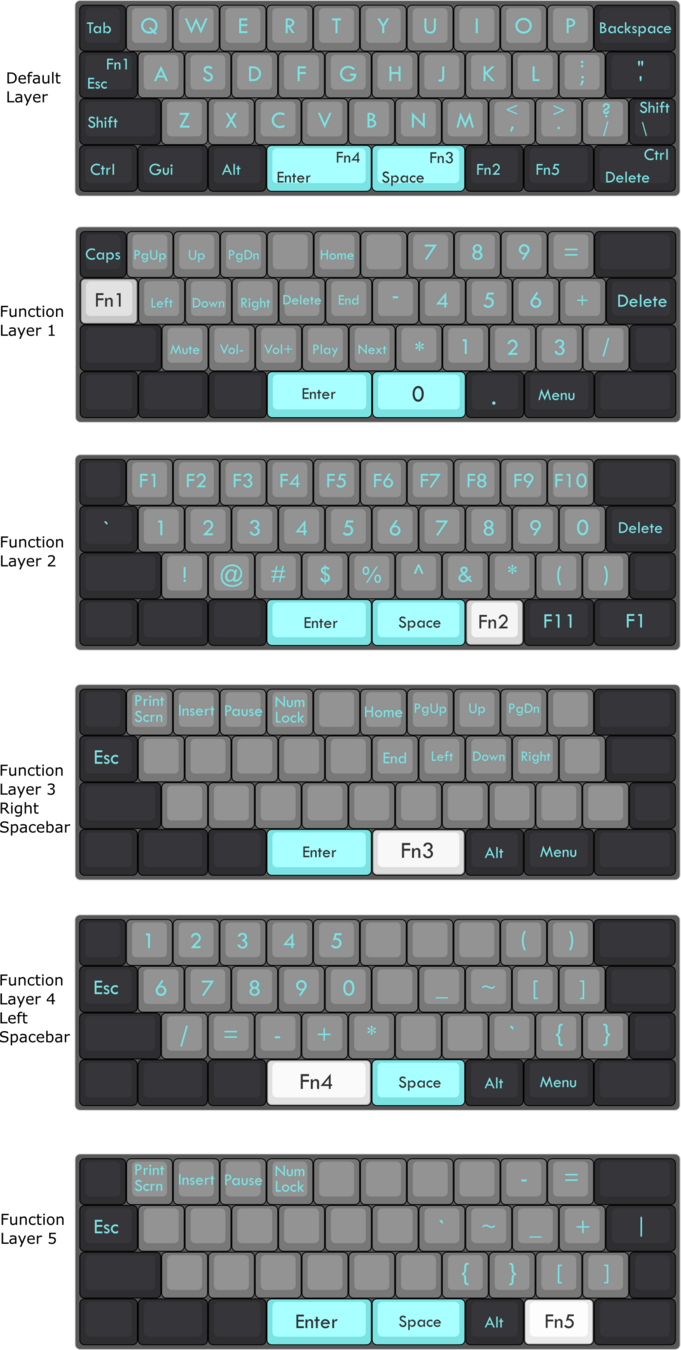
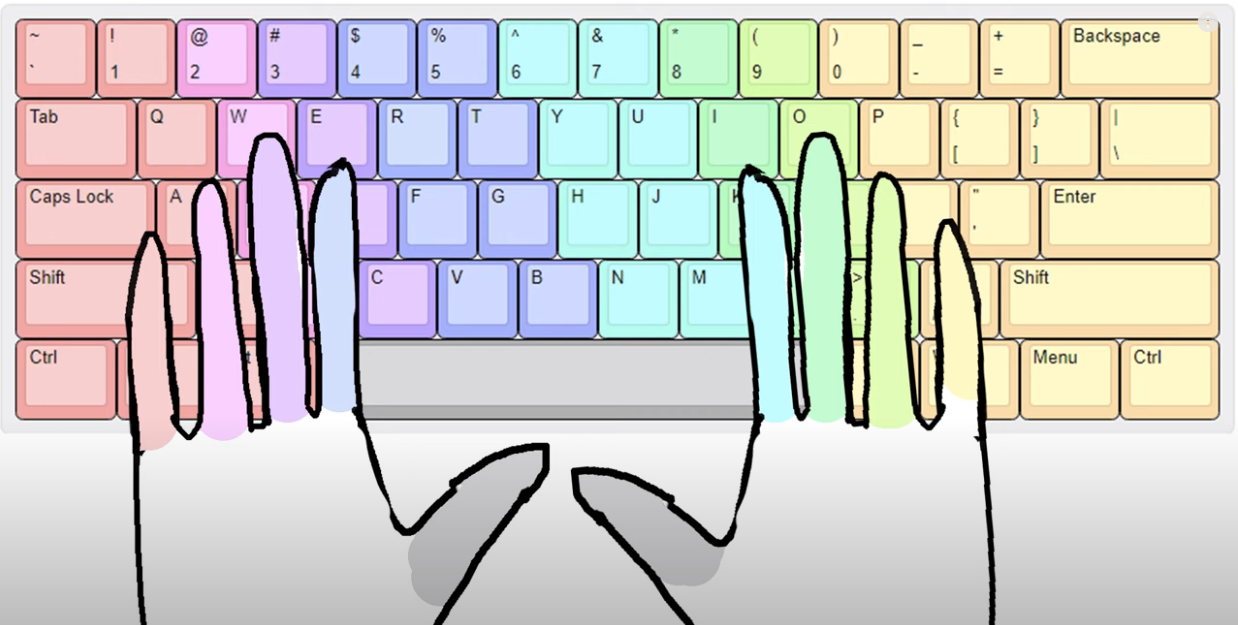
Row staggered
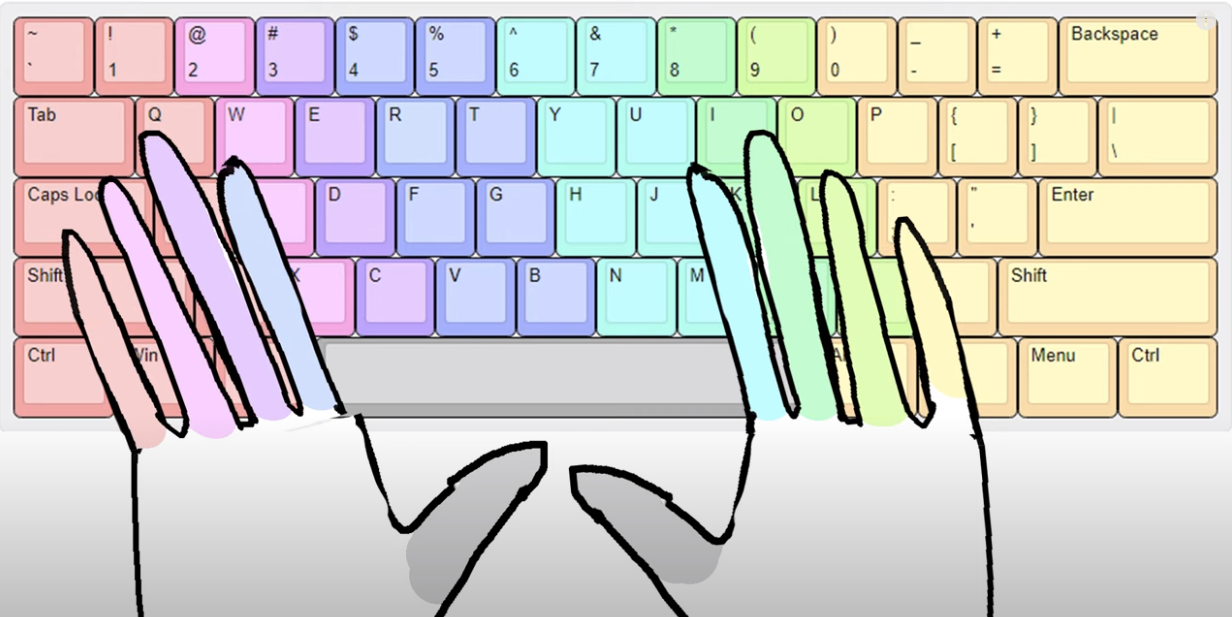
Row staggered
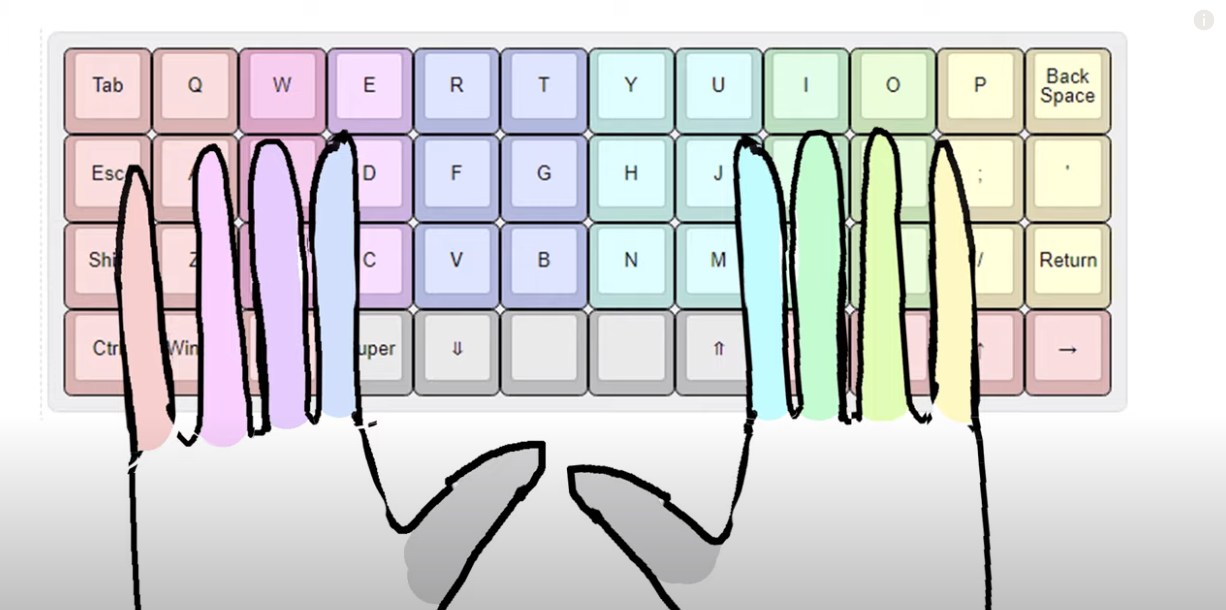
Ortholinear

https://sampo.website/blog/en/2021/lily58/
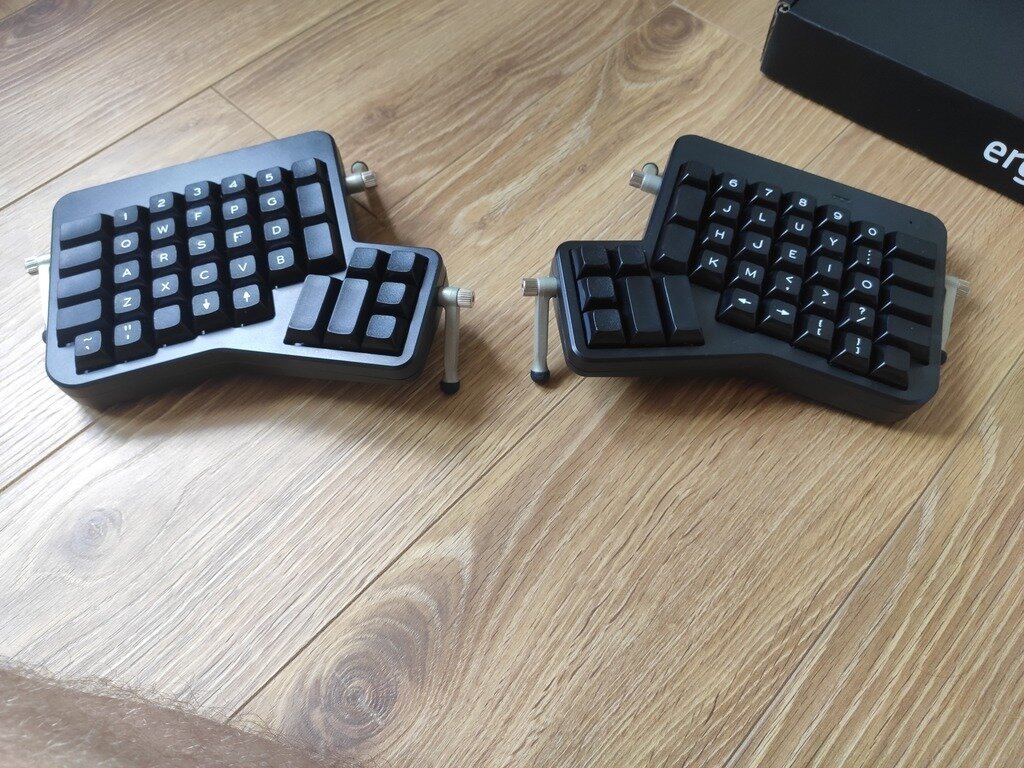
Ergodox
Moonlander
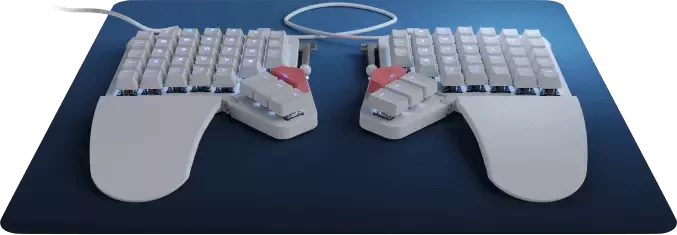
https://ergodox-ez.com/
Dygma Raise
https://www.tomshardware.com/reviews/dygma-raise
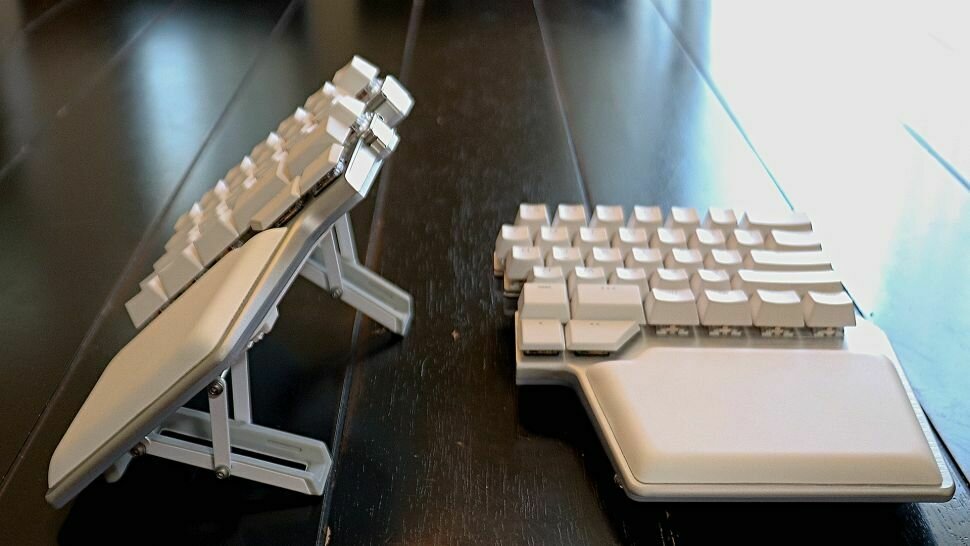
Dactyl manuform
https://ohkeycaps.com/products/built-to-order-dactyl-manuform-keyboard
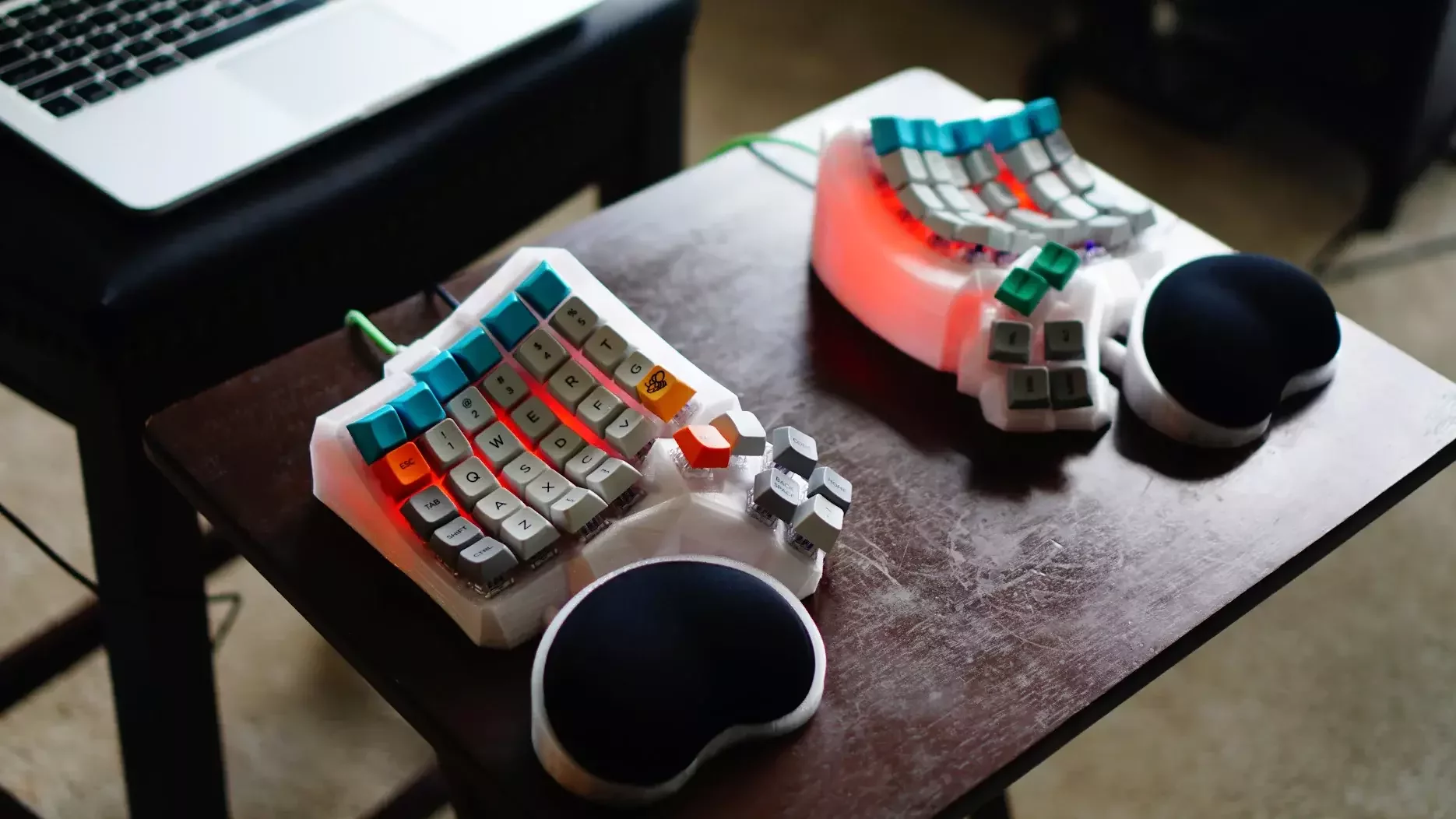
Thumb cluster ideas
- space/enter
- backspace/delete
- special action - menu action (e.g. Alfred on mac)
- shift/command
- tab
- layers?
- letter?
Part 3
Do I need that many keys?
Minimalism
"We are moving our keys to the fingers, we're not moving our fingers to the keys"
Layers
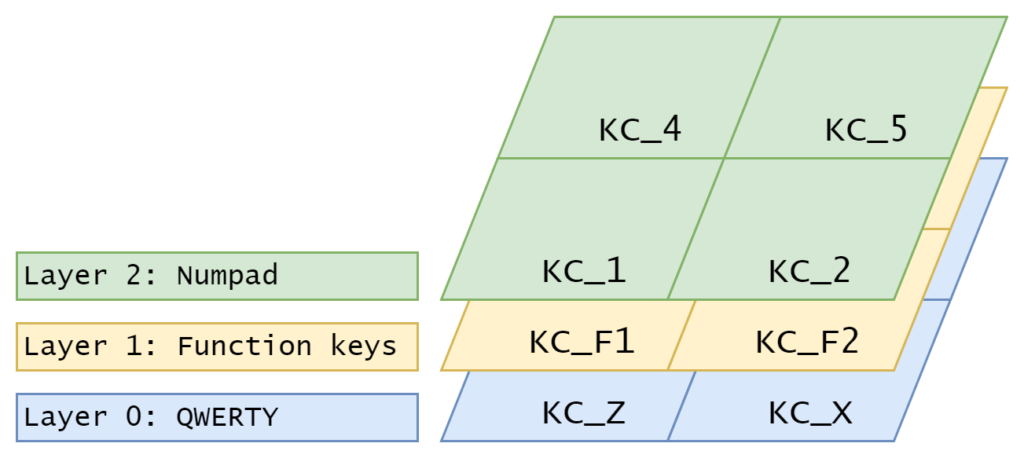
https://thomasbaart.nl/2018/12/06/qmk-basics-how-to-add-a-layer-to-your-keymap/
"... this amounts to a function key that allows for different keys, much like what you would see on a laptop or tablet keyboard."
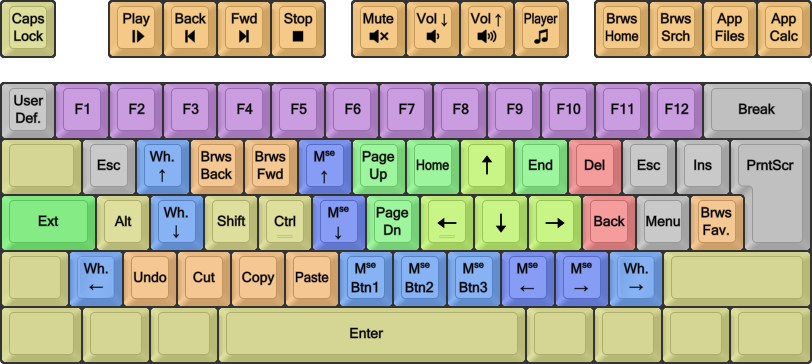
https://dreymar.colemak.org/layers-extend.html
Extended layer
Software
- QMK - keyboard firmware, most popular
- ZMK - keyboard firmware for wireless
- kMonad - OS level software
- and many others
QMK Features
Grave Escape is a feature that allows you to share the grave key (` and ~) with Escape.
Most of the time this key will output KC_ESC when pressed. However, when Shift or GUI are held down it will output KC_GRV instead.
QMK Features
Hold-tap will output the 'hold' behavior if it's held for a while, and output the 'tap' behavior when it's tapped quickly
- auto-shift
- layer switch
- modifier activation
Example usages:
QMK Features
One Shot Keys ("Sticky keys" or "Dead keys") are keys that remain active until the next key is pressed, and then are released.
Example usages:
- modifiers
- layers
QMK Features
Caps Word It is often useful to type a single word in all capitals, for instance abbreviations like “QMK”, or in code, identifiers like KC_SPC. It is a modern alternative to Caps Lock.
Same idea:
- number words
- snake_case
- kebab-case
QMK Features
Combos - The Combo feature is a chording type solution for adding custom actions. It lets you hit multiple keys at once and produce a different effect. For instance, hitting A and B within the combo term would hit ESC instead, or have it perform even more complex tasks.
Example usages:
- emulate less frequent keys
QMK Features
Space cadet - when you tap Left Shift on its own, you get an opening parenthesis; tap Right Shift on its own and you get the closing one. When held, the Shift keys function as normal. Yes, it’s as cool as it sounds, and now even cooler supporting Control and Alt as well!
QMK Features
Tap dance
With this feature one can specify keys that behave differently, based on the amount of times they have been tapped, and when interrupted, they get handled before the interrupter.
- Tap = Send Esc
- Double Tap = Send CapsLock
- Tap = Send
x - Hold = Send
Control - Double Tap = Send
Escape - Double Tap and Hold = Send
Alt
Home row mods

"In simple terms, home row mods are the main modifier keys (namely Ctrl, Option/Alt, Command and Shift) on the home row of the keyboard set as Mod-taps."
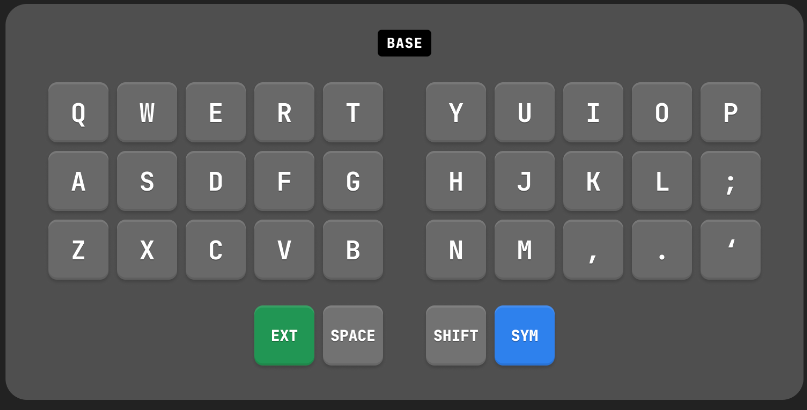
https://www.reddit.com/r/KeyboardLayouts/comments/rcje4n/thoughts_on_this_34_key_layout/
Example 34-keys
https://www.reddit.com/r/KeyboardLayouts/comments/rcje4n/thoughts_on_this_34_key_layout/
Example 34-keys
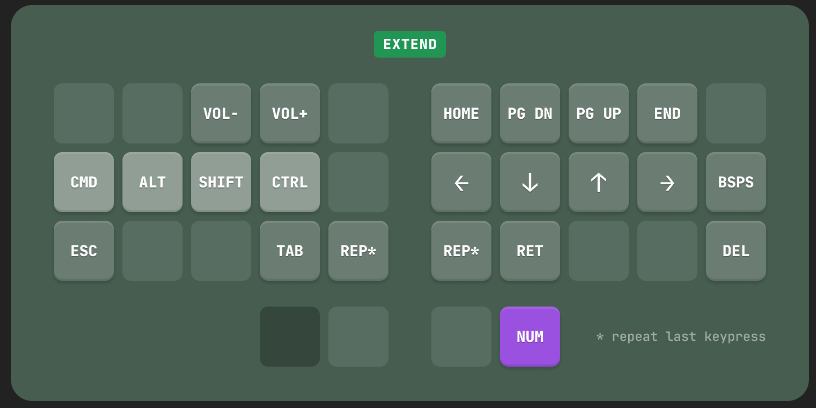
https://www.reddit.com/r/KeyboardLayouts/comments/rcje4n/thoughts_on_this_34_key_layout/
Example 34-keys
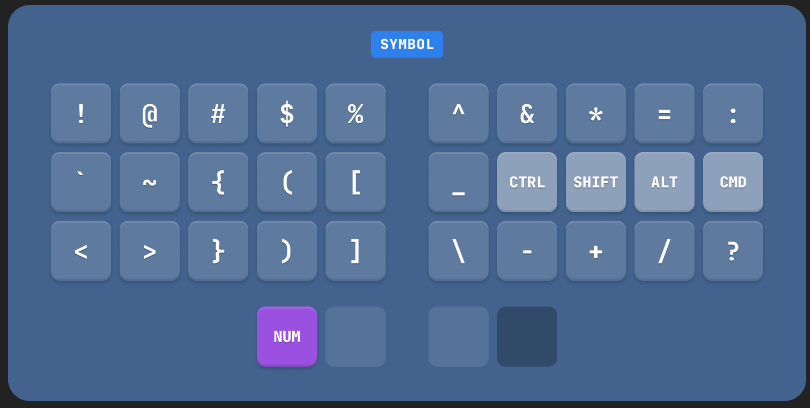
https://www.reddit.com/r/KeyboardLayouts/comments/rcje4n/thoughts_on_this_34_key_layout/
Example 34-keys
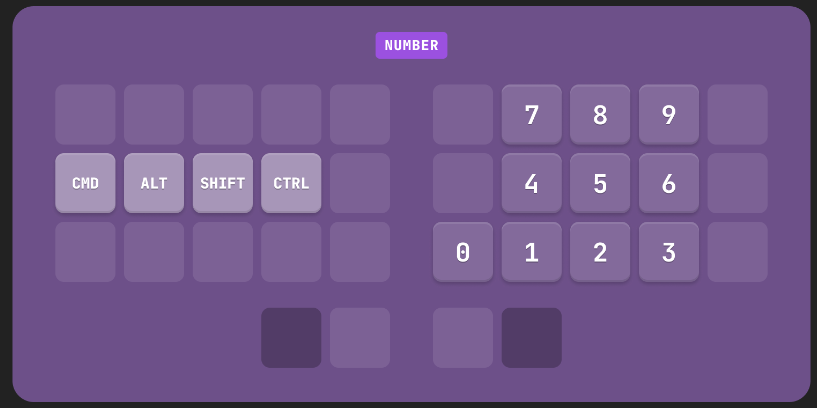
Base/Alpha layer
- qwerty
- dvorak
- colemak (+dh mod)
- workman/norman
- halmak
- engram
- rsthd
Base/Alpha layer
https://paulguerin.medium.com/the-search-for-the-worlds-best-keyboard-layout-98d61b33b8e1
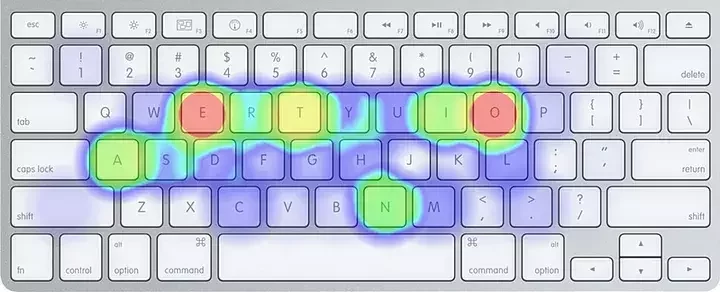
QWERTY
Base/Alpha layer
https://paulguerin.medium.com/the-search-for-the-worlds-best-keyboard-layout-98d61b33b8e1
Dvorak
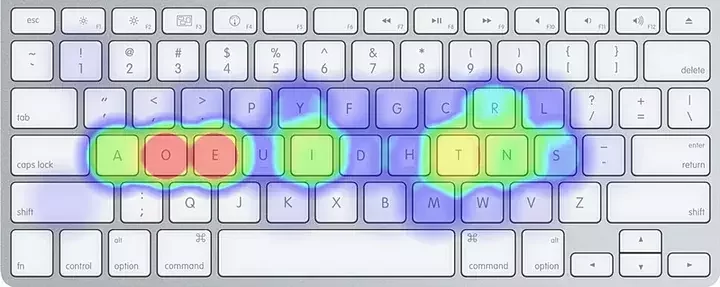
Base/Alpha layer
https://ksprashu.medium.com/an-analysis-of-keyboard-layouts-fdd3be74f584
Colemak-dh
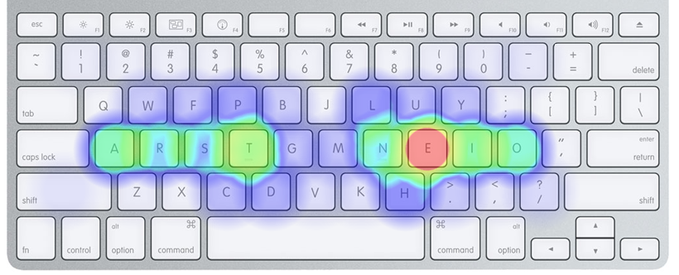
Base/Alpha layer
- Same Finger Bigram (SFB)
- Disjointed SFB (dSFB)/SFS
- Lateral Stretch Bigram (LSB)
- Alternation
- Roll (in/out)
- Redirect/Redirection
- Hand Balance
Base/Alpha layer
Colemak-dh
Alt: 22.55%
Rol: 46.16% (In/Out: 27.34% | 18.82%)
One: 2.19% (In/Out: 1.29% | 0.89%)
Red: 6.58% (Bad: 0.43%)
SFB: 1.47%
SFS: 8.26%
LH/RH: 50.57% | 49.43%
Dvorak
Alt: 37.10%
Rol: 35.85% (In/Out: 18.30% | 17.55%)
One: 0.43% (In/Out: 0.27% | 0.15%)
Red: 2.26% (Bad: 0.83%)
SFB: 3.26%
SFS: 6.45%
LH/RH: 43.92% | 56.08%
Base/Alpha layer
Colemak-dh
Alt: 22.55%
Rol: 46.16% (In/Out: 27.34% | 18.82%)
One: 2.19% (In/Out: 1.29% | 0.89%)
Red: 6.58% (Bad: 0.43%)
SFB: 1.47%
SFS: 8.26%
LH/RH: 50.57% | 49.43%
Qwerty
Alt: 16.33%
Rol: 38.24% (In/Out: 21.27% | 16.97%)
One: 3.08% (In/Out: 1.46% | 1.62%)
Red: 7.53% (Bad: 0.48%)
SFB: 7.04%
SFS: 9.17%
LH/RH: 59.53% | 40.47%
Fast forward to today...
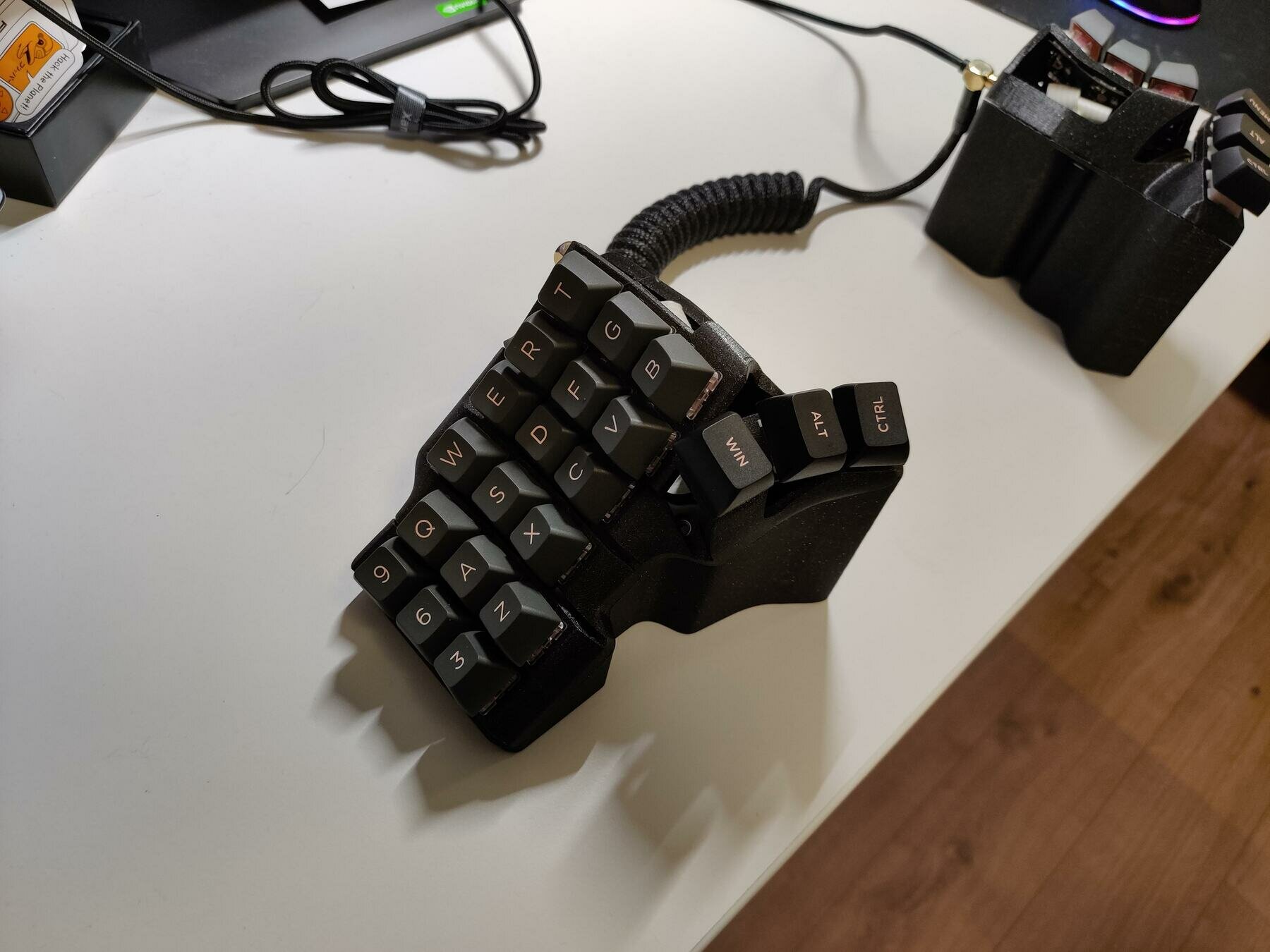
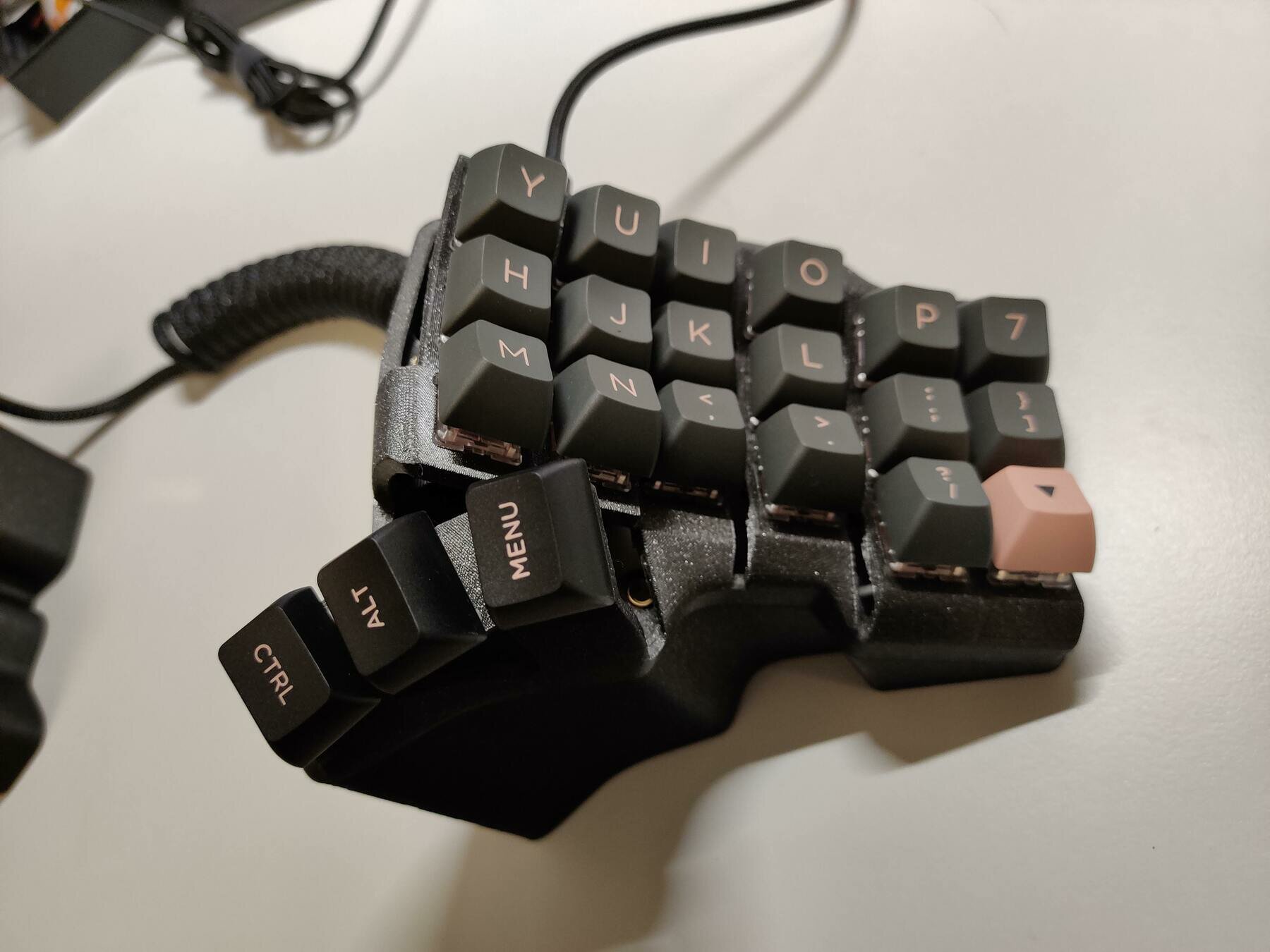
Current keyboard 1
https://bastardkb.com/tbk-mini/
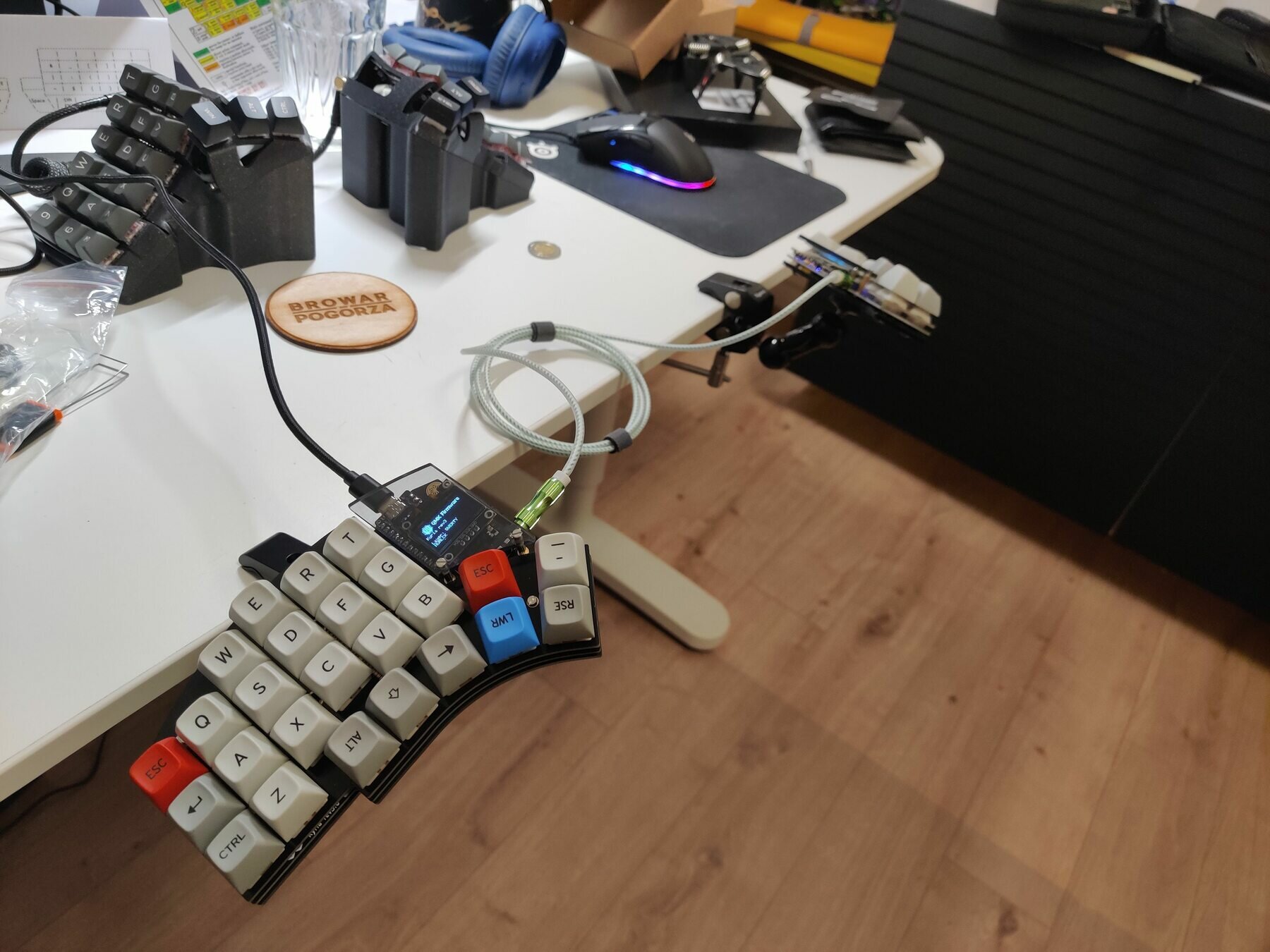
Current keyboard 2
https://splitkb.com/products/kyria-rev3-pcb-kit
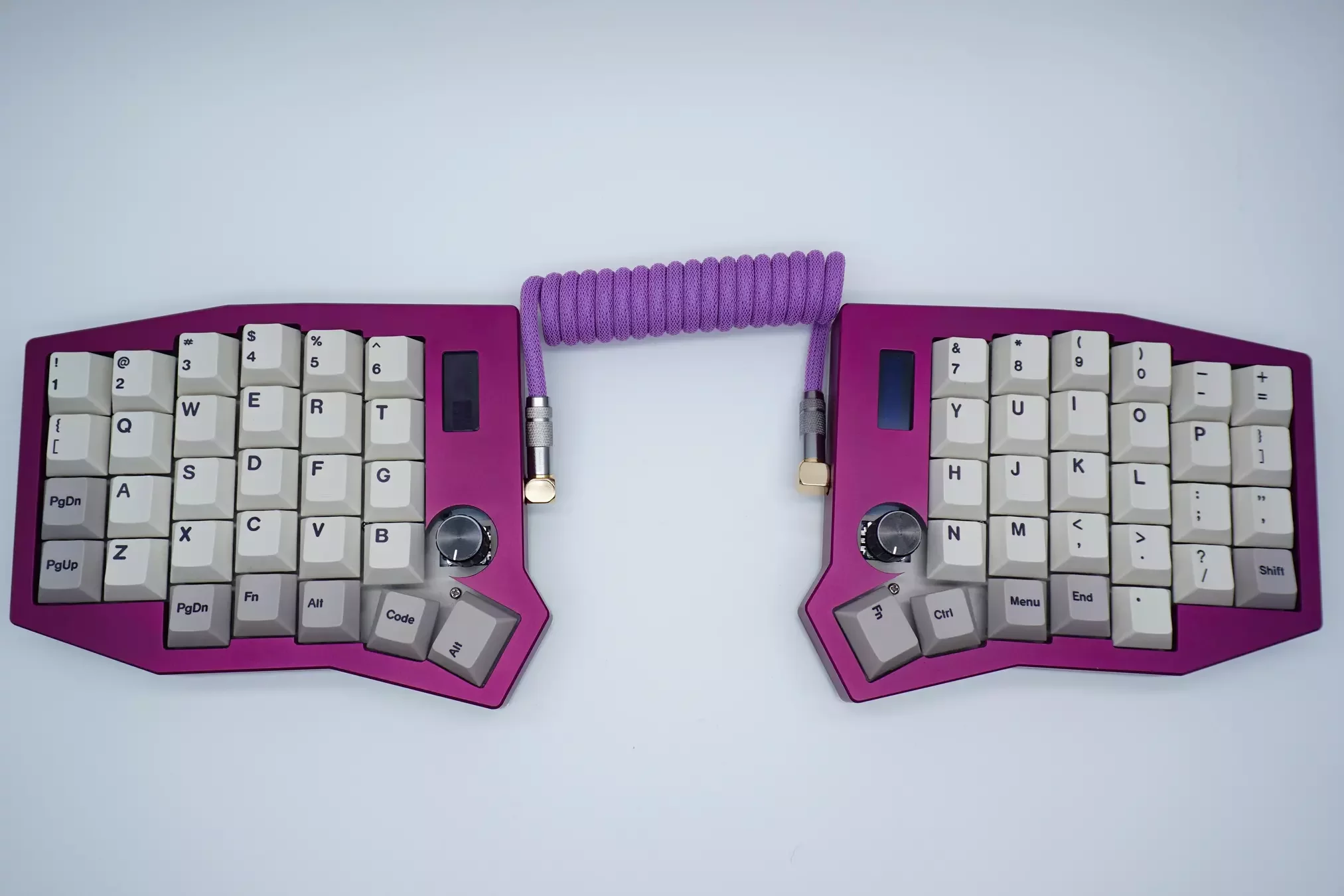
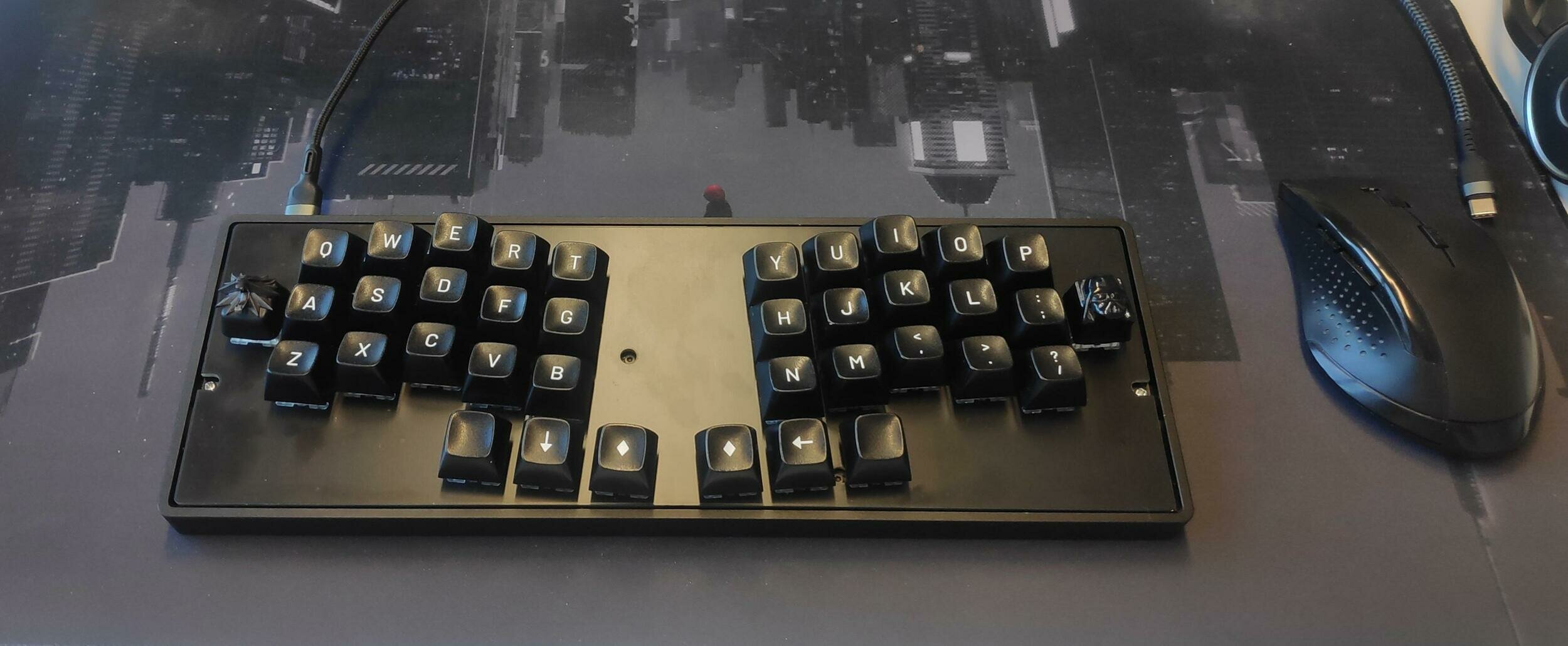
https://www.popularmechanics.com/technology/gadgets/a27123/model-f-project-buckling-spring-keyboard/
ghostbuster91


kkondzielski

ghostbuster91@fosstodon.org
r/ErgoMechKeyboards
r/MechanicalKeyboards
Keyboard Layout Tinkering
By Kasper Kondzielski