




















































Sagar Paul
A geek opensourced
Ansible for you!
CC BY-SA 4.0
Sagar Paul
Software Engineer at Ansible by Red Hat
Open Source Enthusiast
Learning and Automating Networks
It's a simple automation language that can perfectly describe an IT application infrastructure in Ansible Playbooks.
Ansible is open-source!
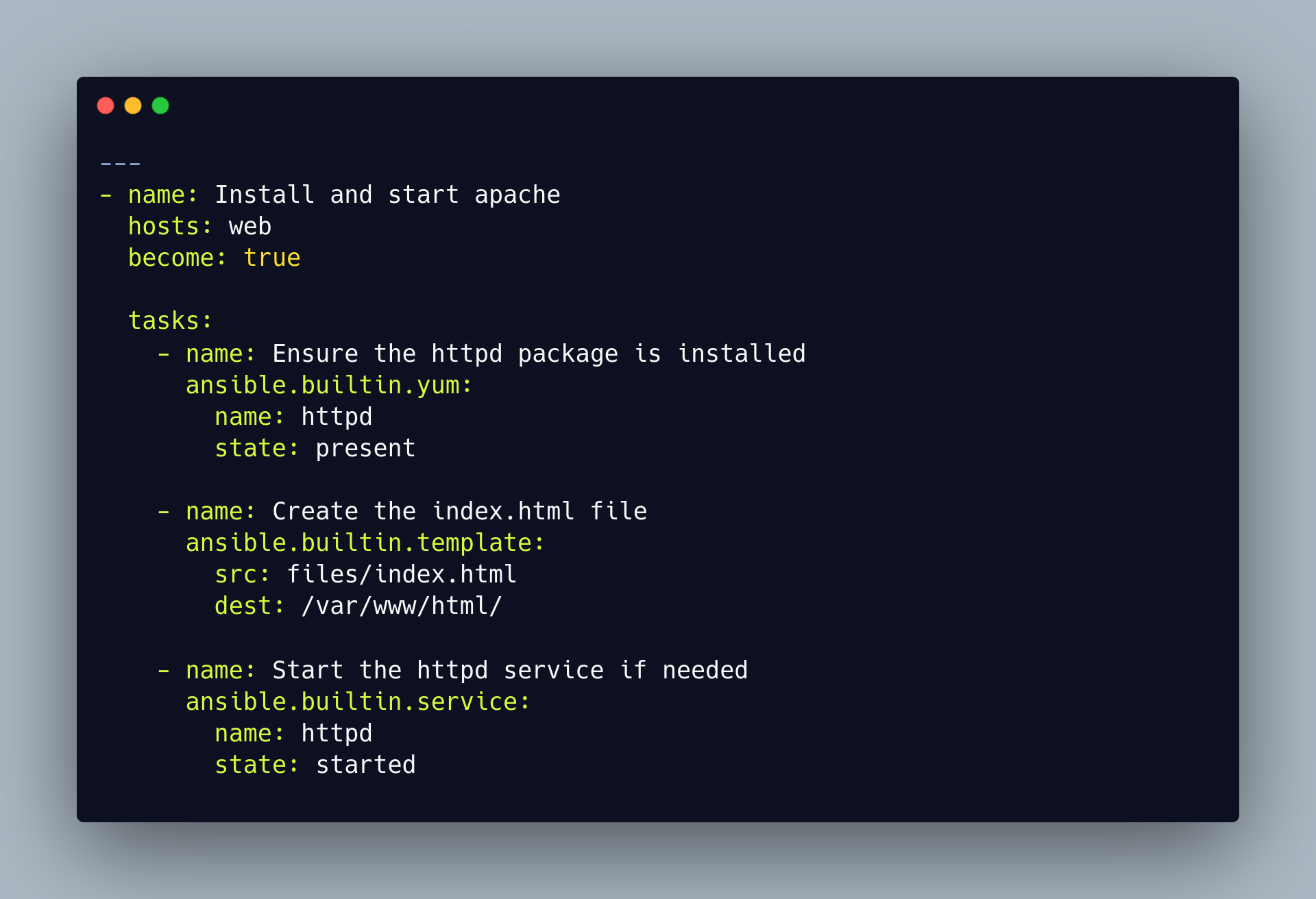
Ansible works with playbooks that divide complex automation challenges in form of simple tasks.
inventory
playbook
collections and modules
ansible
target node
inventory
inventory
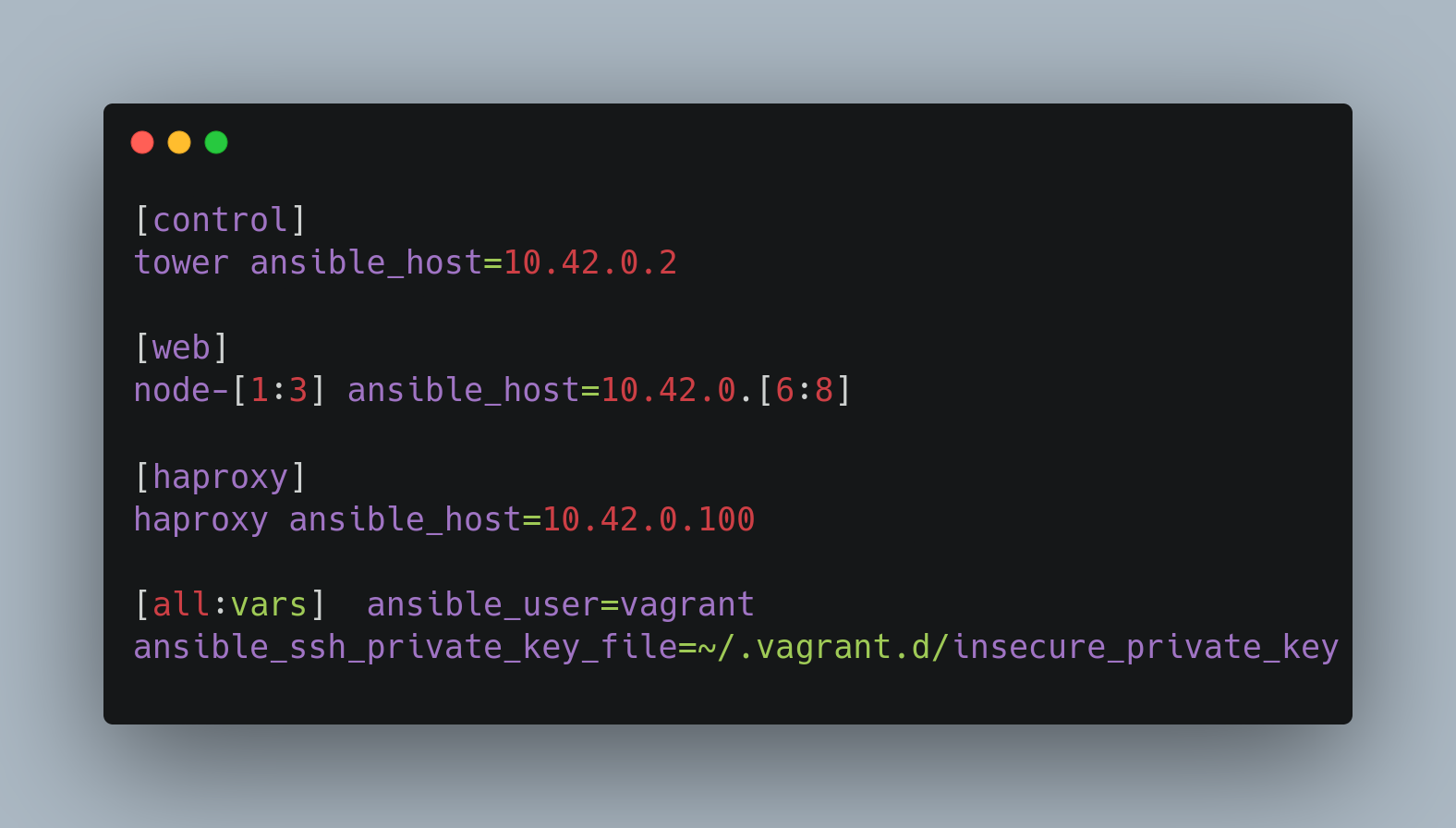
Simple static Inventory with groups and variables
Inventory is a collection of hosts (nodes) with associated data and groupings that Ansible can connect and manage. And it contains
Hosts (nodes)
Groups
Inventory-specific data (variables)
Static or dynamic sources
inventory
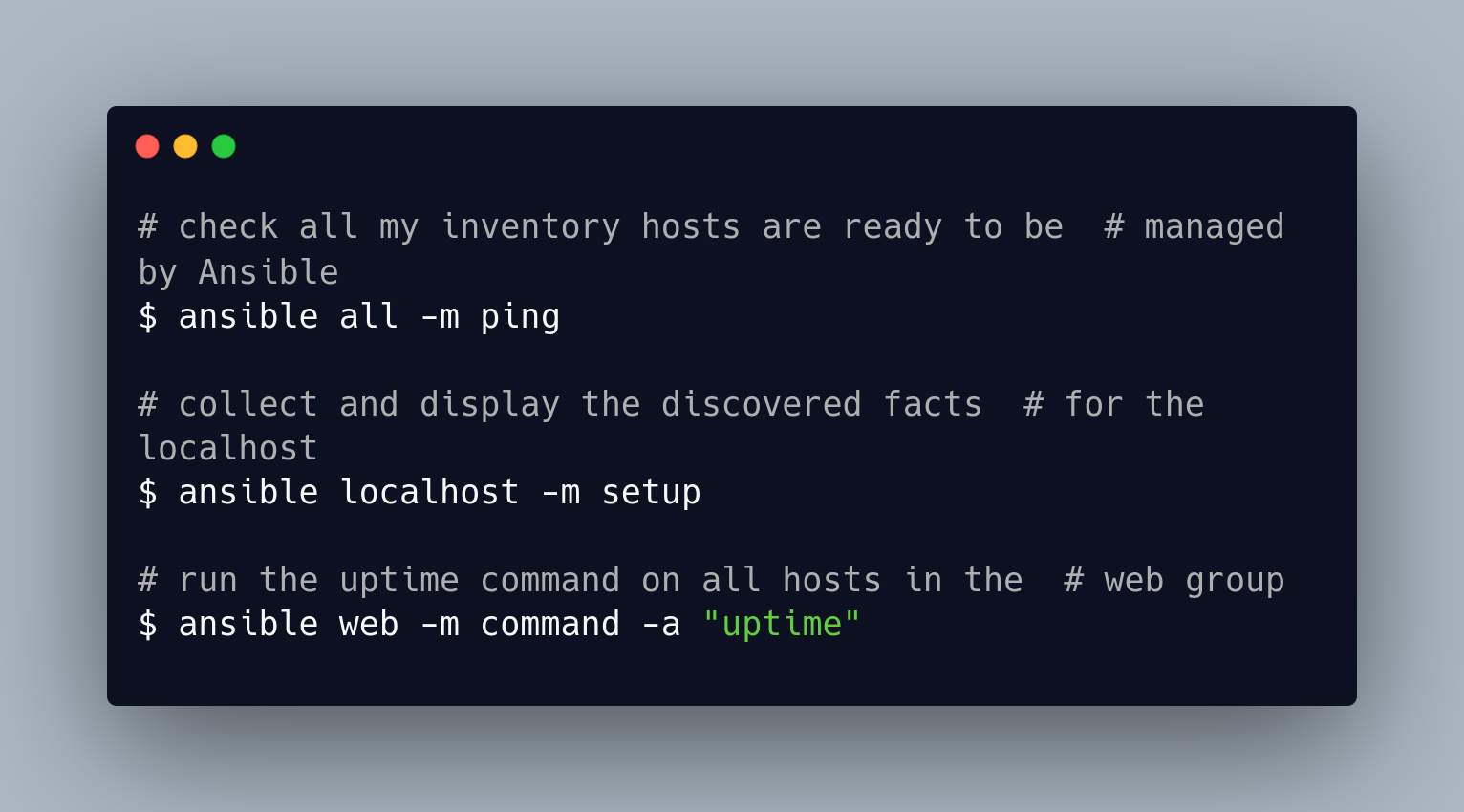
An ad-hoc command is a single Ansible task to perform quickly, but don’t want to save for later.
inventory
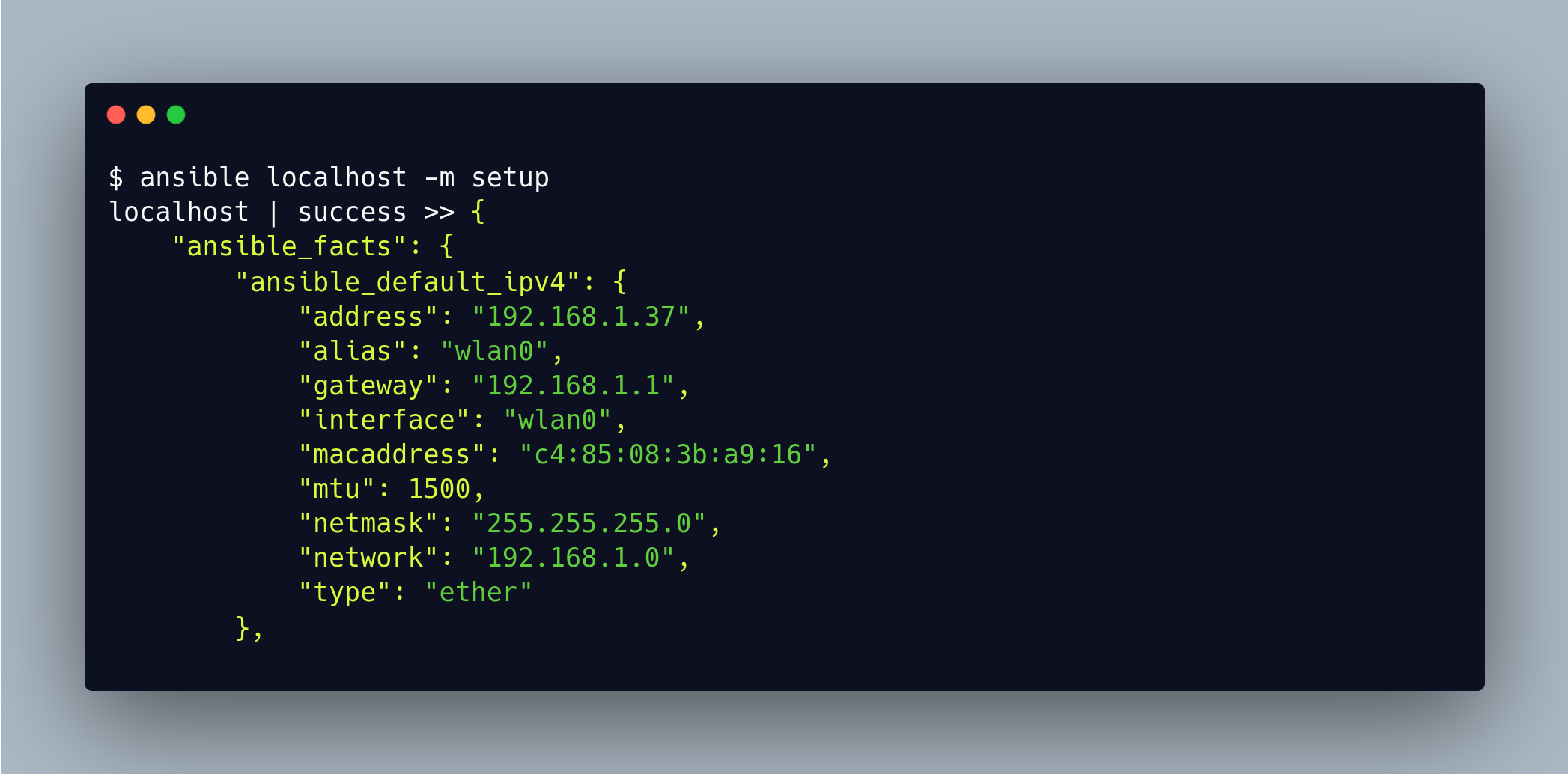
Facts are bits of information derived from examining host systems that are stored as variables for later use in a play
full facts are attached here
inventory
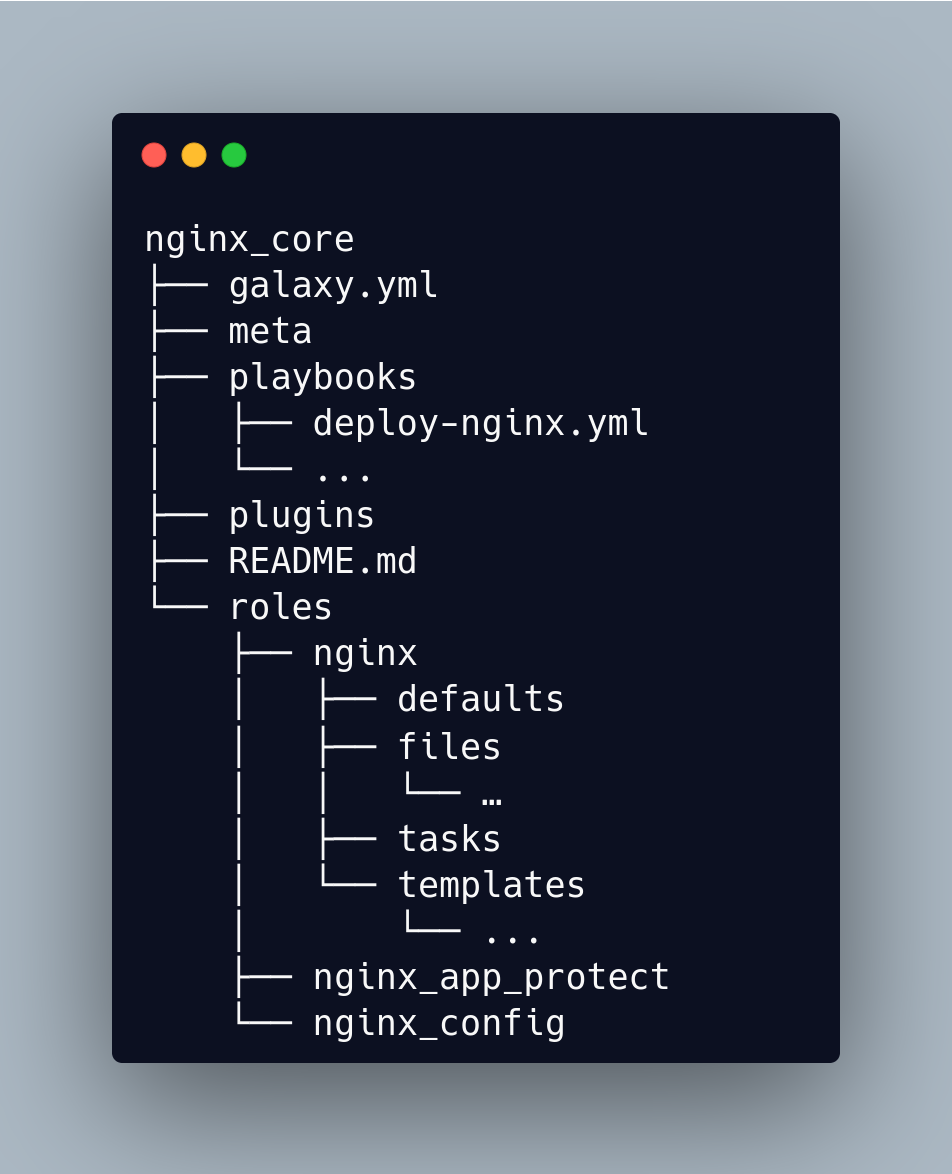
playbooks
galaxy.yml
tests
plugins
documentation
modules
roles
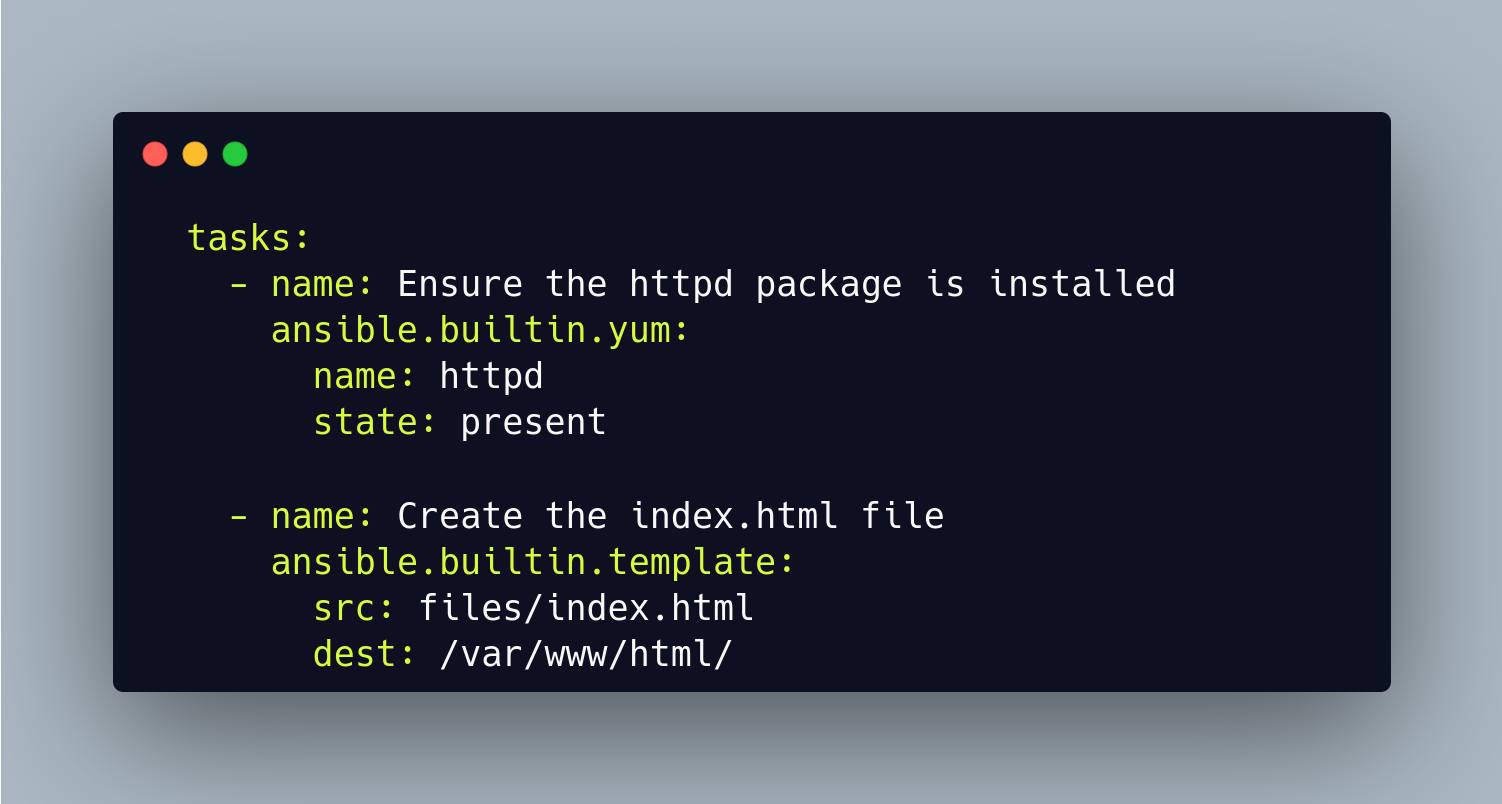
yum module
inventory
Parametrized components with internal logic, representing a single
step to be done.
The modules “do” things in Ansible
How are they made?
Usually created in Python, or Powershell for Windows setups, but can be developed in any language
template module
more about collections & modulesautoscaling_group module – Create or delete AWS AutoScaling Groups (ASGs), etc
copy module – Copy files to remote locations, etc
ipv4 filter – To filter only Ipv4 addresses Ipv4 filter is used.
win_command module – Executes a command on a remote Windows node
awx.awx
bulk_job_launch module – Bulk job launch in Automation Platform Controller
cisco.ios
ios_command module – Module to run commands on remote devices.
find more about collections here
inventory
Plugins are pieces of code that augment Ansible’s core functionality
Ansible uses a plugin architecture to enable a rich, flexible, and expandable feature set
more about PluginsAction plugins - Action plugins act in conjunction with modules to execute the actions required by playbook tasks.
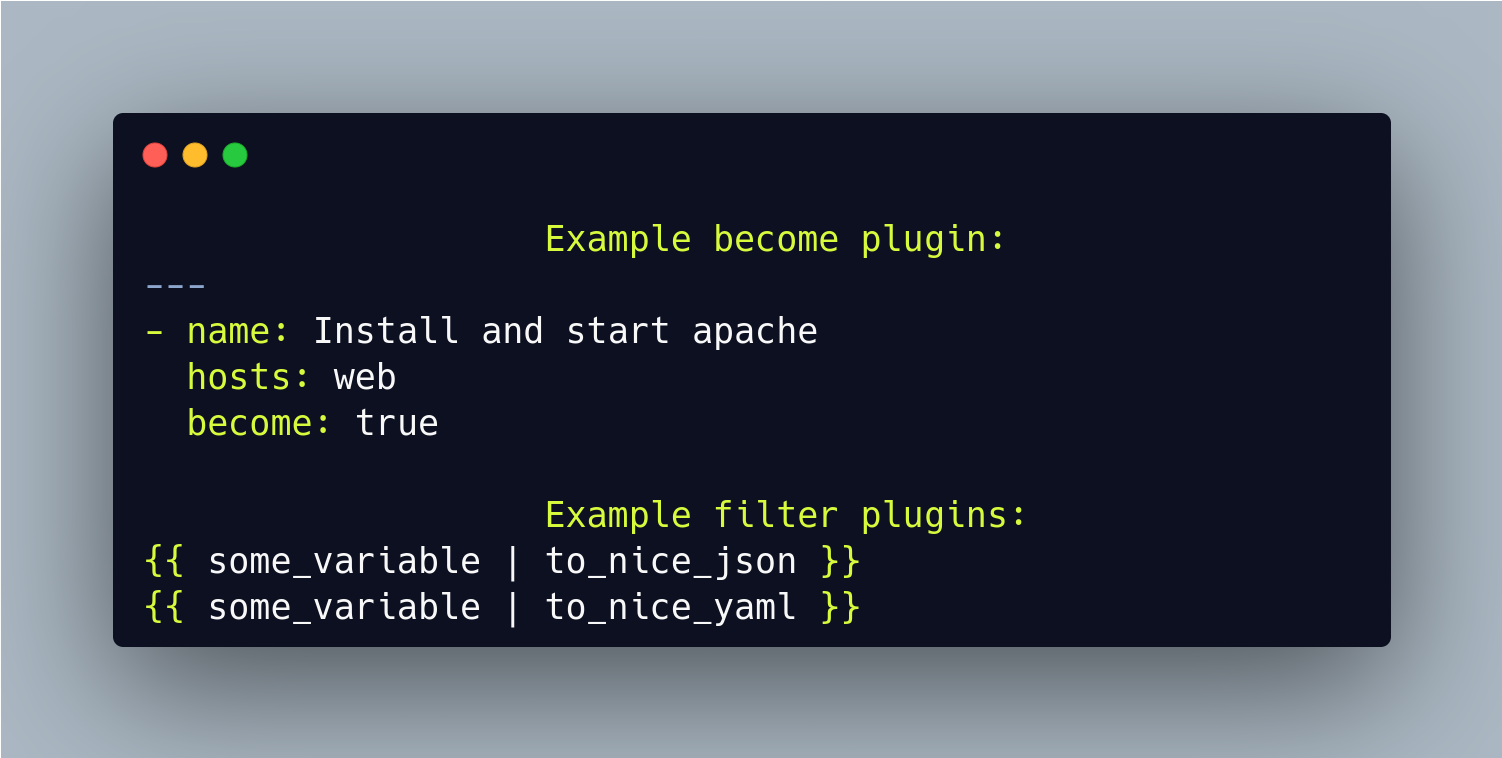
Become plugins - Become plugins work to ensure that Ansible can use certain privilege escalation systems when running the basic commands to work with the target machine as well as the modules required to execute the tasks specified in the play.
Callback plugins - Callback plugins enable adding new behaviors to Ansible when responding to events.
Filter plugins - Filter plugins manipulate data. With the right filter, you can extract a particular value, transform data types and formats, perform mathematical calculations, split and concatenate strings, insert dates and times, and do much more.
Lookup plugins - Lookup plugins are an Ansible-specific extension to the Jinja2 templating language.
find more about plugins here
Plays & Playbooks
Plays are ordered sets of tasks to execute against host selections from your inventory. A playbook is a file containing one or more plays.
Playbook
Plays
Plugins
Modules
Modules
Inventory host
Playbook written in YAML
Tasks
playbook.yml
inventory
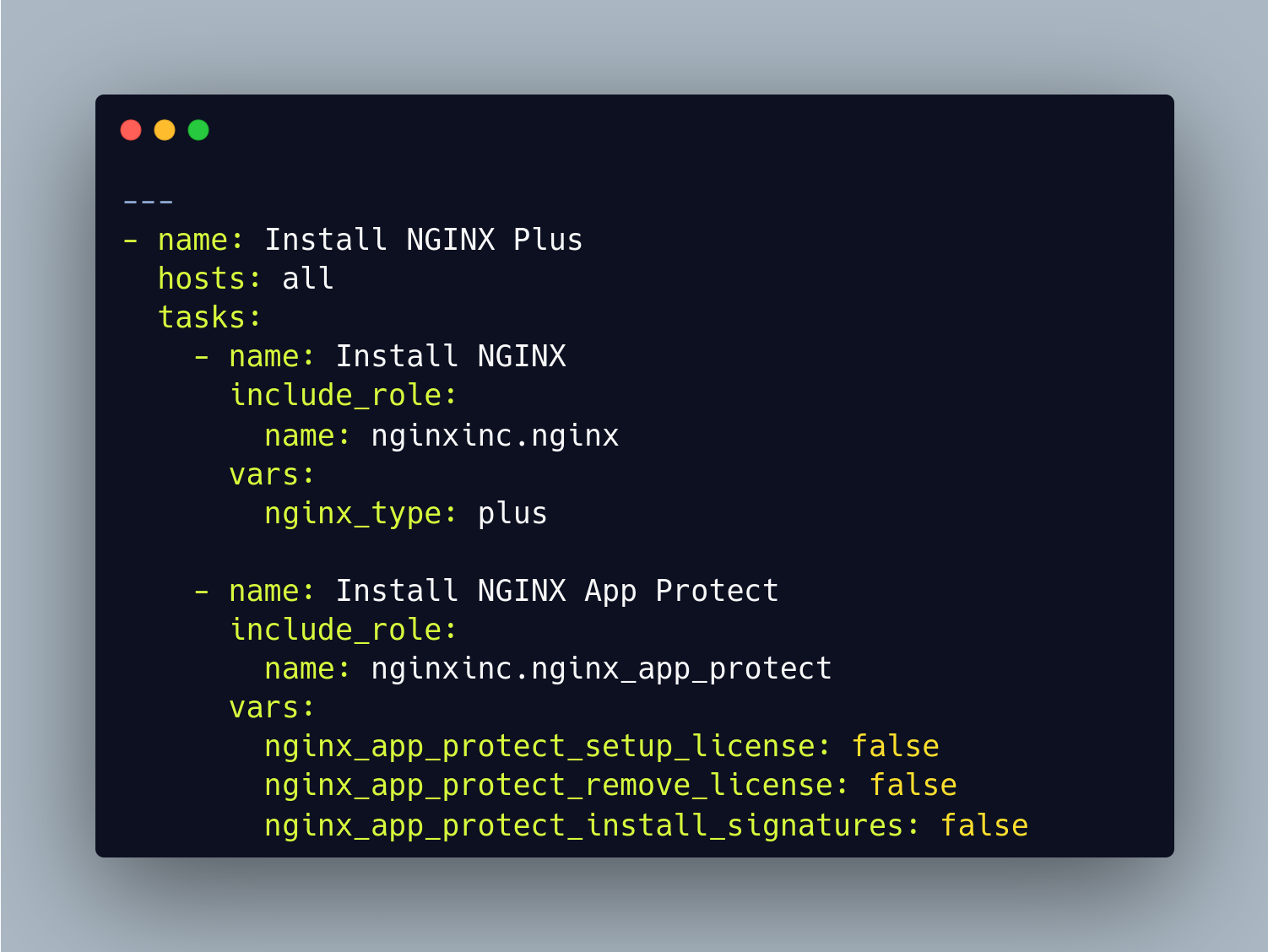
Ansible roles package automation tasks and variables in a reusable format.
Write roles once, and share them with others who have similar challenges in front of them
deploy_nginx.yml
Why Ansible? What sets Ansible apart?
SIMPLE
AGENTLESS
POWERFUL
Human readable automation
No special coding skills needed
Tasks executed in order
Usable by every team
Get productive quickly
App deployment
Configuration management
Workflow orchestration
Network automation
Orchestrate the app lifecycle
Agentless architecture
Uses OpenSSH & WinRM
No agents to exploit or update
Get started immediately
More efficient & more secure
Year 2019AprilMaynothing interesting was happening on Earth...
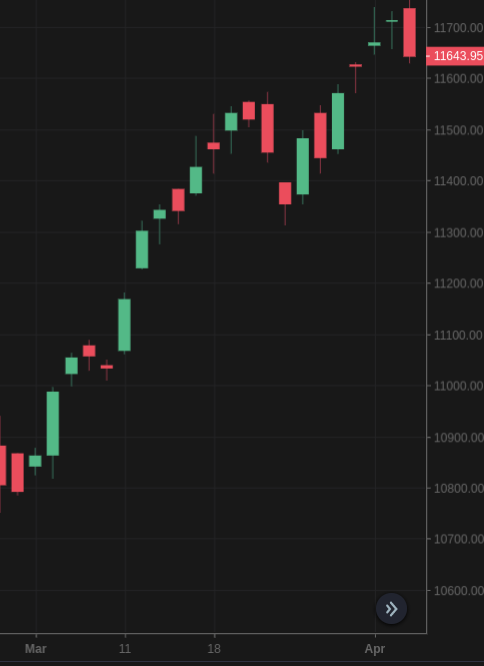
MarchThe equity market went up around 1k points
First picture of a black hole was captured
Archie was born
Ansible Project 2.9
Ansible 2.10 Base
Ansible Content
Ansible Project 2.10
Ansible Content
Renamed as ansible-core in 2.11
Plugins, Modules, etc.
Plugins, Modules, etc.
Ansible 2.10 Base
Renamed as ansible-core in 2.11
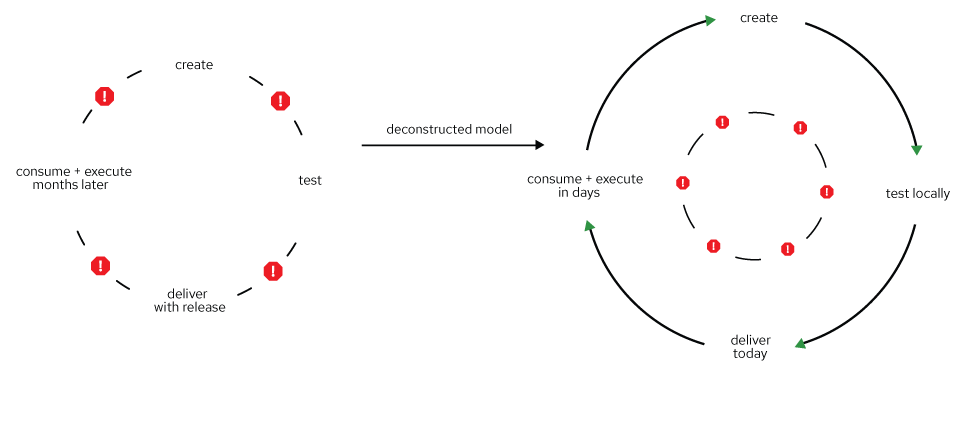
Content releases are independent of core releases
Content is individually maintained and released
Separate Ansible from the content Benefits4,500+
Modules and plugins
325+
Modules and plugins
Ansible
2.9 -> 2.10
Single monolithic: 3-6 months release cycle
inner circle: slower release cycle (ansible-base)
outer circle: faster release cycle (content in collections)
Pluggable architecture that allows extensions through Content Collections
CLI tools such as ansible-playbook, ansible-doc, etc.
An architectural framework that allows extensions through Ansible collections.
Understands yaml.
Capabilities
Applications
Edge
Infrastructure
Security
Cloud
Network
DevOps
CI/CD
GitOps
Configuration management
Network Validation
Infra Awareness
Orchestration
Operationalization
Governance
Investigation enrichment
Threat hunting
needed across your IT footprint
Deployment
Provisioning
Management
Extend security
Scalability
Interoperability
Navigator is a text-based user interface (TUI).
It is a command-based tool for creating, reviewing, and troubleshooting Ansible content, including inventories, playbooks, and collections.
Comes in handy exploring execution environments and running content with them
PlaybookExecution Environmentansible-navigatorcontent creatorPromotes proven practices, patterns, and behaviors.
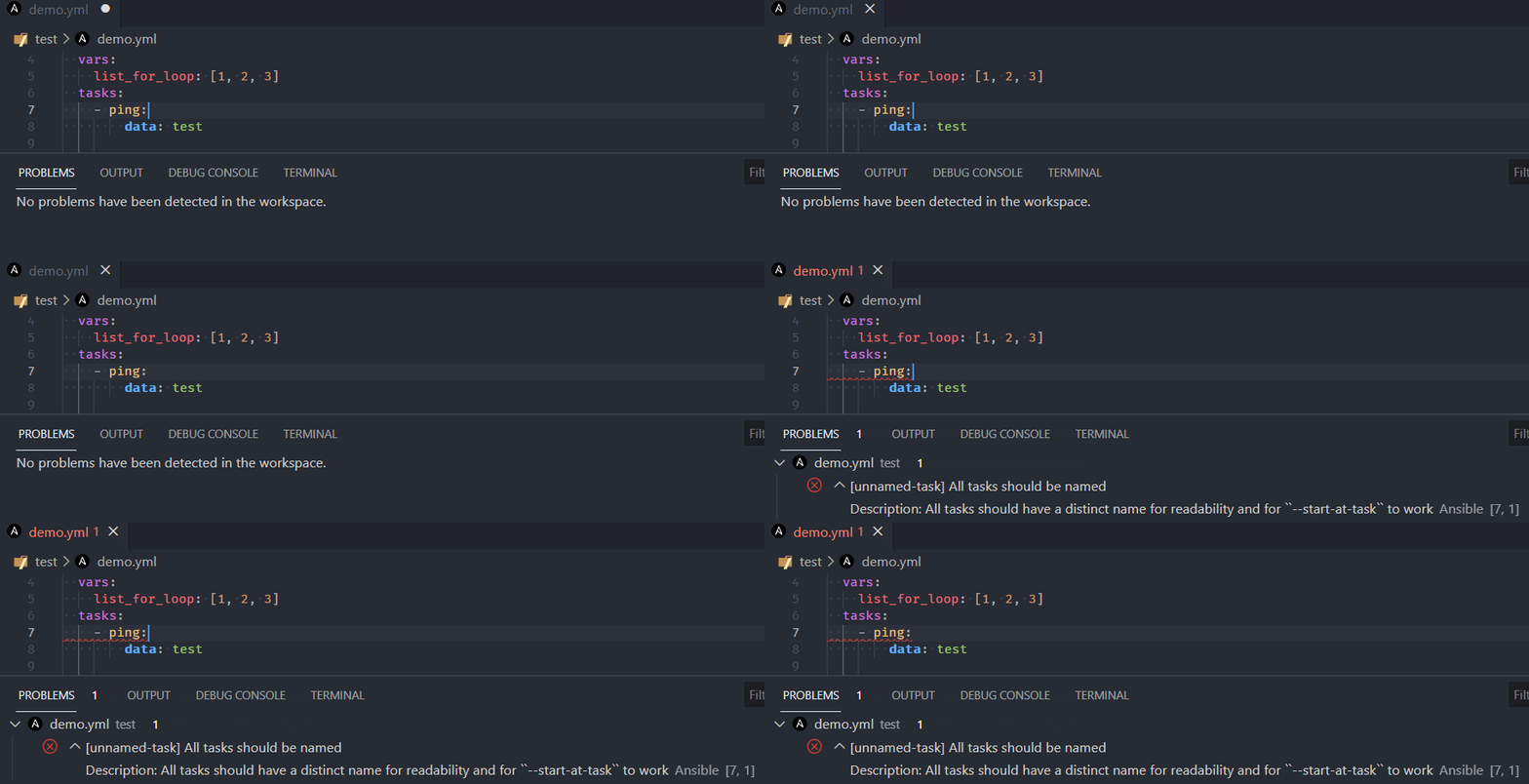
Lint helps to avoid common pitfalls that make playbooks harder to maintain.
Easy playbook upgrade to newer versions of Ansible.
Extensive rules to make the playbook quality consistent across Ansible versions.
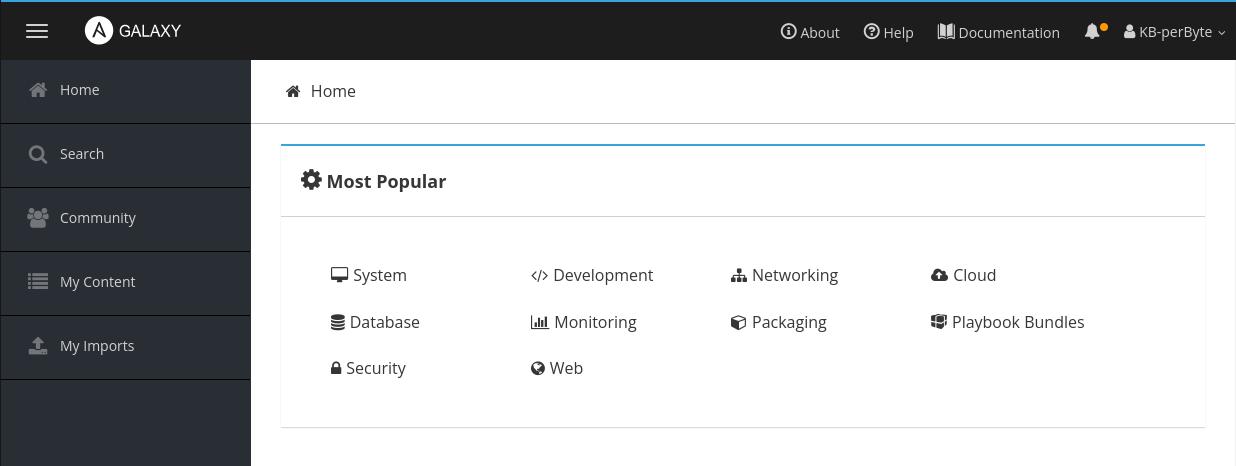
Galaxy is a hub for finding and sharing Ansible content.
Roles and collections can be dropped in Galaxy and shared with community
Let's see a few things in action!Execution Environment
Automation execution environments are container images that act as Ansible runtimes for automation controller jobs.
In general, an EE includes:
A version of Python.
A version of ansible-core.
Python modules/dependencies.
Ansible Collections (optional).
Why EEs?
Dependencies are defined in development, not deployment
Automation runs consistently across multiple platforms
Allows for scalability, portability, reliability, and faster dev cycle
Automation execution environments.Reuse and scale automation content.Automation Execution Environment
Collections
Ansible-core
Dependencies
Base Image
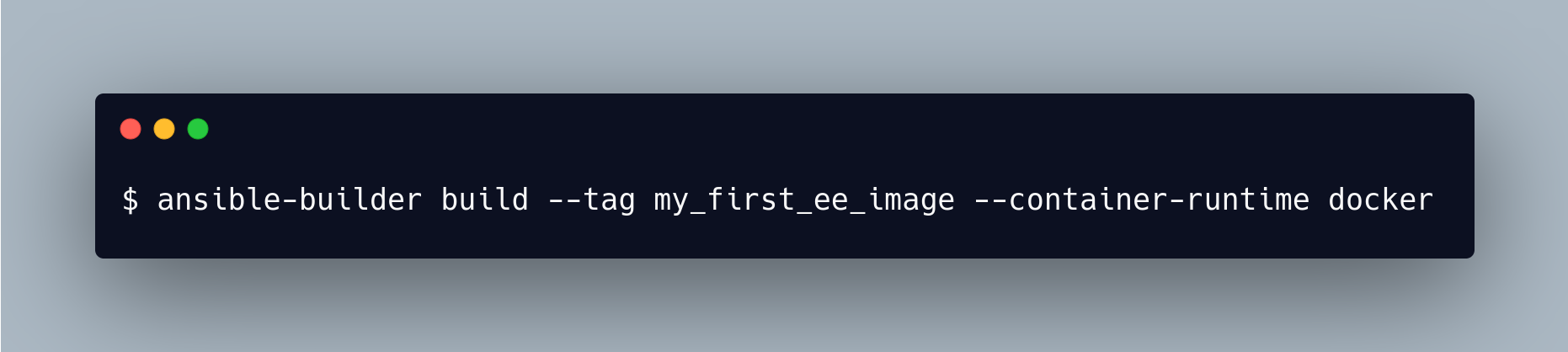
Ansible Builder
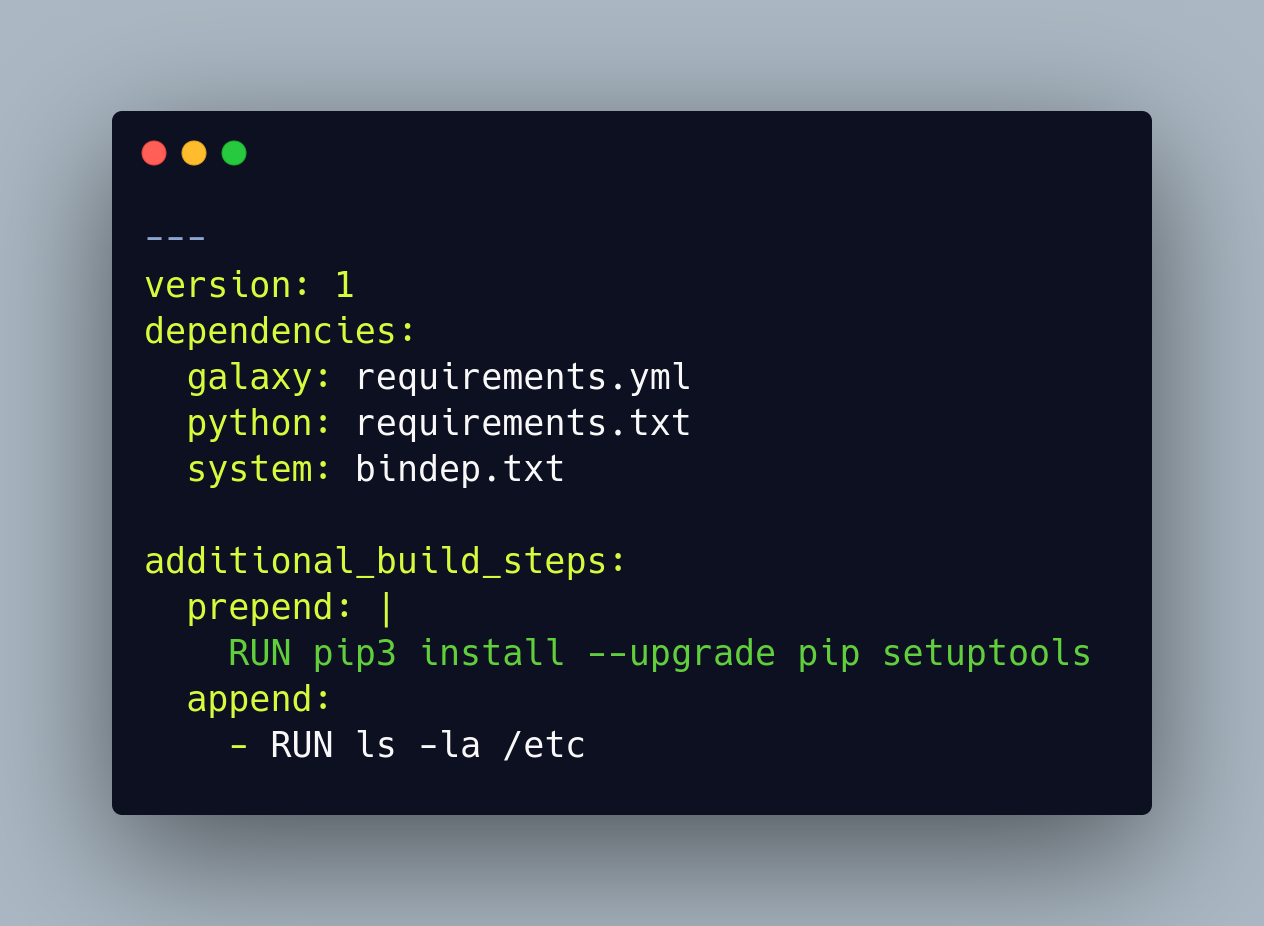
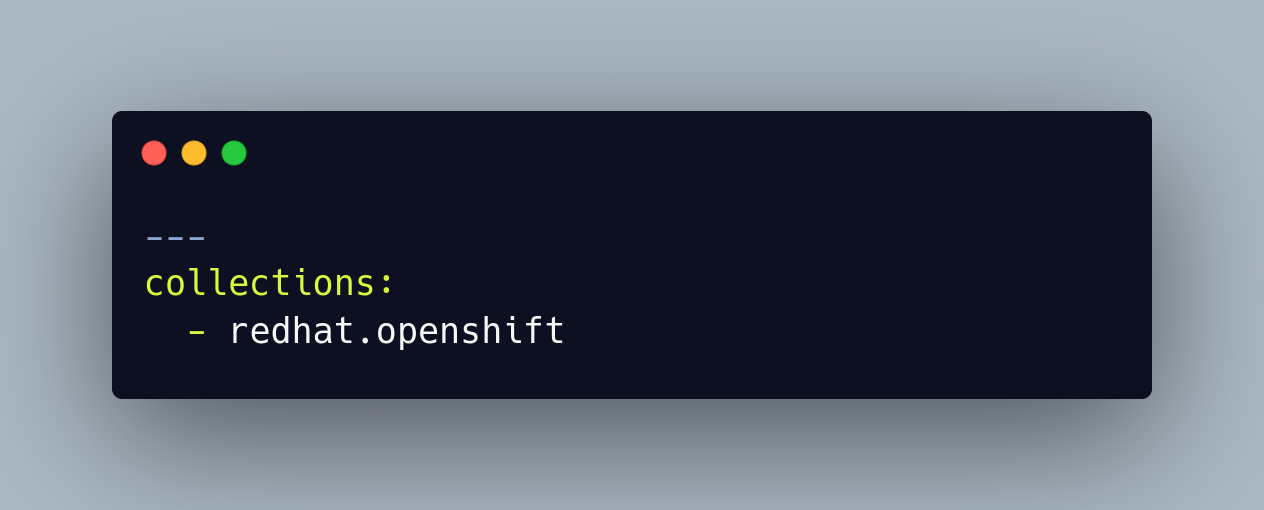
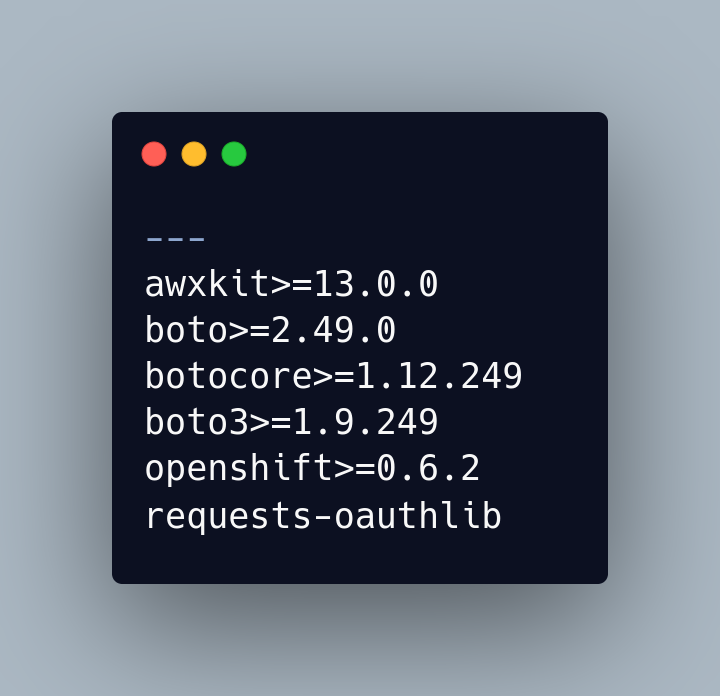
Ansible Builder is a tool that aids in the creation of Ansible Execution Environments.
exec-env.yml
requirements.yml
requirements.txt
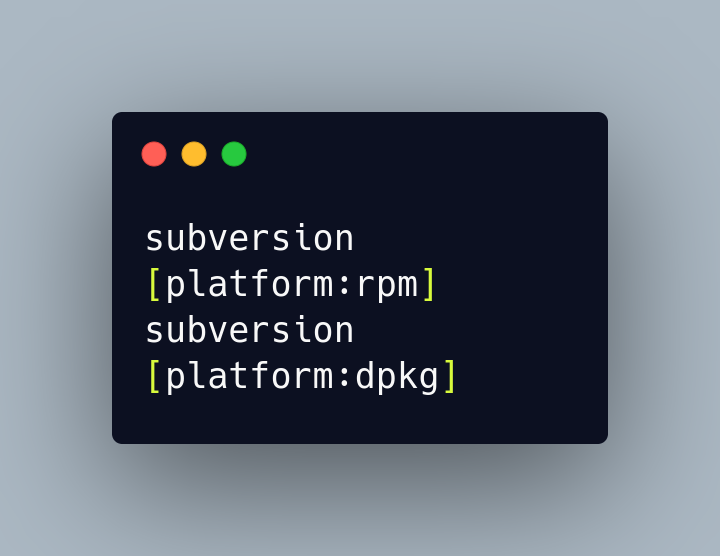
bindep.txt
Ansible Runner
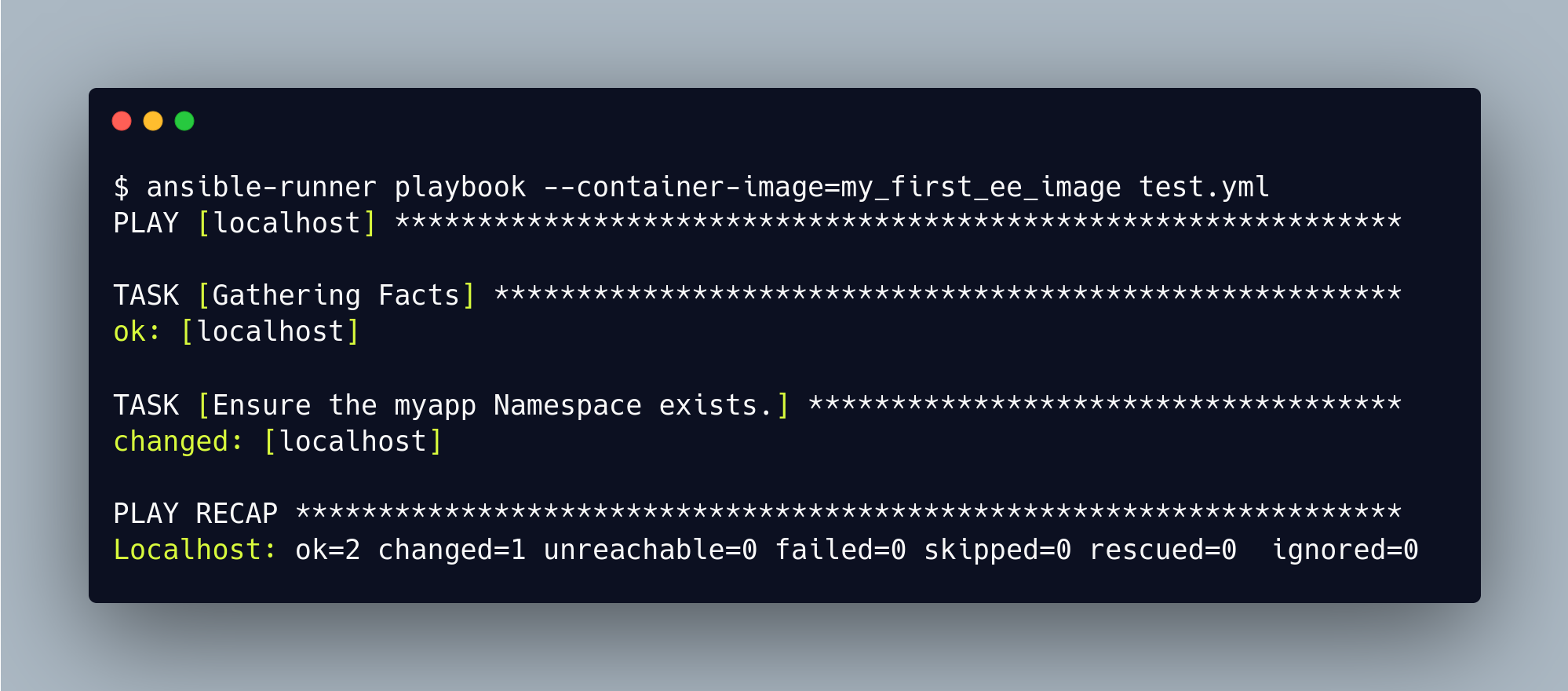
Ansible Runner is a tool that allows users to run Ansible Playbooks in an isolated environment. It provides a simple command-line interface for running playbooks and provides a range of output formats, including JSON, YAML, and CSV.
Ansible Runner can be used to automate complex workflows and integrate with other tools, such as Jenkins or Ansible Tower.
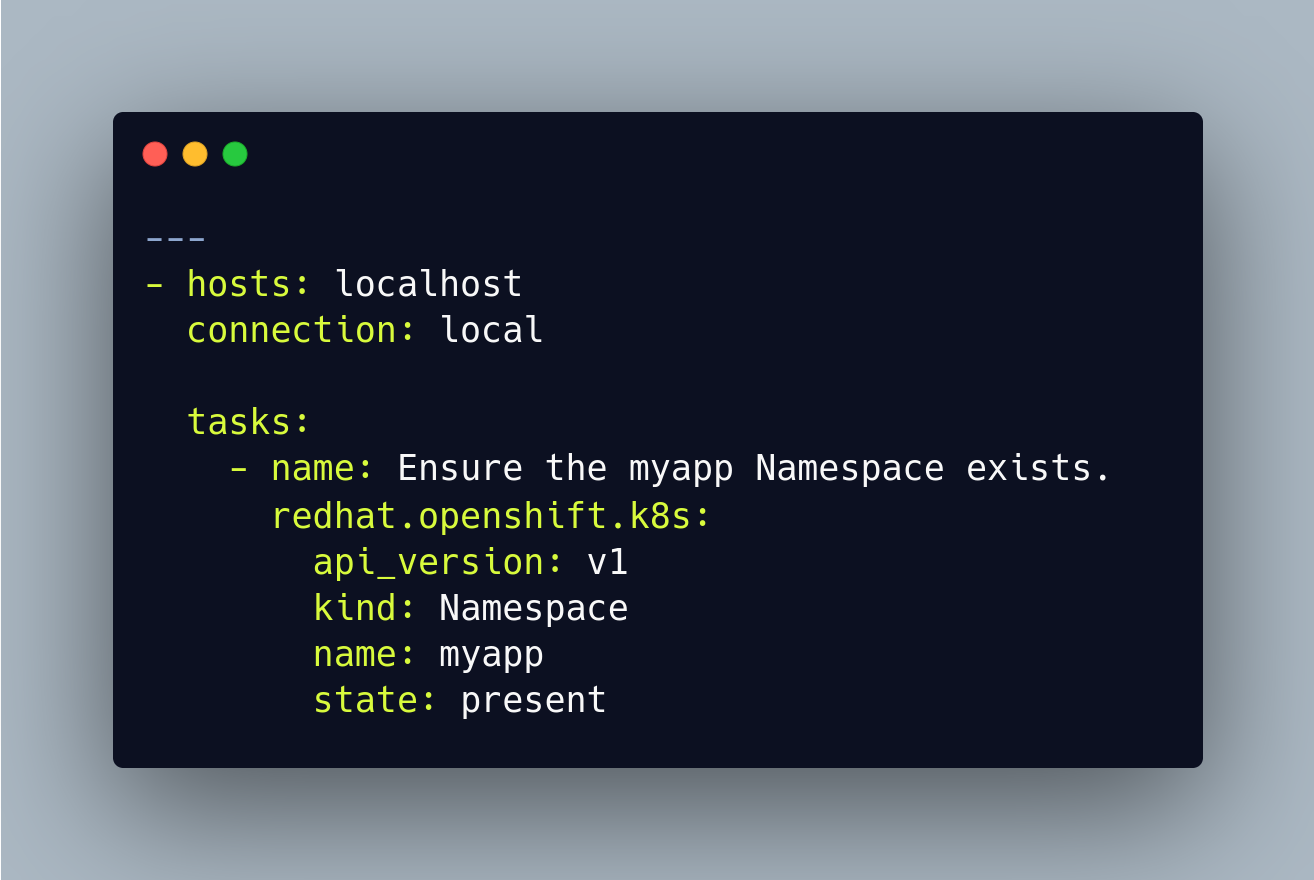
test.yml
Ansible Runner has additional advantages over a traditional ansible-playbook command, it takes advantage of the Execution Environment image and its dependencies, which ultimately allows the playbook to run.
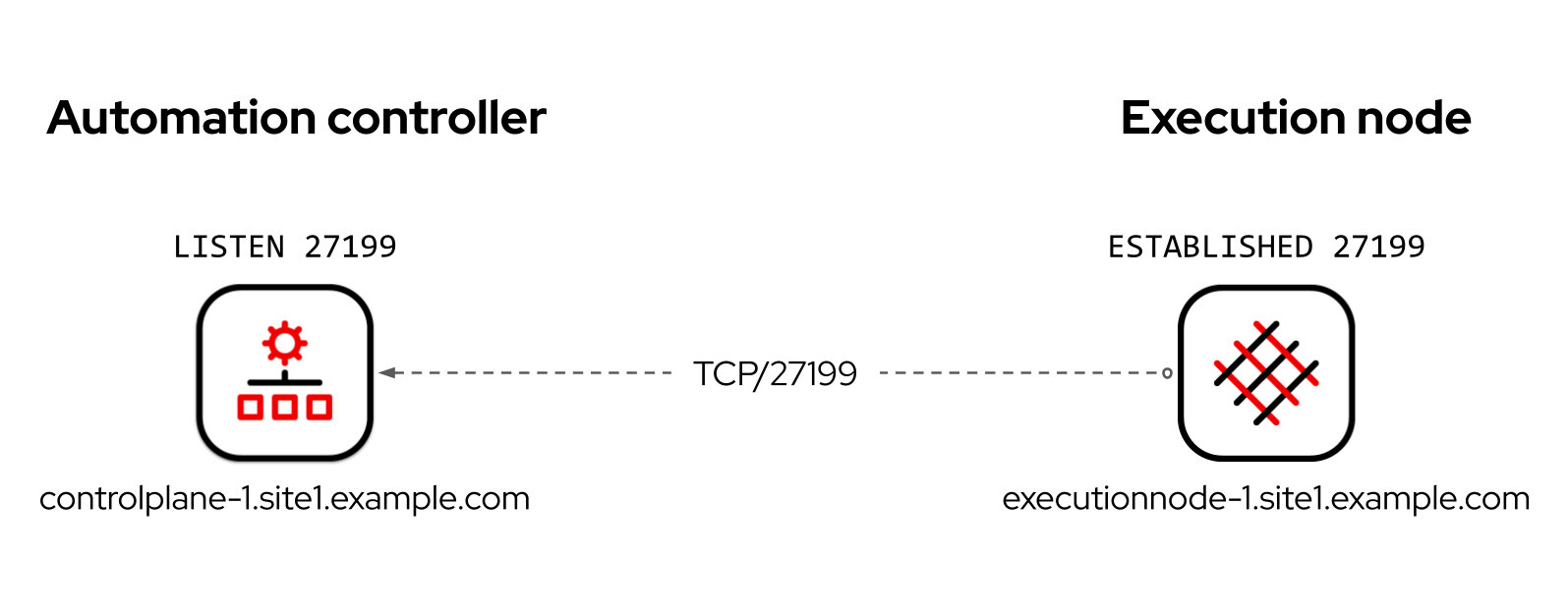
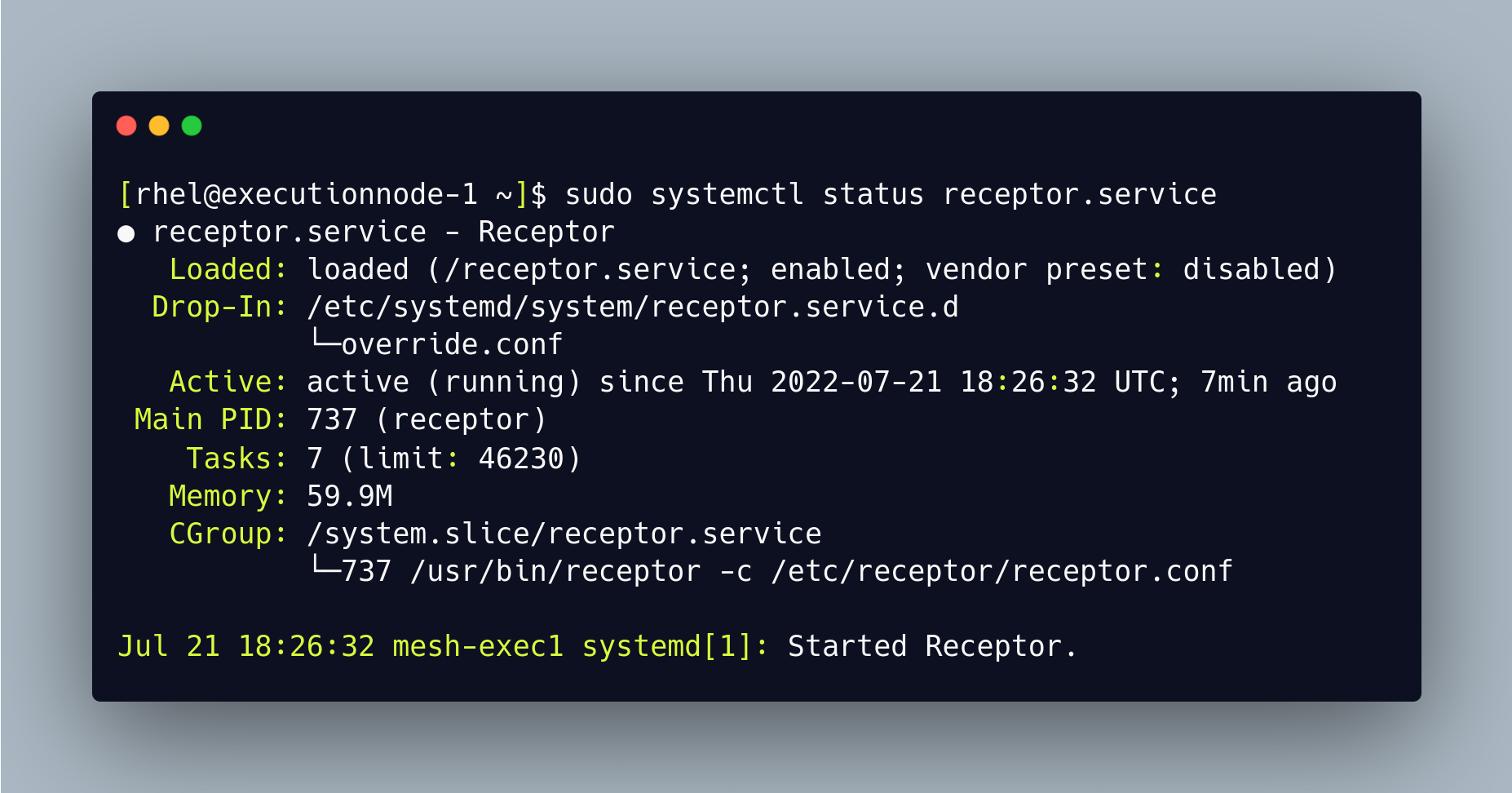
Receptor is an overlay network intended to ease the distribution of work across a large and dispersed collection of workers.
Receptor nodes establish peer-to-peer connections with each other via existing networks.
The receptor mesh provides datagram (UDP-like) and stream (TCP-like) capabilities to applications, as well as robust unit-of-work handling with resiliency against transient network failures.
Node 1
Node 3
Node 2
Cluster
Automation controller
automation mesh
execution node 2
execution node 1
db
Target host 1
Target host 2
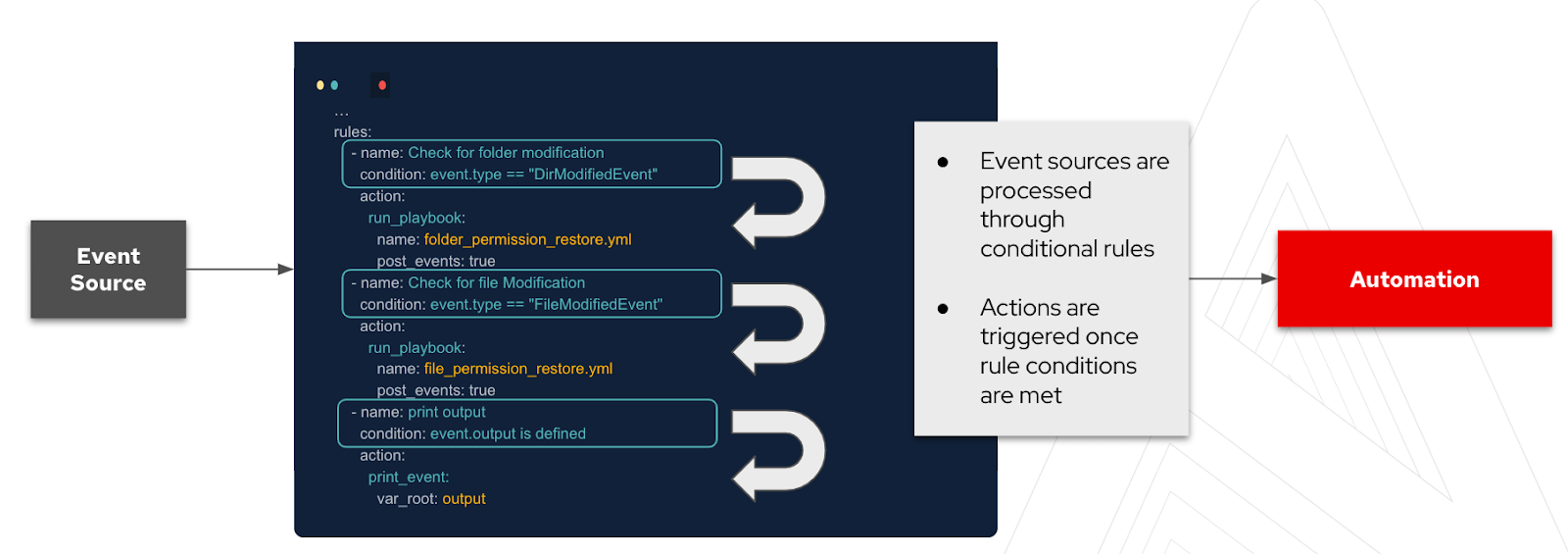
Automation triggers on basis of events.
Event-Driven Ansible contains a decision framework that was built using Drools.
We need a rulebook to tell the system what events to flag and how to respond to them.
A rulebook is comprised of three main components:
Event Source
Automation
(webhooks, Kafka, Azure service bus, file changes, and alertmanager)
Know about Ansible's Ecosystem
Projects in the Ansible ecosystem let you expand automation to a virtually unlimited set of use cases.
Find more information here.
Sagar Paul
CC BY-SA 4.0
June, 2019
Ansible Core
Ansible Automation Platform
Ansible Project
Ansible Community Package 3.0.0
Ansible Automation Platform 2.0
Ansible Project 2.9
Ansible Engine 2.9
2.10
2.11
pip install ansible-core
pip install ansible
July 2019ansible community
ansible-core
Uses new versioning (2.10, then 3.0.0)
Follows semantic versioning rules
Maintains only one version at a time
Includes language, runtime, and selected Collections
Developed and maintained in Collection repositories
Continues “classic Ansible” versioning (2.11, then 2.12)
Does not use semantic versioning
Maintains the latest version plus two older versions
Includes language, runtime, and builtin plugins
Developed and maintained in ansible/ansible repository
Ansible content tools
Enterprise source control management
Ansible ecosystem
VS code extension
ansible-navigator
ansible-lint
ansible-builder
Content CollectionsPlaybooksDefinition FilesExecution EnvironmentsCommunity Content
Ansible supported content
ansible-builder
Content Collections
Roles
Definition files
Playbooks
By Sagar Paul
A deck on Ansible introduction and Ansible ecosystem