























Sagar Paul
A geek opensourced
CC BY-SA 4.0
Sagar Paul
Software Engineer at Ansible by Red Hat
Open Source Enthusiast
Learning and Automating Networks
Navigator is a text-based user interface (TUI).
It is a command-based tool for creating, reviewing, and troubleshooting Ansible content, including inventories, playbooks, and collections.
Comes in handy exploring execution environments and running content with them
PlaybookExecution Environmentansible-navigatorcontent creator
Install Automation content navigator.
$ dnf install ansible-navigator

Install Automation content navigator via pip.
$ pip install ansible-navigatorLaunch and watch jobs and playbooks.
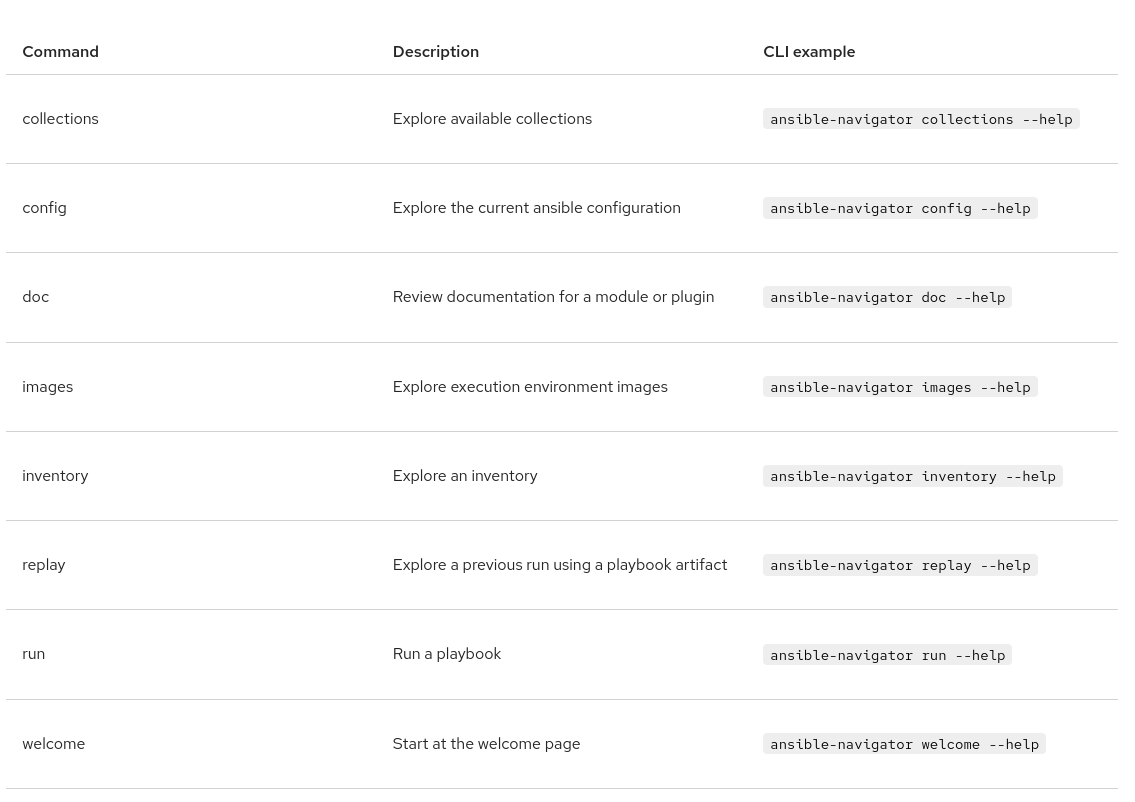
Difference between
commands
..........................................................
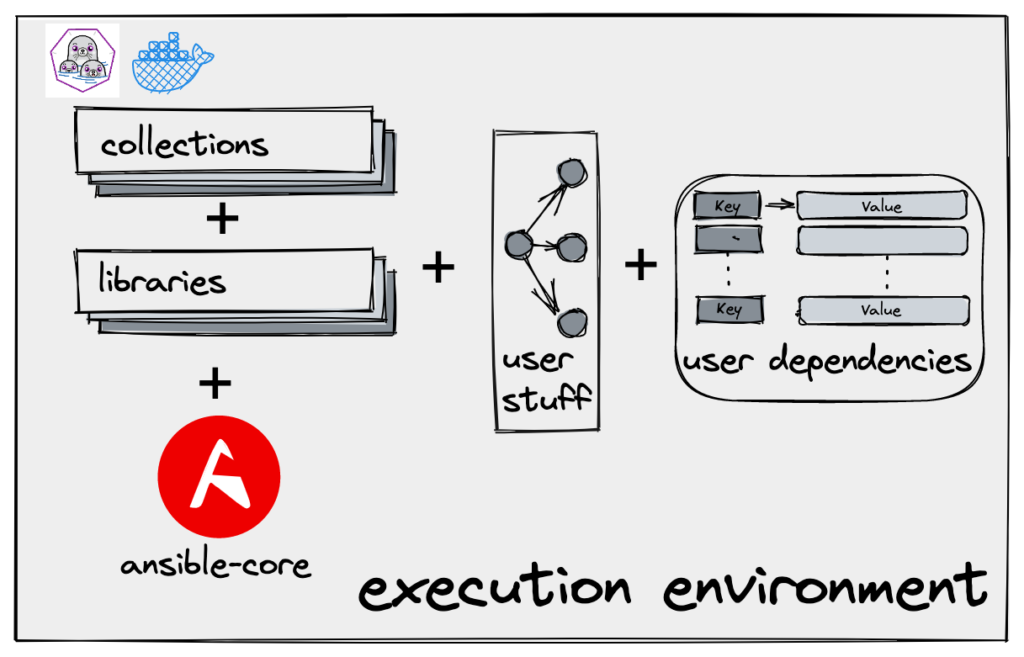
EXECUTION ENVIRONMENTI would build it for you!
.................................................................................
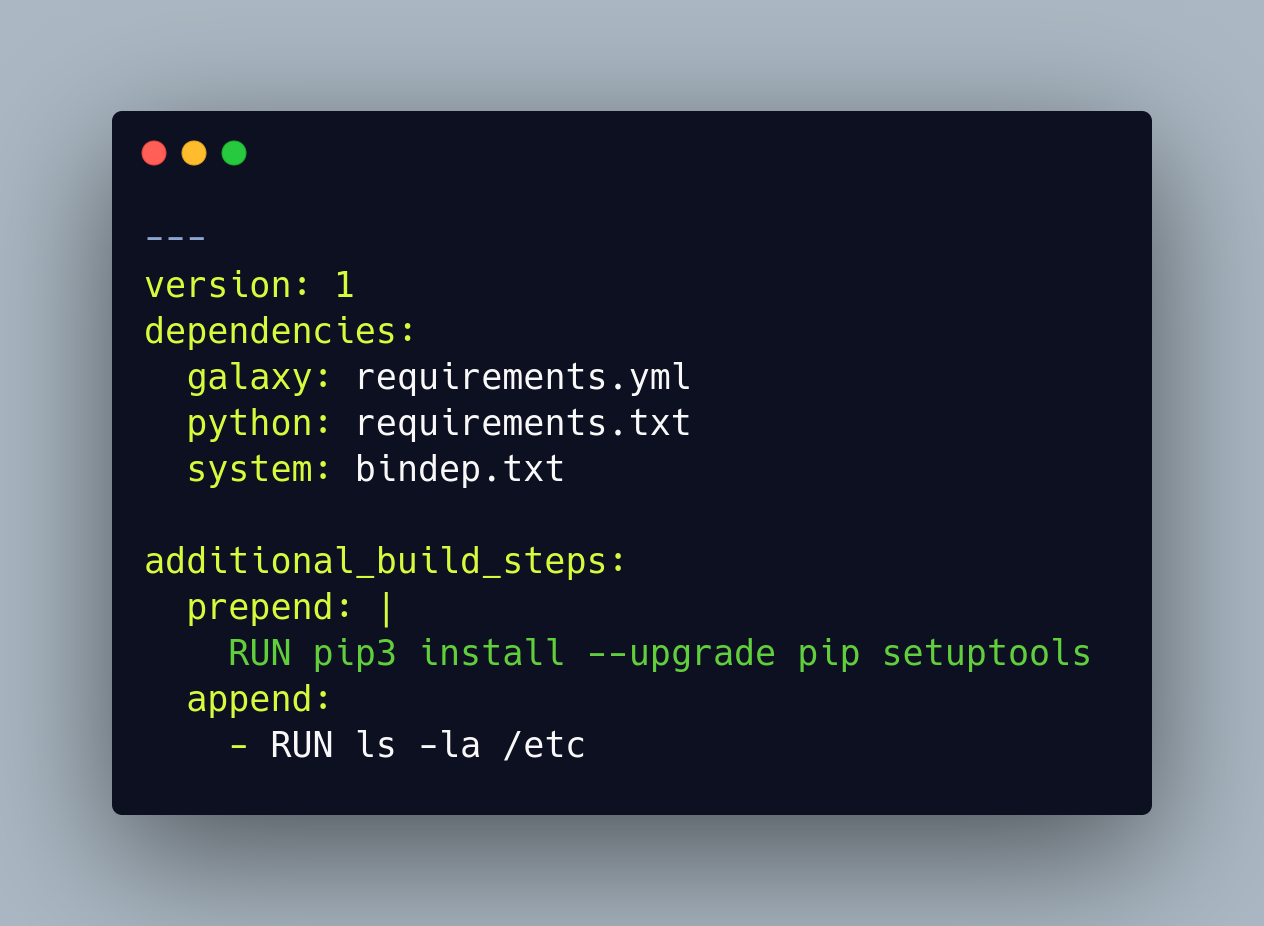
ansible-builder v2
exec-env.yml
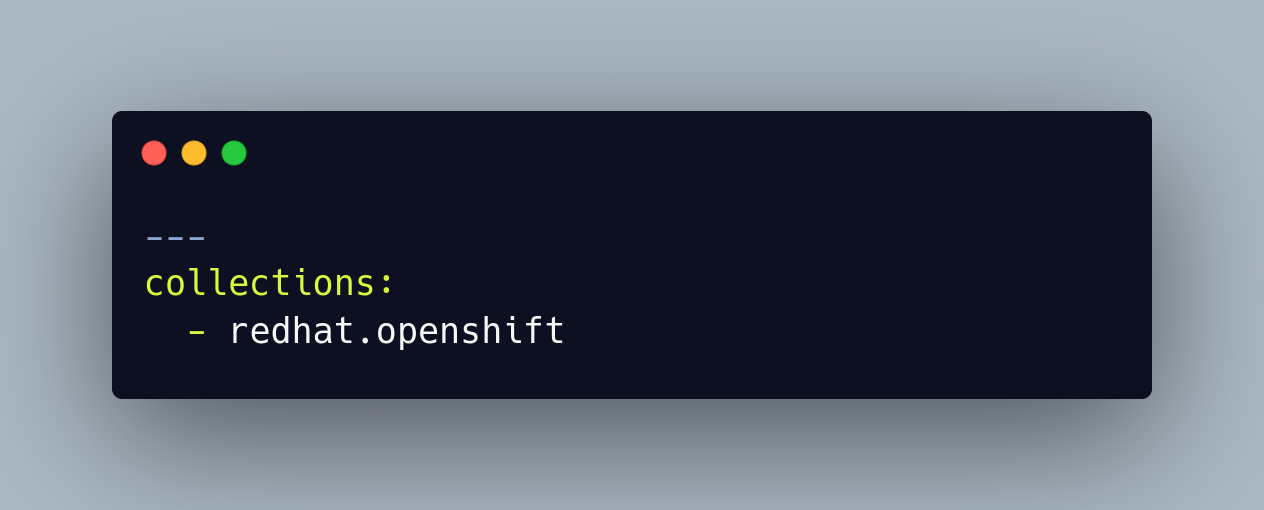
requirements.yml
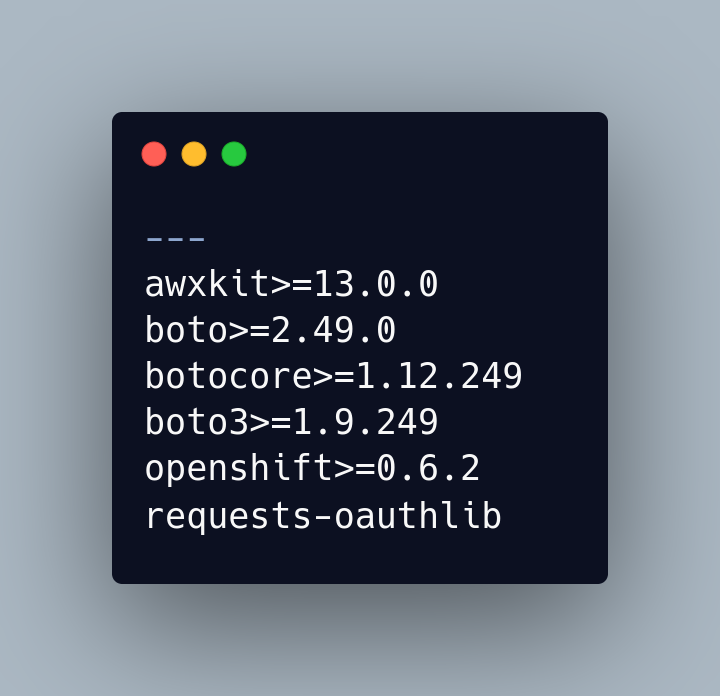
requirements.txt
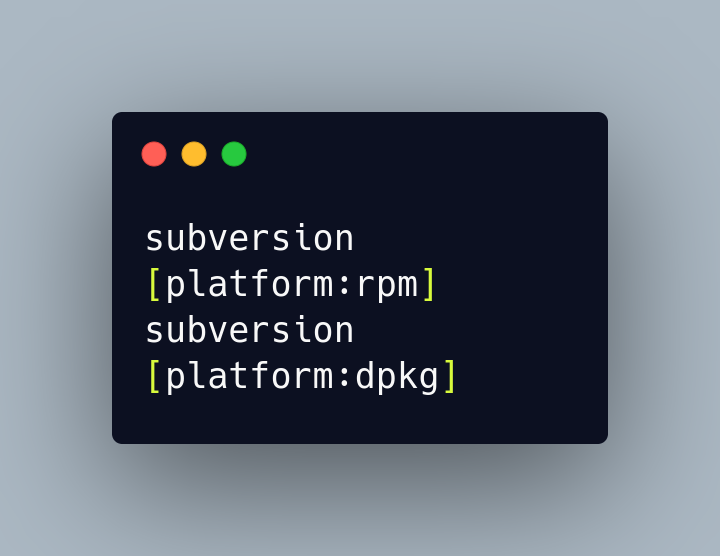
bindep.txt
Single location to define process, no need for separate bindep/ requirements file.
Install ansible builder.
$ dnf install ansible-builder

Install ansible builder via pip.
$ pip install ansible-builder

or

$ pip3 install ansible-builder==3.0.0
NOTE: ansible-builder requires python>=3.9Ansible Runner
Ansible Runner is a tool that allows users to run Ansible Playbooks in an isolated environment. It provides a simple command-line interface for running playbooks and provides a range of output formats, including JSON, YAML, and CSV.
Ansible Runner can work as a standalone tool, a container image interface, or a Python module that can be imported. The goal is to provide a stable and consistent interface abstraction to Ansible.
Ansible Runner can be used to automate complex workflows and integrate with other tools, such as Jenkins or Ansible Tower.
Install ansible runner.
$ dnf install ansible-runner

Install ansible runner via pip.
$ pip install ansible-runner
ansible-runner
Sagar Paul
CC BY-SA 4.0
By Sagar Paul