Kubernetes
Lesson Learned



Master
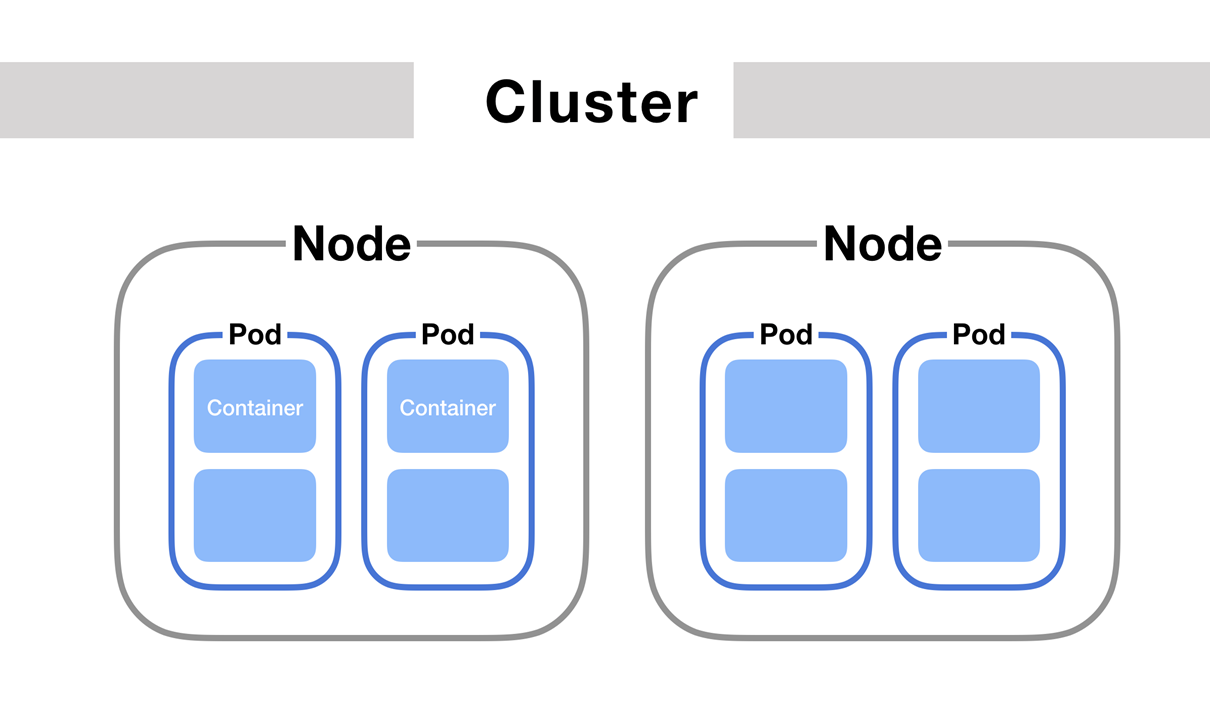
Cluster składa się z wielu Node'ów
Clustrem zarządza przynajmniej jeden Master
Node odpala wiele Podów
Pod odpala przynajmniej jeden Container
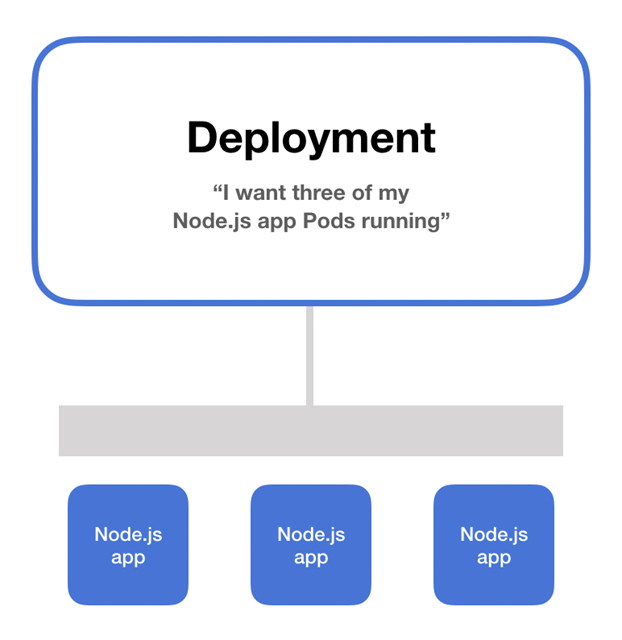
Deployment odpala wiele Podów robiących to samo
* Nawet na jednym Nodzie
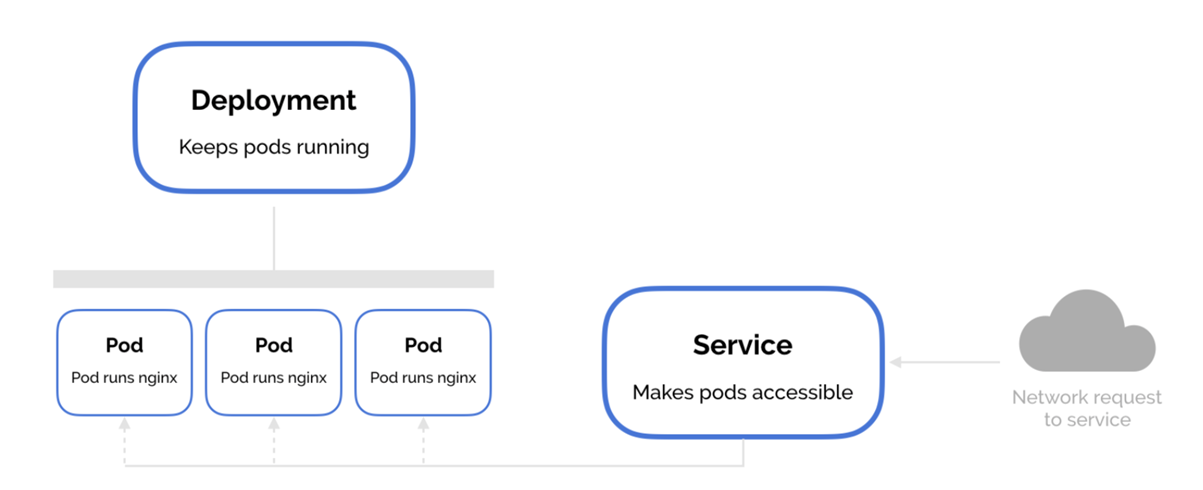
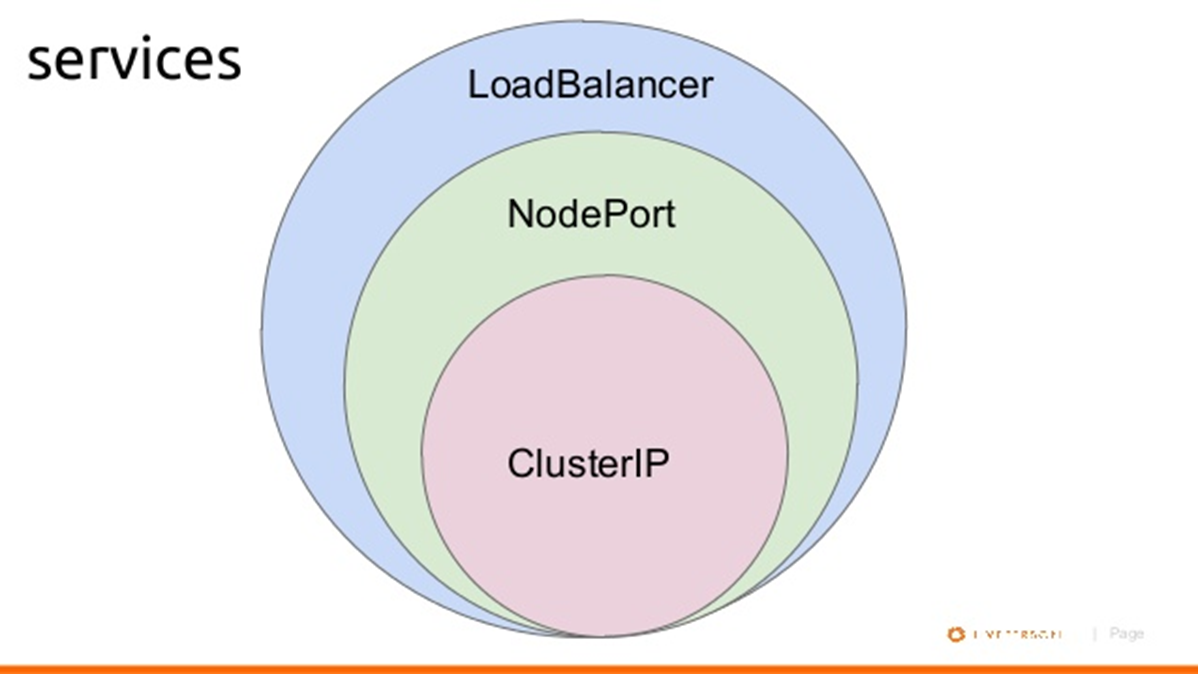
Servisy udostępniają Deploymenty w sieci
Jak można udostępnić Service?
- Cluster IP
- Node Port
- Load Balancer
Jak udostępnić wiele Servisów pod jednym adresem IP?
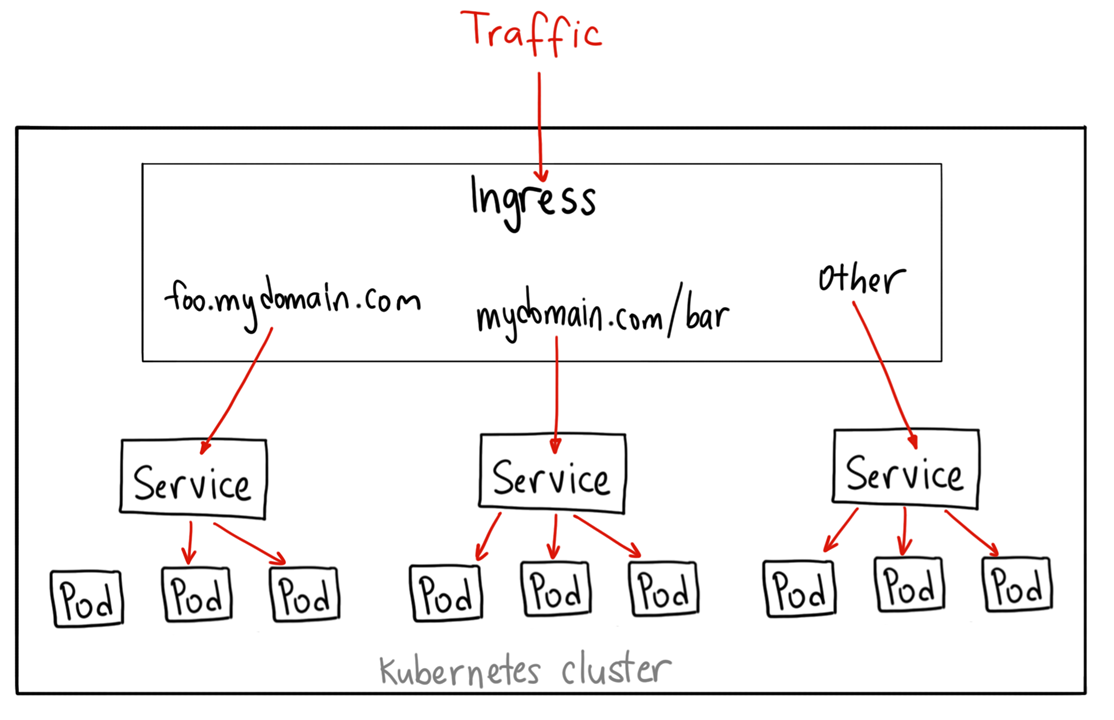
Ingress udostępnia wiele Servisów pod jednym adresem IP
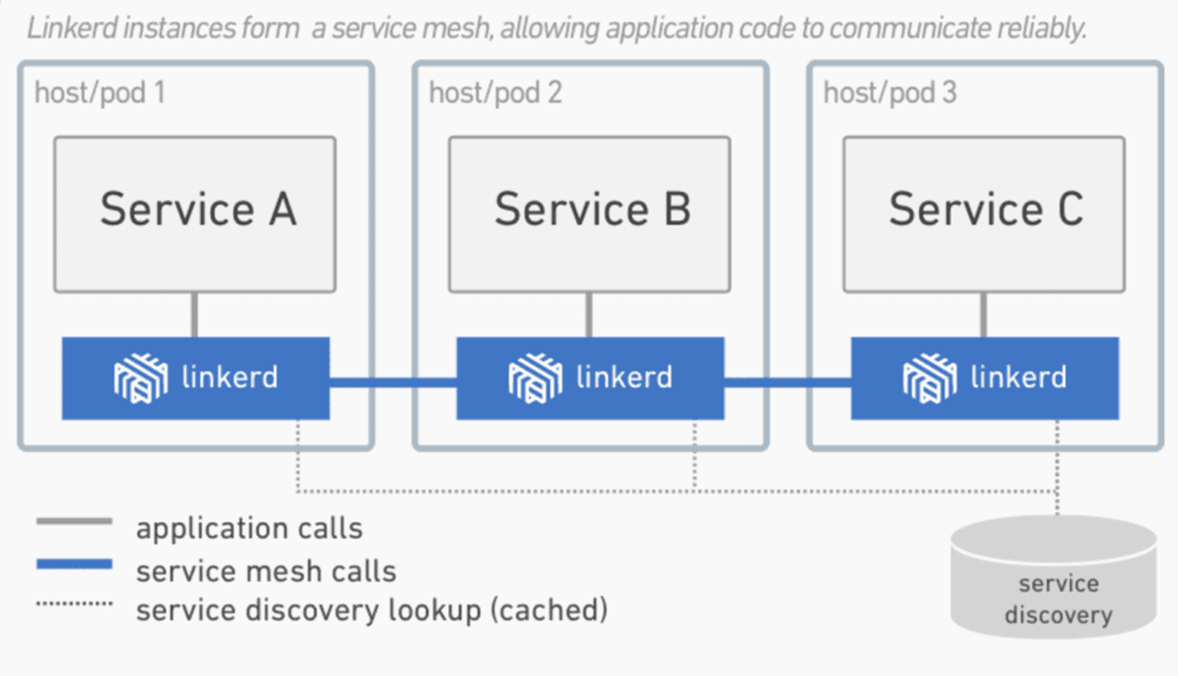
Service Mesh* pozwala utrzymać porządek w komunikacji między Servisami
* nie jest to pojęcie Kubernetesa
Jak to wszystko konfigurować?
kind: Pod
apiVersion: v1
metadata:
  name: apple-app
  labels:
    app: apple
spec:
  containers:
    - name: apple-app
      image: hashicorp/http-echo
      args:
        - "-text=apple"
apiVersion: apps/v1
kind: Deployment
metadata:
  name: apple-deployment
  labels:
    app: apple
spec:
  replicas: 2
  selector:
    matchLabels:
      app: apple
  template:
    metadata:
      labels:
        app: apple
    spec:
      containers:
      - name: apple
        image: hashicorp/http-echo
        args:
          - "-text=apple"
        ports:
          - containerPort: 5678
kind: Service
apiVersion: v1
metadata:
  name: apple-service
spec:
  selector:
    app: apple
  ports:
    - port: 5678 # Default port for image
kind: Service
apiVersion: v1
metadata:
  name: apple-service
spec:
  type: LoadBalancer
  selector:
    app: apple
  ports:
    - port: 80
    - targetPort: 5678
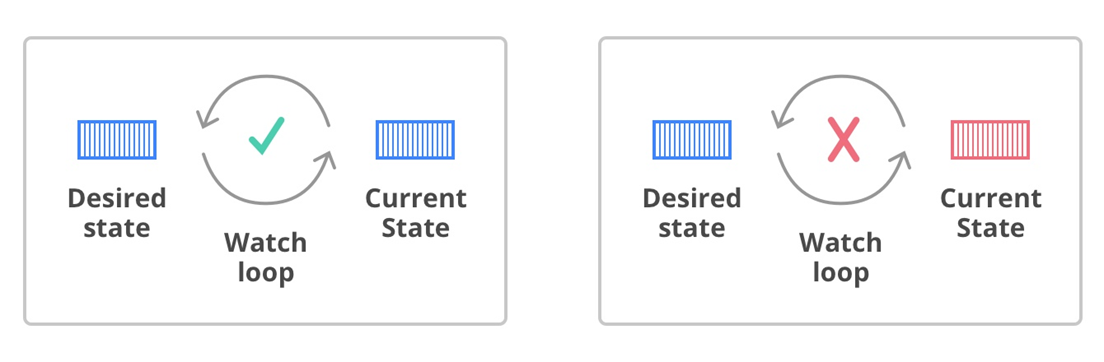
Desired State vs Current State
Czego nauczył mnie Bjootify?
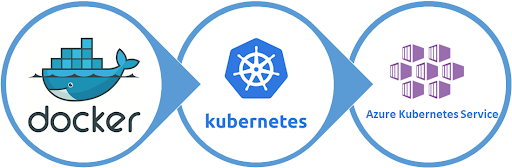
Czy warto iść dalej w PaaS?




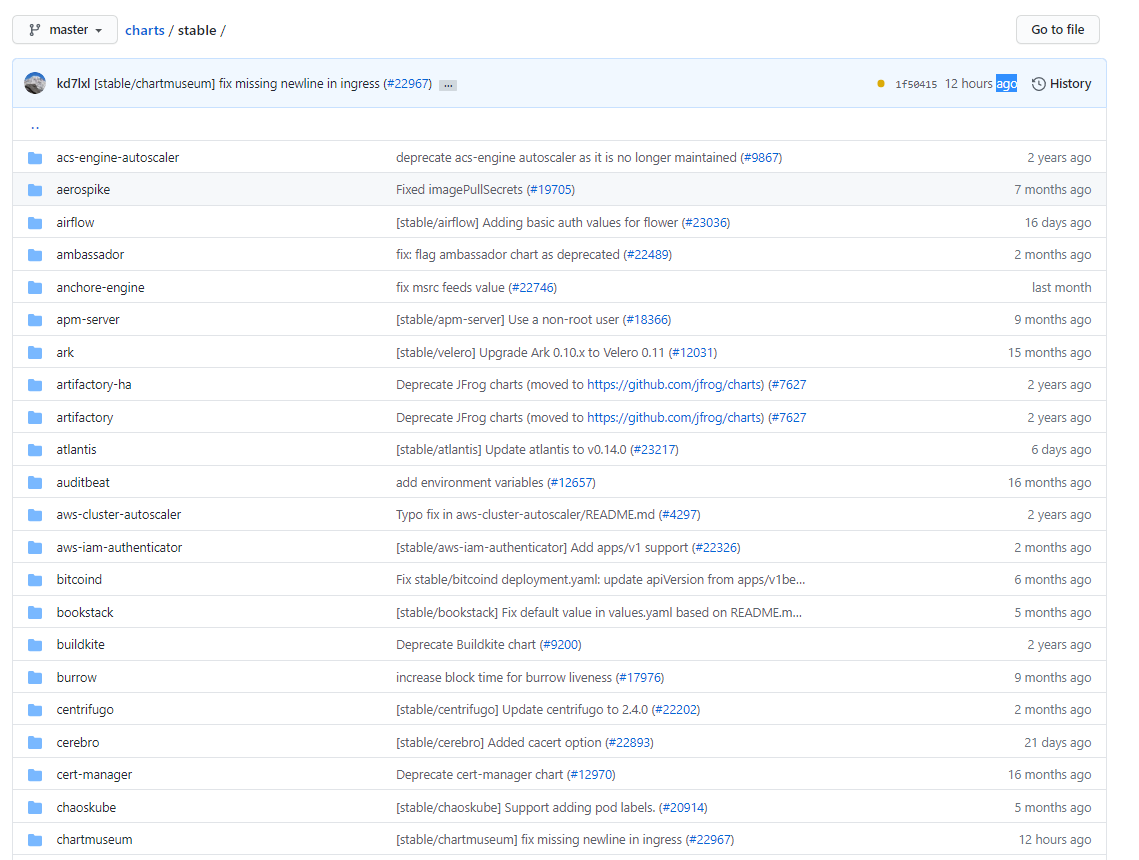
Taki Nuget dla Kubernetesa ;)
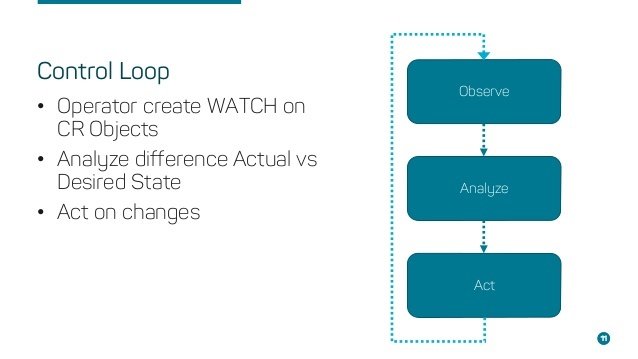
Operatory ułatwiają życie
dvidev@dvi-bjootify-ci:~$ kubectl get elasticsearch -A
NAMESPACE   NAME          HEALTH   NODES   VERSION   PHASE   AGE
elastic     elkstack-es   green    3       7.5.2     Ready   182d

dvidev@dvi-bjootify-ci:~$ kubectl describe elasticsearch -A
Name:         elkstack-es
Namespace:    elastic
Labels:       <none>
Annotations:  common.k8s.elastic.co/controller-version: 1.0.0
              elasticsearch.k8s.elastic.co/cluster-uuid: byuTz4XGSneM-siwuhXVRA
              kubectl.kubernetes.io/last-applied-configuration:
                {"apiVersion":"elasticsearch.k8s.elastic.co/v1","kind":"Elasticsearch","metadata":{"annotations":{},"name":"elkstack-es","namespace":"elas...
API Version:  elasticsearch.k8s.elastic.co/v1
Kind:         Elasticsearch
Metadata:
  Creation Timestamp:  2020-01-23T13:28:34Z
  Generation:          2
  Resource Version:    45364330
  Self Link:           /apis/elasticsearch.k8s.elastic.co/v1/namespaces/elastic/elasticsearches/elkstack-es
  UID:                 416afdbb-3de4-11ea-8e59-ba476b1ae597
Spec:
  Http:
    Service:
      Metadata:
        Creation Timestamp:  <nil>
      Spec:
    Tls:
      Certificate:
  Node Sets:
    Config:
      node.data:    true
      node.ingest:  true
      node.master:  true
    Count:          3
    Name:           default
    Pod Template:
      Metadata:
        Creation Timestamp:  <nil>
      Spec:
        Containers:
          Env:
            Name:   ES_JAVA_OPTS
            Value:  -Xms512m -Xmx512m
          Name:     elasticsearch
          Resources:
            Limits:
              Cpu:     1
              Memory:  1Gi
            Requests:
              Cpu:     500m
              Memory:  768Mi
        Init Containers:
          Command:
            sh
            -c
            sysctl -w vm.max_map_count=262144
          Name:  sysctl
          Resources:
          Security Context:
            Privileged:  true
    Volume Claim Templates:
      Metadata:
        Creation Timestamp:  <nil>
        Name:                elasticsearch-data
      Spec:
        Access Modes:
          ReadWriteOnce
        Resources:
          Requests:
            Storage:         10Gi
        Storage Class Name:  default
      Status:
  Update Strategy:
    Change Budget:
  Version:  7.5.2
Status:
  Available Nodes:  3
  Health:           green
  Phase:            Ready
Events:             <none>
Co ze Storagem?
Trzy ważne koncepty:
- Storage Class
- Persisent Volume
- Persisent Volume Claim
Volume może być provisionowany statycznie lub dynamicznie
Dynamiczny storage przydaje się przy tworzeniu Stateful Sets
Gdzie trzymać Secrety?
Najlepiej w Azure Key Vault
- Key Vault Flex Volume
- Secrets Store CSI driver provider
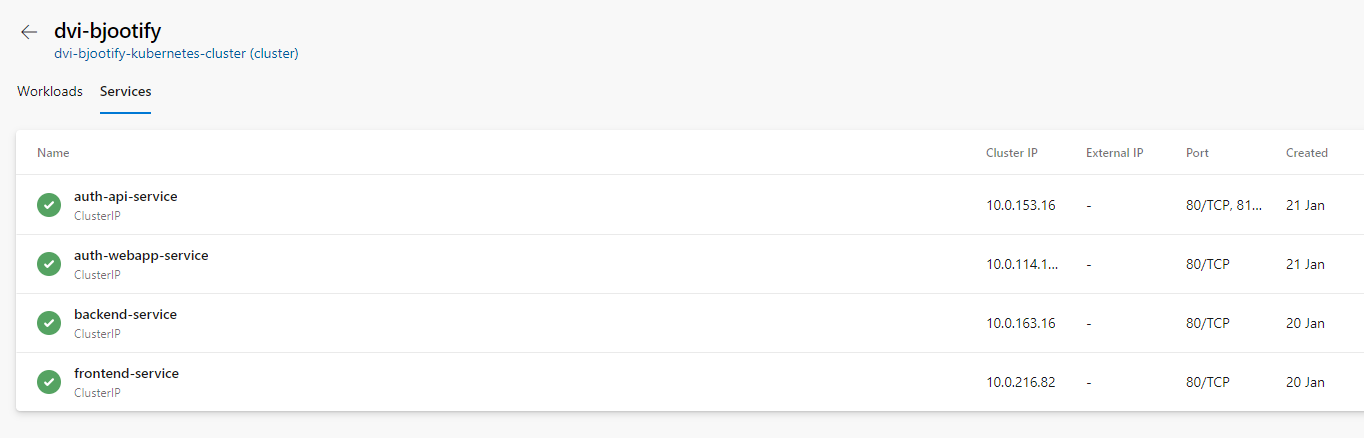
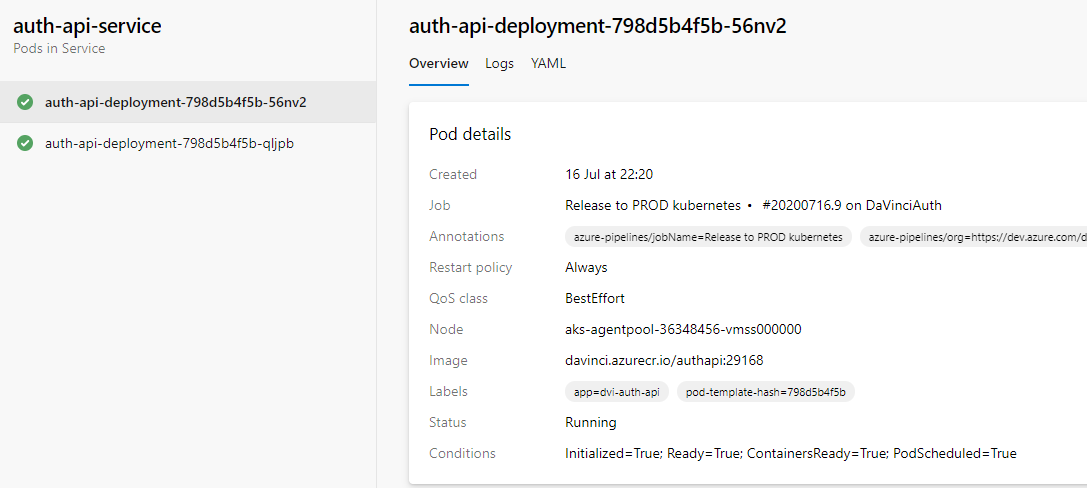
Inne fajne rzeczy:
- Cron Jobs
- Azure Managed Identity
- Cluster Policies
Best Practices
Kubernetes na środowisku Stage
Używać Ansible od początku
Starać pozamykać się wszystko w Private Endpoitns i VNEty
Uwaga na dyski Premium SSD
Rozważyć korzystanie z Multiple Node Pools
Uważać na Azure Monitor for AKS ;)

Nie bać się Kubernetesa

AKS nie jest droższy od maszyn wirtualnych

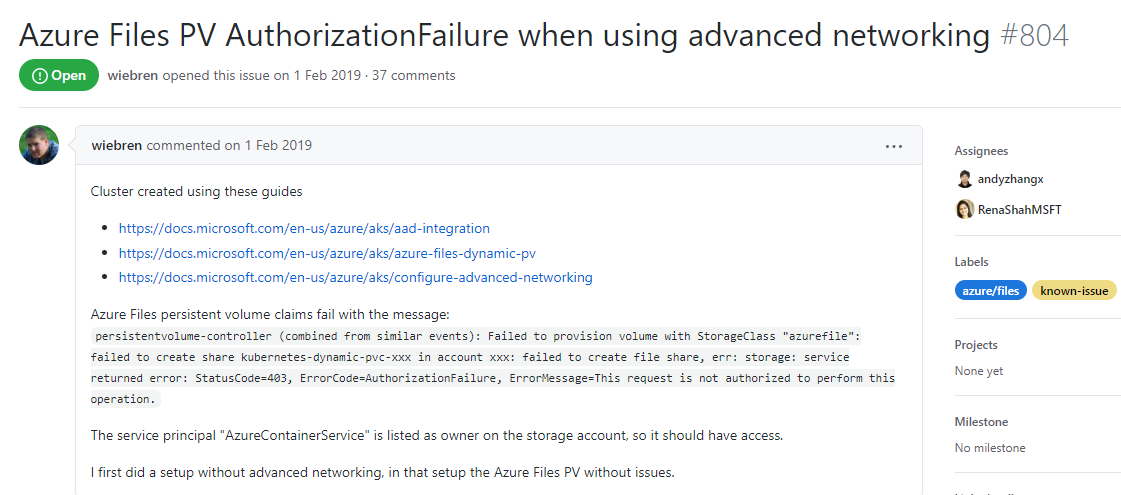
Czasami coś nie działa...


Zapraszam na Slacka - pomogę, wytłumaczę, wyjaśnię :)

Kubernetes
By Mateusz Turzyński