Creating a Simple Calculator
Thunkable Week 3
Learning Objectives
To be able to:
- Develop an application making use of mathematic functions
- Create code that fetches information from the end user
- Store information inside a variable, then call that information back later
Go to https://x.thunkable.com/login then sign in with your google account
Create a new project

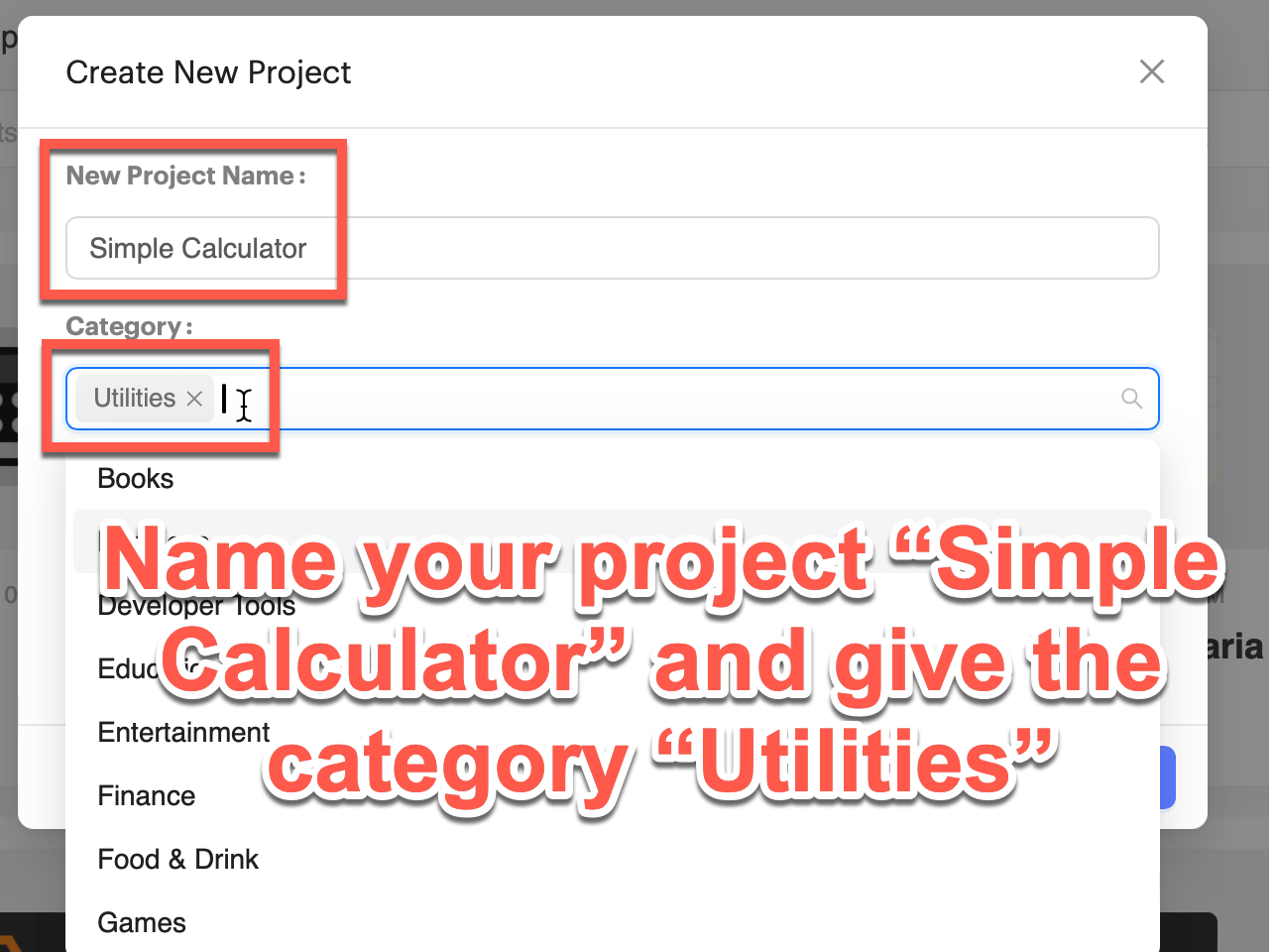
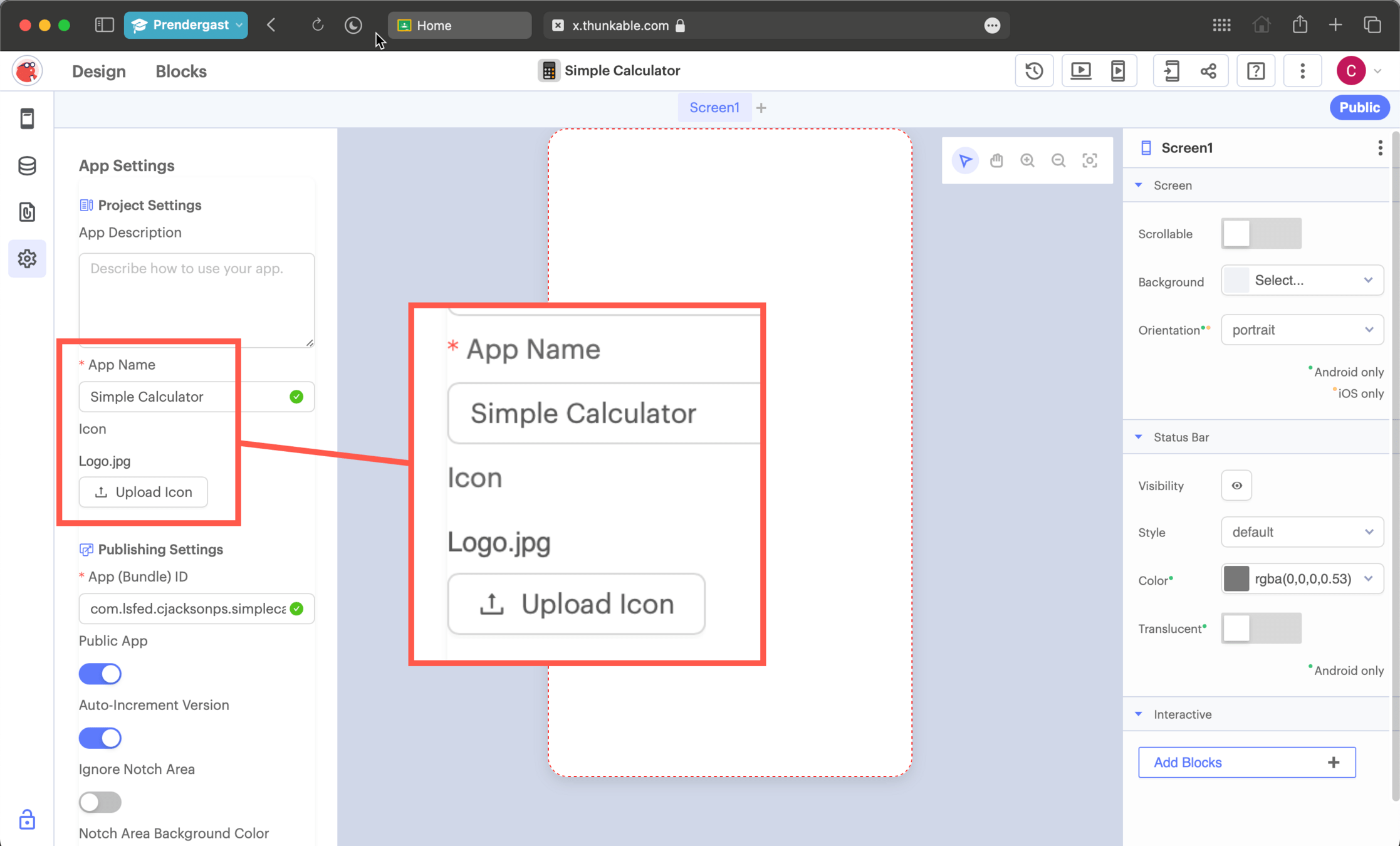
Name your project and upload a logo
Download the logo from Google Classroom
Designing the Calculator
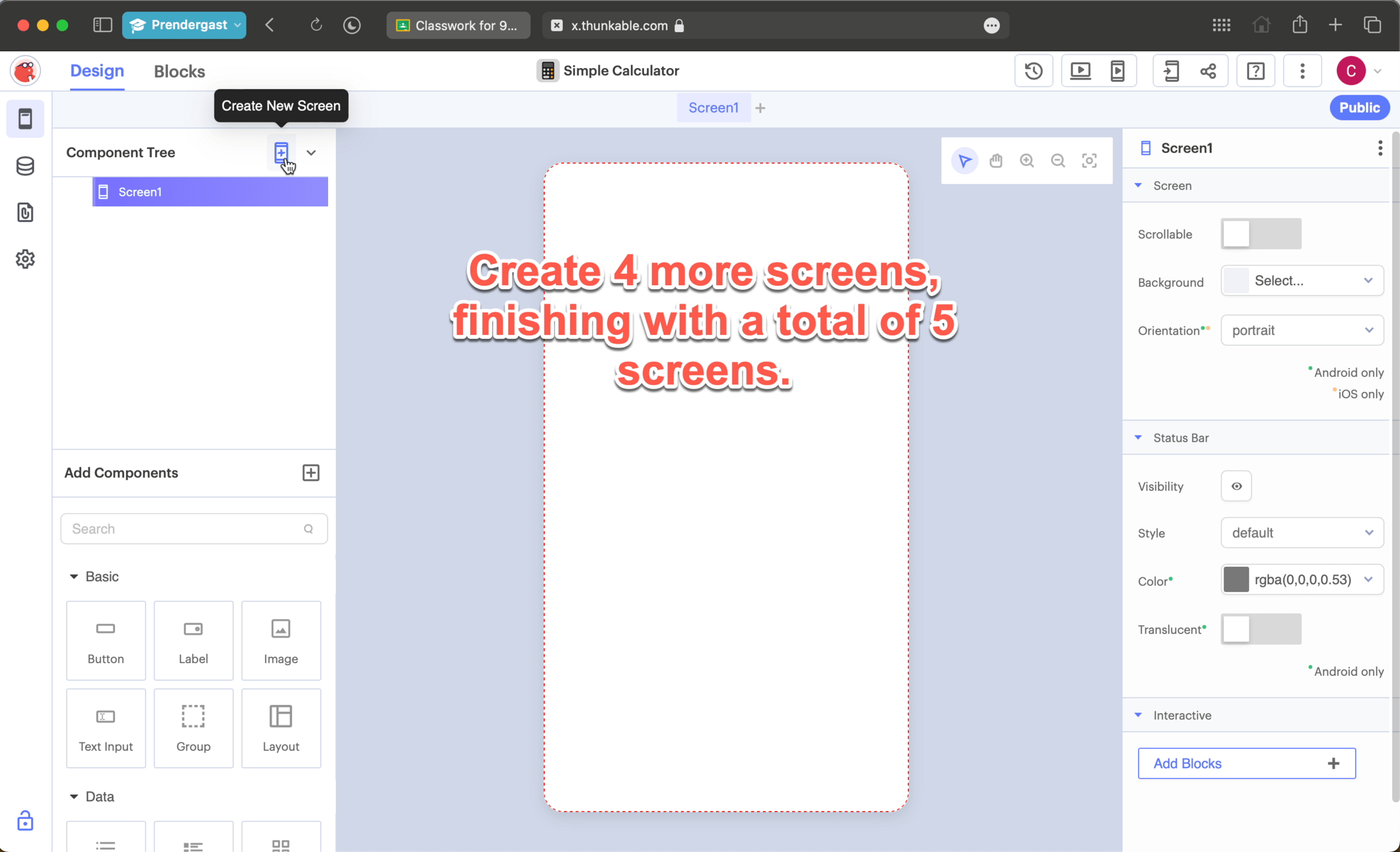
Setting Up
Setting Up
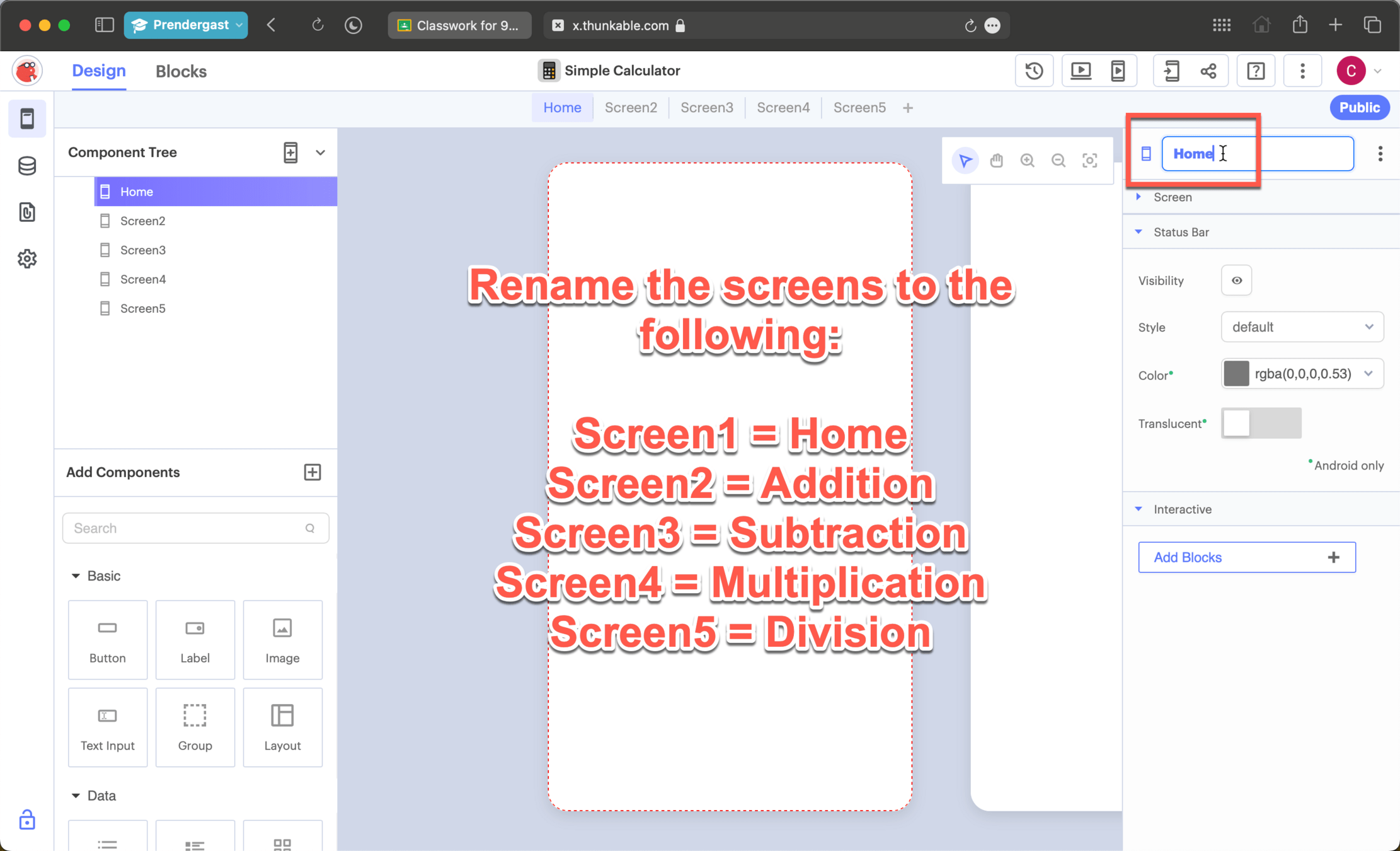
Setting Up
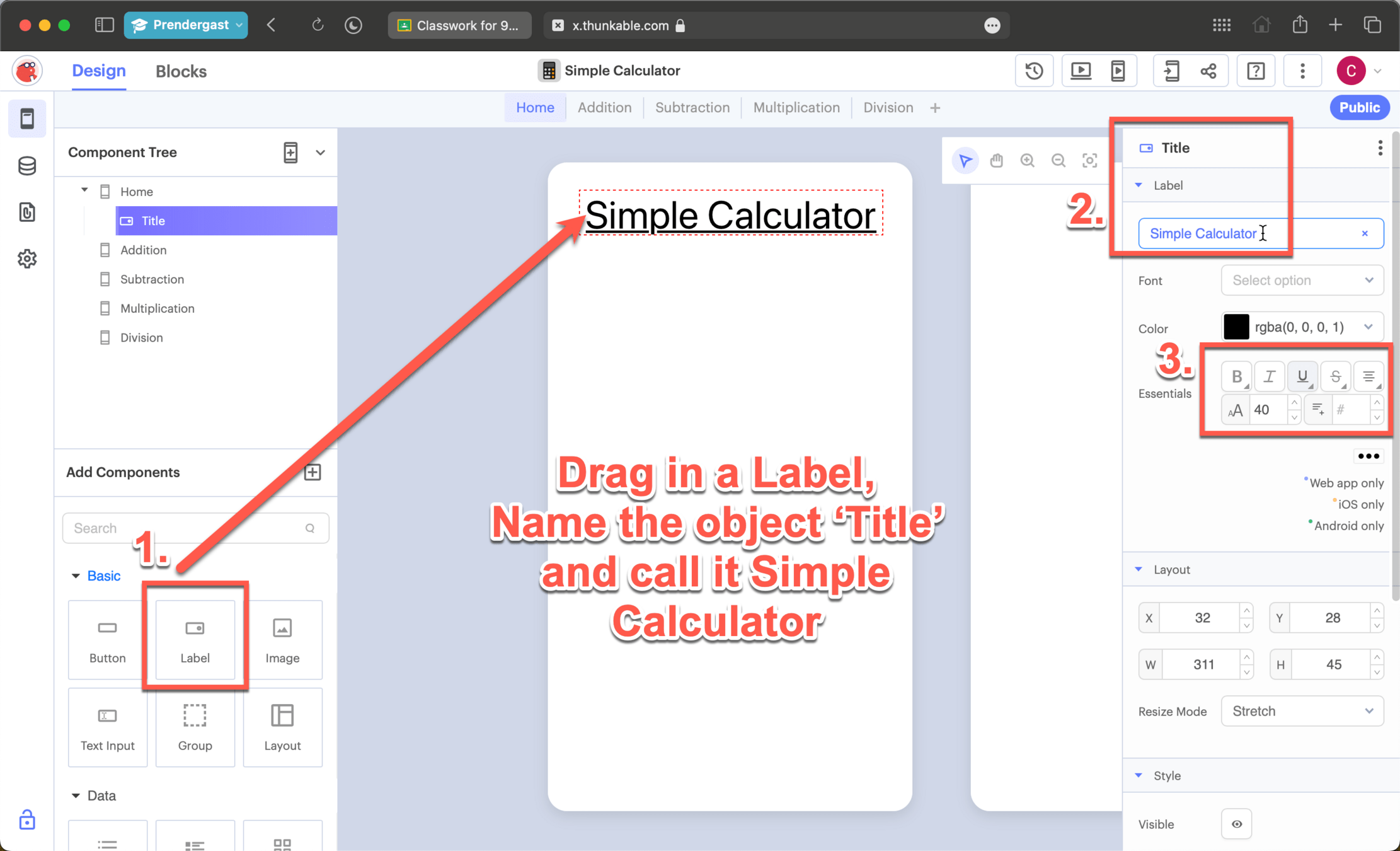
Setting Up
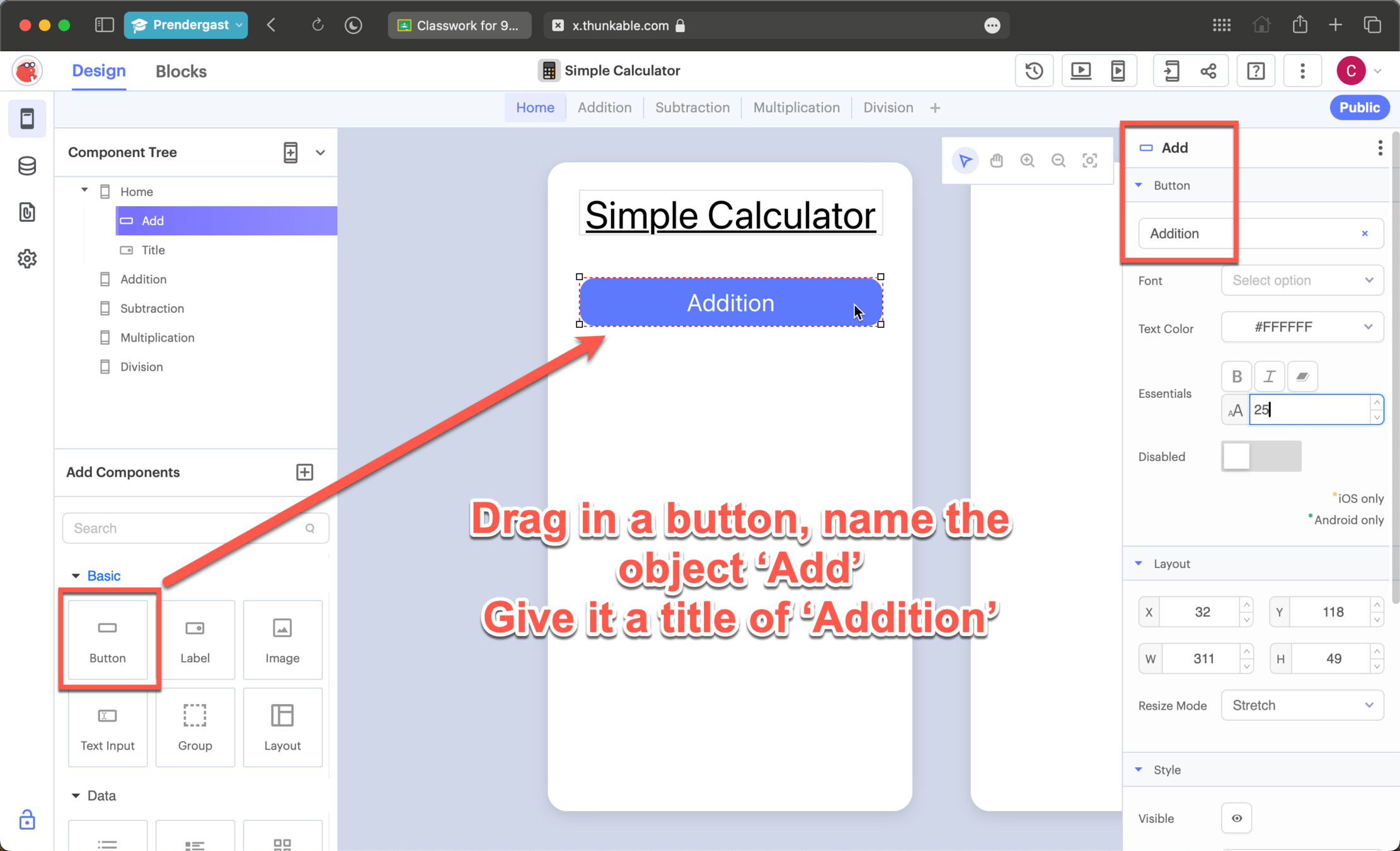
Setting Up
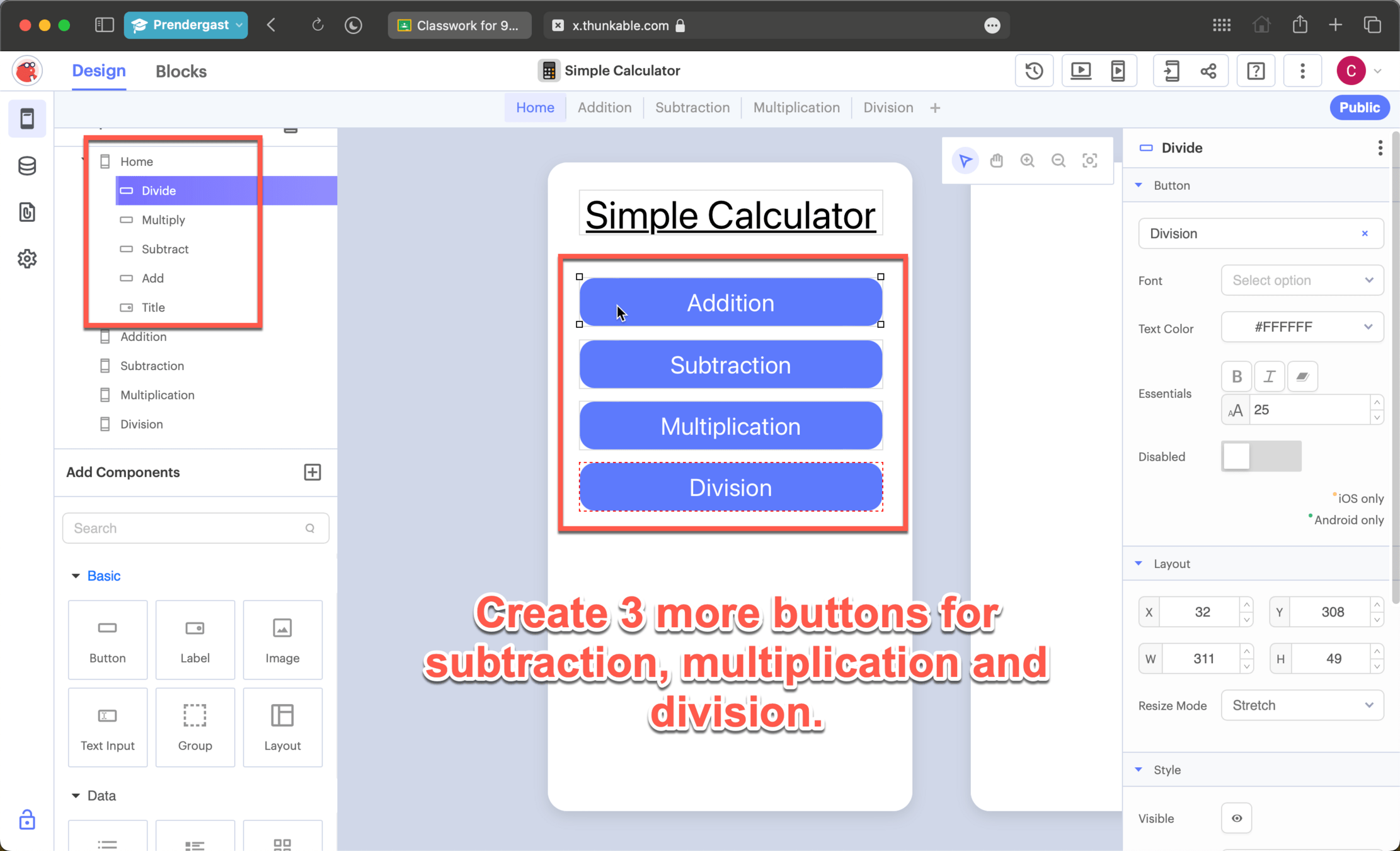
Setting Up
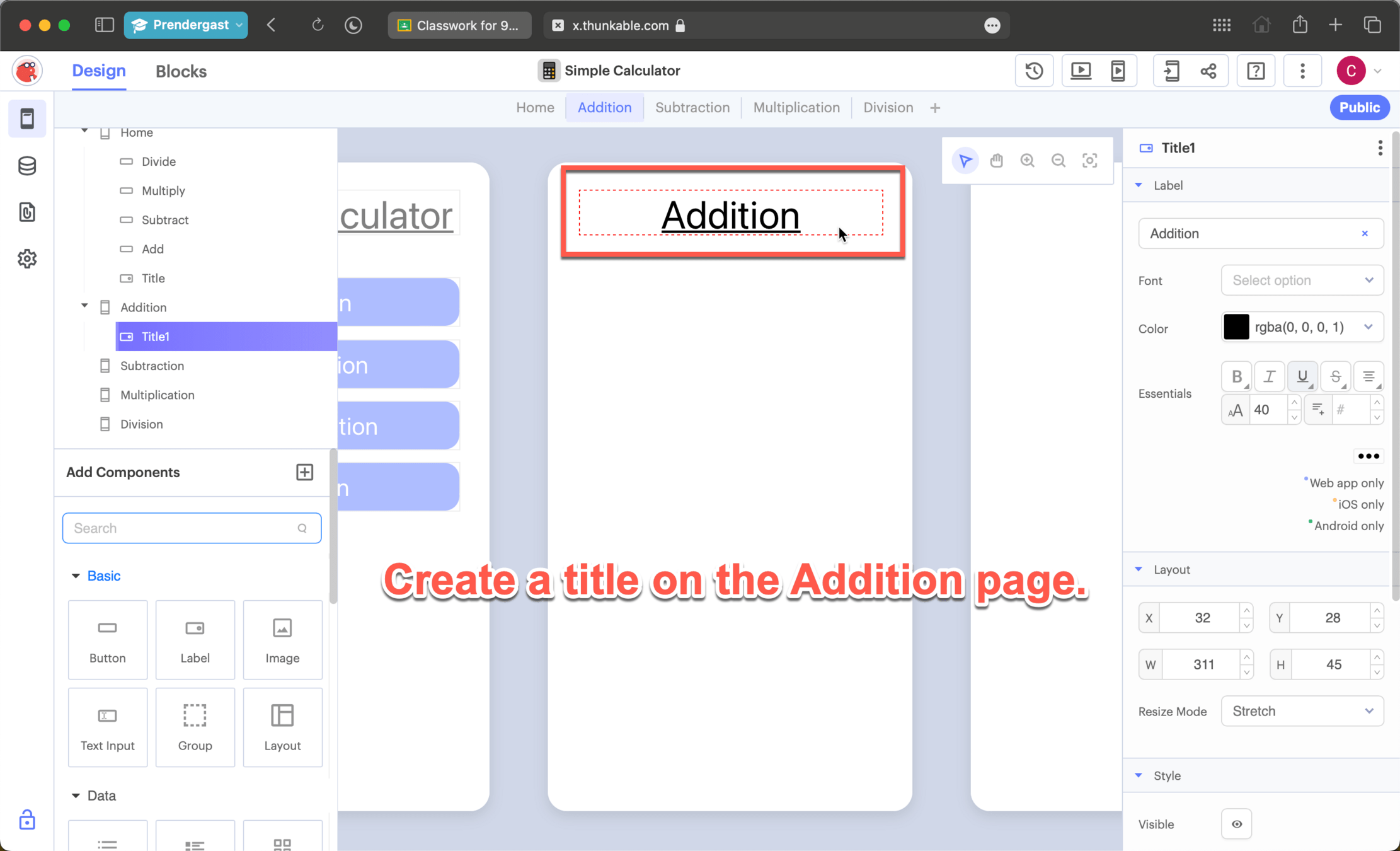
Setting Up
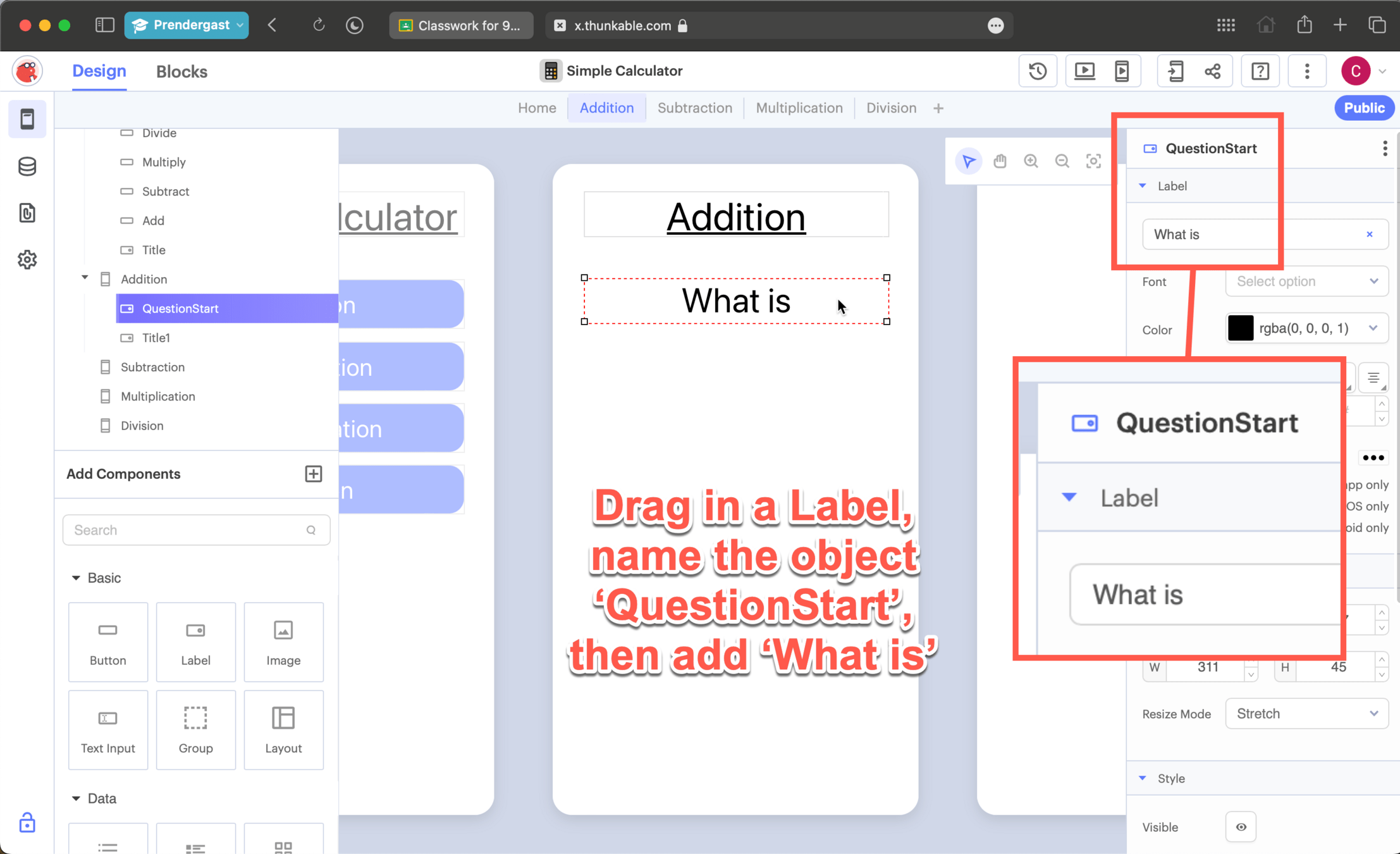
Setting Up
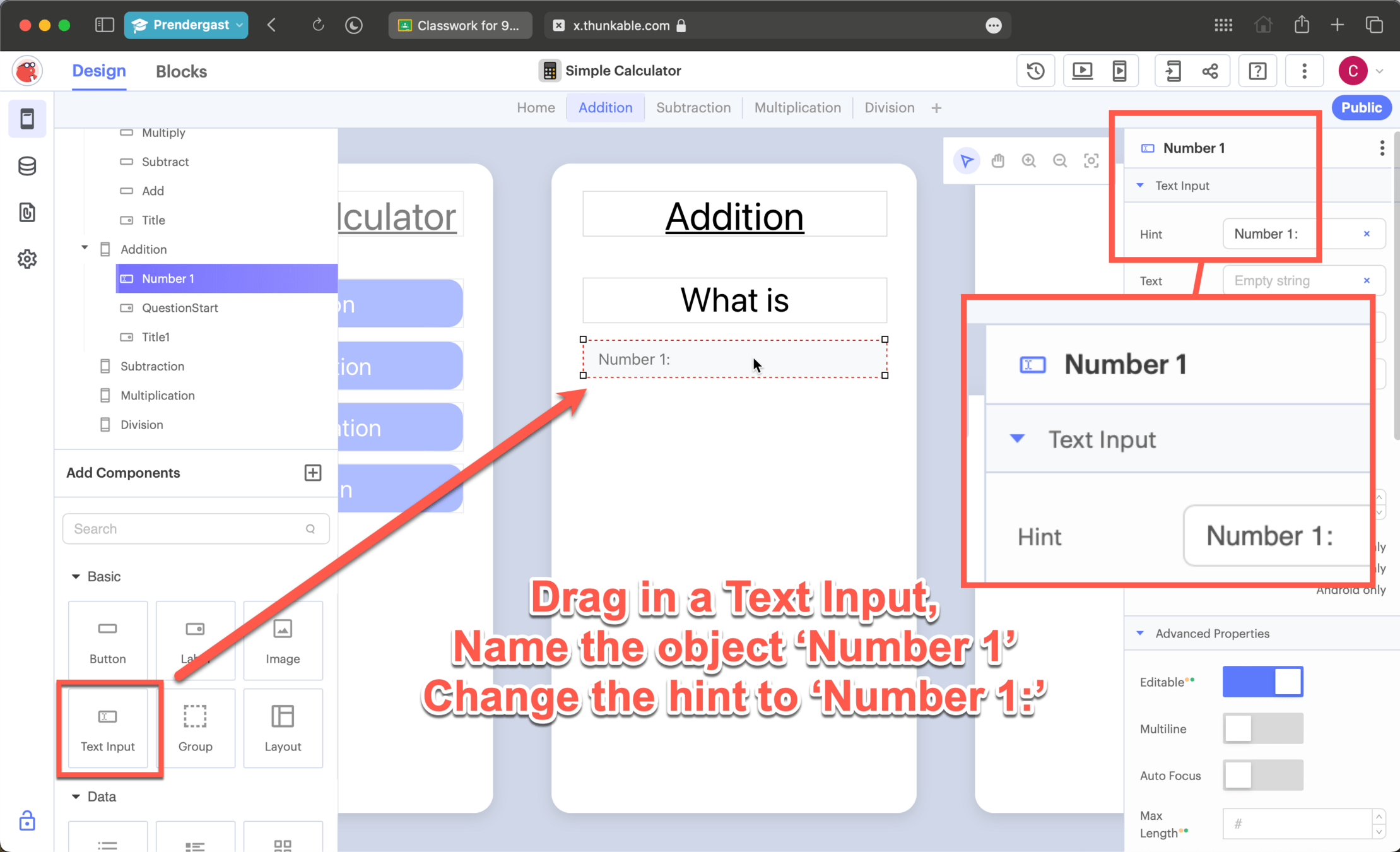
Setting Up
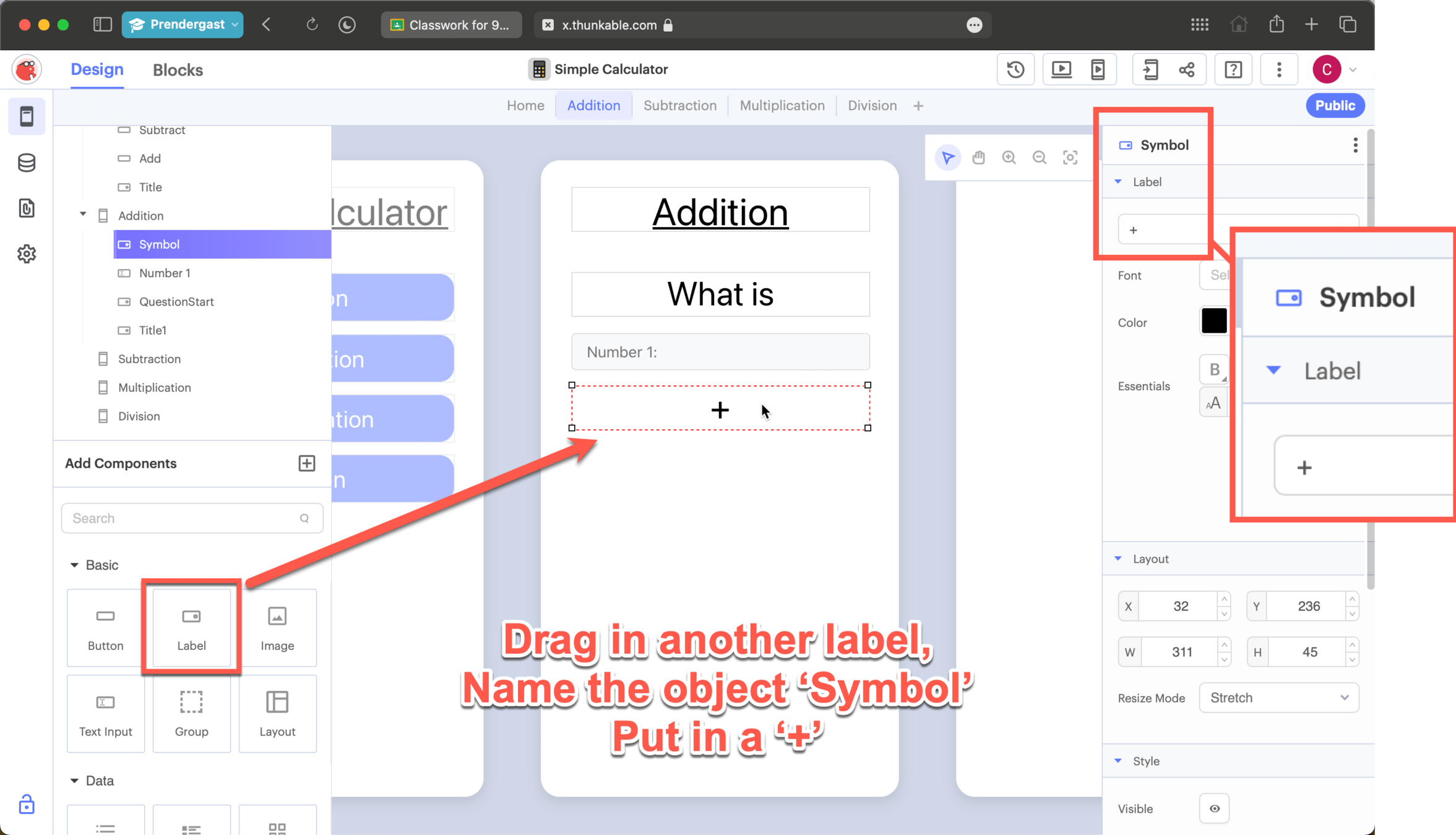
Setting Up
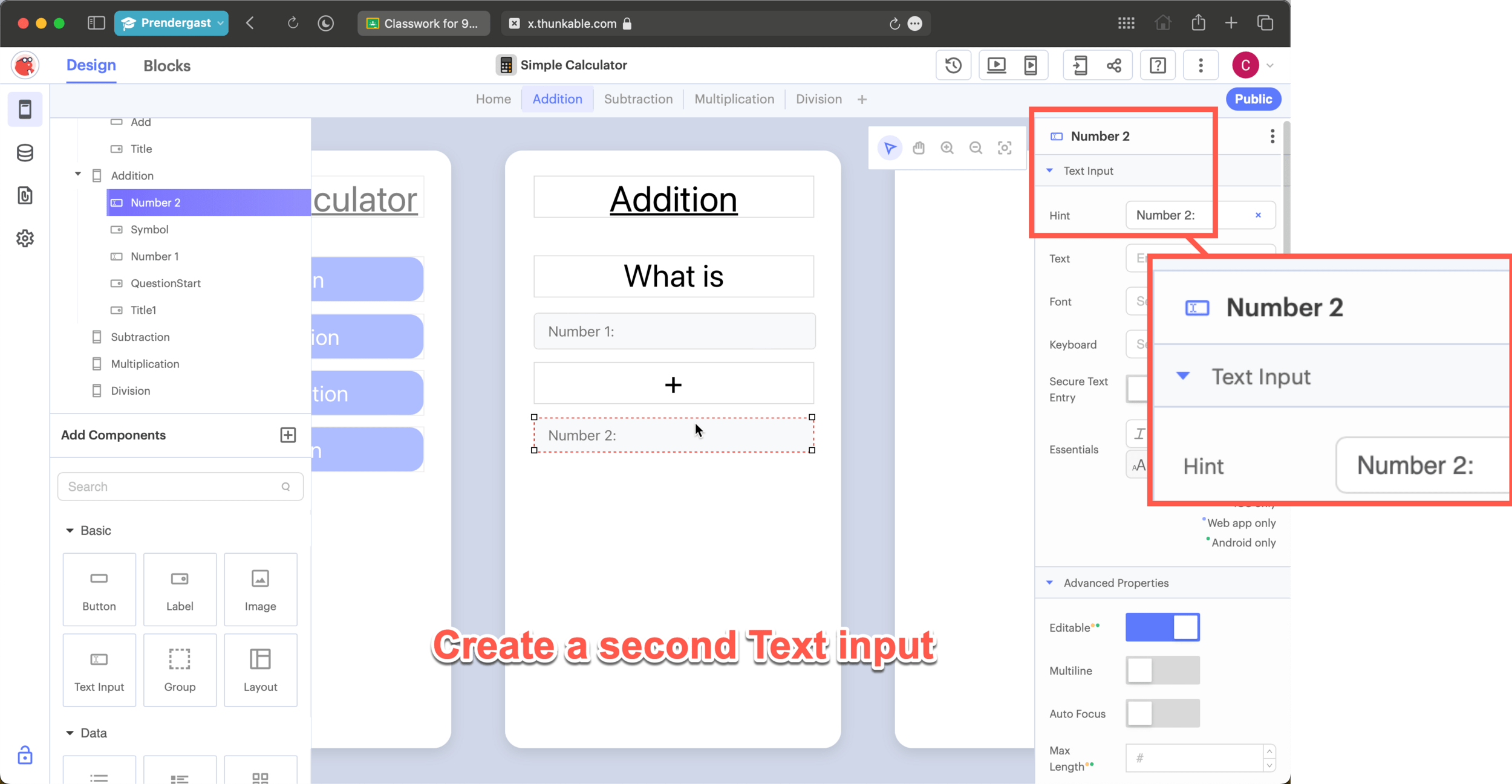
Setting Up
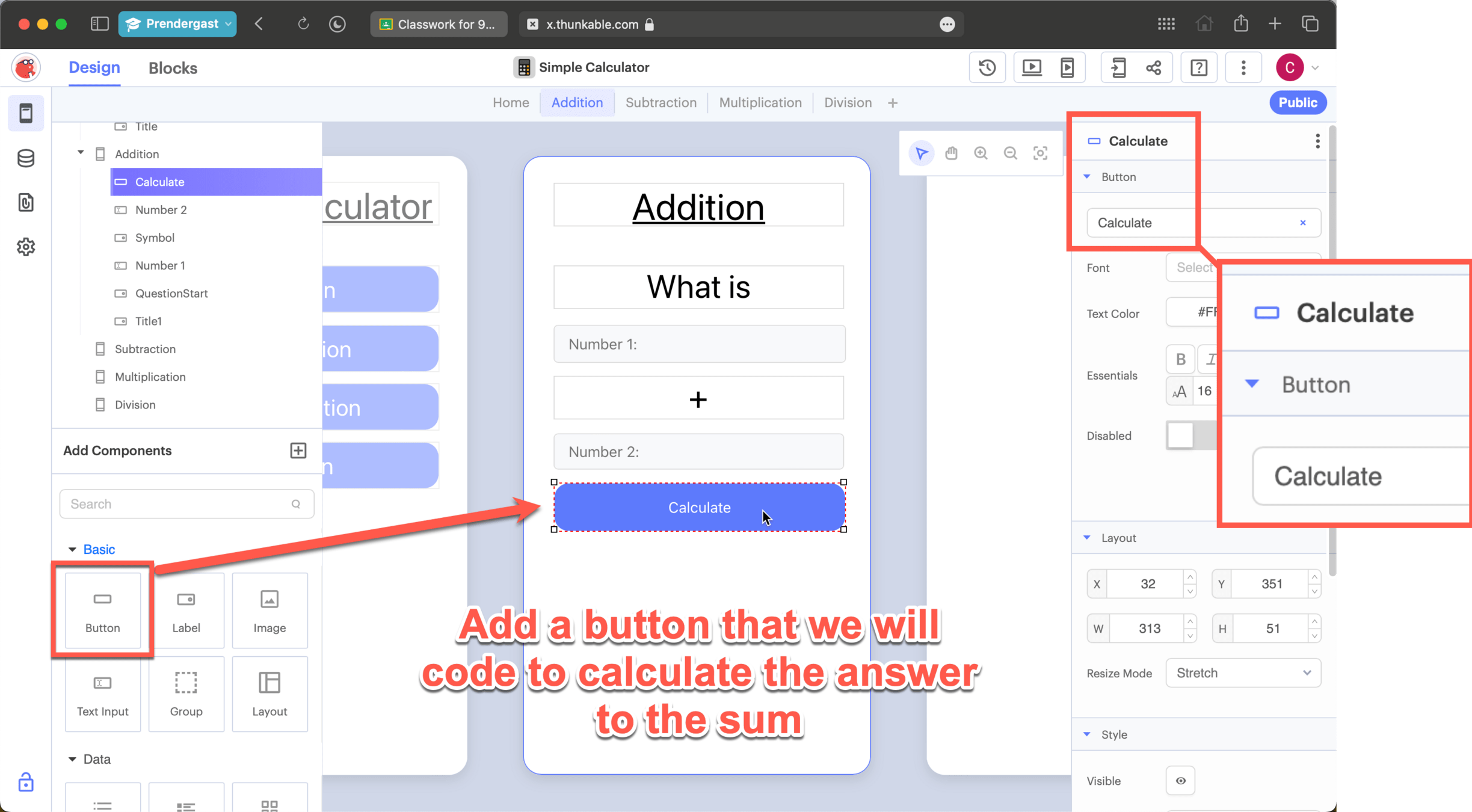
Setting Up
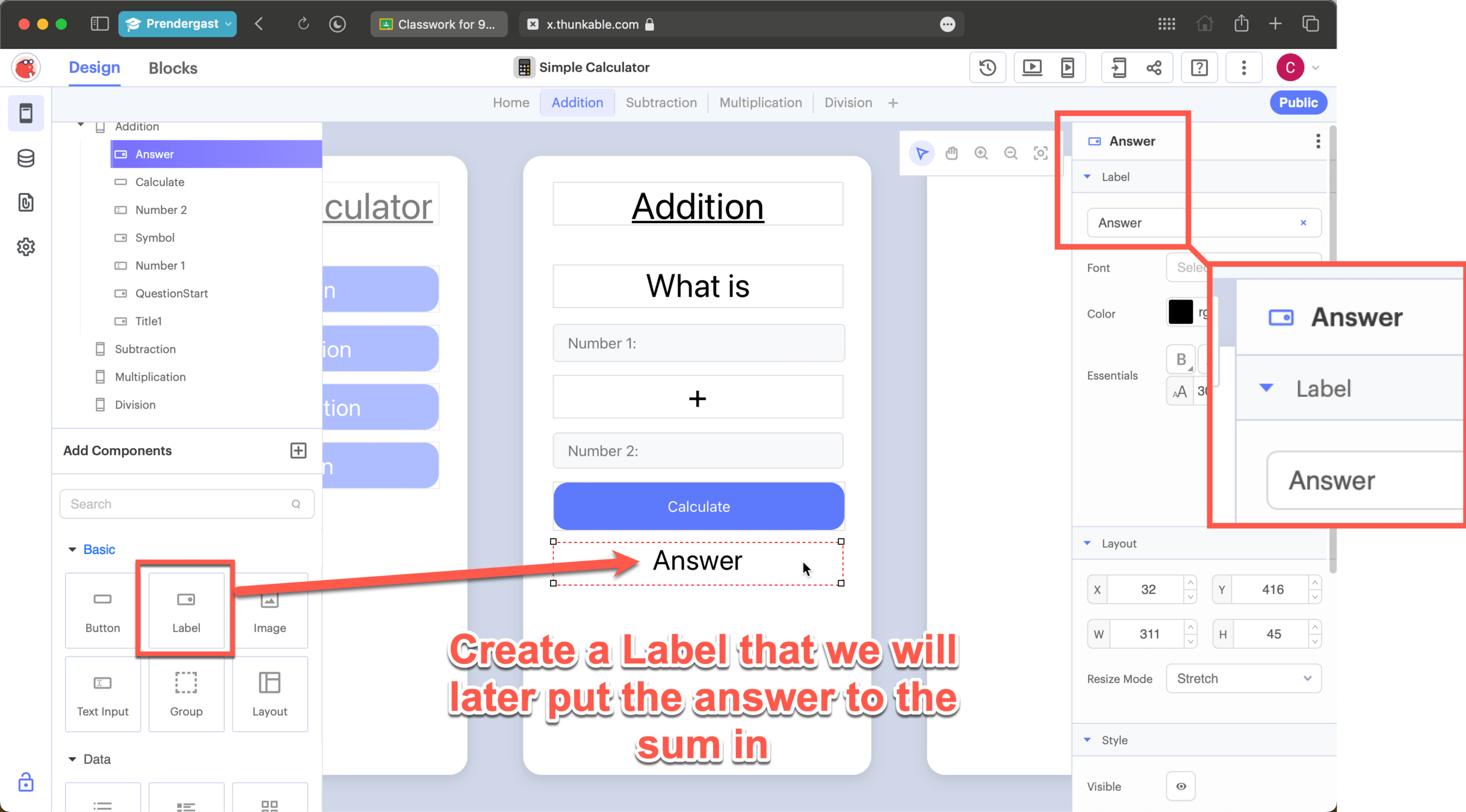
Setting Up
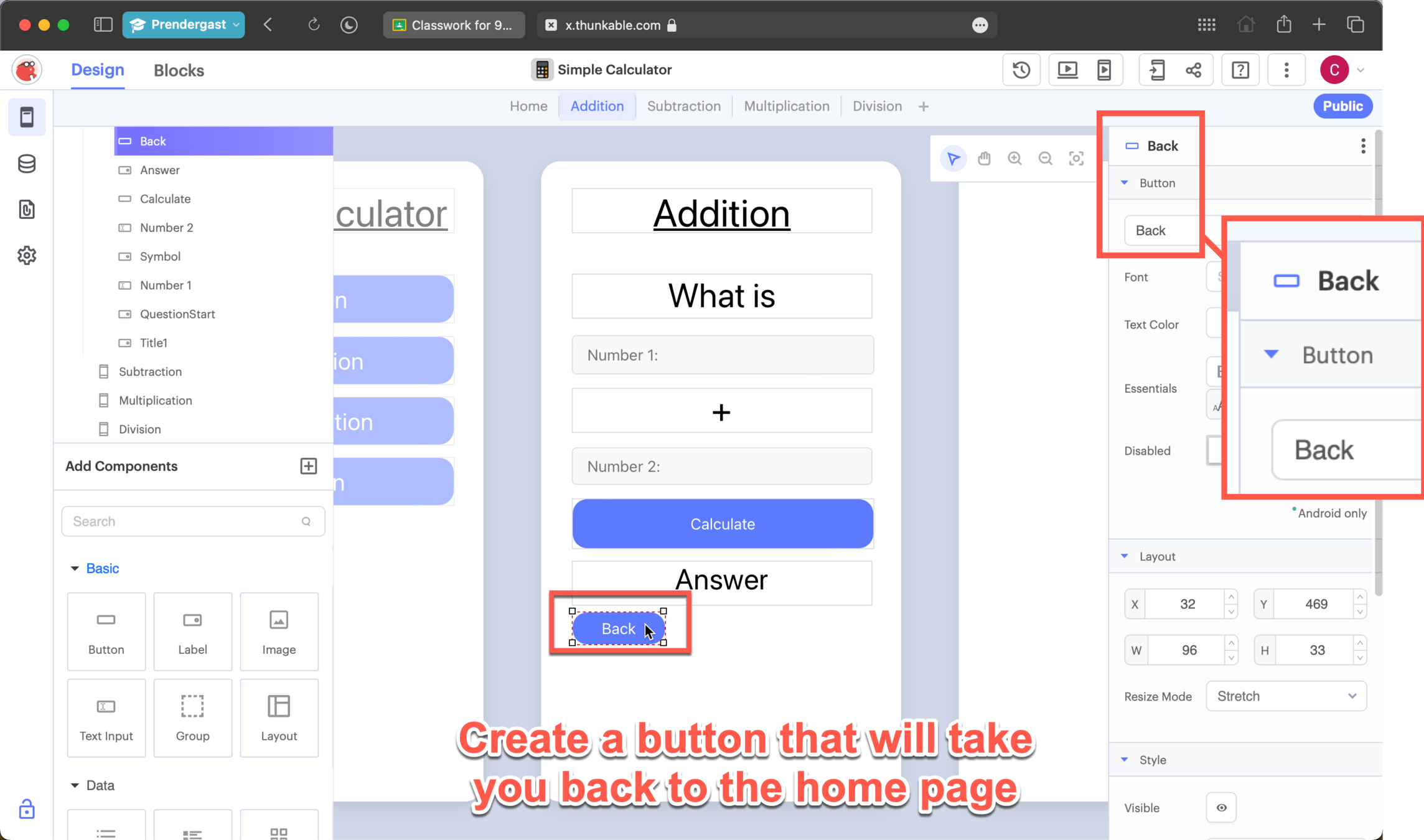
Time to code the calculator
Code Navigation Buttons
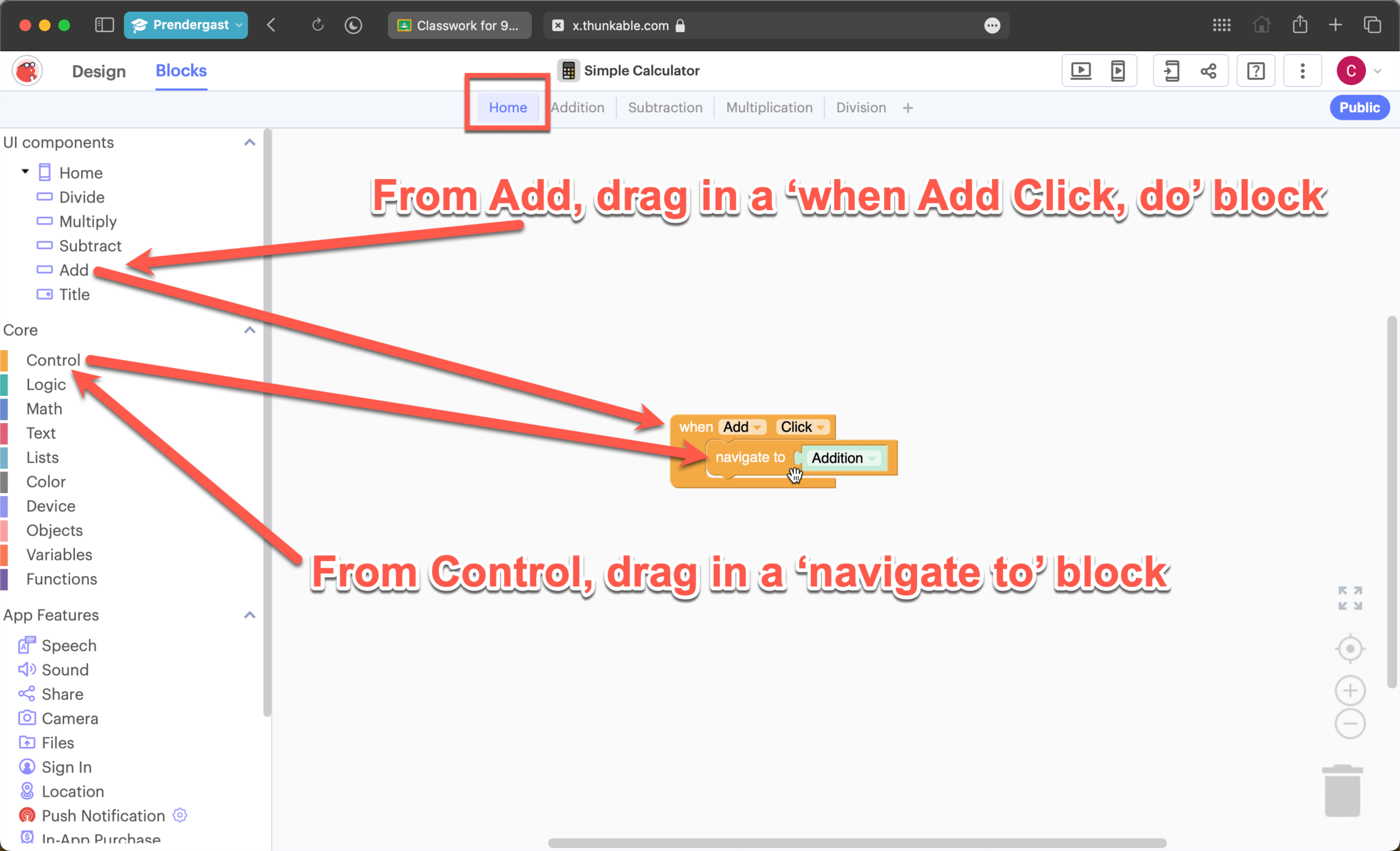
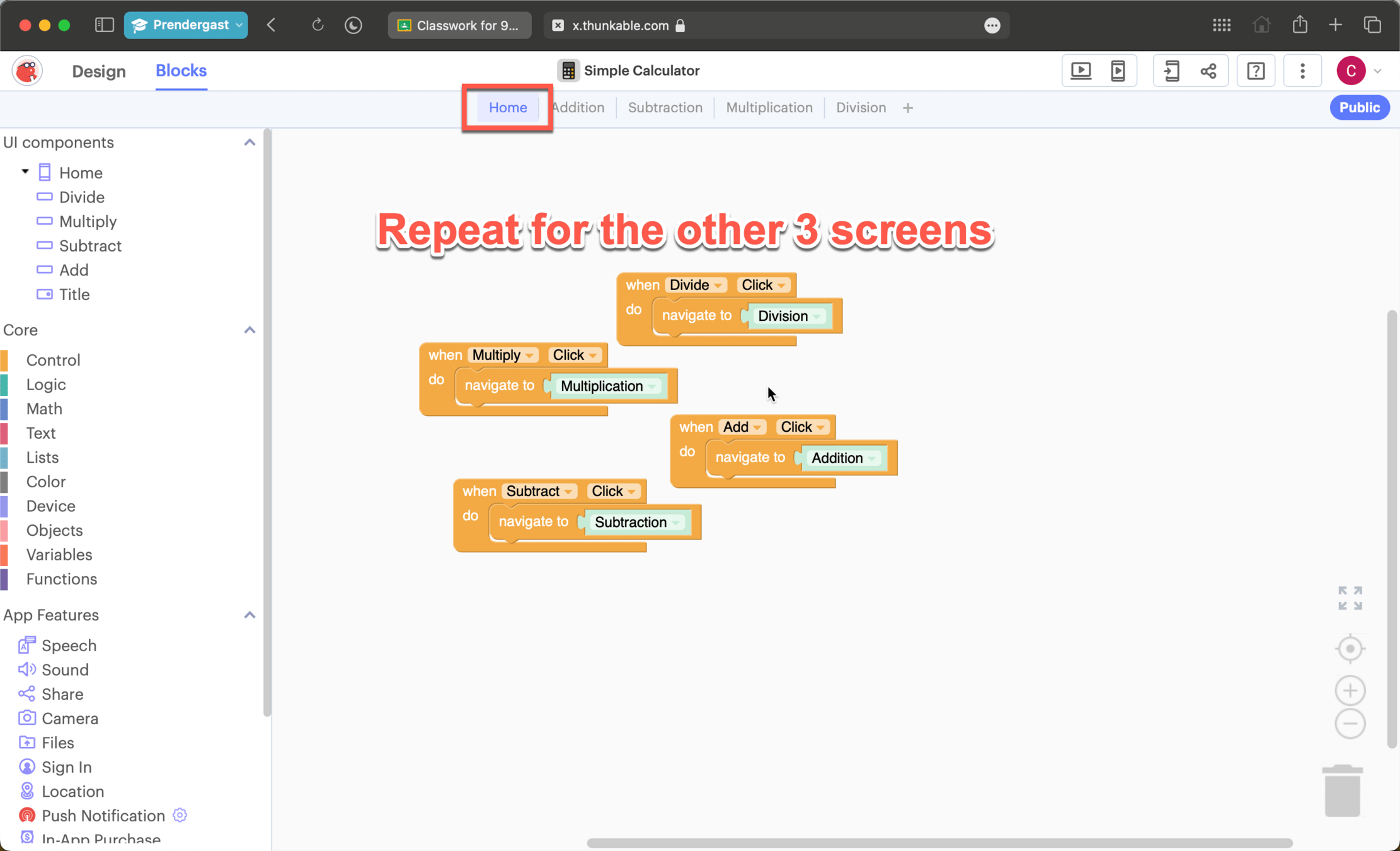
Code Navigation Buttons
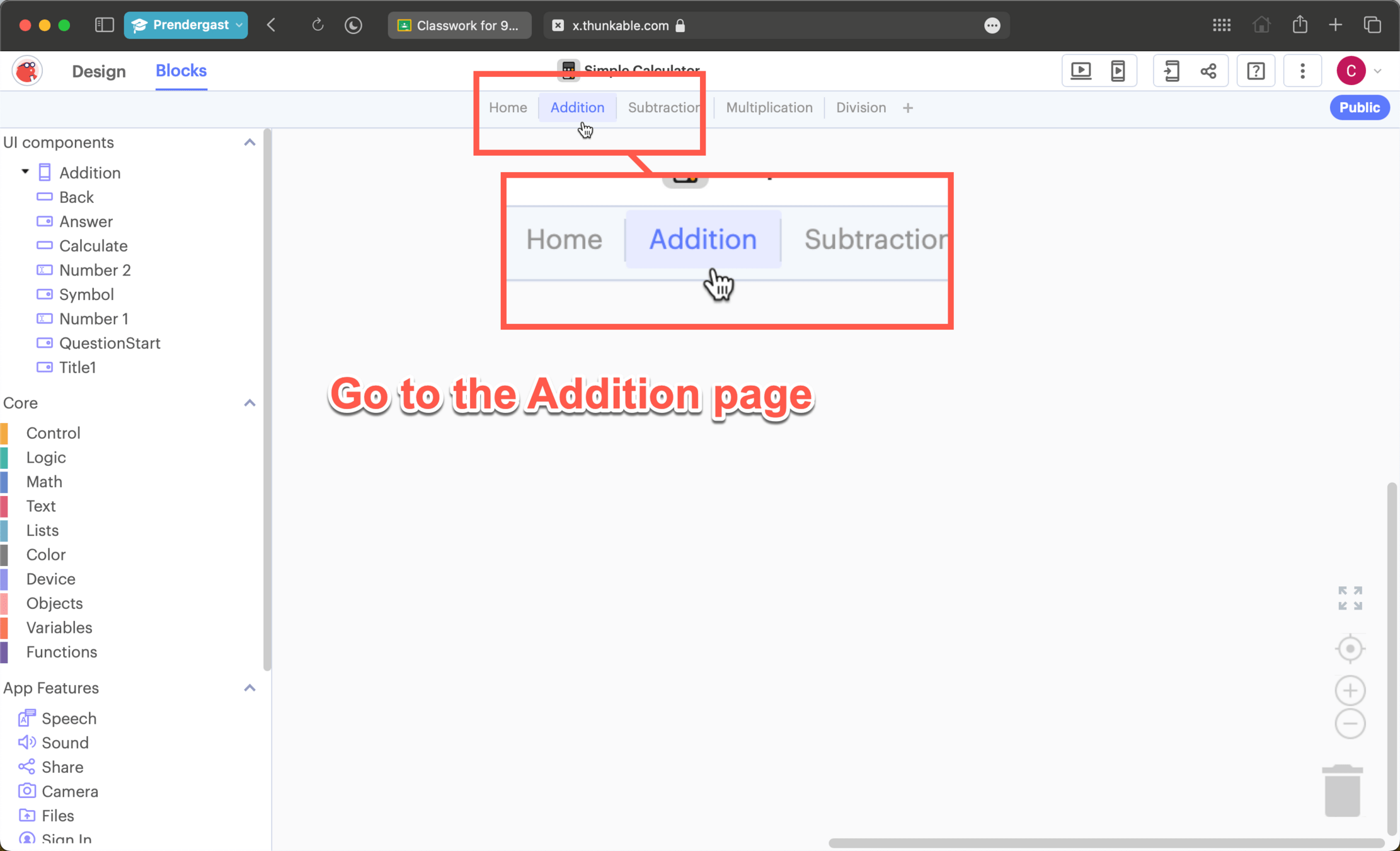
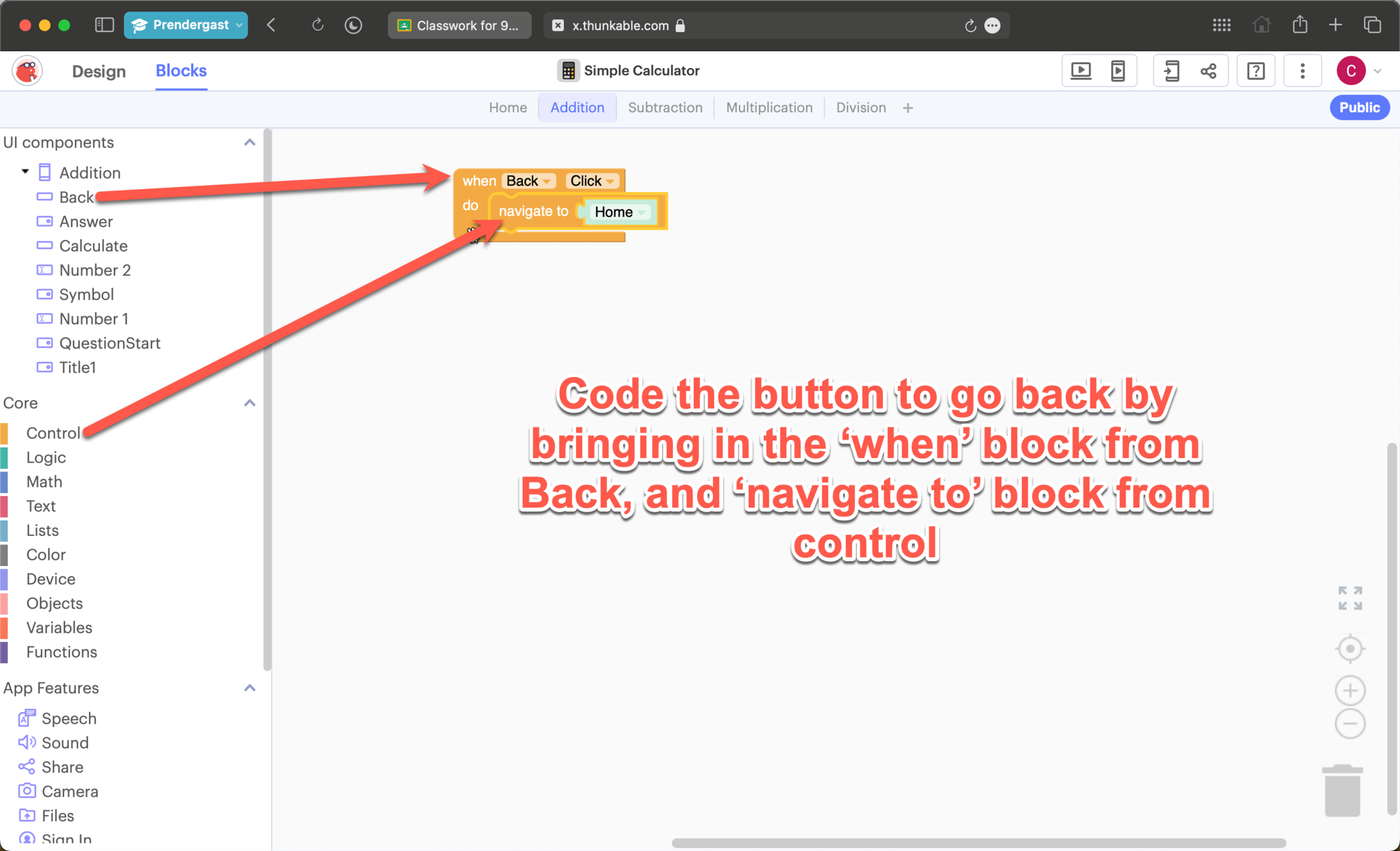
Coding the addition page
Coding the addition page
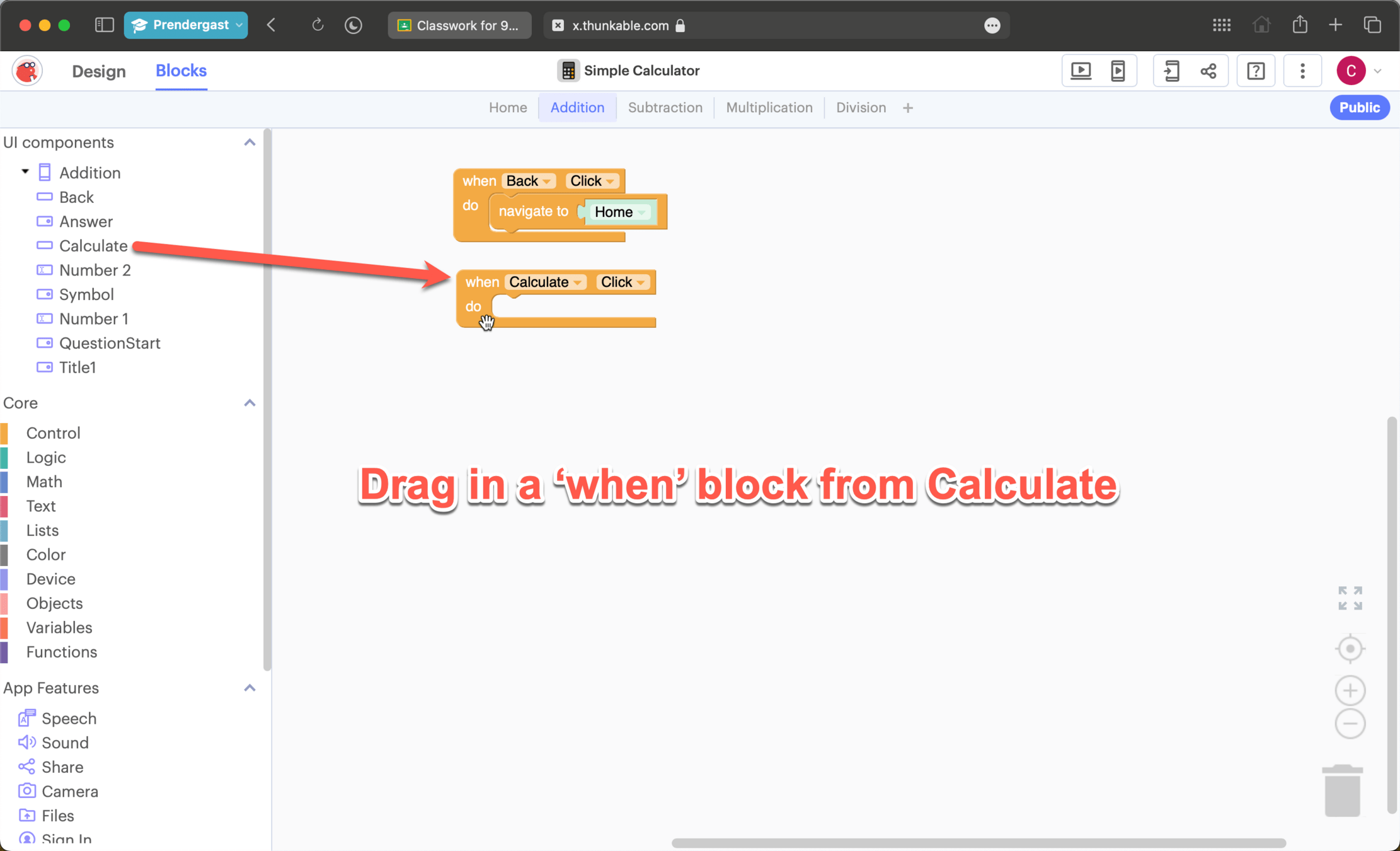
Coding the addition page
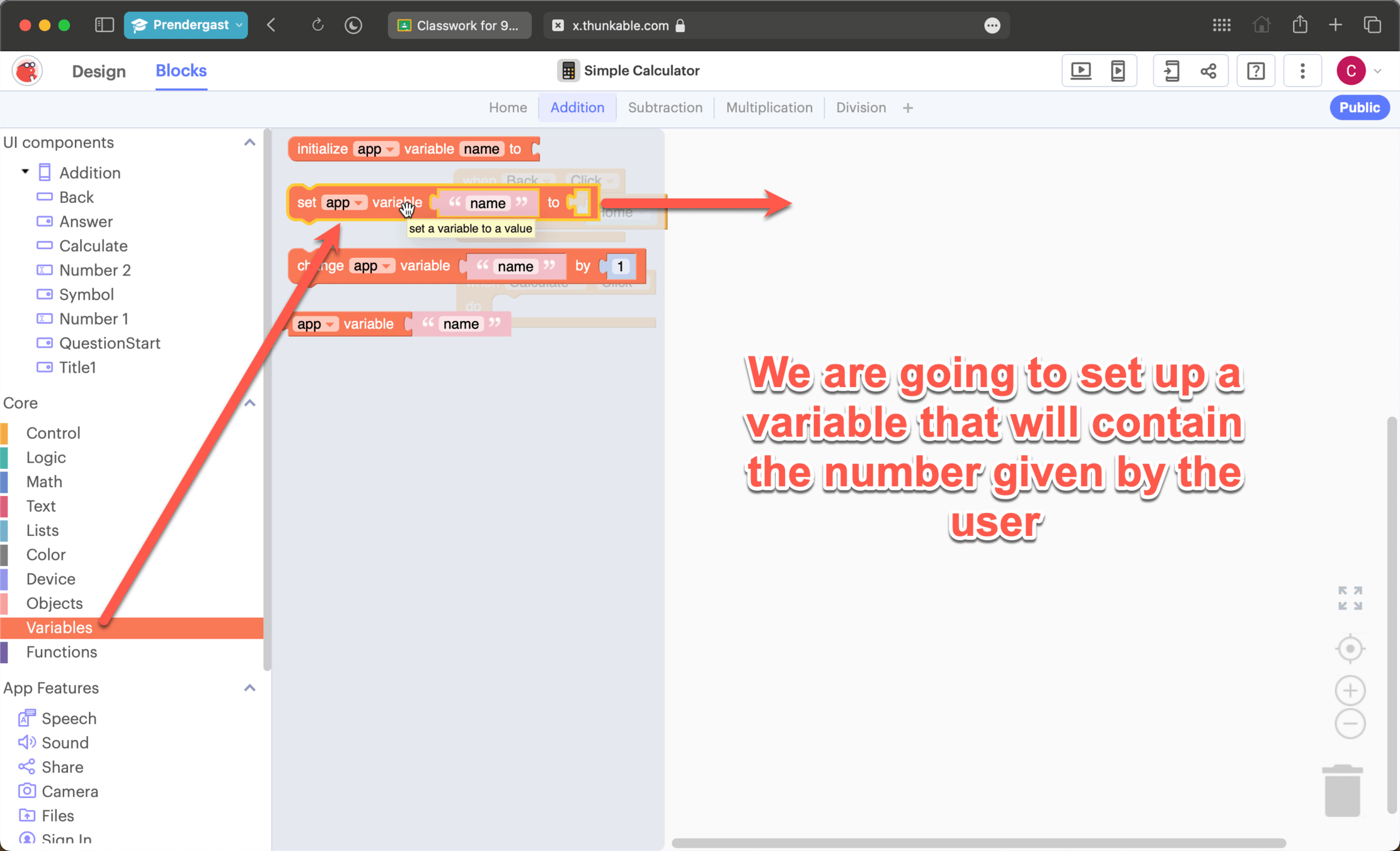
Coding the addition page
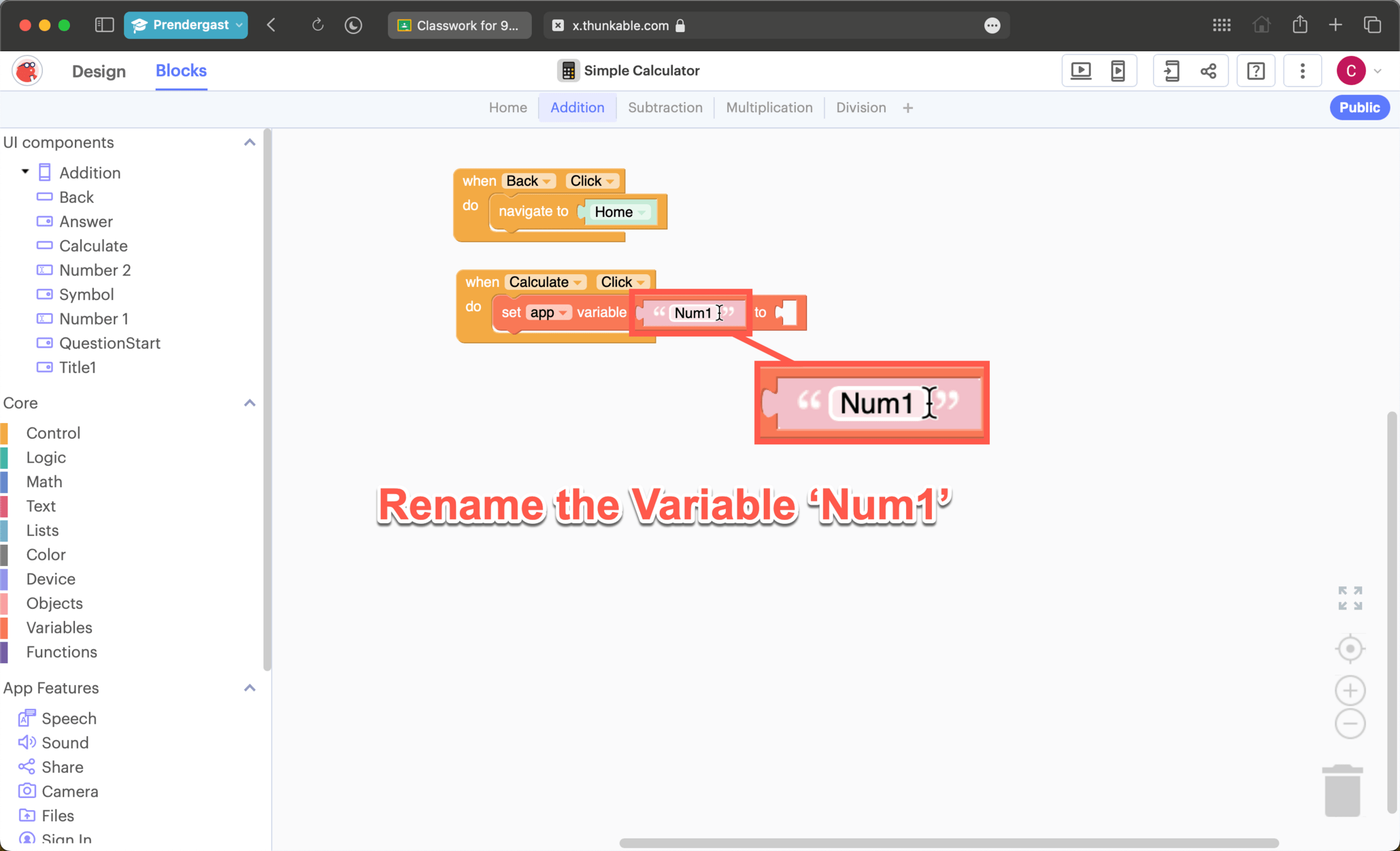
Coding the addition page
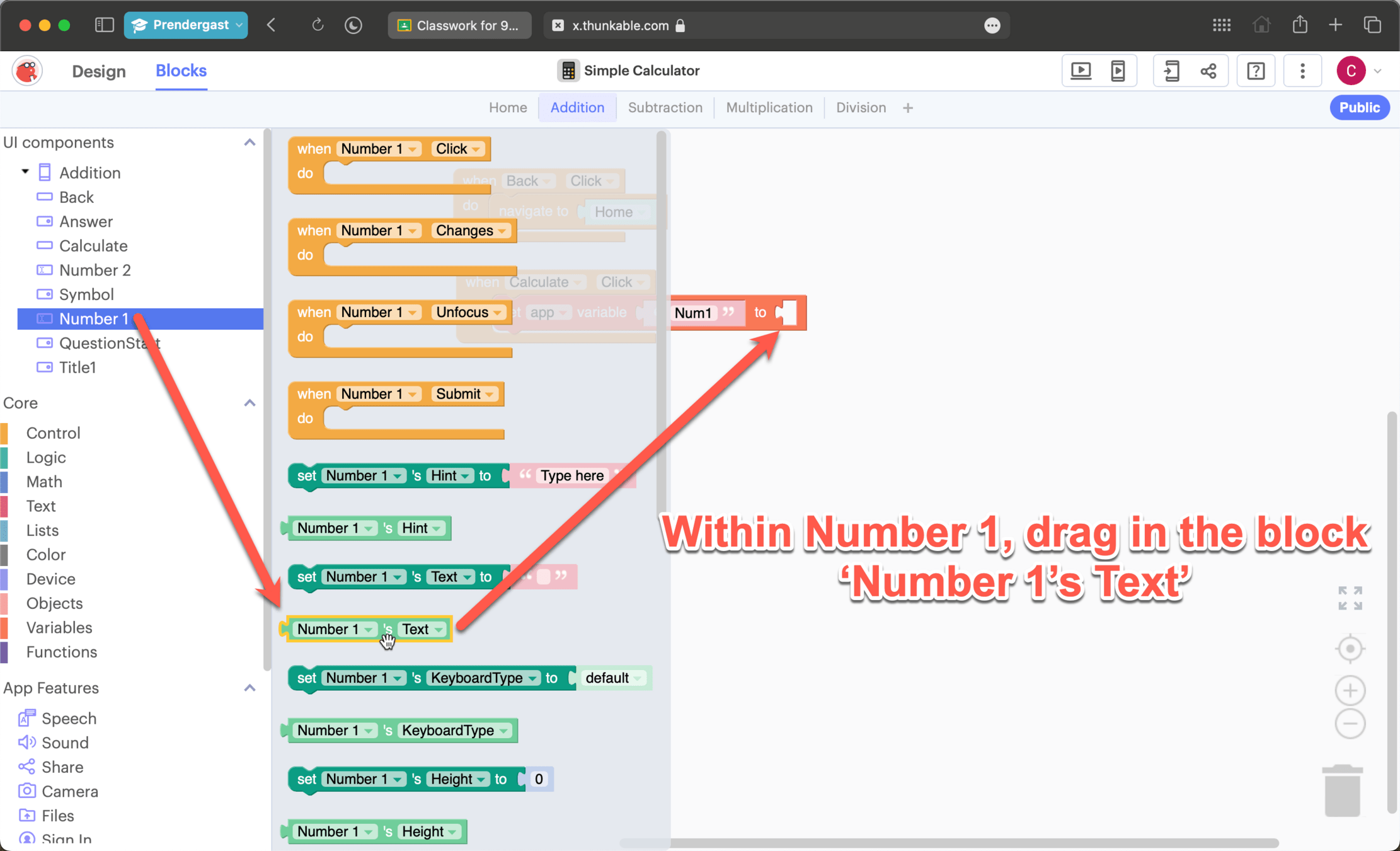
Coding the addition page
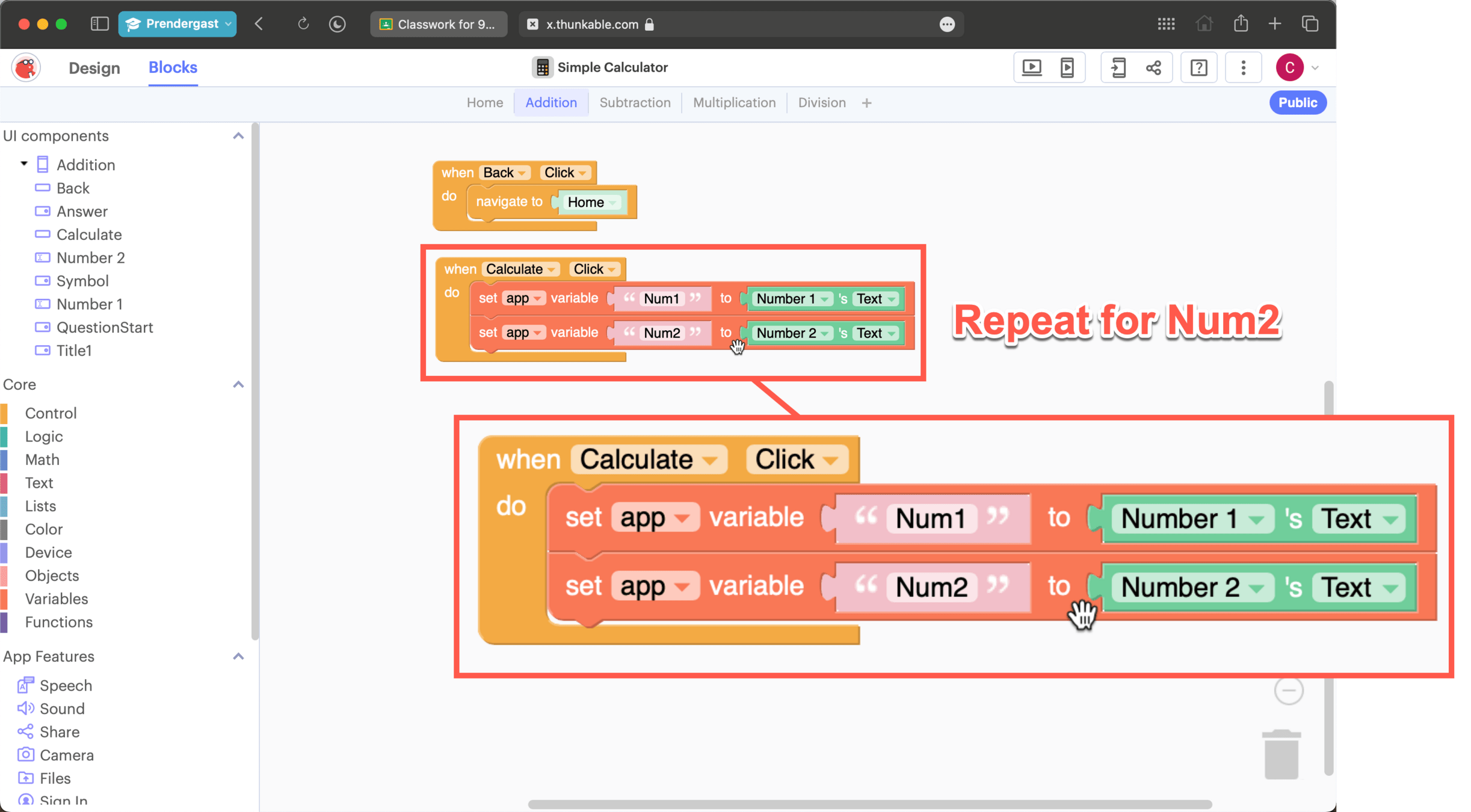
Coding the addition page
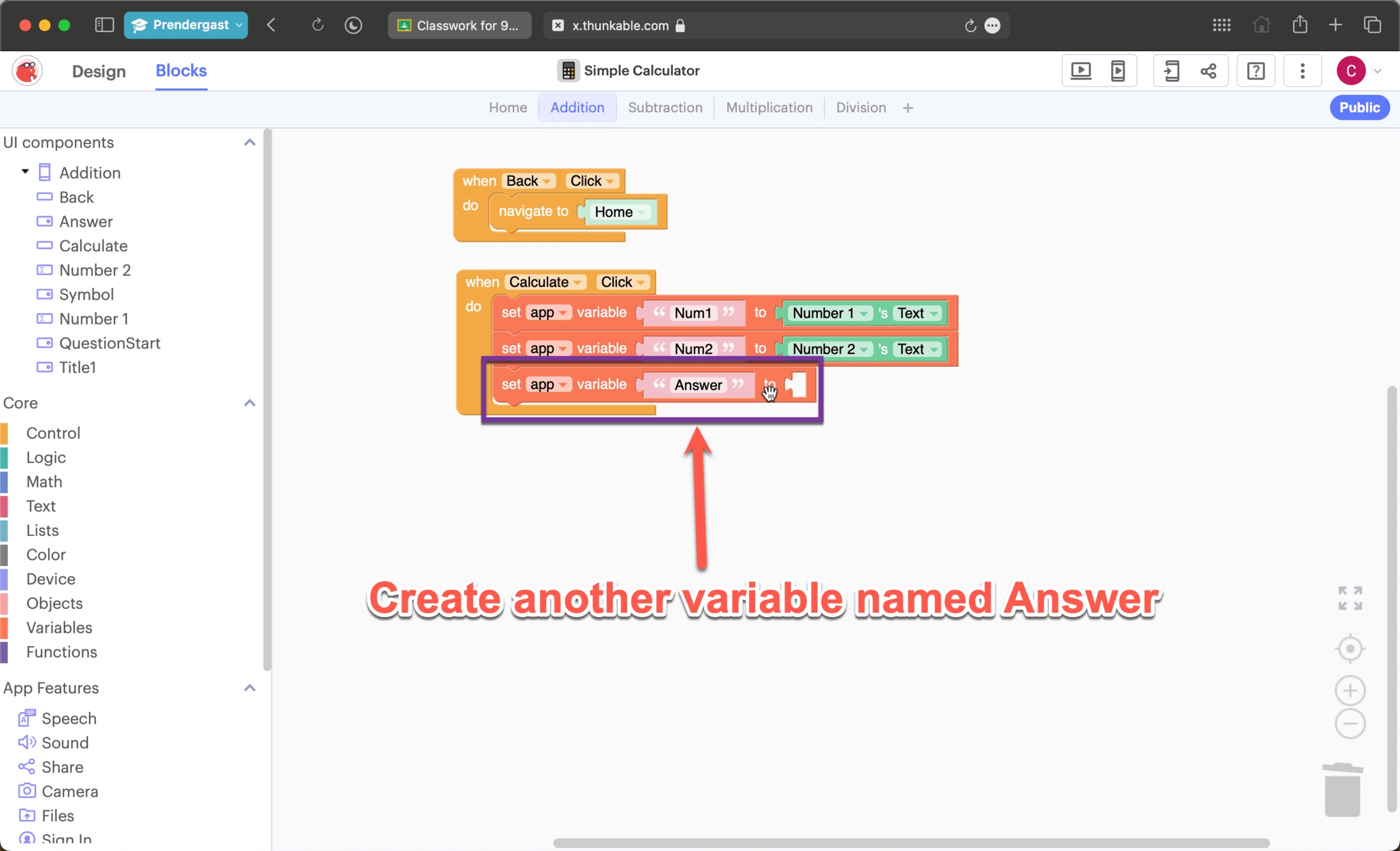
Coding the addition page
Coding the addition page
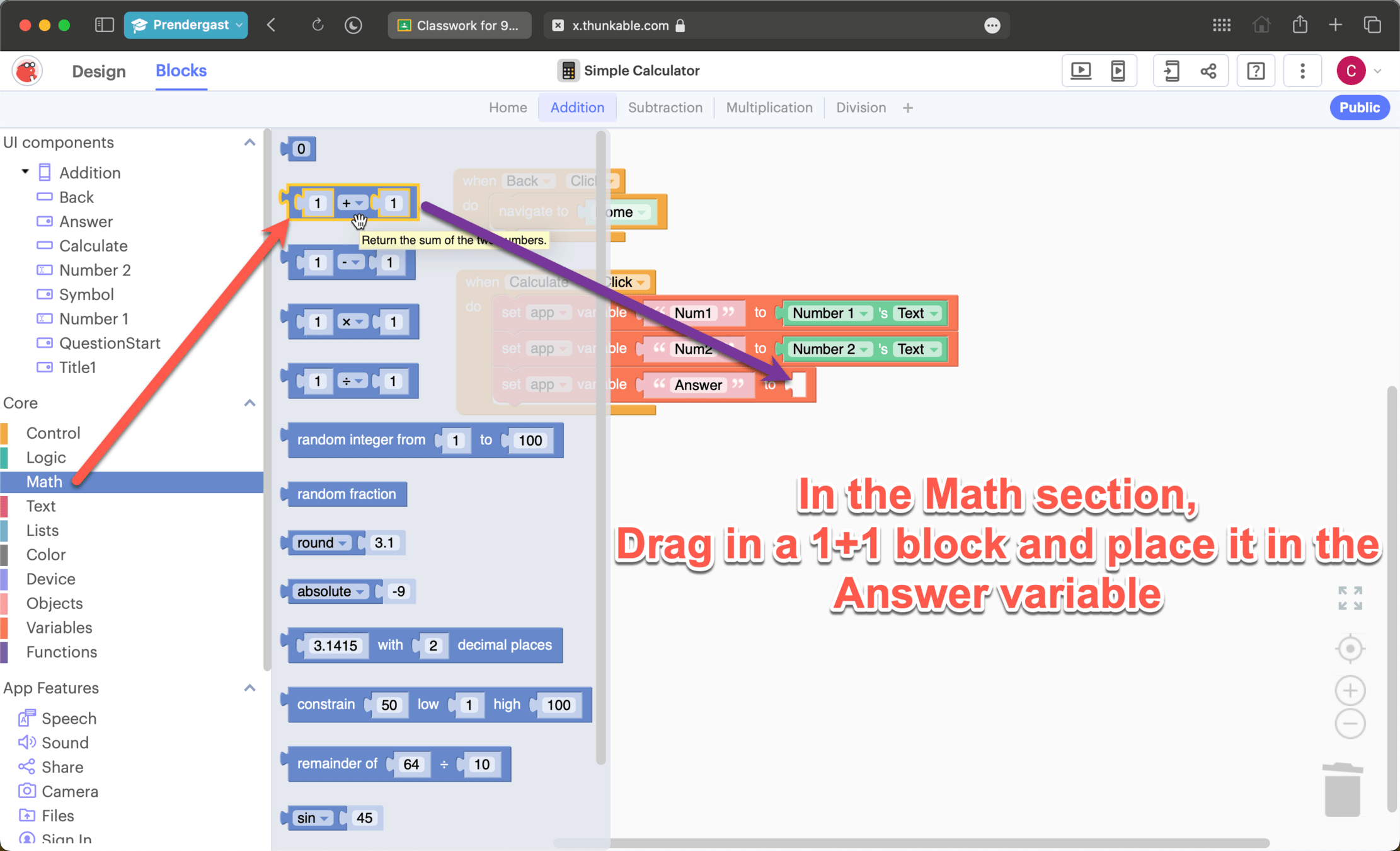
Coding the addition page
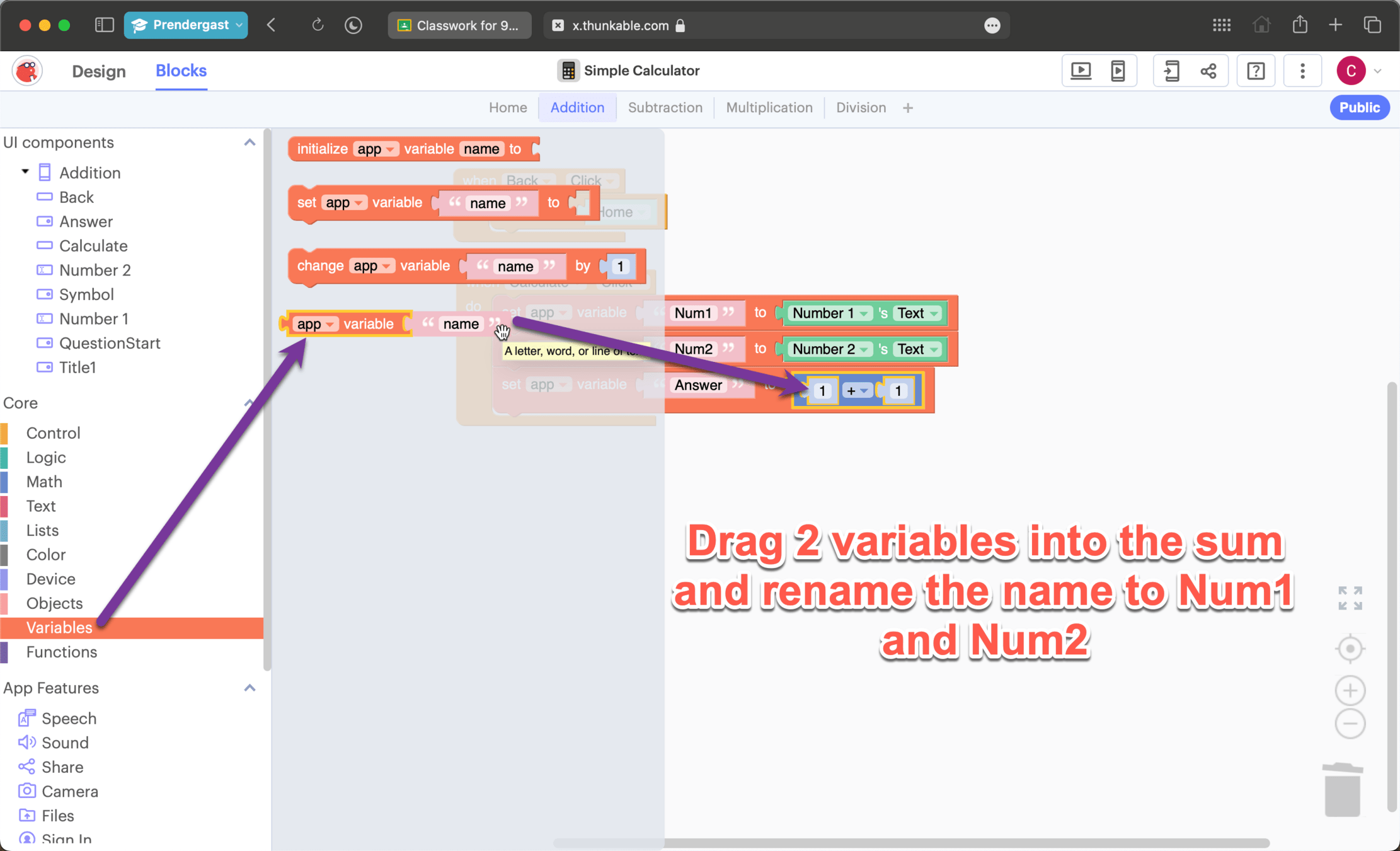
Coding the addition page
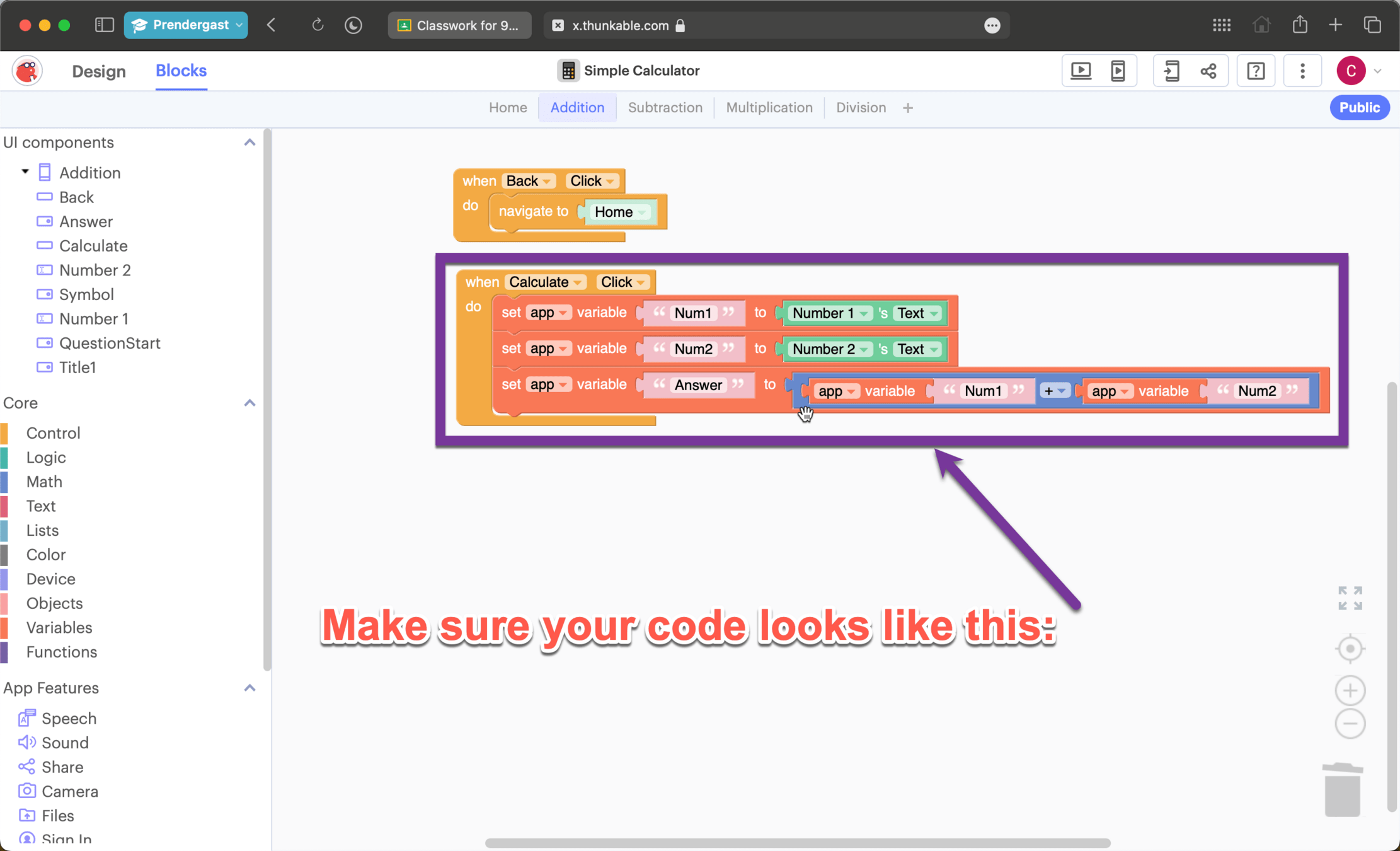
Coding the addition page
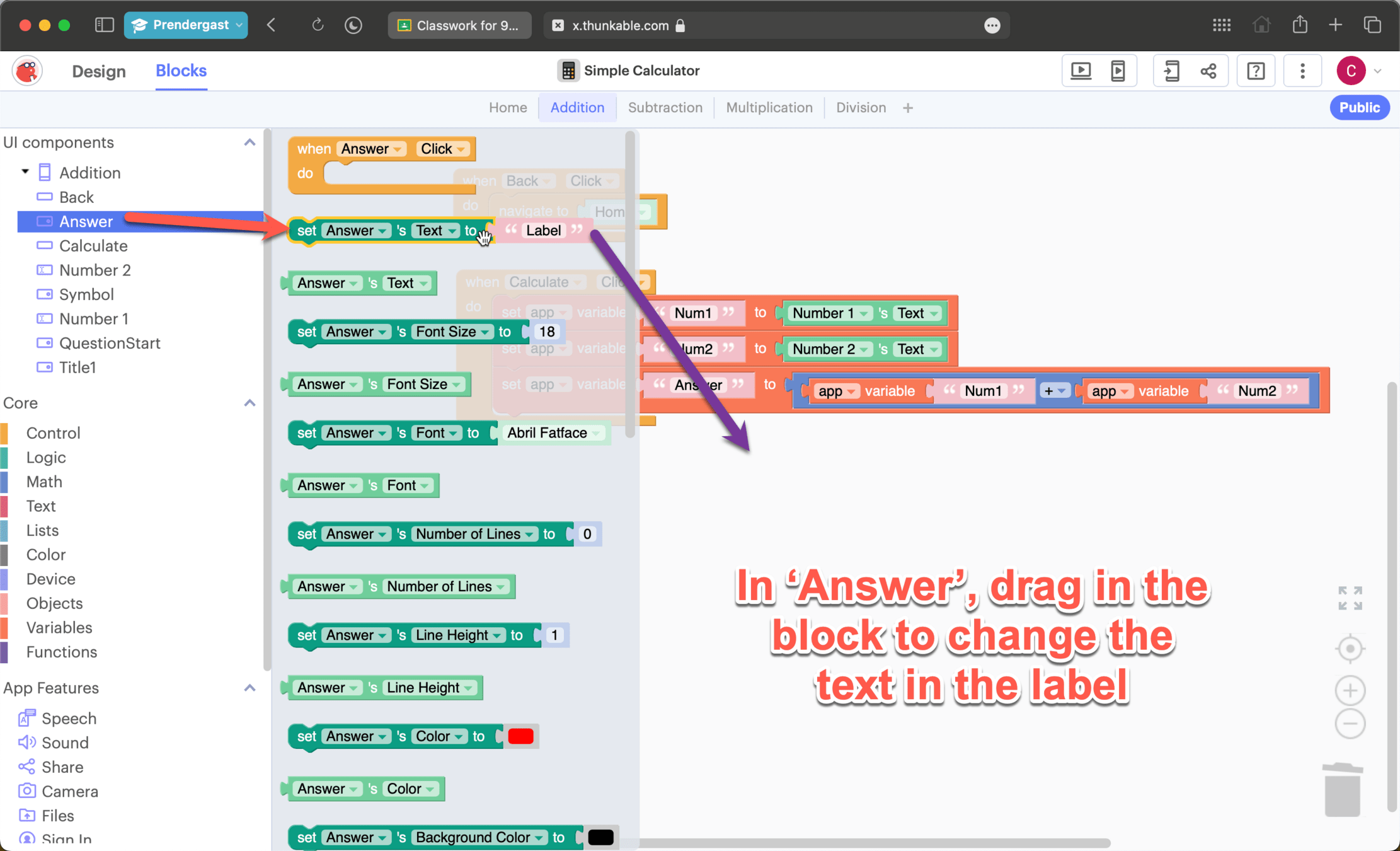
Coding the addition page
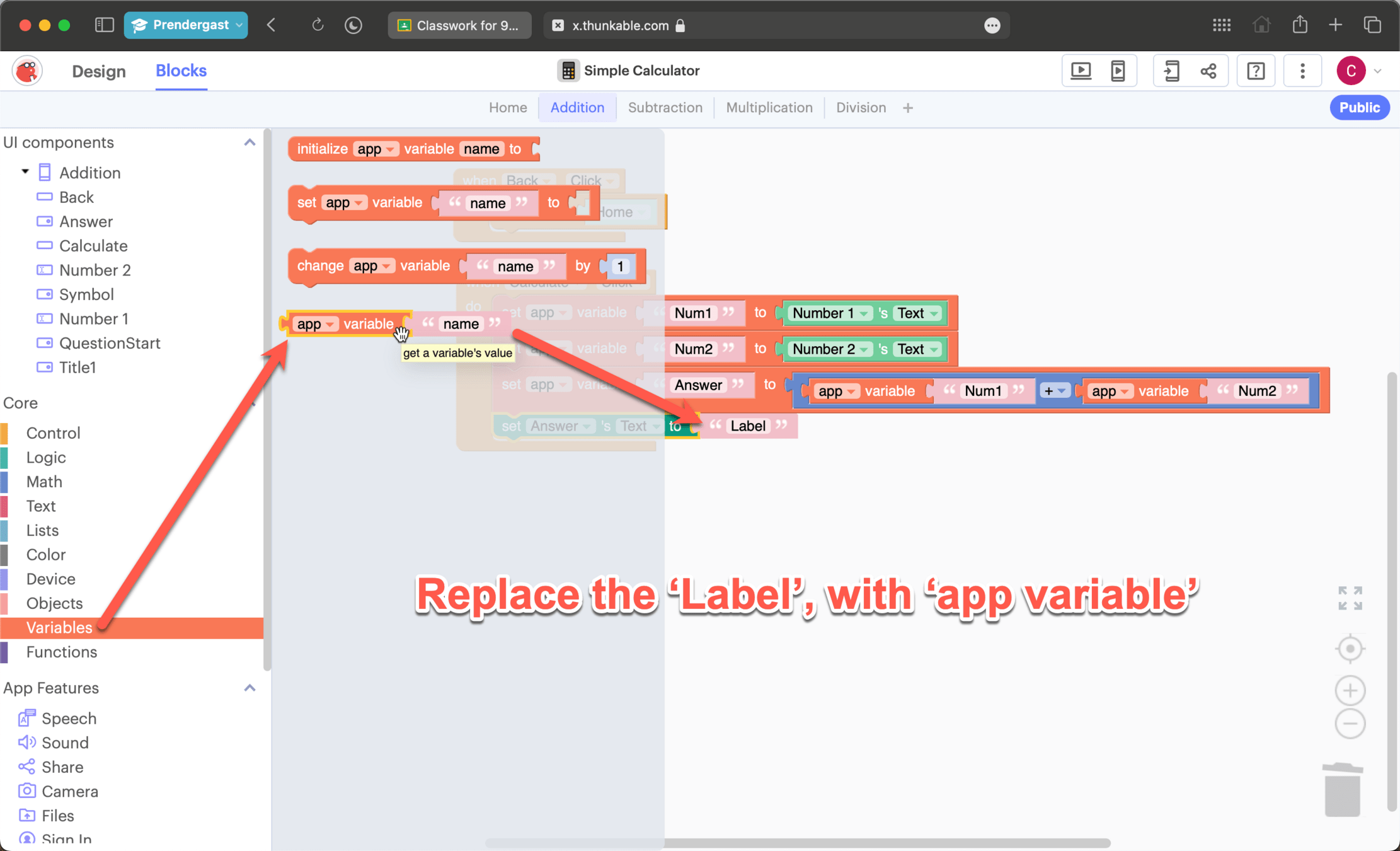
Coding the addition page
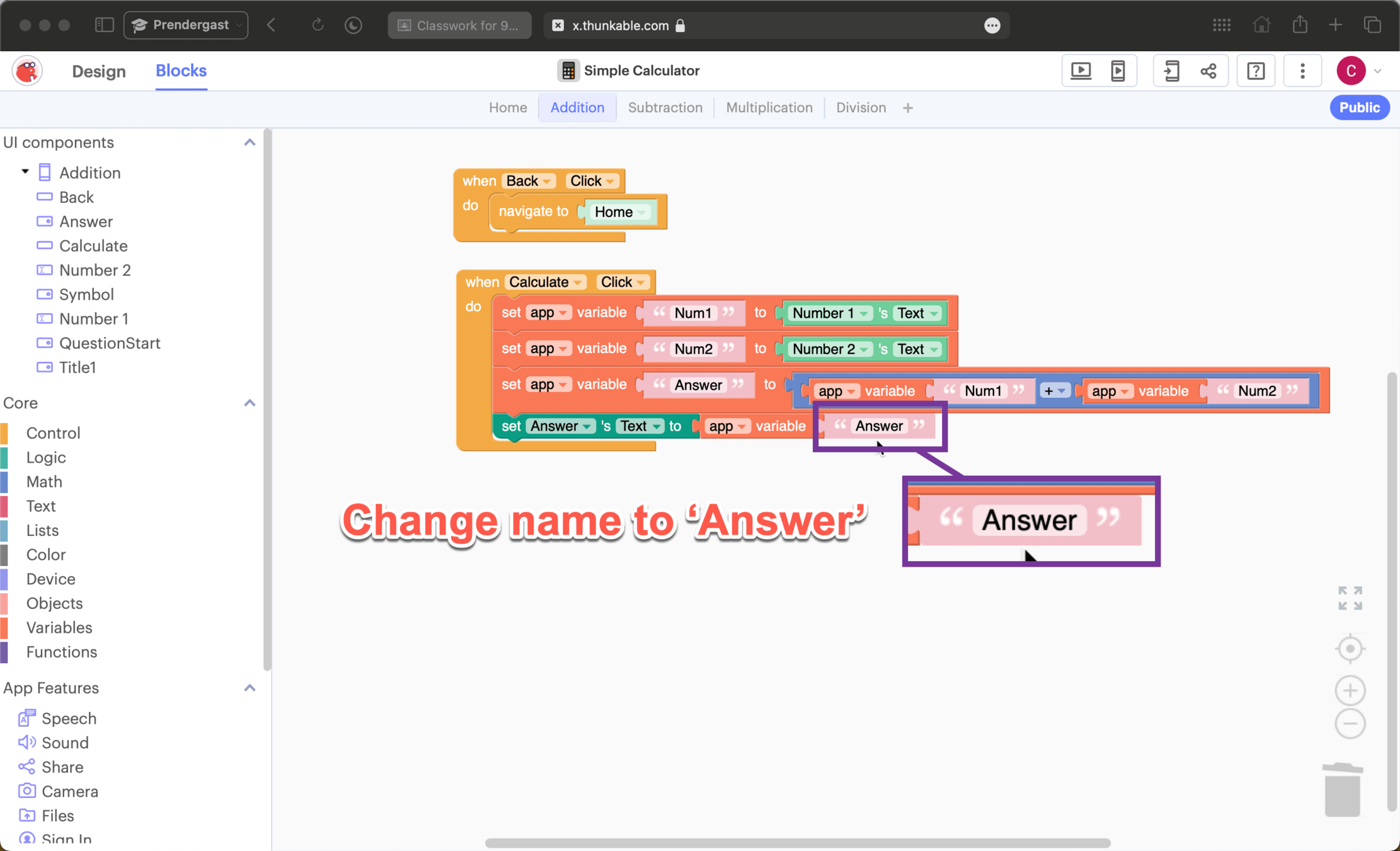
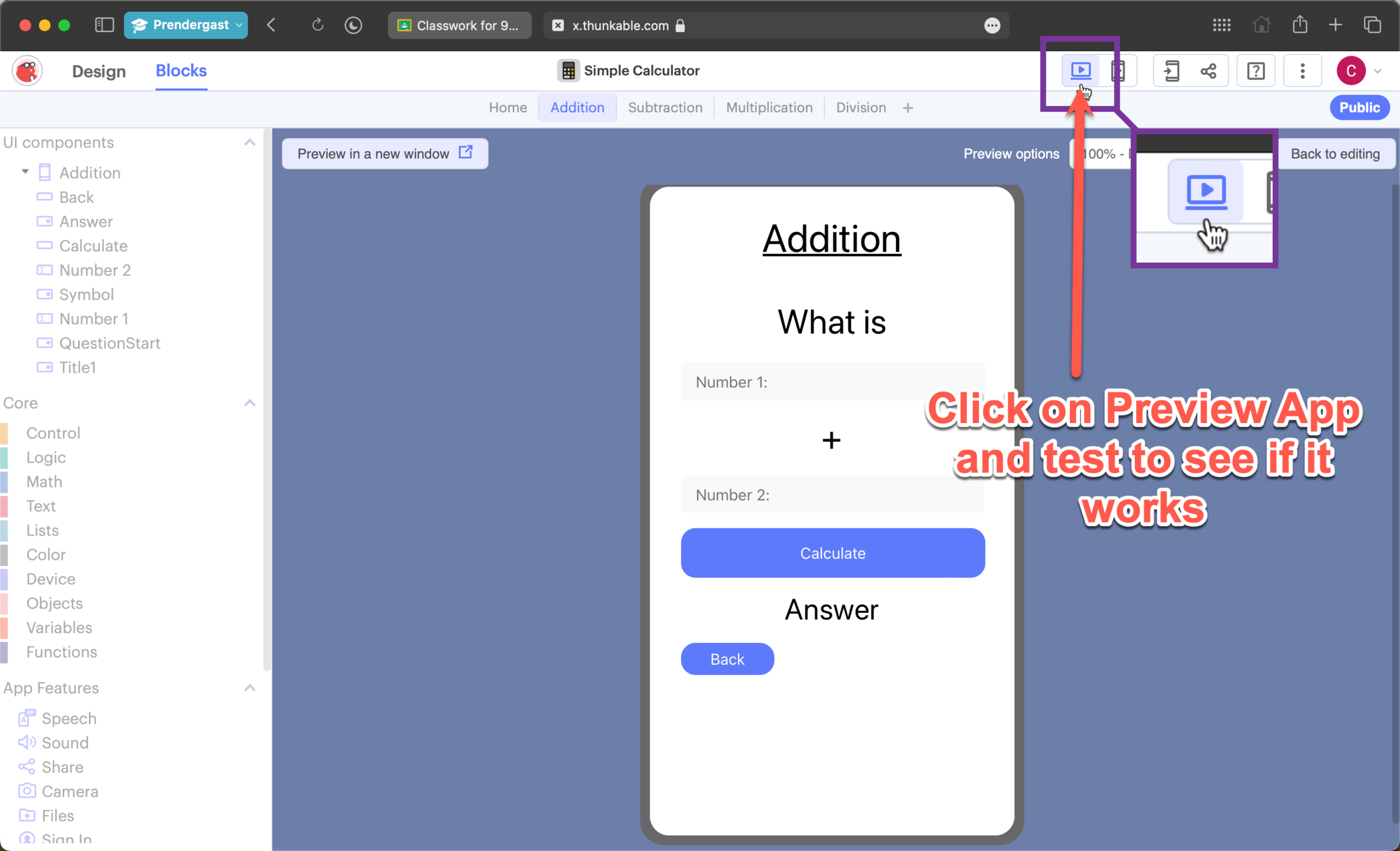
Test your App
Extension
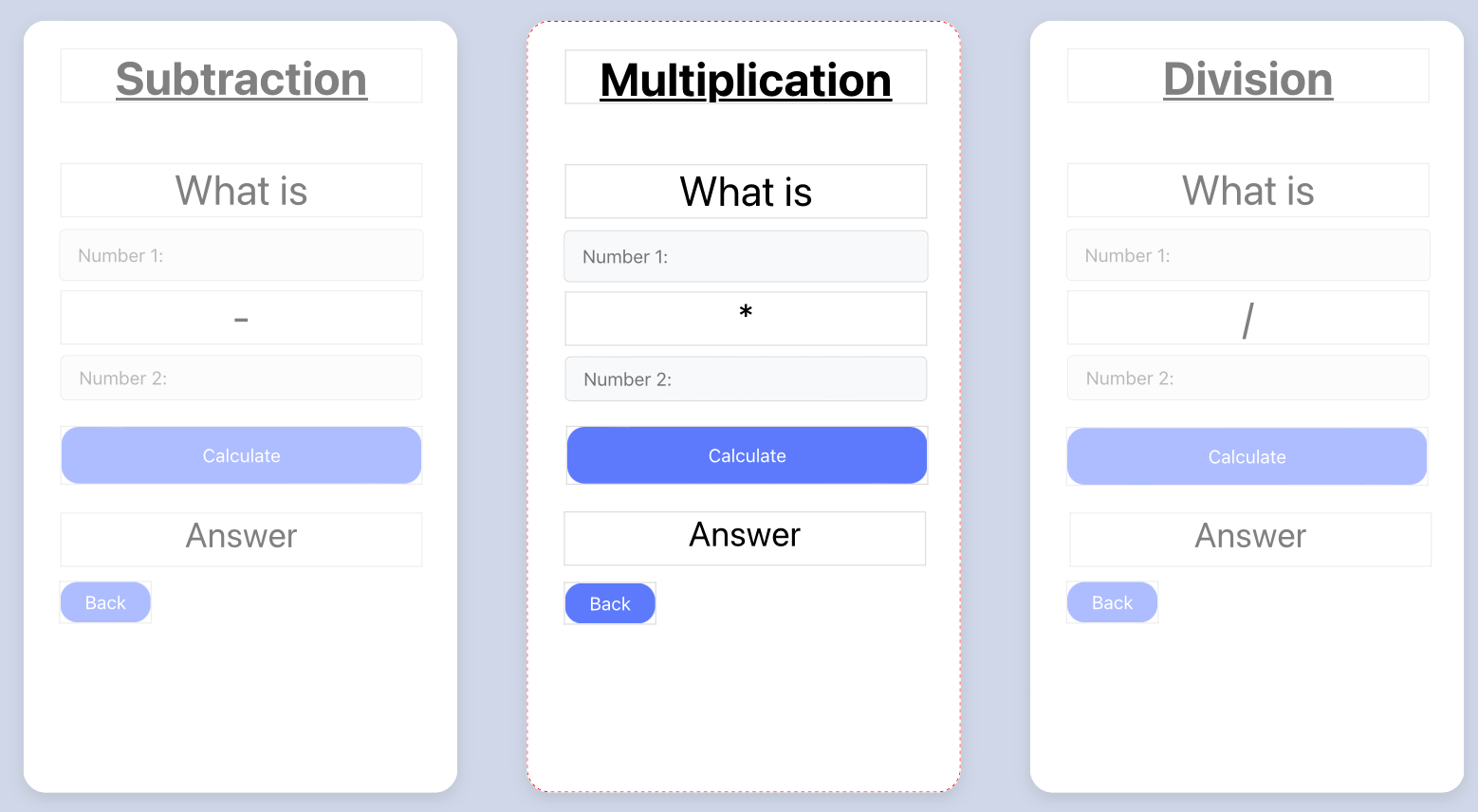
Using these slides to help you;
- Create and code the pages to work out
- Subtracting numbers
- Multiplying numbers
- Dividing numbers
Thunkable Simple Calculator
By C Achilles