Android Basics & Activities

Part 1 Results


Quick Review

-
What is inheritance? How to inherit a class?
-
What is an interface? How to inherit it?
-
What is an abstract class? How to inherit it?
-
How to make a component to be accessed only from the children of a class?
-
Difference between interface and abstract class?
What is Android?



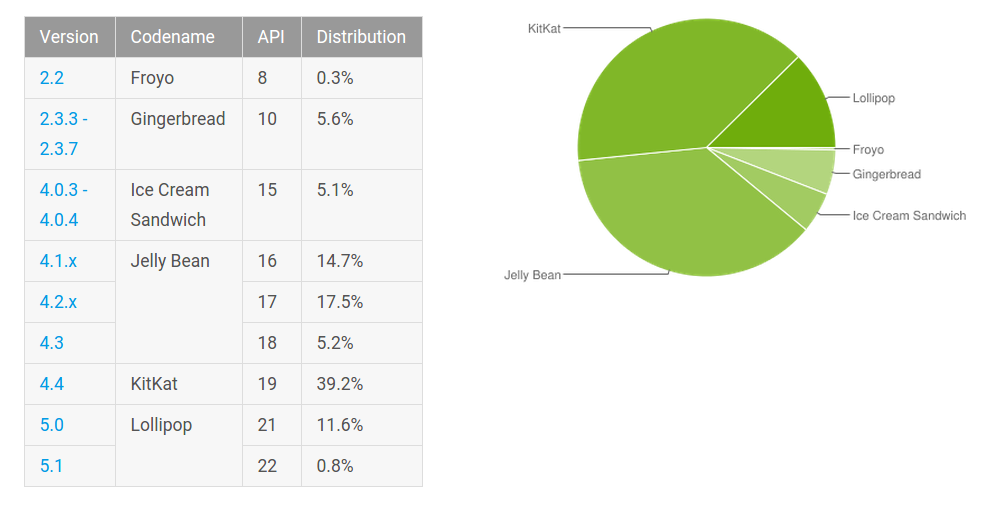
Android OS versions
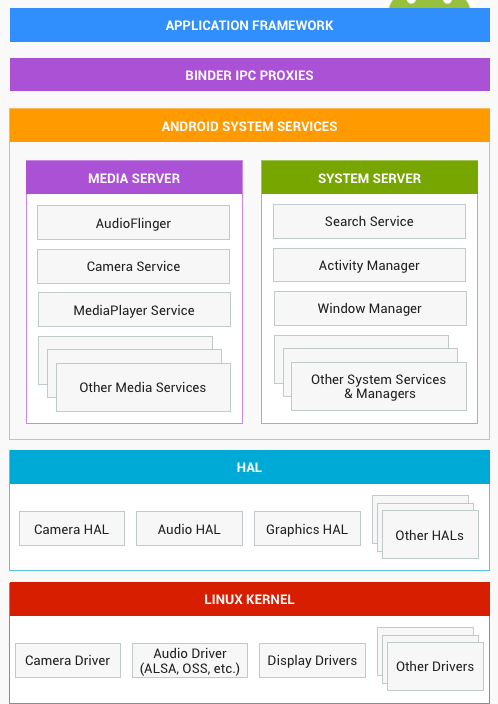
Architecture
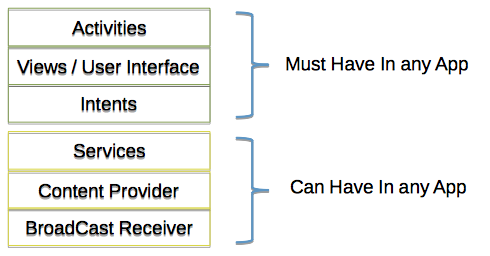
App Components
Activities - screens
Intents - message
Services - background tasks
Content Providers - provide content to other apps
Broadcast Receivers - receive messages from the OS or other apps
The Manifest file
 <application>
    <activity>
        <intent-filter>
            <action />
            <category />
            <data />
        </intent-filter>
        <meta-data />
    </activity>

    <uses-permission />

    <uses-sdk />
</application>
Translation - явен, ясен, очевиден
Contains description of what components your app contains
The R file
package com.apphunt.app;

public final class R {
    public static final class anim {
        public static final int abc_fade_in=0x7f040000;
        public static final int abc_fade_out=0x7f040001;
        public static final int abc_grow_fade_in_from_bottom=0x7f040002;
        public static final int slide_out_top=0x7f040014;
        ...
    }

    public static final class color {
        public static final int abc_background_cache_hint_selector_material_dark=0x7f0d0074;
        public static final int abc_background_cache_hint_selector_material_light=0x7f0d0075;
        ...
    }

    public static final class dimen {
        public static final int ab_elevation=0x7f080015;
        public static final int ab_shadow_height=0x7f080016;
        ...
    }

    public static final class layout {
        public static final int abc_action_bar_title_item=0x7f030000;
        ...
    }
}
What gradle gives you?
- Customize, configure, extend build process - (Groovy)
- Create multiple APKs with different features
- Reuse code and resources
- Great maven integration
compileSdkVersion 19
buildToolsVersion "19.0.0"

defaultConfig {
    minSdkVersion 8
    targetSdkVersion 19
    versionCode 1
    versionName "1.0"
}

dependencies {
    compile project(":lib")
    compile 'com.android.support:appcompat-v7:19.0.1'
    compile fileTree(dir: 'libs', include: ['*.jar'])
}
app/build.gradle
Building & Running
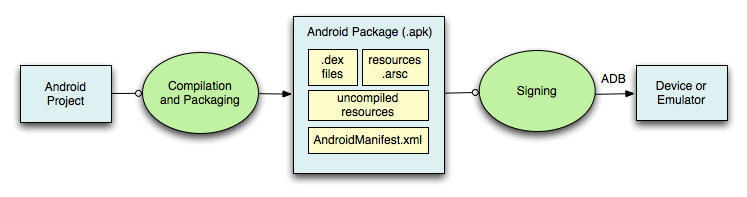
Decompilation needs:
Let's decompile

Break (10 mins)

What is an Activity?
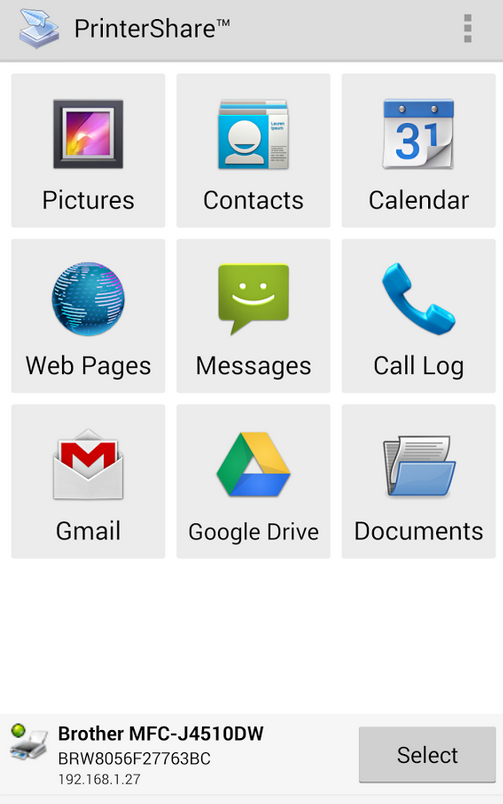
activity_main.xml
<RelativeLayout>
<Button />
</RelativeLayout>
MainActivity.java
onCreate(Bundle bundle) {
setContentView(R.layout.activity_main)
}
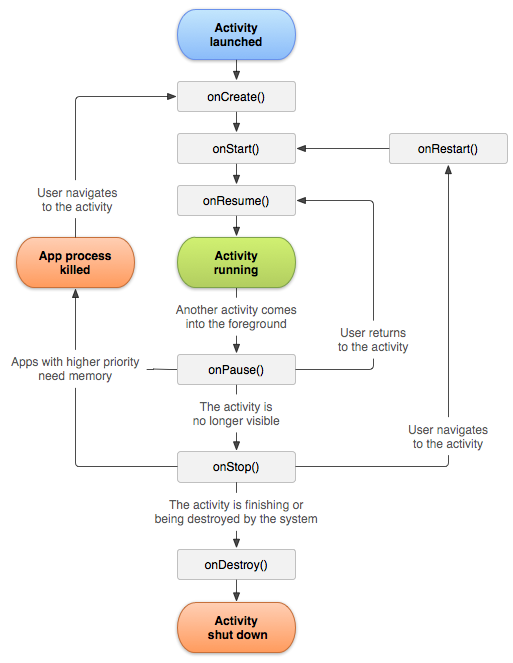
Activity Lifecycle
Passing data between activities
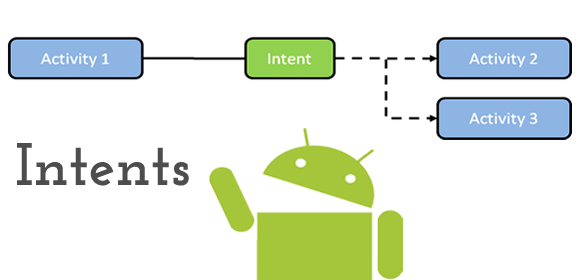
Intent intent = new Intent(this,
                           Activity2.class)
startActivity(intent)
Intent types
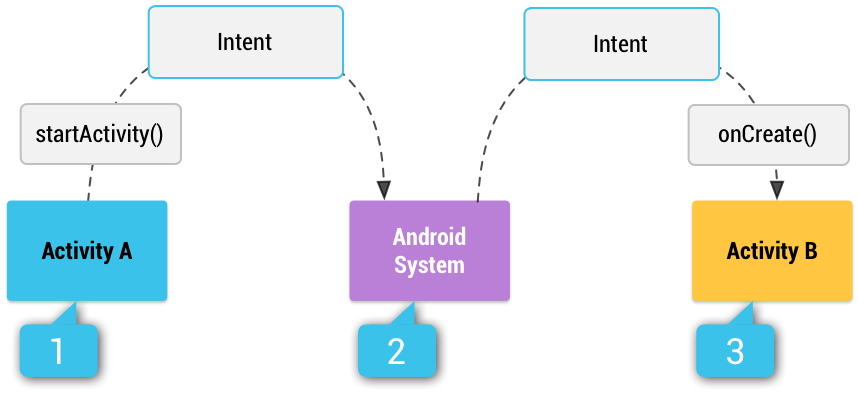
Explicit - specific component
Implicit - Unkown component
Receiving data from other apps
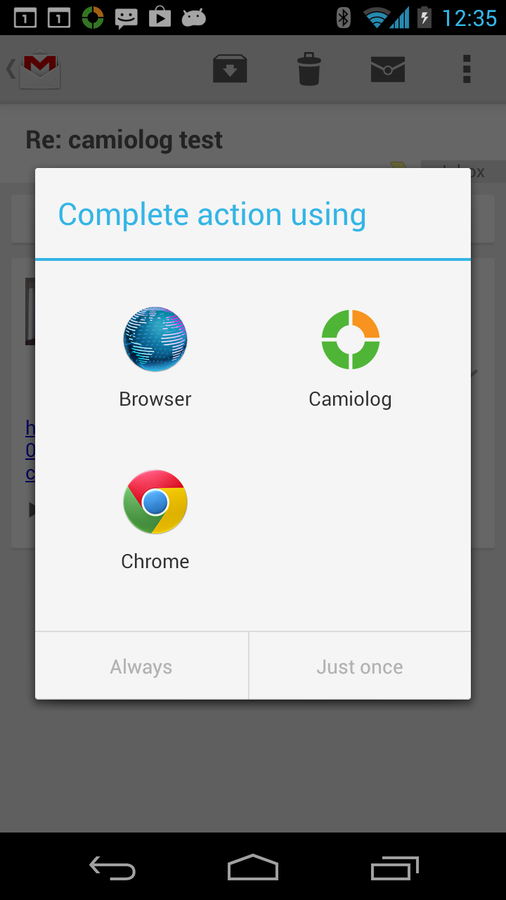
 <!-- This activity handles "SEND" actions with text data -->
<intent-filter>
    <action android:name="android.intent.action.SEND"/>
    <category android:name="android.intent.category.DEFAULT"/>
    <data android:mimeType="text/plain"/>
</intent-filter>
Let's code



Summary
- What is Android?
- Android architecture
- Android components
- Manifest & R & build.gradle files
- Building & Running
- Activities
- Intents
Daily quiz time


Lecture 9 - Activities and Android OS
By naughtyspirit