Angular fxLayout
Peter Malina
CTO @ FlowUp
peter.malina@flowup.cz
Defining layout
- Order (rows, columns) [fxLayout]
- Align (start, end, center, ...) [fxLayoutAlign]
- Gaps between elements [fxLayoutGap]
Simple layout example
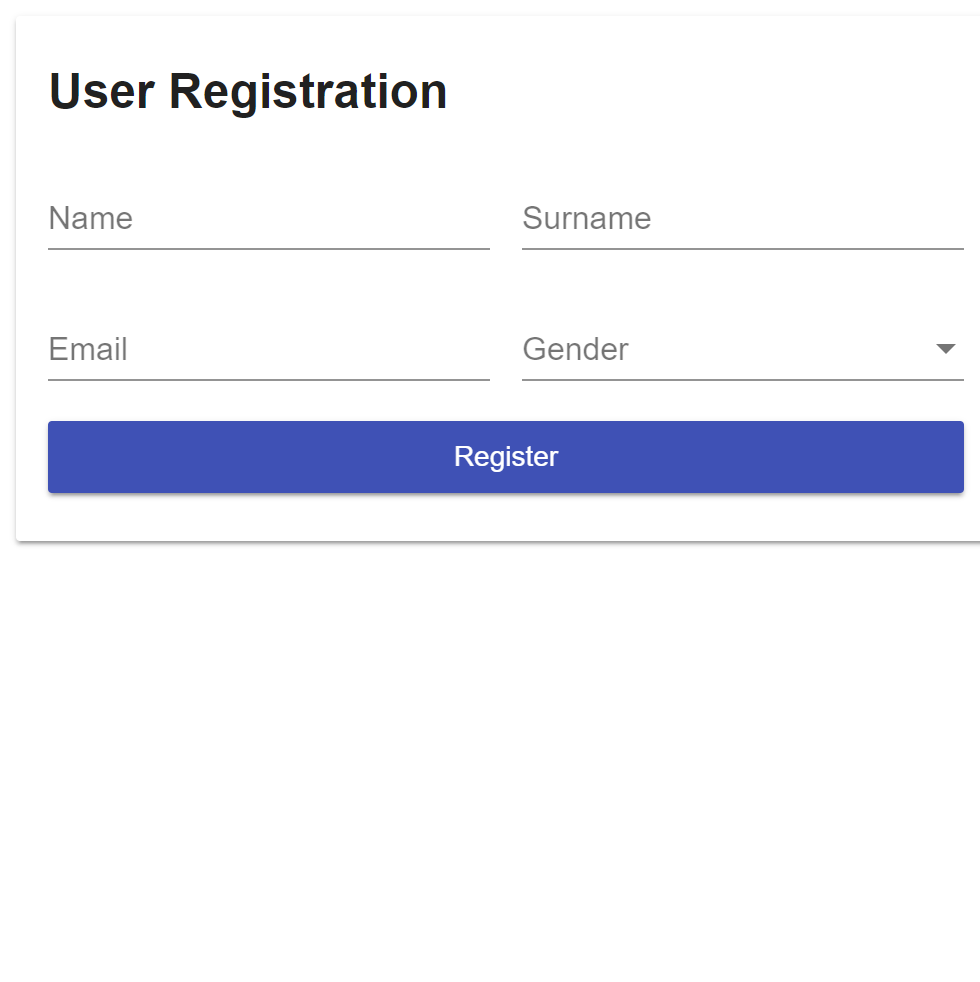
Simple layout example (code)
<div fxLayout="column">
  <div fxLayout="row" fxLayoutGap="16px">
    <input placeholder="Name">
    <input placeholder="Surname">
  </div>

  <div fxLayout fxLayoutGap="16px">
    <input placeholder="Email" type="email">

    <mat-select placeholder="Gender">
      <mat-option value="unicorn">Unicorn</mat-option>
      <mat-option value="noUnicorn">No Unicorn</mat-option>
    </mat-select>
  </div>

  <button mat-raised-button color="primary">Register</button>
</div>
Responsive Layout

Responsive Layout (code)
<div fxLayout="row" fxLayout.xs="column" fxLayoutAlign="start">

  <div fxLayout="row" fxLayout.xs="column" fxLayoutGap="16px">
    <input placeholder="Email" type="email">

    <mat-select #gender placeholder="Gender">
      <mat-option value="unicorn">Unicorn</mat-option>
      <mat-option value="noUnicorn">No Unicorn</mat-option>
    </mat-select>
  </div>

  <button [fxHide]="gender.value == 'unicorn'">Register</button>
</div>
Custom breakpoints
function updateBreakpoints(bp: BreakPoint) {
  switch(bp.alias) {
    case 'xs' : bp.mediaQuery =  '(max-width: 470px)';   break;
    case 'sm' : bp.mediaQuery =  '(min-width: 471px) and (max-width: 820px)'; break;
  }
  return bp;
}

// ngModule
providers: [
    {
      provide : BREAKPOINTS,
      useFactory : function customizeBreakPoints() {
        return validateSuffixes(DEFAULT_BREAKPOINTS.map( updateBreakpoints ));
      }
    }
]
Pros
- Novice-friendly
- Small CSS footprint
- Browser support
- Dynamic
Thanks! :)
QA

References
- https://github.com/angular/flex-layout
- https://css-tricks.com/snippets/css/a-guide-to-flexbox/
Angular fxLayout
By Peter Malina