How to be a Full Stack Dev with LoopBack + JSPM + Angular2

Live slides
https://slides.com/phra/full-stack/live
Francesco Soncina aka phra
- Bachelor degree in Computer Science
- Full Stack Developer
- DevOps
- JavaScript Enthusiast
Abstract
- LoopBack
- Gulp
- PostCSS
- JSPM
- Angular2
- Demo




Biological Evolution
Mutation
Selection
Inheritance
Software Evolution
Feature
Popularity
Standard
LoopBack
The Node.js API Framework "
Features
- Based on Express Framework
- Based on Swagger API Framework
- Authentication via JSON Web Tokens
- Authorization via RBAC security model
- Provides own ORM/ODM implementation
- Support for database-agnostic relationships
- Auto-generation of REST endpoints
Features
- Support for custom methods
- Support for static and dynamic roles
- Permits focusing foremost on business login
- Provides a Command Line Interface
- Native SDKs for AngularJS, Android and iOS
- AngularJS 2 support coming soon via swagger-codegen
- Provides enterprise features and commercial support
Prerequisites
sudo npm i -g strongloopInstall StrongLoop
Create a new project
slc loopback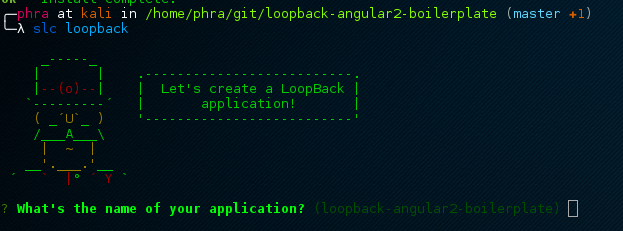
Models
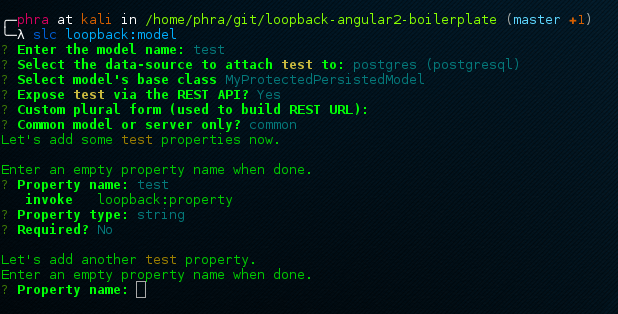
slc loopback:modelBuilt-in models
-
PersistedModel
-
AccessToken
-
ACL
-
Relation
-
Role
-
User
-
Mail
-
File
RBAC
LoopBack is based on Role-Based Access Control
"acls": [
    {
      "principalType": "ROLE", "principalId": "admin",
      "accessType": "*", "permission": "ALLOW"
    },
    {
      "principalType": "ROLE", "principalId": "$owner",
      "accessType": "*","permission": "ALLOW"
    },
    {
      "principalType": "ROLE", "principalId": "$authenticated",
      "accessType": "READ", "property": "*"
      "permission": "ALLOW"
    },
    {
      "principalType": "ROLE", "principalId": "$everyone",
      "accessType": "*", "permission": "DENY"
    }
],
Built-in roles
- $everyone
- $unauthenticated
- $authenticated
- $owner
To qualify a $owner, the target model needs to have a belongsTo relation to the User model (or a model extends from User) and property matching the foreign key of the target model instance. The check for $owner is only performed for a remote method that has ':id' on the path, for example, GET /api/users/:id.''
Dynamic role definition
module.exports = function(app) {
  var Role = app.models.Role;
  Role.registerResolver('teamMember', function(role, context, cb) {
    if (context.modelName !== 'project') {
      return reject();
    }
    if (!context.accessToken.userId) {
      return cb(null, false); // do not allow anonymous users
    }
    context.model.findById(context.modelId, function(err, project) {
      if(err || !project) {
        cb(err);
      }
      app.models.Team.count({
        ownerId: project.ownerId,
        memberId: context.accessToken.userId
      }, function(err, count) {
        if (err) {
          return cb(err);
        }
        cb(null, count > 0); // true = is a team member
      });
    });
  });
};
ACLs
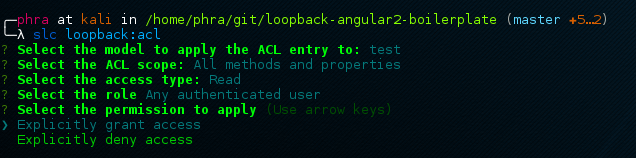
slc loopback:aclRelations
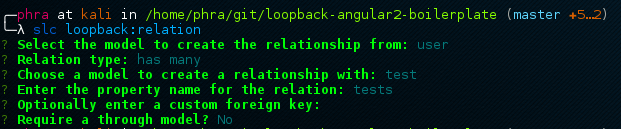
slc loopback:relation- hasOne
- hasMany
- belongsTo
- embedsOne
- embedsMany
- hasAndBelongsToMany
Hooks
var redis = require('redis');
var client = redis.createClient();

module.exports = function(accessToken) {
    accessToken.observe('after save',
            function updateTimestamp(ctx, next) {
                console.log('aftersave');
                client.expire('accessToken:'
                    + ctx.instance.id, 1209600);
                client.expire('i:accessToken:userId:'
                    + ctx.instance.userId, 1209600);
                next();
            }
    );
};
Custom methods
module.exports = function(accessToken) {
    accessToken.check = function(req, cb) {
        req.accessToken.userId =
            parseInt(req.accessToken.userId);
        req.accessToken.created =
            req.accessToken.updated = new Date();
        req.accessToken.save(cb);
    };

    accessToken.remoteMethod('check', {
        accepts: {
            arg: 'req',
            type: 'object',
            http: { source: 'req'},
        },
        http: {path:'/check', verb: 'put'},
    });
};
Boot scripts
slc loopback:boot-script
Boot scripts example
sync
async
module.exports = function(app, cb) {
  /*
   * The `app` object provides access to a variety of LoopBack resources such as
   * models (e.g. `app.models.YourModelName`) or data sources (e.g.
   * `app.datasources.YourDataSource`).
   * See http://docs.strongloop.com/display/public/LB/Working+with+LoopBack+objects
   * for more info.
   */
  process.nextTick(cb); // Remove if you pass `cb` to an async function yourself
};
module.exports = function(app) {
/*
* The `app` object provides access to a variety of LoopBack resources such as
* models (e.g. `app.models.YourModelName`) or data sources (e.g.
* `app.datasources.YourDataSource`).
* See http://docs.strongloop.com/display/public/LB/Working+with+LoopBack+objects
* for more info.
*/
};API Explorer
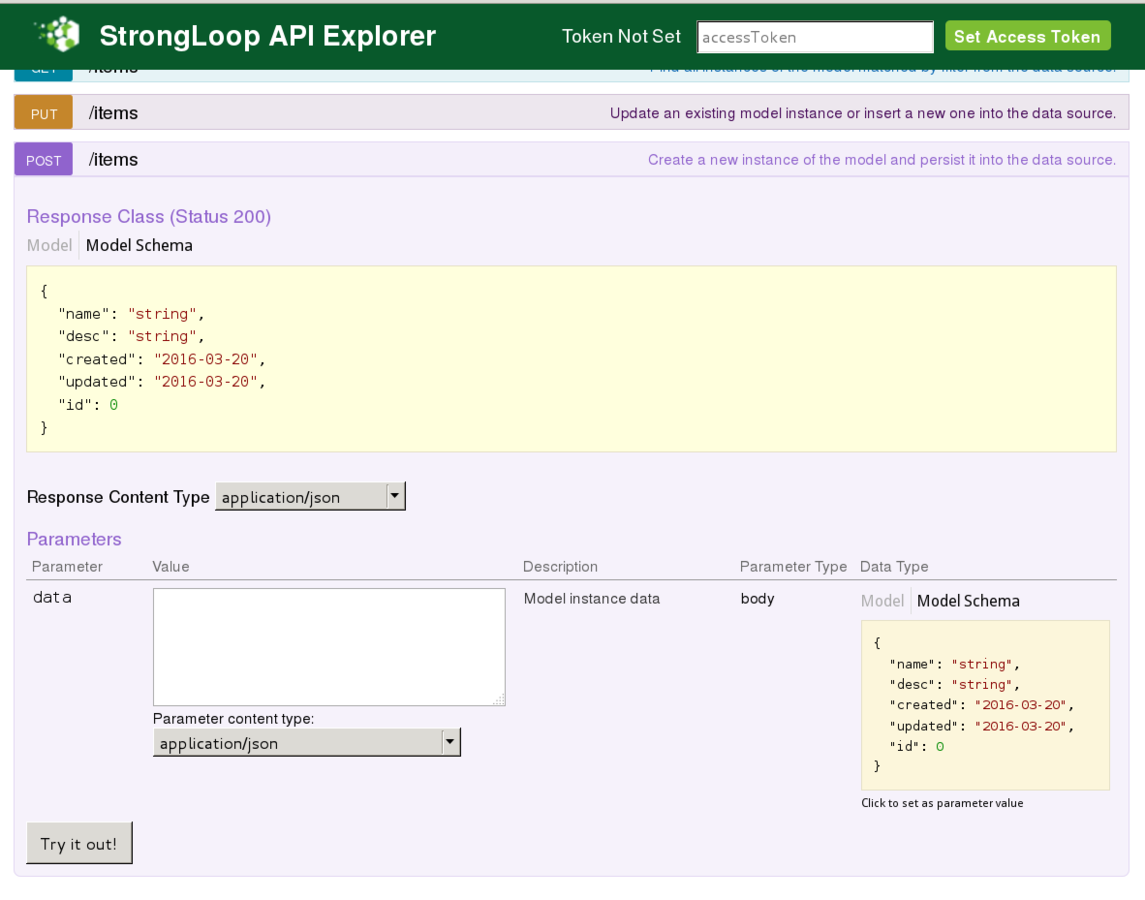
- Based on SwaggerUI
- Very useful for testing and debugging
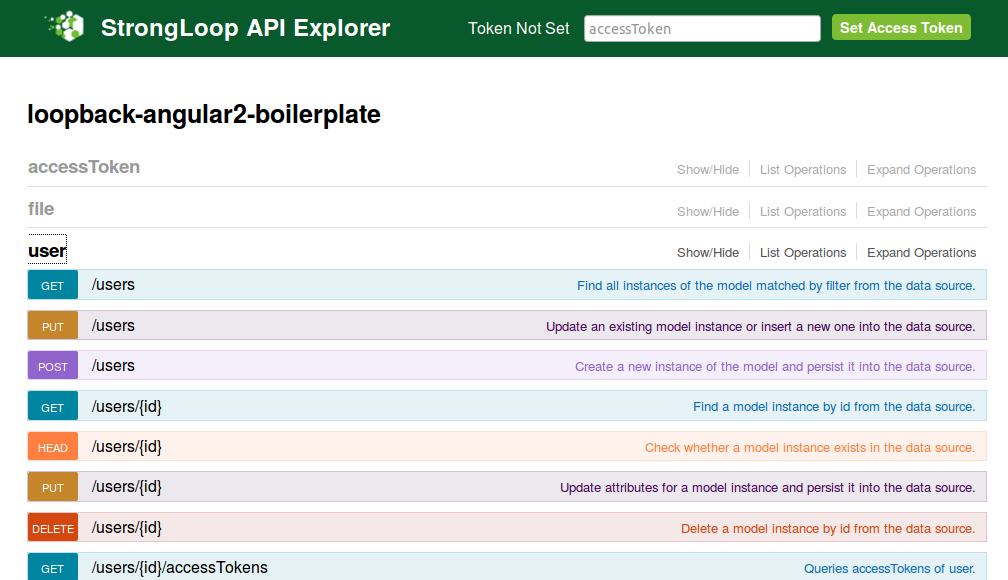
API Explorer
Gulp

Grunt
Gulp
vs
- Configuration over coding
- Slower
- Uses temporary files
- Sequential execution
- Coding over configuration
- Faster
- Uses vinyl virtual file system
- Asynchronous streams
gruntfile.js
grunt.initConfig({
  sass: {
    dist: {
      files: [{
        cwd: 'app/styles', src: '**/*.scss',
        dest: '../.tmp/styles', expand: true, ext: '.css'
      }]
    }
  },
  autoprefixer: {
    options: ['last 1 version'],
      dist: {
        files: [{
          expand: true, cwd: '.tmp/styles',
          src: '{,*/}*.css', dest: 'dist/styles'
        }]
      }
  },
  watch: {
    styles: {
      files: ['app/styles/{,*/}*.scss'],
      tasks: ['sass:dist', 'autoprefixer:dist']
    }
  }}); grunt.registerTask('default', ['styles', 'watch']);
gulp.task('sass', function() {
gulp.src('app/styles/**/*.scss')
.pipe(sass())
.pipe(autoprefixer('last 1 version'))
.pipe(gulp.dest('dist/styles'));
});
gulp.task('default', function() {
gulp.run('sass');
gulp.watch('app/styles/**/*.scss', function() {
gulp.run('sass');
});
});gulpfile.js
PostCSS
A tool for transforming CSS with JavaScript "
Features
- Written in JavaScript
- By default it does nothing, yay!
- Everything is a plugin
- It parses your CSS in an AST...
- ... and it executes plugins to modify the AST...
- ... finally it stringifies the AST in a brand new CSS file
- It can do stuff that is impossible with preprocessors
- In fact it is a transpiler
- Support for SASS, LESS and Stylus syntaxes via plugins
Popular plugins
- autoprefixer
- cssnext
- cssnano
- precss
- colorblind
- doiuse
- cssgrace
- rtlcss
- and many others!
JSPM
Frictionless browser
package management"
Features
- Aims to supersede Bower, Browserify, Webpack
- Native support for NPM registry and GitHub
- Loads ES6, AMD, CommonJS and globals modules
- Based on ES6 Module Loader syntax
- Based on SystemJS
Features
- Support loading of css, json, sass, text, etc via plugins
- Native support for transpiling and minification
- Can serve each files individually (ideal for development)
- Can bundle each files into one file (ideal for production)
- Can bundle into different chunks (ideal for large SPAs)
- jspm.io provides a CDN over HTTP/2 for dependencies loading
Usage
<!-- index.html -->
<html>
  <head>
    <title>Angular 2 JSPM Seed</title>
    <base href="./">

    <!--removeIf(production)-->
    <script src="jspm/system.js"></script>
    <script src="jspm-config/config.js"></script>
    <script>
      System.import('src/boot')
        .then(null, console.error.bind(console));
    </script>
    <!--endRemoveIf(production)-->
    <!--removeIf(development)-->
    <script defer src="app.min.js"></script>
    <!--endRemoveIf(development)-->
  </head>
  <body>
    <my-app>Loading...</my-app>
  </body>
</html>
Example
We want to include Bootstrap in our project.
bower install --save bootstrapNow in our index.html:
<link
    href="bower_components/dist/css/bootstrap.css">
<script
    src="bower_components/dist/js/bootstrap.js">
</script>
Example
We want to include Bootstrap in our project.
jspm install bootstrapNow in our boot script:
import 'bootstrap/dist/css/bootstrap.css!';
import 'bootstrap/dist/js/bootstrap';
Bootstrap is successfully included, yay!
Angular 2
One framework.
Mobile and desktop. "
Features
- Entirely rewritten from scratch
- Written in TypeScript
- Supports JavaScript, TypeScript and Dart languages
- Shorter learning curve than AngularJS 1
- Everything is an ES6 class!
- Pure Dependency Injection / Inversion of Control pattern
Features
- No more $scope.$apply(), yay!
- No more .service(), .factory() and .provider(), yay!
- Supports encapsulation (emulated / shadow DOM)
- Encourages use of modular components
- Encourages use of module loaders
- Encourages use of transpilers
- Based on Zone.js
- Based on Observables
Components
// login.ts
import {Component, Inject} from 'angular2/core';
import {User} from '../../services/user';
import {UserApi} from '../../lib/lb-services';

@Component({
    selector: 'login',
    templateUrl: 'src/components/login/login.html',
    styleUrls: ['src/components/login/login.css'],
    providers: [UserApi]
})

...
Components
// login.ts

...

export class Login {
    private email: string;
    private password: string;
    constructor(@Inject(User) public user: User,
                @Inject(UserApi) public userApi: UserApi) {
    }
    public login() {
        this.userApi.login({email: this.email, password: this.password}).subscribe(
            (response: any) => { this.user.user = response.user; },
            (error: any) => { this.user.clearUser();
                                console.error('login KO', error); },
            () => { console.log('Login COMPLETE', this.user); }
        );
    }
    public logout() {
        this.userApi.logout().subscribe(
            (response: any) => { this.user.clearUser(); },
            (error: any) => { this.user.clearUser();
                                console.log('Logout KO'); },
            () => { console.log('Logout COMPLETE'); }
        );
    }
}
Templates
<!-- login.html -->
<input *ngIf="!user.user"
        [(ngModel)]="email"
        placeholder="Email">
<input *ngIf="!user.user"
        [(ngModel)]="password"
        placeholder="Password">
<button *ngIf="!user.user"
        (click)="login()">LOGIN</button>
<button *ngIf="user.user"
        (click)="logout()">LOGOUT</button>
<p *ngIf="user.user">
    Welcome {{user.user.nome}} {{user.user.cognome}}!
</p>
Templates
<!-- items.html -->
<input type="button" value="Load items" (click)="getItems()">
<p>{{ text }}</p>
<table class="table" *ngIf="items.length">
    <thead><tr><td>ID</td><td>NAME</td><td>DESC</td></tr></thead>
    <tbody>
        <tr *ngFor="#item of items">
            <td>
                {{ item.id }}
            </td>
            <td>
                {{ item.name }}
            </td>
            <td>
                {{ item.desc }}
            </td>
        </tr>
    </tbody>
</table>
Providers
import {Injectable} from 'angular2/core';

@Injectable()
export class User {
    private _user: any;

    constructor() {
    }

    set user(user: any) {
        this._user = user;
    }

    get user() {
        return this._user;
    }

    clearUser() {
        this._user = undefined;
    }
}
Inputs
// login.ts
export class Login {
    @Input() input: string;

    printInput() {
        console.log(this.input);
    }
}
<!-- header.html -->
...
<login [input]="parameter"></login>
...Outputs
// login.ts
export class Login {
    @Output() logged: EventEmitter<any>
        = new EventEmitter();
}
<!-- header.html -->
...
<login (logged)="loggedin($event)">
</login>
...Testability
- Everything is an ES6 class
- We do not have to bootstrap the angular application
- We just import the class and instantiate it...
- ... mocking the dependencies of the constructor
Now we are ready to unit test our code!
Demo
Available at this URL:
Question time

LoopBack, JSPM, Angular2
By Francesco Soncina