simon xu
to be a value investor
mkdir workshop

cd workshop

git init# clone local repo
cd ~
git clone ~/git/workshop
cd ~/workshop# clone remote repo
git clone username@host:/path/to/repo
# sample
git clone git@github.com:simongfxu/violet.git
git clone git@git.coding.net:coinxu/static.git
# add a file
git add README.md

# add all files
git add *

# add current dir's files
git add .
# remove a file
git rm README.md

# remove a file but keep it in disk
git rm someConfigFile --cached
# restore a file

git checkout someConfigFile

git reset --hardgit commit -m "first commit"
# commit all modifications
# new files not added are not affected
git commit -am "first commit"# connect local repo to remote repo
# you need to add a repo on github first
git remote add origin git@github.com:simongfxu/workshop.git
git pull origin master
git push origin master
# show remote name and url
git remote -v
# delete remote
git remote rm origin# create new branch
git checkout -b develop
# back to some branch
git checkout master
# delete a branch
git branch -d hotfix_sort
# push to remote
git push origin develop
# delete remote branch
git push origin --delete hotfix_sort
git checkout feature_sort

# merge changes from develop
git merge develop

# see diff details
git diff feature_sort develop
git checkout feature_sort

git rebase develop

# 修改冲突
git add someConfictFile

# --abrot
git rebase --continue

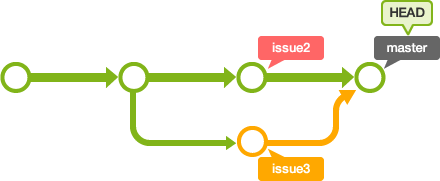
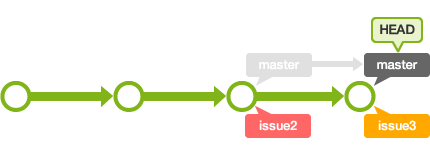
git checkout develop

git merge feature_sort
# see difference between two branches
git diff feature_sort develop

# see difference in commits
git log develop..
git log ..develop# see commit ids
git log
git tag 1.0.0 <commitID>By simon xu
a simple guide for git