Time-sheets in Clarizen Overview
-
Your time-sheet
- Entering time to the time-sheet
- Add a task to the time-sheet
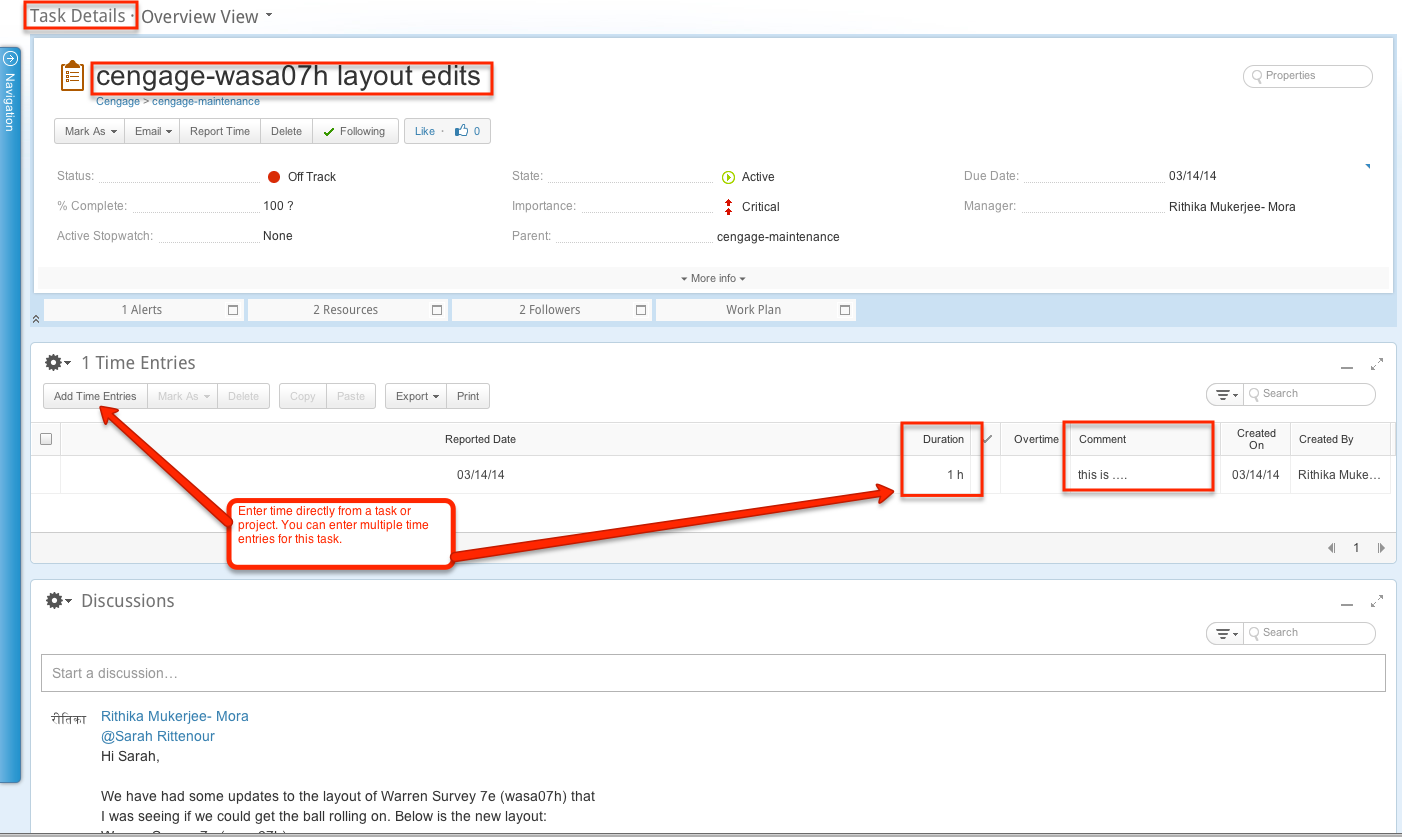
- Enter time from a task or project
- Enter time from your timesheet reminder
- Using the stopwatch feature
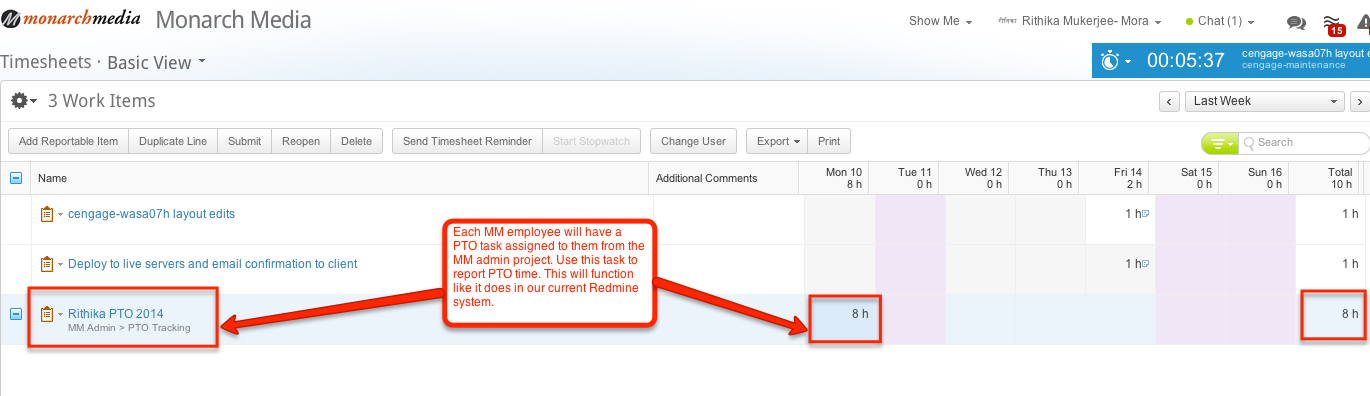
- Entering PTO time
Your Time-sheet
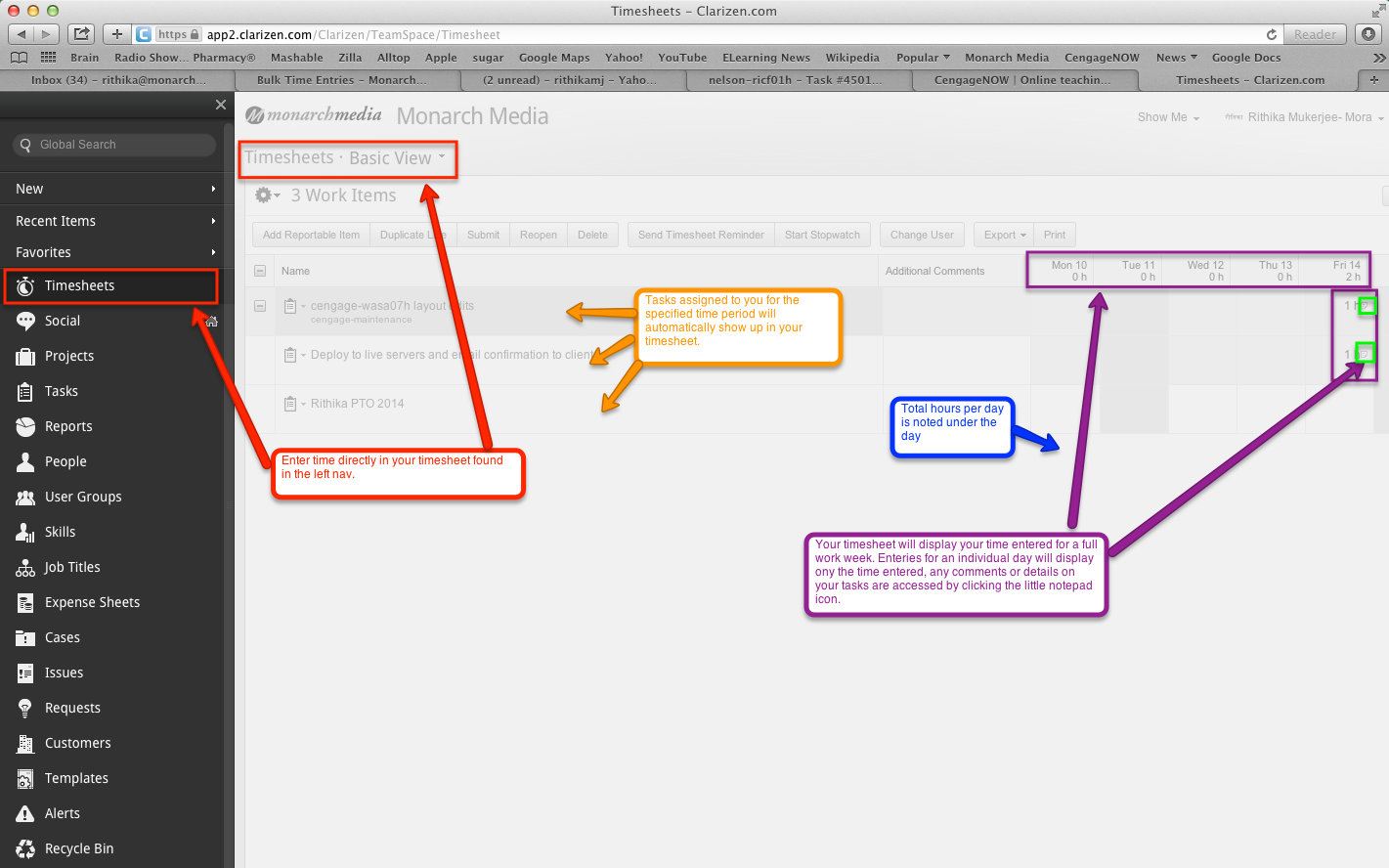
Entering time to the time-sheet
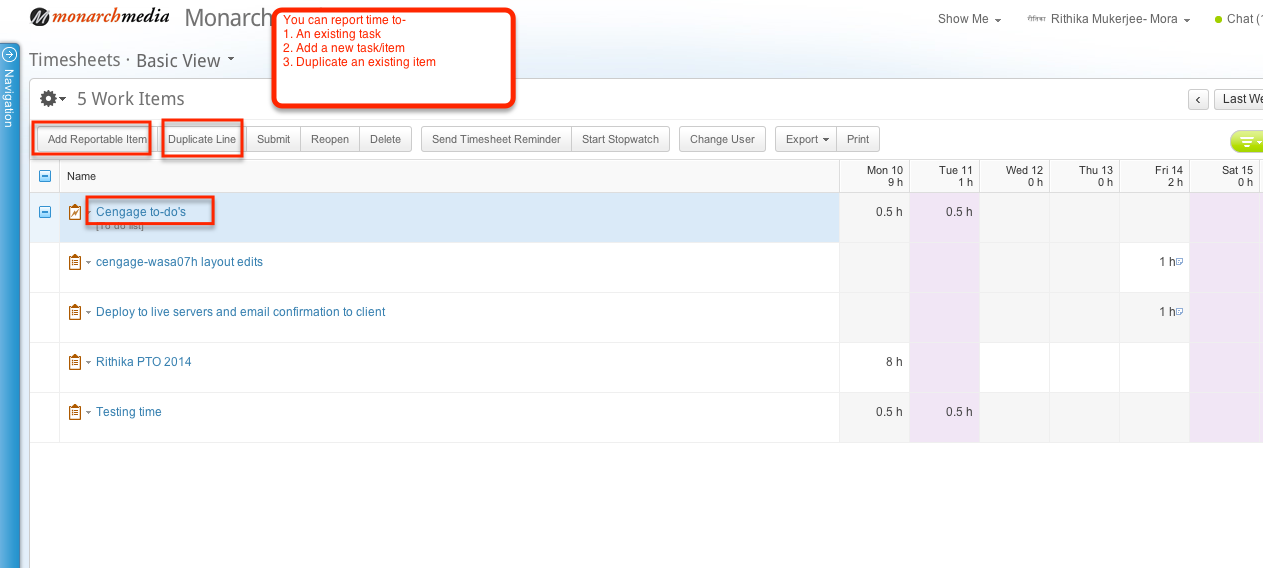
Adding a task to the time-sheet
1. Create a new task to report time in your time-sheet
2. Locate an existing item/task to report time.
View Video: http://screencast.com/t/mC7xmYiwhW
Enter time from a task or project
Enter time from your timesheet reminder
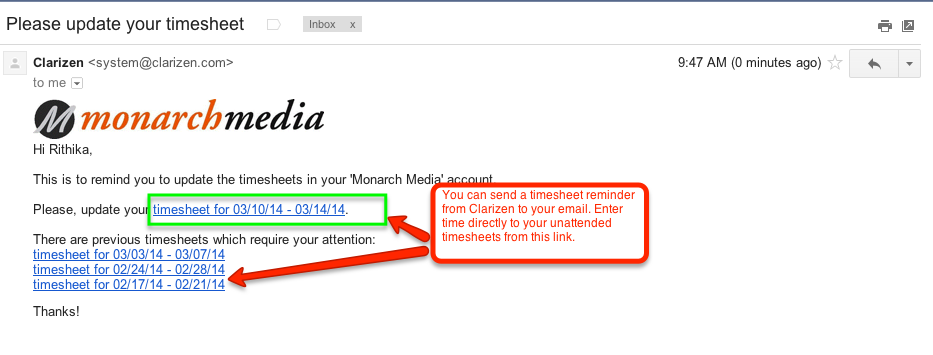 NOTE: Default timesheet reminders are set to go to everyone on Thursdays.
Using the stopwatch feature
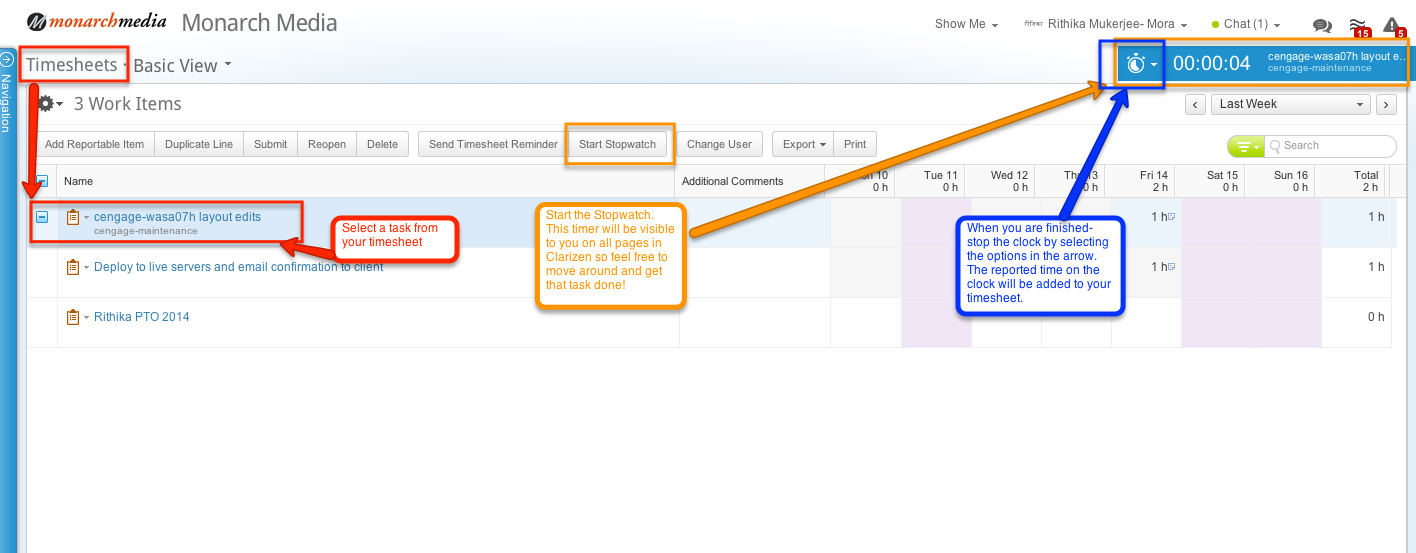
Entering PTO time
Timesheets
By rithika