UI TESTING
Tests
Main target of tests is to remove the difference between how it was designed and how it was developed.
Must performs its functions within an acceptable time
Must be useful
Nobody cares... But this cost to much - $60 billions in 2002 in USA
50% code coverage is really good
30% bugs can be fixed by tests
Must be readable as docs
Facts:
True life story bro...
- You design your code
- You test your code
- You refactor your code
- Other people use your code
- It has bugs
Let's make life easier and write tests?
Types of tests
White box tests use internal structures
Black box tests check functionality without any knowledge of internal implementation
When you make screenshots or video recording of process it calls visual testing
Before tests...
Try to use code analyzers/linters:
- JSHint/JSLint
- Plato (complexity, sloc, errors and etc)
- Closuer Compiler
- CSS Dig
- ESPrima + ESTraverse
- Any code standarts
NB: use hooks to prevent adding legacy code
Before tests...
jQuery leaks watcher
Before tests...
var tmplCache = {};

function loadTemplate (name) {
  if (!tmplCache[name]) {
    tmplCache[name] = $.get('/templates/' + name);
  }
  return tmplCache[name];
}

$(function () {

  var resultsList = $('#results');
  var liked = $('#liked');
  var pending = false;

  $('#searchForm').on('submit', function (e) {
    e.preventDefault();

    if (pending) { return; }

    var form = $(this);
    var query = $.trim( form.find('input[name="q"]').val() );

    if (!query) { return; }

    pending = true;

    $.ajax('/data/search.json', {
      data : { q: query },
      dataType : 'json',
      success : function (data) {
        loadTemplate('people-detailed.tmpl').then(function (t) {
          var tmpl = _.template(t);
          resultsList.html( tmpl({ people : data.results }) );
          pending = false;
        });
      }
    });

    $('<li>', {
      'class' : 'pending',
      html : 'Идёт поиск…'
    }).appendTo( resultsList.empty() );
  });

  resultsList.on('click', '.like', function (e) {
    e.preventDefault();
    var name = $(this).closest('li').find('h2').text();
    liked.find('.no-results').remove();
    $('<li>', { text: name }).appendTo(liked);
  });

});
Choose
your
adventure!
Large function
Change state
Wrong access
Organize your code before tests.
Before tests...

- Unit tests
- Functional testing
- Integration testing
- TDD
- BDD
Undestand this
Win this man inside you
Some info about naming
Unit tests tell a developer that the code is doing things right; functional tests tell a developer that the code is doing the right things.
TDD and BDD are practices. TDD is about how it was developed and BDD is about how it was designed.
Unit tests
TDD is about how it was developed
BDD is about how it was designed
assertEquals(count, 42)it(count).should.be(42)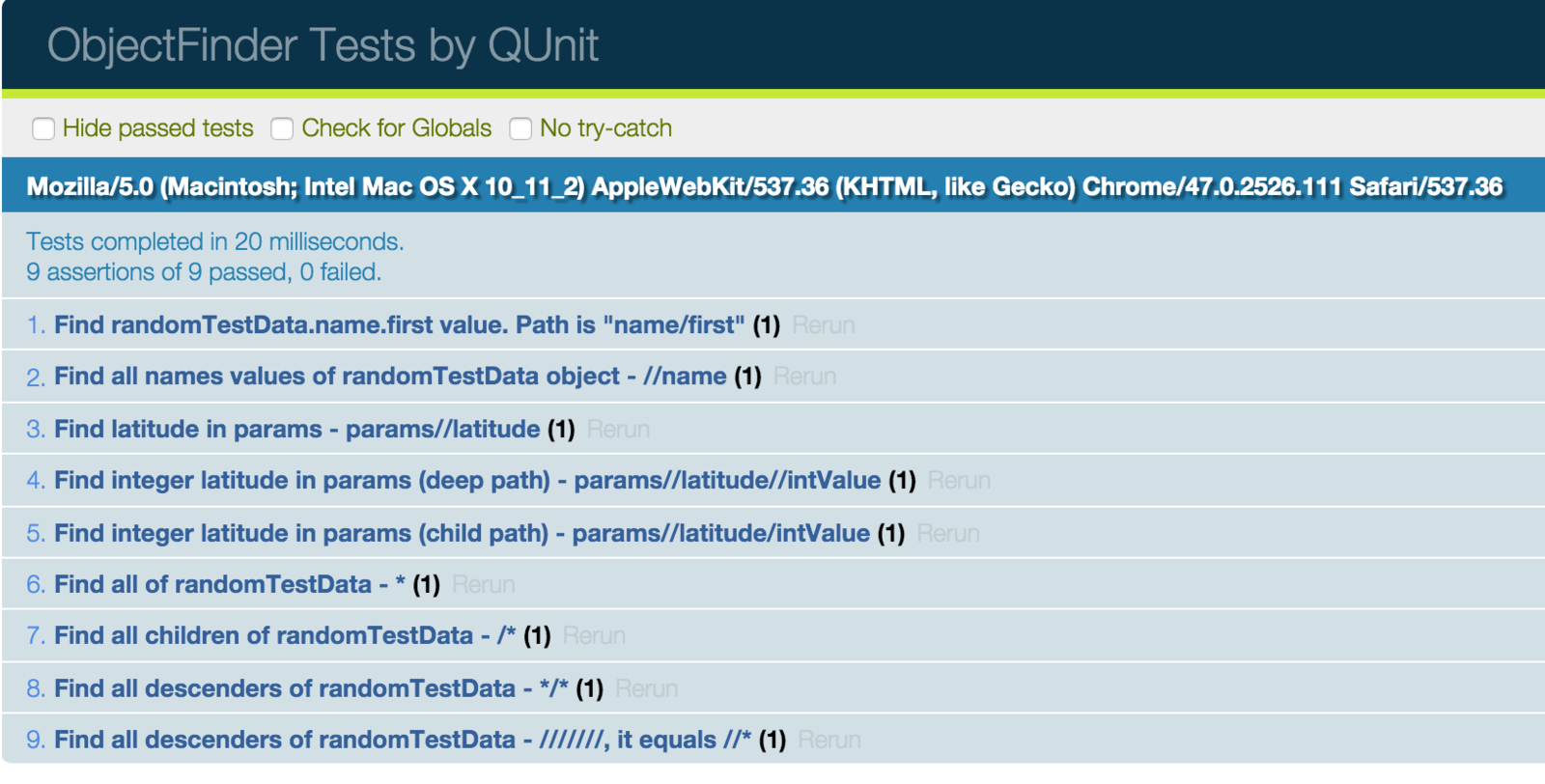
QUnit tests results example:
Unit tests
Use frameworks? Well done. You got it!






Use the power, Look!

Use ES2015 module and classes abstraction
Integration testing
NightmareJS
phantom.create(function (ph) {
  ph.createPage(function (page) {
    page.open('http://yahoo.com', function (status) {
      page.evaluate(function () {
        var el =
          document.querySelector('input[title="Search"]');
        el.value = 'github nightmare';
      }, function (result) {
        page.evaluate(function () {
          var el = document.querySelector('.searchsubmit');
          var event = document.createEvent('MouseEvent');
          event.initEvent('click', true, false);
          el.dispatchEvent(event);
        }, function (result) {
          ph.exit();
        });
      });
    });
  });
});
yield Nightmare()
.goto('http://yahoo.com')
.type('input[title="Search"]', 'github nightmare')
.click('.searchsubmit');PhantomJS
NightmareJS
NightmareJS

jQueryGo
var $ = require('jquerygo');

// Add some default configs.
$.config.site = 'http://www.whitehouse.gov';
$.config.addJQuery = false;

// Go to the presidents page.
$.visit('/about/presidents', function() {
  $.waitForPage(function() {

    // Iterate through each span.field-content.
    $('span.field-content').each(function(index, element, done) {

      // Get the text of this element.
      element.text(function(name) {

        // Print the presidents name.
        console.log(name);
        done();
      });
    }, function() {

      // We are done.
      console.log('Presidents loaded!');
      $.close();
    });
  });
})jQueryGo with Async
var async = require('async');
var $ = require('../lib/jquery.go.js');

// Add some default configs.
$.config.site = 'http://localhost';
$.config.addJQuery = false;

// Using the async.series with jQuery.go.
async.series([
  $.go('visit', '/user'),
  $('#edit-name').go('val', 'admin'),
  $('#edit-pass').go('val', '123testing'),
  $('#edit-submit').go('click'),
  $.go('waitForPage'),
  function(done) {
    $('a[href="/user/logout"]').text(function(text) {
      console.log(text);
      done();
    });
  }
], function() {
  console.log('You are logged in!');
  $.close();
});Continue integration
- Travis
- Jenkins
- Teamcity
- Webpack
Visual testing
- Wraith
- Gemini
- GremlinsJS
BBC Wraith
before_capture: "javascript/global.js"
domains:
english: "http://www.bbc.co.uk/news"
screen_widths:
- 320
- 600
- 768
- 1024
- 1280
paths:
clickable_guide:
path: /entertainment-arts-27221191
selector: '.idt__news'
clickable_guide__after_click:
path: /entertainment-arts-27221191
selector: '.idt__news'
before_capture: 'javascript/local.js'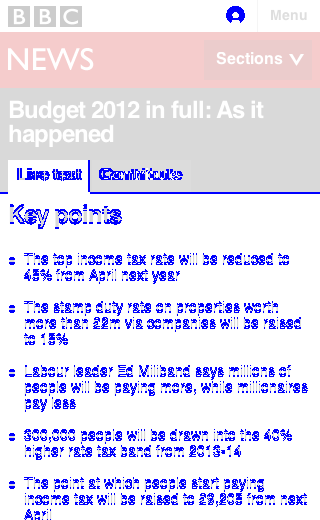
Gemini
rootUrl: http://yandex.com
gridUrl: http://selenium.example.com:4444/wd/hub

browsers:
  chrome:
    desiredCapabilities:
      browserName: chrome
      version: "45.0"

  firefox:
    desiredCapabilities:
      browserName: firefox
      version: "39.0"
var gemini = require('gemini');
gemini.suite('yandex-search', function(suite) {
suite.setUrl('/')
.setCaptureElements('.main-table')
.capture('plain')
.capture('with text', function(actions, find) {
actions.sendKeys(find('.input__control'), 'hello gemini');
});
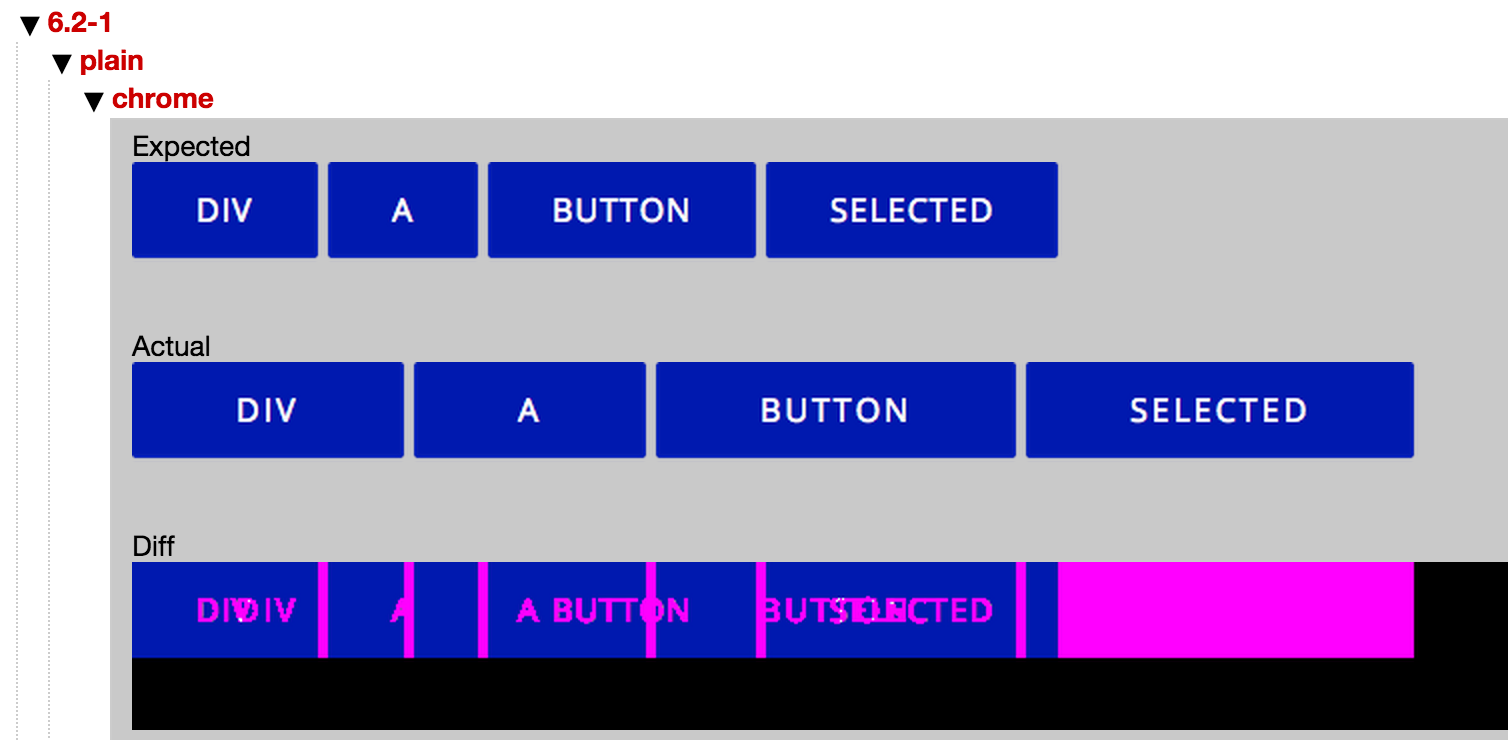
});
GremlinsJS
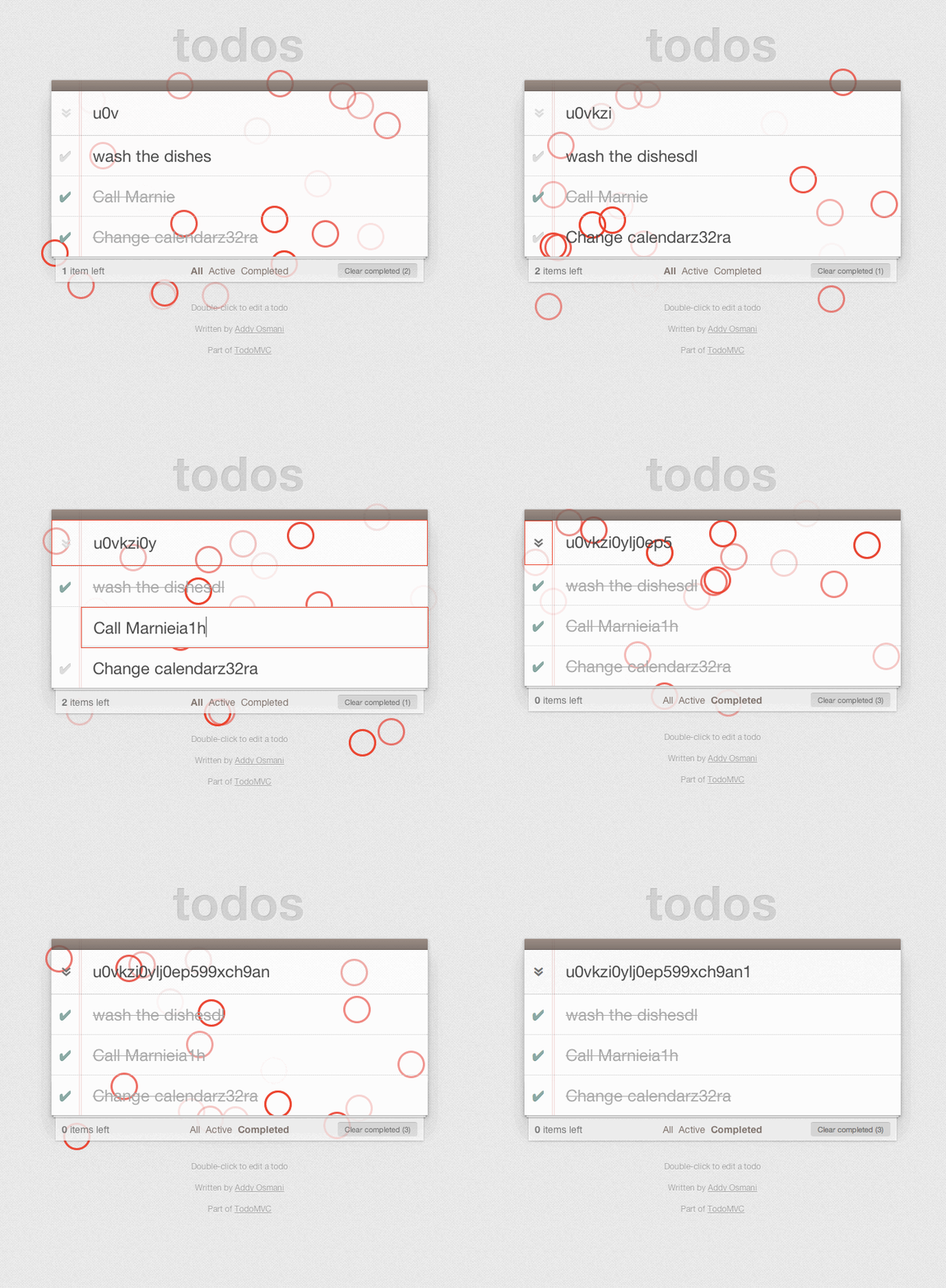
<script src="path/to/gremlins.min.js"></script>
<script>
gremlins.createHorde().unleash();
</script>
Security
- XSSMe (Firefox)
- SQLMe (Firefox)
Performance
- DevTools
- PageSpeed
- PageTest
- YSlow
UI testing
By Sasha Pinchuk
UI testing
How front-end web developer can test UI