Hybrid Mobile App
with
Ionicframework and Angular
Satit Rianpit
rianpit@gmail.com
23-27 May 2016
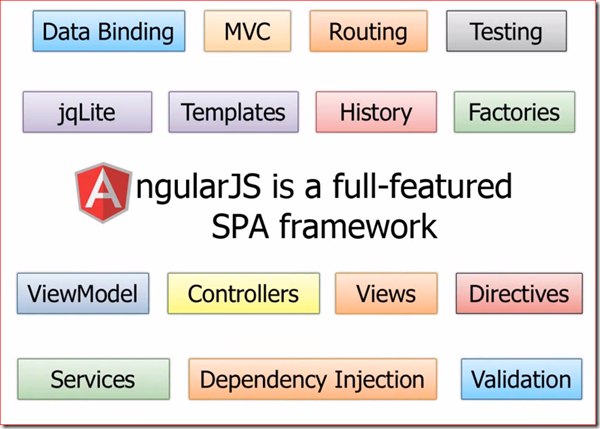
AngularJS
Ionicframework

NodeJS
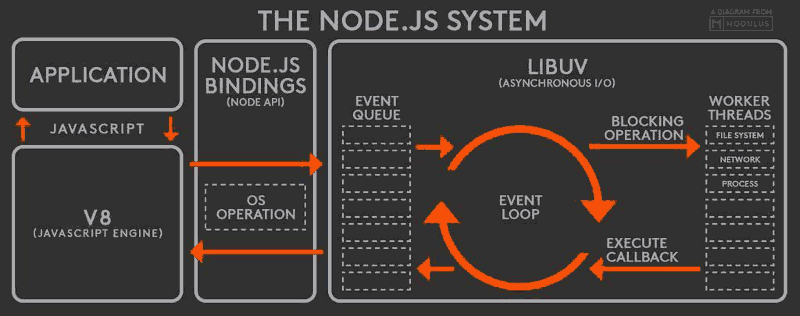
Node.js Packages
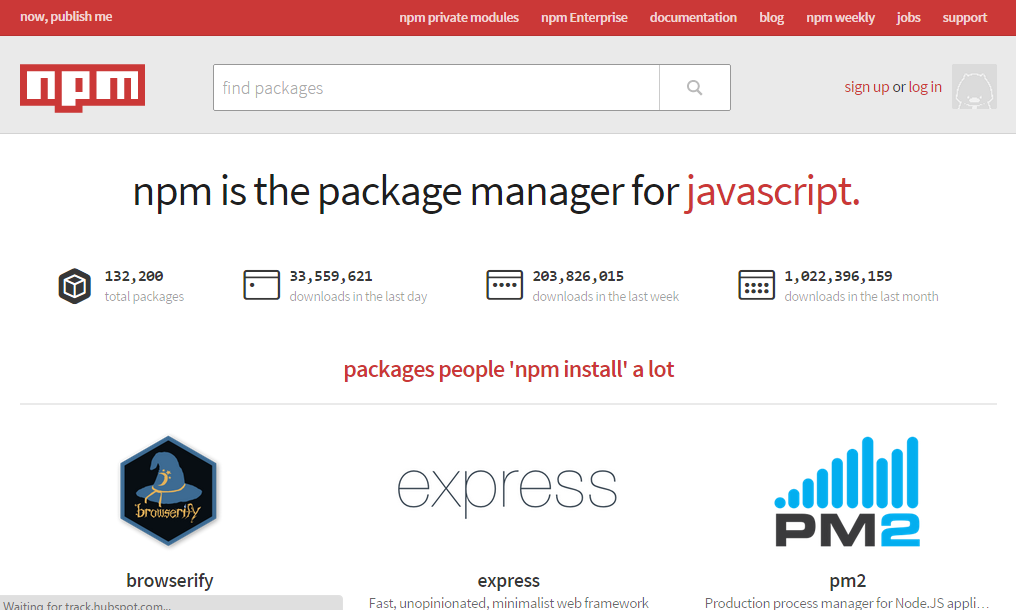
https://www.npmjs.com/
Software installation
1. Java SDK
2. Node.js
3. Python (for libsass, set Python path for CLI)
4. Node Packages
# npm install -g ionic cordova
for osx
# npm install -g ionic cordova ios-sim
// Other pacakges
# npm install -g gulp bower http-server
Create Ionic App
# ionic start appName tabs
# cd appName
# ionic serve --lab
// Theme Customize
# ionic setup sass
AngularJS
Content in this section
- Hello world.
- Data binding
- Controller & $scope
- Directive
- Filters
- Factory
- $http
- Modules
Hello world app.
<html>
    <title>Hello world</title>
    <script src="path/to/angular.js"></script>

    <body ng-app>
        Your name:
        <input type="text" ng-model="name" />
        <span>{{ name }}</span>
    </body>

</html>
Data binding
<html ng-app ng-init="name='Satit'">

Your name:
<span>{{ name }}</span>

<!-- use directive -->
<h1 ng-bind="name"></h1>
One-way data binding.
Your name:
<input type="text" ng-model="name" />
<span>{{ name }}</span>

<!-- use directive -->
<h1 ng-bind="name"></h1>
Two-way data binding.
angular.controller('MainCtrl', function ($scope) {
    $scope.name = 'Satit Rianpit';
});
controller.js
app.html
Controller & $scope
<script>
    angular.module('app', [])
        .controller('MainController', function ($scope) {
            //bind data to view
            $scope.name = 'Satit Rianpit';
            // bind to function
            $scope.showName = function () {
                alert($scope.name);
            };
        });
</script>

<body ng-app="app" ng-controller="MainController">
    Your name:
    <input type="text" ng-model="name" />
    <button type="button" ng-click="showName()">Show me.</button>
</body>
var app = angular.module('app', []);
app.controller('MainController', function ($scope) { ... });Or
<script src="MainController.js"></script>Directives
- ng-show/ng-hide
- ng-repeat
- ng-if
- custom directive
ng-show/ng-hide
<!-- App.jade -->
script(src="MainController.js")

button(type="button" ng-show="isShow", style="background-color: red")
    | Welcome to AngularJS

button(type="button", ng-click="toggleMe()") Show/Hide
// MainController.js
app.controller('MainController', function ($scope) {
$scope.isShow = true;
$scope.toggleMe = function () {
$scope.isShow = !$scope.isShow;
};
});
ng-repeat
input(type="text", ng-model="query")

ul
    li(ng-repeat="p in products | filter: query")
        | {{ p.name }} [{{ p.qty }}]
angular.moduel('app', [])
.controller('MainController', function ($scope) {
$scope.products = [
{ name: 'Apple Watch', qty: 10 },
{ name: 'iPad', qty: 5 }
{ name: 'iPhone', qty: 15 },
...
];
});MainController.js
App.jade
ng-if
ul
    li(ng-repeat="p in products")
        span(ng-if="p.qty < 10", style="color: red;") {{ p.name }} [{{ p.qty }}]
        span(ng-if="p.qty >= 10", style="color: green;") {{ p.name }} [{{ p.qty }}]
angular.moduel('app', [])
.controller('MainController', function ($scope) {
$scope.products = [
{ name: 'Apple Watch', qty: 10 },
{ name: 'iPad', qty: 5 }
{ name: 'iPhone', qty: 15 },
...
];
});MainController.js
App.jade
Custom directive
doctype html
html
    head
        title Directive
        script(src="../vendor/angular/angular.js")
        script(src="Directive.js")

    body(ng-app="app")
        hello(name="Satit Rianpit")
angular.module('app', [])
    .directive('hello', function () {
        return {
            restrict: 'E', // E = element, A = attribute, C = class
            template: '<div>Hello, {{ name }}</div>',
            scope: {
                name: '@'
            }
        };
    });
App.jade
Directive.js
Filters
- Build-in filter
- Custom filter
Build-in filter
// script
$scope.price = 10000;
$scope.name = 'computer';

// jade
price: {{ price | number }} // result: 10,000
name: {{ name | uppercase }} // result: COMPUTER
https://docs.angularjs.org/api/ng/filter
Custom filter
// filter.js

app.filter('toSexName', function () {

    return function (sex) {
           return sex == '1' ? 'ชาย' : sex == '2' ? 'หญิง' : 'ไม่ทราบ';
    };

});


// page.html

เพศ: {{ sex | toSexName }}
Factory
app.factory('factoryName', function () {

    return {
        all: function () {
            // query database
            return rows;
        },
        search: function (query) {
            // query database
            return rows;
        }
    };

});
$http
app.factory('Api', function ($q, $http) {

        return {
            all: function () {
                   $http({ url: '/apis/all', method: 'post', data: { id: 1 }})
                        .success(function (data, status) {
                            // success
                        })
                        .error(function (data, status) {
                            // error
                        });
            }
        };

});
AngularJS + Ionic
By Satit Rianpit