Using ESLint, retired TSLint
TSLint
TSLint is an extensible static analysis tool that checks TypeScript code for readability, maintainability, and functionality errors. I
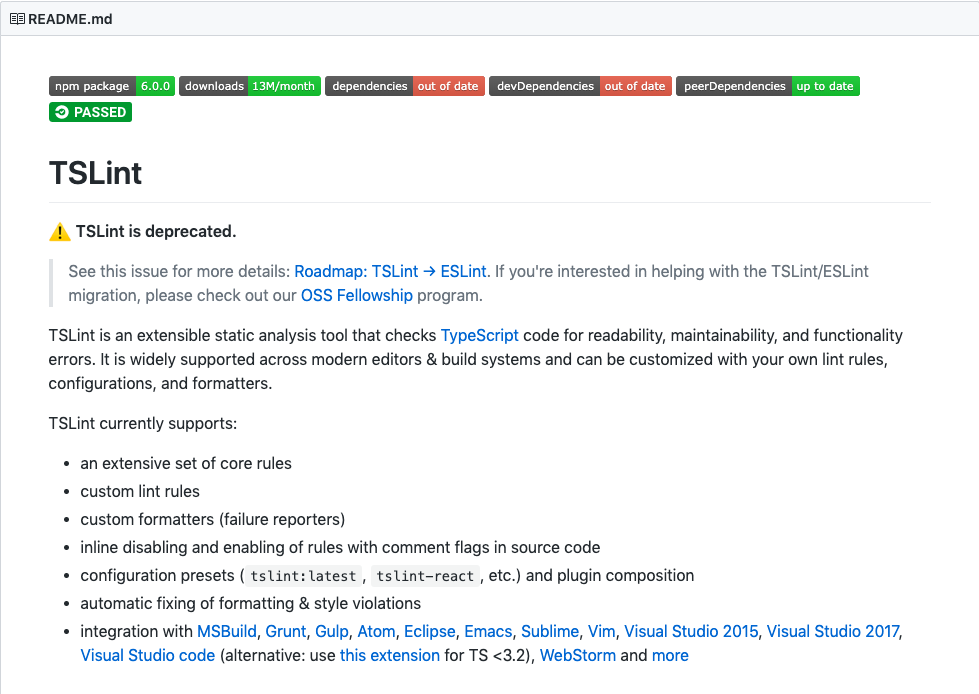
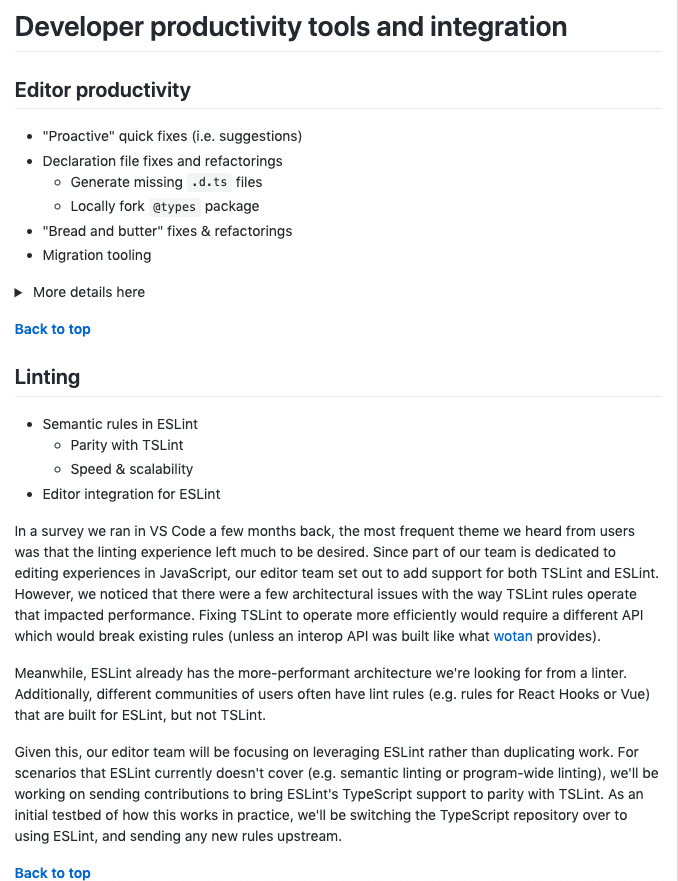
In the TypeScript 2019 Roadmap, the TypeScript core team explains that ESLint has a more performant architecture than TSLint and that they will only be focusing on ESLint when providing editor linting integration for TypeScript.
ESLint
ESLint is a tool for identifying and reporting on patterns found in ECMAScript/JavaScript code.

with the goal of making code more consistent and avoiding bugs.
In many ways, it is similar to JSLint and JSHint with a few exceptions:
-
ESLint uses Espree for JavaScript parsing.
-
ESLint uses an AST to evaluate patterns in code.
-
ESLint is completely pluggable, every single rule is a plugin and you can add more at runtime.
Esprima
ESLint had been relying on Esprima as its parser from the beginning. While that was fine when the JavaScript language was evolving slowly, the pace of development increased dramatically and Esprima had fallen behind. ESLint, like many other tools reliant on Esprima, has been stuck in using new JavaScript language features until Esprima updates, and that caused our users frustration.
Espree 2.0.0
We decided the only way for us to move forward was to create our own parser, bringing us inline with JSHint and JSLint, and allowing us to keep implementing new features as we need them. We chose to fork Esprima(Esprima v1.2.2) instead of starting from scratch in order to move as quickly as possible with a compatible API.
With Espree 2.0.0, we are no longer a fork of Esprima
Setting up ESLint to work with TypeScript
-
eslint:
The core ESLint linting library -
@typescript-eslint/parser:
The parser that will allow ESLint to lint TypeScript code -
@typescript-eslint/eslint-plugin:
A plugin that contains a bunch of ESLint rules that are TypeScript specific
yarn add eslint @typescript-eslint/parser @typescript-eslint/eslint-plugin --devAdd an .eslintrc.js configuration file in the root project directory.
module.exports = {
  parser: "@typescript-eslint/parser", // Specifies the ESLint parser
  extends: [
    "plugin:@typescript-eslint/recommended" // Uses the recommended rules from the @typescript-eslint/eslint-plugin
  ],
  parserOptions: {
    ecmaVersion: 2018, // Allows for the parsing of modern ECMAScript features
    sourceType: "module" // Allows for the use of imports
  },
  rules: {
    // Place to specify ESLint rules. Can be used to overwrite rules specified from the extended configs
    // e.g. "@typescript-eslint/explicit-function-return-type": "off",
  }
};
If using TypeScript with React, the eslint-plugin-react dev dependency should be installed
module.exports = {
  parser: "@typescript-eslint/parser", // Specifies the ESLint parser
  extends: [
    "plugin:react/recommended", // Uses the recommended rules from @eslint-plugin-react
    "plugin:@typescript-eslint/recommended" // Uses the recommended rules from @typescript-eslint/eslint-plugin
  ],
  parserOptions: {
    ecmaVersion: 2018, // Allows for the parsing of modern ECMAScript features
    sourceType: "module", // Allows for the use of imports
    ecmaFeatures: {
      jsx: true // Allows for the parsing of JSX
    }
  },
  rules: {
    // Place to specify ESLint rules. Can be used to overwrite rules specified from the extended configs
    // e.g. "@typescript-eslint/explicit-function-return-type": "off",
  },
  settings: {
    react: {
      version: "detect" // Tells eslint-plugin-react to automatically detect the version of React to use
    }
  }
};
Adding Prettier to the mix
Works well along with ESLint is prettier, which does a great job at handling code formatting.
Install prettier
-
prettier:
The core prettier library -
eslint-config-prettier:
Disables ESLint rules that might conflict with prettier -
eslint-plugin-prettier:
Runs prettier as an ESLint rule
yarn add prettier eslint-config-prettier eslint-plugin-prettier --devIn order to configure prettier,
a .prettierrc.js file is required at the root project directory.
module.exports = {
  semi: true,
  trailingComma: "all",
  singleQuote: true,
  printWidth: 120,
  tabWidth: 4
};
module.exports = {
parser: "@typescript-eslint/parser",
// Specifies the ESLint parser
extends: [
"plugin:react/recommended",
// Uses the recommended rules from @eslint-plugin-react
"plugin:@typescript-eslint/recommended",
// Uses the recommended rules from the @typescript-eslint/eslint-plugin
"prettier/@typescript-eslint",
// Uses eslint-config-prettier to disable ESLint rules from @typescript-eslint/eslint-plugin that would conflict with prettier
"plugin:prettier/recommended"
// Enables eslint-plugin-prettier and eslint-config-prettier. This will display prettier errors as ESLint errors. Make sure this is always the last configuration in the extends array.
],
parserOptions: {
ecmaVersion: 2018,
// Allows for the parsing of modern ECMAScript features
sourceType: "module"
// Allows for the use of imports
}
};In package.json
{
  "scripts": {
    "lint": "tsc --noEmit && eslint '*/**/*.{js,ts,tsx}' --quiet --fix"
  }
}
Thanks
Q&A
ESLint is comming
By sddtc
ESLint is comming
eslint vs tslint