Introduction to Vagrant
Study Hsueh
2014/04/26
Java RAD Study Group Meeting #2
What is Vagrant?
- Vagrant is a tool for building and managing virtualized development environments
- 簡單來說, Vagrant讓你可以用CLI指令來管理你的VM主機,包含:
- 配置VM主機的記憶體、CPU、網卡...
- 新增、移除、暫停VM
- 設定共享資料夾
- 自動安裝軟體 (當然也支援手動觸發)
- 讓其他使用者直接存取你的VM,類似teamviewer的概念
- 咦...snapshot咧?? 要透過其他plugin :D
- 如: https://github.com/jedi4ever/sahara
How to use vagrant?
- 設定要使用的Box
$ vagrant box add {title} {url}
# {title}是box的名稱
# {url}是box的下載網址
- 初始化VM
$ vagrant init {title}
- 啟動VM
$ vagrant up
- 關閉VM
$ vagrant halt
How to use vagrant?
- 範例:
$ vagrant box add precise32 http://files.vagrantup.com/precise32.box

$ mkdir precise32_vm
$ cd precise32_vm

$ vagrant init precise32
$ vagrant up
$ vagrant ssh # 透過ssh連進vm
Providers
- Provider是啥?
- Provider就是virtualization providers啦
- Desktop
- Oracle VM VirtualBox
- VMware Workstation
- VMware Fusion
- Parallels Desktop
- Server
- Microsoft Hyper-V
- VMware vSphere
- Cloud
- AWS EC2
Providers
- Out of box providers
- Oracle VM VirtualBox
- Microsoft Hyper-V
- Other providers
-
VMware Fusion / Workstation
- $79 .0 USD per seat
-
VMware vSphere
-
Parallel Desktop
-
AWS EC2
BOXES
- Box是啥?
- 可以想成是已經完成基本安裝的vm template
- 下載box的地方
- Virtualbox / VMware boxes
- http://www.vagrantbox.es/
- Parallels Desktop boxes
- https://vagrantcloud.com/parallels
BOXES
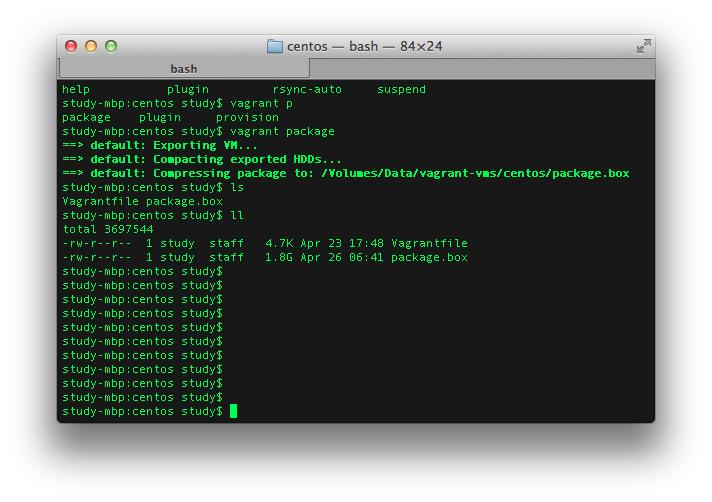
- 打包目前的box (即export VM)
$ vagrant package
- 除了可以直接分享box檔案外,也可以上傳box到雲端
- https://vagrantcloud.com/
- 初始化vm時,使用vagrantcloud上面的box
$ vagrant init hashicorp/precise64
- box下載完,會放在user home的.vagrant目錄裡面
BOXES
-
打包後, 會產生.box的檔案
PROVISIONING
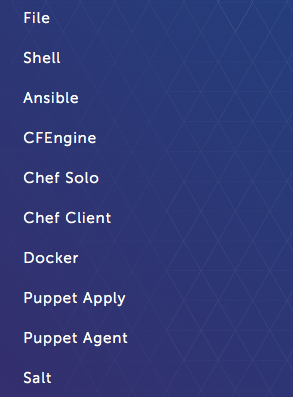
- PROVISIONING是什麼?
- 就是設定VM啟動後要安裝什麼 :)
- 目前支援下列幾種方式:
PROVISIONING
- Provisioning的設定在Vagrantfile裡面
- Vagrantfile範本會在vagrant init時產生
- Vagrantfile範例:
 Vagrant.configure("2") do |config|
  # ... other configuration

  config.vm.provision "shell" do |s|
    s.inline = "yum -y update"
  end
end
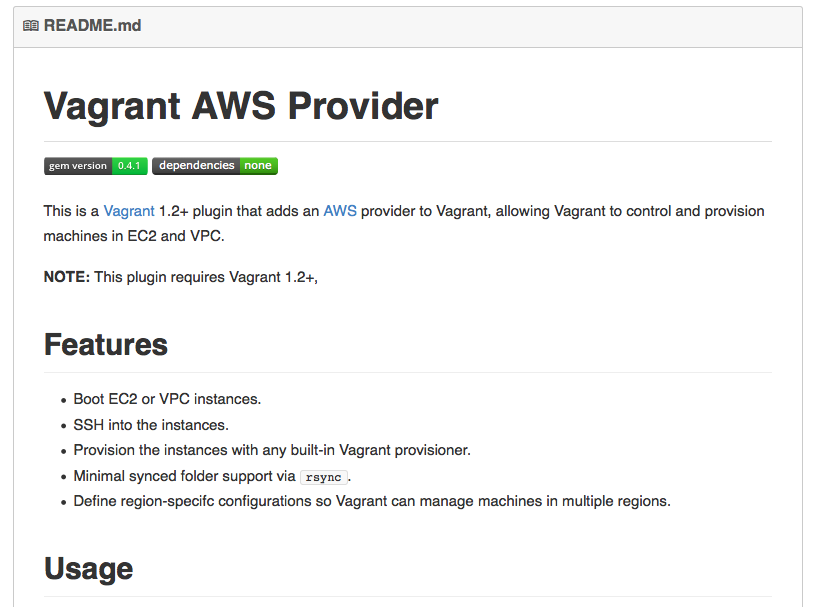
Use Vagrant to manage EC2
- 安裝plugin
$ vagrant plugin install vagrant-aws
- 新增dummy box
$ vagrant box add dummy https://github.com/mitchellh/vagrant-aws/raw/master/dummy.box
- 手動新增Vagrantfile
$ vi Vagrantfile
Vagrant.configure("2") do |config|
  config.vm.box = "dummy"

  config.vm.provider :aws do |aws, override|
    aws.access_key_id = "YOUR KEY"
    aws.secret_access_key = "YOUR SECRET KEY"
    aws.keypair_name = "KEYPAIR NAME"

    aws.instance_type = "t1.micro"
    aws.region = "ap-northeast-1"    # Tokyo
    aws.ami = "ami-bddaa2bc"         # Ubuntu x64 14.04 LTS

    override.ssh.username = "ubuntu"
    override.ssh.private_key_path = "PATH TO YOUR PRIVATE KEY"
  end
end
- 啟動
$ vagrant up --provider=aws
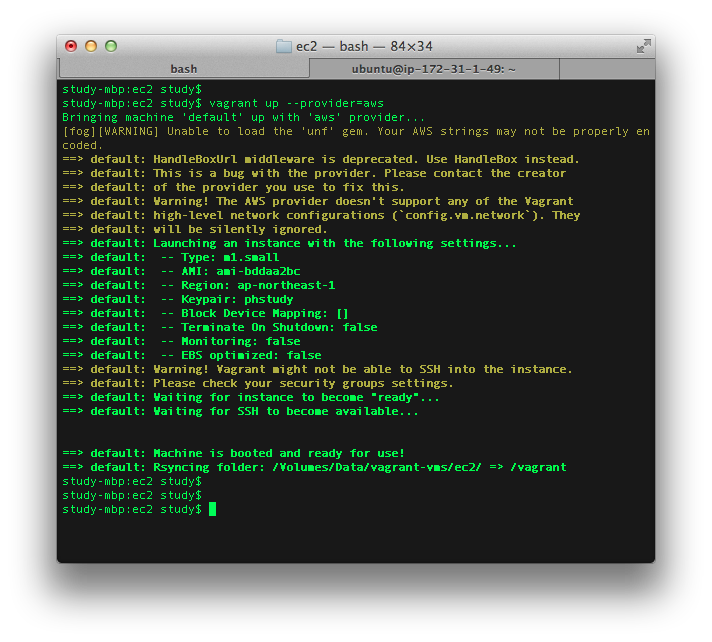
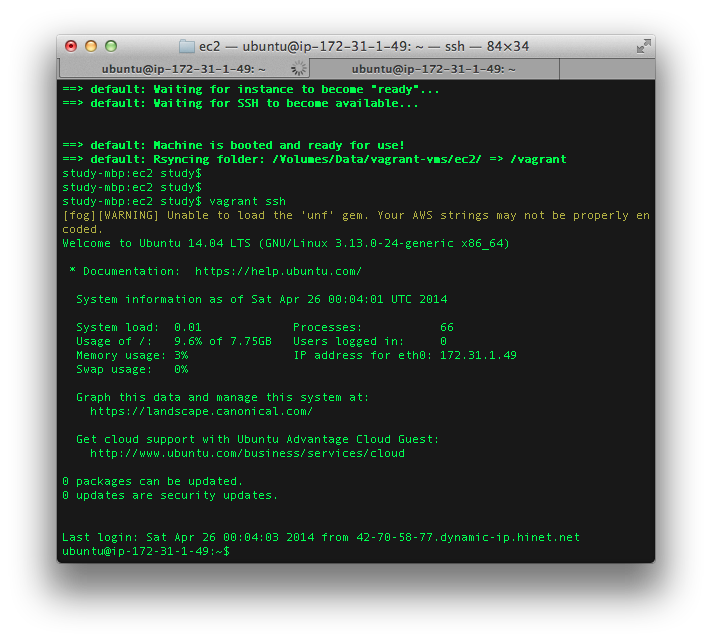
vagrant預設會把目前目錄的資料同步到vm的/vagrant資料夾
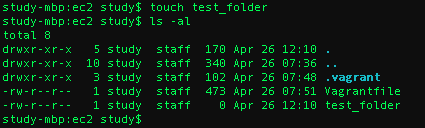
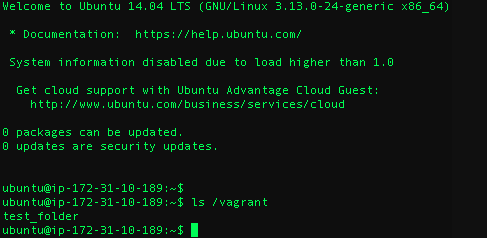
http://docs.vagrantup.com/v2/synced-folders/
用vagrant destory來terminate EC2 instance

延伸應用
Introduction to Vagrant
By study