Gemini API
函式庫介紹系列 -3
API
偷自己不算偷吧
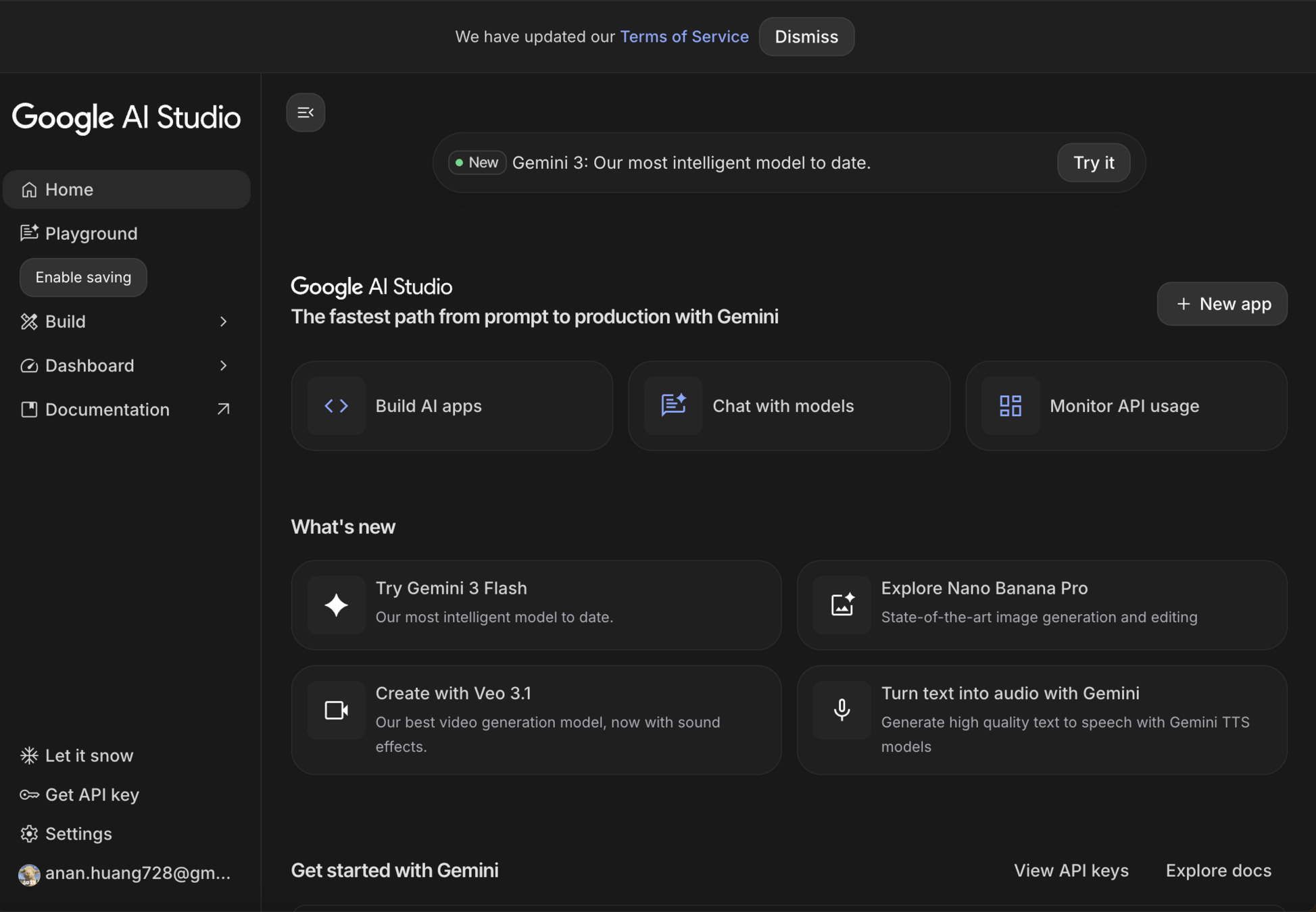
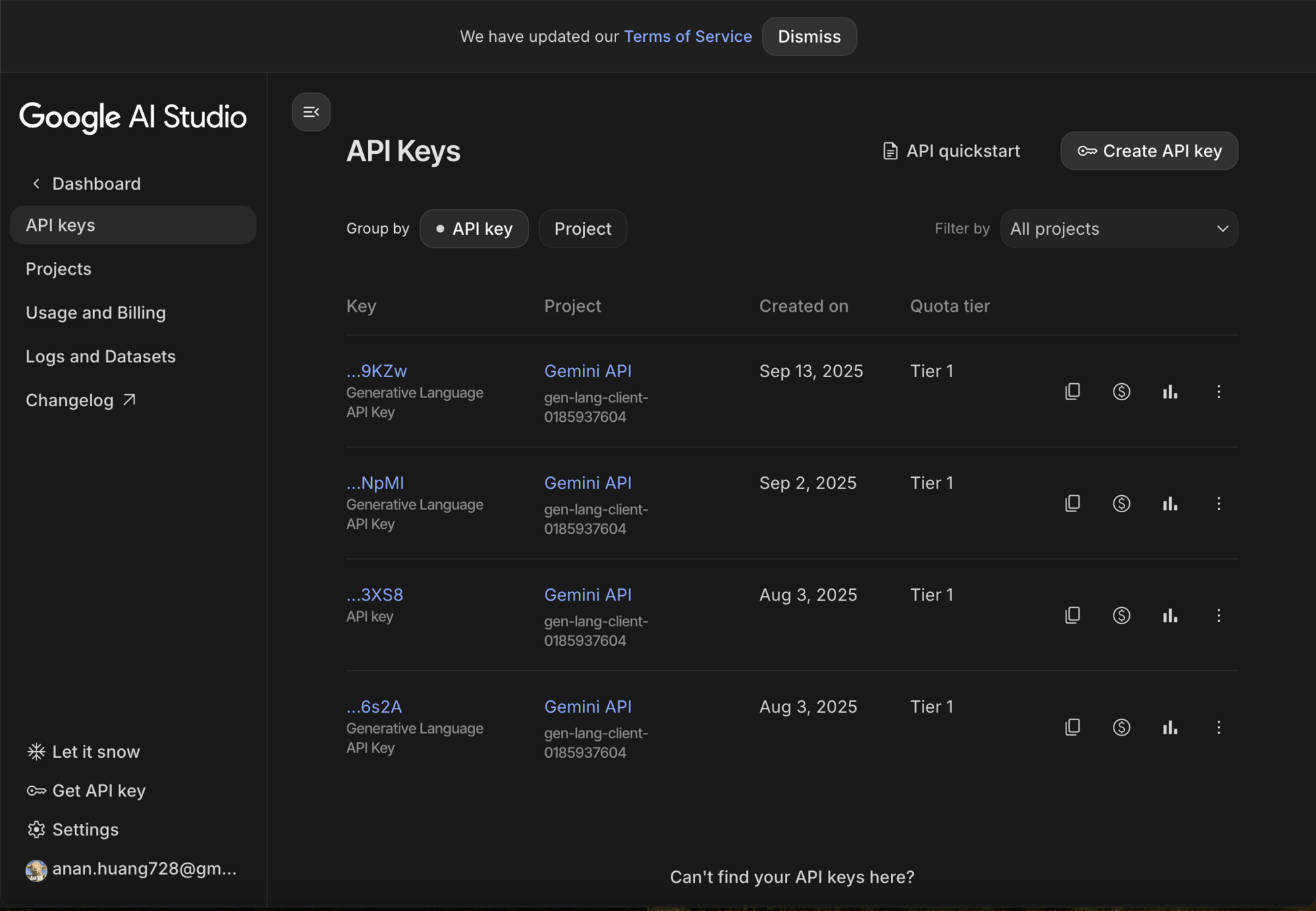
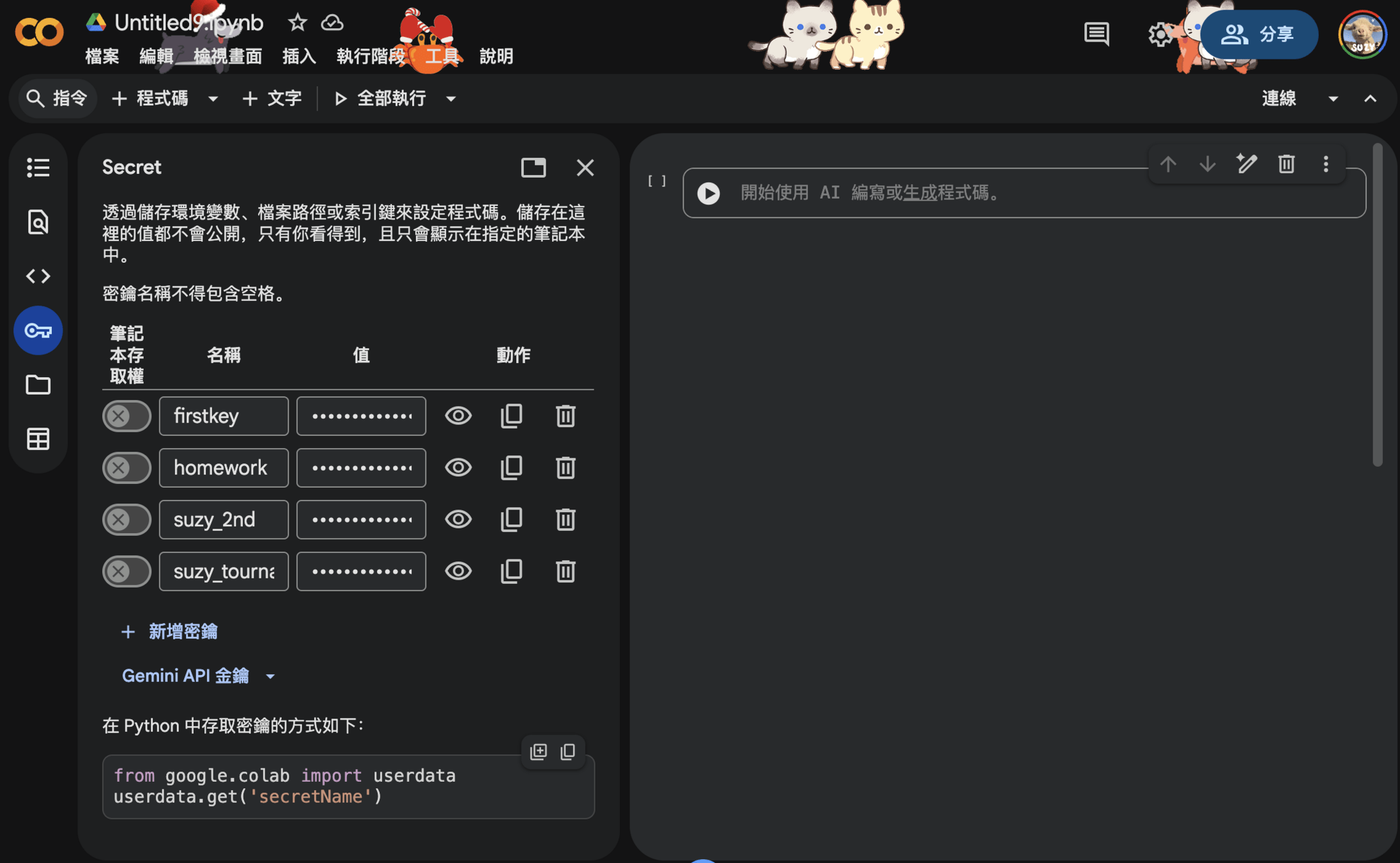
Google Colab 有提供可以儲存 API Key 的地方
from google.colab import userdata
userdata.get('secretName')
不可以直接把 API key 直接寫在程式碼裡喔
容易被盜
如果公開到 github 上的話會被系統擋掉
(path:*.xml OR path:*.json OR path:*.properties OR path:*.sql
OR path:*.txt OR path:*.log OR path:*.tmp OR path:*.backup
OR path:*.bak OR path:*.enc OR path:*.yml OR path:*.yaml
OR path:*.toml OR path:*.ini OR path:*.config OR path:*.conf
OR path:*.cfg OR path:*.env OR path:*.envrc OR path:*.prod
OR path:*.secret OR path:*.private OR path:*.key)
AND (access_key OR secret_key OR access_token
OR api_key OR apikey OR api_secret OR apiSecret
OR app_secret OR application_key OR app_key
OR appkey OR auth_token OR authsecret) AND (AIza AND Google)
像是在 github 上使用特定關鍵字搜尋的話
可以找到很多外流的 api key
(path:*.xml OR path:*.json OR path:*.properties OR path:*.sql
OR path:*.txt OR path:*.log OR path:*.tmp OR path:*.backup
OR path:*.bak OR path:*.enc OR path:*.yml OR path:*.yaml
OR path:*.toml OR path:*.ini OR path:*.config OR path:*.conf
OR path:*.cfg OR path:*.env OR path:*.envrc OR path:*.prod
OR path:*.secret OR path:*.private OR path:*.key)

AND (access_key OR secret_key OR access_token
OR api_key OR apikey OR api_secret OR apiSecret
OR app_secret OR application_key OR app_key
OR appkey OR auth_token OR authsecret) AND (AIza AND Google)
要去哪裡找(檔案類型)
path: [要搜尋的規律]
* 代表檔案名稱填入任何字詞都可以
要找哪些關鍵字
AIza 是一個 google API key 常見的開頭這是有教育意義的
安全儲存 api key 的方法
1) 放在 .env 裡(存在自己的本機),然後把它加到 .gitignore 的資料夾
2) github 的話有內建的 secrets 功能可以用
import os
import requests

from google import genai
from google.genai import types
from google.colab import userdata

from io import BytesIO
from PIL import Image as PILImage
from PIL import ImageDraw
from time import sleep

import matplotlib.pyplot as plt

from IPython.display import clear_output, display, Image, Markdown, Audio

#「可能」會用到的函示庫
Setup the key
# Setup Gemini API
gemin_api_key=userdata.get('gemin_api_key')

client = genai.Client(api_key=gemin_api_key)
# List of models https://ai.google.dev/gemini-api/docs/models
GEMINI_FLASH = "gemini-2.5-flash"
GEMINI_PRO ='gemini-2.5-pro'
GEMINI_FLASH_2 = 'gemini-2.0-flash'
基本對話
prompt = '北一女中是什麼 ?'
response = client.models.generate_content(model=GEMINI_FLASH, contents=prompt)
print(response.text)

# 如果想要 markdown 呈現
display(Markdown(response.text))
互動式對話
chat_history = [
    {"role": "user", "parts": [{"text": "Hello, I have 2 dogs in my house."}]},
    {"role": "model", "parts": [{"text": "Great to meet you. What would you like to know?"}]},
]
chat = client.chats.create(
    model=GEMINI_FLASH,
    history=chat_history)
response = chat.send_message("I have 3 cats in my house.")
print(response.text)
print('-'*20)
response = chat.send_message("How many paws are in my house?")
print(response.text)
Image
# 開啟照片
img = Image.open("圖片路徑")
# 顯示照片
plt.imshow(img)
plt.axis('off')
plt.show()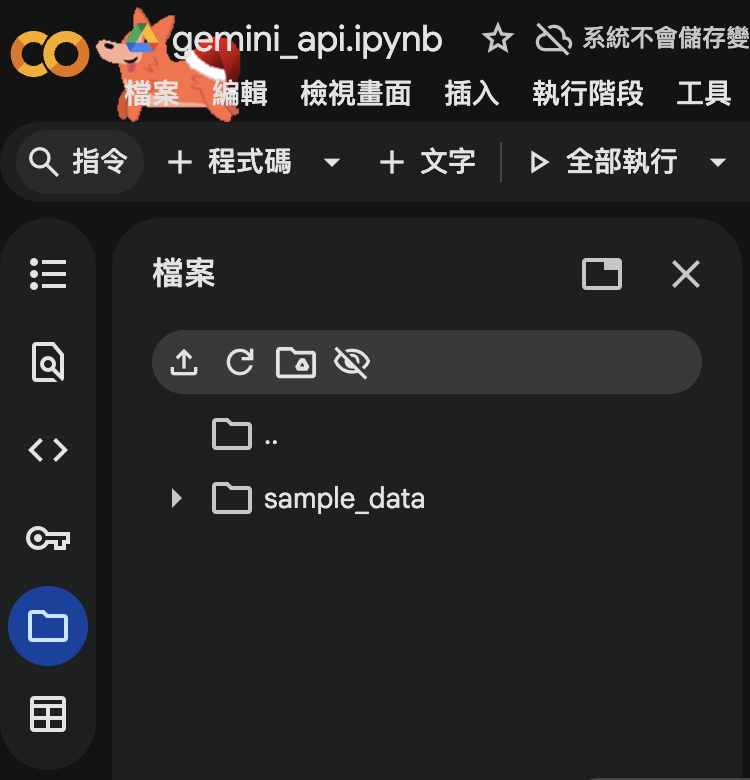
Google Colab 左邊這裡
可以儲存檔案
對檔案按右鍵可以「複製路徑」
用 url 開圖片
import requests
from PIL import Image
from io import BytesIO
def create_image_from_url(image_url):
  response = requests.get(image_url)
  response.raise_for_status()  # Raise an exception for bad responses (4xx and 5xx)
  return Image.open(BytesIO(response.content))
url = 'https://c02.purpledshub.com/uploads/sites/43/2022/06/ConcertHarp-00bebc4.png'
img = create_image_from_url(url)
plt.imshow(img)
plt.axis('off')
plt.show()Image Generation
client = genai.Client(api_key=gemin_api_key)
prompt = ('圖片生成描述')

response = client.models.generate_content(
    model="gemini-2.0-flash-preview-image-generation",
    contents=prompt,
    config=types.GenerateContentConfig(
      response_modalities=['TEXT', 'IMAGE']
    )
)

for part in response.candidates[0].content.parts:
  if part.text is not None:
    print(part.text)
  elif part.inline_data is not None:
    image = Image.open(BytesIO((part.inline_data.data)))
    image.save('images/gemini-native-image.png')
    plt.imshow(image)
    plt.axis('off')
    plt.show()
圖片生成原理
Image
prompt='描述這個圖片'
response = client.models.generate_content(model=GEMINI_FLASH_2,
                                          contents=[img, prompt])
display(Markdown(response.text))
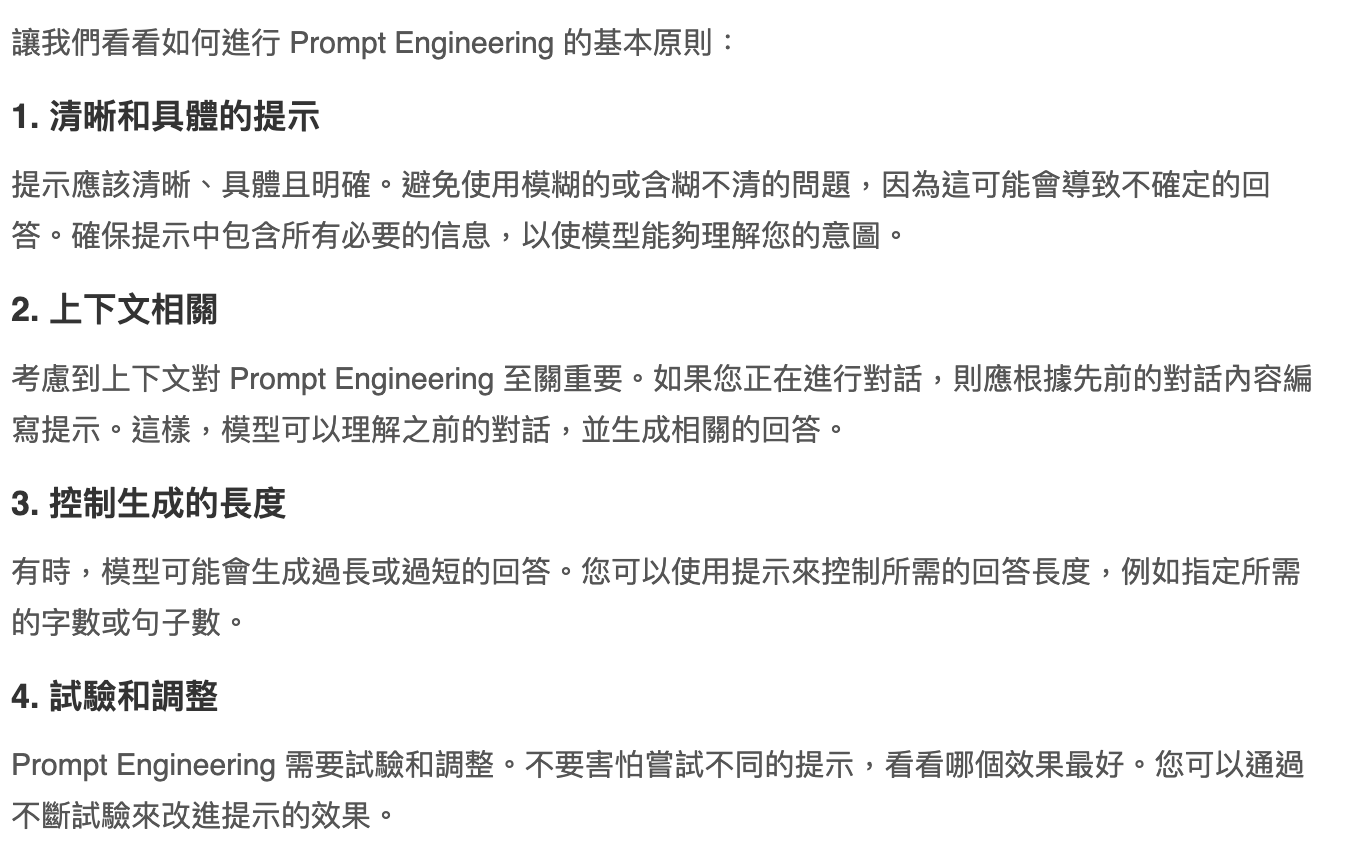
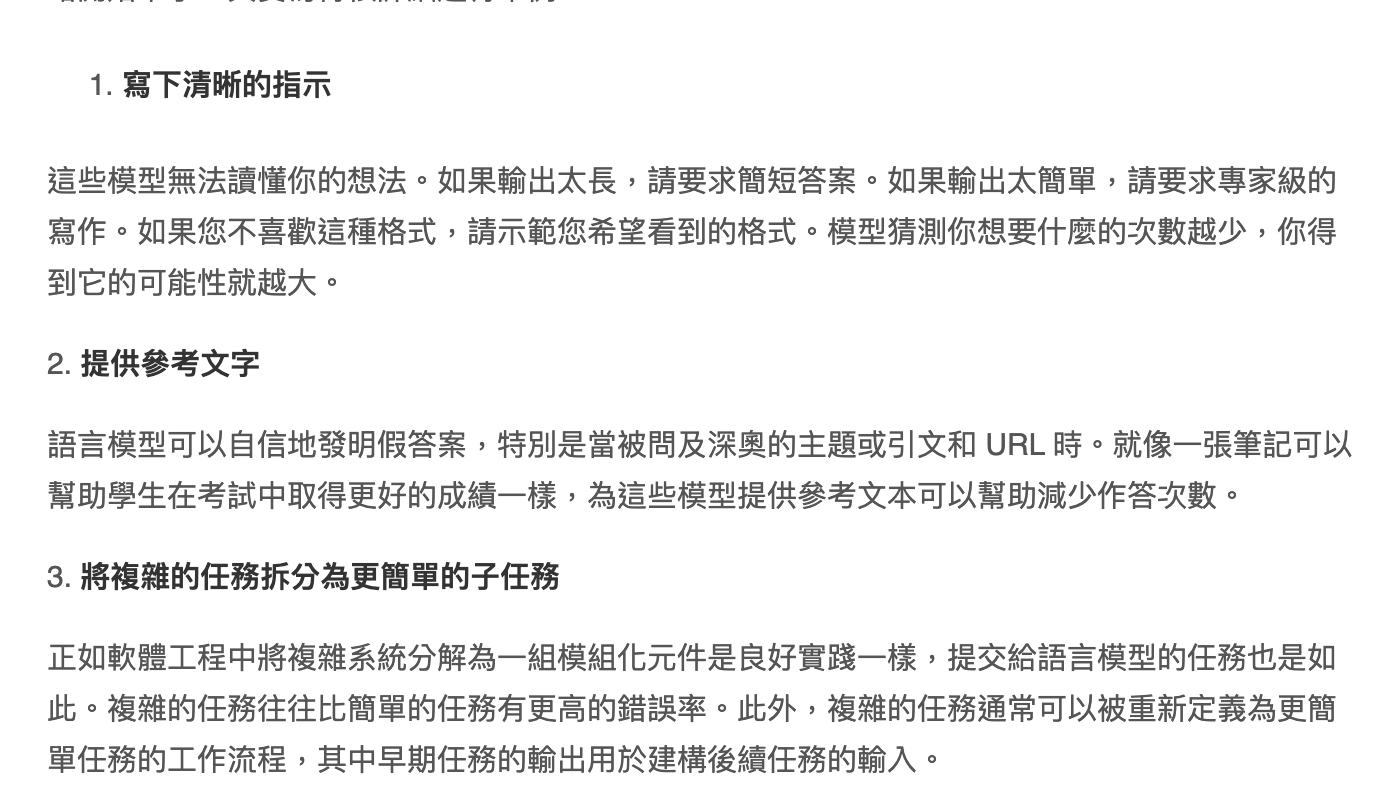
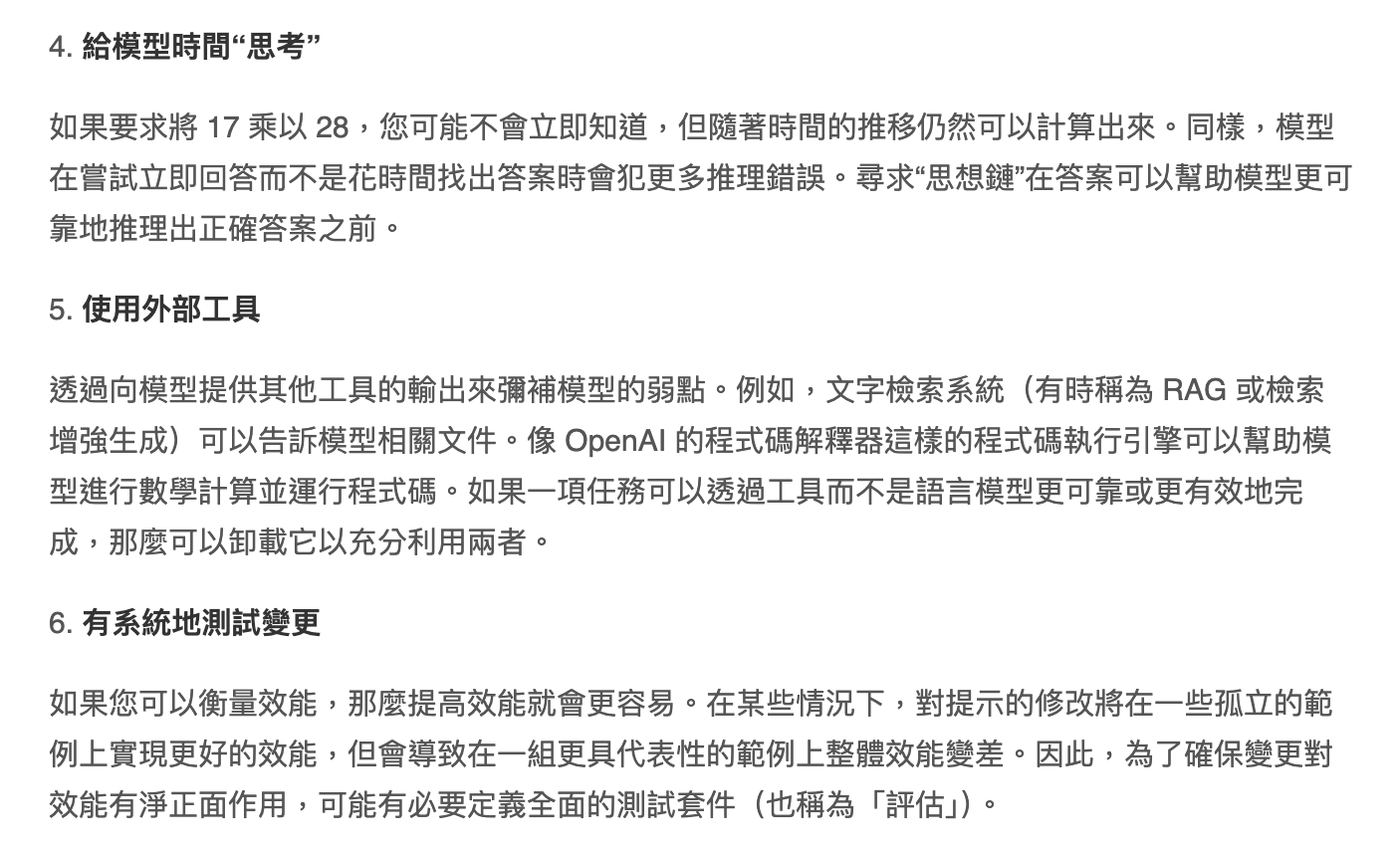
Prompt Engineering
謝謝大家!
這學期 python 小社到這邊喔
deck
By Suzy Huang