Introduction to Jasmine and Karma


Unit Tests

What are units?
A unit should be defined as any JavaScript function that is accessible
For our domain we have defined a unit as such:
Is a unit
var add = function(x, y){
   var added = x + y;
   return added;
}
Is a unit
myDummyFunction: function( ticker ) {
        var self = this;

        if ( self.offer.length ) {

            switch( ticker ) {
                case "0:0:23:0":
                    self.offer.html("Offer 1.");
                    break;
                case "0:0:10:0":
                    self.$offerAlert.html("Offer 2.");
                    break;
                case "0:0:0:34":
                    self.$offerAlert.html("Offer 3");
                    break;
                case "0:0:0:0":
                    self.$offerAlert.html("No more offers");
                    break;
                default:
            }
        }
    }
Is not a unit
//monolithic block of codeSo what is a unit test?
"At a high-level, unit testing refers to the practice of testing certain functions and areas – or units – of our code"
Hint:
If your code is hard to test, then it is most likely hard to use.
Work

What is Karma?
Karma is a test runner that will run your JavaScript and then run tests you have against your code.
How is it configured?
Running your tests
$ karma startYou will get something like this:

Debugging Your Tests
In your browser of choice, you can navigate to
localhost:9876/debug.html
which will bring you to a test page like so:
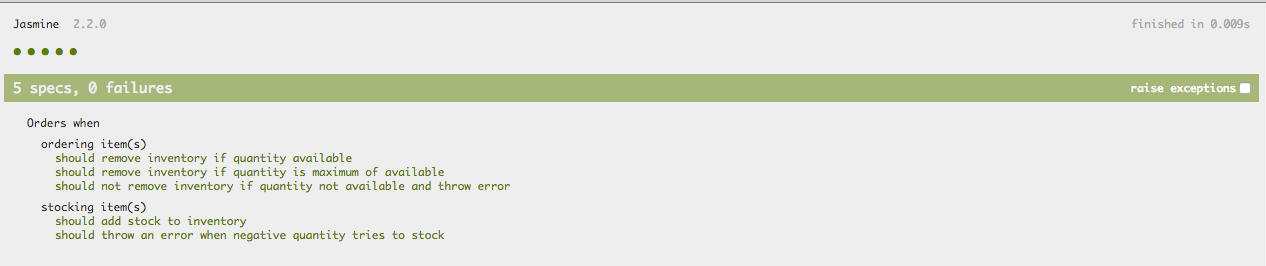
{Jasmine Syntax}
So what is with Jasmine's Syntax?
It is a DSL (Domain Specific Language) known as BDD (Behavior Driven Development).
...
Which is basically a fancy way of saying human readable.
describe('What we are testing',function(){

    it('should test something', function(){

        expect(something).toEqual(something);

    }

});
The Basics
Suites
These are denoted by the describe block
describe('My test suite', function(){

});
Specs
These are denoted by the it block
it('should have this behavior', function(){

});
Important thing to remember
They are all just functions
Expectations
These are denoted by the expects assertions
they are asserted by using matchers
expect(value).toBeEqual(value);
Matchers
Matchers are boolean comparison operators that evaluated on expectations.
(There are a lot of matchers, so give the documentation a read)
Calculator Example
Jasmine Spies
What is a spy?

They look at a function or a method and return you information about it.
Spy on an existing function
spyOn(foo, 'setBar');
foo = {
    setBar: function(){
    }
}
Create a spy function
var iSpy = jasmine.createSpy('iSpy');

foo(iSpy);
var foo = function(bar){
    var test = 'tested';
    bar(test);
}
Create a Spy Object
var iSpy = jasmine.createSpyObj('iSpy',['exec']);

foo(iSpy);
var foo = function(bar){
var test = 'tested';
bar.exec(test);
}Spy Properties
- .and.callThrough()
- .and.returnValue(returnVal)
- .and.callFake(function)
- .and.throwError(errorMessage)
- .calls
- .any()
- .count()
- .argsFor(index)
- .allArgs()
- .reset()
- .... and more
How about some code that will be applicable?
Introduction to Jasmine and Karma
By Theryn