I'm Nasreen
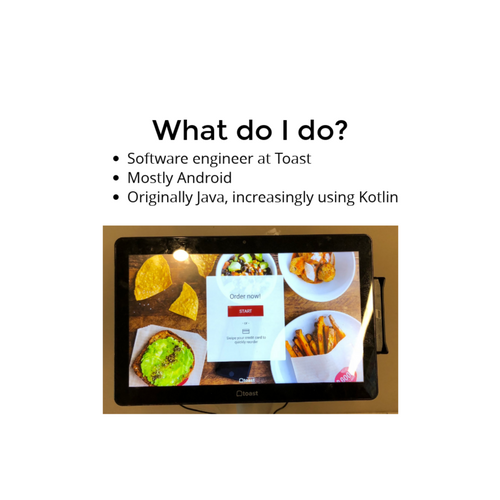
- Software engineer at Toast
- Mostly Android
- Originally Java, increasingly using Kotlin
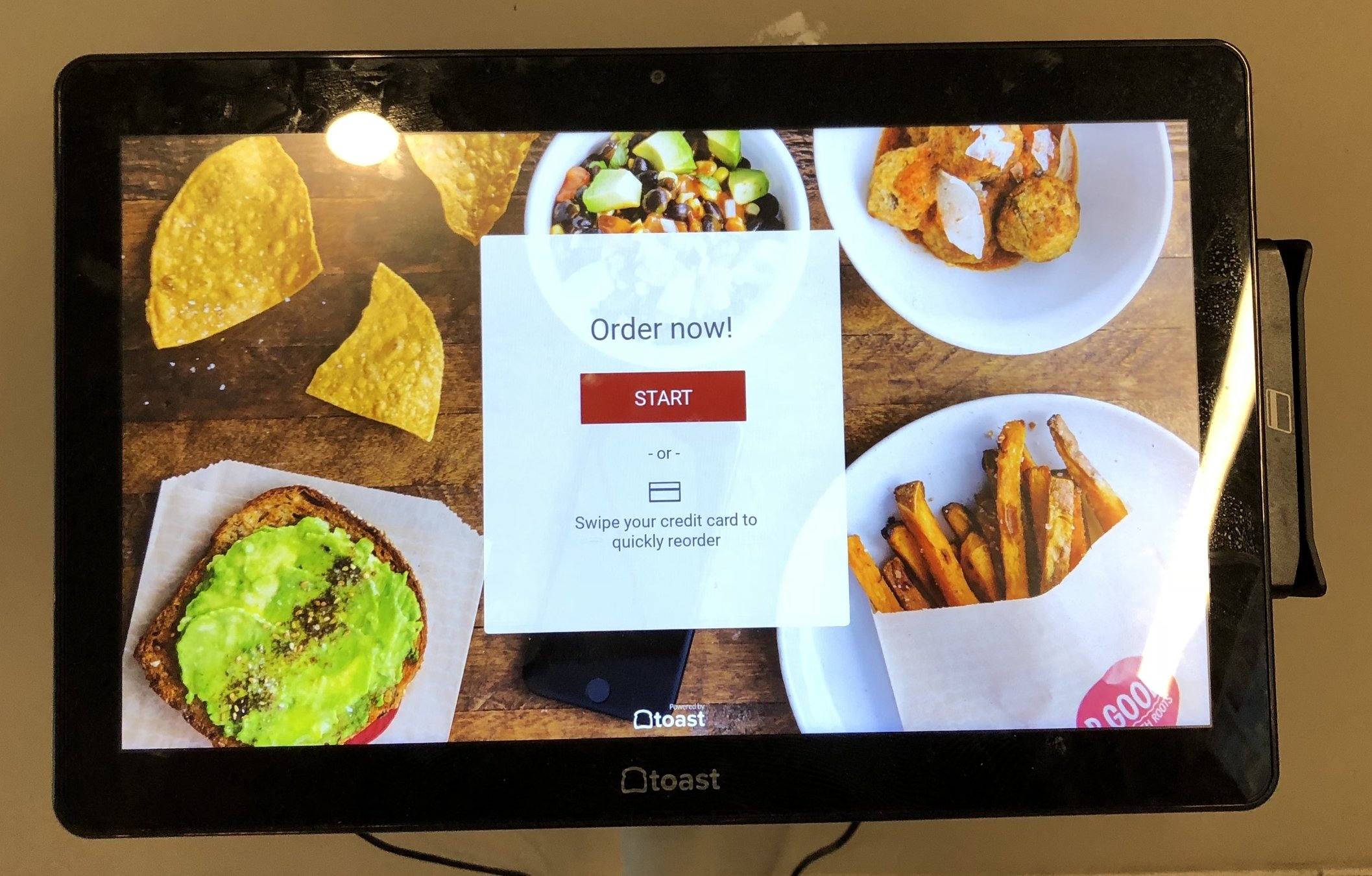
- Kiosk
3 things I like about Kotlin
- 1) Handling nulls
- 2) Functional collection methods
- 3) Extension functions
Some features I used when converting from Java
1) Null views in Android
view?.displayInvalidCardErrorMessage()if (view != null) {
view.hideProgressSpinner();
}Kotlin:
Java:
- Cases in Android where we must check the view is not null
- Kotlin makes this
- more succinct + readable
- forces null checks when type is nullable
2) Functional collections methods
- Refactored from Java -> Kotlin
- FluentIterable
- Kotlin collections methods
Functional collections methods
fun Check.getFirstOpenCreditCardPayment(): Optional<Payment> {
    return Optional.fromNullable(payments.firstOrNull { payment ->
            payment.paymentType == Payment.Type.CREDIT &&
                    !payment.isDeleted &&
                    payment.paymentStatus == Status.OPEN })
}
private Predicate<Payment> isOpenCreditCard = payment -> {
return payment.paymentType == Payment.Type.CREDIT
&& !payment.isDeleted()
&& payment.paymentStatus == Status.OPEN;
};
private Optional<Payment> getFirstPayment(Check check, Predicate condition) {
Optional<ToastPosOrderPayment> result = FluentIterable.from(check.payments)
.filter(condition)
.first();
return result;
}
public Optional<Payment> getFirstOpenCreditCardPayment(Check check){
return getFirstPayment(check, isOpenCreditCard);
}FluentIterable:
Kotlin built in collections methods:
3) Extension Functions
- Write new functions for a class without altering or extending it
- String, third party classes
fun CardReaderService.canTakeEmvPayment(): Boolean {
    return (canTakeQuickChipPayment() || canTakeFullEmvPayment())
}
in KioskCardReaderServiceExtensionFunctions.kt
- Understand CardReaderService from the perspective of the kiosk workflow
- Avoid adding specific utility methods to a generic service
A Seamless Journey into the Awesome World of

Wifi Name: Toast-Guest
Password: welcometotoast
Tom Hanley
Senior Software Engineer @
Organiser of the Dublin Kotlin User Group
Huge fan of Kotlin



What is Kotlin?
- General purpose programming language
- Statically typed
- Targets the JVM
- Can also compile to Javascript
- Can also be compiled to native binaries
- Developed by JetBrains

Kotlin History
- Started in 2010 by JetBrains
- They had a huge Java codebase
- Wanted a modern expressive language
- None of the existing languages were a good fit

Kotlin Design Goals
- 100% Java Interoperability
- More readable than Java
- Less error prone than Java
- More productive than Java
- Way simpler than Scala
- Pragmatic
- Not a research project
- No ground breaking features
- Best features established in other languages: groovy, scala, c#
"The primary goal of Kotlin is to provide a more concise, more productive, safer alternative to Java that’s suitable in all contexts where Java is used today"
- 2010: Work begins on Kotlin
- 2011: Kotlin is open sourced
- 2016: Kotlin 1.0 released
- 2017: Google announce Kotlin has first class support on Android
Kotlin Timeline
-
2018
-
The fastest growing language in 2018
-
2.6x the number of github contributors
-
-
One of the most loved languages of 2018
-
5-10 years ahead of Java
-
-
2019
-
Google recommends:
-
"If you're starting a new project, you should write it in Kotlin"
-
-
Kotlin Timeline
IN


Toast Restaurant Platform
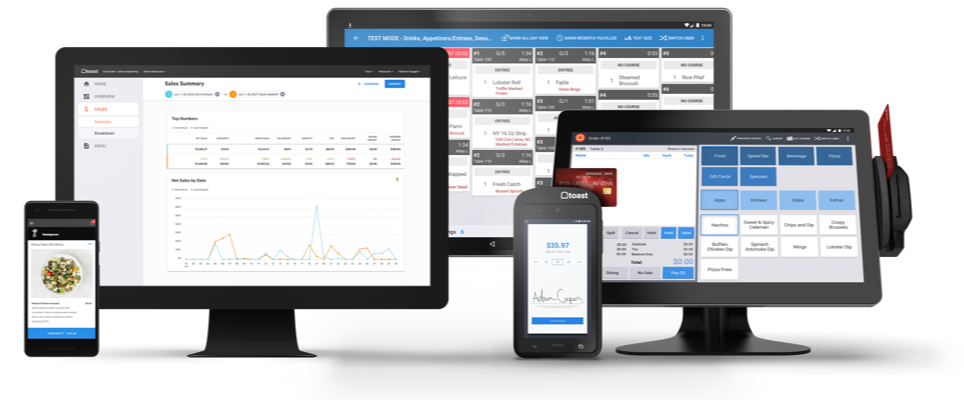
- We are a restaurant company
- Our core products are cloud POS systems and CC payments processing
- All of our in-restaurant technology is on Android tablets
- Web interface for managing restaurants
- Consumer-facing websites and apps for online ordering
- APIs for integrations with dozens of restaurant technology partners
Toast at a Glance
-
250-person R&D team
-
Tens of thousands of customers in the US
-
Processing billions in payments every year
-
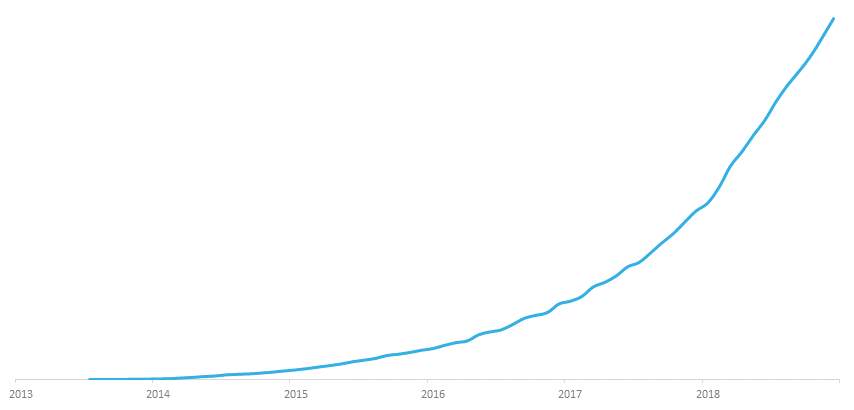
July 2013: First live customer
-
April 2019: $250 million in Series E funding at $2.7 billion valuation
-
< 10% US POS market share so far
-
Lots more growth to come!
2018: Revenue up 148%
Before Toast...
- I was a Java developer
- Java 8
- Big fan of functional programming
- Met a friend at a Dublin Java User Group meetup
Shortly after...
-
I started looking into Kotlin
-
Youtube "Kotlin for Java Programmers" by Venkat Subramaniam
- "The took Java and decided to add all the good features they could find, and then they called it Kotlin"
- "Fluent, elegant syntax"
- "Wonderful features from a lot of different languages"
- "A dream come true"
Some time later...
- I started working in Toast!
-
Guest and restaurant-facing Android tablets
- Java & Kotlin
-
Backend services
- Java 8 Dropwizard Services
- Kotlin being used as well
-
Internal, guest-facing and restaurant-facing web apps
- Play monolith -> Angular/React
Not long after...
- I was working on the receipts team.
- Printed receipts (mobile)
- Digital receipts (web)
- 1.3 million receipts a day
- Refactoring project to extract and rewrite all this code to a shared library.
- This was all Java
Android Restrictions
- We're restricted to Java 7 on android?
- I can't use Java 8 streams?
- This sucks.
- Ok, I guess you can use guavas FluentIterable and RetroLambda, but they're far from elegant
- Hold on a second, theres no group by operator in guava?
- I saw some Kotlin somewhere in the mobile app, that means I can convert this all to Kotlin, right?
That weekend...
- I converted everything to Kotlin
- Turns out this is super easy
- Intellij really helps you along
-
Great functional programming features
- Beautiful streams library
- Immutability is the default
- Final is the default
- I showed the team some before and after highlights
- Kotlin sells itself
But how does all this modern streams stuff work on Java 7 restricted android devices?
-
Turns out the Kotlin compiler is awesome!
-
Kotlin can be compiled to any Java version bytecode
-
Kotlin can even be compiled to Javascript
-
Kotlin can even be compiled to native binaries for iOS, OSX, Windows, Linux etc.
-
What if the code isn't as performant as Java?
- Not a problem!
- Kotlin and Java can live side by side
- Java can call Kotlin, Kotlin can call Java, SEAMLESS
- If you find a place where Java is faster, write it in Java
What about the additional cognitive load to learn a new language?
- Its super easy to get up and running
- Its designed for Java developers
- Its a simpler and safer language than Java
- Its more readable, and more productive than Java
For a much more detailed argument for Kotlin see:
Doc by Jake Wharton
Full steam ahead with Kotlin!
-
Kotlin is a better language for the JVM than Java
-
Really easy to get up and running
-
Simpler language than Java
-
Much safer than Java
-
No more NullPointerExceptions!
-
Streamlines the handling of null values
-
-
Much more clean & concise than Java
-
100% Interoperable with Java
-
Kotlin & Java classes can live side by side
-
-
To Summarise
Getting started
- Intellij auto-convert to Kotlin
- Really helps that Jetbrains created Intellij and Kotlin
- Caveat: you need to be careful with nullability
-
Writing Java in Kotlin
-
Which is fine
-
Gradually learn more idomatic Kotlin
-
-
Discover the std lib tools with autocomplete
- Quickly learn that the stdlib is fantastic
- Google "is there a more Kotlin way to do this"
- The online documentation is great

val myString: String? = null

println(myString.isNullOrEmpty()) // prints true!
Discovering awesome features
Concise?
public class Person {

    private final String firstName;
    private final String lastName;

    public Person(String firstName, String lastName) {
        this.firstName = firstName;
        this.lastName = lastName;
    }

    public String getFirstName() {
        return firstName;
    }

    public String getLastName() {
        return lastName;
    }

    @Override
    public boolean equals(Object o) {
        if (this == o) {
            return true;
        }
        if (o == null || getClass() != o.getClass()) {
            return false;
        }

        Person person = (Person) o;

        if (firstName != null ? !firstName.equals(person.firstName) : person.firstName != null) {
            return false;
        }
        return lastName != null ? lastName.equals(person.lastName) : person.lastName == null;
    }

    @Override
    public int hashCode() {
        int result = firstName != null ? firstName.hashCode() : 0;
        result = 31 * result + (lastName != null ? lastName.hashCode() : 0);
        return result;
    }

    @Override
    public String toString() {
        return "Person{" +
                "firstName='" + firstName + '\'' +
                ", lastName='" + lastName + '\'' +
                '}';
    }
}
Concise!
data class Person(
    val firstName: String,
    val lastName: String
)
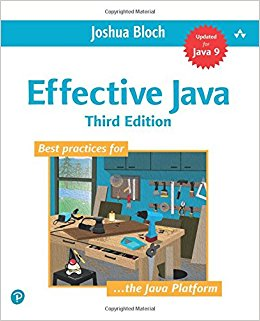
- Covers all of the language features really well and in a lot of depth
- Written by two members of the Kotlin team
- Svetlana Isakova & Dimitri Jemerov
- Big chunks of this book obviated by Kotlin features
Let's get everyone using Kotlin!

Some of the meetups we organised
- Kotlin Koans
- Drone delivery app
- Ktor for web services
- Using coroutines in your android app
- Create a Kotlin-React app
- Kotlin Katas
- Build an Alexa skill in Kotlin
- Kotlin Coroutines Case Study & Lessons Learned
- Kotlin Room with a View
Kotlin Koans
-
A series of exercises to get you familiar with the Kotlin syntax and features
-
The best way to learn all the language features
-
Written by Svetlana Isakova
-
Also wrote Kotlin in Action and Atomic Kotlin
-
Kotlin Koans Introduction Section

Koans Introduction
- Hello World
- Java to Kotlin conversion
- Named Arguments
- Default Arguments
- Lambdas
- Strings
- Data Classes
- Nullable Types
- Smart Casts
- Extension Functions
- Object Expressions
Getting set up
-
Highly recommend you use Intellij
-
Comes bundled with Kotlin & great tools
-
-
Install the EduTools plugin
-
Preferences -> Plugins -> Install Jetbrains plugins
-
Search EduTools, install & restart Intellij
-
Select Learner if prompted on restart
-
-
File > Browse courses and select Kotlin
-
Refresh your gradle dependencies
-
Find a pair to work with!
For anyone finished early
- Skip section 2 on Conventions
- Jump to section 3 on Collections
Thank you
A Seamless Journey into the awesome world of Kotlin - Workshop
By Tom Hanley