Presentations
Templates
Features
Teams
Docs
Pricing
Log in
Sign up
Log in
Sign up
Menu
Web UI Architecture with Angular
A little about me
Software engineer at Mindflash
Core maintainer of UI Bootstrap
Assist in ng2 successor, ng-bootstrap
Highly involved in Angular ecosystem
Love to run
UI data structures
Application State
Two kinds of state
Global
Local
Components
Modules
Services
Taming state is the hardest job
When state goes wrong
Global State
Managed by services
Ideally one service, or a set of disjoint services
Can be thin layer
Examples
Angular 1: $rootScope
Angular 2: component bootstrapped with
Flux: event dispatcher
Redux: state container
Often broken down into separate services to create self-contained subunits
Subunits simplify complexity
Local State
Units all have local state
Local state should only propagate upwards on explicit push
Method invocation
Should remain constrained to unit dependency graph
Directed 3D graph with cycles self-contained in units
If a cycle is not self-contained, state bleeds
Example
Any reusable UI component
The DOM is a tree
document
is the root node
HTML describes the node structure in the tree
Data Flow
Should match tree hierarchy
Should always have clear flow
With UI, generally templates and components together tell most of the story
Services are extensions of a collection of components
Should only trigger reactions immediately on update
Data Flow (cont.)
Should only go as high up as necessary to reach target node(s)
For sharing between children on different branches, should go up to common ancestor and pushed down to appropriate node(s)
For multiple tree nodes requiring global state determining behavior, use a service
Should not be stateful except from parent to child
State is root of all evil
Services
Global objects that manage state
Often used to bypass repetitive flow
Identical in concept in any web UI application
Angular 1 & 2 share idea of services closely
Flux/Redux separates them
Event dispatcher/state container
Store
UI Components
Are a simplification of the tree
Preserve essential structure
Preserve dynamic behavior
Examples
Mutating DOM within component
Drag & drop/sorting operations on a list
Opening a modal or datepicker
UI Components (cont.)
Are not a magic bullet for taming application state
Share more similarities to proper file organization
Can make development more difficult with incorrect abstractions
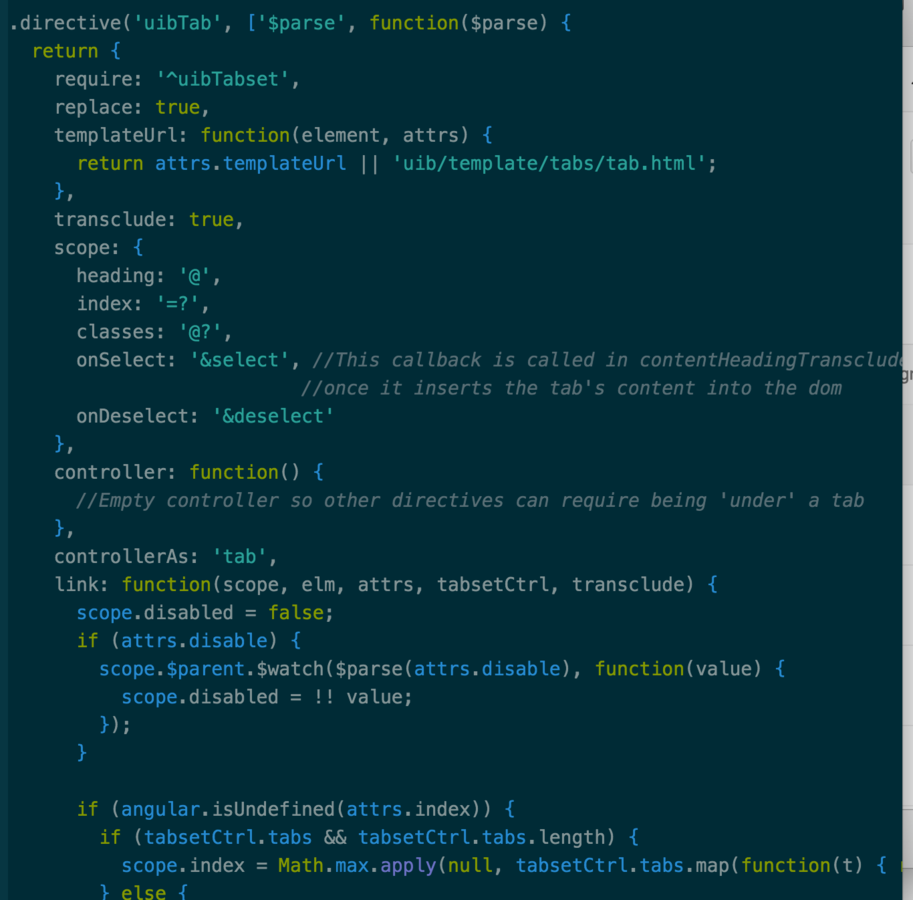
Angular 1 components
Pros
Very simple to describe & work with
Declarative
Easy grasp of basic control flow in DOM
Allows reactive patterns
Allows a high level of reusability
Easy to dynamically insert
Cons
Allows reactive patterns...sort of
To observe changes, one pulls the change
Cannot control flow cleanly
Can run into state issues
Directive API & nuances are complicated
Not immune to unintentional CSS bleeding
Sometimes the stack traces are not useful unless one has seen the specific error before
Conclusions
Angular 1 does a lot of things right
Easy to read reusable components
Structural flaws with $digest system
A lot of complicated/subtle edge cases
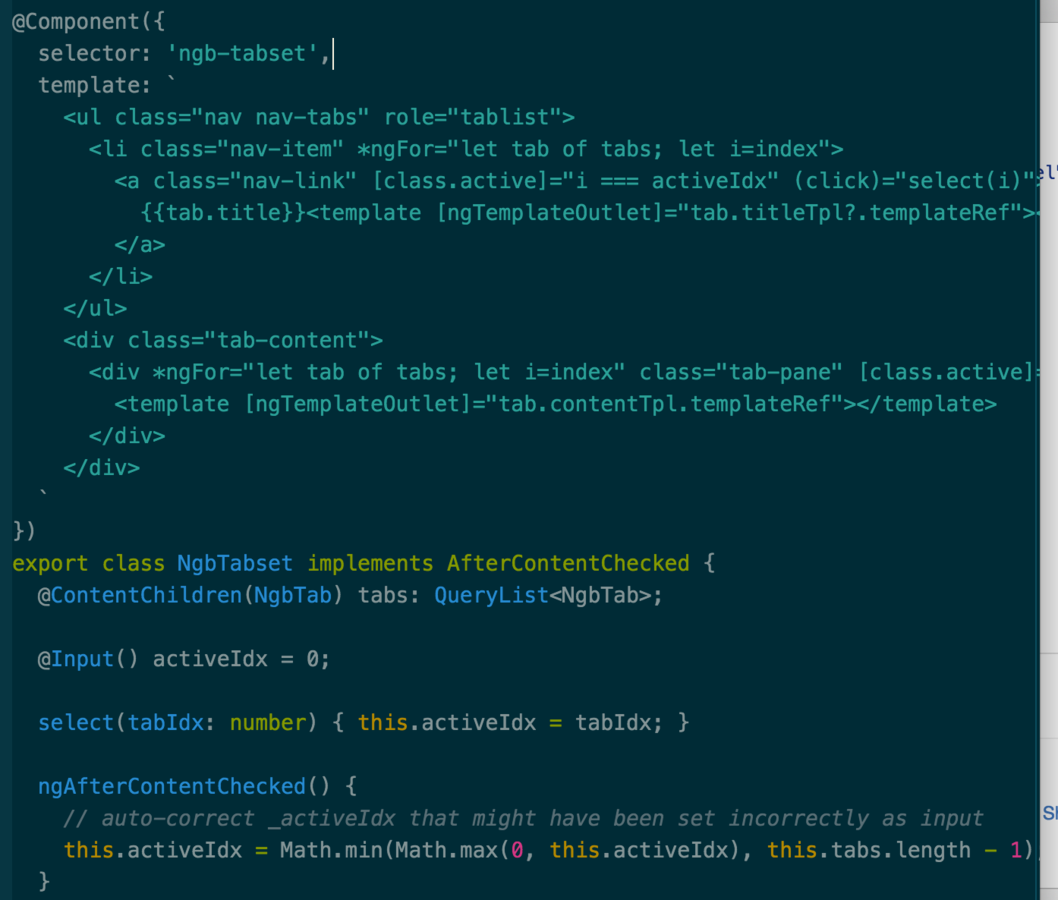
Angular 2 Components
Pros
Adopts Web Components
Solves CSS encapsulation problem
Allows the browser to cache DOM via template tag
Adopts rx.js/Observables
Allows one to observe changes on push, rather than pulling/dirty checking
This assists local state management
Easy to read templates
Cons
Difficult to dynamically insert components
DynamicComponentLoader is not good
Sometimes more complicated to describe flow
More verbose in some areas
More explicit
A lot of new concepts
Stack traces can sometimes be awful
Still a WIP
Conclusions
Angular 2 covers all of the most glaring problems with Angular 1
SEO
Performance
Solid data flow handling
A lot of research investment necessary to become familiar with framework
New lessons are frequently being learned by the Angular team and community
Is totally awesome and you should use it
Two problems to solve
Dependency management
Components
Services
App runtime state
UI templates
Dependency Management
Each cycle of business logic represents natural subunit
Abstract cycles away into units until a clear directed graph with no cycles of units emerges
App Runtime State
State should be localized in components
Global state managed by top level component & services
Data flows up UI tree explicitly
Slides can be found at
slides.com/wesleycho/ui-design
UI Design
By Wesley Cho
Made with Slides.com
UI Design
1,721
Wesley Cho
Software Engineer
github.com/wesleycho
BahamutWC
More from
Wesley Cho