Debugging
UI Performance

About me
Alexandre Moureaux
Tech Lead @



Check out our open-source (github.com/bamlab) and our blog (blog.bam.tech)
Performance
60FPS: the Grail of Perf
- FAST enough for good perceived smoothness
- Less perceived benefits in higher numbers
- Frame rate should be constant
Let's see how we are doing....
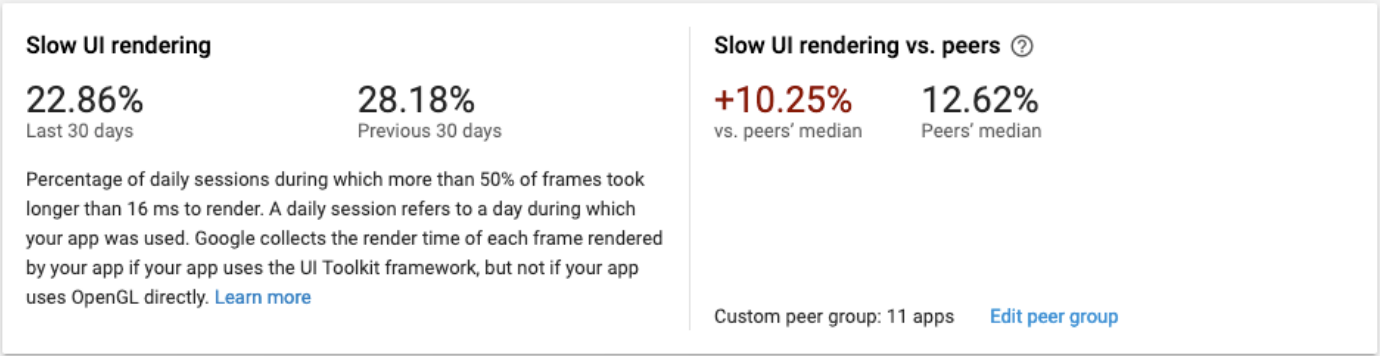
Comparing with top apps...
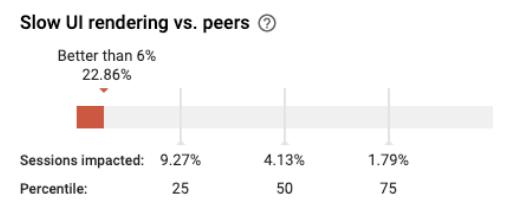
Common performance issues
- Large images?
-
Excessive React rerenders?
- It's the user's fault?
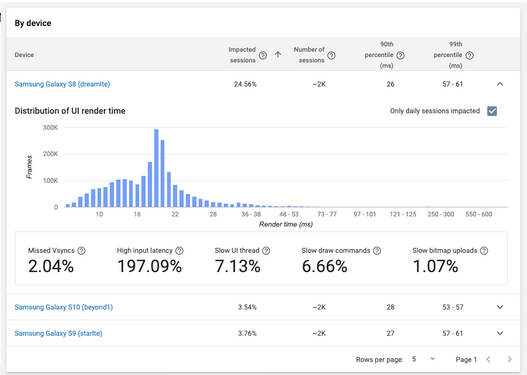
Firebase Performance for iOS
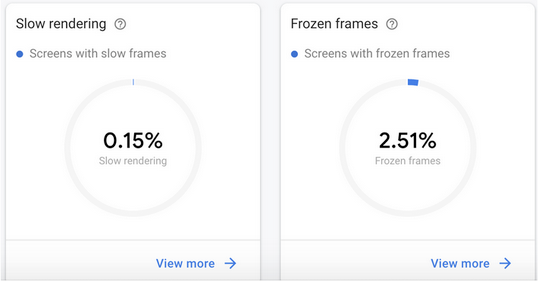
IDENTIFY
UI vs JS
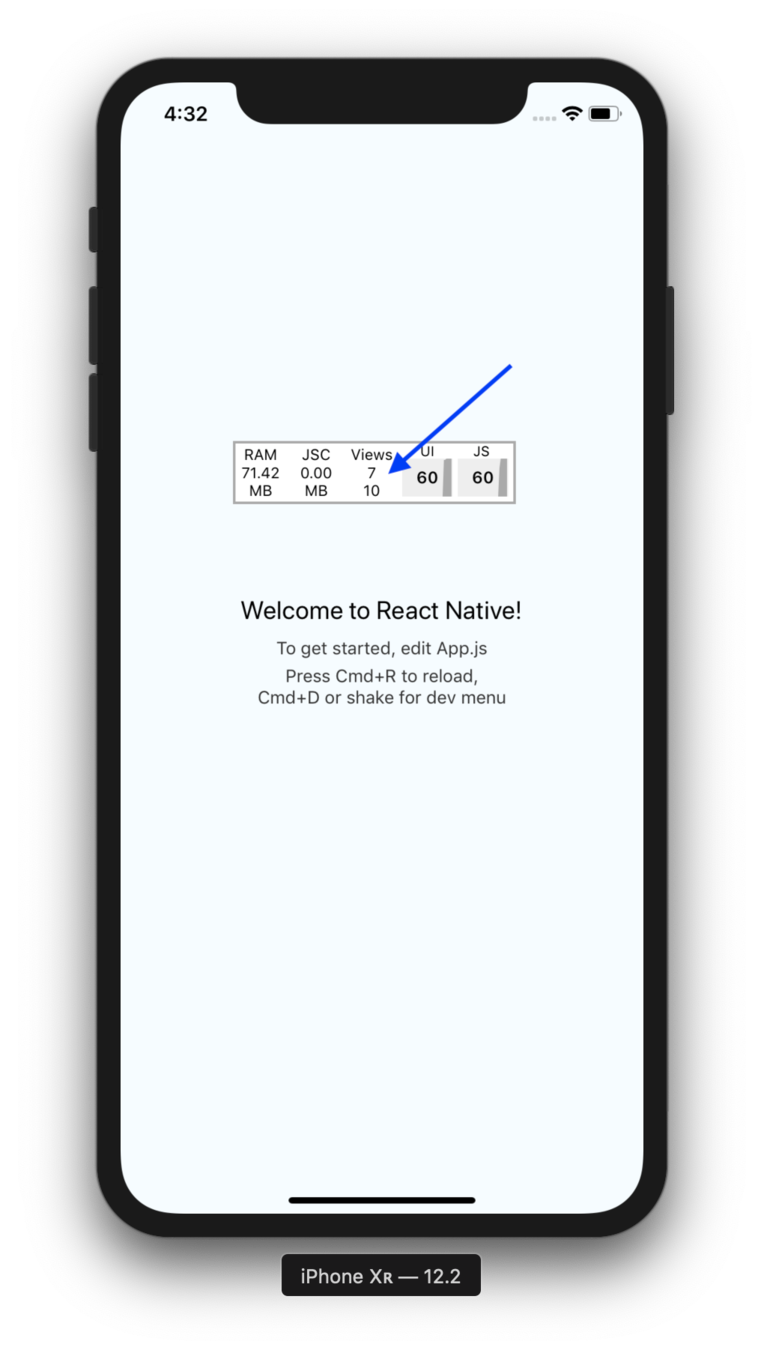
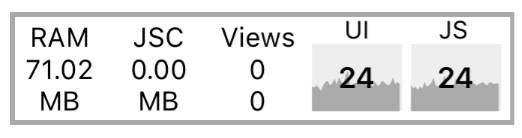
Your new best friend: the perf monitor
OR USE ADB
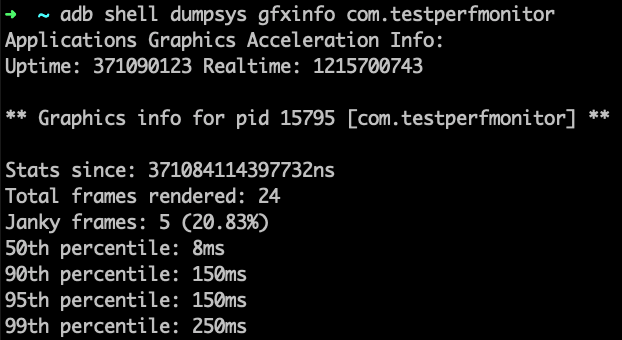
DEBUG
DEBUG WITH SYSTRACE
systrace.py
  --time=30
  --buf-size=100000
  -o ~/ohno.html
sched gfx view -a com.testperfmonitor
Next steps
NEXT STEPS
-
What are your 60FPS stats
-
Measure iOS + AppCenter with Firebase Performance
- Working on a Flipper plugin
Thank you!
:
)
Debugging UI performance issues
By Alexandre Moureaux
Debugging UI performance issues
Is the performance of your React Native app on par with native apps? There's an easy way to check that! I will show how we realized our app was not on par with market standards, and then how we debugged and fixed our UI performance issues.