VR & AR using React

React 360
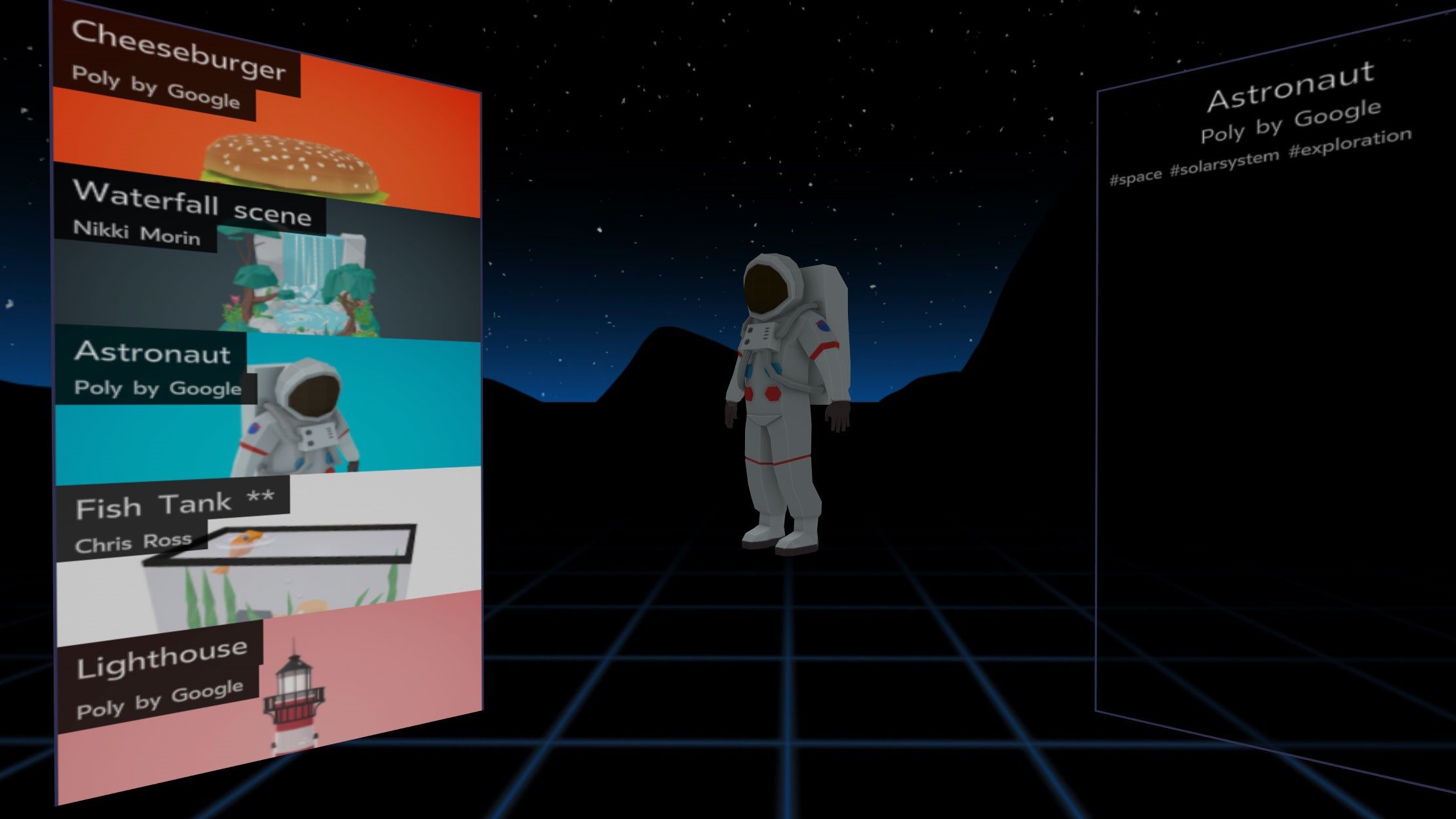
About React 360
React 360 is a framework for the creation of 3D and VR user interfaces. Built on top of React – a library designed to simplify the creation of complex UI – React 360 allows you to use familiar tools and concepts to create immersive 360 content on the web.
What is it for?
React 360 is optimized for the creation of user interfaces that power rich multimedia experiences. It provides the tools necessary to to create high-quality interfaces and delivers a strong foundation for applications built around 360 and 3D content.
React 360 vs A-Frame vs Three.js
A-Frame
It is a framework for building VR worlds using declarative HTML-like components.
If your application consists of many 3D objects, or relies on complex effects like shaders and post-processing, you'll get better support from A-Frame.
Three.js
Three.js is a library for 3D rendering in the web browser. It's a much lower-level tool than React 360, and requires control of raw 3D meshes and textures.
React 360 is designed to hide much of this from you unless it's needed, so that you can focus on the behavior and appearance of your application.
Runtime
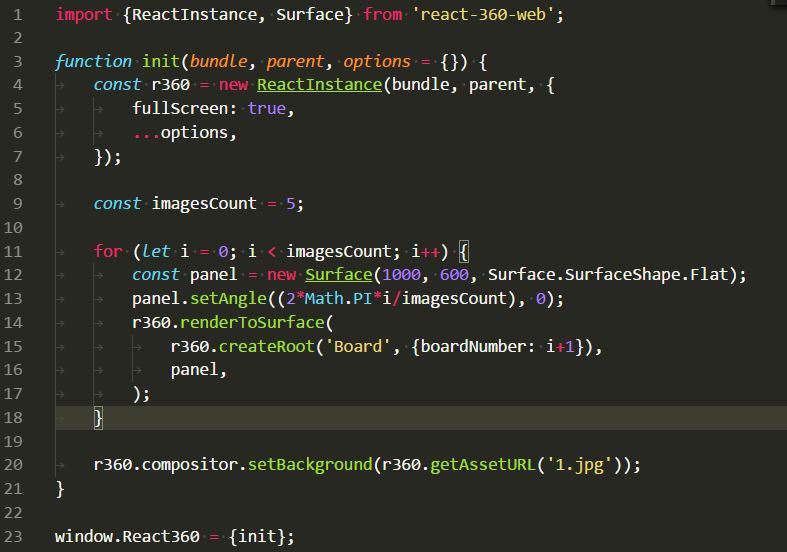
Each React 360 application is made up of two pieces: your React application, and the code that turns your React components into 3D elements on the screen.
They separate your app code from the rendering code for one key purpose: web browsers are single-threaded, and any blocking behavior in the app could cause rendering to stall.
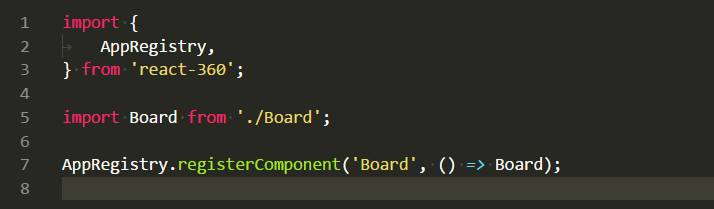
Cooperating
When your React code creates new elements, it instructs the runtime to add them to the 3D scene. When the user provides input, it is passed back to React as an event. The two pieces cooperate to create one cohesive system.
Executors
Executors are pieces of the runtime that run your React application in a separate process from the main browser window.
- Web Worker Executor
- Iframe Executor
Other features
- 360 Photos
- 360 Videos
- Playing Audio
Surfaces
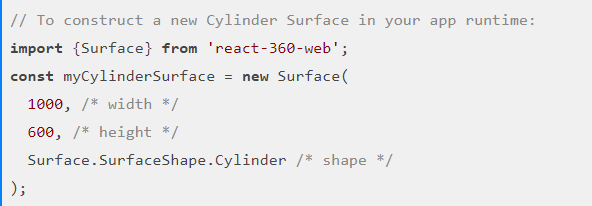
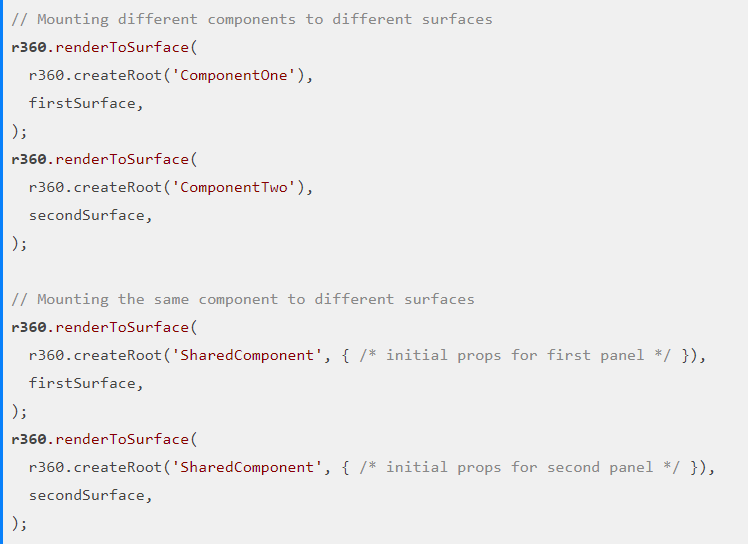
Surfaces allow you to add 2D interfaces in 3D space, letting you work in pixels instead of physical dimensions. They are optimized for legibility, and rely on the same principles that Oculus uses for its user interfaces.
- Cylinder
- Flat
3D Objects
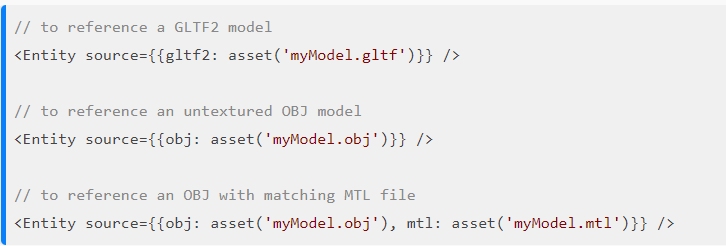
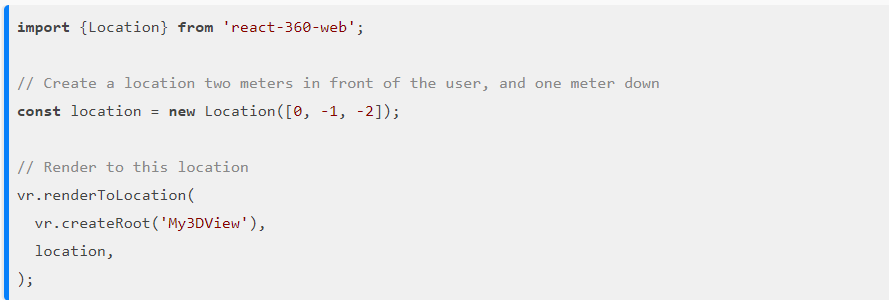
React 360 applications are not restricted to 2D panels in space – you can also bring in 3D elements. Pre-built objects that have been created in 3D modeling or sculpting software can be brought into your application.
Native Modules
React AR
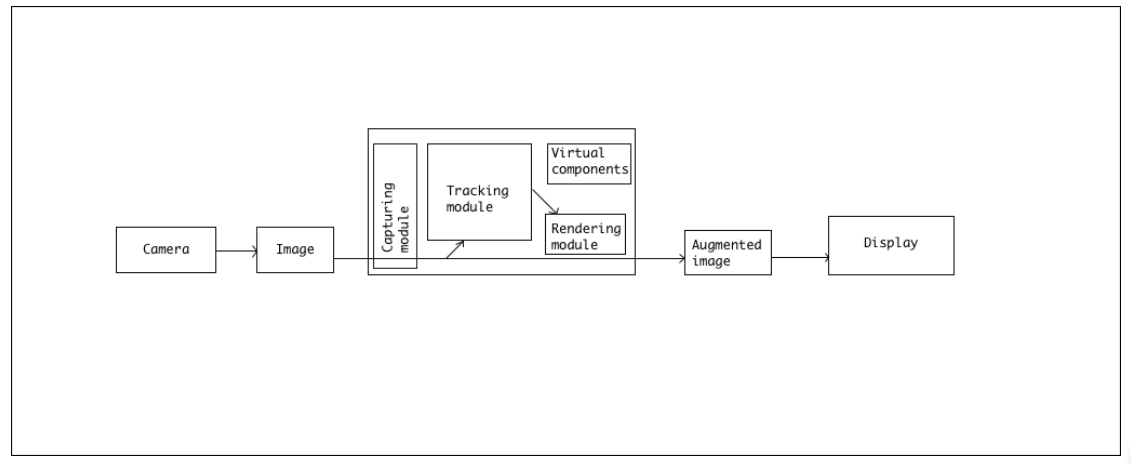
Augmented Reality combines real world and digital data or you can say that it combines the field of computer vision and computer graphics. Computer vision applies to marker detection, tracking the position of the marker and motion detection whereas computer graphics applies to the photometric registration (matching the appearance of 3D objects in virtual environment to the actual environment) and interactive animations.
Concepts
- AR.js
- Three.js
- ArToolKit
- Emscripten and asm.js
- threex.artoolkit
- ArToolKitSource
- ArToolKitContext
- ArToolKitMarkerControl
Creating a custom marker
Q&A
React VR/AR
By alexandrscherbak