{Auxiliary Routes}
Three Facts About Me
Ankita Sood

Senior Principal Software Engineer @ Secureworks
Angular, Human Computer Interaction, Design
Outdoors, Crafting, Dark Chocolates, Disney
Three Facts About
Auxiliary Routes
Three Facts About
Auxiliary Routes
Introduced at the end of beta phase of Angular.
1.
Three Facts About
Auxiliary Routes
Introduced at the end of beta phase of Angular.
1.
2.
Also known as named routes - because they always have a "name" associated with them to identify them.
Three Facts About
Auxiliary Routes
1.
2.
3.
There is no documentation available about these on the angular docs site :=)
Introduced at the end of beta phase of Angular.
1.
2.
Also known as named routes - because they always have a "name" associated with them to identify them.
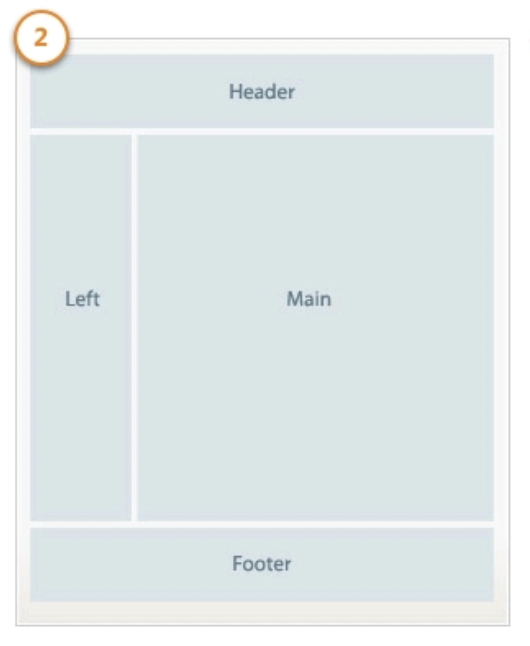
Example of Regular Routing
<header>
  <h1>{{title}}</h1>
</header>

<nav>
  <a routerLink="/dashboard">Dashboard</a>
  <a routerLink="/store">Products</a>
</nav>

<main>
  <router-outlet></router-outlet>
</main>

<footer>
  <app-footer></app-footer>
</footer>
# PRESENTING CODE

Basic Routing Config
const routes: Routes = [
  { path: '', redirectTo: '/dashboard', pathMatch: 'full' },
  { path: 'dashboard', component: DashboardComponent },
  { path: 'store', component: StoreComponent },
  { path: 'product-detail/:id',
    component: ProductDetailComponent }
];
# PRESENTING CODE
Adding Auxiliary Routing Config
const routes: Routes = [
  { path: '', redirectTo: '/dashboard', pathMatch: 'full' },
  { path: 'dashboard', component: DashboardComponent },
  { path: 'store', component: StoreComponent },
  { path: 'product-detail/:id',
    component: ProductDetailComponent },
  {
    path: 'cart',
    outlet: 'details',
    component: CartComponent
  },
];
# PRESENTING CODE
<header>
  <h1>{{title}}</h1>
</header>

<nav>
  <a routerLink="/dashboard">Dashboard</a>
  <a routerLink="/store">Products</a>
</nav>

<main>
  <router-outlet></router-outlet>
</main>

<aside>
  <router-outlet name=details></router-outlet>
</aside>

<footer>
  <app-footer></app-footer>
</footer>
URL / Routes Combos
| Main Route | Auxiliary Route | Brower URL |
|---|---|---|
| /dashboard | /cart | /dashboard(details:cart) |
| /store | /cart | /store(details:cart) |
| /product-detail:id | /cart | /product-detail:id(details:cart) |
Use Cases
-
Help / Documentation Guides
-
Side drawers or panels with details - easy to share the current view
-
Comparison modes and saved listings
-
Any scenario that requires the ability to load a view within another view for easy sharing, or to load a component independently of the route across all routes.

@GuacamoleAnkita

Github repo:
Slides:

Auxiliary Routes
By Ankita Sood