Content ITV PRO
This is Itvedant Content department
Conversion Tracking & UTM Setup
Business Scenario
After optimizing social media content and analyzing engagement, the next step is measuring how users interact with the Spice Garden website after clicking on marketing campaigns. Conversion Tracking helps measure important customer actions, while UTM Parameters help identify the source of website traffic. In this activity, you will connect the Spice Garden website with Meta for conversion tracking and create UTM parameter links to measure campaign performance.
Pre-Lab Preparation
Topic : Conversion Tracking & UTM
1) Connecting Website and Meta using Pixel Code
2) Goal or Conversion Tracking
3) UTM Parameter
Task : Conversion tracking & UTM Parameters
Objective:
To configure Meta Conversion Tracking for the Spice Garden website and create UTM parameter links for tracking marketing campaigns.
Connect the Website with Meta
1
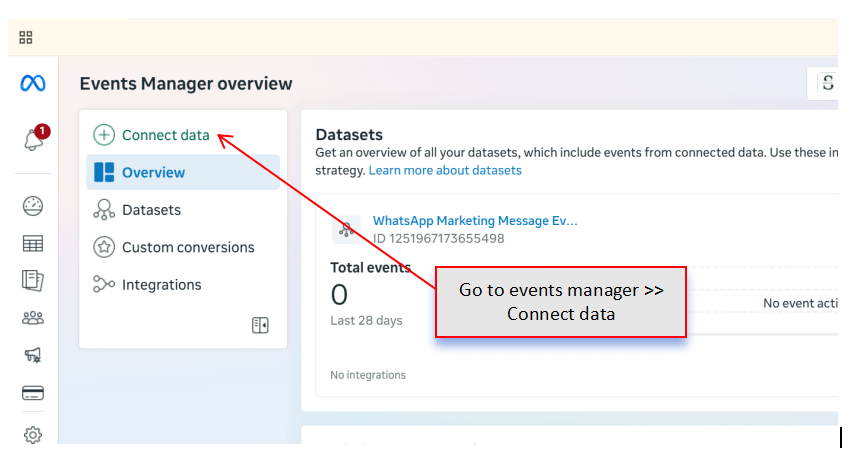
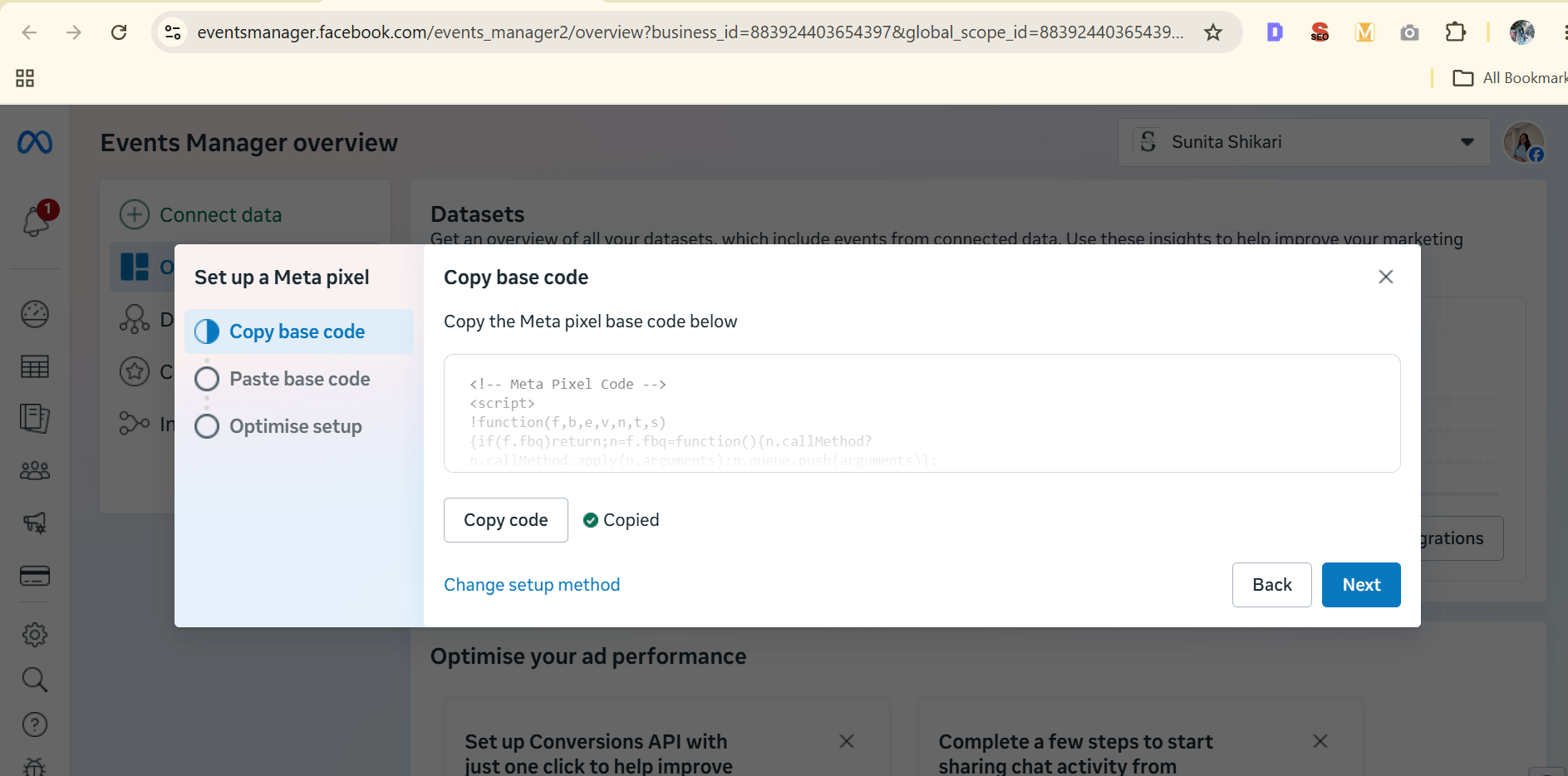
Open Meta Business Suite and navigate to Events Manager.
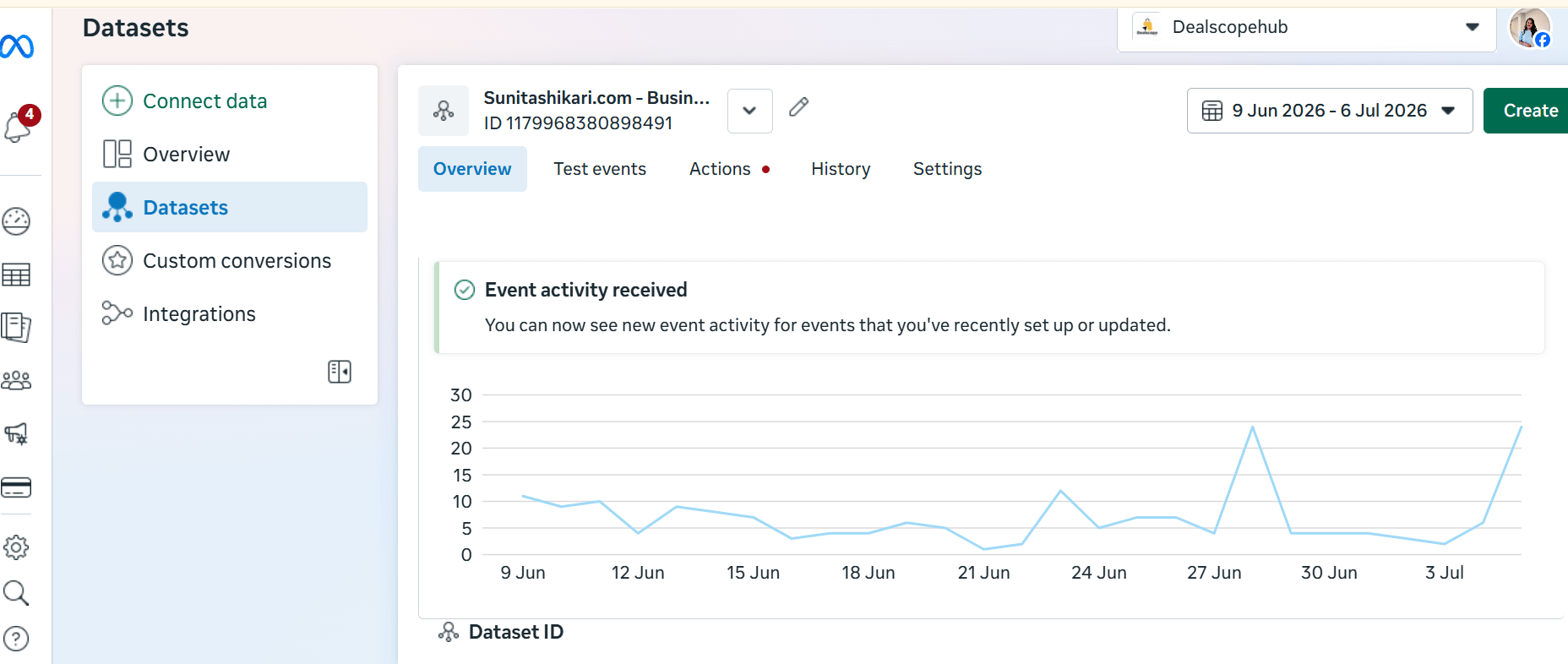
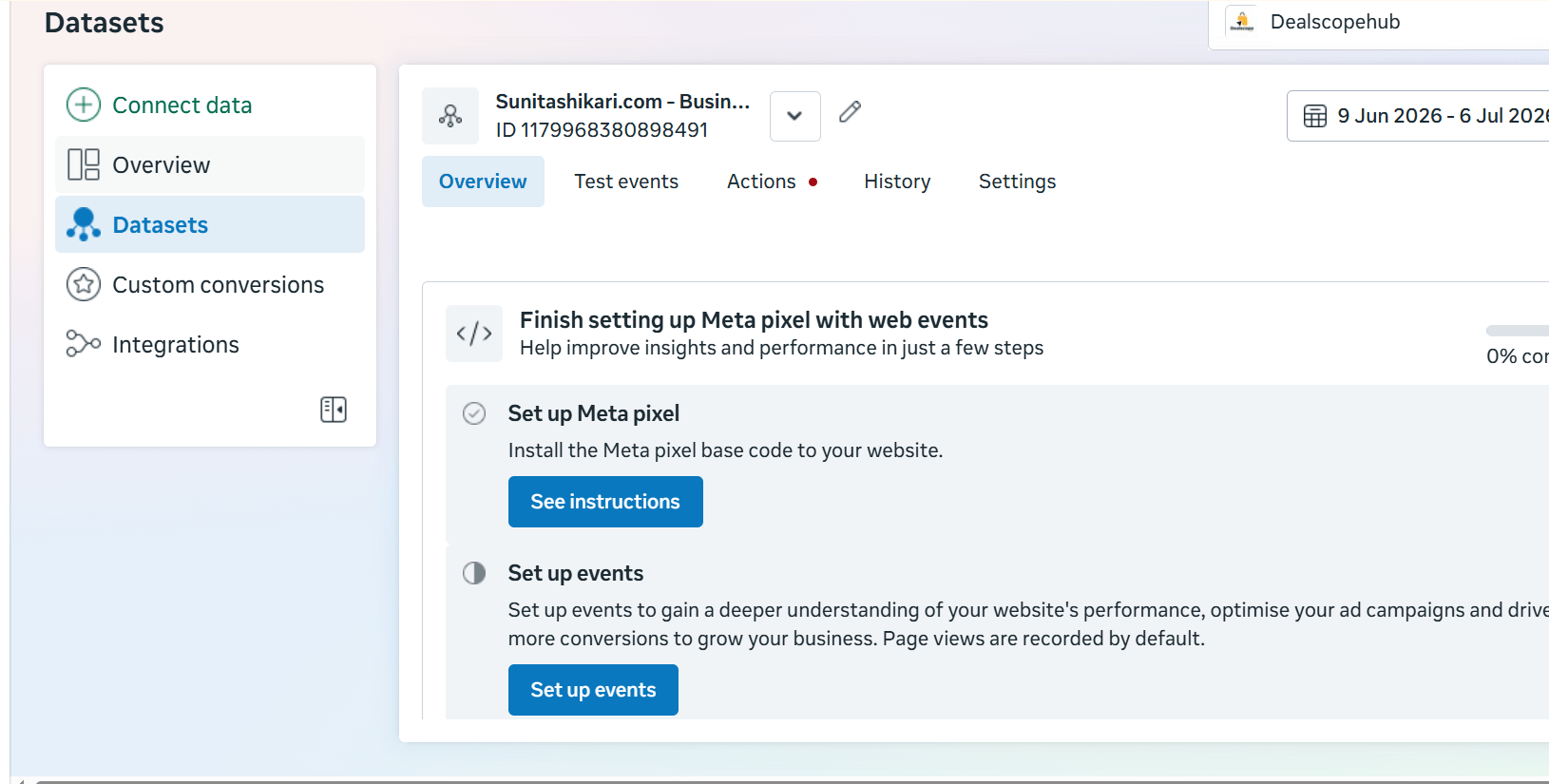
Verify that the Meta Pixel is connected to the Spice Garden website.
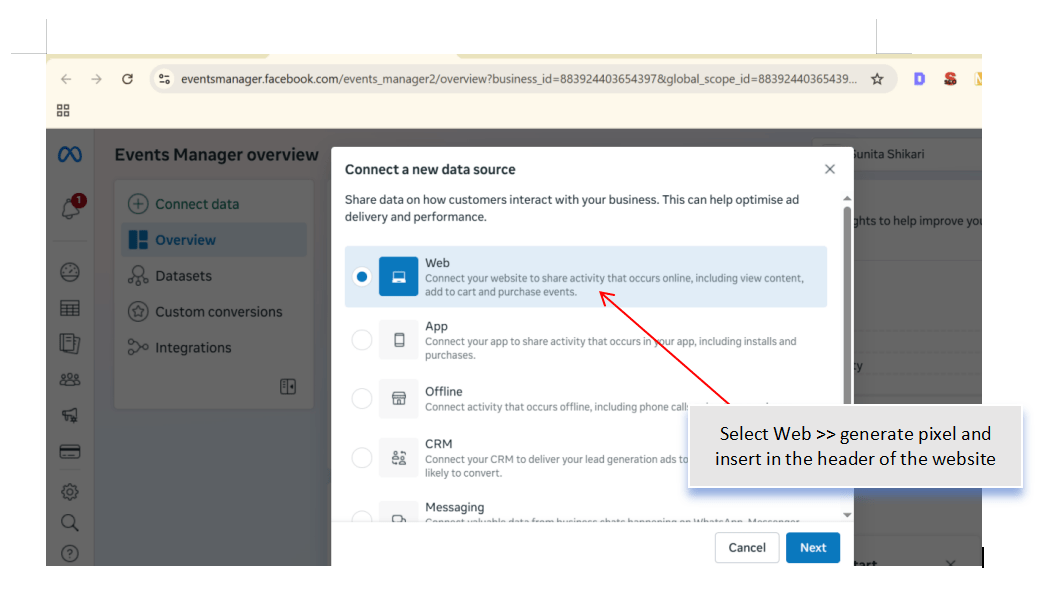
If required, connect the website using:
Meta Pixel
WordPress Plugin
Google Tag Manager
Ensure the website is successfully connected.
Verify the Meta Pixel
2
Open the Spice Garden website.
Use Meta Pixel Helper (Chrome Extension) to verify that the Meta Pixel is firing correctly.
Check that:
Pixel is Active
Page View Event is Detected
No Errors are Reported
Record your observations.
Configure Conversion Events
3
In Events Manager, review or configure conversion events for important customer actions.
Examples:
Page View
Contact Form Submission
Table Reservation
Online Food Order
Click-to-Call
Verify that the selected events are available for tracking.
Test Conversion Tracking
4
Perform a sample action on the Spice Garden website.
Examples:
Submit the Contact Form
Complete a Table Reservation
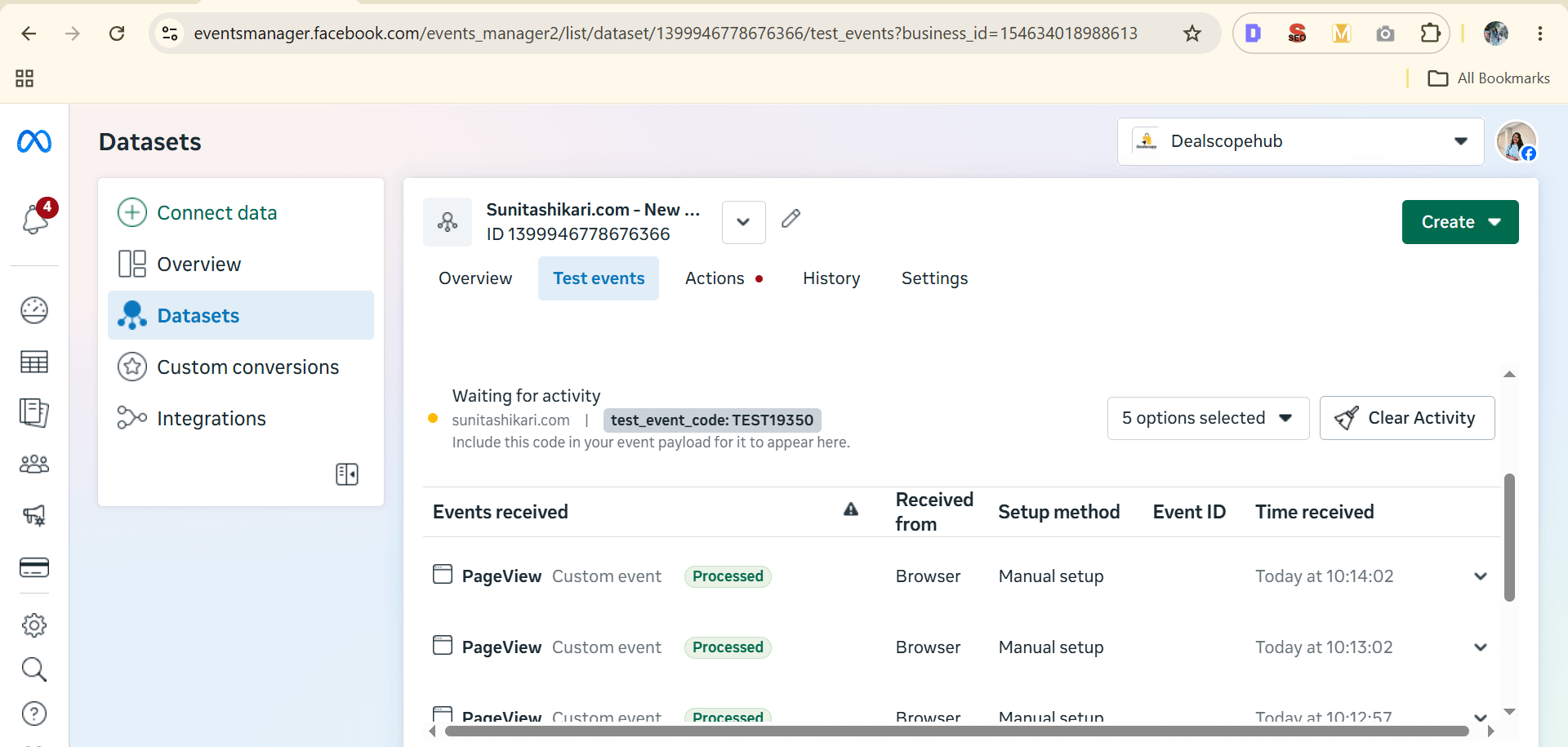
Verify that the event is recorded in the Test Events section of Events Manager.
Understand UTM Parameters
5
Review the purpose of UTM parameters and how they help identify the source of website traffic.
Understand the following parameters:
utm_medium
utm_campaign
utm_content
utm_term
Discuss when each parameter should be used.
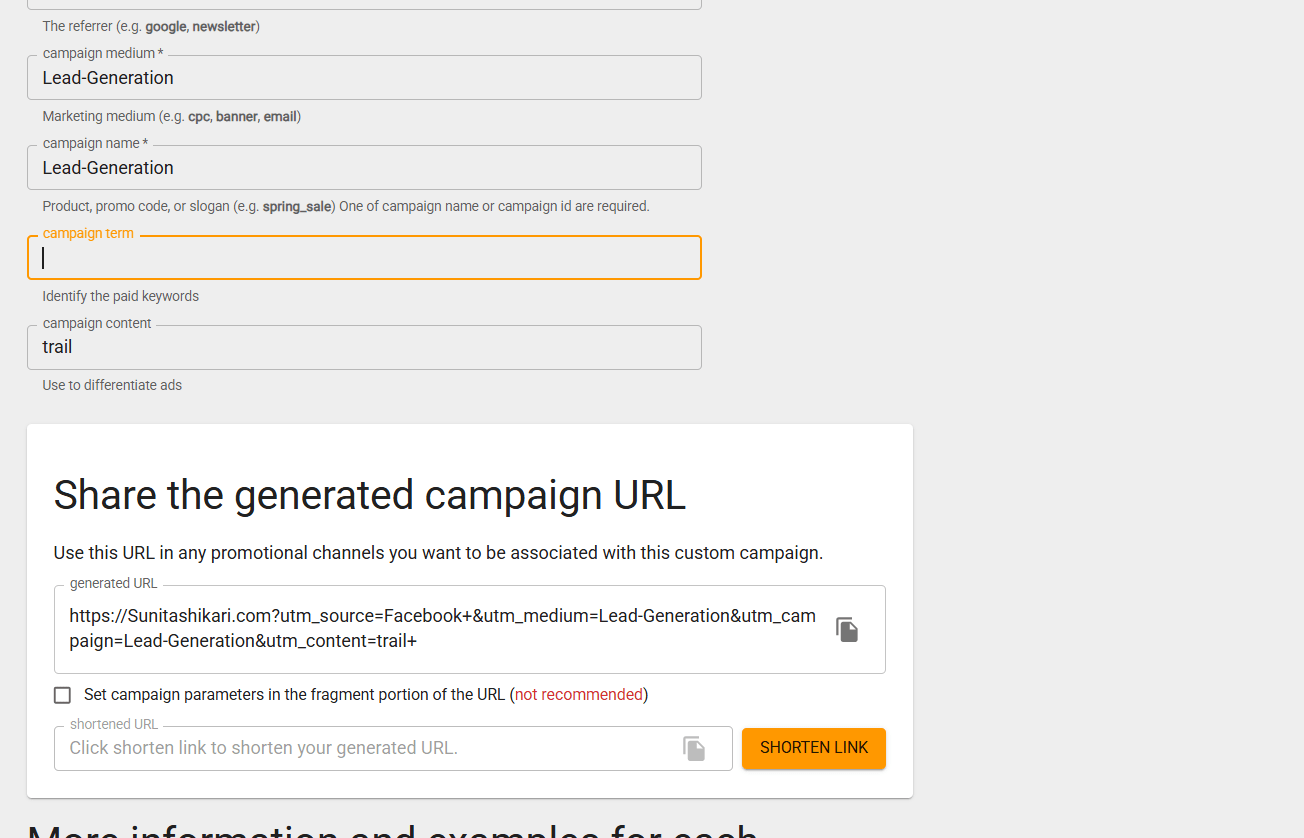
Build a UTM Parameter Link
6
Create a campaign tracking URL for the Spice Garden website.
Include:
Website URL
Campaign Source
Campaign Medium
Campaign Name
Campaign Content (Optional)
Example:
Source: Facebook
Medium: Social
Campaign: Weekend Offer
Generate the complete UTM link.
Test the UTM Link
7
Open the generated UTM link in a browser.
Verify that:
The website opens correctly.
All UTM parameters are included in the URL.
The visit is recorded in Google Analytics.
Document the Tracking Setup
8
Prepare a tracking sheet containing:
Conversion Events Configured
Meta Pixel Status
UTM Campaign Name
UTM Link
Campaign Objective
Save the document for future campaign tracking.
Activity
Now it's your turn!
Configure conversion tracking and create UTM parameter links for the Spice Garden website.
You need to:
Connect the website with Meta
Verify the Meta Pixel installation
Configure conversion events
Test conversion tracking
Create a UTM parameter link
Test the UTM link
Document the tracking setup
Congratulations!
You have successfully completed Conversion Tracking & UTM Setup LAB for Spice Garden.
In this LAB, you learned how to:
How to connect a website with Meta for conversion tracking
How to verify Meta Pixel installation
How to configure and test conversion events
How UTM parameters help track marketing campaigns
How to create and test UTM parameter links
How to monitor campaign performance using tracking data
Checkpoint
Next-Lab Preparation
Topic : Inorganic Marketing (Paid Ads)
1) Ad Manager Overview & Ad Objective
2) Auction & Bidding Strategies
3) Awareness Ad Setup on Meta
4) Traffic Ad Setup on Meta
5) Lead Generation Ad Setup on Meta
6) Engagement Ad Setup on Meta
7) AB Testing on Meta
8) Campaign Budget Optimizatin/ Advantage Campaign Budget
9) Commerce Manager | Catalogue Creation
10) Sales Ad Setup on Meta
11) Payment Setup on Meta and Automation Rules
12) Awarness Ad Setup on LinkedIn
13) Lead Generation Ad Setup on LinkedIn
By Content ITV