Content ITV PRO
This is Itvedant Content department
Setup Google Remarketing Ad
Business Scenario
Google Remarketing works the same way Meta Remarketing did — it brings back visitors who left the Spice Garden Restaurant site without booking a table — but it runs across the Google Display Network (GDN) instead: millions of partner websites, apps, and Google properties like Gmail and YouTube. In Google Ads, a group of past visitors is called an Audience Segment, and instead of a manually built lookalike, Google offers Optimized Targeting to automatically extend reach beyond that segment.
Pre-Lab Preparation
Topic : Google Remarketing Ad Setup
Task : Create Spice Garden remarketing audience & set up google ad
show this ad to. Then we create the campaign, set the budget and the dates, select that audience list inside the campaign, design the ad, and run it. Let's get started."
Build the Audience Segment — Create the List First
1
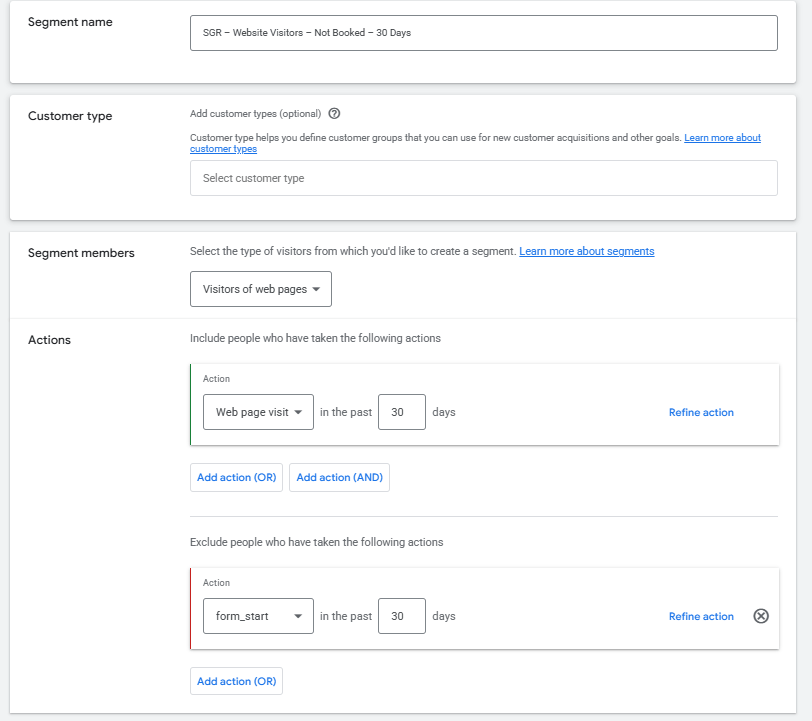
Before touching any campaign settings, we build the list of exactly who we want to show this ad to: people who visited the Spice Garden Restaurant website but did not complete a table booking. Since the Google tag is already installed and already tracking the conversion, we have everything needed to build this segment right now.
• Go to Tools → Audience Manager → Segments → + (Create Segment) → Website Visitors.
• Source: the Google tag (already installed and tracking).
• Rule: visited the site AND did NOT complete the "Book a Table" conversion action.
• Membership Duration: 30 days.
• Name it: "SGR – Website Visitors – Not Booked – 30 Days."
• Click Save. This list now exists independently and can be added to any campaign.
Create a New Campaign
2
With the audience list ready, we now start the campaign itself
• Go to Google Ads → Campaigns → + New Campaign.
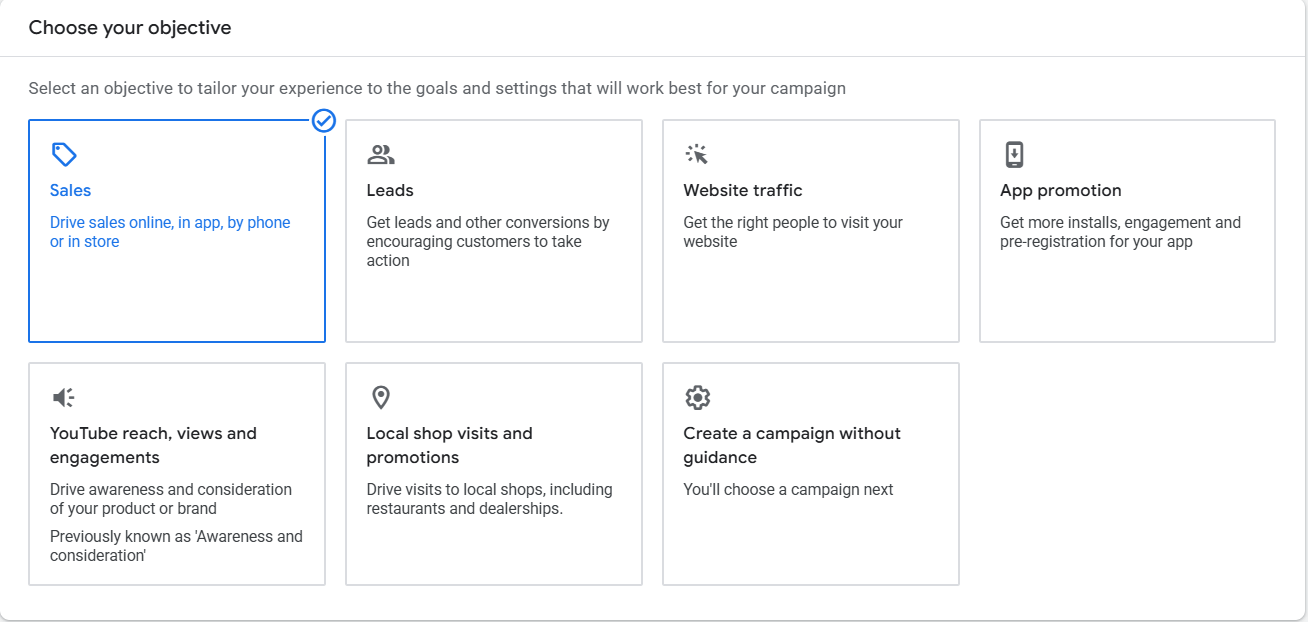
• Choose the "Sales" objective — our goal is table-booking conversions, not just impressions or clicks.
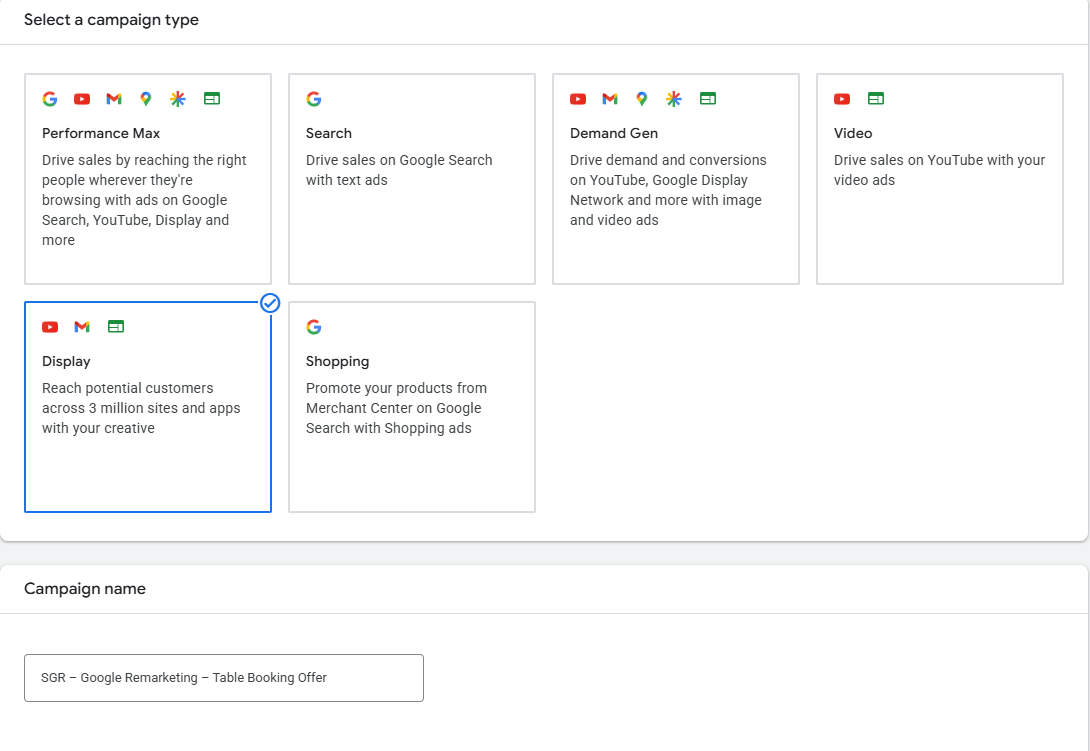
• Select "Display" as the campaign type, so the ad runs across the Google Display Network rather than in Search results.
• Name the campaign clearly: "SGR – Google Remarketing – Table Booking Offer."
why we didn't pick "Awareness" or "Traffic" here — the answer is that our success metric is a completed booking, so the objective should match that end goal.
Set the Budget and Dates
3
Decide how much to spend per day, how Google should bid, and the schedule the offer should run for.
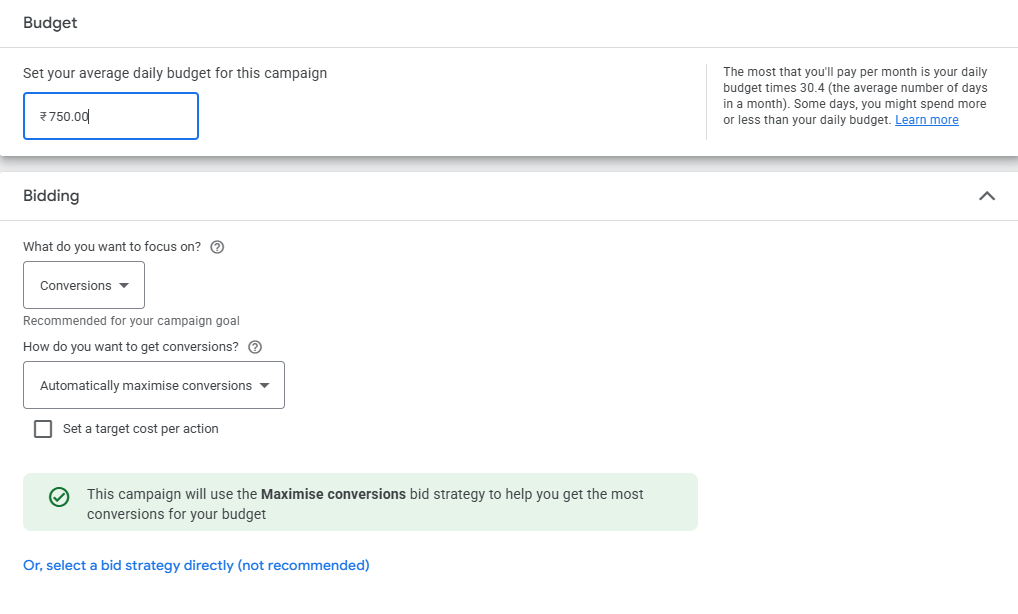
• Budget type: Daily Budget.
• Amount: e.g., ₹750 per day.
• Bidding strategy: "Maximize Conversions" so Google's system optimizes towards table bookings.
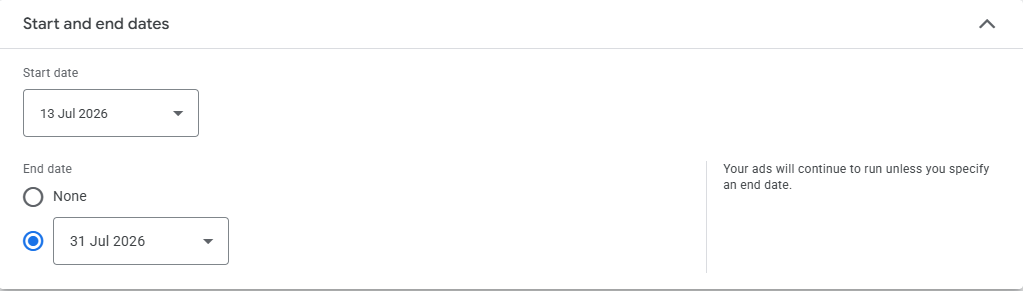
• Start date and end date: set to match how long the table-booking offer is valid.
Select the Audience Segment We Already Created
4
Now we bring in the list from Step 1 and tell Google it can also look for similar people.
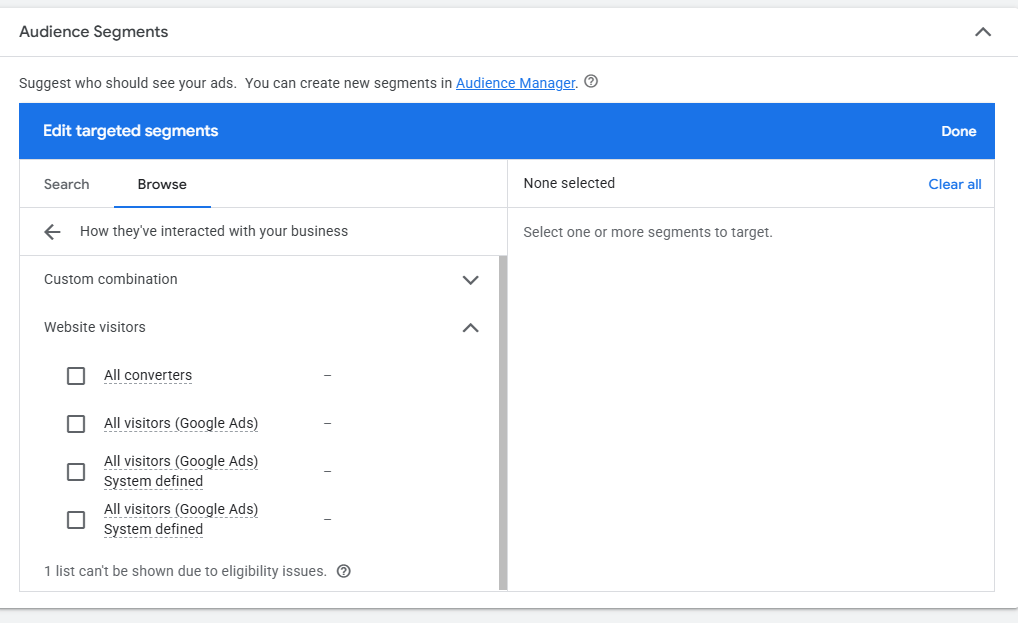
• In the ad group's Audiences settings, click "Browse" →
"How they have interacted with your business."
• Select the segment we built earlier: "SGR – Website Visitors – Not Booked – 30 Days."
• Switch on the "Optimized Targeting" toggle so Google can find additional relevant users beyond this list.
Build the Lookalike Audience
5
Alongside the custom audience, we also build a Lookalike Audience so we can extend our reach to new people who behave similarly to our website visitors.
• Still under Audience, click "Create New" → "Lookalike Audience."
• Source: select the custom audience we just created — "SGR – Website Visitors – Not Booked – 30 Days."
• Location: the city/region Spice Garden Restaurant serves.
• Audience size: 1% (closest match to the source audience).
• Name it: "SGR – Lookalike 1% – Website Visitors."
• Click Create Audience.
Design the Responsive Display Ad
6
• Upload assets: logo (square), plus a landscape (1.91:1) and square (1:1) image of the restaurant's ambience/signature dish.
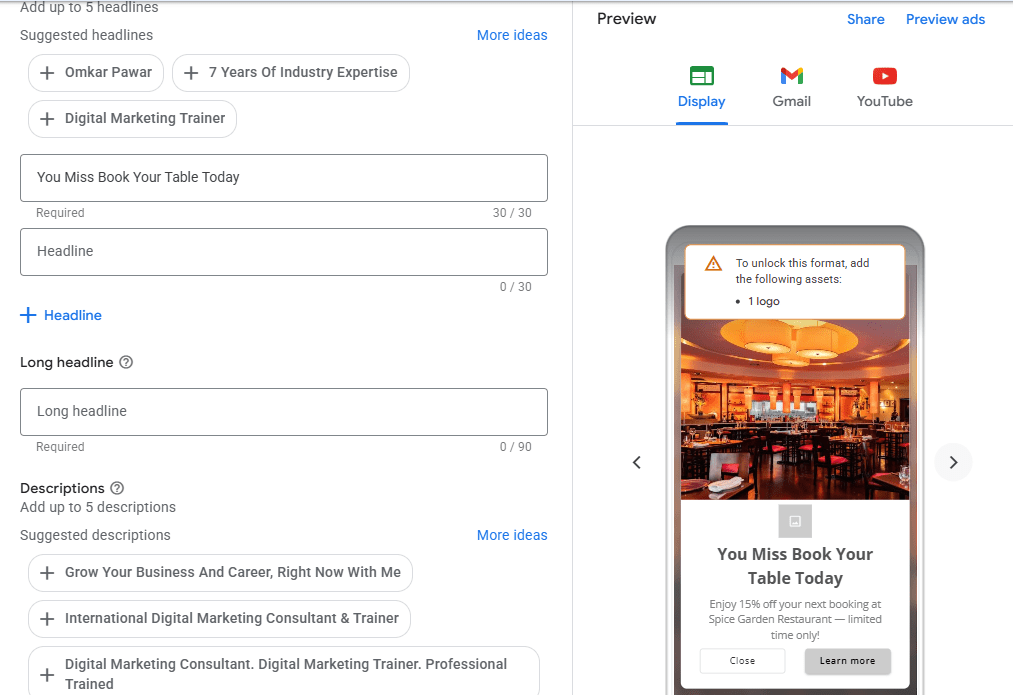
• Headlines (up to 5, short): "We Miss You! Book Your Table
Today", "15% Off Your Next Visit", "Your Table Is Waiting".
• Descriptions (up to 5): "Enjoy 15% off your next booking at Spice Garden Restaurant — limited time only!"
• Business name: "Spice Garden Restaurant."
• Call-to-action: "Book now."
• Final URL: link directly to the restaurant's "Book a Table" reservation page.
Activity
Now it's your turn!
Create Remarketing Campaign for Spice Garden Restaurant using Google Ads
You need to:
Create the audience segment list under the audience manager.
Create a new campaign
Configure campaign settings
Set the campaign budget
Define the audience segment list
Create the advertisement
Review and publish the campaign
Congratulations!
You have successfully completed Setup Google Remarketing Ad LAB for Spice Garden.
In this LAB, you learned how to:
How to setup the google display remarketing campaign
How to create the audience segment for remarketing
Checkpoint
Next-Lab Preparation
Topic : Ad Setup as per the Funnel on Meta
1) Funnel Creation on Meta for Service and Ecommerce Business
2) Ad Setup for TOFU (Service and Ecommerce) & KPIs
3) Ad Setup for MOFU (Service and Ecommerce) & KPIs
4) Ad Setup for BOFU (Service and Ecommerce) & KPIs
By Content ITV