Content ITV PRO
This is Itvedant Content department
Installing Terraform and Understanding Terraform Basics
Business Scenario
Manager:
We have decided to use Terraform for Infrastructure as Code. However, before we can automate infrastructure deployment, we need to set up Terraform and understand its core concepts.
DevOps Engineer:
That's correct. We need to install Terraform and learn its basic workflow, configuration syntax, and commands.
Manager:
Why is understanding Terraform basics important?
DevOps Engineer:
Because Terraform uses configuration files to define infrastructure. Understanding providers, resources, state files, and execution plans is essential for managing cloud resources effectively.
Manager:
What will be our learning approach?
DevOps Engineer:
We will install Terraform, verify the installation, explore Terraform configuration files, and learn key commands such as init, plan, apply, and destroy.
DevOps Engineer to Team:
Team, we will install Terraform, configure our development environment, understand Terraform architecture and workflow, and practice basic commands to prepare for infrastructure automation on the ContentSphere platform.
Team:
Understood. We will install Terraform and learn its fundamentals to build a strong foundation for Infrastructure as Code and cloud resource provisioning.
Pre-Lab Preparation
Task 1: Install Terrform
1
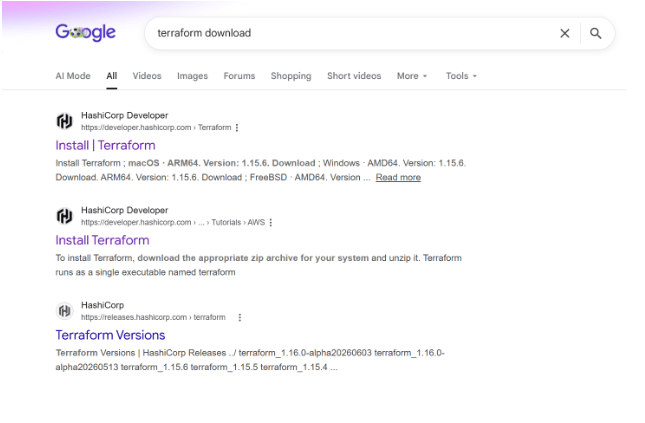
To install Terraform, open Google and search for "Terraform Download". Visit the official Terraform website.
2
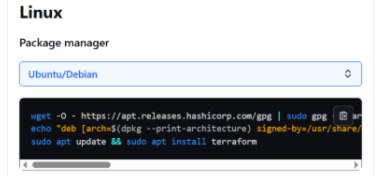
Select Linux on the Terraform download page, copy the provided package manager commands, and execute them in your terminal to install Terraform.
Task 2: Install AWS CLI
1
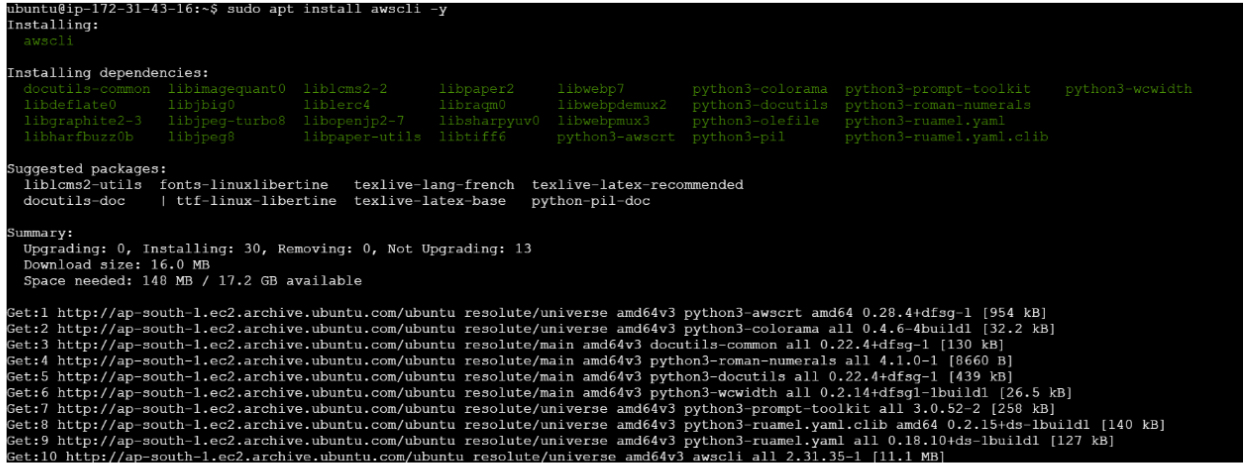
AWS CLI enables Terraform to authenticate with AWS and manage cloud resources using configured AWS credentials.
sudo apt update
sudo apt install awscli -y
Verify Installation:
aws --version
2
Create IAM User for Terraform
Terraform requires AWS credentials to authenticate and manage AWS resources.
Steps:
Log in to the AWS Management Console.
Navigate to IAM.
Select Users from the left navigation pane.
Click Create User.
Enter the username:
terraform-user
Click Next.
Attach the following policy:
Complete the user creation process.
3
After creating the IAM user
Open the created IAM user.
Navigate to the Security Credentials tab.
Click Create Access Key.
Select: Command Line Interface (CLI)
Create the access key.
You will receive: AWS_ACCESS_KEY_Id ,AWS_SECRET_ACCESS_KEY
Important: Save both values securely, as the Secret Access Key cannot be viewed again after closing the page.
4
Configure AWS Credentials
Configure AWS CLI with the IAM user credentials.
Run:
aws configure
Enter the following information when prompted:
AWS Access Key ID [None]: AKIAxxxxxxxxxxxxx
AWS Secret Access Key [None]: xxxxxxxxxxxxxxxxxxxxxxxxx
Default region name [None]: ap-south-1
Default output format [None]: json
5
Create Terraform Project Directory
Create a dedicated directory for Terraform configuration files.
Run:
mkdir terraform-project
cd terraform-project
Verify Current Directory:
pwd
Expected Output:
/home/ubuntu/terraform-project
This directory will be used to store all Terraform configuration files, variables, outputs, and state files throughout the labs.
Great job!
Introduction to Terraform and Infrastructure as Code (IaC)
Installing Terraform and AWS CLI
Creating an IAM User and Access Keys
Configuring AWS credentials
Verifying AWS account connectivity
Setting up a Terraform project workspace
Checkpoint
Next-Lab Preparation
Terraform Providers and Resources
Terraform workflow (init, plan, apply, destroy)
Creating a local file using Terraform
Launching an EC2 instance using Terraform
Understanding Terraform state files
By Content ITV