Content ITV PRO
This is Itvedant Content department
Lead Generation
Business Scenario
After successfully creating a LinkedIn Awareness Campaign, the next step is generating quality leads from potential customers and business professionals. LinkedIn Lead Generation Campaigns use Lead Gen Forms to capture user information directly within LinkedIn, making it easier for users to submit their details without leaving the platform. In this activity, you will create a Lead Generation Campaign for Spice Garden Restaurant to collect enquiries for corporate catering, event bookings, and business partnerships.
Pre-Lab Preparation
Topic : Inorganic Marketing (Paid Ads)
1) Ad Manager Overview & Ad Objectives
2) Auction & Bidding Strategies
3) Awareness Ad Setup on Meta
4) Traffic Ad Setup on Meta
5) Lead Generation Ad Setup on Meta
6) Engagement Ad Setup on Meta
7) AB Testing on Meta
8) Campaign Budget Optimizatin/ Advantage Campaign Budget
9) Commerce Manager | Catalogue Creation
10) Sales Ad Setup on Meta
11) Payment Setup on Meta and Automation Rules
12) Awarness Ad Setup on LinkedIn
13) Lead Generation Ad Setup on LinkedIn
Task : Setup Lead Generation Ad on LinkedIn
Objective:
To create a LinkedIn Lead Generation Campaign and configure a Lead Gen Form to collect potential customer and business enquiries.
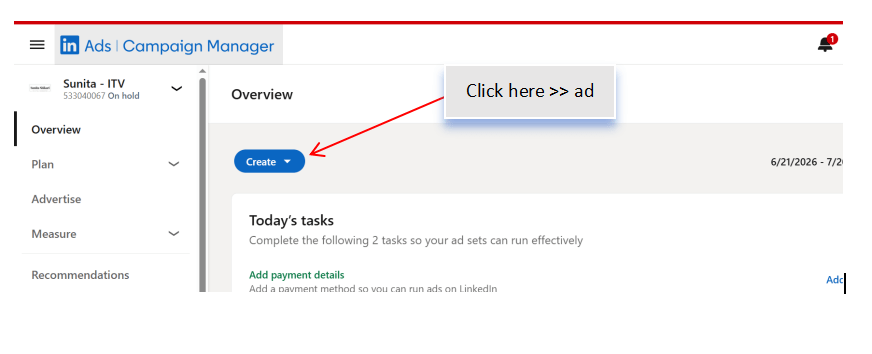
Access LinkedIn Campaign Manager
1
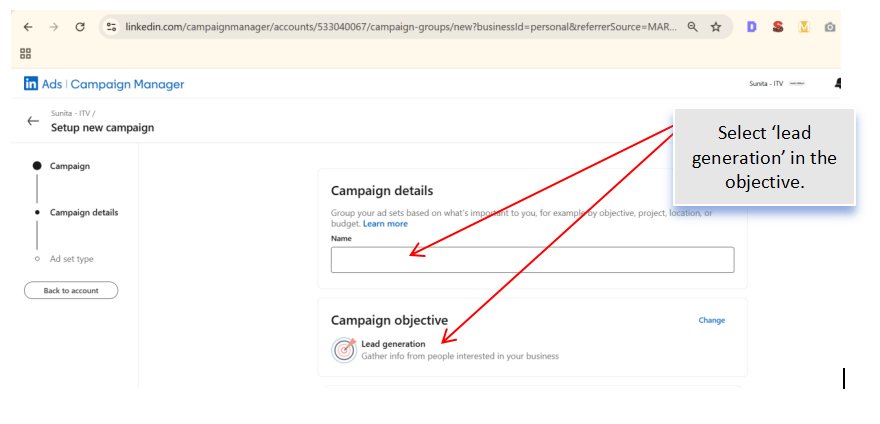
Select the Campaign Objective
2
Configure Campaign Settings
3
Enter the campaign details.
Configure:
Campaign Name
Campaign Group
Campaign Status
Language
Save the campaign settings.
Define the Target Audience
4
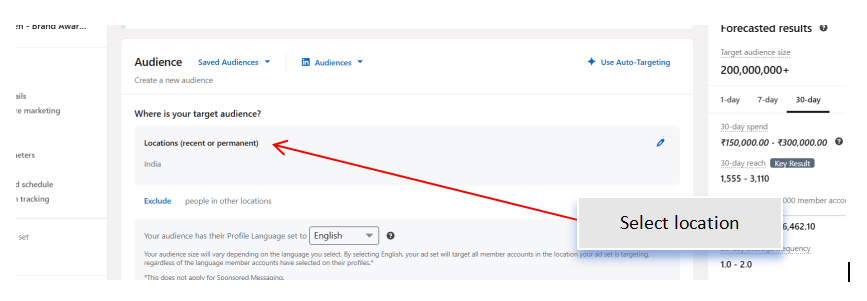
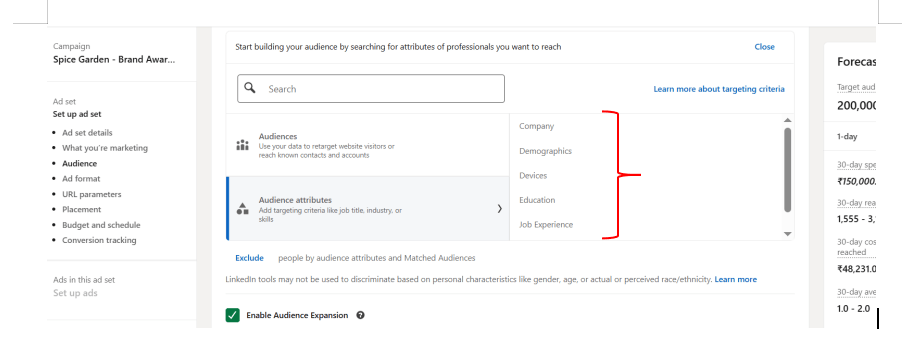
Select the appropriate audience based on:
Location
Industry
Job Title
Company Size
Skills
Interests
Review the estimated audience reach.
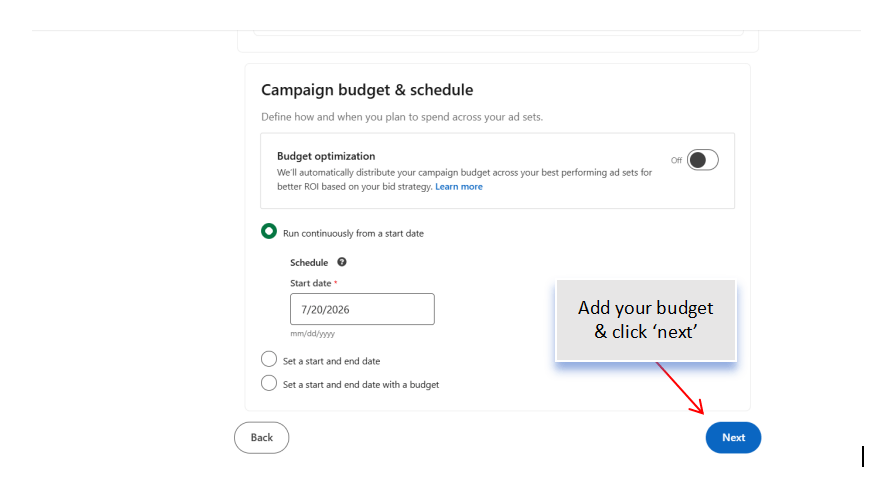
Set Budget and Schedule
5
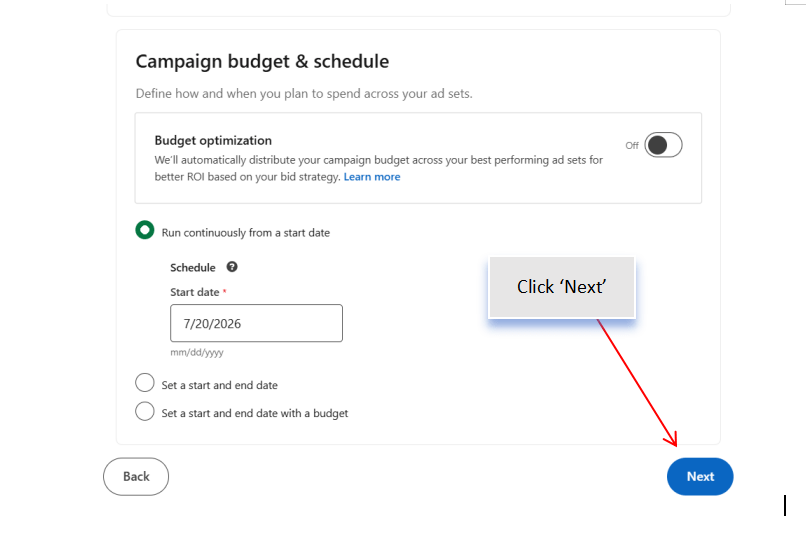
Configure the campaign budget.
Select:
Daily Budget or Lifetime Budget
Campaign Start Date
Campaign End Date (Optional)
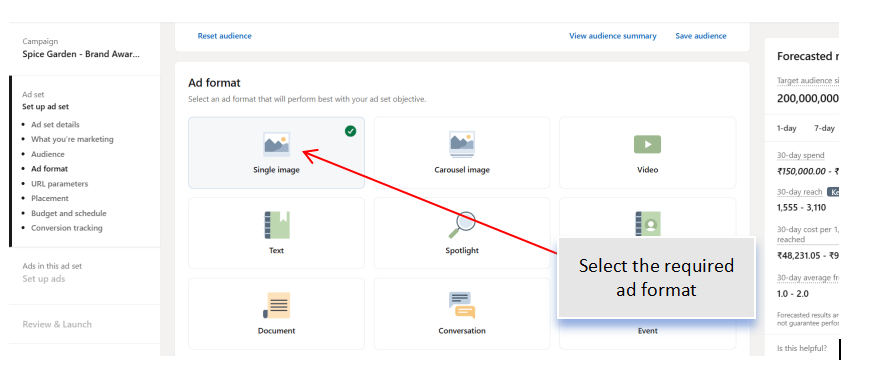
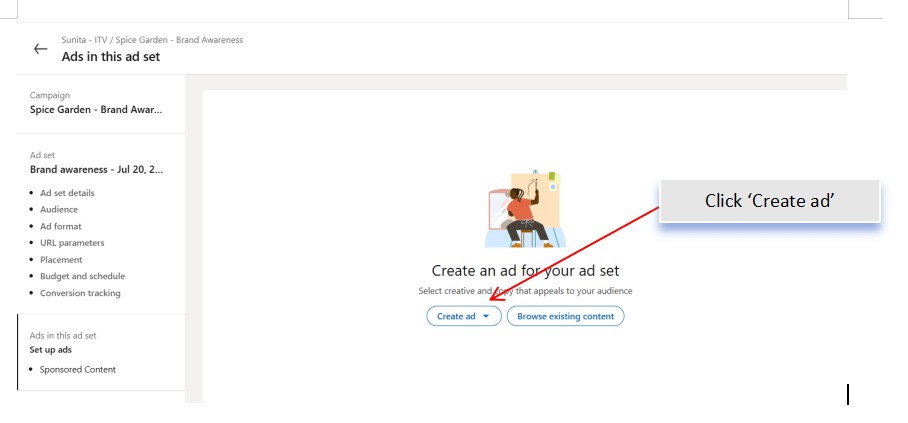
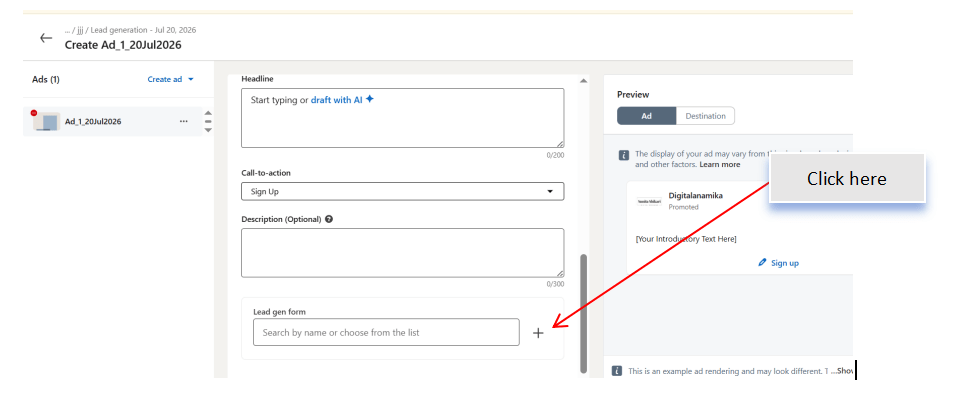
Create the Advertisement
6
Choose an appropriate ad format.
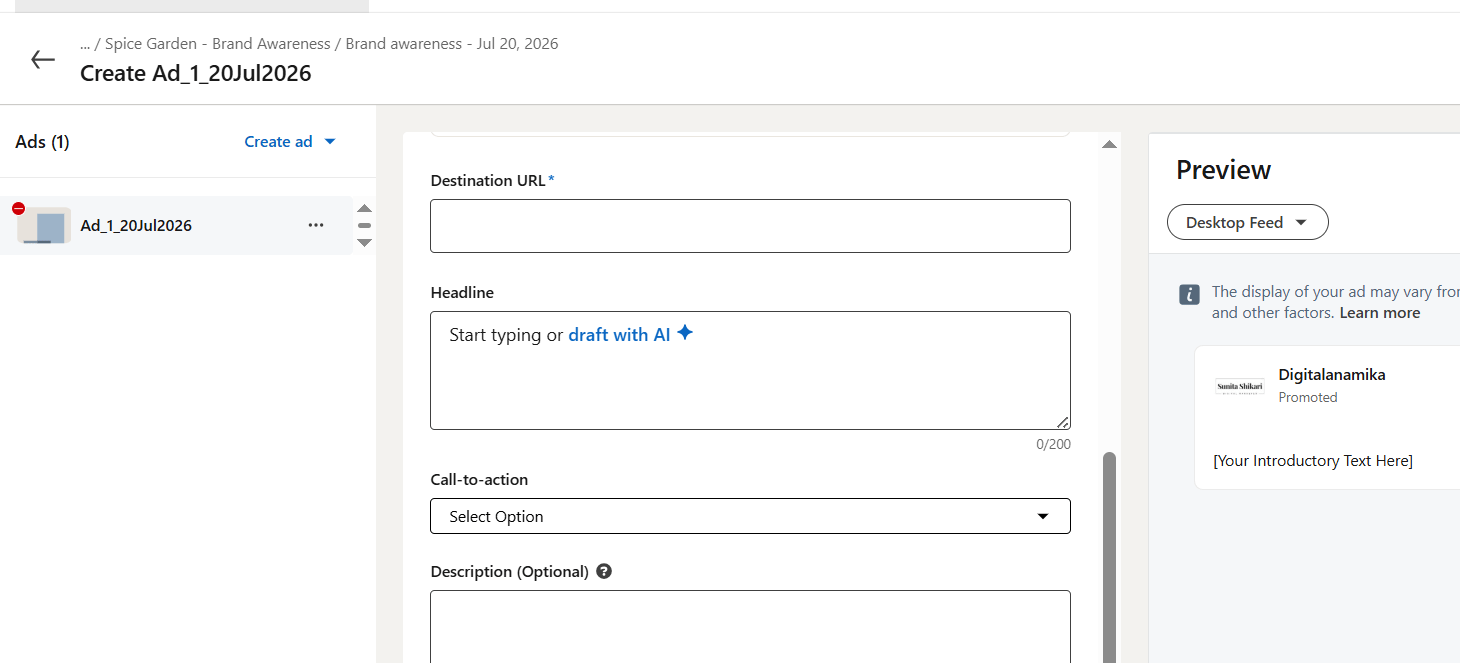
Add:
Image or Video
Introductory Text
Headline
Description
Call-to-Action (CTA)
Examples:
Book Corporate Catering
Enquire Now
Contact Us
Learn More
Preview the advertisement.
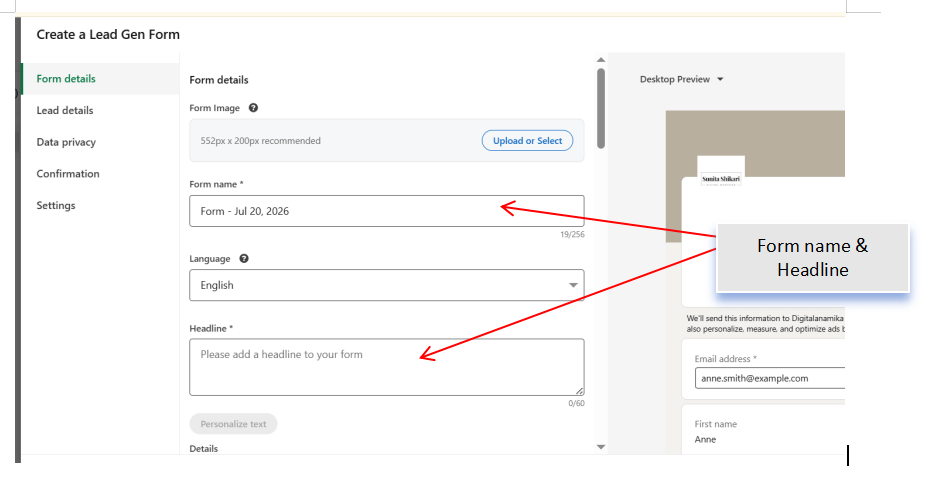
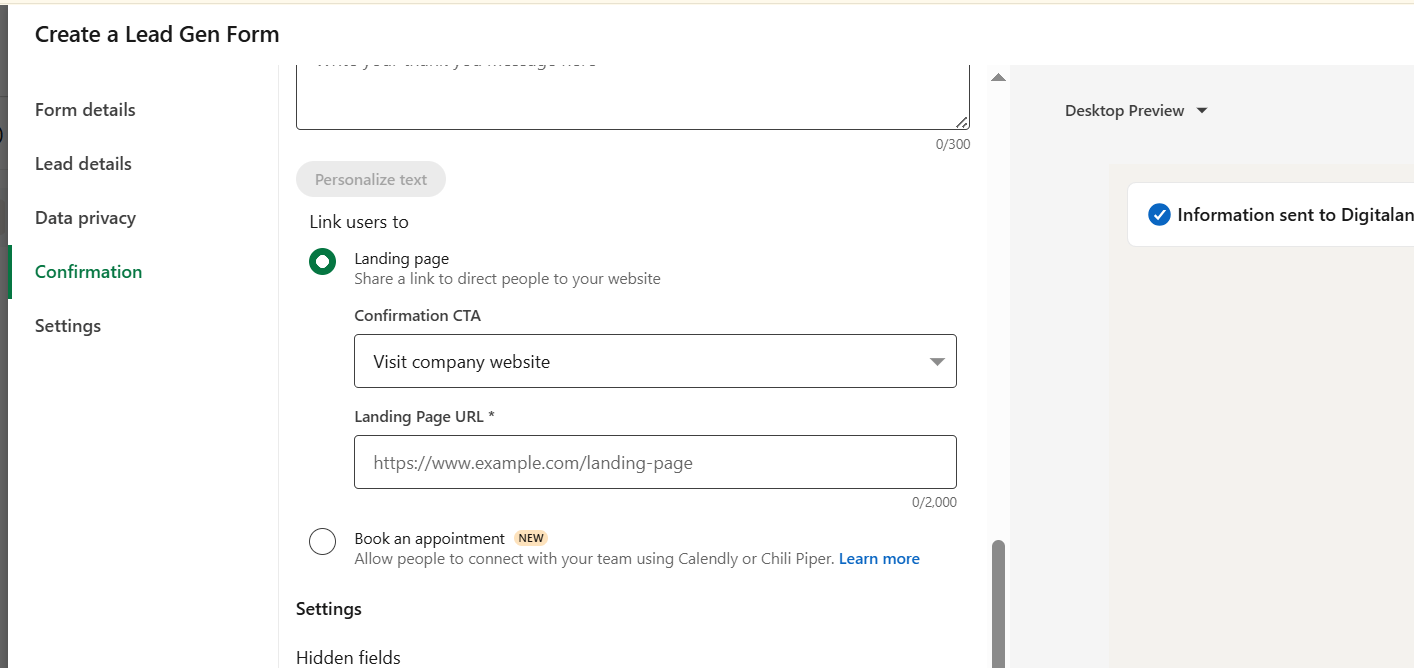
Create the LinkedIn Lead Gen Form
7
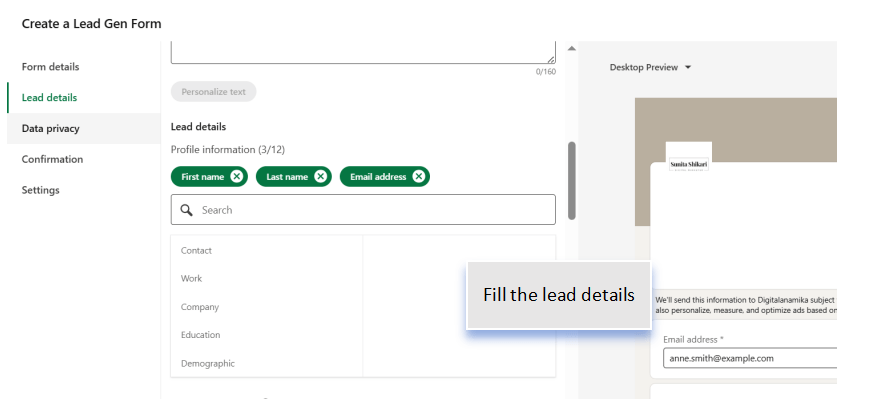
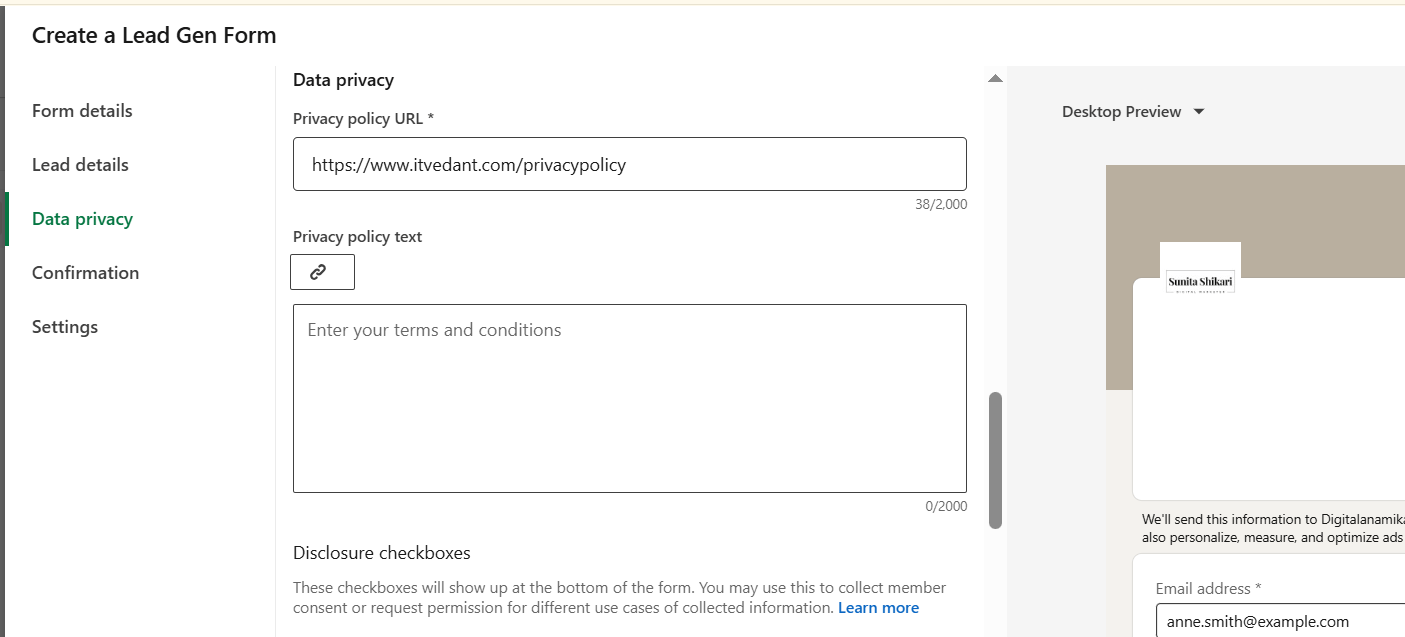
Create a new Lead Gen Form.
Configure the form by adding:
Form Name
Introduction
Privacy Policy URL
Thank You Message
Select the information to collect:
Full Name
Email Address
Phone Number
Company Name
Job Title (Optional)
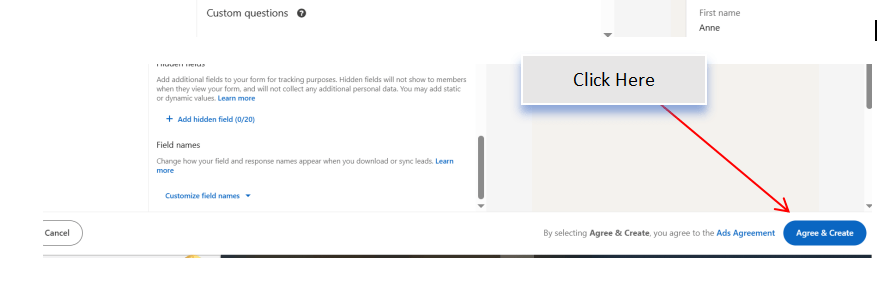
Save the Lead Gen Form.
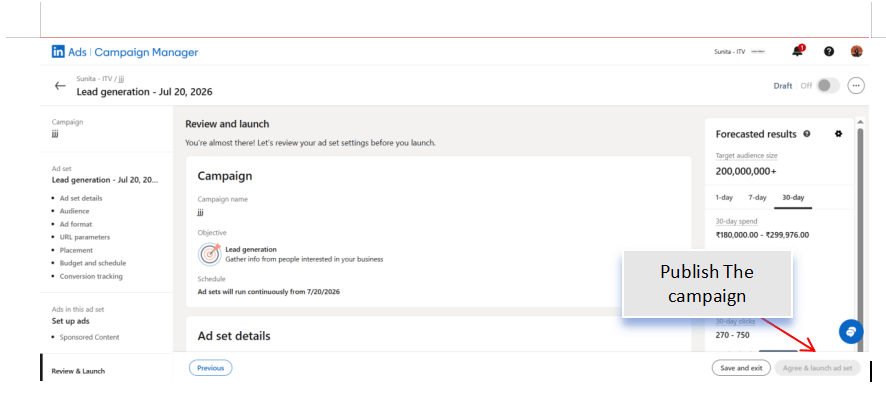
Review and Launch the Campaign
8
Verify the following:
Campaign Objective
Audience
Budget
Advertisement
Lead Gen Form
Click Launch Campaign to publish the advertisement.
Activity
Now it's your turn!
Create a LinkedIn Lead Generation Campaign for Spice Garden Restaurant.
You need to:
Create a Lead Generation campaign
Configure campaign settings
Define the target audience
Set the campaign budget
Design the advertisement
Create a LinkedIn Lead Gen Form
Review and launch the campaign
Congratulations!
You have successfully completed Lead Generation LAB for Spice Garden.
In this LAB, you learned how to:
How to create a LinkedIn Lead Generation Campaign
How to configure campaign settings and audience targeting
How to create and attach a LinkedIn Lead Gen Form
How to collect customer and business enquiries through LinkedIn
How to publish and manage a lead generation campaign
Checkpoint
By Content ITV