Ruby Frameworks


Ruby on Rails
Git and Github
- Cuba: Very close to Rack with very low overhead. I think its best use is for small endpoints where speed is crucial or for those who want full control over their entire stack, adding additional gems and complexity as needed.
- Sinatra: Not as close to Rack, yet still far from being a full-stack framework such as Rails or Lotus. I think it’s best used when Cuba is too light, and Rails/Lotus are too heavy. It’s also a great teaching tool because of its small interface.
- Padrino: For those who have an existing Sinatra app that is becoming more complex and warranting things that come in a full-stack framework. You can start with Sinatra and graduate to Padrino if needed.
- Lotus: A great Rails alternative with a simple and explicit architecture. For those that find themselves disagreeing with “The Rails Way,” or for those that really enjoy the Domain Driven Design approach.
- Volt: Even though the Volt framework is not as mature and robust as most of the popular Ruby frameworks that have been around for years (at the moment of Volt is still in beta), it is worth considering and studying.
Ruby Frameworks
Why Ruby On Rails?
-
Rails is Opinionated
-
Rails is Omakase
-
Convention Over Configuration
-
Don’t Repeat Yourself
-
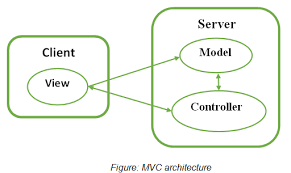
MVC
Model
The Model layer carries the business logic of the application and the rules to manipulate the data. In Ruby on Rails, the models are used to manage the interaction with their corresponding elements in the database. The Models represent the information in the database and do the appropriate validations.
View
The view is the front-end of the application, representing the user interface. In Ruby on Rails, views are HTML files with embedded Ruby code. The embedded Ruby code in the HTMLs is fairly simple (loops and conditionals). It is only used to display data to the user in the form of views. Views are used to provide the data to the browsers that requested the web pages. Views can server content in several formats, such as HTML, PDF, XML, RSS and more.
Controller
Controllers interact with models and views. The incoming requests from the browsers are processed by the controllers, which process the data from the models and pass it to the views for presentation.
RoR is MVC Framework
First Application
# install rails
gem install rails

# check rails version
rails -v

# create new application "blog"
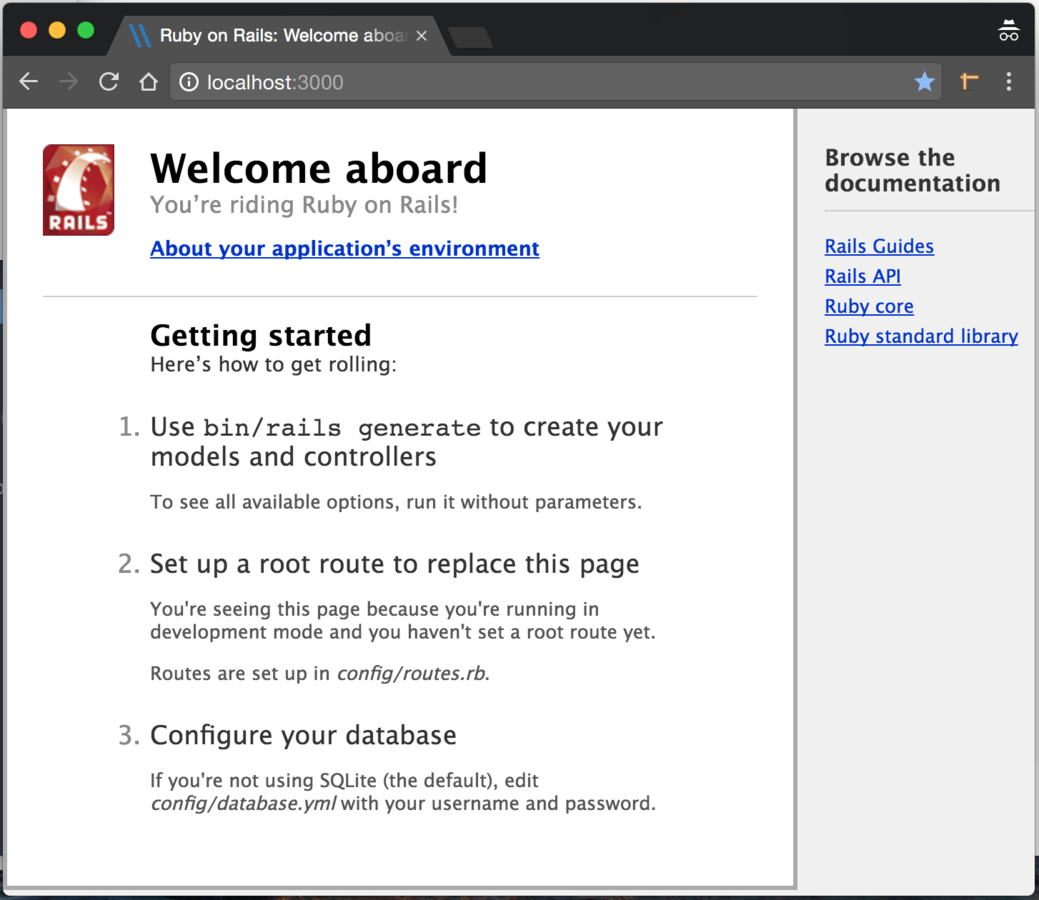
rails new blog

# run rails application
cd blog
rails server
Application structure
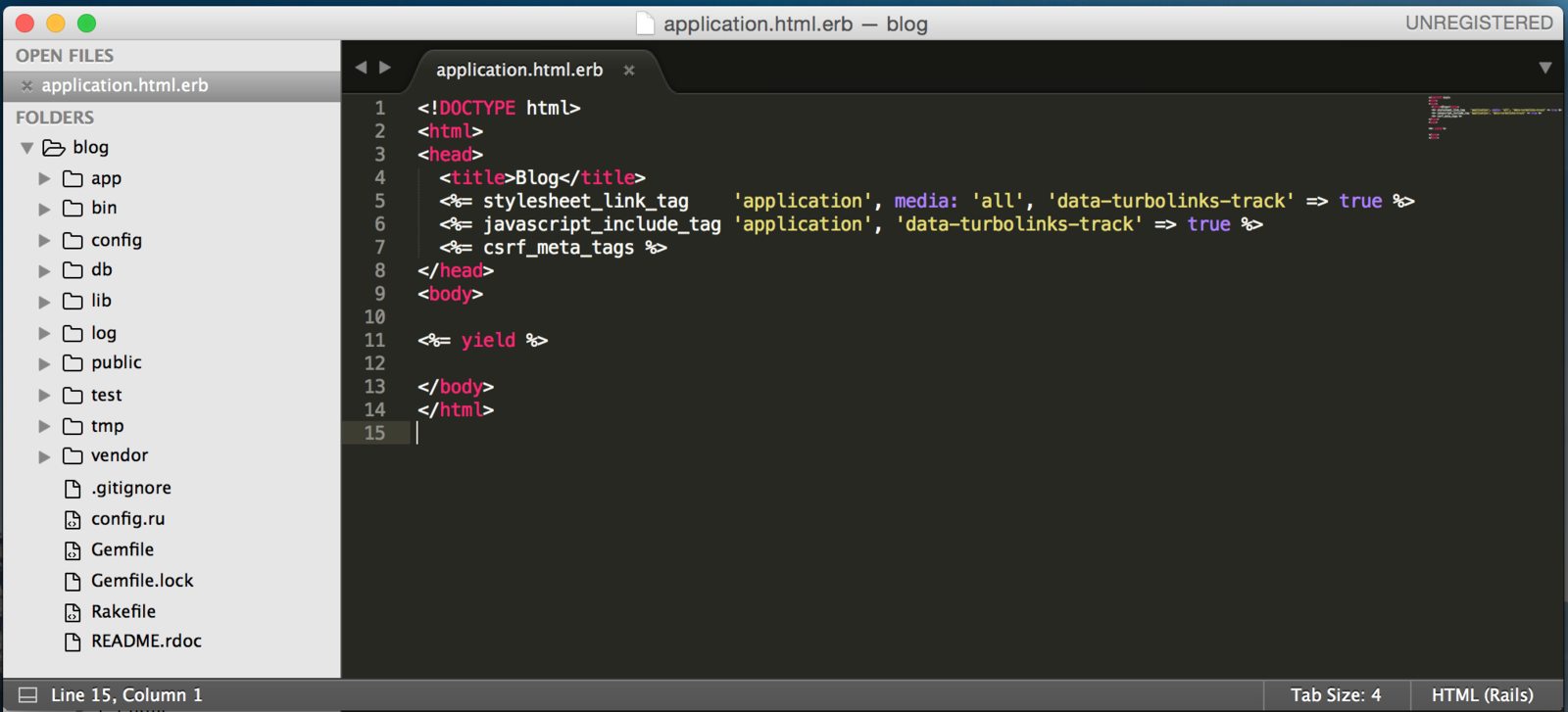
app/
- assets/
- controllers/
- helpers/
- mailers/
- models/
- views/
Contains the controllers, models, views, helpers, mailers and assets for your application. You'll focus on this folder for the remainder of this guide.
Application structure
bin/
- bundle
- rails
- rake
- setup
- spring
Contains the rails script that starts your app and can contain other scripts you use to setup, update, deploy or run your application.
Application structure
config/
- enviroments/
- initializers/
- locales/
- application.rb
- boot.rb
- database.yml
- enviromment.rb
- routes.rb
- secrets.yml
Configure your application's routes, database, and more.
Application structure
Rails.application.routes.draw do
  get 'posts/index'

  get "posts_list", to: "posts#list", as: :post_list # <%= link_to "List", post_list_path %>

  root "posts#index"

  # Example of regular route:
    get 'products/:id' => 'catalog#view'

  # Example of named route that can be invoked with purchase_url(id: product.id)
    get 'products/:id/purchase' => 'catalog#purchase', as: :purchase

  # Example resource route (maps HTTP verbs to controller actions automatically):
    resources :blogs


  # Example resource route with concerns:
    concern :toggleable do
      post 'toggle'
    end
    resources :posts, concerns: :toggleable
    resources :photos, concerns: :toggleable

  # Example resource route within a namespace:
    namespace :admin do
      # Directs /admin/products/* to Admin::ProductsController
      # (app/controllers/admin/products_controller.rb)
      resources :products
    end
end
# my_app/config/routes.rb

Rails.application.routes.draw do
  get 'post/index'

  root "post#index"

  resources :blogs
end


$ rake routes

Prefix Verb   URI Pattern               Controller#Action
post_index GET    /post/index(.:format)     post#index
      root GET    /                         post#index
     blogs GET    /blogs(.:format)          blogs#index
           POST   /blogs(.:format)          blogs#create
  new_blog GET    /blogs/new(.:format)      blogs#new
 edit_blog GET    /blogs/:id/edit(.:format) blogs#edit
      blog GET    /blogs/:id(.:format)      blogs#show
           PATCH  /blogs/:id(.:format)      blogs#update
           PUT    /blogs/:id(.:format)      blogs#update
           DELETE /blogs/:id(.:format)      blogs#destroy
lib/
- assets/
- tasks/
Extended modules for your application.
Application structure
log/
- development.log
- production.log
Application log files.
db/
- migrate/
- development.sqlite3
- schema.rb
- seeds.rb
Contains your current database schema, as well as the database migrations.
public/
- assets/
- systems/
- 404.html
- 422.html
- favicon.ico
- robots.txt
The only folder seen by the world as-is. Contains static files and compiled assets.
Application structure
vendor/
- assets/
- ...
A place for all third-party code. In a typical Rails application this includes vendored gems.
tmp/
- cache/
- pids/
- sessions/
- sockets/
Temporary files (like cache and pid files).
Application structure
test/
- controllers/
- fixtures/
- helpers/
- integration/
- mailers/
- models/
- test_helper.rb
Application structure
.../
-
config.ru - Rack configuration for Rack based servers used to start the application.
- Gemfile and Gemfile.lock - These files allow you to specify what gem dependencies are needed for your Rails application. These files are used by the Bundler gem.
- Rakefile - This file locates and loads tasks that can be run from the command line.
- Readme.rdoc - This is a brief instruction manual for your application. You should edit this file to tell others what your application does, how to set it up, and so on.
Rails Scaffolding
$ rails generate scaffold Post title:string content:textWith the scaffold action, Rails generates all the code it needs dynamically. By running scaffold as a script, we can get all the code written to disk, where we can investigate it and then start tailoring it to our requirements.
Rails Scaffolding
invoke  active_record
  create    db/migrate/20161026073039_create_posts.rb
  create    app/models/post.rb
  invoke    test_unit
  create      test/models/post_test.rb
  create      test/fixtures/posts.yml
  invoke  resource_route
   route    resources :posts
  invoke  scaffold_controller
  create    app/controllers/posts_controller.rb
  invoke    erb
  create      app/views/posts
  create      app/views/posts/index.html.erb
  create      app/views/posts/edit.html.erb
  create      app/views/posts/show.html.erb
  create      app/views/posts/new.html.erb
  create      app/views/posts/_form.html.erb
  invoke    test_unit
  create      test/controllers/posts_controller_test.rb
  invoke    helper
  create      app/helpers/posts_helper.rb
  invoke      test_unit
  invoke    jbuilder
  create      app/views/posts/index.json.jbuilder
  create      app/views/posts/show.json.jbuilder
  create      app/views/posts/_post.json.jbuilder
  invoke  assets
  invoke    coffee
  create      app/assets/javascripts/posts.coffee
  invoke    scss
  create      app/assets/stylesheets/posts.scss
  invoke  scss
   identical    app/assets/stylesheets/scaffolds.scss
Rails generate ...
 create  app/controllers/posts_controller.rb
  route  get "posts/hello"
 invoke  erb
 create    app/views/posts
 create    app/views/posts/hello.html.erb
 invoke  test_unit
 create    test/controllers/posts_controller_test.rb
 invoke  helper
 create    app/helpers/posts_helper.rb
 invoke  assets
 invoke    coffee
 create      app/assets/javascripts/posts.coffee
 invoke    scss
 create      app/assets/stylesheets/posts.scss
Generate controller
$ rails generate controller Posts helloRails generate ...
invoke  active_record
  create    db/migrate/20161026072633_create_posts.rb
  create    app/models/post.rb
  invoke    test_unit
  create      test/models/post_test.rb
  create      test/fixtures/posts.yml
Generate model
$ rails g model post title:string content:textGit and Github
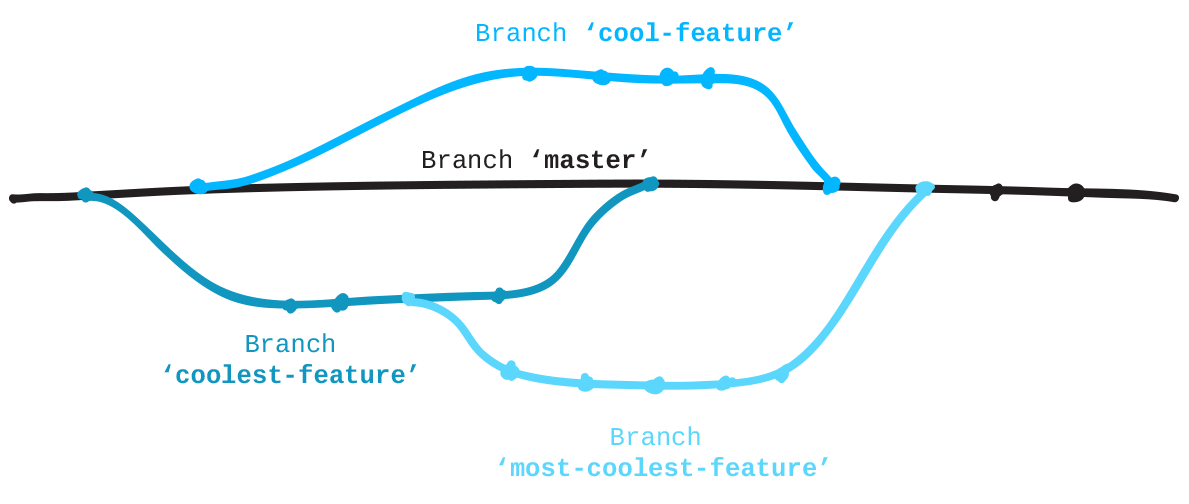
Git is a version control system that is used for software development and other version control tasks. As a distributed revision control system it is aimed at speed, data integrity, and support for distributed, non-linear workflows.
GitHub is a web-based Git repository hosting service. It offers all of the distributed version control and source code management (SCM) functionality of Git as well as adding its own features.
Git and Github

Git and Github
Installation git
$ sudo yum install git-allOn linux
or
$ sudo apt-get install git-allOn Mac
An OSX Git installer is maintained and available for download at the Git website, at http://git-scm.com/download/mac.
Git configuration
# checking git version
$ git version

# set user name
$ git config --global user.name "John Doe"

# set user email
$ git config --global user.email johndoe@example.com

# get config info
$ git config --list

user.name=John Doe
user.email=johndoe@example.com
color.status=auto
color.branch=auto
color.interactive=auto
color.diff=auto
...
Git commands
$ cd your app

# Initializing a Repository in an Existing Directory
$ git init

# Check status
$ git status

# Addition of files
$ git add .

# Addition your commit
$ git commit -m "Name Of Your Commit"

# Set a new remote
$ git remote add origin https://github.com/user/repo.git

# Verify new remote
$ git remote -v

# Cloning from repository
$ git clone https://github.com/user/your_app.git
Git commands
# Get list of local branches
$ git branch

# Add new branch
$ git checkout -b origin your_new_branch

# Checkout on other branch
$ git checkout my_branch

# Pull origin from repository
$ git pull origin other_branch

# Push your branch
$ git push origin my_brach

# Push with force
$ git push -f origin my_branch

# Get list of commits on branch
$ git log
Git commands
# Rebase branches
$ git rebase origin other_branch

# Merge branches
$ git merge other_origin

# Reset your changes
$ git reset commit_id

# Force reset your changes
$ git reset -f commit_id

# Revert your commit by id
$ git revert commit_id
Sho chytaty
Links:
- guides.rubyonrails.org
- api.rubyonrails.org
- rusrails.ru
- railscasts.com - MUST HAVE !!!
- git-scm.com
- github.com
- stackoverflow.com
Books:
- Agile Web Development with Rails (en/rus)
- Learning Rails 5
RoR and Git
By dima_chornenky