The Front-End Fresh Workshop

Agenda
Sept 25th
Front-End Engineering in 2024 & Mastering React

Oct 2nd
Building Large Scale Web Apps
Oct 9th
Debugging + Testing + Interviewing
Oct 16th
Leveling Up From Junior To Senior To Staff
Today's Agenda
Building Large Scale Web Apps
- Testing
- Personal Branding
- Interviewing
- Debugging
Introductions!
Ayman
Fernando
today's folks
Mohamud
M A
Zubair
Ahmed






Q/A!
Any questions before we get started?
Debugging
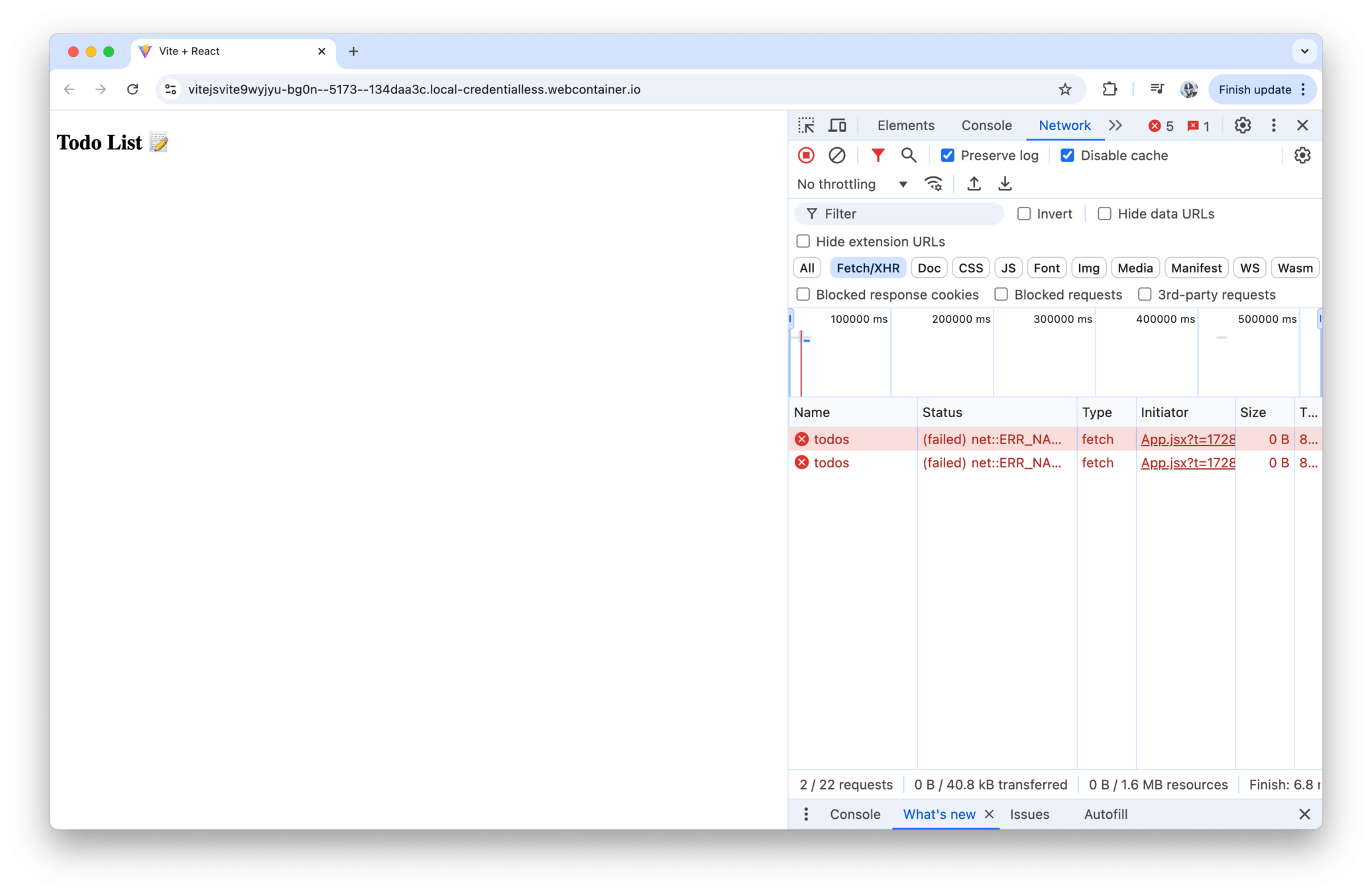
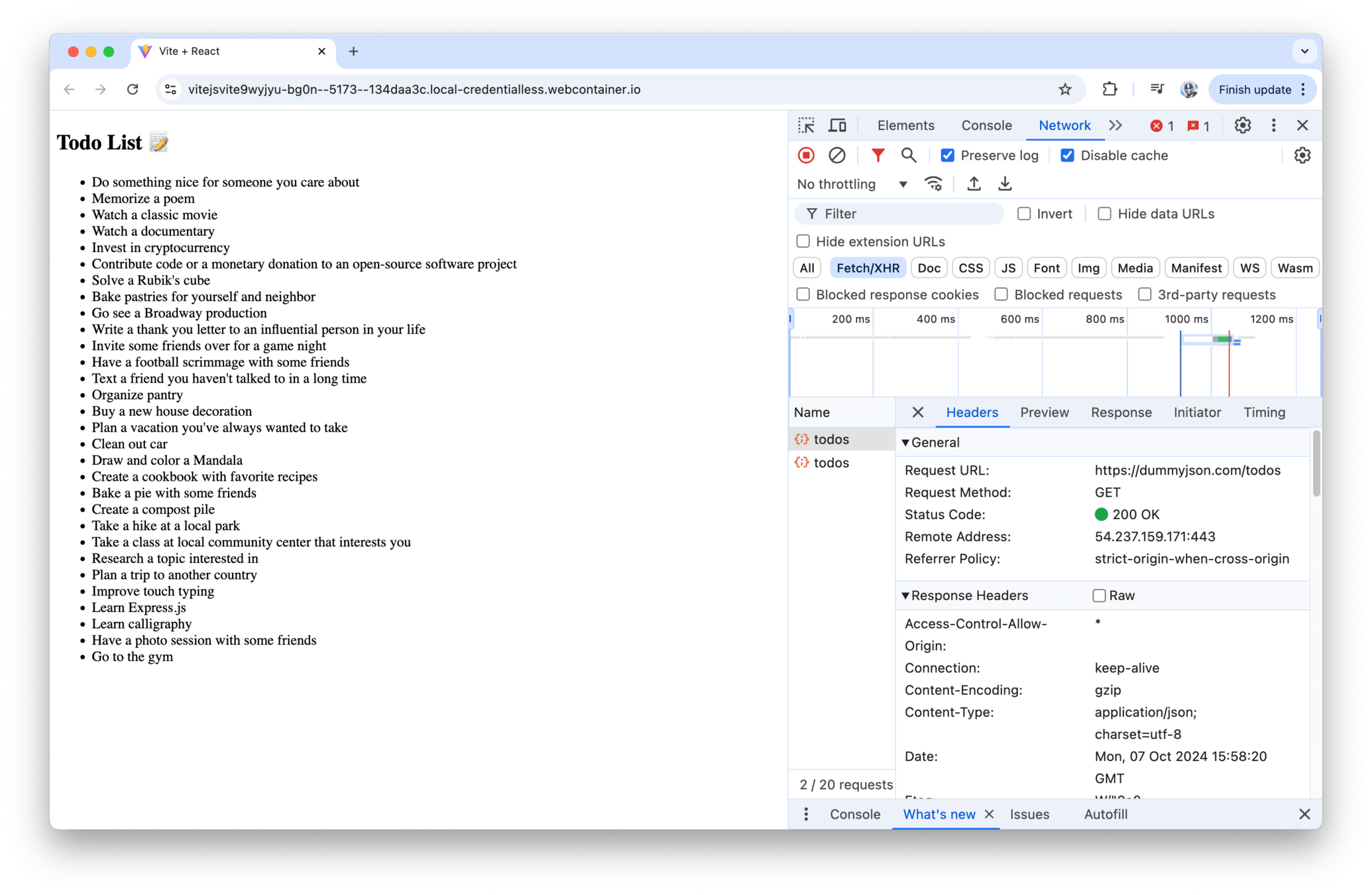
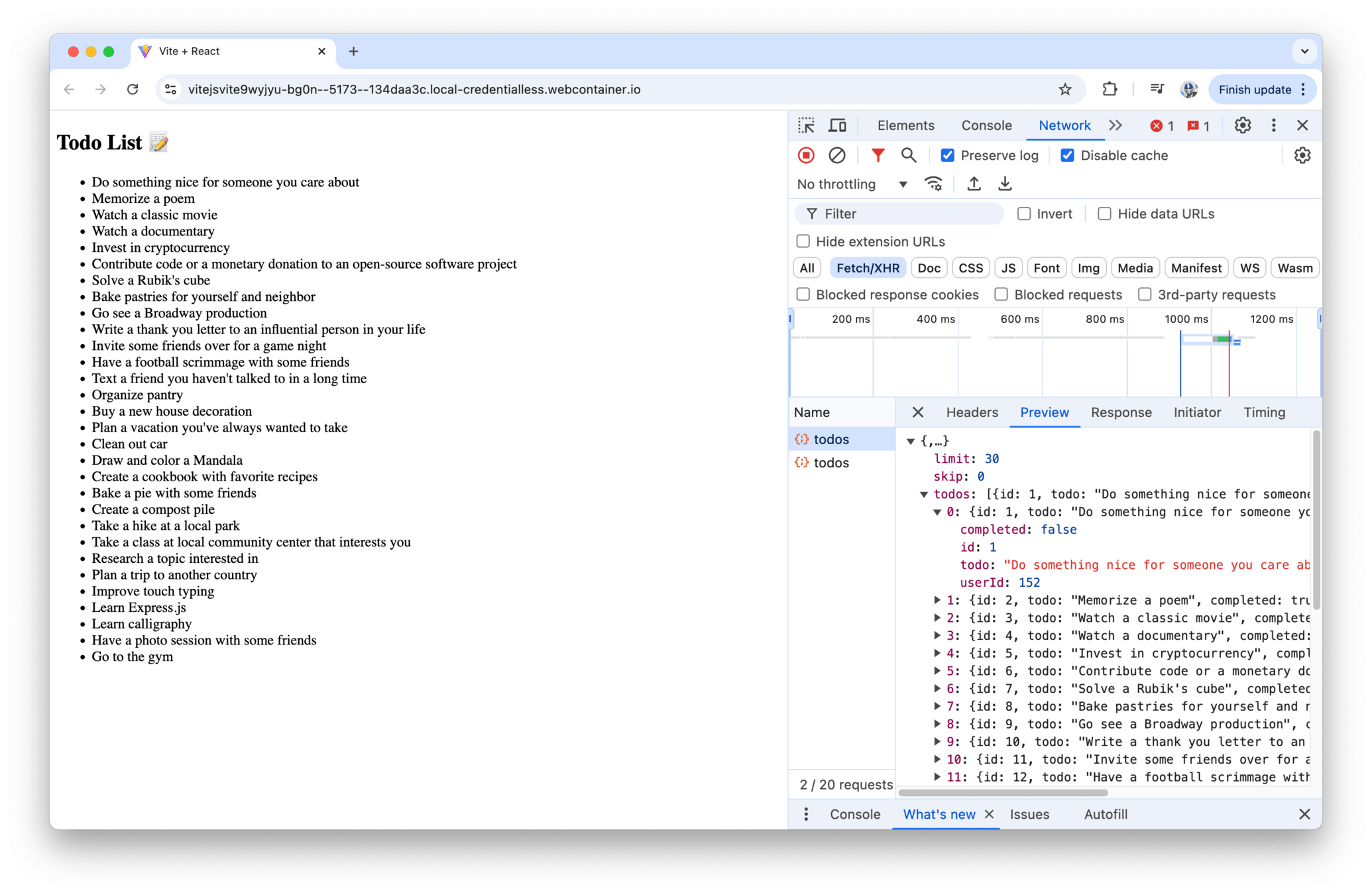
My regular debugging steps when errors occur — check network request logs / JavaScript Console / React DevTools
Debugging
Debugging
Debugging
Debugging
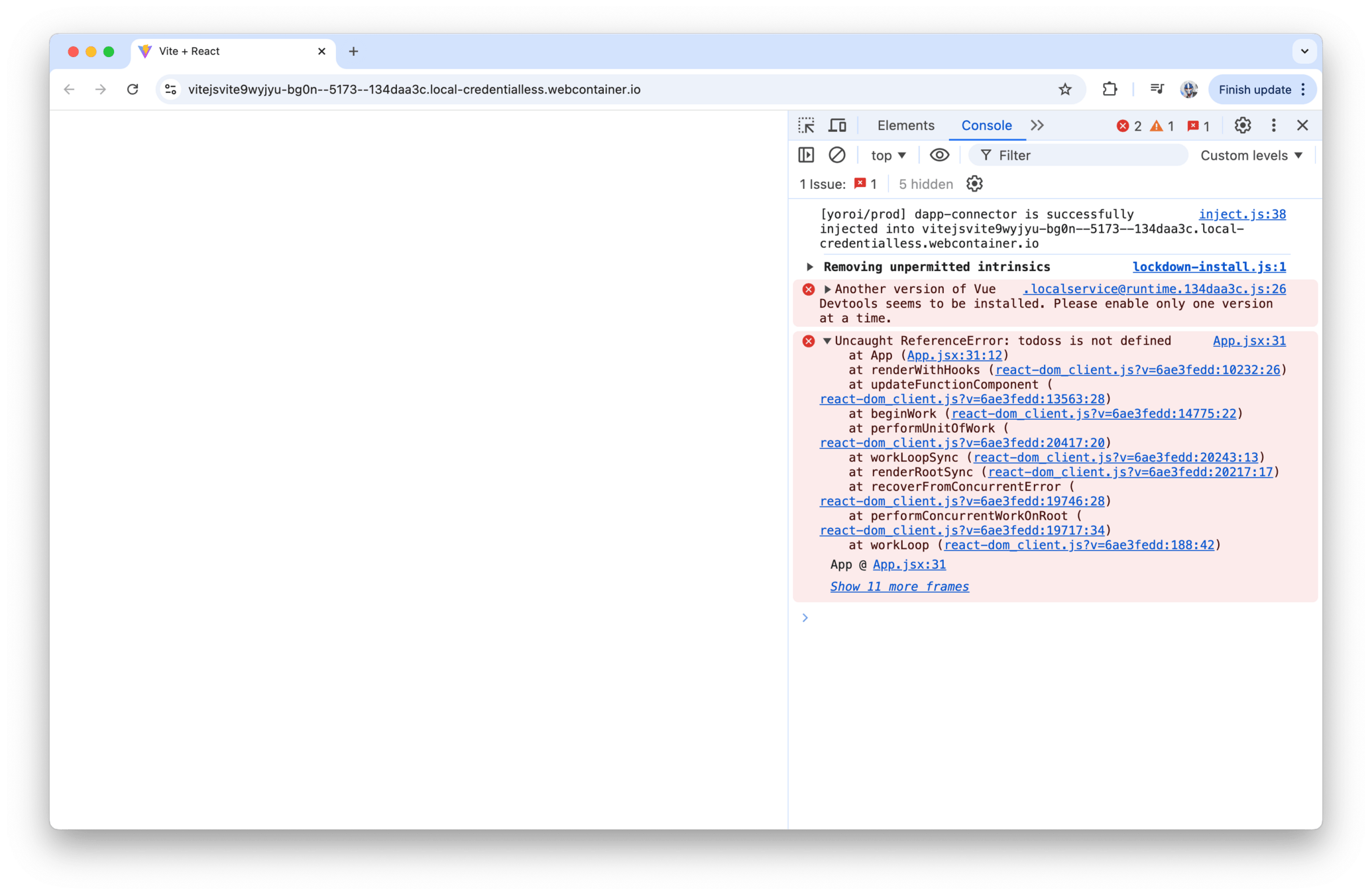
Debugging
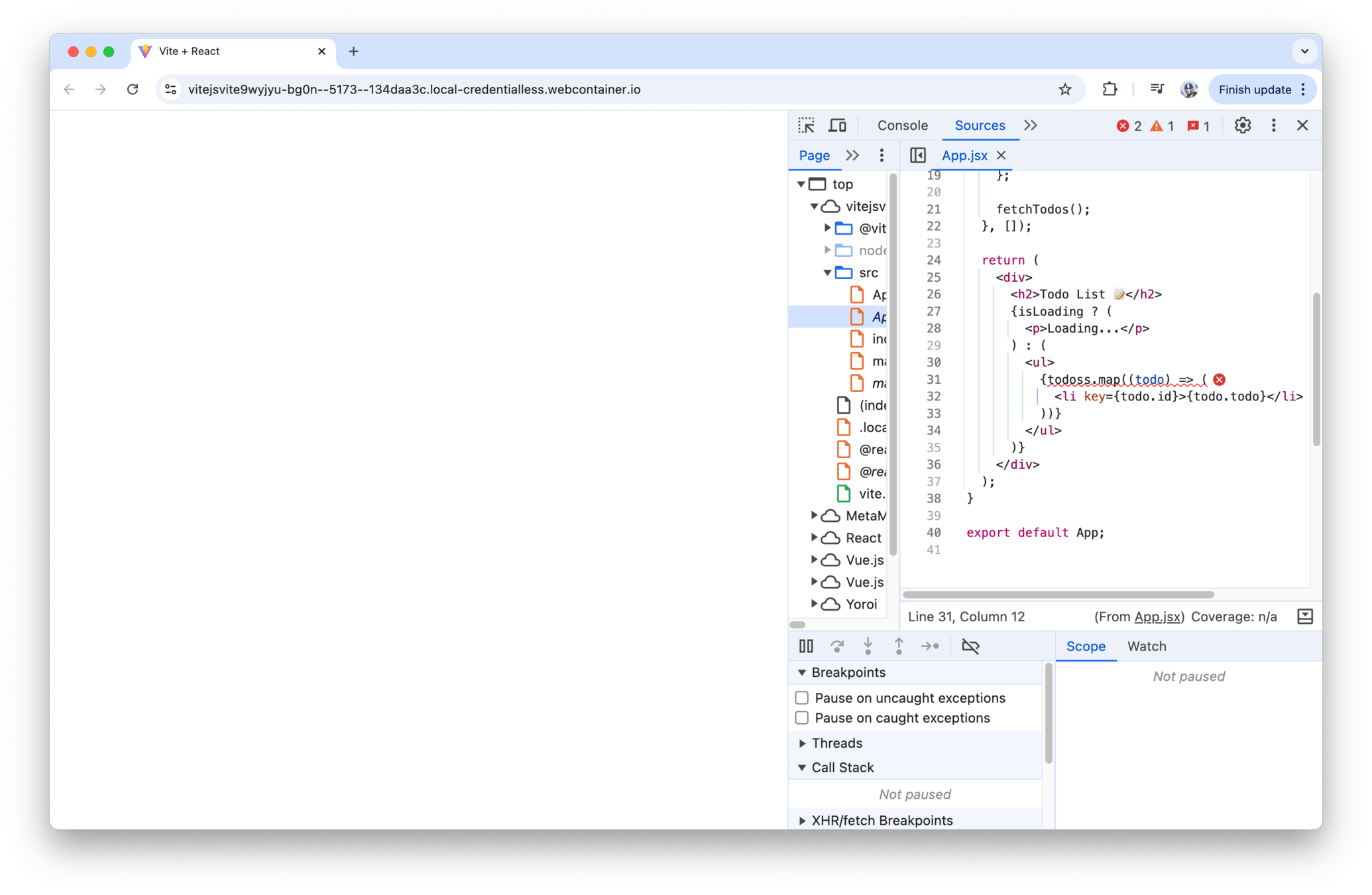
Debugging
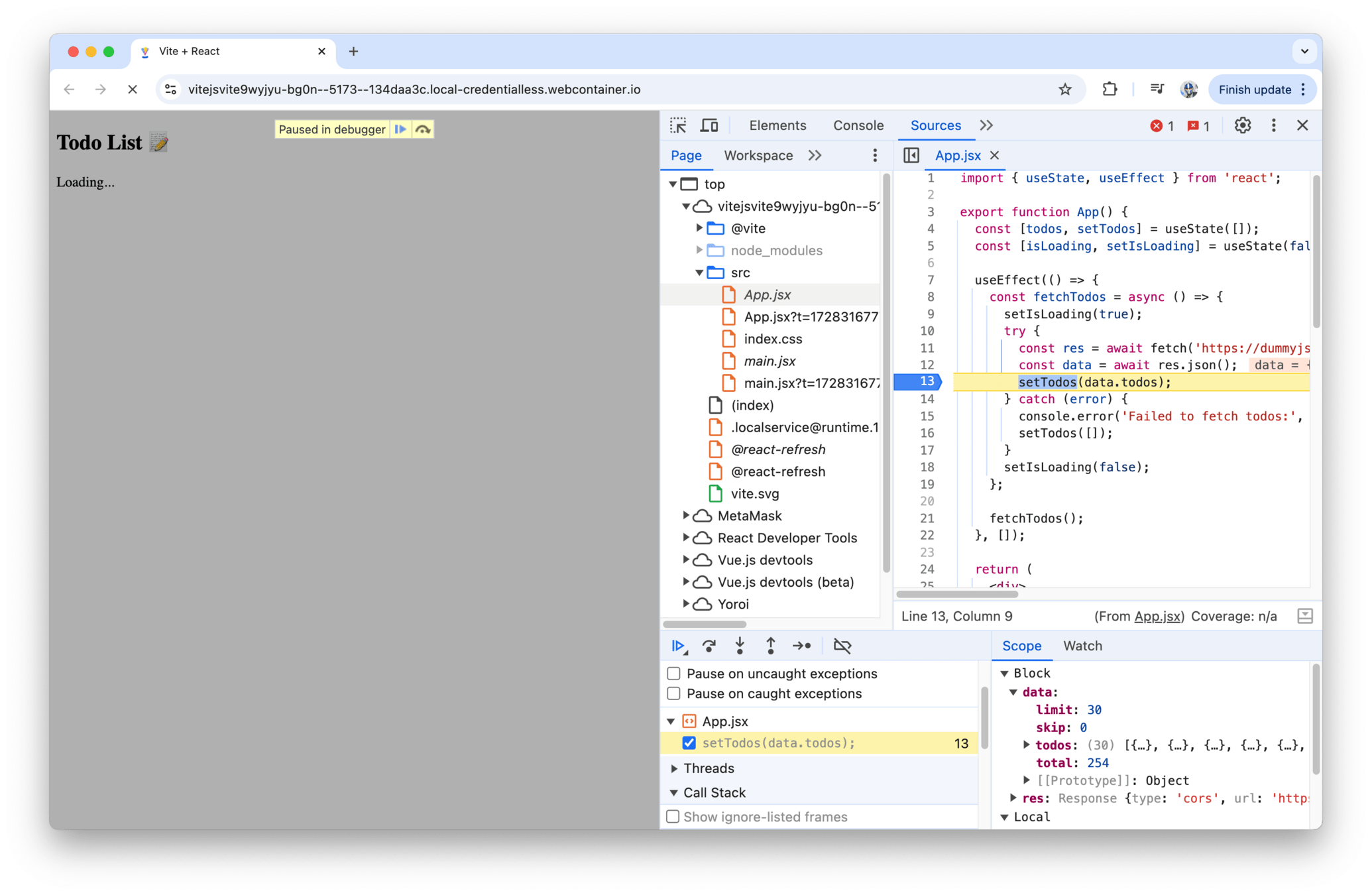
Debugging
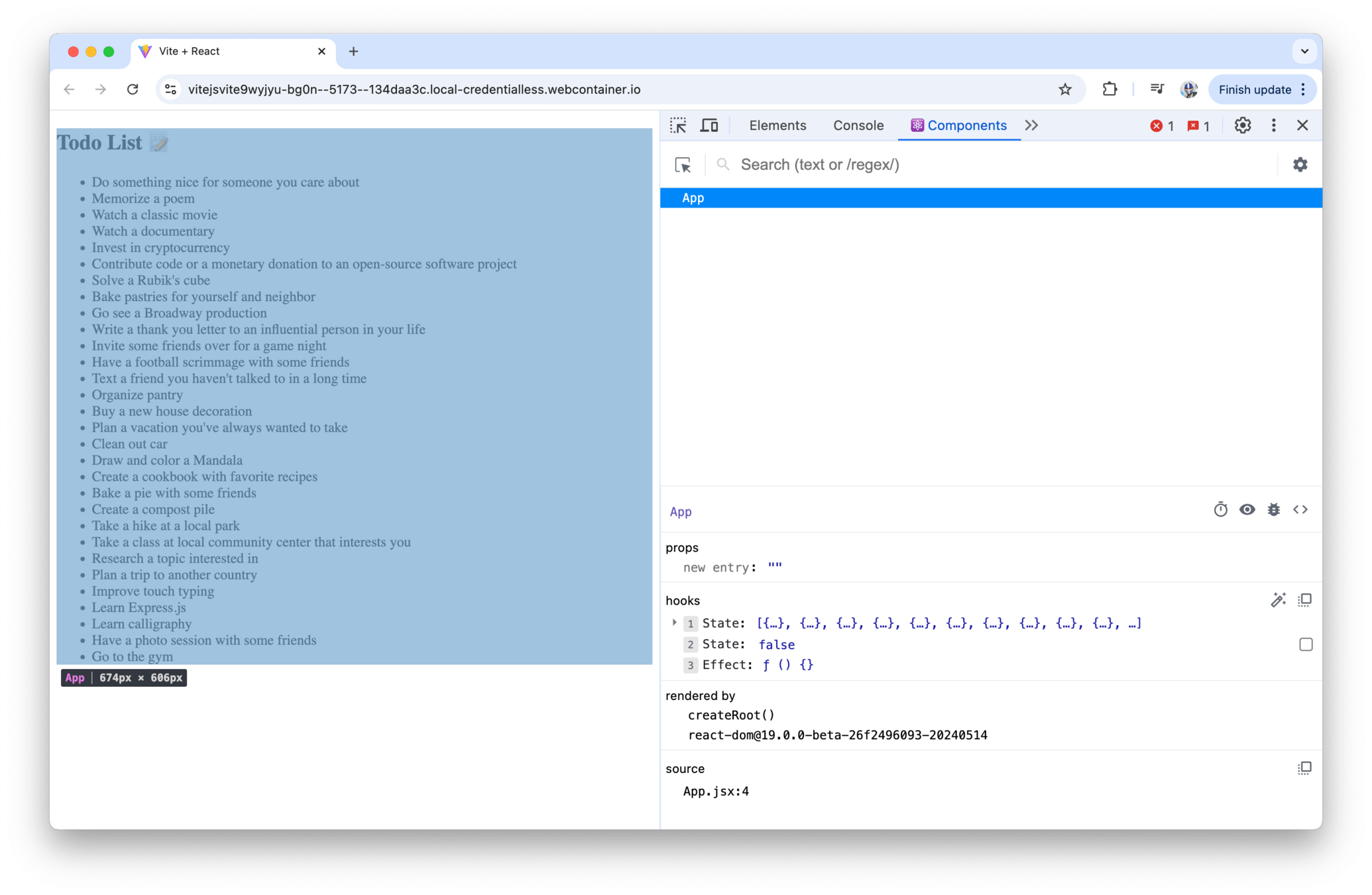
Debugging
Testing
Testing is the process of evaluating a system or
its components to determine whether they meet the specified
requirements.
Local
CI
Testing
Unit Tests
Integration Tests
E2E Tests
Testing
Unit Tests
focus on examining individual components or functions within an application, isolated from the rest of the codebase
Testing
import React, { useState } from "react";

const Counter = () => {
  const [count, setCount] = useState(0);

  const increment = () => {
    setCount(count + 1);
  };

  const decrement = () => {
    setCount(count - 1);
  };

  return (
    <div>
      <button onClick={decrement}>-</button>
      <span>{count}</span>
      <button onClick={increment}>+</button>
    </div>
  );
};
Testing
import React from "react";

describe("Counter component", () => {
  it("initial count is 0", () => {
    // ...
  });

  it('increases count on "+" button click', () => {
    // ...
  });

  it('decreases count on "-" button click', () => {
    // ...
  });
});
Testing
Testing
import React from "react";
import { render } from "@testing-library/react";
import Counter from "./Counter";

describe("Counter component", () => {
  it("renders with initial count of 0", () => {
    const { getByText } = render(<Counter />);
    expect(getByText("0")).not.toBeNull();
  });

  // ...
});
Testing
import React from 'react';
import { render, fireEvent } from '@testing-library/react';
import Counter from './Counter'

describe('Counter component', () => {
  it('renders with initial count of 0', () => {
    const { getByText } = render(<Counter />);
    expect(getByText('0')).not.toBeNull();
  });

  it('increases count on "+" button click', () => {
    const { getByText } = render(<Counter />);
    const incrementButton = getByText('+');

    fireEvent.click(incrementButton);

    expect(getByText('1')).not.toBeNull();
  });

  it('decreases count on "-" button click', () => {
    const { getByText } = render(<Counter />);
    const decrementButton = getByText('-');

    fireEvent.click(decrementButton);

    expect(getByText('-1')).not.toBeNull();
  });
});
Testing
Arrange, Act, Assert
Testing
import React from 'react';
import { render, fireEvent } from '@testing-library/react';
import Counter from './Counter'

describe('Counter component', () => {
  // ...

  it('increases count on "+" button click', () => {
    const { getByText } = render(<Counter />);
    const incrementButton = getByText('+');

    fireEvent.click(incrementButton);

    expect(getByText('1')).not.toBeNull();
  });

  it('decreases count on "-" button click', () => {
    // ...
  });
});
Arrange
Act
Assert
Testing
End-to-end Tests
Evaluate the complete functionality of an application by simulating real-world user interactions across multiple components and services

Testing
import React from "react";
import {
  BrowserRouter as Router,
  Route,
  Switch,
} from "react-router-dom";
import HomePage from "./HomePage";
import CounterList from "./CounterList";

function App() {
  return (
    <Router>
      <Switch>
        <Route
          exact
          path="/"
          component={HomePage}
        />
        <Route
          path="/counter"
          component={CounterList}
        />
      </Switch>
    </Router>
  );
}

export default App;
import React, {
useState,
useEffect,
} from "react";
import Counter from "./Counter";
const CounterList = () => {
const [items, setItems] = useState([]);
useEffect(() => {
fetch("/api/items")
.then((response) => response.json())
.then((data) => setItems(data));
}, []);
return (
<div>
<h1>Counter List</h1>
{items.map((item) => (
<Counter key={item.id} item={item} />
))}
</div>
);
};
export default CounterList;Testing
import React, { useState } from "react";

const Counter = ({ item }) => {
  const [count, setCount] = useState(item.count);

  const updateCount = (change) => {
    fetch(`/api/items/${item.id}`, {
      method: "PUT",
      headers: {
        "Content-Type": "application/json",
      },
      body: JSON.stringify({
        count: count + change,
      }),
    })
      .then((response) => response.json())
      .then((updatedItem) => {
        setCount(updatedItem.count);
      });
  };

  return (
    <div>
      <h3>{item.name}</h3>
      <div>
        Count:{" "}
        <span className="count">{count}</span>
      </div>
      <button
        className="increment"
        onClick={() => updateCount(1)}
      >
        +
      </button>
      <button
        className="decrement"
        onClick={() => updateCount(-1)}
      >
        -
      </button>
    </div>
  );
};
Testing
We can write tests for the “/counter” route that simulate user interactions such as fetching data, incrementing/decrementing count values, persisting changes to the server, and syncing updates with clients.
Should we make actual API requests in our tests or stub/mock them?
Use real API requests sparingly and only when testing critical paths of an application (e.g., login, sign up, billing, etc.). Otherwise, stubbing API responses should be used for the vast majority of tests.
Testing
describe('/counter', () => {
  beforeEach(() => {
    cy.visit('/counter');
  });

  // ...
});
Testing
describe('/counter', () => {
  beforeEach(() => {
    cy.intercept('GET', '/api/items', [
      { id: 1, name: 'Item 1', count: 0 },
      { id: 2, name: 'Item 2', count: 0 },
    ]);
    cy.visit('/counter');
  });

  // ...
});
Testing
describe('/counter', () => {
  beforeEach(() => {
    cy.intercept('GET', '/api/items', [
      { id: 1, name: 'Item 1', count: 0 },
      { id: 2, name: 'Item 2', count: 0 },
    ]);
    cy.visit('/counter');
  });

  it('displays counters fetched from API', () => {
    cy.get('.count').should(($counts) => {
      expect($counts).to.have.length(2);
      expect($counts.eq(0)).to.contain.text('0');
      expect($counts.eq(1)).to.contain.text('0');
    });
  });

  // ...
});
Testing
describe("/counter", () => {
  beforeEach(() => {
    cy.intercept('GET', '/api/items', [
      { id: 1, name: 'Item 1', count: 0 },
      { id: 2, name: 'Item 2', count: 0 },
    ]);
    cy.visit("/counter");
  });

  it("displays counters fetched from API", () => {
    // ...
  });

  it("increases count on increment click", () => {
    const updatedItem = {
      id: 1,
      name: "Item 1",
      count: 2,
    };

    cy.get(".increment").first().click().click();

    cy.get(".count")
      .first()
      .should("contain.text", updatedItem.count);
  });

  // ...
});
Testing
Integration Tests
Generally focus on testing the interaction between multiple units or components in an application. Fill the gap between Unit tests and E2E tests.
Testing
import React from "react";
import { render, fireEvent, waitFor } from "@testing-library/react";
import { Counter } from "./Counter";

// Mock API service
jest.mock("./apiService", () => ({
  updateCount: jest.fn(),
}));

describe("Counter", () => {
  test("UI updates on item count++", async () => {
    const mockData = { id: 1, name: "Item 1", count: 2 };
    const { queryByText } = render(
      <Counter
        item={{
          id: 1,
          name: "Item 1",
          count: 0,
        }}
      />,
    );

    // Click increment button
    fireEvent.click(queryByText("+"));

    // Wait for API response
    await waitFor(() =>
      expect(
        require("./apiService").updateCount,
      ).toHaveBeenCalledWith(1, mockData.count),
    );

    // Check for UI update with new data
    expect(
      queryByText("Count: 2"),
    ).not.toBeNull();
  });
});
Testing
What tools we use in our tests doesn’t dictate the type of tests we’re writing. However, not mocking API requests in our tests, leveraging actual test environments, and seeding data in our back-end specific for testing are all features that resemble more of an actual end-to-end testing environment.
On the flip side, testing the interaction between components, mocking API requests, and focusing on specific parts of the application flow are characteristics more commonly associated with integration testing.
Testing
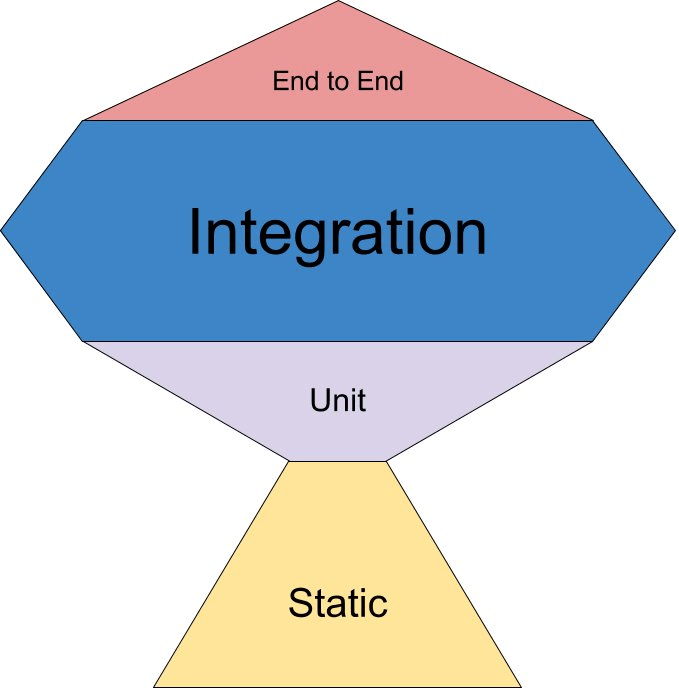
What kind of tests should we be focusing on?
Testing
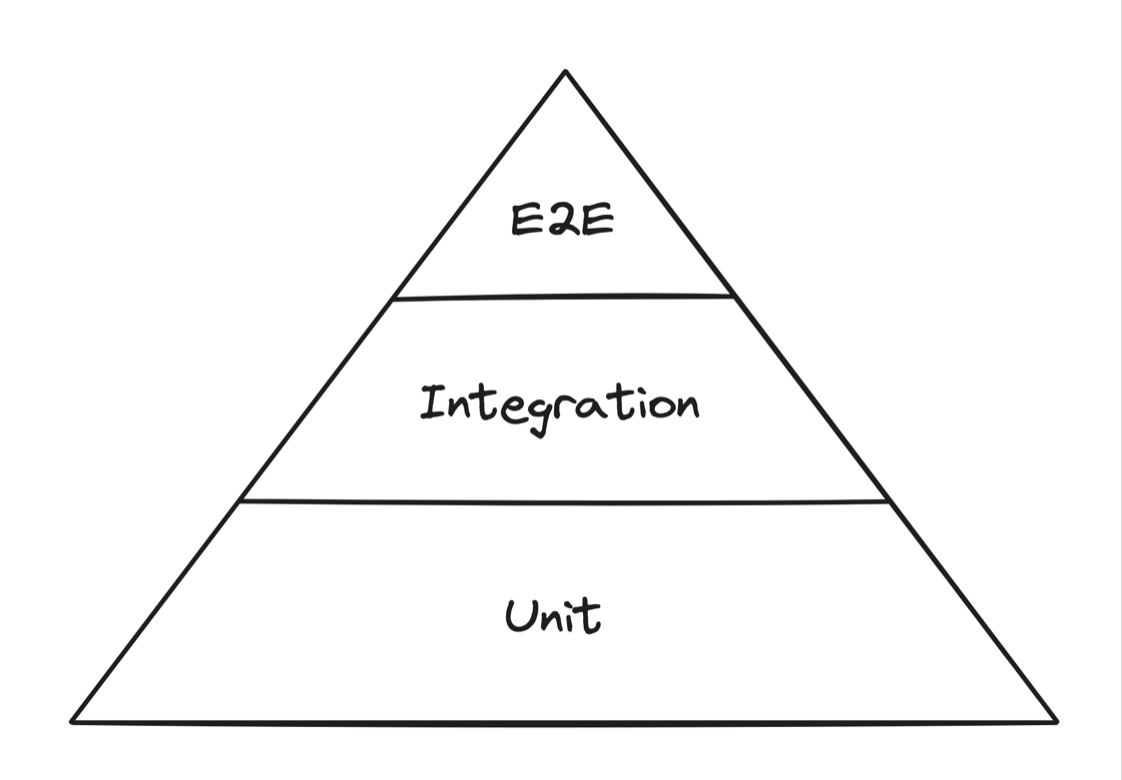
Testing Pyramid first coined by Mike Cohn.
Testing
Testing Trophy first coined by Kent C Dodds.
Testing
Snapshot Tests
A type of testing methodology that focuses on capturing the UI output of a component at a specific point in time and then comparing it with future outputs to ensure that no unintended changes have occurred
Testing
export default function Link({
  page,
  children,
}) {
  return <a href={page}>{children}</a>
}
Testing
import renderer from "react-test-renderer";
import Link from "../Link";

it("renders correctly", () => {
  const tree = renderer
    .create(
      <Link page="http://www.facebook.com">
        Facebook
      </Link>,
    )
    .toJSON();
  expect(tree).toMatchSnapshot();
});
exports[`renders correctly 1`] = `
<a
href="http://www.facebook.com"
>
Facebook
</a>
`;Testing
import renderer from 'react-test-renderer';
import Link from '../Link';
it('renders correctly', () => {
const tree = renderer
.create(
<Link page="http://www.instagram.com">
Instagram
</Link>
)
.toJSON();
expect(tree).toMatchSnapshot();
});Testing
FAIL  src/Link.test.js
  ● renders correctly

    expect(value).toMatchSnapshot()

    Received value does not match stored snapshot ...

    - Expected
    + Received

      <a
    -   href="http://www.facebook.com"
    +   href="http://www.instagram.com"
      >
    -   Facebook
    +   Instagram
      </a>

      7 |
      8 | it("renders correctly", () => {
jest --updateSnapshotTesting
exports[`renders correctly 1`] = `
<a
  href="http://www.instagram.com"
>
  Instagram
</a>
`;
Testing
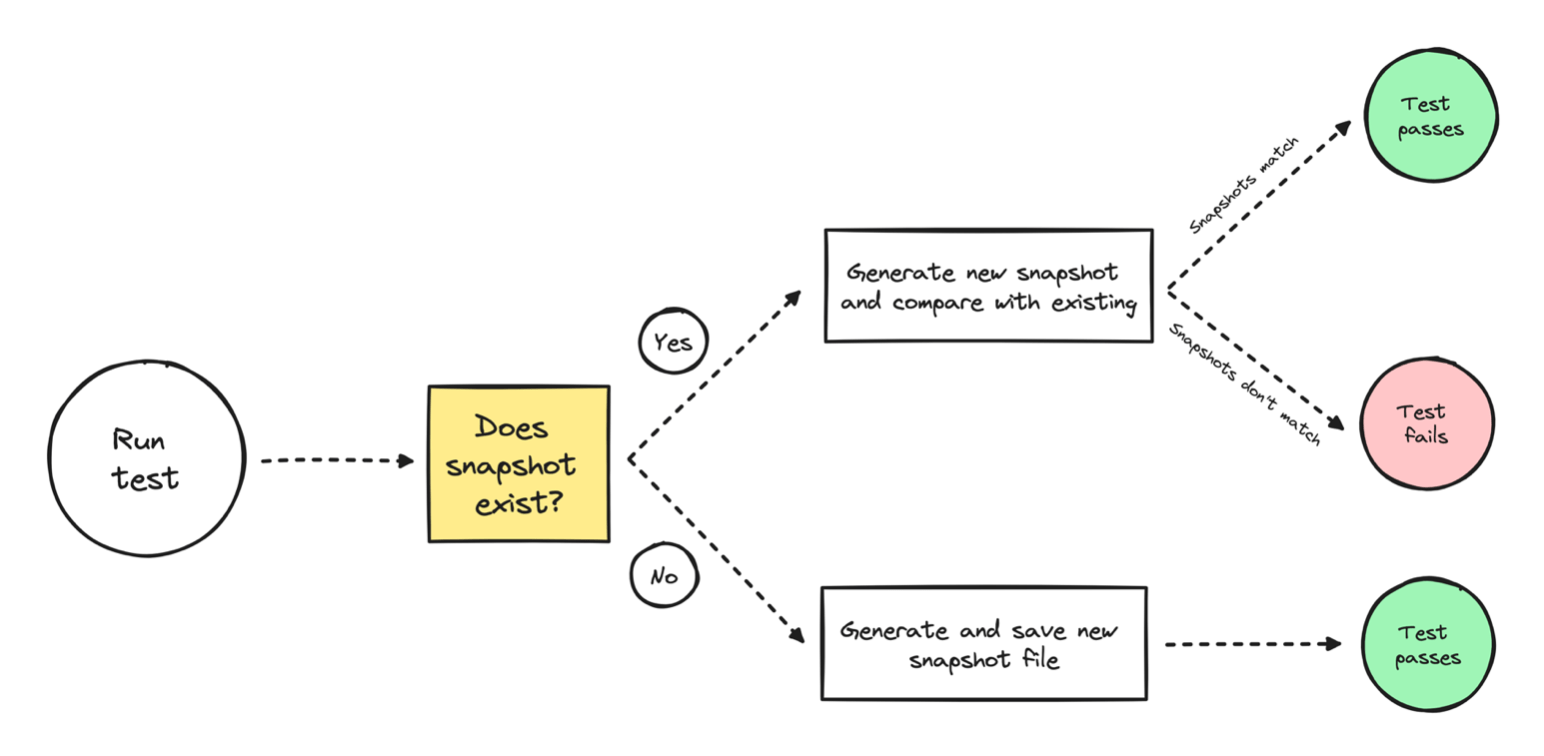
Testing
Snapshot tests are important only if the rendered output of a component is critical to the functionality or design of the application and must remain consistent over time.
Example I've seen — Internal Component Libraries
Testing
Q/A!
Interviewing
This week we'll talk about some tips around interviewing. Next week, we'll discuss tips around getting an interview (amongst other things).
Front-End Engineering
Interviewing
Note: I am speaking from the perspective of North America however a lot of the things I share here can be transferable to wherever you might be based in.
Interviewing
The Google's/Meta's/SF San Fran Companies
The Fortune500 (i.e., bigger name companies)
Smaller to medium sized companies
Interviewing
The Google's/Meta's/Netflix's/etc.
The Fortune500 (i.e., bigger name companies)
Smaller to medium sized companies
Phone Screen
Behavioural Interview
Technical Screens
This can differ the most depending on company + role
Interviewing
The Google's/Meta's/Netflix's/etc.
Data Structures & Algorithms
Interviewing
The Google's/Meta's/Netflix's/etc.
Data Structures
Organize and store data efficiently
Arrays, Linked Lists, Stacks, Queues
Trees (Binary, AVL), Graphs, Hash Tables
Algorithms
Step-by-step procedures to solve problems
Sorting: Quick Sort, Merge Sort, Bubble Sort
Searching: Binary Search, Depth-First Search (DFS), Breadth-First Search (BFS)
Big (O)
Interviewing
The Google's/Meta's/Netflix's/etc.
[Question: Reverse an Array]
Write a function in JavaScript that takes an array as input and
returns the array in reverse order without using the built-in
reverse() method.

Input: [1, 2, 3, 4, 5]
Output: [5, 4, 3, 2, 1]

---

function reverseArray(arr) {
  let reversedArr = [];

  for (let i = arr.length - 1; i >= 0; i--) {
    reversedArr.push(arr[i]);
  }

  return reversedArr;
}

// Test the function
// Output: [5, 4, 3, 2, 1]
console.log(reverseArray([1, 2, 3, 4, 5]));
Interviewing
The Google's/Meta's/Netflix's/etc.
[Question: Detect a Cycle in a Linked List]
Write a function in JavaScript to determine if a
given singly linked list contains a cycle.

A cycle occurs when a node’s next pointer points
to a previous node in the list, forming a loop.

Input: 1 -> 2 -> 3 -> 4 -> 5 -> 2 (cycle back to node 2)
Output: true

Input: 1 -> 2 -> 3 -> 4 -> 5 -> null
Output: false

---

function hasCycle(head) {
  if (!head || !head.next) return false;

  let slow = head;
  let fast = head;

  while (fast && fast.next) {
    slow = slow.next;
    fast = fast.next.next;

    if (slow === fast) {
      return true;
    }
  }

  return false;
}
Interviewing
The Google's/Meta's/Netflix's/etc.
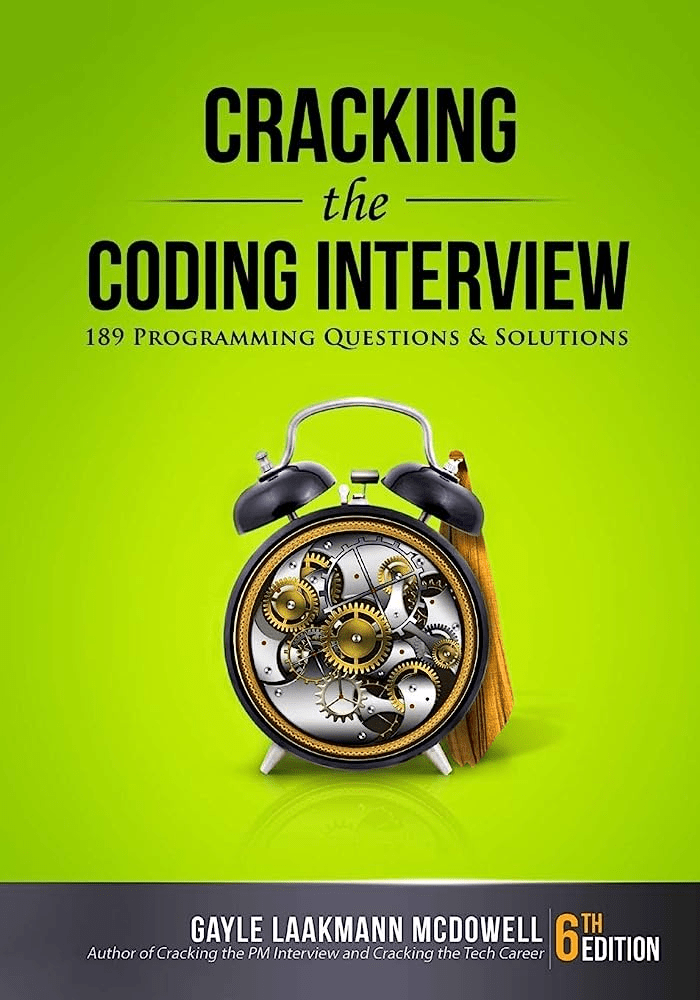
Interviewing
The Fortune500 (i.e., bigger name companies)
Smaller to medium sized companies
More likely to ask a front-end development related question.
Interviewing
The Fortune500 (i.e., bigger name companies)
Smaller to medium sized companies
How would you go about designing and building the UI of a shopping cart?
Build an image carousel component in React
Interviewing
The Fortune500 (i.e., bigger name companies)
Smaller to medium sized companies
React
UI/CSS
API
TypeScript? Good Markup? Etc.
Interviewing
Behavioural Interviews
System Design (Front-End)
Interviewing
Behavioural Interviews
Think of projects you've worked on
S.T.A.R Method
Situation, Task, Action, and Result
Interviewing
Behavioural Interviews
App Store (Shopify)
S.T.A.R Method
Situation, Task, Action, and Result
Instacart (Ads Team)
Doordash (Experimentation)
- Built a Results tabe
- Built a Metrics Explorer product
- Mentored 4 new hires
- etc.
Interviewing
Behavioural Interviews
Tell me about a time when you worked on a team project and faced a challenge.
Interviewing
System Design
How would you design & build Facebook's News Feed
Interviewing
System Design
Component Architecture
Data API
Infinite Scroll/Pagination
Optimization (Performance)
Host images/assets on an image service
Accessibility/TypeScript/etc./etc.
Interviewing
When you've gotten an interview
Gather information from recruiter/hiring manager
Search around on Glassdoor
Give yourself some time to prepare
When you hear back — keep the recruiter/hiring manager in your contacts
just to get an idea on how the interview is
Front-End Fresh (Session #3)
- Building a Personal Brand & Applying to Roles
What's coming next week?
Front-End Fresh (Session #3)
Q/A
The Front-End Fresh Workshop (Oct 9th)
By djirdehh