What This Talk Is
- An overview of three real-time patterns
- A decision framework for when to use each pattern
- BoxLang, ColdBox, and JavaScript examples
- Live demos and a full working repo you can steal from later
What This Talk Isn't
- A networking certification course
- Dealing with queues (use cbq for that)
- A frontend framework tutorial
- WebSockets as the answer to everything
Traditional Request / Response Flow
Browser ── Request ──▶ Server
Browser ◀─ Response ── Server
Everything useful happens at the end.
Browser ◀─ Response ── Server
Everything useful happens at the end.
That's fine for...
- CRUD
- Forms
- Normal APIs
- Short requests
But not so great when...
- The export takes 3 minutes
- The import fails at row 8,000
- The user refreshes the page thinking it broke
- Support gets told the page doesn't work
Users expect apps to feel alive.
Common symptom
The server is working.
The user just cannot tell.

So what are our options?
- Polling
- Queues
- HTTP Streaming
- Server-Sent Events
- WebSockets
Polling
“Are we done yet?”
Every two seconds. Forever.

Polling works
That is why we keep using it.
It is also easy to overuse.
Queues
- When the work HAS to be done
- Needs to be tracked
- And can be distributed across many workers
Queues can also interact with other real-time options like WebSockets
https://slides.com/elpete/itb-2023-cbq
Real-Time Tools
SSE
Server pushes events to the client.
SSE
Server pushes events to the client.
WebSockets
Both sides talk over one connection.
HTTP Streaming
One response, sent in chunks.
Use the simplest transport that matches the problem.
Key Takeaway:
Section 1
HTTP Streaming
Large responses without waiting for the end.
What is HTTP Streaming?
A normal HTTP response sent in chunks.
Client requests some data via an endpoint.
Server sends rows as they are ready.
Client processes progressively.
Server sends rows as they are ready.
Client processes progressively.
Why use HTTP Streaming?
- Large exports
- CSV / NDJSON
- Logs
- AI token-style responses
- Generated responses over time
Why avoid HTTP Streaming?
- Pub/Sub
- Presence / Chat
- Automatic reconnect semantics
Demo
BoxLang producer streams audit rows.
GET /api/audit/exportNDJSON
One JSON object per line.
{"id":1,"action":"LOGIN","user":"eric@example.com"}
{"id":2,"action":"EXPORT","user":"jane@example.com"}
{"id":3,"action":"DELETE","user":"admin@example.com"}
Why NDJSON?
- Easy to append
- Easy to parse incrementally
- Human-readable
- Works well with line buffers
BoxLang Producer
event.noRender();

event.setHTTPHeader(
    name = "Content-Type", value = "application/x-ndjson; charset=utf-8"
);
event.setHTTPHeader(
    name = "Cache-Control", value = "no-cache, no-store, must-revalidate"
);
event.setHTTPHeader(
    name = "X-Accel-Buffering", value = "no"
);

getBoxContext().clearBuffer();
BoxLang Producer
while ( emitted < maxRows ) {
    var page = auditLogStore.getPageAfter(
        lastId = lastId,
        limit = min( batchSize, maxRows - emitted )
    );

    if ( !page.len() ) {
        break;
    }

    for ( var row in page ) {
        writeOutput( JSONSerialize( row ) & char( 10 ) );

        lastId = row.id;
        emitted++;

        if ( emitted % flushEvery == 0 ) {
            bx:flush;

            if ( delayMs > 0 ) {
                sleep( delayMs );
            }
        }
    }
}

bx:flush;
BoxLang client side
Consume the stream with HTTP callbacks.
GET /api/audit/import
http( exportURL )
    .get()
    .charset( "utf-8" )
    .onChunk( ( chunkNumber, chunk, totalBytes, httpResult, httpClient, response ) => {
        var chunkText       = extractChunkText( chunk );
        consumer.consumeLine( chunkText );
        return true;
    } )
    .send();
const response = await fetch( buildURL(), { signal : controller.signal } );
if ( !response.ok || !response.body ) {
throw new Error( `Stream failed with HTTP ${ response.status }` );
}
const reader = response.body.getReader();
const decoder = new TextDecoder();
let buffer = "";
while ( true ) {
const { value, done } = await reader.read();
if ( done ) {
break;
}
buffer += decoder.decode( value, { stream : true } );
const lines = buffer.split( /\r?\n/ );
buffer = lines.pop() || "";
lines.forEach( consumeLine );
}
buffer += decoder.decode();
consumeLine( buffer );JavaScript client side
Use fetch() and ReadableStream.
Use HTTP Streaming when...
- The response is large
- The output is sequential
- Partial work is useful
- The client can process chunks
Reach for another tool when...
- You need named events → SSE
- You need reconnect behavior → SSE
- You need both sides talking → WebSockets
- You need durable work → Queue
Section 2
Server-Sent Events
One-way server push, built for events.
What is SSE?
A persistent HTTP connection where the server pushes events.
event: progress
data: {"percent":45}
id: 9
Why use SSE?
- Job progress
- Notifications
- Dashboards
- Status feeds
- Monitoring screens
Why avoid SSE?
- Bi-directional chat
- Binary streaming
- Need queuing semantics
- Don't need a persistent connection
Demo
BoxLang producer emits job events.
GET /api/jobs/:id/events
BoxLang Producer
SSE(
    callback : ( emitter ) => {
        for ( var sseEvent in jobEvents ) {
            if ( emitter.isClosed() ) {
                break;
            }

            emitter.send( sseEvent.data, sseEvent.event, sseEvent.id );

            if ( delayMs > 0 && sseEvent.event != "complete" ) {
                sleep( delayMs );
            }
        }

        emitter.close();
    },
    retry    : 3000
);
JavaScript Consumer
source = new EventSource( buildURL() );Creating an Event Source from an SSE Stream
source.addEventListener( "open", () => {
  connectionCount++;
  connectionsTarget.textContent = connectionCount.toLocaleString();

  if ( connectionCount > 1 ) {
    completed = false;
    completionTarget.textContent = "Browser reconnected and started another job stream.";
    addEventLog( "reconnected", "", {
      jobId : cleanJobId(),
      message : "EventSource reopened after the previous stream closed.",
      percent : Number.parseInt( percentTarget.textContent, 10 ) || 0
    } );
  }

  setStatus( "Connected" );
} );
JavaScript Consumer
Adding a listener for when the SSE stream is connected
[ "started", "progress", "warning", "complete" ]
  .forEach( ( eventName ) => {
    source.addEventListener(
      eventName,
      ( event ) => handleNamedEvent( eventName, event )
    );
  } );
JavaScript Consumer
Listening for named events
BoxLang Consumer
Useful when another service emits SSE.
- AI providers
- Monitoring feeds
- Internal orchestration
BoxLang Consumer
http( eventsURL )
    .get()
    .header( "Accept", "text/event-stream" )
    .charset( "utf-8" )
    .sse( true )
    .onChunk( ( sseEvent, lastEventId, httpResult, httpClient, response ) => {
        var processedEvent = consumer.consumeEvent( sseEvent, lastEventId );
        return true;
    } )
    .send();
Use SSE when...
- The server pushes updates
- The browser listens
- One-way is enough
- You want simple reconnect behavior
Reach for another tool when...
- You stream bulk data, once → HTTP Streaming
- The client sends live messages → WebSockets
- You need durable processing → Queue
- You only need occasional checks → Polling
WebSockets
Real-time, two-way communication.
Section 3
What are WebSockets?
Client ◀──────────────▶ Server
Both sides can send messages whenever they need to.
Both sides can send messages whenever they need to.
Why use WebSockets?
- Chat
- Presence
- Collaborative editing
- Live admin consoles
- Interactive dashboards
WebSockets are not...
- Automatically the best choice
- Simpler than SSE
- Needed for every real-time app
- A replacement for queues
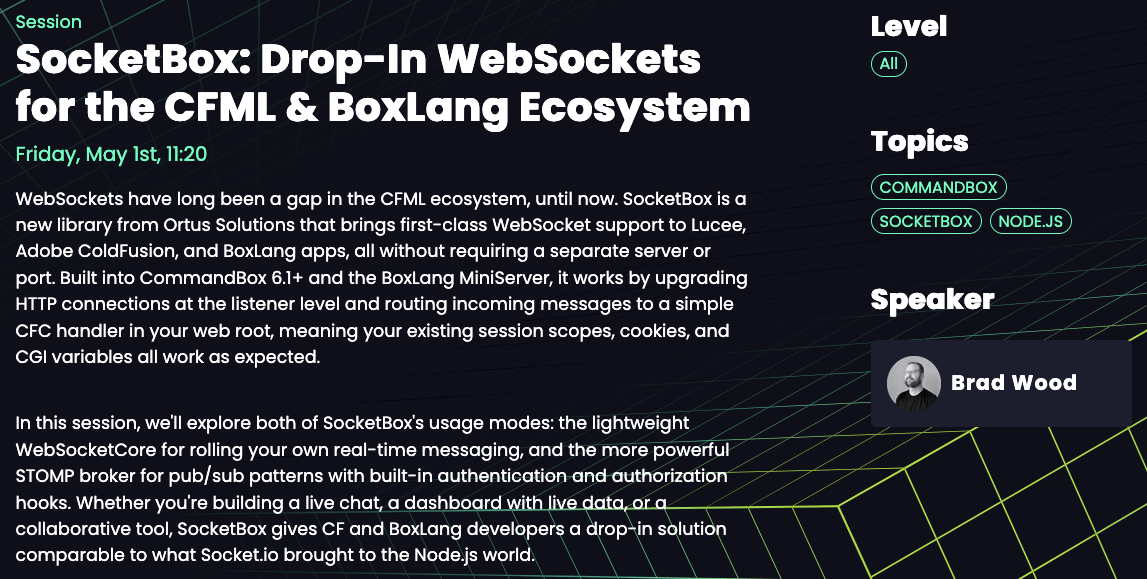
SocketBox
WebSocket Listener library to be used with CommandBox Websocket and BoxLang WebSocket server.
Check out the session tomorrow
Demo
It's a chat app
...but with global notifications!
Server Wiring
// server.json
"websocket": {
    "enable": true,
    "uri": "/ws",
    "listener": "/WebSocket.bx"
}
SocketBox Listener
// public/WebSocket.bx
class extends="modules.socketbox.models.WebSocketCore" {

    function onConnect( channel ) {
  	    // called when ws connection is first established
    }

    function onClose( channel ) {
        var member = removeMember( arguments.channel );

		if ( member.keyExists( "room" ) ) {
			broadcastToRoom(
				room    = member.room,
				payload = {
					"type"        : "chat-presence",
					"action"      : "left",
					"room"        : member.room,
					"displayName" : member.displayName,
					"message"     : "#member.displayName# left #member.room#.",
					"timestamp"   : now()
				}
			);
		}
    }

}
SocketBox onMessage
class extends="modules.socketbox.models.WebSocketCore" {

    function onMessage( required string message, required channel ){
		var payload = {};

		try {
			payload = JSONDeserialize( arguments.message );
		} catch ( any e ) {
			sendChatError( arguments.channel, "Messages must be JSON." );
			return;
		}

		switch ( payload.type ?: "" ) {
			case "chat-join":
				handleJoin( arguments.channel, payload );
				break;
			case "chat-message":
				handleChatMessage( arguments.channel, payload );
				break;
			default:
				sendChatError( arguments.channel, "Unknown chat message type." );
		}
	}

}
SocketBox Room State
private void function broadcastToRoom( room, payload ) {
    ensureChatState();

    if ( !application.socketChatRooms.keyExists( arguments.room ) ) {
        return;
    }

    var message = JSONSerialize( arguments.payload );

    for ( var memberId in application.socketChatRooms[ arguments.room ] ) {
        if ( application.socketChatMembers.keyExists( memberId ) ) {
            sendMessage(
                channel = application.socketChatMembers[ memberId ].channel,
                message = message
            );
        }
    }
}
Server-Initiated Notifications
// SocketNotificationBroadcaster.bx
class extends="modules.socketbox.models.WebSocketCore" {

	public struct function broadcast( required string kind ) {
		var payload     = buildNotification( arguments.kind );
		var connections = getAllConnections();

		broadcastMessage(
			message     = JSONSerialize( payload ),
			rebroadcast = false
		);

		return {
			"sent"            : true,
			"connectionCount" : connections.len(),
			"notification"    : payload
		};
	}

}
JavaScript Setup
if ( socket ) {
  return;
}

socket = new WebSocket( buildURL() );

socket.addEventListener( "open", () => {
  setStatus( "Connected" );
} );

socket.addEventListener( "message", ( event ) => {
  handleMessage( event.data );
} );

socket.addEventListener( "close", () => {
  socket = null;
  setStatus( "Closed" );
} );

socket.addEventListener( "error", () => {
  setStatus( "Error" );
} );
Use WebSockets when...
- Both sides send messages
- Low latency matters
- Rooms or channels matter
- Multiple users interact together
Reach for another tool when...
- Only the server talks → SSE
- You are sending a big response, once → HTTP Streaming
- You need guaranteed work → Queue
- You just need occasional status → Polling
Compare and Contrast
Choosing the transport
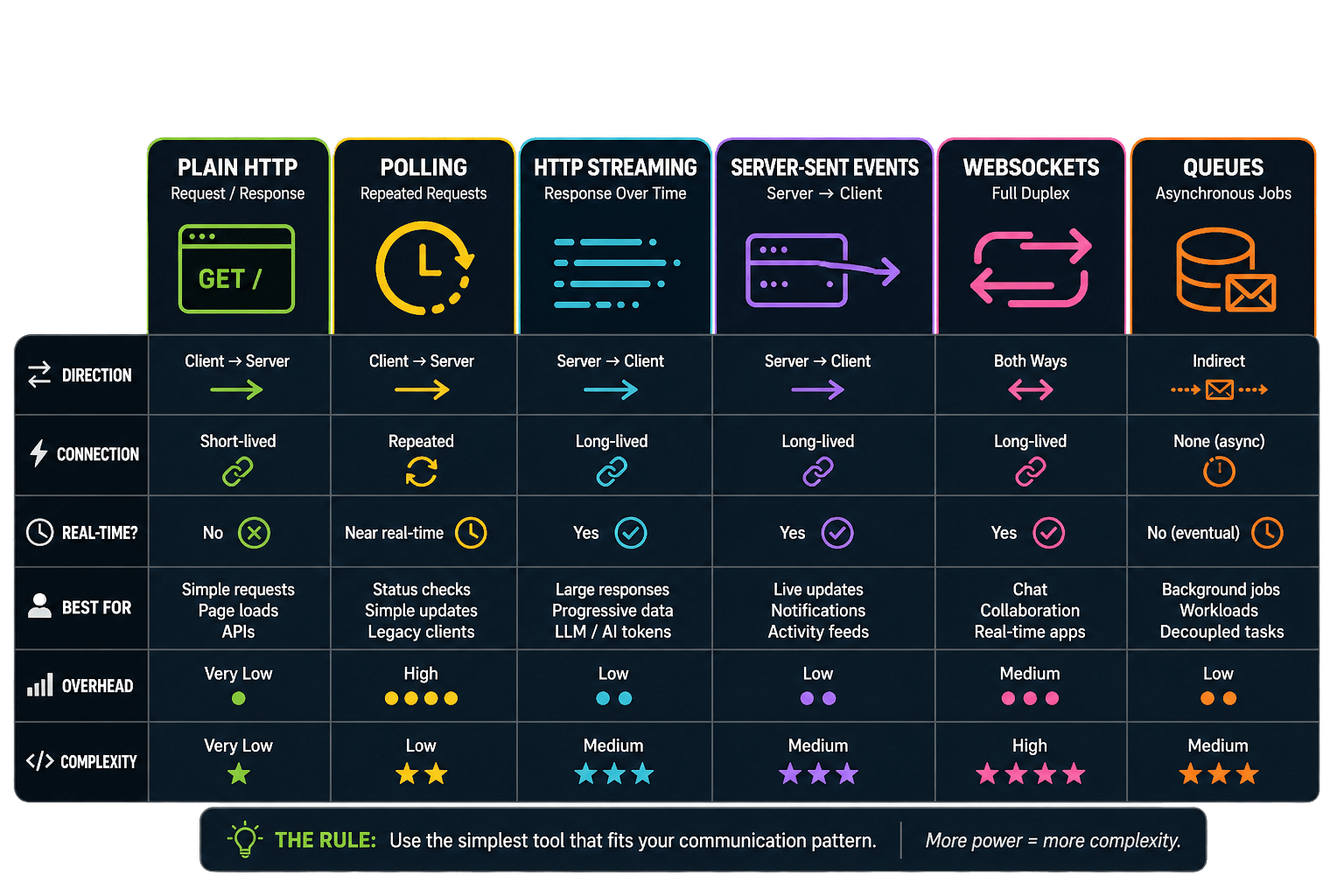
Real-Time Options
BoxLang and ColdBox
Supercharge your Real-Time Architecture
- HTTP APIs
- Streaming responses
- SSE endpoints
- SocketBox WebSockets
- One ecosystem


Streams, Sockets, and Sorcery — Real-Time BoxLang
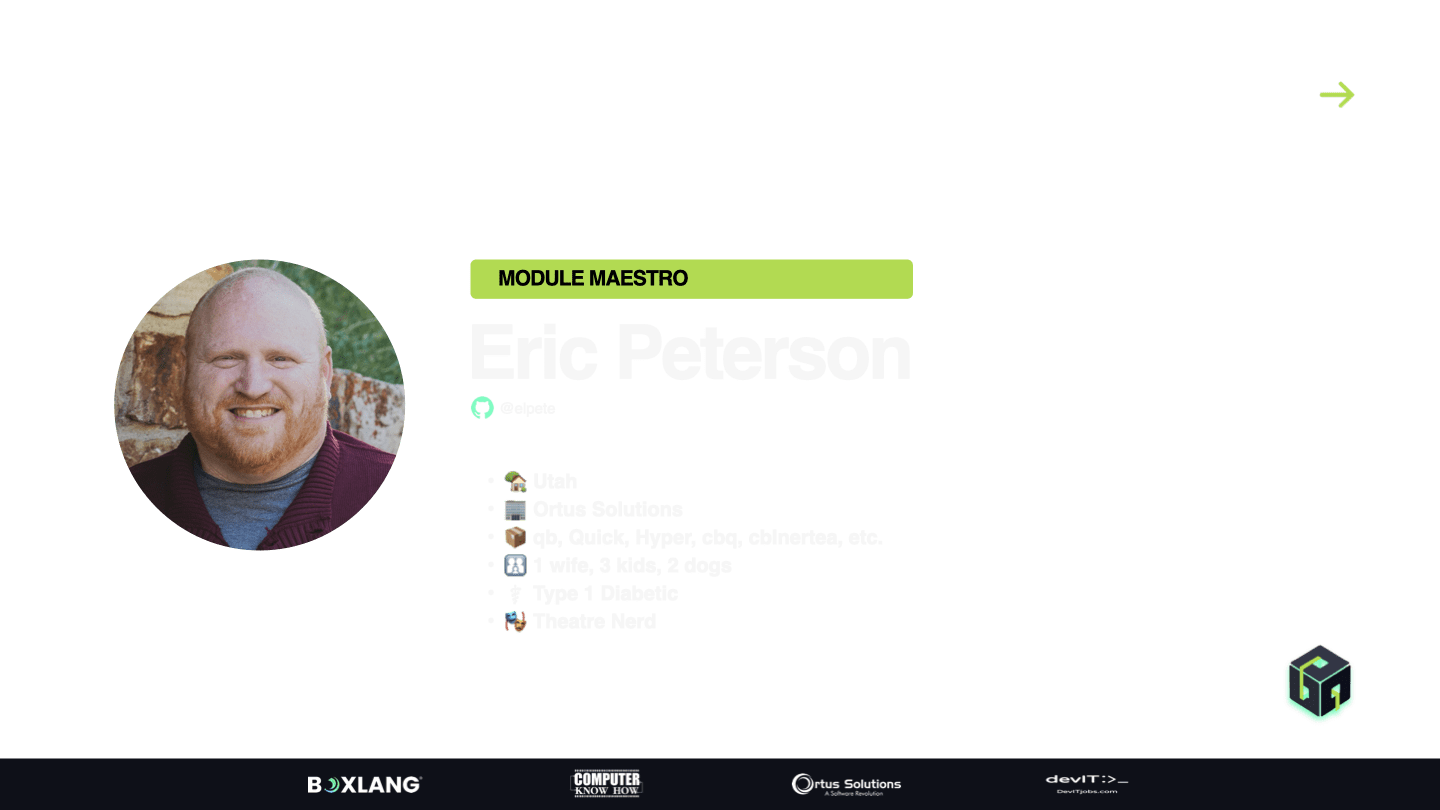
By Eric Peterson