SASS Basics
Syntactically Awesome Stylesheet
What is SASS
-
Powerful professional grade CSS extension language in the world
-
Completely compatible with all version of CSS
-
Stable
-
Smaller than CSS
-
Easily to maintain
-
Not complex
-
Have Feature that not exist in CSS; variable, nesting, mixins, inheritance
-
Must save it out as a normal CSS file
Variables
-
Store information that you want to reuse throughout your stylesheet
-
SASS uses $ symbol to make something a variable
-
Store things; colors, font stacks or many CSS value that will reuse it
SASS
SCSS
$font-stack: Helvetica, sans-serif
$primary-color: #333

body
    font: 100% $font-stack
    color: $primary-color
$font-stack: Helvetica, sans-serif;
$primary-color: #333;
body {
font: 100% $font-stack;
color: $primary-color;
}SASS
CSS
$font-stack: Helvetica, sans-serif
$primary-color: #333

body
    font: 100% $font-stack
    color: $primary-color
body {
font: 100% Helvetica, sans-serif;
color: #333;
}Nesting
-
Nest CSS selectors that follows the same visual hierarchy of HTML
SCSS
CSS
nav {
    ul {
        margin: 0;
        padding: 0;
        list-style: none;
      }
    li {
        display: inline-block;
    }
    a {
        display: block;
        padding: 6px 12px;
        text-decoration: none;
    }
}
nav ul {
margin: 0;
padding: 0;
list-style: none;
}
nav li {
display: inline-block;
}
nav a {
display: block;
padding: 6px 12px;
text-decoration: none;
}Referencing Parent Selector
-
SASS uses & symbol to reference parent
-
Sometime useful to use a nested rule's parent selector
SCSS
CSS
a {
    color: #ce4dd6;
    &:hover {
        color: #ffb3ff;
    }
    &:visited {
        color: #c458cb;
    }
}
a {
    color: #ce4dd6;
}
a:hover {
    color: #ffb3ff;
}
a:visited {
    color: #c458cb;
}
SCSS
CSS
#main {
    color: black;
    &-sidebar {
        border: 1px solid;
    }
}
#main {
color: black;
}
#main-sidebar {
border: 1px solid;
}Partials
-
Partial sass files that contains little code of css which can be included in other sass
-
Simply a SASS file named with a leading underscore
-
Underscore lets SASS know that the file is only a partial file and it should not be generated into a CSS file
-
Used with the @import directive
Import
-
Import option that lets you split CSS into smaller, more maintainable portions
_reset.SCSS
base.SCSS
html,
body,
ul,
ol {
    margin: 0;
    padding: 0;
}
@import 'reset';

body {
    font: 100% Helvetica, sans-serif;
    background-color: #efefef;
}
base.SCSS
CSS
@import 'reset';

body {
    font: 100% Helvetica, sans-serif;
    background-color: #efefef;
}
html, body, ul, ol {
    margin: 0;
    padding: 0;
}
body {
    font: 100% Helvetica, sans-serif;
    background-color: #efefef;
}
Mixins
-
Mixins make group of CSS declaration that want to reuse
-
Make more flexible
-
Use @mixin directive and give it a name
-
Use @include followed by the name of the mixin
SCSS
CSS
@mixin border-radius($radius) {
  -webkit-border-radius: $radius;
     -moz-border-radius: $radius;
      -ms-border-radius: $radius;
          border-radius: $radius;
}
.box {
    @include border-radius(10px);
}
.box {
    -webkit-border-radius: 10px;
    -moz-border-radius: 10px;
    -ms-border-radius: 10px;
    border-radius: 10px;
}
Extend/Inheritance
- Using @extend to share a set of CSS properties form one selector to another
- Help to keep SASS very dry
- Help to avoid having to write multiple class on HTML element
SCSS
CSS
.message {
    border: 1px solid #ccc;
    padding: 10px;
    color: #333;
}
.success {
    @extend .message;
    border-color: green;
}
.error {
    @extend .message;
    border-color: red;
}
.warning {
    @extend .message;
    border-color: yellow;
}
.message, .success, .error, .warning {
    border: 1px solid #cccccc;
    padding: 10px;
    color: #333;
}
.success {
    border-color: green;
}
.error {
    border-color: red;
}
.warning {
    border-color: yellow;
}
Operators
- Doing math in CSS is very helpful
- Using + , - , * , /
SCSS
CSS
.container {
    width: 100%;
}
article[role="main"] {
    float: left;
    width: 600px / 960px * 100%;
}
aside[role="complimentary"] {
    float: right;
    width: 300px / 960px * 100%;
}
.container {
    width: 100%; }
article[role="main"] {
    float: left;
    width: 62.5%;
}
aside[role="complimentary"] {
    float: right;
    width: 31.25%;
}
*** take pixel values and convert them to percentages without much hassle
!optional
a.important {
    @extend .notice
}
a.important {
@extend .notice !optional;
}Normally when you extend a selector, it’s an error if @extend doesn’t work
Sometimes, though, you want to allow an @extend anyway. To do so, just add the !optional flag after the selector
convert from SASS to CSS
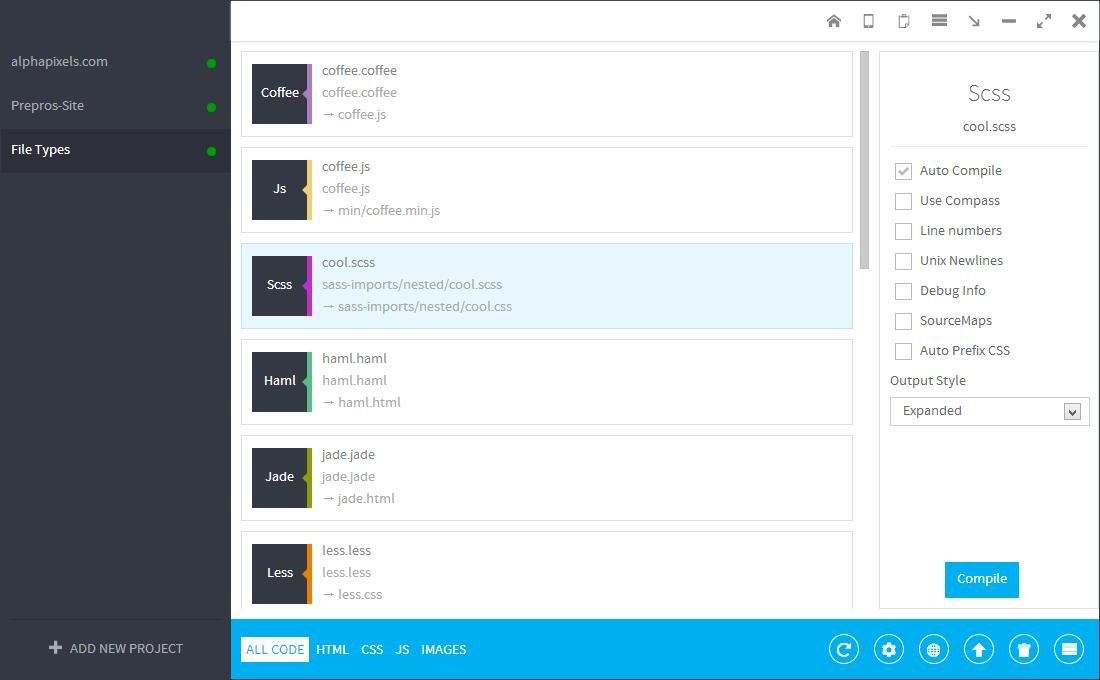
http://alphapixels.com/prepros/
SASS
By Jiratha Laothong