Truly Grasping Async and Concurrency In JavaScript



const me = {
  name: "Martin McKeaveney",
  company: "SquareFoot",
  twitter: "@mmckeaveney94",
  github: "mmckeaveney"
}
👋
🍔
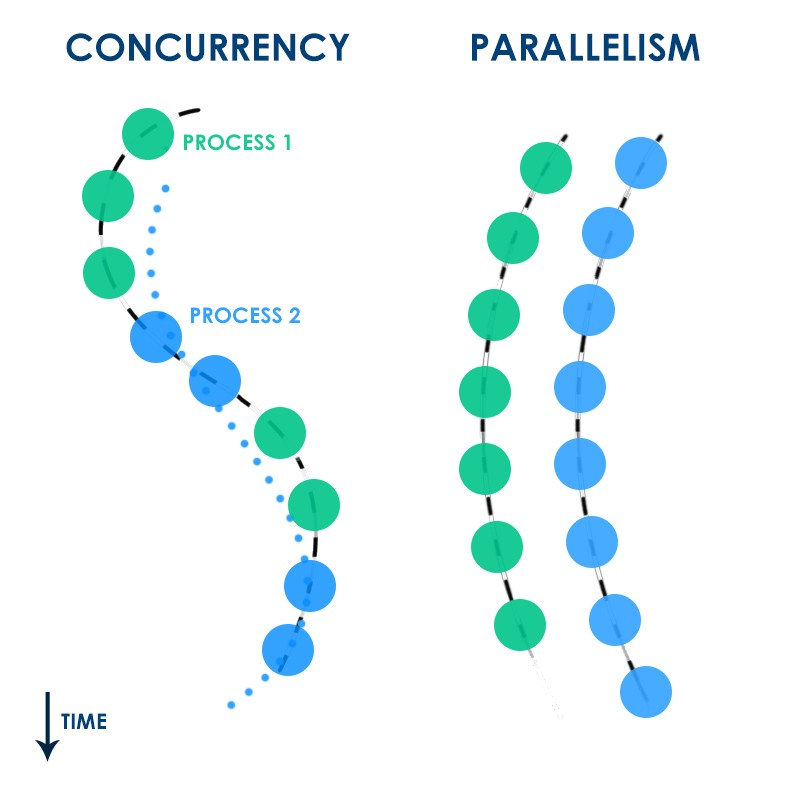
Learning Curve
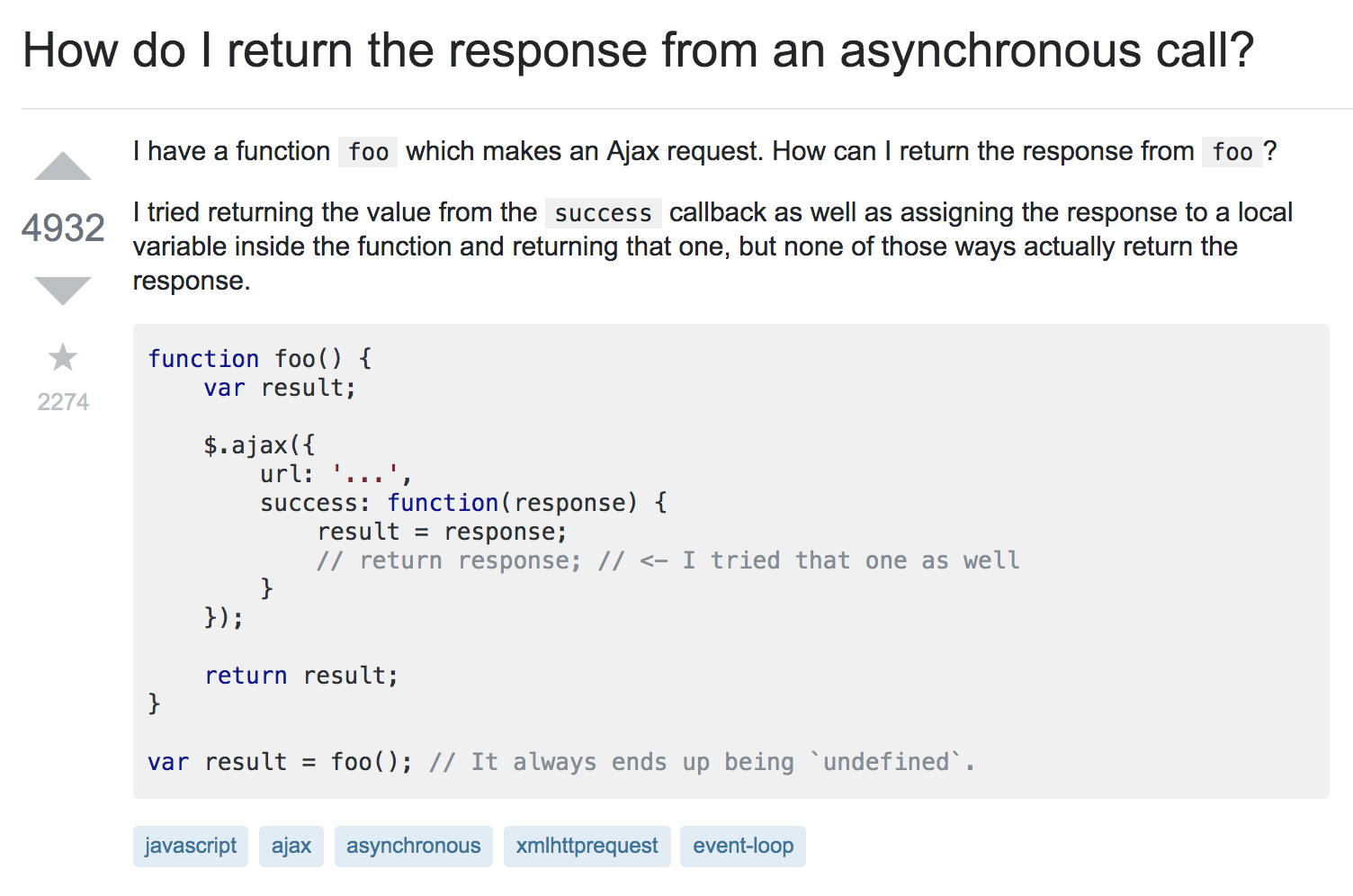
Browser APIs 👨💻
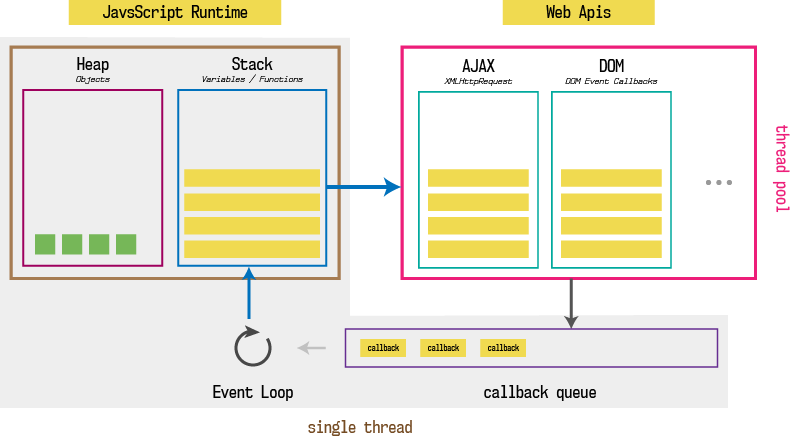
Callbacks 📲
A function that calls back when the asynchronous task is complete.
fs.readFile('data.json', 'utf8', (err, jsonString) => {
    if (err) {
        console.error('File read failed:', err);
        return;
    }
    console.log('Me Second!', jsonString);
});

console.log('Me First!')
Callbacks 📲
Callback Queue
fs.readdir(source, function (err, files) {
  if (err) {
    console.log('Error finding files: ' + err)
  } else {
    files.forEach(function (filename, fileIndex) {
      console.log(filename)
      gm(source + filename).size(function (err, values) {
        if (err) {
          console.log('Error identifying file size: ' + err)
        } else {
          console.log(filename + ' : ' + values)
          aspect = (values.width / values.height)
          widths.forEach(function (width, widthIndex) {
            height = Math.round(width / aspect)
            console.log('resizing ' + filename + 'to ' + height + 'x' + height)
            this.resize(width, height)
                .write(dest + 'w' + width + '_' + filename, function(err) {
              if (err) console.log('Error writing file: ' + err)
            })
          }.bind(this))
        }
      })
    })
  }
})
📲👿🔥
Promises 🙏
A reference to a future value.
Promises 🙏
function display(data) {
  console.log(data);
}

// { value: undefined, onFulfilled: [] }
const futureData = fetch('http://some/url');

// { value: undefined, onFulfilled: [display] }
futureData.then(display);

console.log('Me First!');
// { value: 'data from server', onFulfilled: [display] }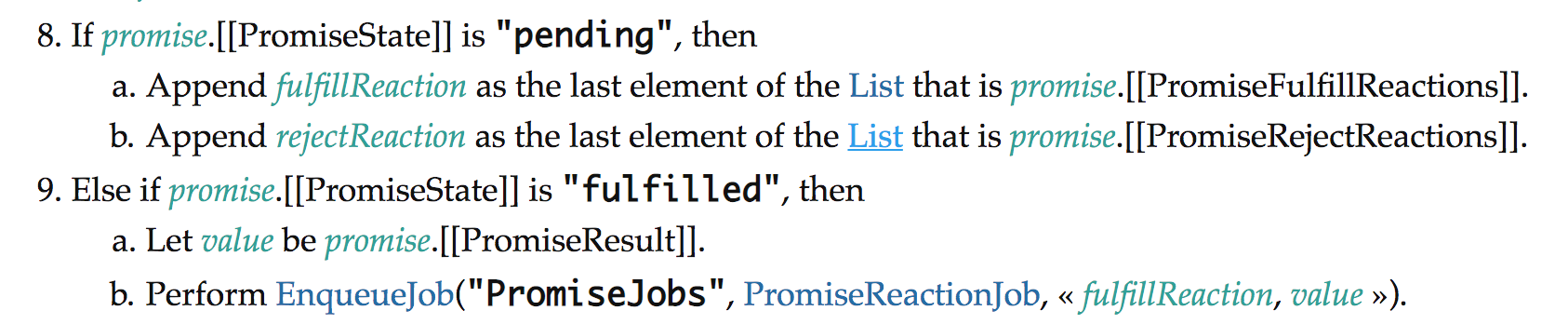
Microtask Queue vs Callback Queue
function display(data) { console.log(data); }
function printHello() { console.log('Hello'); }
function blockFor300ms() { /* block JS thread for 300 ms */}

setTimeout(printHello, 0);

const futureData = fetch('http://foobar');
futureData.then(display);

blockFor300ms();

console.log('Me First');
Me First!
Data from server!
Hello!What is wrong with this?
🤔
Generators ⏸️
function* numberGenerator() {
  yield 1;
  yield 2;
  yield 3;
}

const generator = numberGenerator();
generator.next(); // { value: 1, done: false }
generator.next(); // { value: 2, done: false }
generator.next(); // { value: 3, done: true }
"Pausable Functions"
Async Generators ⏸️
function doWhenDataReceived (value) {
 // response from promise - 'hi from server'
 returnNextElement.next(value);
}

function* createFlow(){
 const data = yield fetch('http://respond.com/hi');
 // const data = 'hi from server';
 console.log(data);
}

const returnNextElement = createFlow();
// const futureData = fetch('http://responnd.com/hi');
const futureData = returnNextElement.next();
futureData.then(doWhenDataReceived);
Async Await 🧙
async function createFlow() {
  console.log("Me First");
  const data = await fetch("http://respond.com/hi");
  console.log(data);
}

createFlow();

console.log("Me second");
Exactly the same as the previous generator example, but with added 🍬
Observable 👁️
const button = document.querySelector('button');
const output = document.querySelector('output');

button.addEventListener('click', e => {
  output.textContent = 'clicked';
});
import { fromEvent } from 'rxjs';

const output = document.querySelector('output');
const button = document.querySelector('button');

fromEvent(button, 'click')
  .subscribe(() => {
      output.textContent = 'clicked';
  });
Observable 👁️
import { fromEvent } from 'rxjs';
import { bufferCount } from 'rxjs/operators';

const output = document.querySelector('output');
const button = document.querySelector('button');

fromEvent(button, 'click')
  .pipe(bufferCount(3))
  .subscribe(() => {
      output.textContent = 'clicked';
  });
Only update textContent of output on every third click.
Case for a Deeper Understanding
Fundamental understanding of the engine, execution context, scoping ⚙️
Reading the JavaScript spec 📜
https://timothygu.me/es-howto/
Experimenting with things like codesandbox 📦
Thank you!
Questions?

Truly Grasping Async and Concurrency In JavaScript
By Martin McKeaveney