© 2018, Drifty, Inc. All rights reserved. Reproduction and distribution of this material is prohibited.
Introductions
A new way to build, test, deploy, & monitor apps.





Creator
View
Deploy
Package
Monitor
Rapid app prototyping
Remote app testing
Live app updating
Native cloud builds
Error/crash reporting
Pro's integrated suite of tools and services designed for the entire app lifecycle.
Agenda
The app lifecycle
Ionic View
Review
Branches & Channels
Other Pro features
Live Deploy
The app lifecycle
The process of coding, testing and deploying and monitoring an app
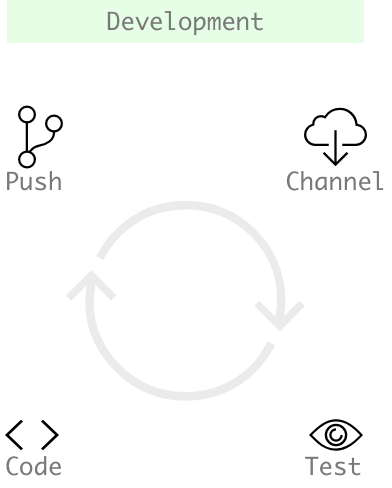
Code locally
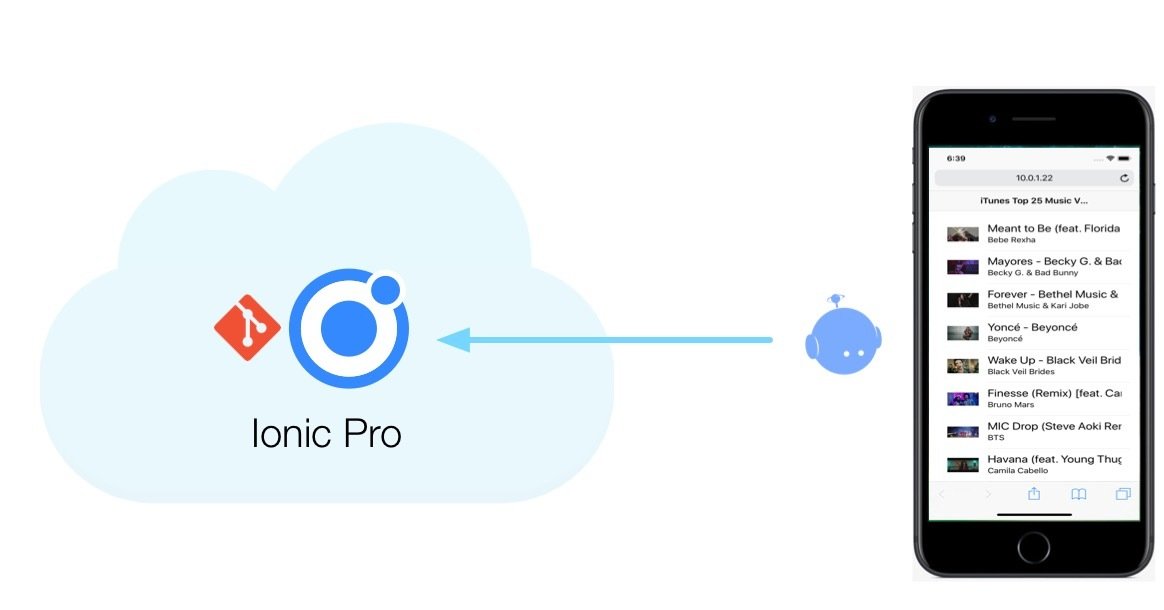
Push the code to Pro
Make the app available to testers and collaborators
Testers view the app and provide feedback
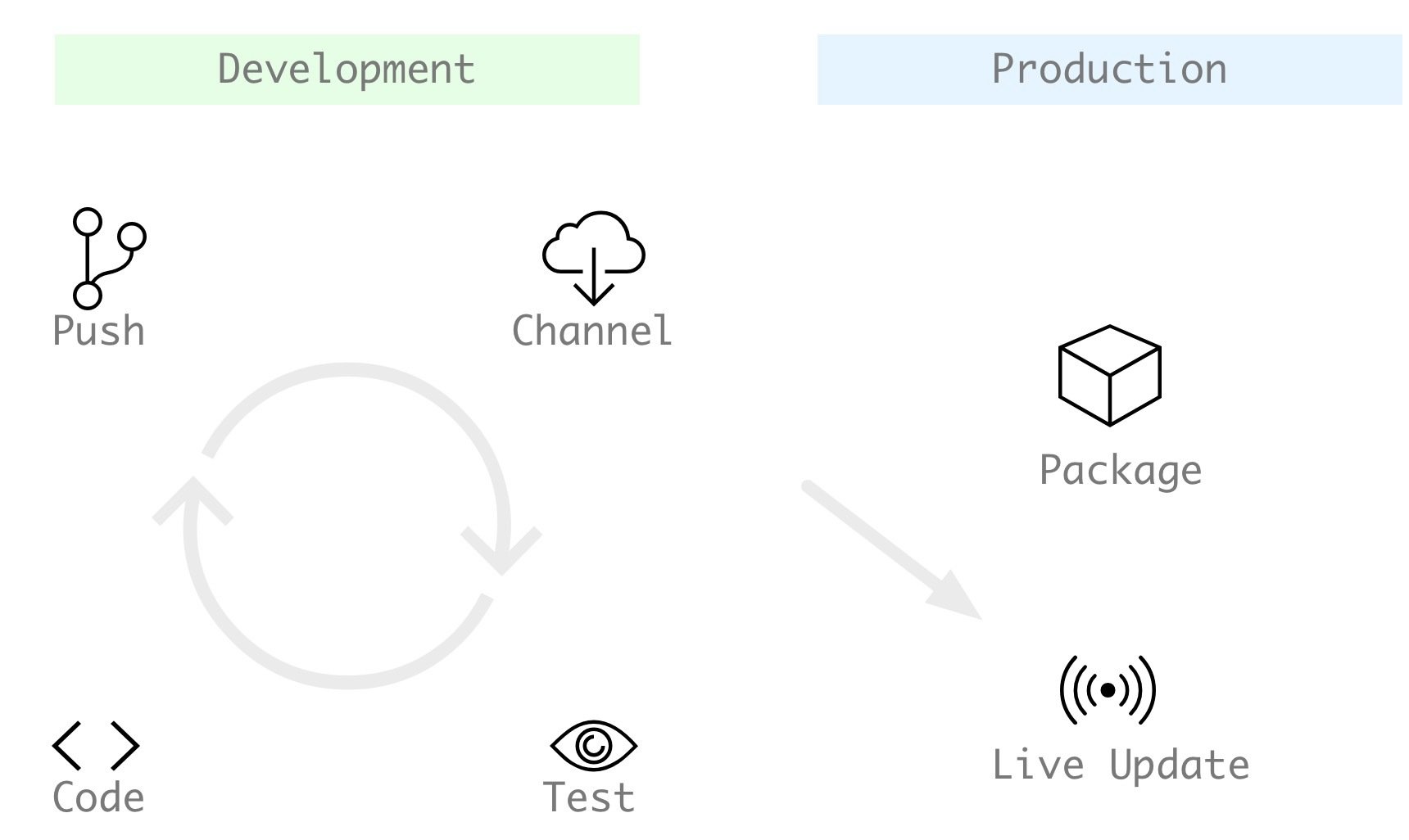
At some point your app is built and deployed to an app store
Pro's deploy feature means that changes to the code are automatically seen when your users run the app
Developer accounts can use the package feature to create the binaries
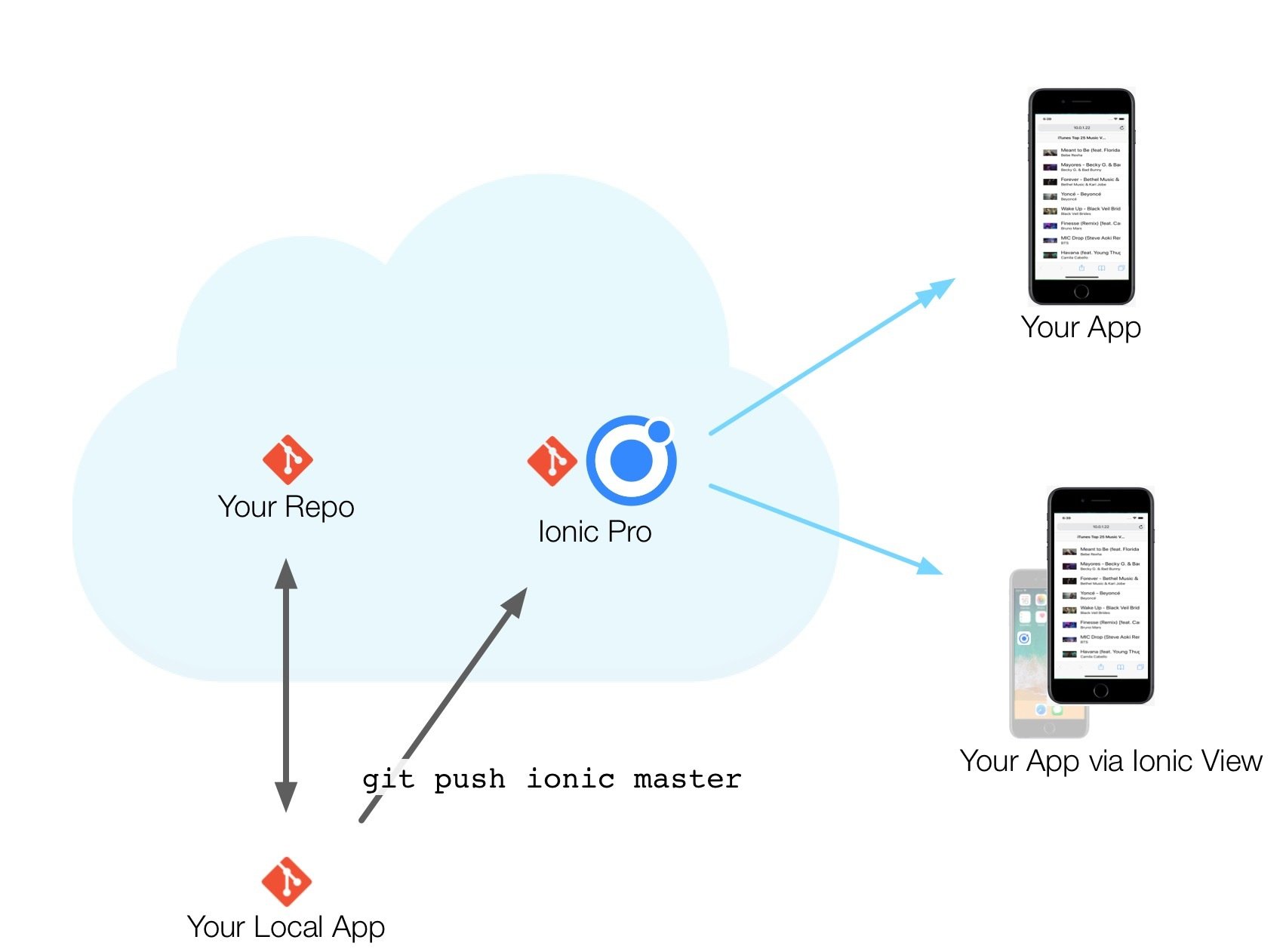
Development
1. Create app in Pro dashboard
2. Code the app locally
3. git push ionic master
4. Choose a channel
5. View on your device
1
2
3
4
5
During the demo I'll use a team account
That's mostly in order to show the private view feedback feature
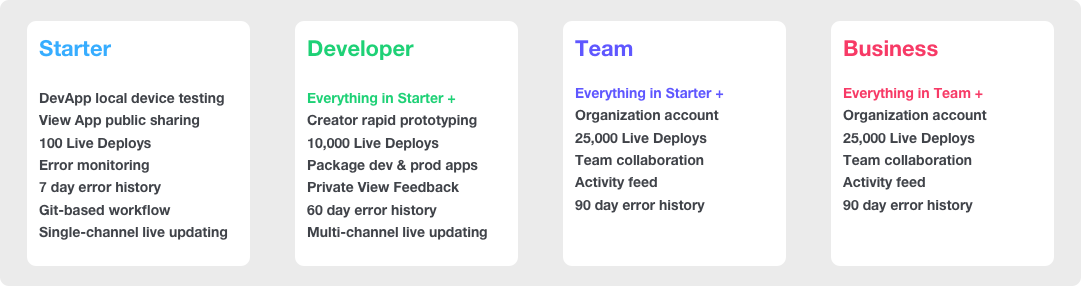
Everything else I'm demonstrating can be done with a starter account
Later, I'll briefly talk about team features
Demonstration:
Basic App Lifecycle
Development
1. Create app in Pro dashboard
2. Code the app locally
3. git push ionic master
4. Choose a channel
5. View on your device
1
2
3
4
5
Agenda
The app lifecycle
Ionic View
Review
Other Pro features
Live Deploy
Branches & Channels
Ionic View
lets you share your app
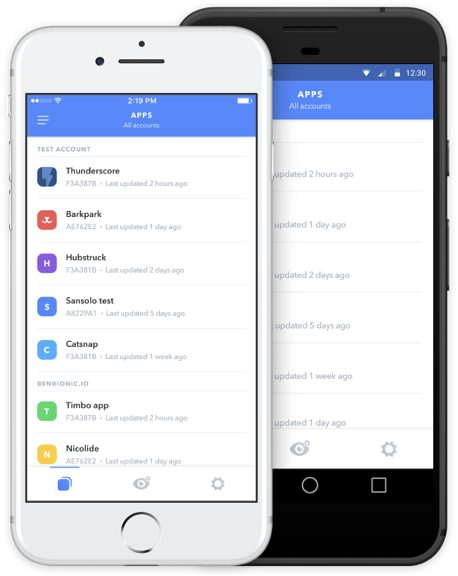
on anyone's device,
anywhere in the world.
What's Ionic View?
Ionic View
Developers debugging their apps in their local browser and using DevApp
The purpose of view is to get your app in the hands of clients, testers and collaborators
The way to do that is by sharing the application with selected testers
Share the app
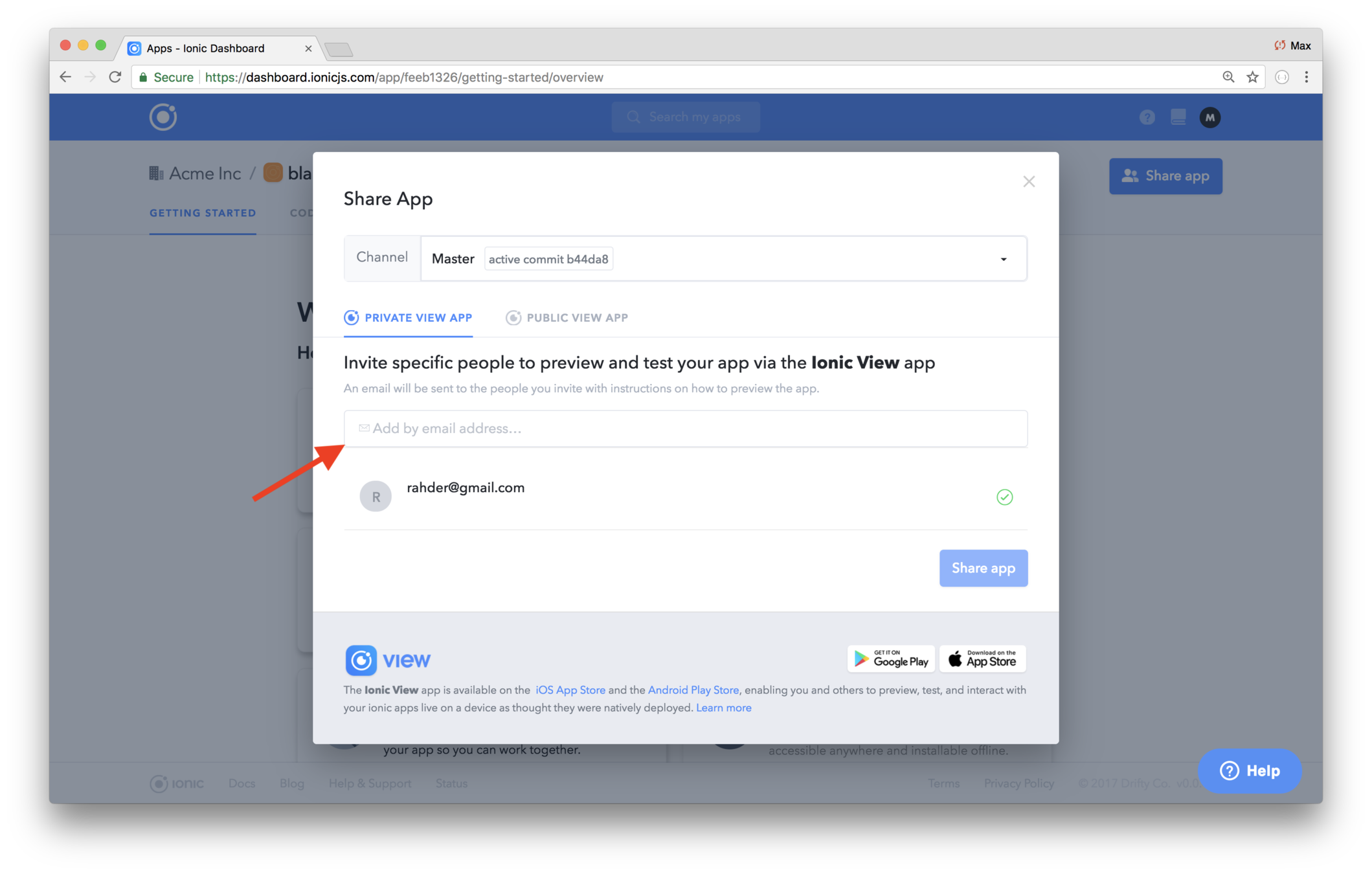
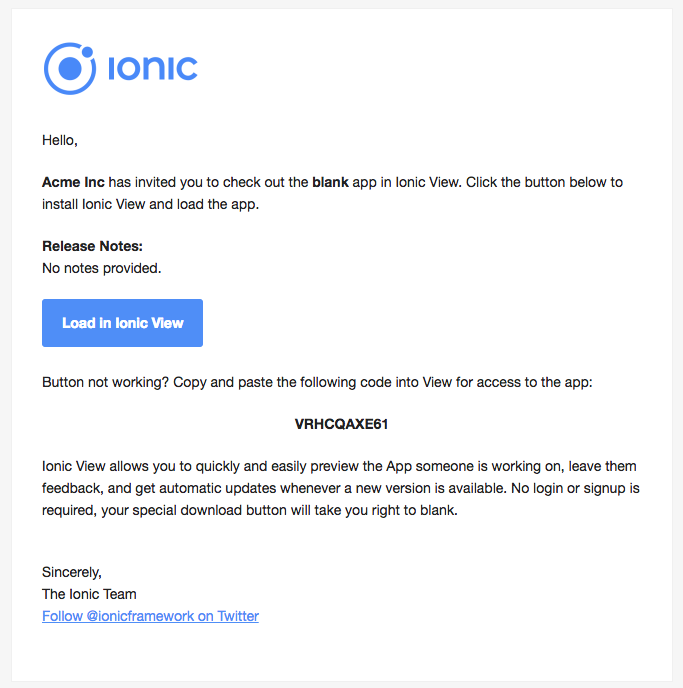
An email is sent
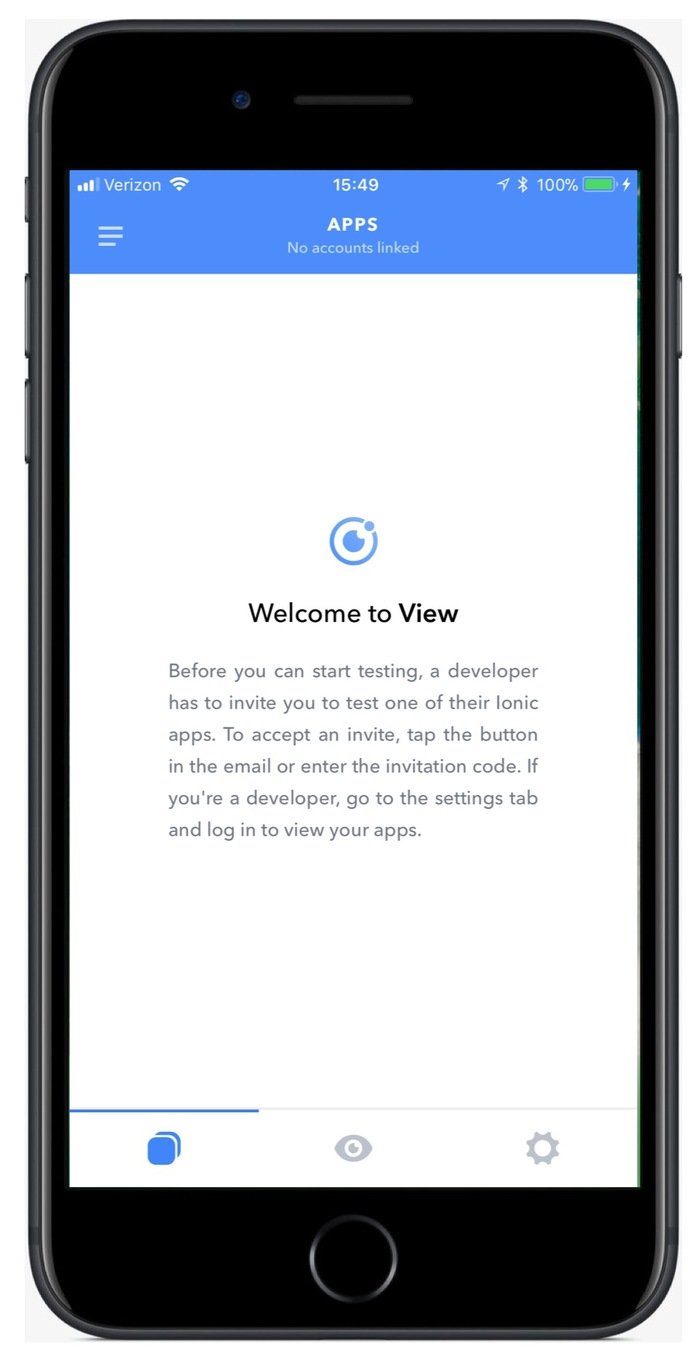
Following the link on a mobile device opens View
Demonstration:
Ionic View
Agenda
The app lifecycle
Ionic View
Branches & Channels
Review
Other Pro features
Live Deploy
Branches & Channels
You've seen code being pushed, and the Master channel being viewed
But what's the relationship between a push, a git branch and the channel?
Let's go over that in detail...
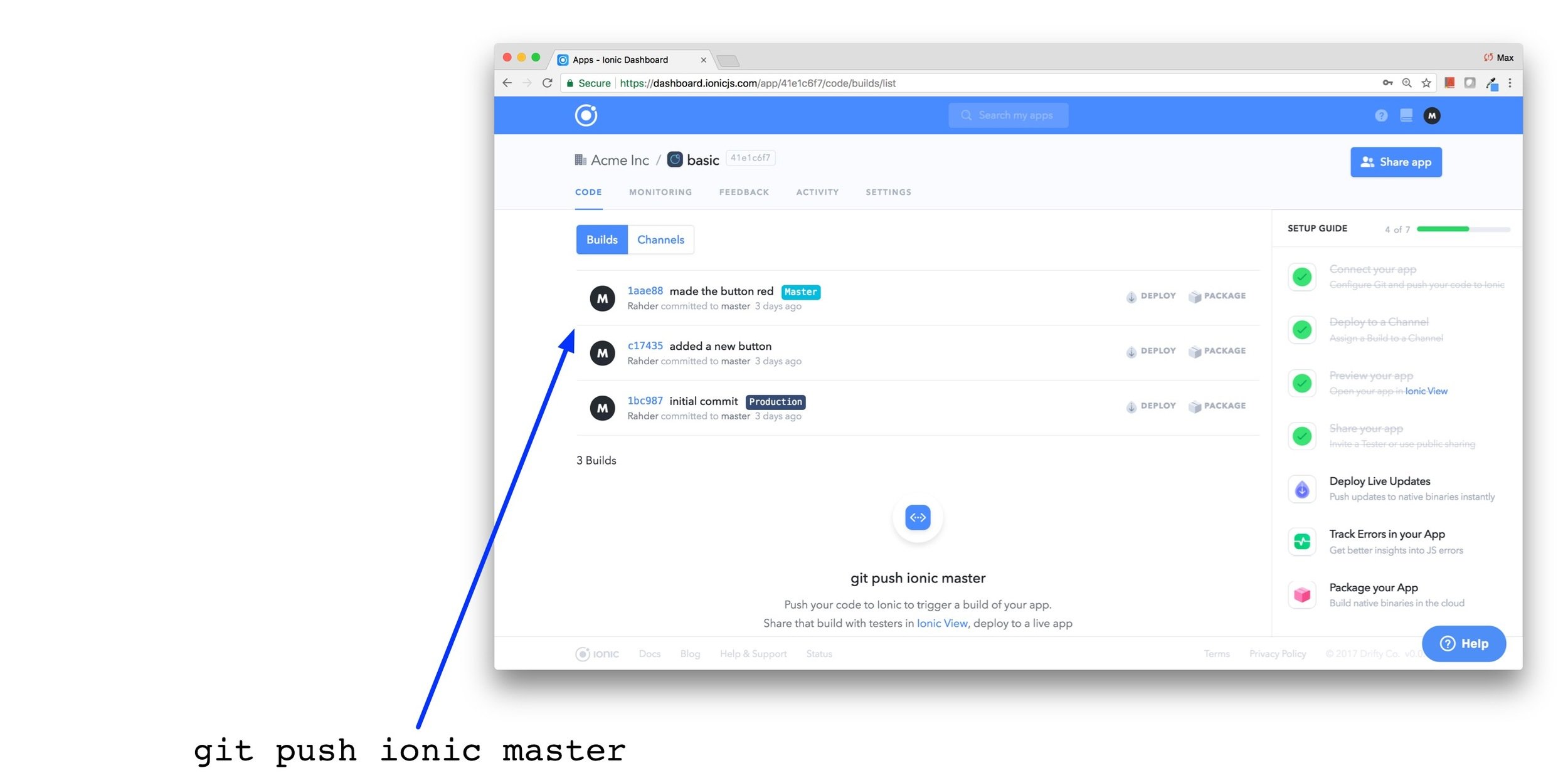
When you do a git push, it appears in the Dashboard's Builds history
The last argument is the git branch
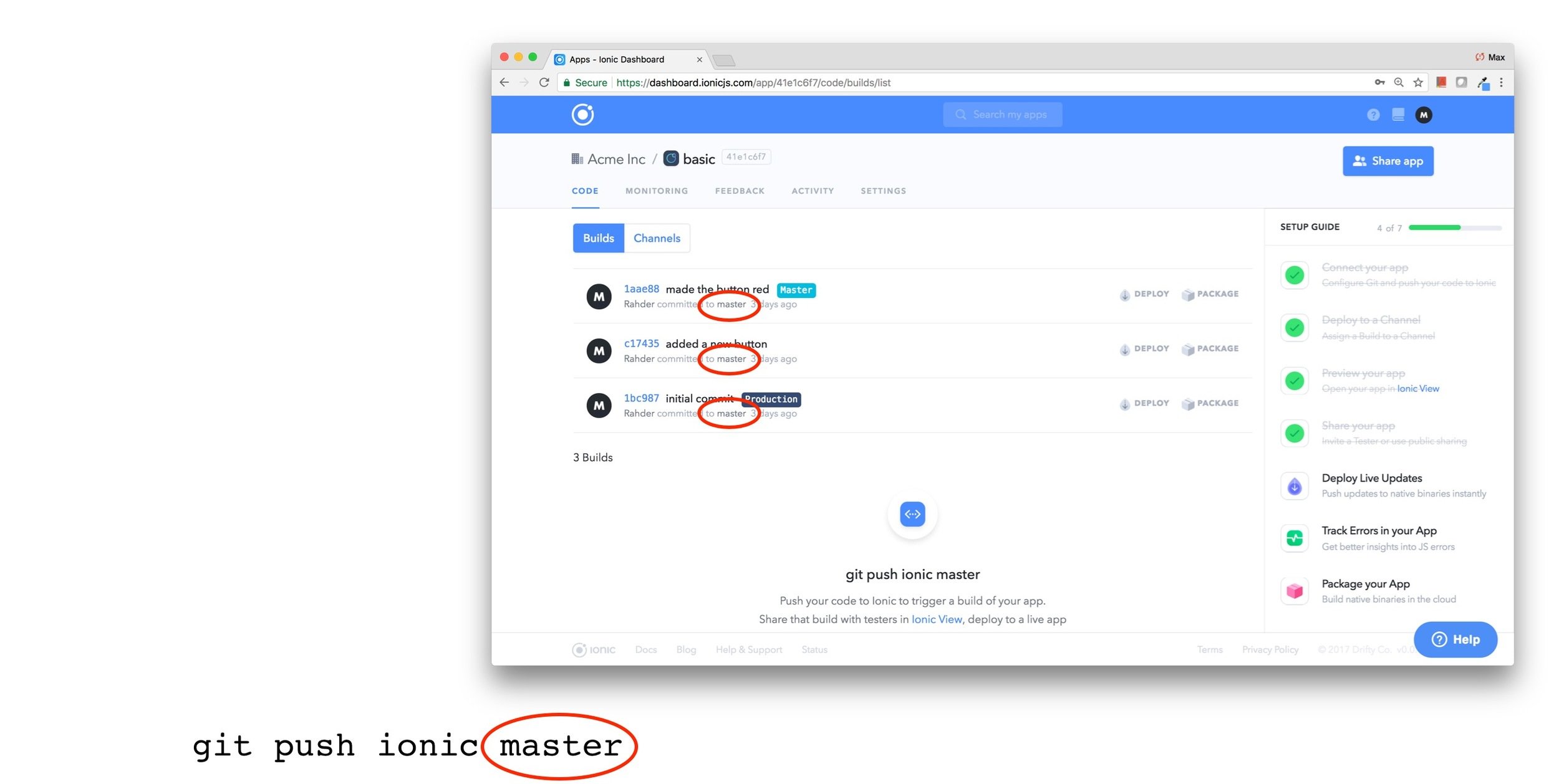
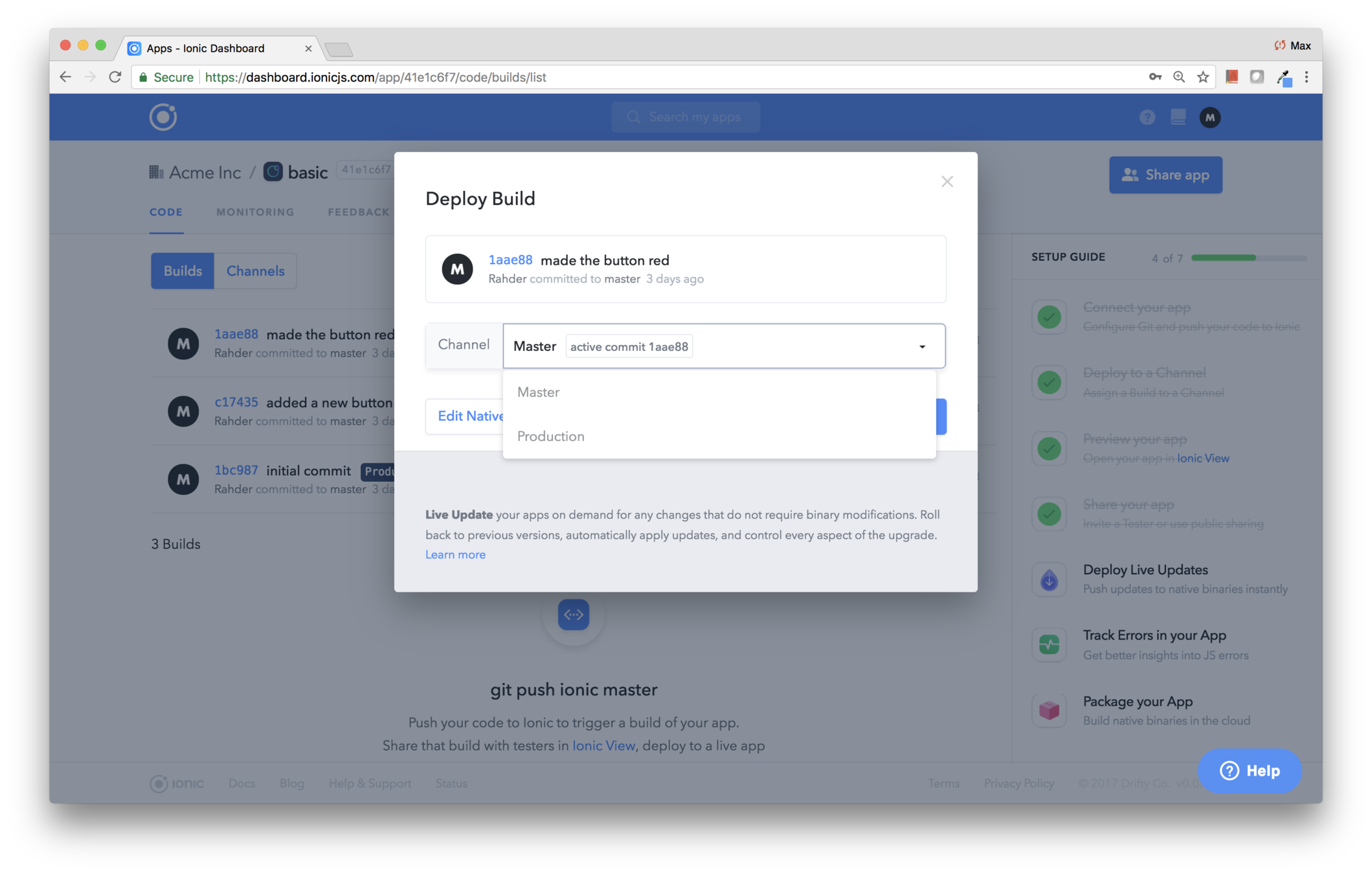
Any build may be deployed to any channel
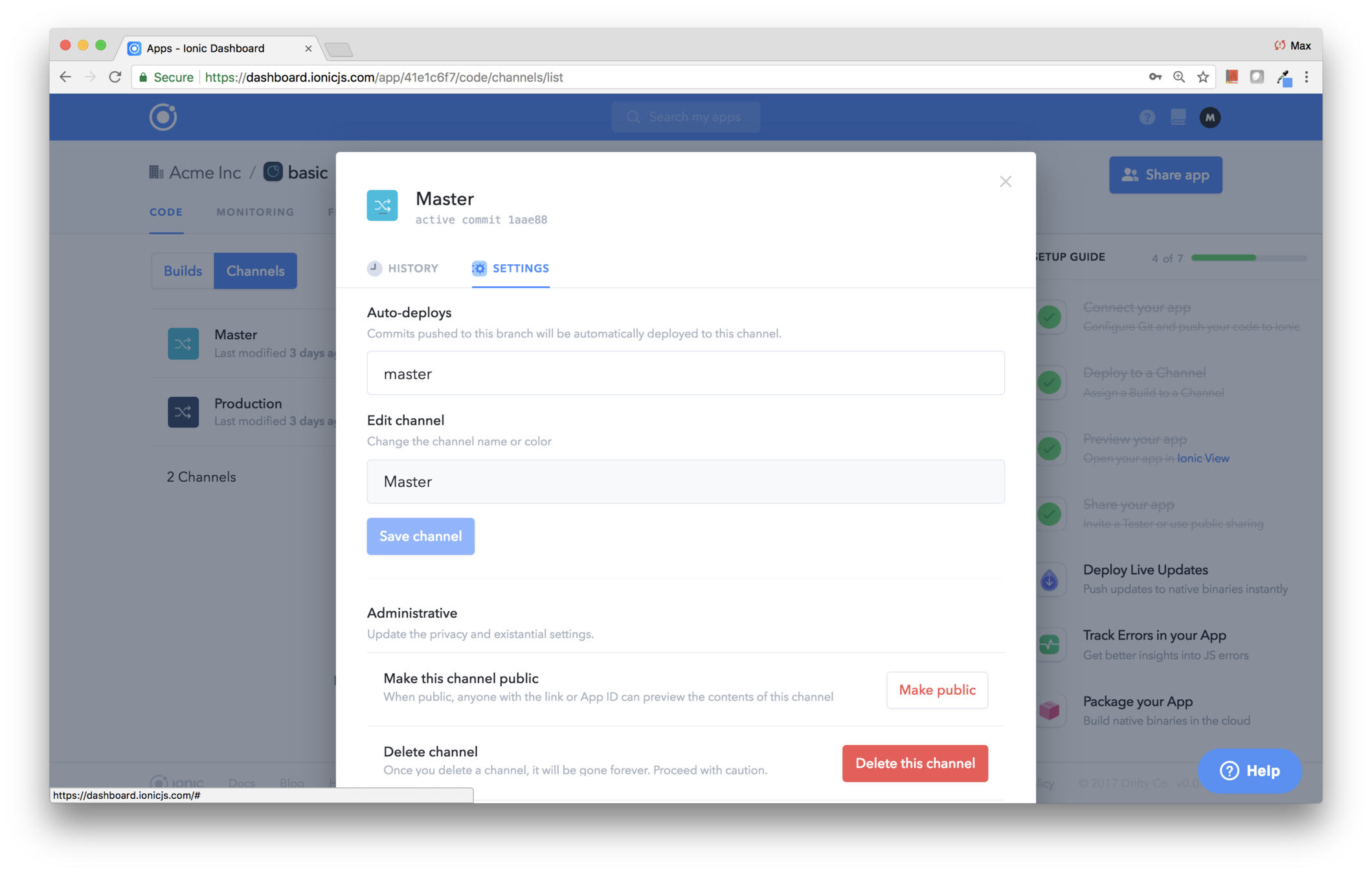
Channels may specify a branch to auto-deploy to the channel
The Default Sequence
-
git push ionic master
-
The build is added to Builds history
-
The master branch auto-deploys to the Master channel
-
When you're ready, you manually choose the build, and deploy to the Production channel
Customized Sequences
Depending on your release procedure, you could push to specific branches, and have branches auto-deploy to channels
For example, you might push to the beta branch and have that auto-deploys to the Beta channel
But you'll probably never set things up to auto-deploy to Production
Demonstration:
Create a Channel, Assign a Build, and Share
Agenda
The app lifecycle
Ionic View
Branches & Channels
Review
Other Pro features
Live Deploy
Ionic Deploy
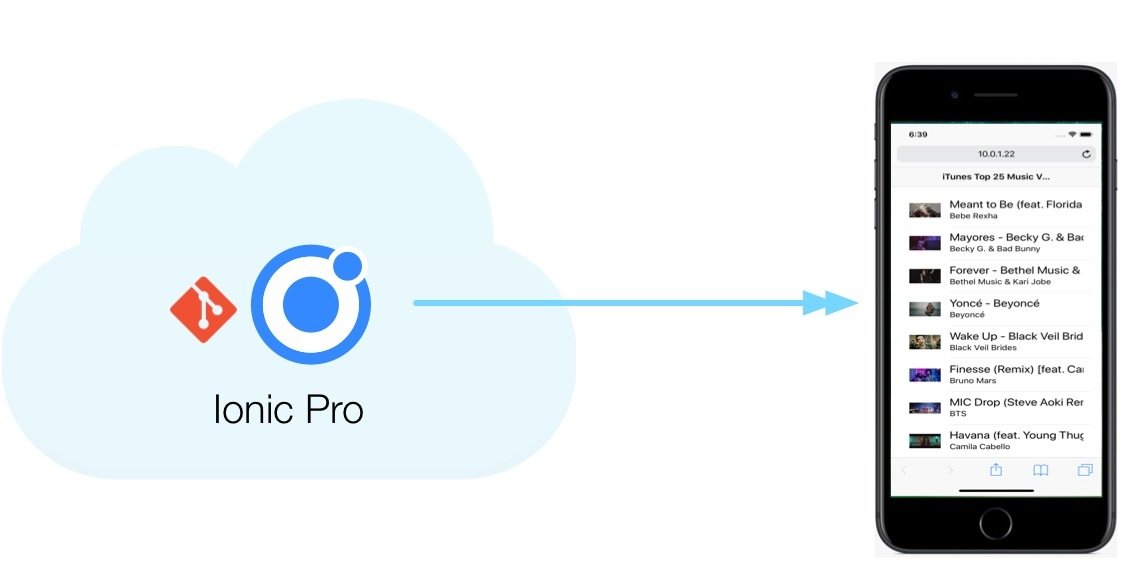
Pushes live updates into production
First-Time Setup
-
Select Channel > Set up deploy
-
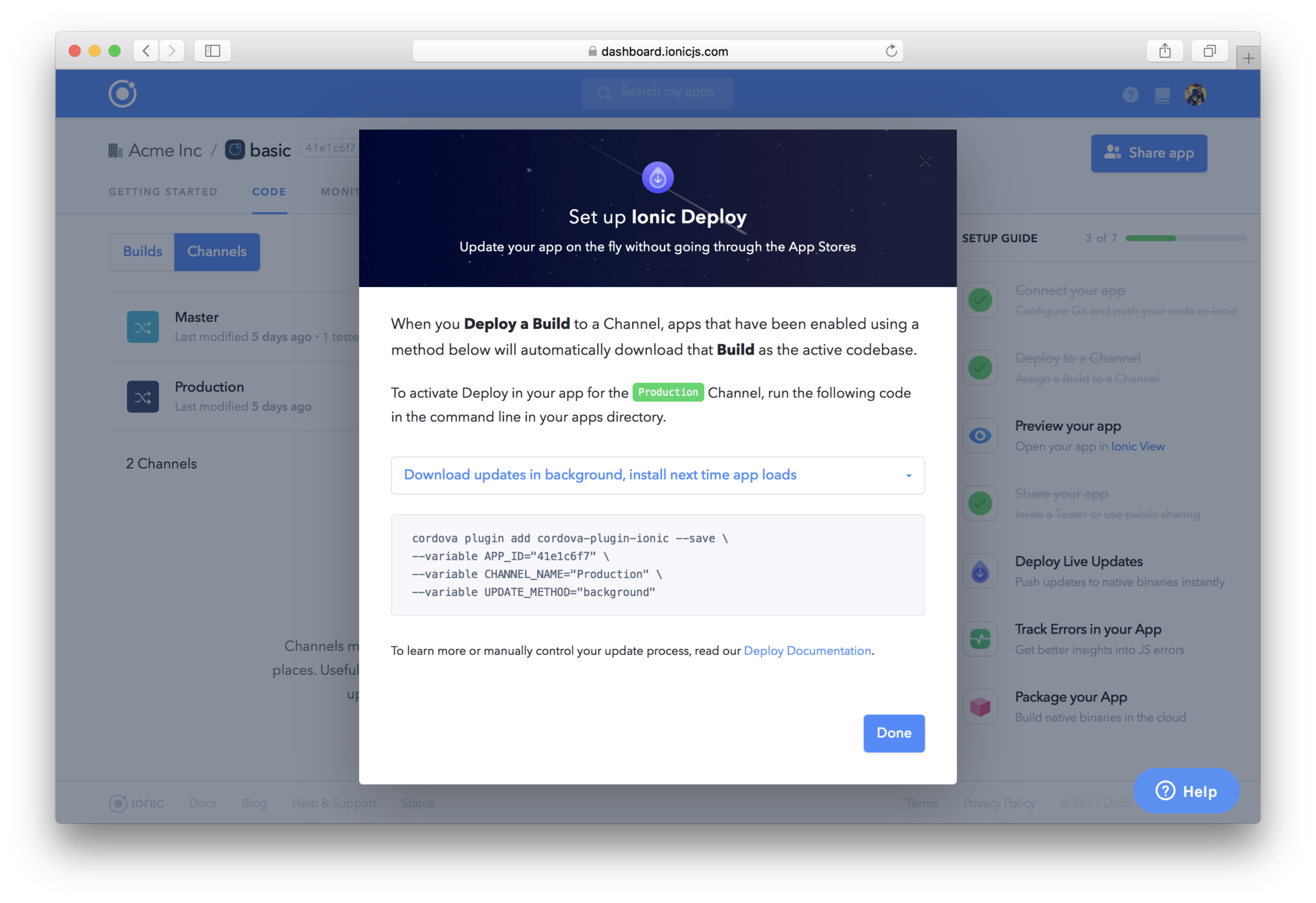
Choose a deployment strategy
- Background
- Wait for splashscreen
-
Manual
-
Add the Ionic Cordova plugin
-
cordova plugin add cordova-ionic-plugin …
-
-
Deploy to App Store
From then on, deploys to that channel will be automatically seen in the app!
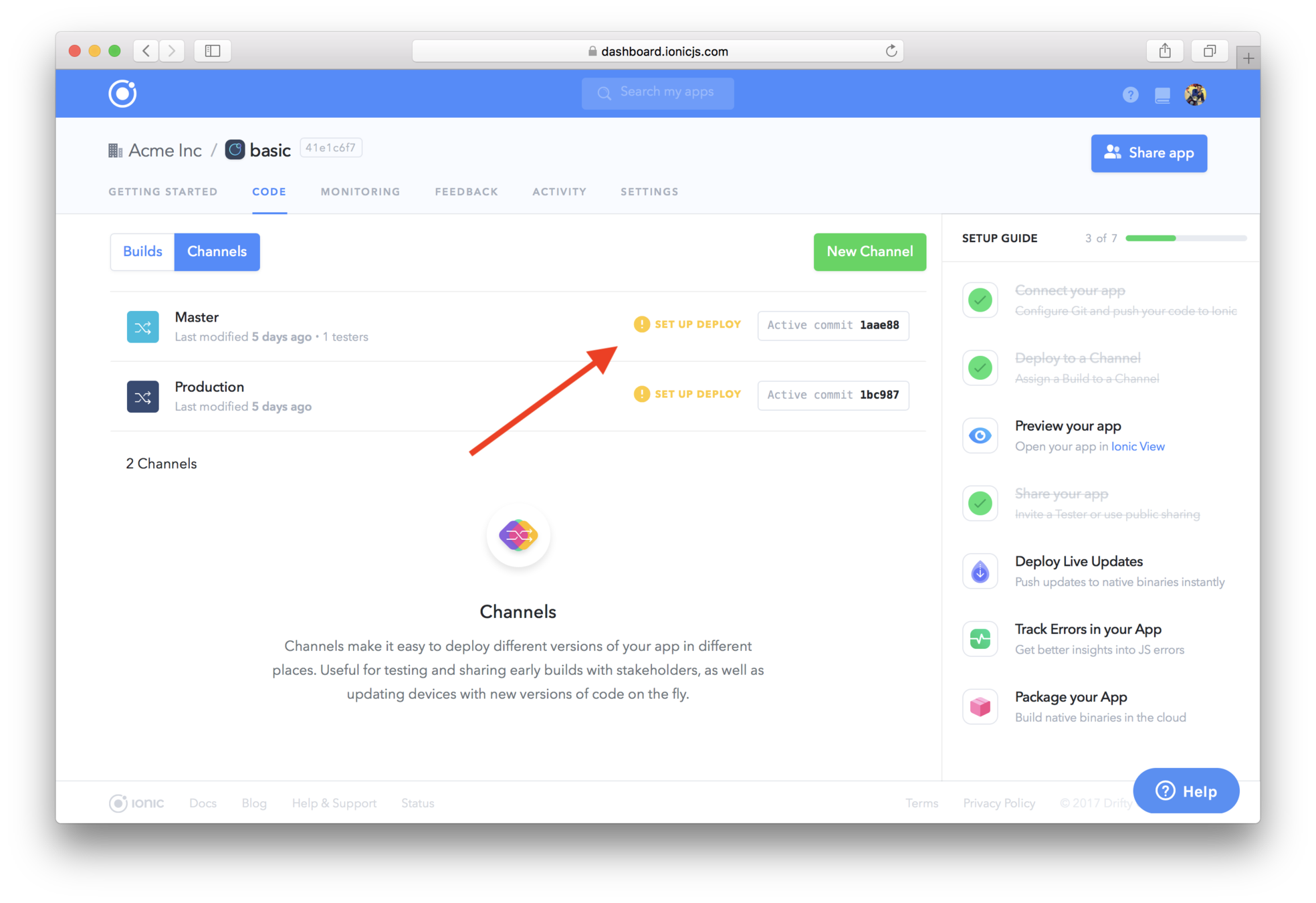
Go to the channel and click "set up deploy"
Choose the strategy, copy & paste to the app dev folder
The plugin is configured to specify the channel
Deploy to the App Store or Google Play as usual
Demonstration:
Ionic View
Agenda
The app lifecycle
Ionic View
Branches & Channels
Review
Other Pro features
Live Deploy
Development Lifecycle Review
1. Create app in Pro dashboard
2. Code the app locally
3. git push ionic master
4. Choose a channel
5. View on your device
1
2
3
4
5
Agenda
The app lifecycle
Ionic View
Branches & Channels
Review
Other Pro features
Live Deploy
The demonstration focused on the development lifecycle
But there are other Pro features you should be aware of
-
Organizations & Teams
-
Packaging
-
Monitoring
-
Deploy (live update)
Organizations
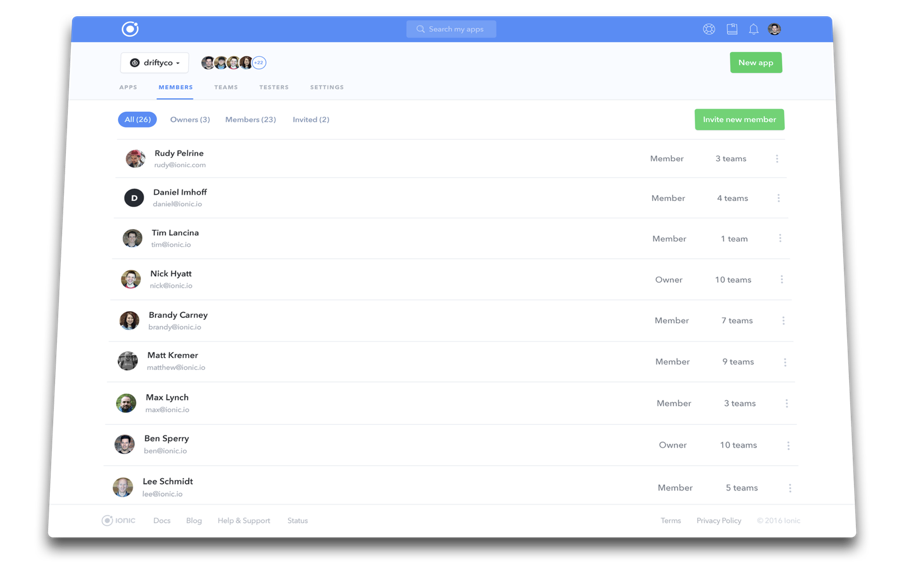
&
Teams
Teams and Members
Teams associate apps with member developers
Members can push and deploy their team's apps
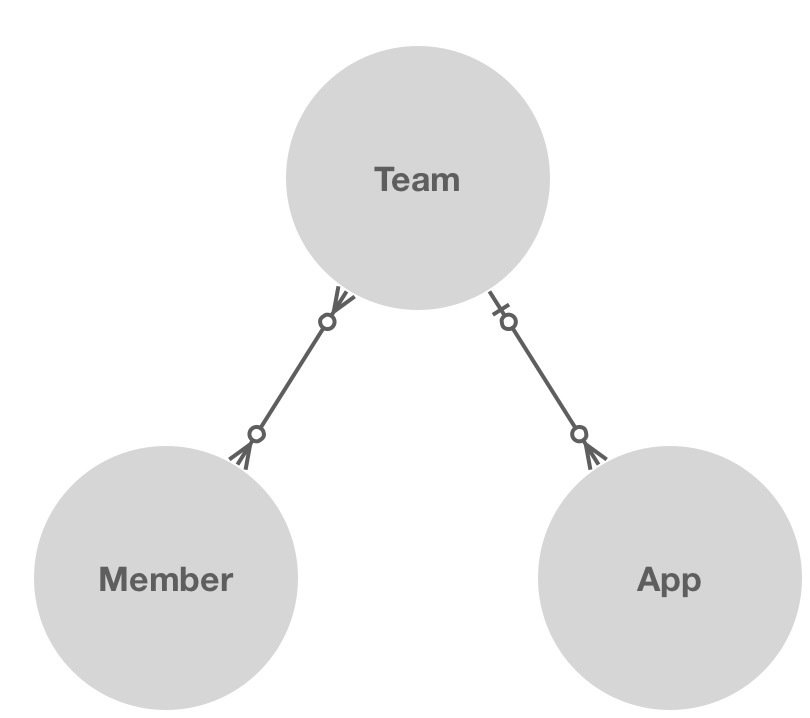
Developers can't collaborate on private apps!
Packaging
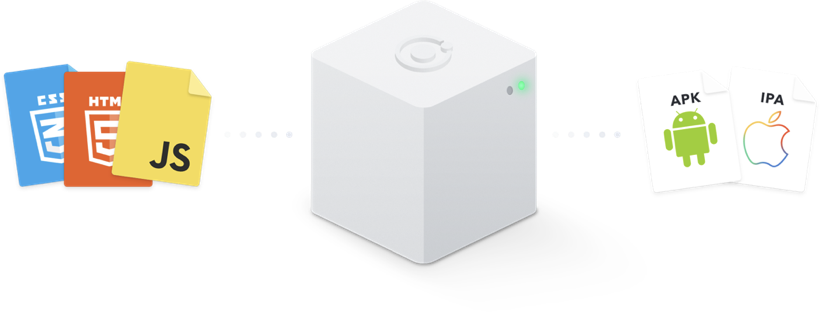
You can do iOS or Android builds on the Ionic Pro server
- First, upload iOS and Android certificate profiles
- Then choose Build > Package and specify the type of build
- Then download the native binary! :-)
Monitoring
Your app can log errors via the @ionic/pro package
Errors record line numbers in pre-transpiled source
Uncaught exceptions are logged, or you can procedurally log
Errors are seen in the Dashboard via the Monitoring tab
Pro.getApp().monitoring.exception(errorObject);
Pro.getApp().monitoring.log('Something happened', { level: 'error' })
Other Resources
The Docs
Old version, Ionic Pro Online Demo emphasizing app lifecycle
By Max Rahder