JS Module Loaders
The Lineup
- RequireJS
- BrowserifyJS
-
WebPackJS(too late, it's old now) - SystemJS
The Problem
- Complex dependencies are difficult to maintain
- Browser code does not inherently mix with Node
- Some times, having lots of script tags is a problem
Require JS
= AMD

(Asynchronous Module Definition)
Require JS
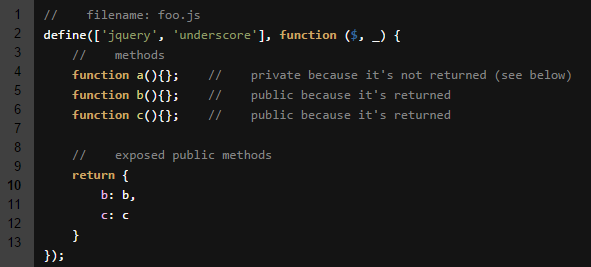
This is what AMD looks like.
Require JS
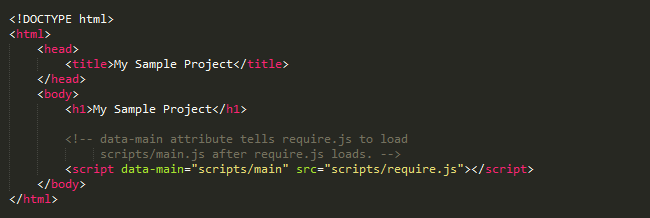
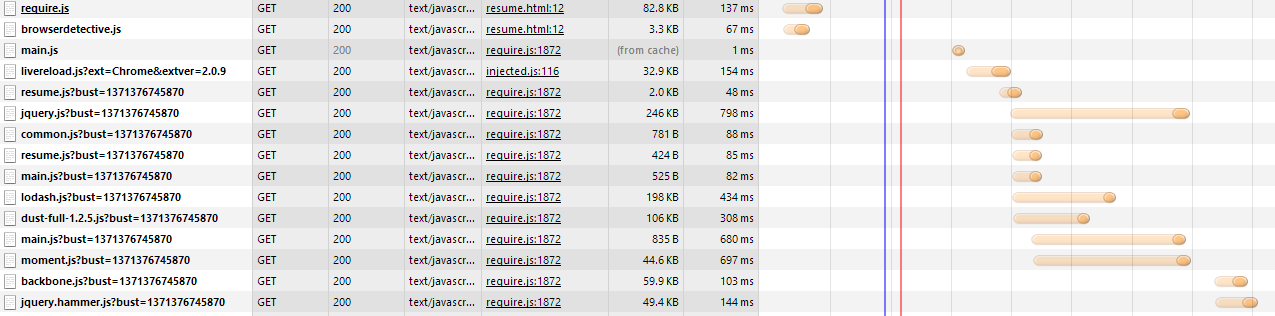
The Good
- Lazy Loading allows for optimization
- 1 script tag
The Bad
- Many separate requests
- Lazy Loading may cause slow loading
- Must maintain config
- Enormous, unreadable syntax in every file
- Prefers AMD modules
Require JS
Browserify JS

= CommonJS
Browserify JS
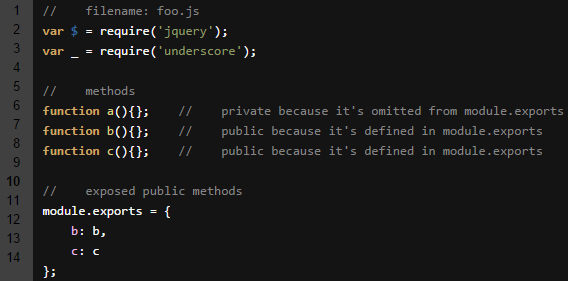
This is what Common JS looks like.
Browserify JS
With Browserify, there's an extra step:

That will build the bundle that we reference in our html.
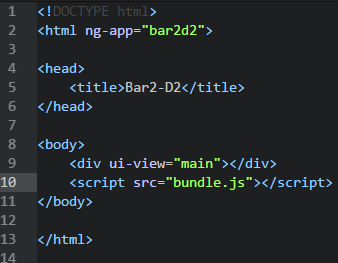
Browserify JS
A structure for Angular with Browserify
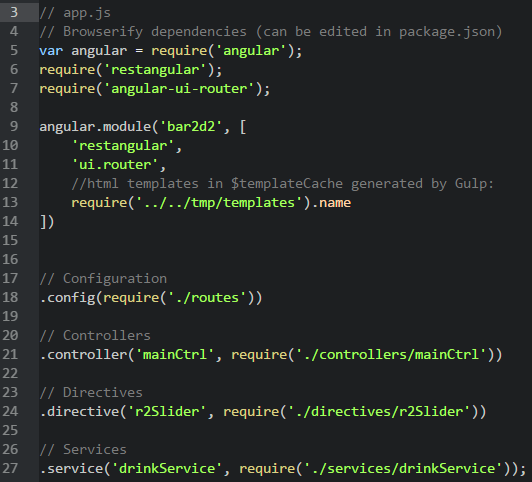
Browserify JS
This is how you configure your libs in package.json
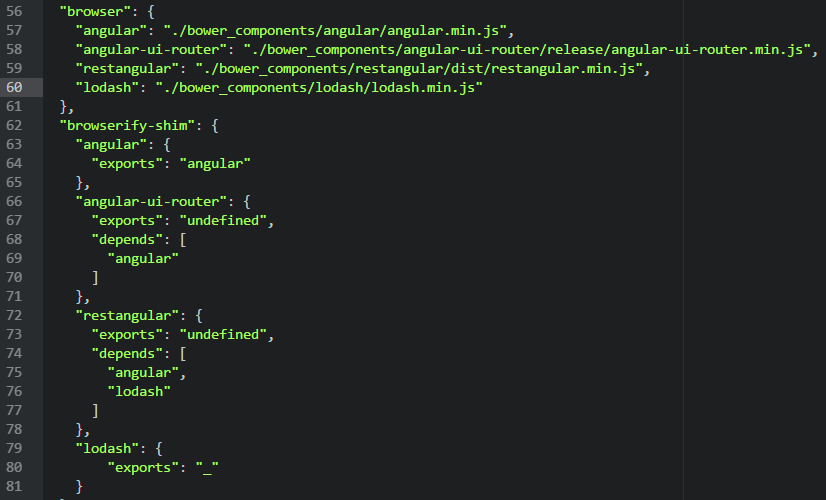
The Good
- Bundling is good for performance
- 1 script tag
- Syntax is consistent with Node (CommonJS)
- Works with any type of module
The Bad
- Must maintain config but only for 3rd party libs
- Despite source maps, can introduce debug troubles
Browserify JS
System JS

System JS +
= ES6 Modules
System JS
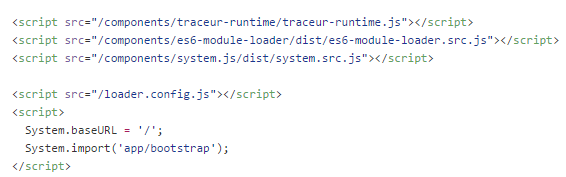
In order to run this in the browser we need to include an ES6 runtime (Traceur or Babel) and the ES6 module loader shim.
System JS
Demo Time
ES6 Module import/export
System JS
Default

Named Exports
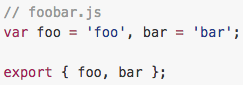
Or
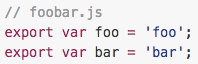
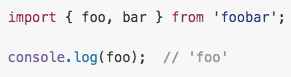
Then
The Good
- Separate scripts for dev is good for debugging
- Bundling for production is good for performance
- Syntax is consistent with ES6
- Works with any type of module
The Bad
- Script tags have to be different for production and dev which complicates builds a bit
System JS
In case you're interested...

You can use Steal JS to help you create multiple bundles to get the benefits of both bundling AND lazy loading.
deck
By mustack