Making Your Own Chrome Extension
What making my first extension looked like

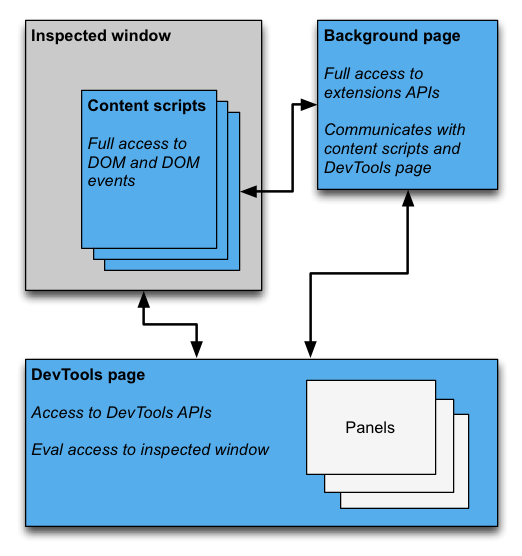
High Level View
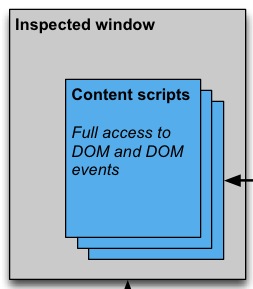
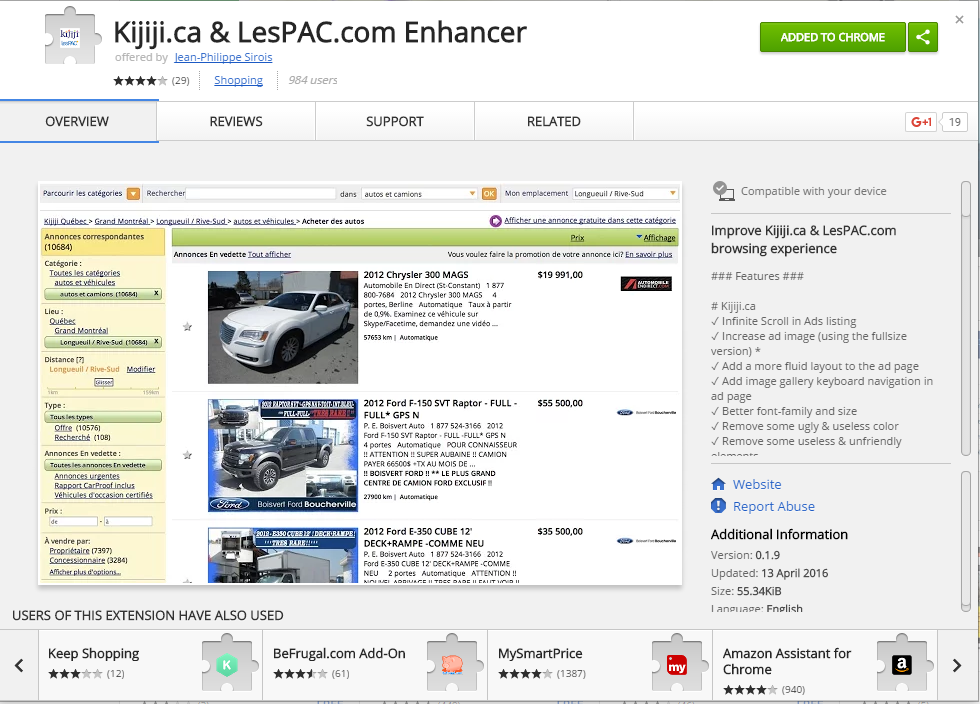
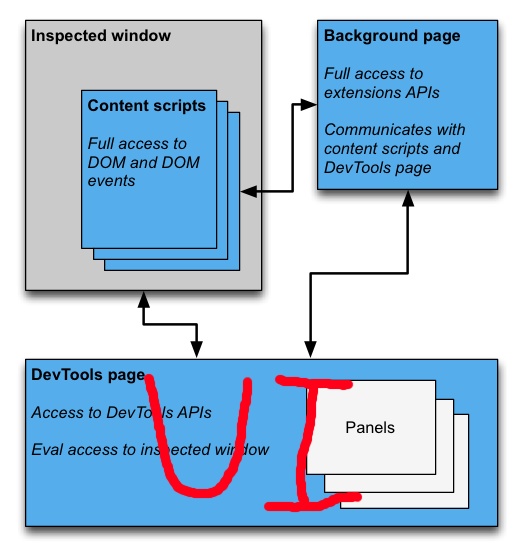
Content Script
- Run in their own context: cannot call functions in webpage's context
- Have access to DOM
- Can be useful on its own
- Can communicate with background script
- Limited access to APIs
Demo
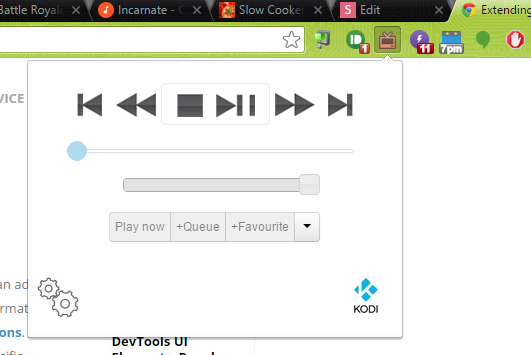
Popup
- A web page on its own
- Context is only initiazlized when opened
- Can communicate with inspected window
- Can communicate with background script
- Usually requires a background script to be useful
- Limited access to APIs
Popup Manifest
{
    "manifest_version": 2,
    "version": "1.7.8.2",
    "name": "Play to Kodi",
    "description": "Play, queue and remote control your favourite online media on Kodi / XBMC.",
    "options_page": "options.html",
    "permissions": [ "tabs", "http://*/*", "contextMenus" ],

    // The icon on the extension bar is a `browser action`
    "browser_action": {
        "default_icon": "images/icon.png",
        "default_popup": "remote.html"
    }
}
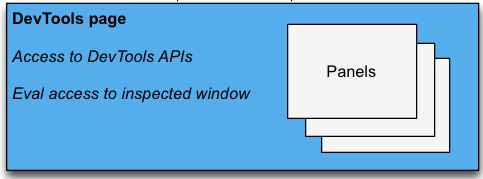
Devtool Panel
- A web page on its own
- Context is only initiazlized when opened
- Can communicate with inspected window
- Can communicate with background script
- Usually requires a background script to be useful
- Limited access to APIs
Devtool Manifest
{
    "manifest_version": 2,
    "name": "Mogul",
    "description": "A debugging tool for Kandy.js on Chrome.",
    "version": "0.1.0",
    "author": "Kandy.io",
    "icons": {
        "16": "images/icon_16.png",
        "48": "images/icon_48.png",
        "128": "images/icon_128.png"
    },

    // How to declare a devtool page
    "devtools_page": "main.html"
}
Background Page
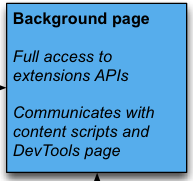
- No UI
- Always running*
- Can receive messages for any component
- Full access to any API requested in the manifest
- This is where you save your state
Background Page Manifest
{
    "manifest_version": 2,
    "name": "Mogul",
    "description": "A debugging tool for Kandy.js on Chrome.",
    "version": "0.1.0",
    "author": "Kandy.io",
    "icons": {
        "16": "images/icon_16.png",
        "48": "images/icon_48.png",
        "128": "images/icon_128.png"
    },
    "devtools_page": "main.html",

    // How to declare a background page
    "background": {
      "scripts": ["background.js"],
      "persistent": false  // This is important for performance
    }
}
Back to Messaging
Devtool-to-Webpage
chrome.devtools.inspectedWindow.eval(
  "jQuery.fn.jquery",
   function(result, isException) {
     if (isException)
       console.log("the page is not using jQuery");
     else
       console.log("The page is using jQuery v" + result);
   }
);
Content Script <-> Webpage
// Send
var event = new CustomEvent('KandyEvent', {detail: action});
window.dispatchEvent(event);

// Receive
window.addEventListener('KandyEvent', function(event){
    console.log(event.detail);
}, false);
Simple Request/Response
// Content Script
chrome.runtime.sendMessage({greeting: "hello"}, function(response) {
  console.log(response.farewell);
});

// Bacground Script
chrome.runtime.onMessage.addListener(
  function(request, sender, sendResponse) {
    console.log(sender.tab ?
                "from a content script:" + sender.tab.url :
                "from the extension");
    if (request.greeting == "hello")
      sendResponse({farewell: "goodbye"});
  }
);
2-way Messaging (Ports)
// Content Script
var port = chrome.runtime.connect({name: "knockknock"});
port.postMessage({joke: "Knock knock"});
port.onMessage.addListener(function(msg) {
  console.log(msg);
});

// Bacground Script
chrome.runtime.onConnect.addListener(function(port) {
  port.postMessage({joke: "Knock knock"});
  port.onMessage.addListener(function(msg) {
    console.log(msg);
  });
});
Jean-Luc Martin
@Mustack_
I'd love to hear your feedback about this talk.
Questions?
Chrome Extension Dev
By mustack