Postprocessing
Or basically, "Photoshop filters but in games"
Postprocessing
- Edits to render of frame in 2D space
- Effectively: render 3D world to create one or more 2D textures
- Color
- Depth
- Velocity
- other information
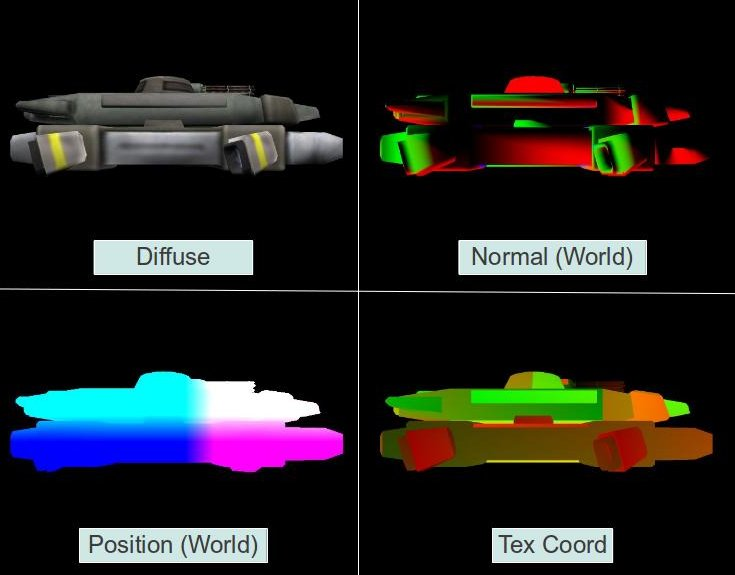
Recombined again and again, using these textures to draw just a single screen-space quad
Basically,
- Just extending the 'vanilla' pipeline a little
- After drawing to clip space, don't immediately output to screen
- Draw to a texture, bind this texture to a quad
- Render quad (no need for clip space anymore, already there)
- Lets us use fragment shader in creative ways
- Repeat as necessary
- Render final output to screen
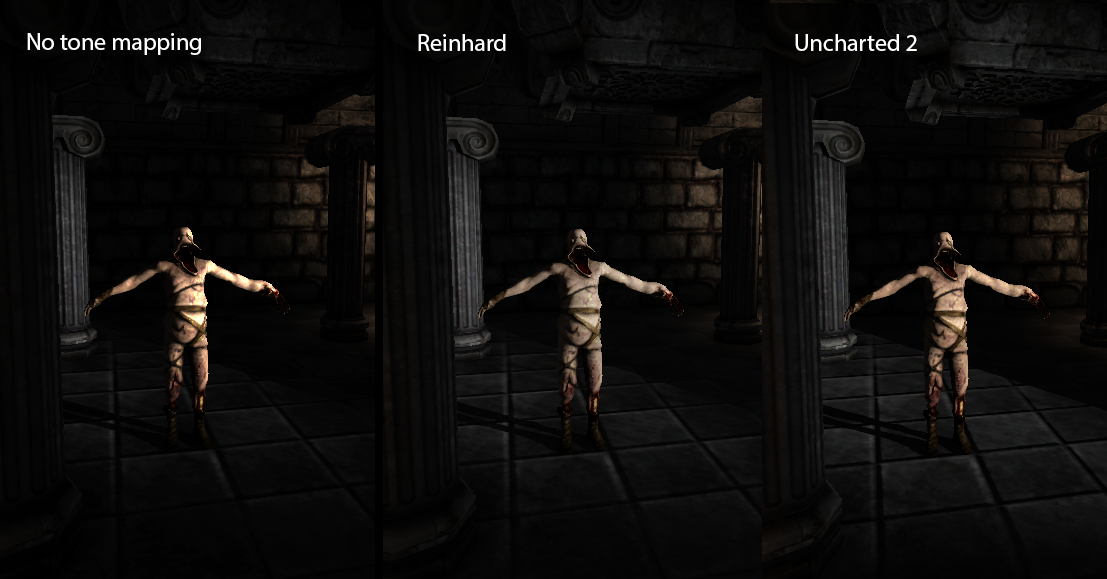
HDR Tonemapping and Adaptive Luminance
- Render actual floats, not bytes
- That is, render ranges outside of 0.0 to 1.0
- Then scale back down afterwards
- Change your render target format for this, API-dependent
- That is, render ranges outside of 0.0 to 1.0
- Find brightest pixel (Continual subsampling /2), scale that as 1.0
- LERP it over several frames
Scaling brightness:
- Brightness of a pixel =
- 0.2126 * R + 0.7152 * G + 0.0722 * B
- Or roughly around that, depending on spec
- Find brightest (faster to subsample from screen resolution to half of that resolution to half of THAT etc. instead of a linear search)
- Scale result
- New pixel = old pixel RGBA * (old pixel luminance / max pixel luminance)
Why do this?
- Give artists/designers more freedom
- Not 'capped' at 1.0 brightness
- Image will scale dynamically, on its own
- Not 'capped' at 1.0 brightness
- If you linearly interpolate the 'target' max brightness, you can fake an effect our eyes do naturally: adjusting to brightly or darkly lit areas
Edge Operators
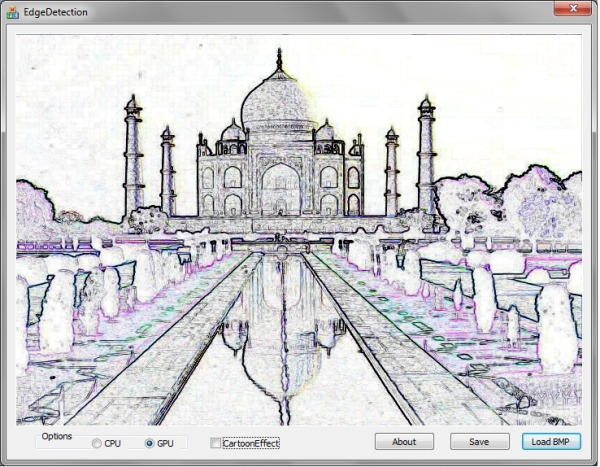
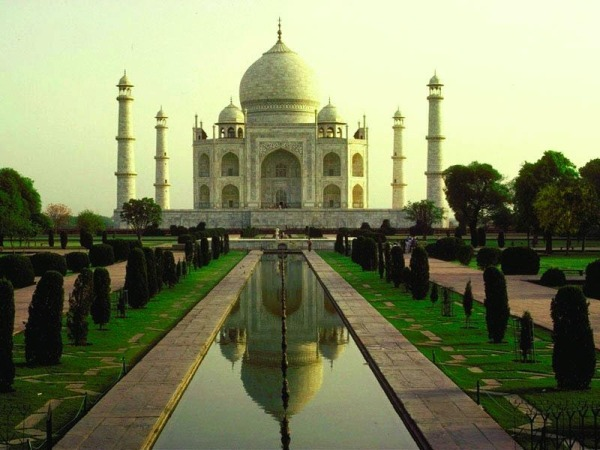
- Sobel probably most known
- Operate on several possible parameters:
- Color (see: those embossing filters)
- Depth (that 'Borderlands' look)
In Games
- Usually use Depth instead of Color as thing to measure for edges
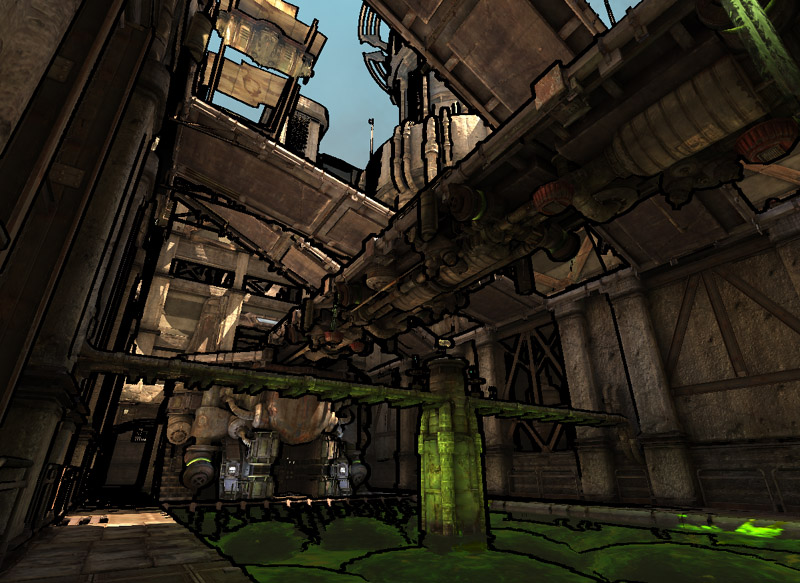
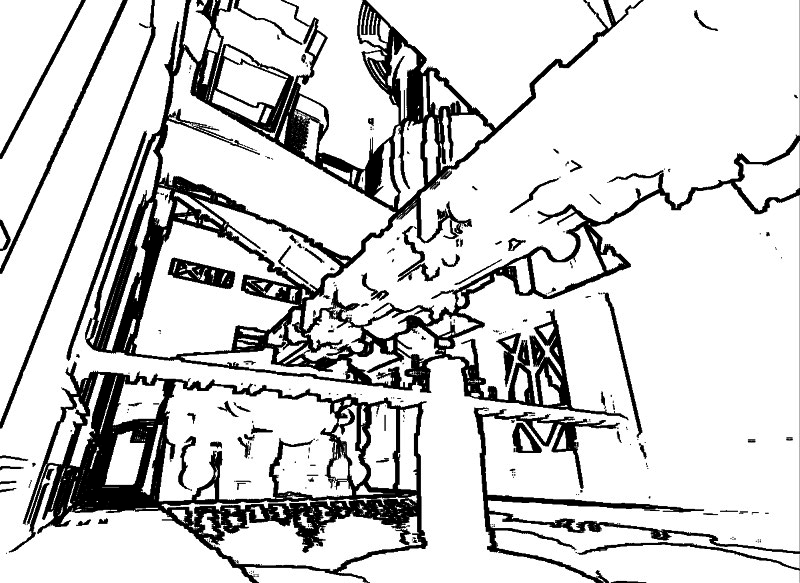
Ambient Occlusion
Usually screen-space for real-time instead of 'true' AO
Shadowing around depth discontinuities
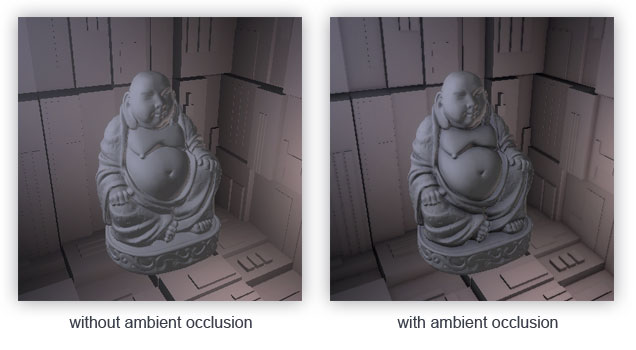
Random sampling of kernel around target pixel of depth texture
Output occlusion factor based on how many pass/fail
Multiply color texture by occlusion factor
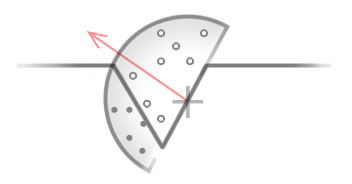
Previous sobel operator similar, except just multiply by 0 instead of factor!
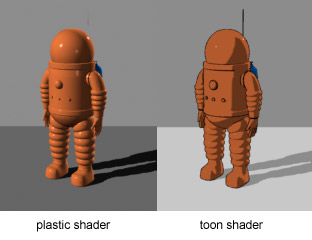
Cel-shading
AKA "Toon" shading
Clamp color to levels of saturation
Sometimes conflated with edge detection
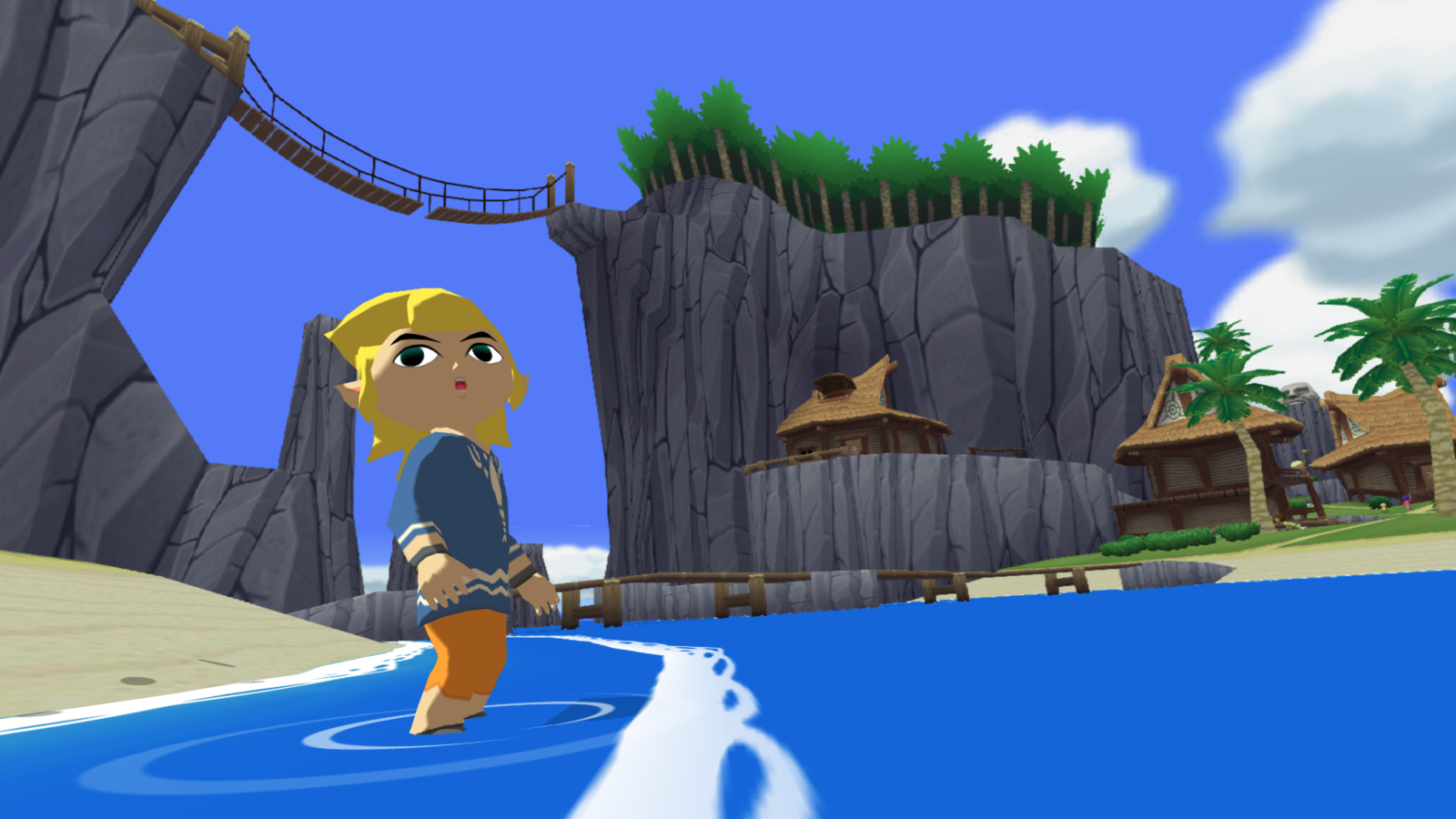
Probably the simplest
Have bands of saturation
Clamp pixels to whichever band they fit in
Postprocessing
By tdhoward


