F06: Feil & testing!
Android, AutoCompleteTextView, JUnit 4, Unit testing, Espresso, Hamcrest
Men først: AutoComplete
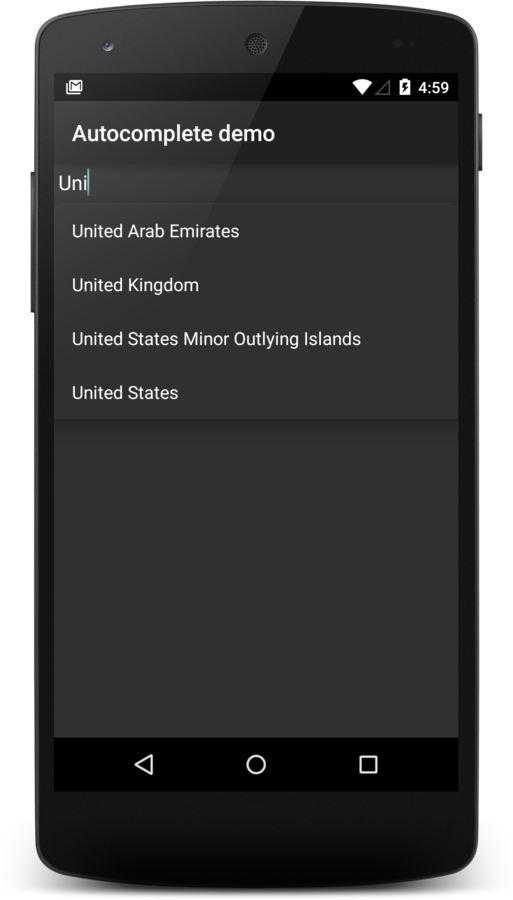
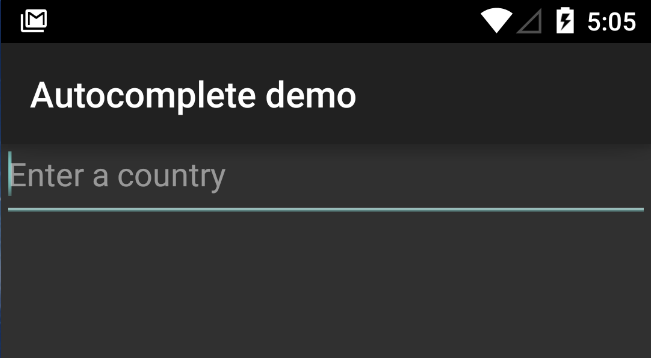
AutoCompleteTextView
<?xml version="1.0" encoding="utf-8"?>
<LinearLayout xmlns:android="http://schemas.android.com/apk/res/android"
              android:layout_width="fill_parent"
              android:layout_height="fill_parent">

    <AutoCompleteTextView
        android:id="@+id/countryAutoCompleteTextView"
        android:layout_width="match_parent"
        android:layout_height="wrap_content"
        android:hint="Enter a country"/>
</LinearLayout>
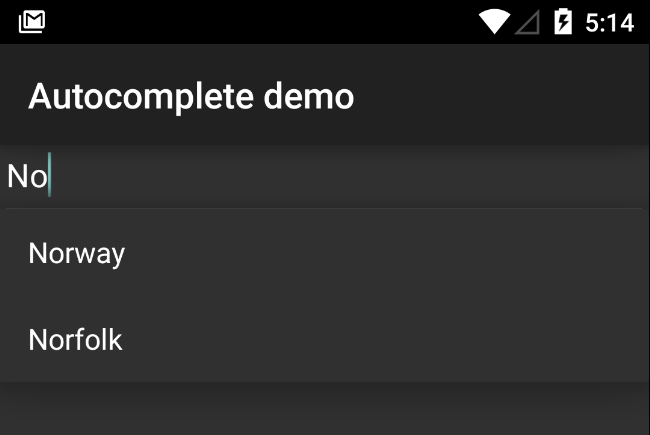
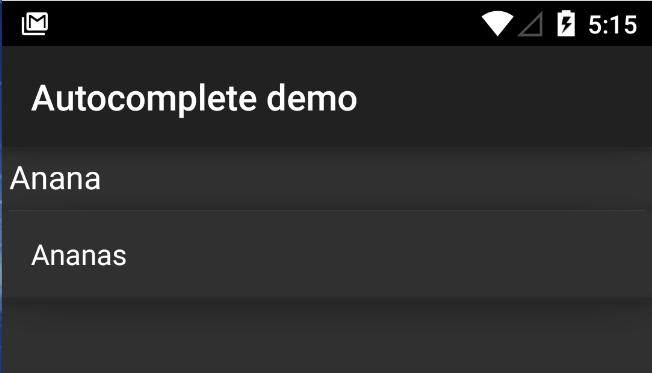
Autocomplete-adapter
AutoCompleteTextView countryAutoCompleteTextView = (AutoCompleteTextView)
        findViewById(R.id.countryAutoCompleteTextView);

final String[] countries = {
        "Norway",
        "Norfolk",
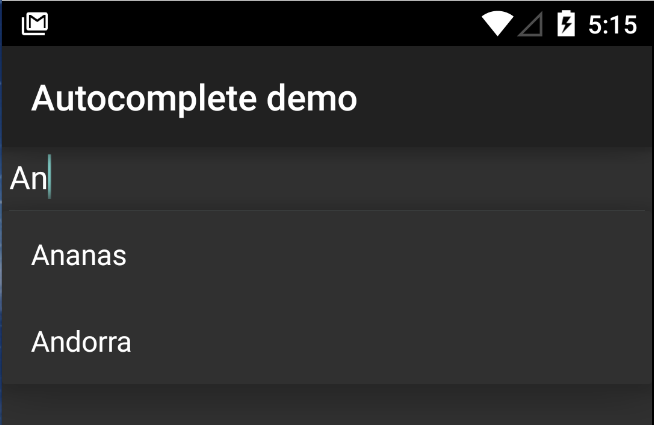
        "Ananas",
        "Andorra",
};

final ArrayAdapter<String> countriesAdapter = new ArrayAdapter<String>(
        this, android.R.layout.simple_list_item_1, countries);

countryAutoCompleteTextView.setAdapter(countriesAdapter);
Nøyaktig det samme som ListView
R.array.X
Teit med data i Java-koden(?)
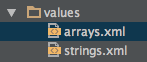
<?xml version="1.0" encoding="utf-8"?>
<resources>
    <string-array name="countries">
        <item>Andorra</item>
        <item>United Arab Emirates</item>
        <item>Afghanistan</item>
    </string-array>
</resources>
final String[] countries = getResources().getStringArray(R.array.countries);final String[] countries = {
"Norway",
"Norfolk",
"Ananas",
"Andorra",
};Default ordering: samme rekkefølge som i arrayet
Other stuff
- completionThreshold
- <request-focus>
Unntak(shåndtering)
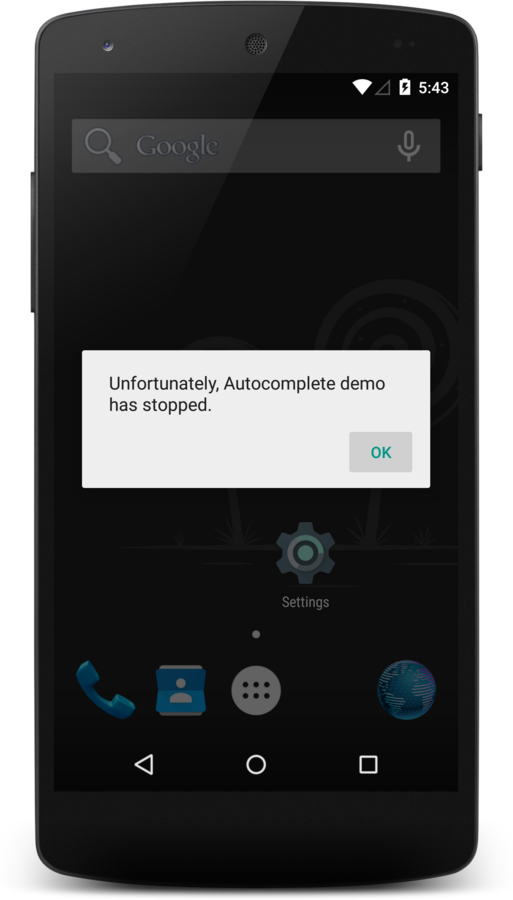
- Ting kan treffe vifta
- Én tråd: UI
- Én exception = crash
- Bad reputation
Løsninger
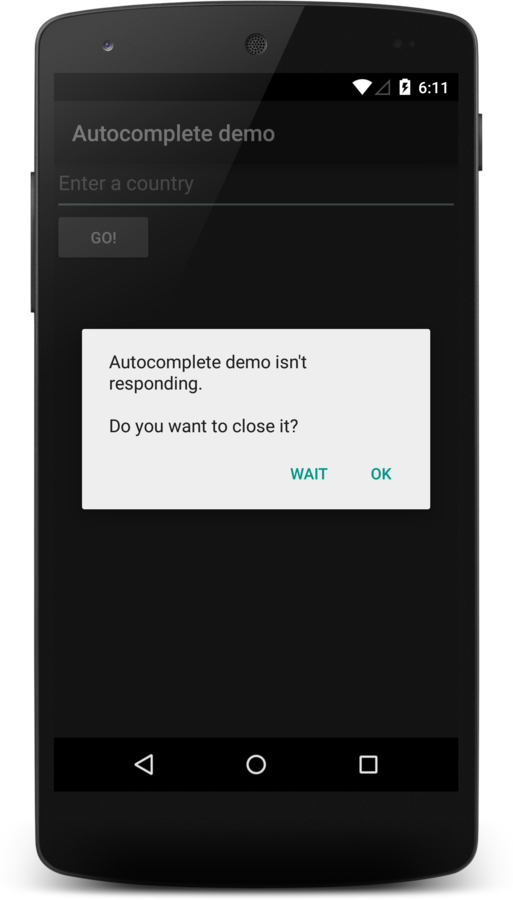
ANR
- Input event: 5 sekunder
- BroadcastReceiver: 10 sek.
- Threads!
- AsyncTask
"Has stopped"
- Try
- Catch
- Finally
LOGG & si fra til bruker!
Testing!
Flere strategier
- Black box
- White box
- Unit (enhetstesting)
- Integrasjonstesting
- Systemtesting
- +++
TDD (Test Driven Development)
Unit testing
- Tester en enkelt metode i en klasse
- Enkelt med pure functions
- Ingen state
- Ikke avhengig av endringer i klassen
- Functional programming!(?)
@Test
public void integerLimits() {
 long result = calculator.add(Integer.MAX_VALUE, 1);
 assertEquals(
  "result should be Integer.MAX_VALUE + 1",
  (long) Integer.MAX_VALUE + 1,
  result
 );
}
Integrasjonstesting
(UI-testing med mer)
- End-to-end-testing
- Systemtesting?
- Systemtesting?
- Tester integrasjoner mellom ting
- UI og logikk
- App og server?
Back to basics: JUnit (4!)
// given
Calculator calculator = new Calculator();

// when
int result = calculator.add(2, 3);

// then
assertEquals(5, result);
public class CalculatorTest {
private Calculator calculator;
@Before
public void setUp() {
calculator = new Calculator();
}
// ...
}@Before[Class]
@After[Class]
- @BeforeClass: før klassen (én gang)
- @Before: før hver metode
- @AfterClass: etter klassen (én gang)
- @After: etter metoden
- Åpne/lukke nettverkstilkobling?
Tester
private Calculator calculator;

@Before
public void initializeCalculator() {
    calculator = new Calculator();
}

@Test
public void simpleAddition() {
    final String expected = 5;

    final String actual = calculator.add(2, 3);

    assertEquals("2 + 3 = 5", expected, actual);
}
Assert.*
Standard JUnit
- assertNull / assertNotNull
- assertTrue / assertFalse
- assertSame / assertNotSame (reference)
- assertEquals (value)
assert?
Testing i Android
- Bygger på JUnit (4)
- Ekstra Android-spesifikke API-er og tjenester
- Testene kjører på device (emulator er OK)
- Tester ligger i src/androidTest/java/…
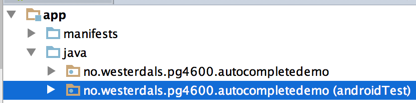
Overblikk
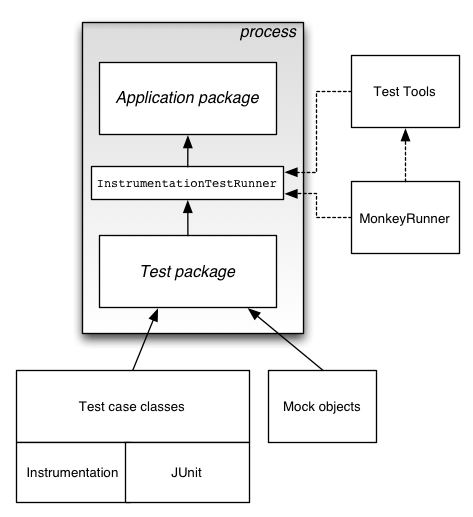
Minimum Viable Setup
// build.gradle

// ...

android {
 // ...

 defaultConfig {
  // ...

  testInstrumentationRunner "android.support.test.runner.AndroidJUnitRunner"
 }

 // ...

 dependencies {
  // ...

  // Runner for JUnit 4 support
  androidTestCompile 'com.android.support.test:runner:0.4.1'

  // Support annotations for JUnit 4 tests on older devices
  androidTestCompile 'com.android.support:support-annotations:23.0.1'

  // Actual JUnit
  androidTestCompile 'junit:junit:4.12'
 }

 // ...
}
"Plain" unit tests
public class CountryUtilsTest {
    @Test
    public void textViewToStringConvertsCorrectly() {
        final String country = "Norway";
        final String expectedText = "You selected " + country + "! Good job.";

        final String actualText = CountryUtils.selectedCountryMessage(country);
        assertEquals("Converted text should be equal", expectedText, actualText);
    }

    @Test(expected = IllegalArgumentException.class)
    public void nullCountryThrows() {
        CountryUtils.selectedCountryMessage(null);
    }

    @Test(expected = IllegalArgumentException.class)
    public void emptyCountryThrows() {
        CountryUtils.selectedCountryMessage("    \n \n ");
    }
}
Instrumentation config
// build.gradle

// ...

dependencies {
    // ...

    // Espresso for UI automation testing
    androidTestCompile 'com.android.support.test.espresso:espresso-core:2.2.1'
}
Enkel instrumentation
public class AutocompleteDemoTest {

    @Rule
    public ActivityTestRule<AutoCompleteDemoActivity> activityRule = new ActivityTestRule<>(
            AutoCompleteDemoActivity.class
    );

    private AutoCompleteDemoActivity activity;

    @Before
    public void setUp() {
        this.activity = activityRule.getActivity();
    }

    @Test
    public void viewIsPresent() {
        onView(withId(R.id.countryAutoCompleteTextView))
                .check(matches(isDisplayed()));
    }
}- JUnit (support lib): Rule
- Espresso: onX, perform, check
- Hamcrest: Matcher<T>
Custom Hamcrest matcher
public static Matcher<View> withCompletionThreshold(final int expectedThreshold) {
    return new TypeSafeMatcher<View>() {
        @Override
        protected boolean matchesSafely(View item) {
            if (!(item instanceof AutoCompleteTextView)) {
                return false;
            }
            final int actualThreshold = ((AutoCompleteTextView) item).getThreshold();
            return expectedThreshold == actualThreshold;
        }
        @Override
        public void describeTo(Description description) {
        }
    };
}


@Test
public void completionThresholdIsOne() {
    final Matcher<View> autoCompleteMatcher = withId(R.id.countryAutoCompleteTextView);
    onView(autoCompleteMatcher)
            .check(matches(withCompletionThreshold(1)));
}
Performing actions
onView(withId(R.id.countryAutoCompleteTextView))
.perform(typeText(input), closeSoftKeyboard());- Also
- click()
- longClick()
- openLinkWithText()
- pressBack()
- pressKey()
- swipeDown()
- ... og mange fler
AutoCompleteTextView
Expected items are displayed
@Test
public void expectedItemsAreDisplayed() {
    final String input = "a";

    onView(withId(R.id.countryAutoCompleteTextView))
            .perform(typeText(input), closeSoftKeyboard());

    final String[] matchingCountries = new String[] {"Ananas", "Andorra"};

    // Verify that each matching country is displayed.
    for (String matchingCountry : matchingCountries) {
        onView(withText(matchingCountry))
                .inRoot(withDecorView(not(is(activity.getWindow().getDecorView()))))
                .check(matches(isDisplayed()));
    }
}
Andre ideer til testing
Orientation!
Config
- System language
- Keyboard availability
Battery life
External resources
Øving
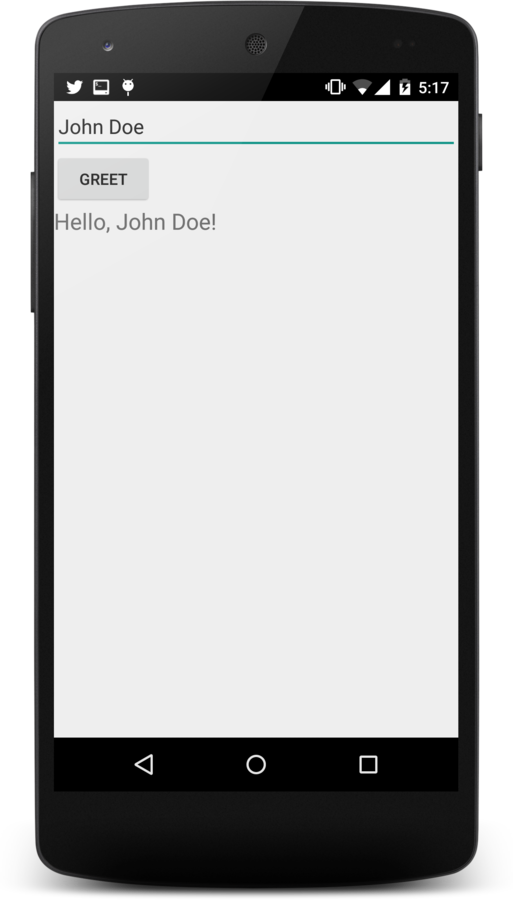
- Last ned >>> fra It's Learning
- Åpne i Android Studio
- Konfigurer testmiljø
- Instrumenter
- Text input
- Trykk på knapp
- Verifisering av teksten
PG4600-15-06: Feil og testing!
By theneva
PG4600-15-06: Feil og testing!
Android, AutoCompleteTextView, JUnit 4, Unit testing, Espresso, Hamcrest