Web development & API design
L013: Ready for takeoff! Deployment & publishing
Deployment
- Make your app available to the world!
- Pretty easy these days
- … and also free (Heroku, Modulus, now.sh, …)
Alternatives
- Self-hosted
- "Cloud"
- IaaS
- Google Cloud Engine
- Amazon Web Services (AWS)
- Microsoft Azure
- PaaS
- Heroku
- AWS
- IaaS
- Whatever "serverless" or "function as a service" means
Deploy to Heroku!
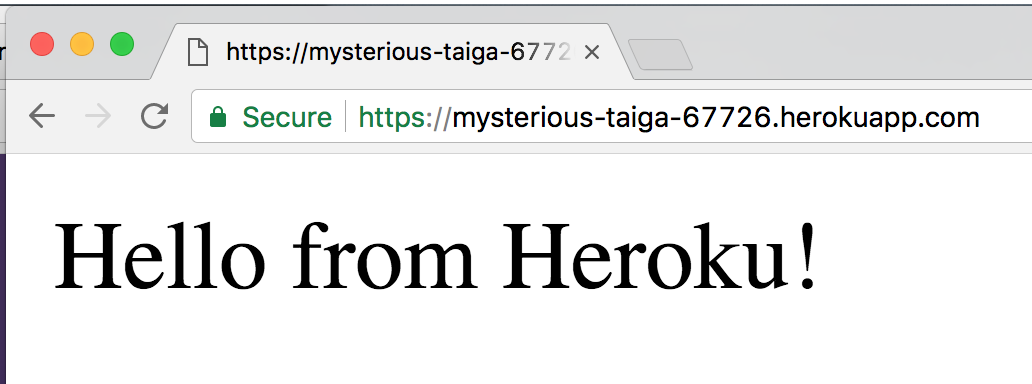
Heroku config
- Process types
- What type of application
- Which command to run to start
- Heroku detects Node.js
- Dependencies are auto-installed
web: node server.js./Procfile
How to deploy?
- Heroku git server
- Your machine
- Heroku cluster
- Heroku config parser
How to deploy?
- (Install heroku toolbelt)
- git init
- git add --all
- git commit -m "Initial commit"
- heroku create
- git push heroku master
Connect to a DB
- Can't use local DB for hosted app (duh)
- mLab is cool (and free)

Some config vars
- PORT
- DB_URL
- DB_PASSWORD
- Abstracts your executable
- Prepackages all dependencies
- Node, node_modules/, …
- Node, node_modules/, …
- Run anything with docker run <image>
- Basically the new way to deploy
- Kubernetes/AWS/Azure/Heroku/…
- Easier local runtime
Dockerfile
FROM node:8-alpine

COPY server.js .
COPY package.json .
COPY yarn.lock .

RUN yarn

CMD ["node", "server.js"]- How to build your image
- Steal FROM someone
- COPY files
- RUN commands
- How to run it
- CMD: Execute your app
Deploy with Docker
-
heroku container:login
-
heroku container:push web
- ???
- heroku open
(Disables pushing to Heroku remote)
Publish to npm!
or:
Become part of the problem! It's easy and free!
Things to think about before publish
- Has this been solved before?
- Can I contribute this to an existing project?
- Will this be useful to anyone else (or me in another project)?
- Does the code contain
- tokens/passwords
- business critical data
- Will I bother to maintain this?
- Code quality assurance (QA)?
- Unit tests (Jest)
- Coverage (thanks, Jest)
- Linting (ESLint)
package.json
- Fields matter!
- name (unique)
- version (use semver)
- licence (don't be React)
- Dependencies
- It won't work without them!
- devDependencies aren't installed
- README.md is displayed on npm
{
  "name": "two-string",
  "version": "1.0.2",
  "description": "An incredibly useful twoString utility.",
  "keywords": [
    "two",
    "string",
    "twoString"
  ],
  "homepage": "https://github.com/theneva/two-string",
  "bugs": "https://github.com/theneva/two-string/issues",
  "license": "CC0-1.0",
  "author": "Martin Lehmann <martin@lehmann.tech> (https://github.com/theneva)",
  "main": "src/index.js",
  "repository": {
    "type": "git",
    "url": "https://github.com/theneva/two-string"
  },
  "dependencies": {},
}
./package.json
package.json
- "main": "path"
- Exports from <path> are returned from
require('two-string')
- npm init assumes index.js
- Exports from <path> are returned from
{
  "name": "two-string",
  "version": "1.0.2",
  "description": "An incredibly useful twoString utility.",
  "main": "src/index.js",
}
./package.json
Test your package in another project
- In package dir: yarn link
- In other project: yarn link <package>
Content? Publish!
- yarn login
- yarn publish
Exercise
- Deploy the colors app to Heroku
- Run locally
- Push to Heroku
- Package the app as a Dockerfile
- (Install Docker)
- Build docker image (with Dockerfile)
- Deploy the Dockerfile to Heroku
PG6300-17-013 Ready for takeoff!
By theneva