Web development & API design
L10: Data!
Assignment 1
- Not completely done…
- Lots of good stuff!
- Issues with data and reloading
The URL
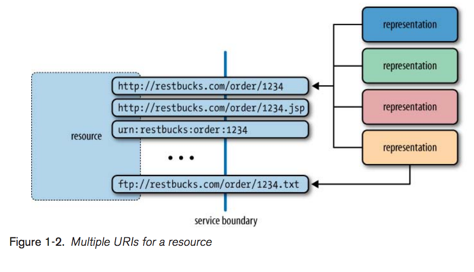
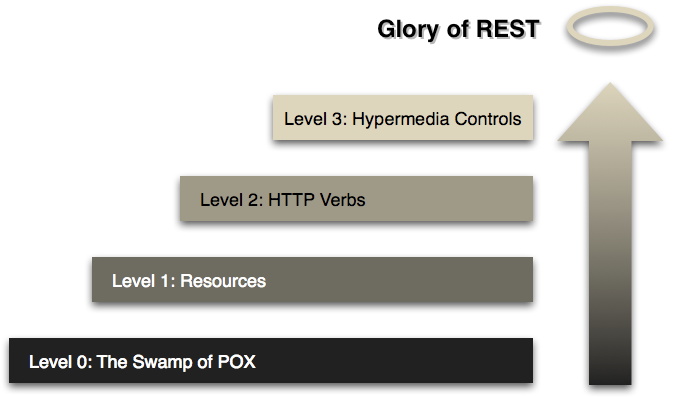
The Richardson maturity model
React state
export default class App extends React.Component {
  constructor(props) {
    super(props);

    this.state = {
      colors: [],
    };
  }

  componentDidMount() {
    fetch('http://localhost:2466/colors')
      .then(res => res.json())
      .then(colors => this.setState({colors}));
  }

  render() {
    return <div>
      {this.state.colors.map(
        color => <Color
            key={color.color}
            color={color.color}
            hex={color.hex}/>
      )}
    </div>;
  }
}
Demo: display & create
- What does "without needing to refresh" mean?
Pros
- State is natively supported
- Well-documented
- Well-known
- Triggers automatic rerendering
Cons
- State is spread around the app
- Callbacks get weird and bloaty
- State makes debugging hard
- State is hard to test
- "Undo" and "Redo"
React state
Redux
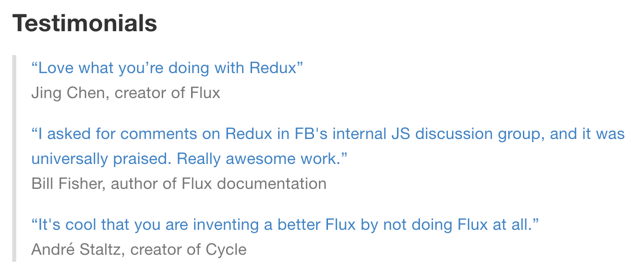
A Redux store is a single object
{
 messages: [
  // ...
 ],
 contactInfo: {
  // ...
 }
}- Not directly mutable
- Just like setState(…)
- But for everything
- EVERYTHING is stored here
- Bad practise…?
- Handles rerendering
Get started!
// Can be used with any view lib (not just React)
npm install --save redux
1: Create a reducer
function reducer(
  state = {
    messages: [],
    contactInfo: {}
  }, action) {

  switch (action.type) {
    case 'ADD_MESSAGE':
      return {
        messages: [...state.messages, action.data],
        contactInfo: state.contactInfo,
      };
    case 'UPDATE_CONTACT_INFO':
      return {
        messages: state.messages,
        contactInfo: action.data,
      };
    default: return state;
  }
}
- (oldState, action) => newState
- A pure function
- Accepts
- current state
- an action
- Returns the new state
- Accepts
2: Create a Redux store
import { createStore } from 'redux';

import theReducer from './reducer.js';

const store = createStore(reducer);- Pass the reducer to createStore(…)
- Done!
3: Dispatch an action
// from the reducer
case 'ADD_MESSAGE':
  return {
    messages: [...state.messages, action.data],
    contactInfo: state.contactInfo,
  };

// updating the state
store.dispatch({
  type: 'ADD_MESSAGE',
  data: {name: 'A', email: 'b@c.d', message: 'fghijklmn'},
});- Actions = plain objects
- Like Intent in Android
- Like Intent in Android
- Passed as argument #2 to the reducer
3: Connect to React
// React bindings
npm install --save react-redux
import { connect } from 'react-redux'
// ...
class App extends React.Component {
// ...
}
function mapStateToProps(state) {
return {};
}
function mapDispatchToProps(dispatch) {
return {};
}
const ConnectedApp = connect(
mapStateToProps,
mapDispatchToProps
)(App);
export default ConnectedApp;- Properties from mapXToProps become available as props
import { Provider } from 'react-redux';

// ...

render((
 <Provider store={store}>
  <App .../>
 </Provider>
), document.getElementById('container'));
Map state & Dispatch
to props
function mapStateToProps(state) {
    return {
        messages: state.messages,
    };
};

function mapDispatchToProps(dispatch) {
    return {
        addMessage: message => dispatch({
            type: 'ADD_MESSAGE',
            data: message
        }),
    };
};
// render
<AdminPanel title="All messages"
messages={this.props.messages}/>
// elsewhere
.then(message => {
this.props.addMessage(message);
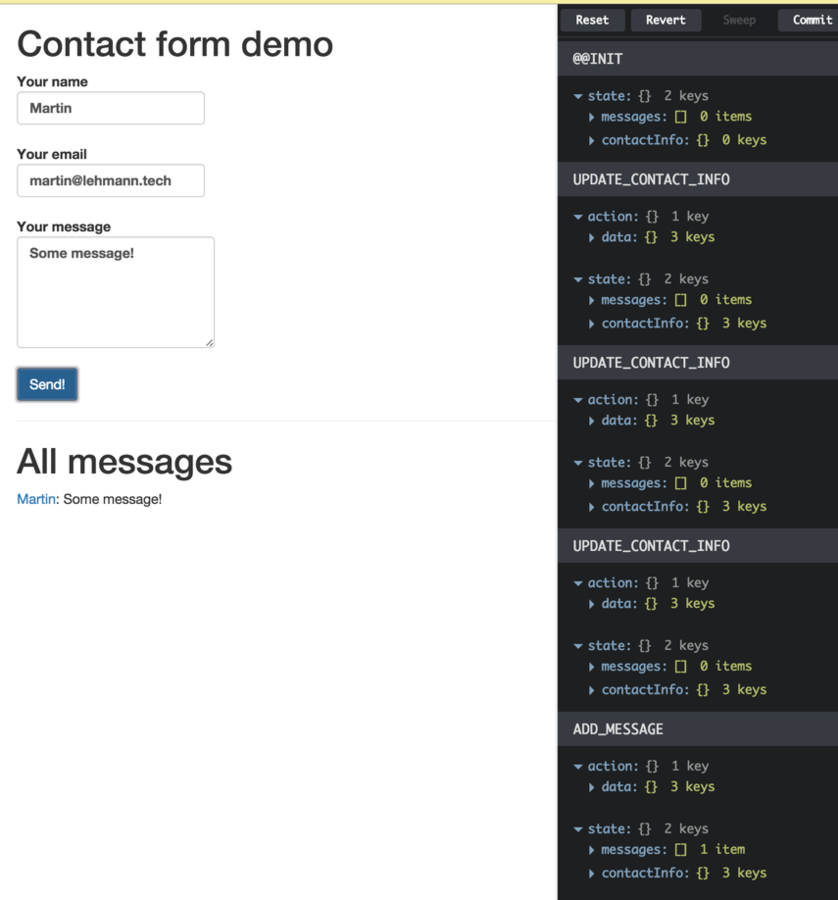
})Small bonus: React Devtools
Database!

Relations vs. Documents
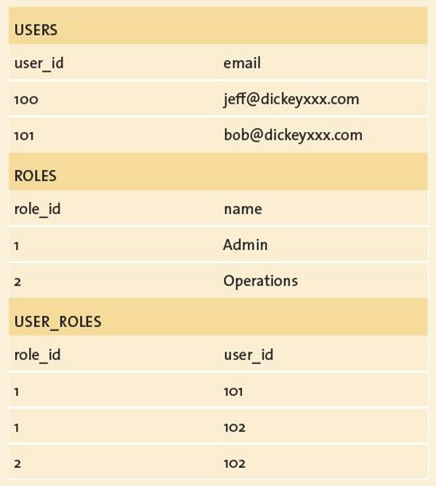
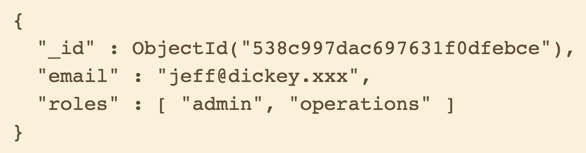

Storage format: BSON
- Binary JSON
- ObjectId based on timestamp
- Documents "=" objects
Joins
Express <3 Mongoose
var app = require('express')();
var mongoose = require('mongoose');

app.use(require('body-parser').json());

var personSchema = new mongoose.Schema({
	name: { type: String, required: true }
});

var Person = mongoose.model('Person', personSchema);

app.get('/person', function(req, res) {
	var person = new Person({
		name: 'Martin'
	});

	res.send(person);
});

app.listen(1234);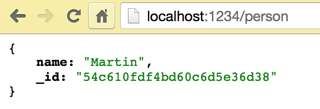
Embedded docs (sub docs)
- Ownership between types
-
Example code
- /series
- /series/:seriesId
- /series/:seriesId/books
- /series/:seriesId/books/:bookId
- /books?
PG6300-17-010: Data!
By theneva
PG6300-17-010: Data!
Lecture 010 in PG6300-17 Webutvikling og API-design