F09: Maps! Og litt mer HTTP
Android, Google Maps, AsyncTask, HTTP, Gson
Google Maps!

https://developers.google.com/maps/documentation/android-api/
En del features
- Markers
- GPS location
- Kart!
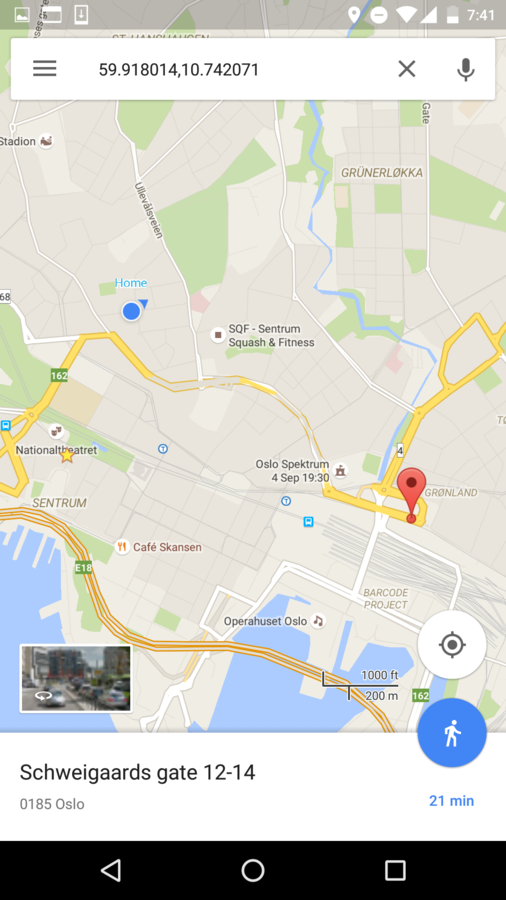
Get started!
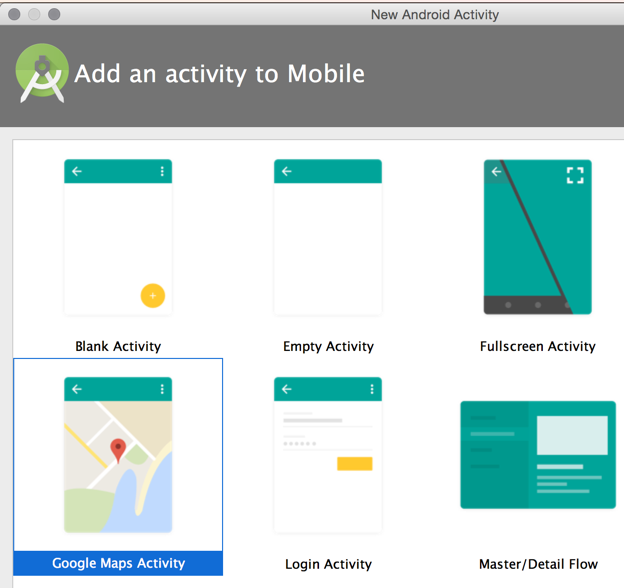
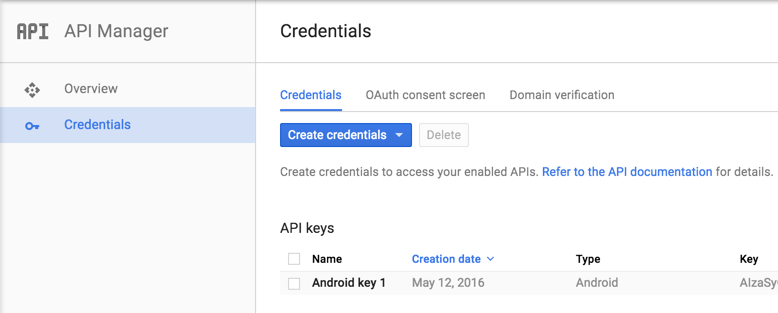
API key???
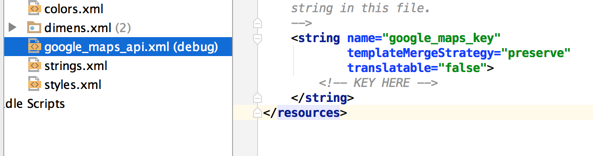
Følg lenka i kommentaren i ^
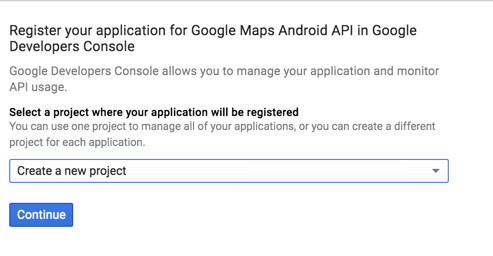
Gir tilgang til Maps & identifiserer
API key 2
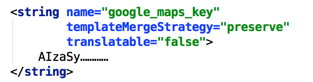
MapsActivity (generated)
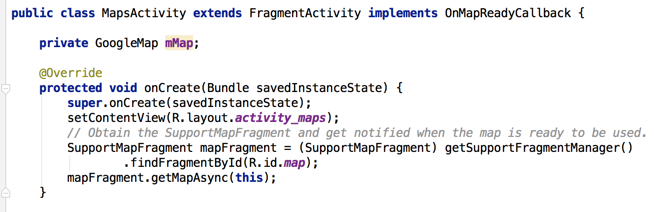
MapsActivity (generated)
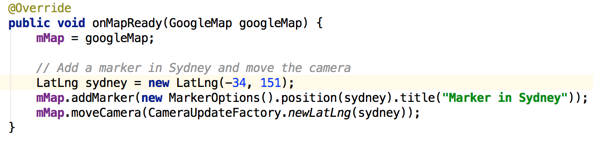
MapsActivity
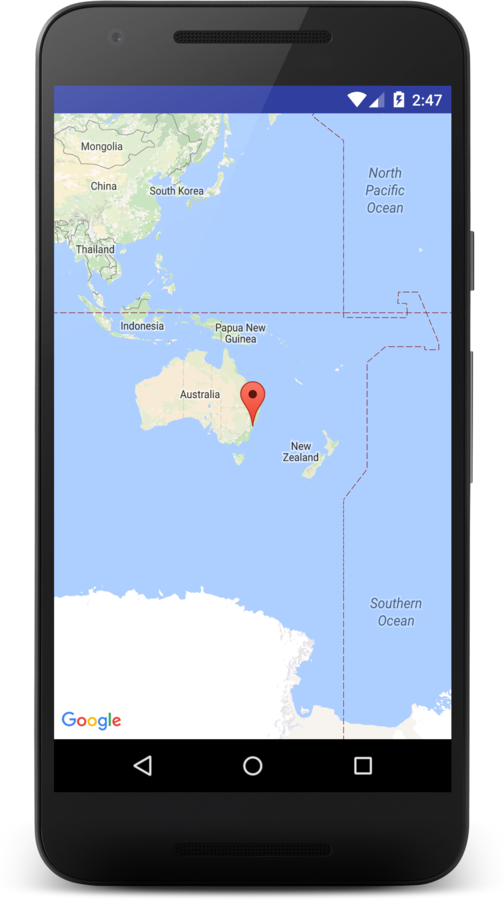
- Finds the Map fragment
- Loads the map
- Creates a LatLng object
- Adds a Marker
(MarkerOptions)
- Moves the camera (CameraUpdateFactory)
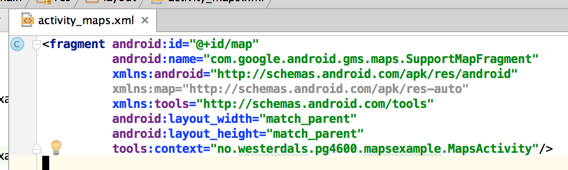
Layout: activity_maps.xml
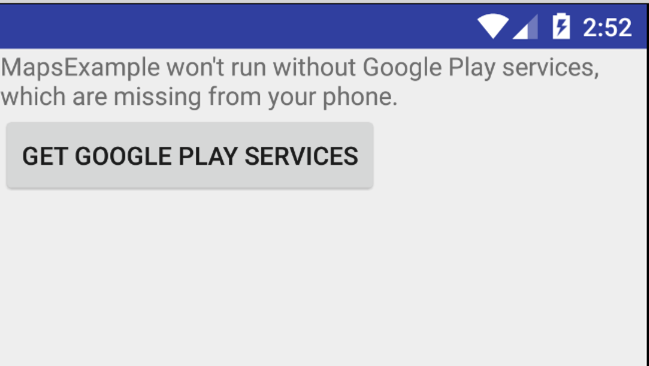
Google Play Services though
Location data: GPS!
- "Unikt" for apps
- Lar deg se brukerens lokasjon (innenfor en viss radius)
- To "grader" (trenger én permission):
- ACCESS_COARSE_LOCATION: WiFi + mobildata
- ACCESS_FINE_LOCATION: GPS + WiFi + mobildata
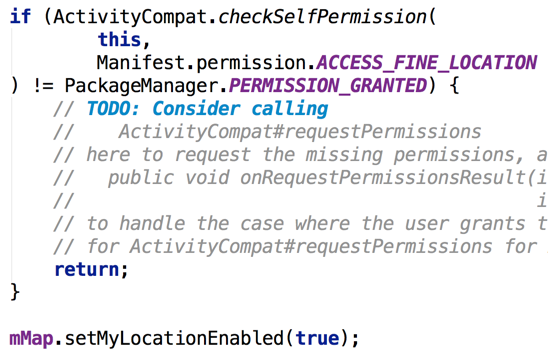
My Location layer

… men husk å sjekke permission
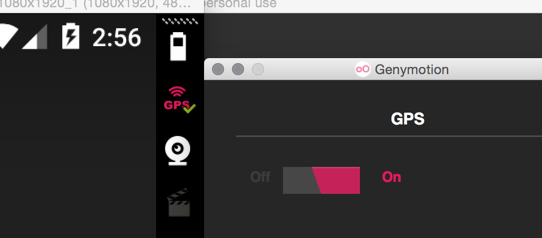
Thanks, GenyMotion
Mock locations with the emulator
Threads!
- Én tråd i Android!
- Kræsjer den, kræsjer appen
- Trege operasjoner fryser UI
Utfordringer med threads
- Kommunikasjon på tvers
- Kun UI-tråden kan "røre" UI
- Dermed:
- Start oppgaven
- (loop) Rapporter progress til UI thread
- Rapporter resultat til UI thread
Android: AsyncTask
- Magic?
- Har et ThreadFactory
- Som kaller
new Thread(...)
- Som kaller
new AsyncTask<Params, Progress, Result>() {
 @Override
 protected void onPreExecute() {
  // Stuff to do on UI thread before starting
 }

 @Override
 protected <Result> doInBackground(
   <Params>... params
 ) {
  // Perform a long task, like an HTTP request
  return <Result>;
 }

 @Override
 protected void onPostExecute(
   <Result> result
 ) {
  // Stuff to do on UI thread after finishing
 }
}
Nettverk (HTTP)
Veldig vanlig case for apps:
- Start appen
- Hent data fra server
- Vis frem data
- (La bruker endre noe)
- (Send data tilbake til server)
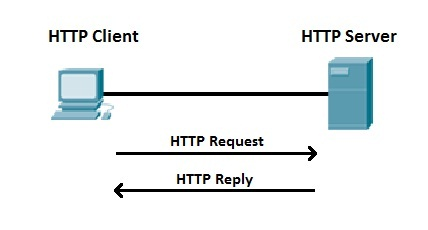
HTTP request
GET /users HTTP/1.1
Host: localhost:8081
Accept: */*
(Other headers go here)

<no body>
<verb> <path> HTTP/<version>
<Headers>
<Body>
POST /users HTTP/1.1
Host: localhost:8081
Accept: */*
(Other headers go here)

{"username": "theneva"}
HTTP er enkelt i Java!
HttpURLConnection connection = (HttpURLConnection)
    new URL("http://a.page.xyz/whatever").openConnection();

InputStream in = connection.getInputStream();

Scanner scanner = new Scanner(in);

String body = "";

while (scanner.hasNextLine()) {
 body += scanner.nextLine();
}

// body = data from server as String
java.net.*
… men må gjøres i egen Thread
public class JustGetSomethingActivity extends Activity {
    private TextView resultTextView;

    // onCreate sets ^^^, calls vvv

     private void downloadAndDisplayData() {
        new AsyncTask<Void, Void, String>() {
            @Override
            protected String doInBackground(final Void... params) {
                try {
                    HttpURLConnection connection =
                       (HttpURLConnection) new URL("https://google.com").openConnection();
                    return inputStreamToString(connection.getInputStream()); // made up method
                } catch (IOException e) {
                    throw new RuntimeException(e); // I'm lazy
                }
            }

            @Override
            protected void onPostExecute(final String result) {
                super.onPostExecute(result);
                resultTextView.setText(result); // update the TextView
            }
        }.execute();
    }
}
(les: AsyncTask)
Permissions…
<uses-permission
    android:name="android.permission.INTERNET"/>
- Bare permission til å BRUKE internett
- ACCESS_NETWORK_STATE for sjekk
- ACCESS_NETWORK_STATE for sjekk
- Ikke lenger nødvendig i Marshmallow
- … men husk å spørre om de andre
Også lett å sette headers
HttpURLConnection connection = (HttpURLConnection)
    new URL("http://a.page.xyz/whatever").openConnection();

connection.setRequestProperty("X-Token", "blahblah");

InputStream in = connection.getInputStream();

// ...
X-Token: blahblah
HTTP statuskoder (TK1100)
- 2xx = Dandy!
- 200 OK
- 201 Created
- 3xx = Redirect
- 301 Moved Permanently
- 301 Moved Permanently
-
4xx = You messed up
- 400 Bad Request
- 401 Unauthorized
- 404 Not Found
HTTP statuskoder (TK1100)
-
4xx = You messed up
- 400 Bad Request
- 401 Unauthorized
- 404 Not Found
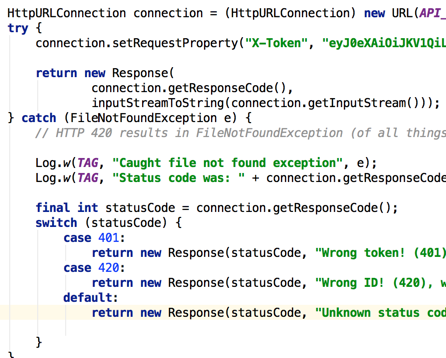
HttpURLConnection kaster exception!
401, 404, 410 (Gone), 420 => FileNotFoundException
4xx: Hva gikk galt?
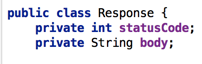
doInBackground: Kan wrappe kode og body i et objekt:
✓ JSON for data transfer
// Arrays

[0, 1, 2]
["Hello", "world"]

// Objects
{
 "key": "value",
 "anotherKey", "anotherValue"
}

// Object with array
{
 "name": "Liam",
 "modules": [
  "Physics",
  "Maths"
 ]
}

// Array of objects
[
 { "name": "Liam" },
 { "name": "Martin" }
]
"Fun"facts:
- More lightweight than XML
-
JSON is valid JavaScript
-
Easy to parse for JavaScript
- No schemas
Gson
- Googles forsøk på JSON-lib
- Veldig enkelt å bruke
// build.gradle

dependencies {
 // ...
 compile 'com.google.code.gson:gson:2.6.2'
}
// Serialization
Gson gson = new Gson();
gson.toJson(1); // ==> 1
gson.toJson("abcd"); // ==> "abcd"
// Deserialization
int one = gson.fromJson("1", int.class);
Integer one = gson.fromJson("1", Integer.class);
Long one = gson.fromJson("1", Long.class);
Boolean false = gson.fromJson("false", Boolean.class);Gson: liste av objekter
- java.lang.reflect <3
// Deserialization
Type collectionType = new TypeToken<Collection<Integer>>(){}.getType();
Collection<Integer> ints2 = gson.fromJson(json, collectionType);
Innlevering 2
Ut på eventyr!

PG4600-15-09: Maps! og litt mer HTTP
By theneva
PG4600-15-09: Maps! og litt mer HTTP
Android, Google Maps, AsyncTask, HTTP, Gson