Hack Backbone.js
Server-side powered web sites
SPA
SPA Frameworks

@author: Jeremy Ashkenas (Coffeescript, Underscore.js, Docco)
@website: http://backbonejs.org/
@annotation: http://backbonejs.org/docs/backbone.html
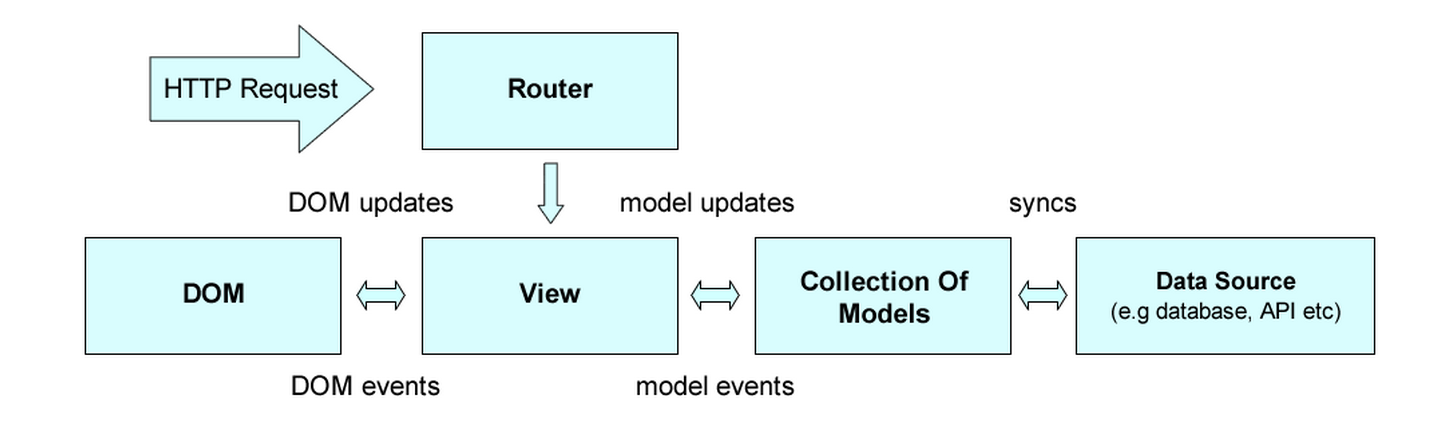
Backbone.js gives structure to web applications by providing models with key-value binding and custom events, collections with a rich API of enumerable functions, views with declarative event handling, and connects it all to your existing API over a RESTful JSON interface.
FAST facts
- Core components: Model, View, Collection, Router
- Event-driven communication between Views and Models
- Support for RESTful interfaces out of the box, so Models can be easily tied to a backend
- Prototypes are instantiated with the new keyword, which some developers prefer
- Underscore’s micro-templating is available by default
Simple Survey App
View

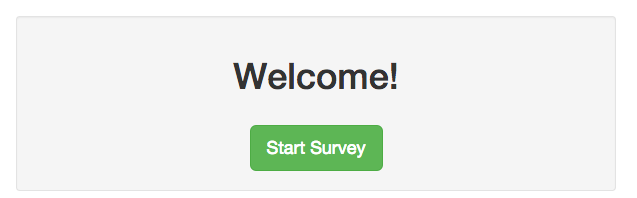
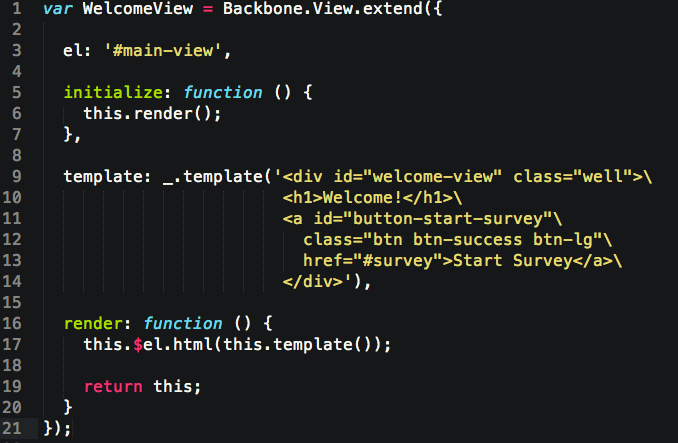
Welcome View
Router
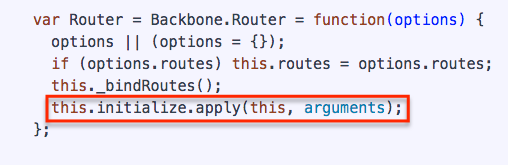
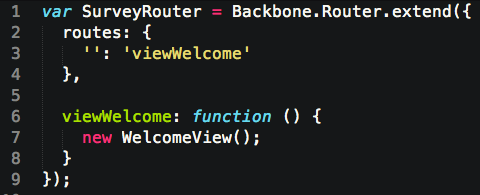
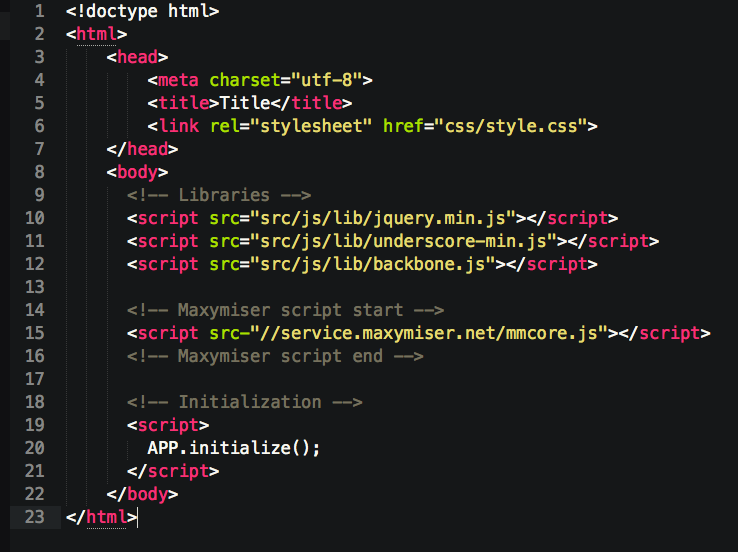
APP Initialisation
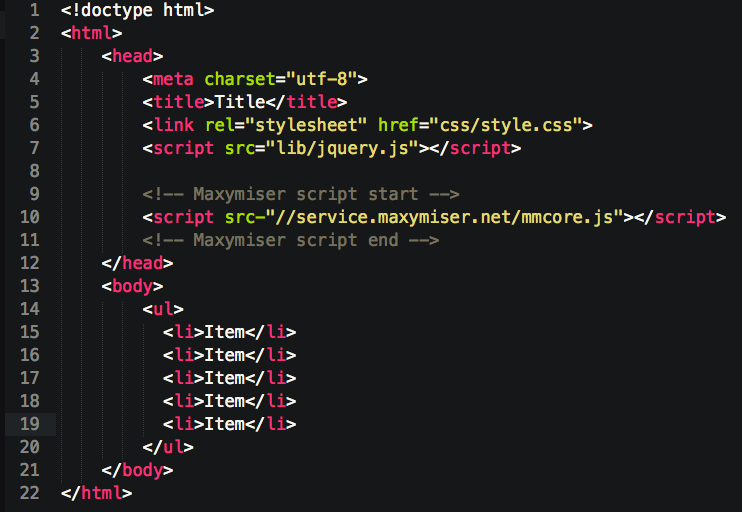
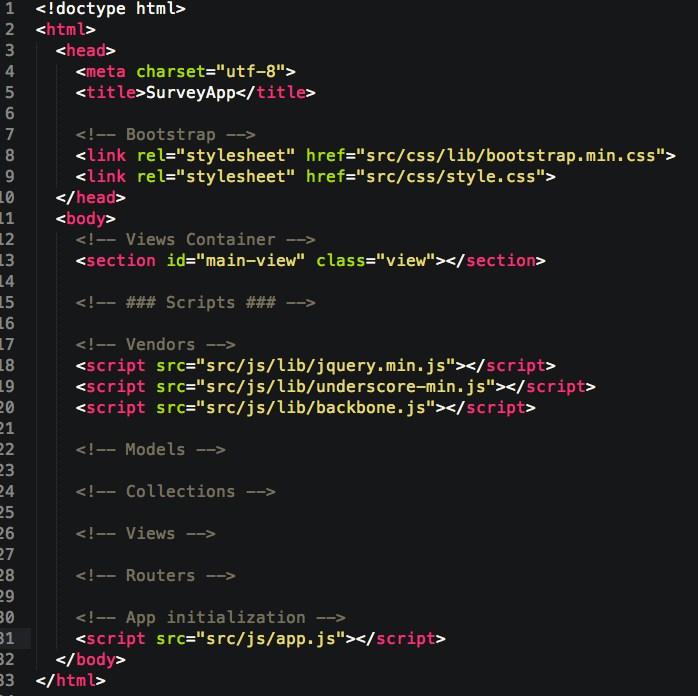
Page source
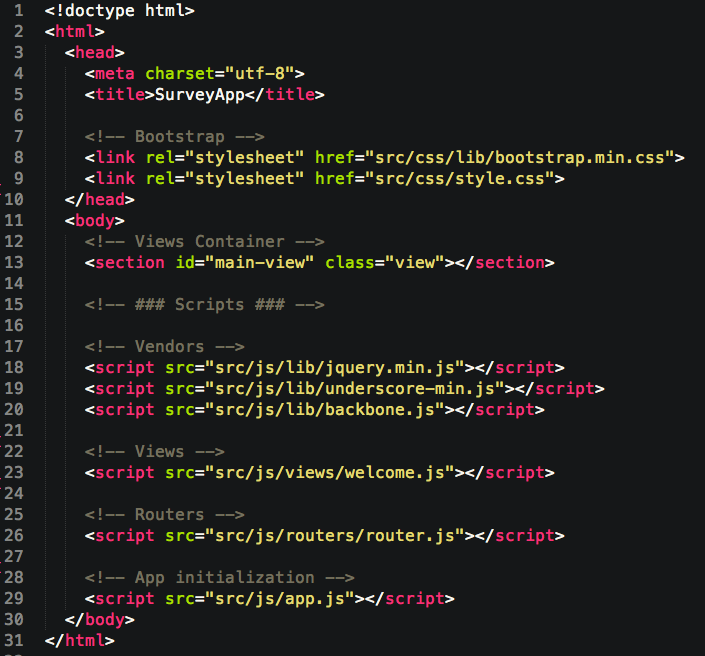
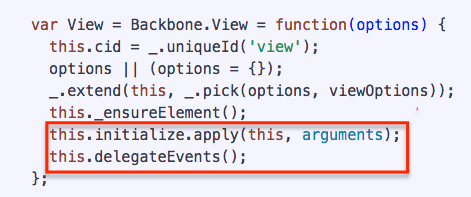
Initialisation Script

DEMO
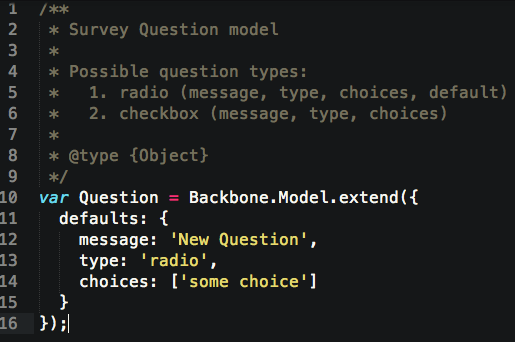
Model
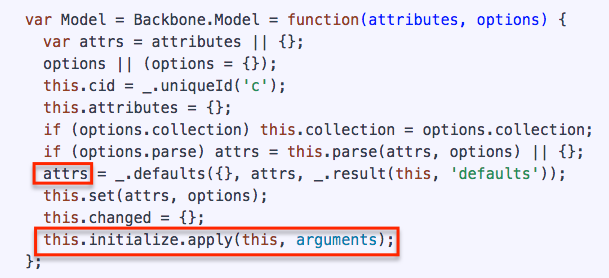
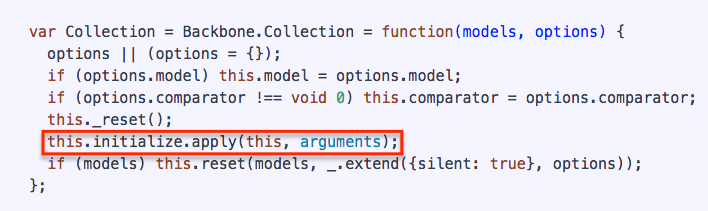
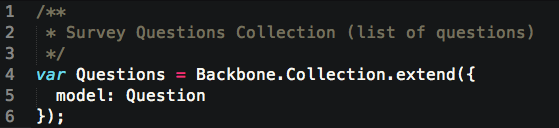
Collection
    var QUESTIONS = [{
          message: 'HTML is ... ?',
          type: 'radio',
          choices: ['Fun', 'Sexually Transmitted Disease', 'HTML']
        }, {
          message: 'Who helps decide the outcome of football games',
          type: 'radio',
          choices: ['God', 'Score', 'Luck']
        }, {
          message: 'Stormy weather "affects" Cloud Computing',
          type: 'radio',
          choices: ['sure', 'no', 'seldom']
        }, {
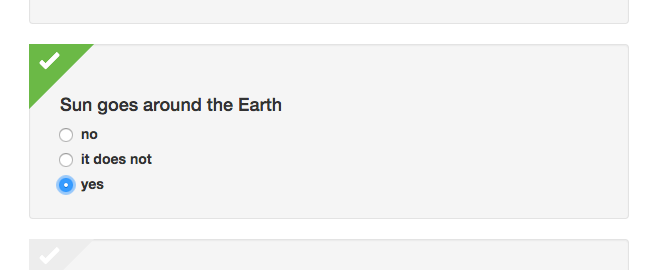
          message: 'Sun goes around the Earth',
          type: 'radio',
          choices: ['no', 'it does not', 'yes']
        }, {
          message: 'Choose Prime Numbers',
          type: 'checkbox',
          choices: [2, 23, 71, 131, 157, 7, 59, 83]
        }];
Sample questions
Single Question View
    var QuestionView = Backbone.View.extend({
      tagName: 'li',

      className: 'question well',

      questionTpl: $('#question-tpl').html(),

      events: {
        'click input': 'complete'
      },

      initialize: function (question) {
        this.model = question;
        this.model.attributes.cid = this.model.cid;

        this.render();
      },

      render: function () {
        var tpl = _.template(this.questionTpl);
        this.$el.html(tpl(this.model.toJSON()));

        return this;
      },

      complete: function (e) {

      }
    });
    <!-- ### Templates ### -->

    <!-- Question -->
    <script id="question-tpl" type="text/template">
      <div class="complete-mark"></div>
      <h4><%= message %></h4>
      <ul>
          <% _.each(choices, function (item, i) {
            if (type === 'radio') { %>
              <li><label for="<%= cid %>-<%= i %>">
                <input type="radio" name="<%= cid %>"
                        value="<%= item %>"
                        id="<%= cid %>-<%= i %>">
                <div><%= item %></div>
              </label></li>
            <% } else { %>
              <li><label for="<%= cid %>-<%= i %>">
                <input type="checkbox" name="<%= cid %>-<%= i %>"
                        value="<%= item %>"
                        id="<%= cid %>-<%= i %>">
                <div><%= item %></div>
              </label></li>
            <% }
          }); %>
      </ul>
    </script>
Questions List View
    var ListView = Backbone.View.extend({
      tagName: 'ul',

      className: 'questions',

      initialize: function (questions) {
        // create new collection of questions.
        // turn questions into question model instance
        this.collection = new Questions(questions);

        // render view
        this.render();
      },

      render: function () {
        var $docFragment = $(document.createDocumentFragment());

        _.each(this.collection.models, (function (model) {
          $docFragment.append(this.renderQuestion(model));
        }).bind(this));

        // append document frament to View element (e.g. to {tagName: 'li'})
        this.$el.append($docFragment);

        return this;
      },

      renderQuestion: function (model) {
        var questionView = new QuestionView(model);
        return questionView.el;
      }
    });
Survey View
    var SurveyView = Backbone.View.extend({
      id: 'survey-view',

      events: {
        'click input': 'activateButton'
      },

      initialize: function () {
        this.render();
      },

      render: function () {
        var listView = new ListView(QUESTIONS),
            surveyView = this.$el.html(listView.el),
            $button = $('<a id="submit" disabled="disabled"\
                            class="btn btn-success btn-lg"\
                            href="#thankyou">Submit</a>');

        $('#main-view').html(surveyView);
        this.$el.append($button);

        return this;
      },

      activateButton: function (e) {
        var $questions = $('.question'),
            $completedQuestions = $('.question.completed');

        if ($questions.length === $completedQuestions.length) {
          $('#submit').removeAttr('disabled');
        } else {
          $('#submit').attr('disabled', 'disabled');
        }
      }
    });
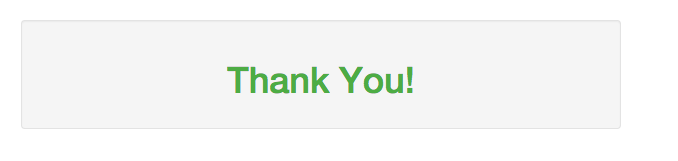
Thankyou View
    var ThankyouView = Backbone.View.extend({

      el: '#main-view',

      initialize: function () {
        this.render();
      },

      template: _.template($('#thankyou-tpl').html()),

      render: function () {
        this.$el.html(this.template());

        return this;
      }
    });
    <!-- Thankyou View -->
    <script id="thankyou-tpl" type="text/template">
      <div id="thankyou-view" class="well">
        <h1>Thank You!</h1>
      </div>
    </script>
thankyou.js
in index.html
Final Router
    var SurveyRouter = Backbone.Router.extend({
      routes: {
        '': 'viewWelcome',
        'survey': 'viewSurvey',
        'thankyou': 'viewThankyou'
      },

      viewWelcome: function () {
        return new WelcomeView();
      },

      viewSurvey: function () {
        return new SurveyView();
      },

      viewThankyou: function () {
        return new ThankyouView();
      }
    });
DEMO
Where to start hacking?
Define the objectives
- Change View html
- Listen to site events
- Listen to Model/View changes
Investigate client's SPA structure
- Find global variables
- window.Backbone !
- Try to find the global application variable (e.g `window.APP`)
(e.g. https://www.leovegas.com/ has `window.APP`)
Investigate client's SPA structure
- Find global variables
- window.Backbone !
- Try to find the global application variable (e.g `window.APP`)
(e.g. https://www.leovegas.com/ has `window.APP`)
- Find out where the html templates are defined and if they are visible on the global level
Investigate client's SPA structure
- Find global variables
- window.Backbone !
- Try to find the global application variable (e.g `window.APP`)
(e.g. https://www.leovegas.com/ has `window.APP`)
- Find out where the html templates are defined and if they are visible on the global level
- Find out whether the Model attributes are accessible and can be changed
Investigate client's SPA structure
- Look for global events
Such as `Backbone._events`, `APP._events` or something similar.
If some are there you can then listen for them unsing Backbone default functionality - Backbone.on, Backbone.off or APP.on, APP.off, and so on.
Investigate client's SPA structure
- Look for global events
Such as `Backbone._events`, `APP._events` or something similar.
If some are there you can then listen for them unsing Backbone default functionality - Backbone.on, Backbone.off or APP.on, APP.off, and so on.
- Check if it is possible to listen to Backbone history changes
- Load target site
- Execute javascript code below in DevTools console
- Interact with the site to get another view rendered
- If console.log appears - you can use this listener for something more interesting replacing log with your code :)
  Backbone.history.on('route', function () {
    console.log('Route is changed');
  });
Decorator pattern
  initialFunction = (function (fn) {
    return function () {
      // your code here
      return fn.apply(this, arguments);
    };
})(initialFunction);- Override safe!
- Return the initial function!
Example:
var defaultGreeting = function (greeting) {
  console.log('Hey!');
  console.log(greeting);
};

defaultGreeting = (function (fn) {
  return function () {
    var newGreeting = arguments[0] + ' Nice to hack you!';

    return fn.apply(this, [newGreeting]);
  };
})(defaultGreeting);

defaultGreeting('You are awesome!');
.extend
- This method is used to create new Routers/Models/Views objects
- Overriding `.extend` method gives you possibility to change properties/methods of the object before it will be created by Backbone
- Note: Fires only once and can be overridden only right after Backbone is loaded and app isn't initialised yet
Example:
Backbone.View.extend = (function (fn) {
  return function () {
    var view = arguments[0];

    if (view.el && view.el === '#main-view') {
      // override template
      view.template = _.template('<div id="welcome-view" class="well">\
                                    <h1>Changed by Ninjas!</h1>\
                                    <a id="button-start-survey" class="btn btn-success btn-lg" href="#survey">Start Survey</a>\
                                  </div>');

      // add new method
      view.newMethod = function () {
        alert('New Method added by Ninjas!');
      };

      // call new method on initialize
      view.initialize = (function (fn) {
        return function () {
          view.newMethod();
          return fn.apply(this, arguments);
        };
      })(view.initialize);

      return fn.apply(this, [view]);
    } else {
      return fn.apply(this, arguments);
    }

  };
})(Backbone.View.extend);
DEMO
.initialize
You can override `.initialize` method (e.g. `Backbone.View.prototype.initialize`) in order to make your changes before View/Model is being initialized.
NOTE: It can be done only for the Models/Views that implementation has no `initialize` method re-definition (remains empty)
Example:
Backbone.View.prototype.initialize = (function (fn) {
  return function () {
    // you awesome javascript

    return fn.apply(this, arguments);
  };
})(Backbone.View.prototype.initialize);
Listen to `Backbone.history`
Every time when the route is changed you can listen to `route` event of `Backbone.history` object
NOTE: not every application written in Backbone will support this listener
Example:
Backbone.history.on('route', function () {
  // awesome javascript goes here
});
Listen to `hashchange` event
You can listen to `hashchange` event and react accordingly when the `window.location.hash` is changing
Example:
$(window).bind('hashchange', function() {
  // do something nice
});
Questions?
Thank you for listening !
Hack Backbone.js
By workslon
Hack Backbone.js
Intermal Maxymiser presentation made in order to show how we can deal with websites that are using Backbone.js framework