Custom Views
...and how to make them
Alex Fu | @alexfu914
Why bother?
- Uniqueness
- Facebook Chat Heads / Messenger
- Efficiency / Performance (layout)
- Control where child elements are placed
- Avoids nested layouts
Basics first
-
Measure
- Measure the view and it's content.
-
Must report the size of the view before end of measure
- We do this by calling setMeasuredDimensions
- Or if subclassing, delegate to superclass
-
Layout
- Assigns a position to each child
-
Draw
- Draw content
- Framework provides a Canvas to draw on
DIY
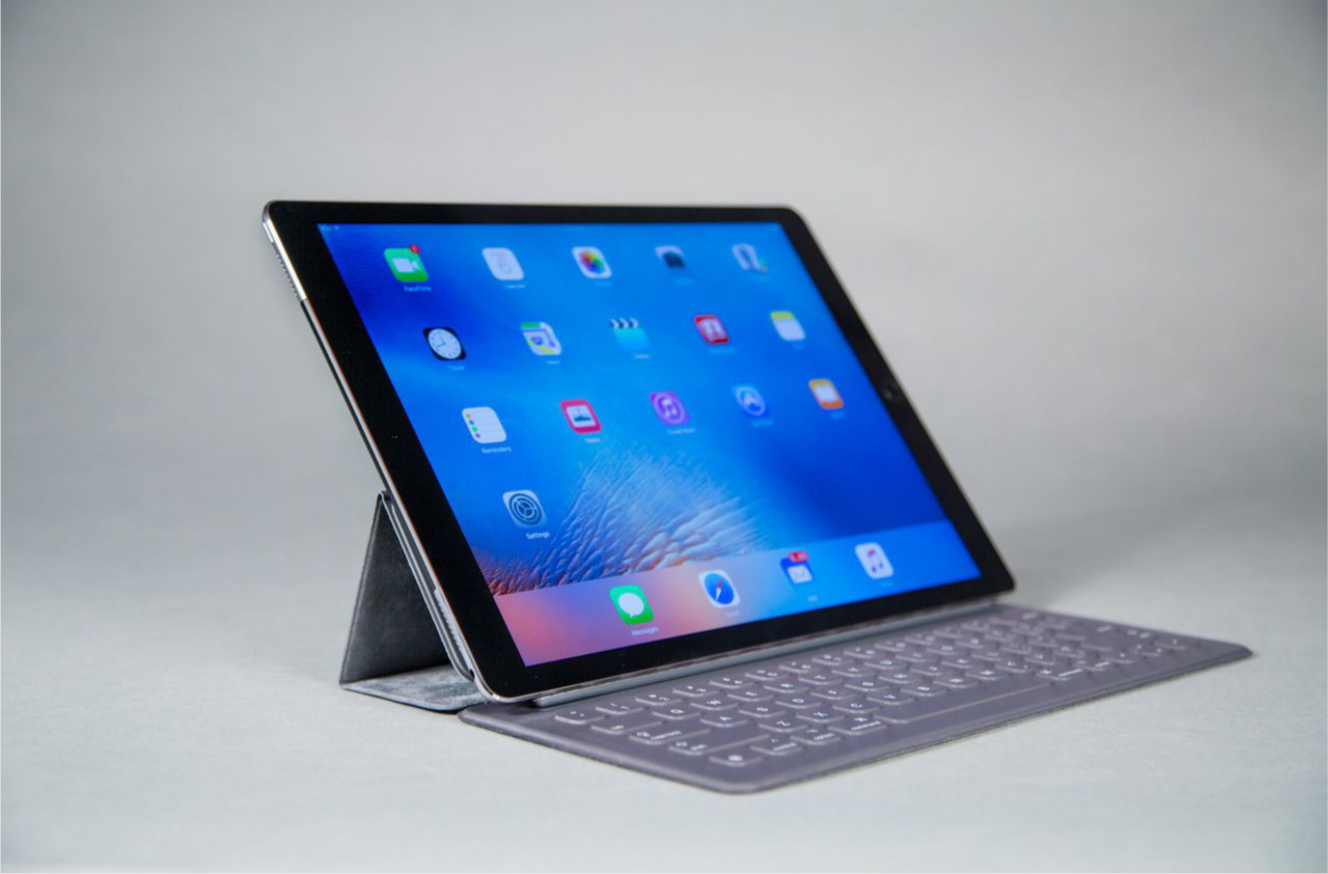
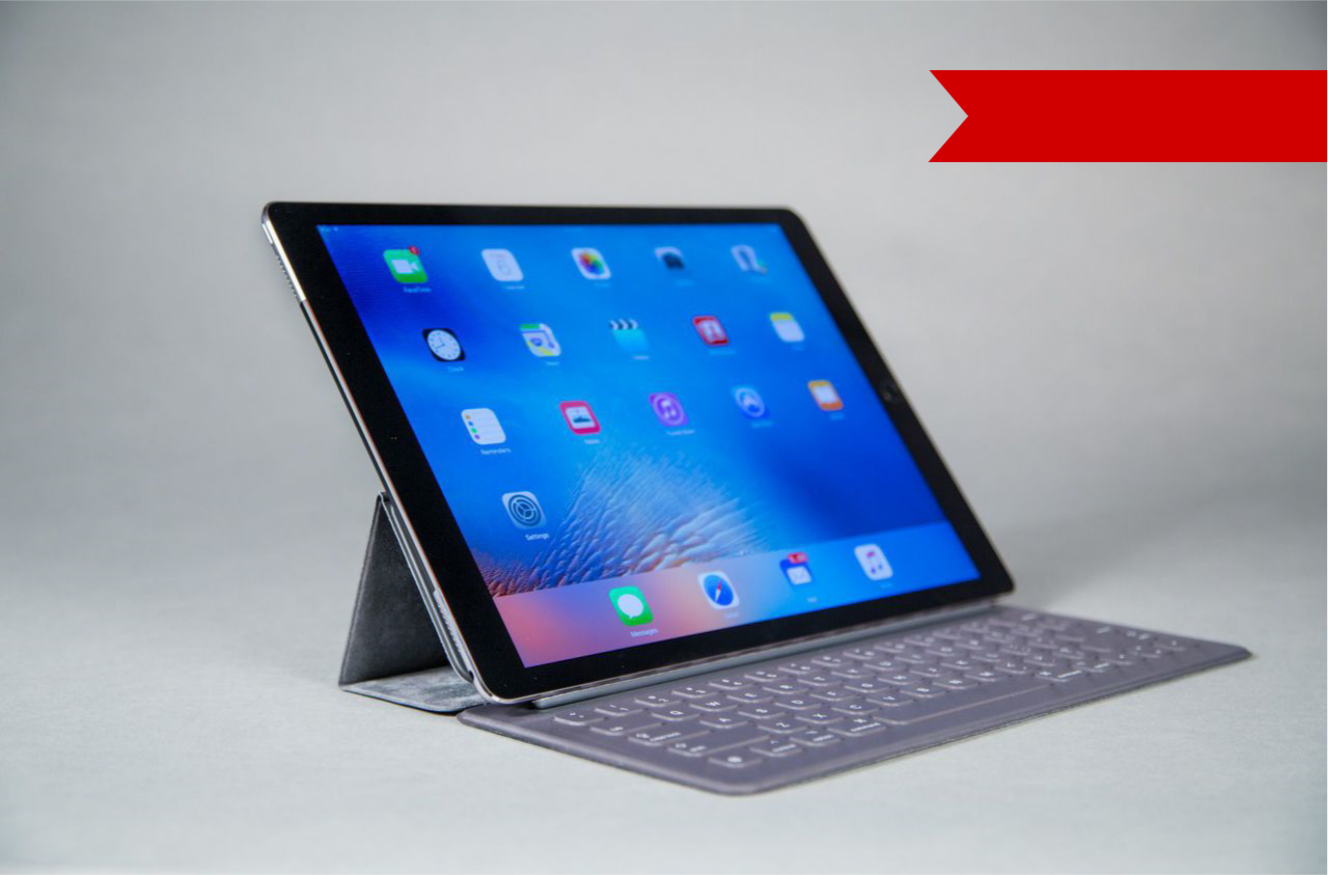
Before
After
DIY
public class FlaggedImageView extends ImageView {
  /* Code goes here */
}
public class FlaggedImageView extends ImageView {
public FlaggedImageView(Context context, AttributeSet attrs) {
super(context, attrs);
}
@Override
protected void onMeasure(int widthMeasureSpec, int heightMeasureSpec) {
super.onMeasure(widthMeasureSpec, heightMeasureSpec);
}
@Override
protected void onLayout(boolean changed, int left, int top, int right, int bottom) {
super.onLayout(changed, left, top, right, bottom);
}
@Override
protected void onDraw(Canvas canvas) {
super.onDraw(canvas);
}
}DIY
@Override
protected void onMeasure(int widthMeasureSpec, int heightMeasureSpec) {
  super.onMeasure(widthMeasureSpec, heightMeasureSpec);

  // Our code goes here
}
int flagWidth = 0, flagHeight = 0;
// Calculated from dividing width by height from designs
float aspectRatio = 4.25f;
flagWidth = (int) (getMeasuredWidth() * 0.30);
flagHeight = (int) (flagWidth / aspectRatio);DIY
@Override
protected void onLayout(boolean changed, int left, int top, int right, int bottom) {
  super.onLayout(changed, left, top, right, bottom);

  // Our code goes here
}
Path flagPath = new Path();

// We layout the path moving from right to left and top to bottom
// We start with the origin which will be the top-right corner of the flag
int currentX = getWidth();
int currentY = (int) dpToPx(20);
flagPath.moveTo(currentX, currentY);
Path flagPath = new Path();
// We layout the path moving from right to left and top to bottom
// We start with the origin which will be the top-right corner of the flag
int currentX = getWidth();
int currentY = (int) dpToPx(20);
flagPath.moveTo(currentX, currentY);
// Furthest top-left corner
currentX -= flagWidth;
flagPath.lineTo(currentX, currentY);Path flagPath = new Path();
// We layout the path moving from right to left and top to bottom
// We start with the origin which will be the top-right corner of the flag
int currentX = getWidth();
int currentY = (int) dpToPx(20);
flagPath.moveTo(currentX, currentY);
// Furthest top-left corner
currentX -= flagWidth;
flagPath.lineTo(currentX, currentY);
// Layout the top half of the triangular indentation
currentX += (flagWidth * .10);
currentY += (flagHeight * 0.5);
flagPath.lineTo(currentX, currentY);Path flagPath = new Path();
// We layout the path moving from right to left and top to bottom
// We start with the origin which will be the top-right corner of the flag
int currentX = getWidth();
int currentY = (int) dpToPx(20);
flagPath.moveTo(currentX, currentY);
// Furthest top-left corner
currentX -= flagWidth;
flagPath.lineTo(currentX, currentY);
// Layout the top half of the triangular indentation
currentX += (flagWidth * .10);
currentY += (flagHeight * 0.5);
flagPath.lineTo(currentX, currentY);
// ...and now the bottom half of the triangular indentation
currentX -= (flagWidth * .10);
currentY += (flagHeight * 0.5);
flagPath.lineTo(currentX, currentY);// ...and now the bottom half of the triangular indentation
currentX -= (flagWidth * .10);
currentY += (flagHeight * 0.5);
flagPath.lineTo(currentX, currentY);
// Bottom right corner
currentX = getRight();
flagPath.lineTo(currentX, currentY);// ...and now the bottom half of the triangular indentation
currentX -= (flagWidth * .10);
currentY += (flagHeight * 0.5);
flagPath.lineTo(currentX, currentY);
// Bottom right corner
currentX = getRight();
flagPath.lineTo(currentX, currentY);
// Back to origin
currentY = getTop();
flagPath.lineTo(currentX, currentY);DIY
@Override protected void onDraw(Canvas canvas) {
  super.onDraw(canvas);

  // Our code goes here
}
Paint flagPaint = new Paint(Paint.ANTI_ALIAS_FLAG);
flagPaint.setColor(Color.RED);
flagPaint.setStyle(Paint.Style.FILL);Paint flagPaint = new Paint(Paint.ANTI_ALIAS_FLAG);
flagPaint.setColor(Color.RED);
flagPaint.setStyle(Paint.Style.FILL);
// Draw path
canvas.drawPath(flagPath, flagPaint);Results
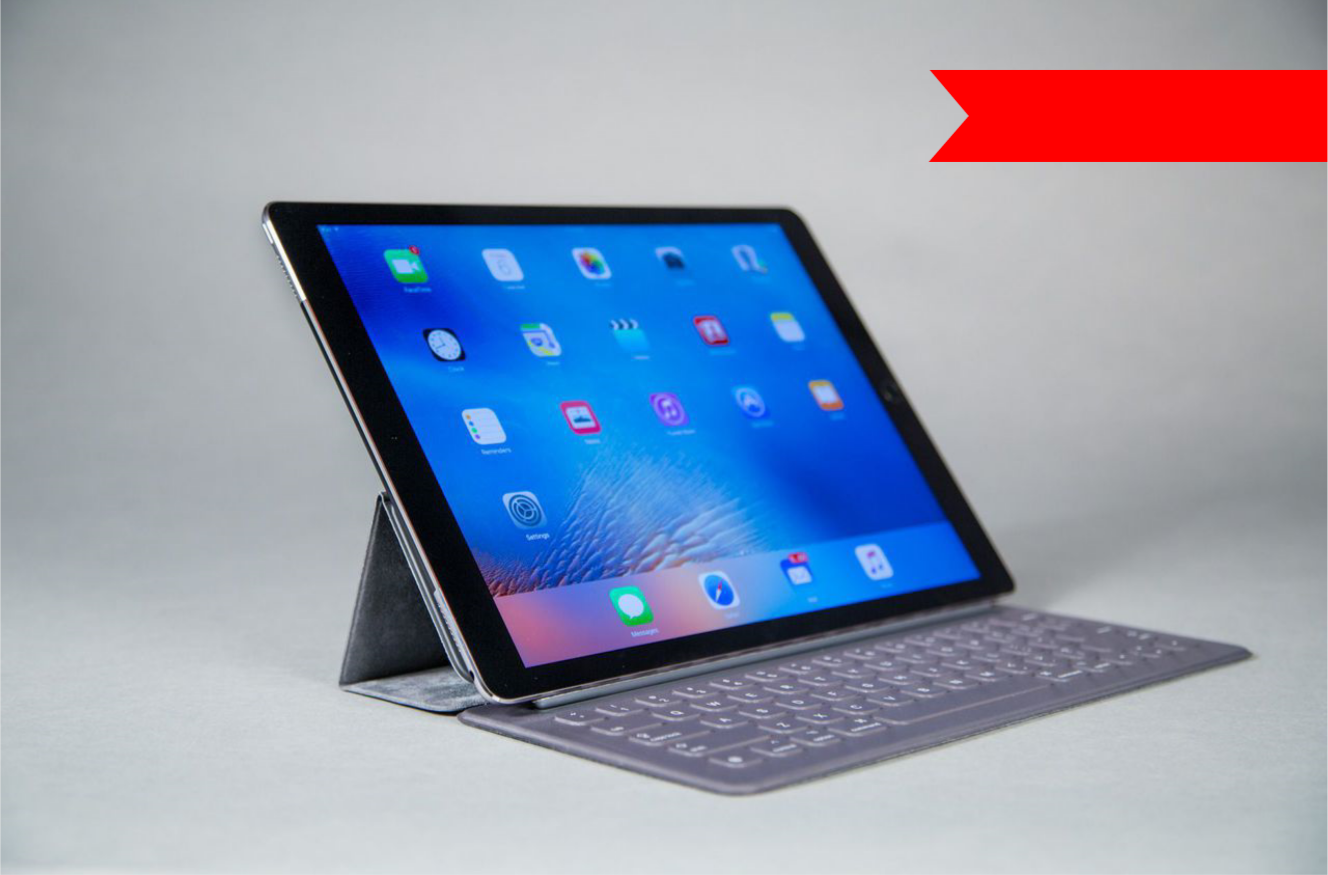
Summary
- Custom views can be more efficient/performant than using framework views
- Three main phases of a View
- (on)Measure
- (on)Layout
- (on)Draw
- Must call setMeasuredDimensions before exiting onMeasure
Tips
- Avoid object allocations during measure, layout, and draw
- Assume onMeasure, onLayout, and onDraw gets called multiple times
-
youtube.com/watch?v=NYtB6mlu7v
-
Google I/O 2013 - Writing Custom Views for Android
-
-
https://sriramramani.wordpress.com/2015/05/06/custom-viewgroups/
-
Custom ViewGroups by Sriram Ramani
-
Links
Custom Views
By Alex Fu
Custom Views
...and how to make them