Put the “fun” back in “collaborative blog” with Gatsby

Brian Azizi

Our Tech Blog

Static Sites
-
Most basic kind of site
-
Flat HTLM, CSS and JS
Static Sites
-
No backend!
-
Secure
-
Fast
-
Use Content Delivery Networks (CDN)
-
-
Reliable
-
Cheap
Ideal for Portfolios, Marketing Websites, Documentation and Blogs
Static Site Generators
Content
Static Site
e.g.
Blog Post (markdown)
Web Page
Static Site Generators
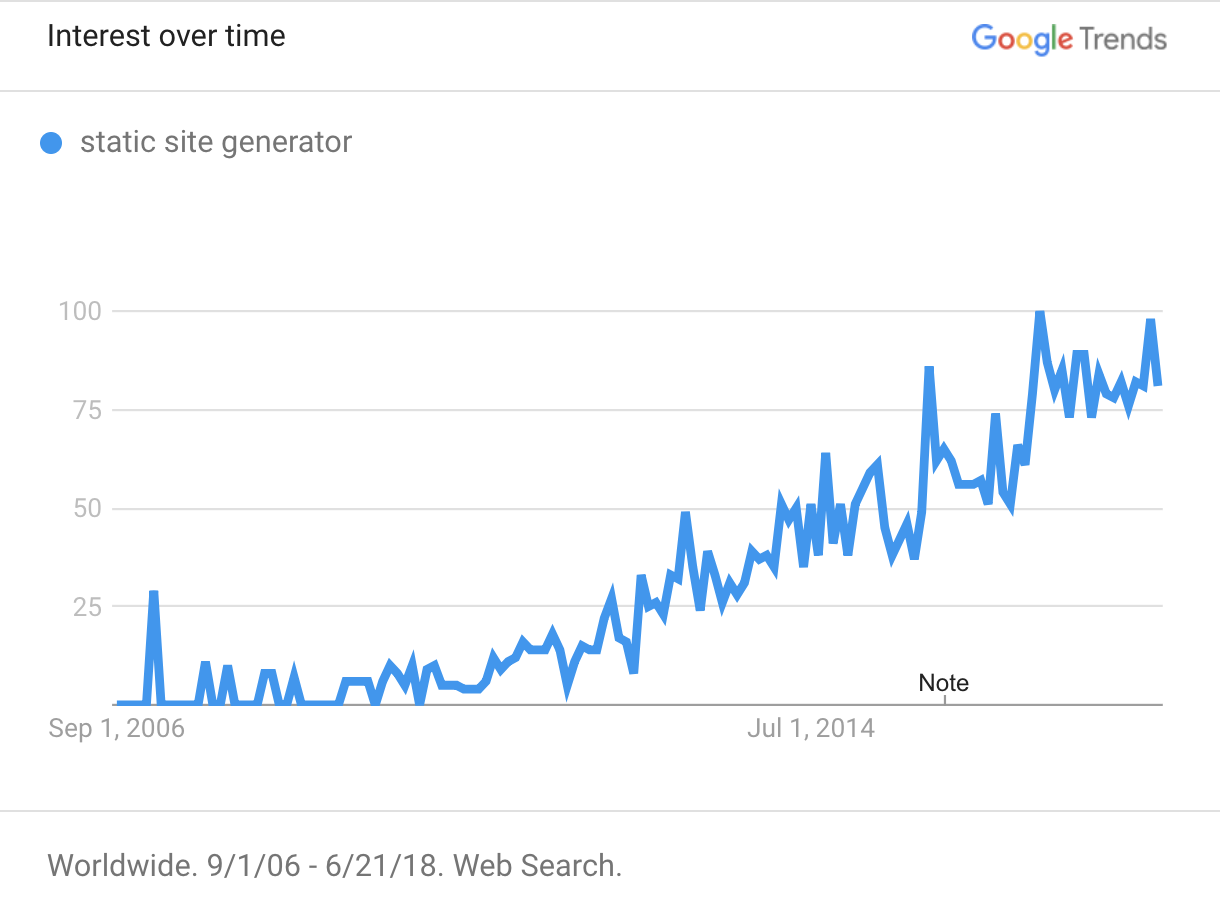
Static Site Generators
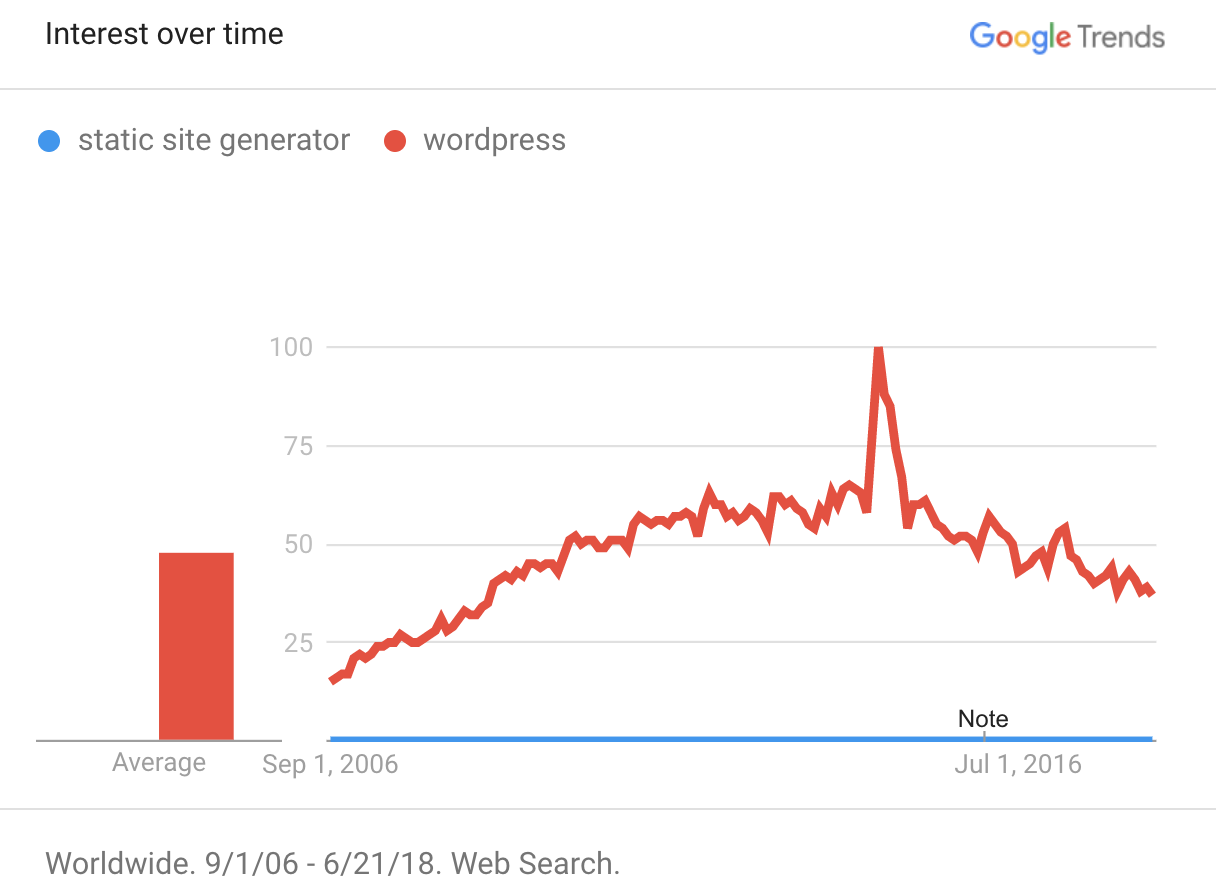

Gatsby
-
Open-sourced in March 2015
-
July 2017: v1.0 Release
-
10 days ago: v2.0 Beta Release
-
22.5K Stars on Github
-
150K weekly NPM downloads
-
840 contributors
Gatsby
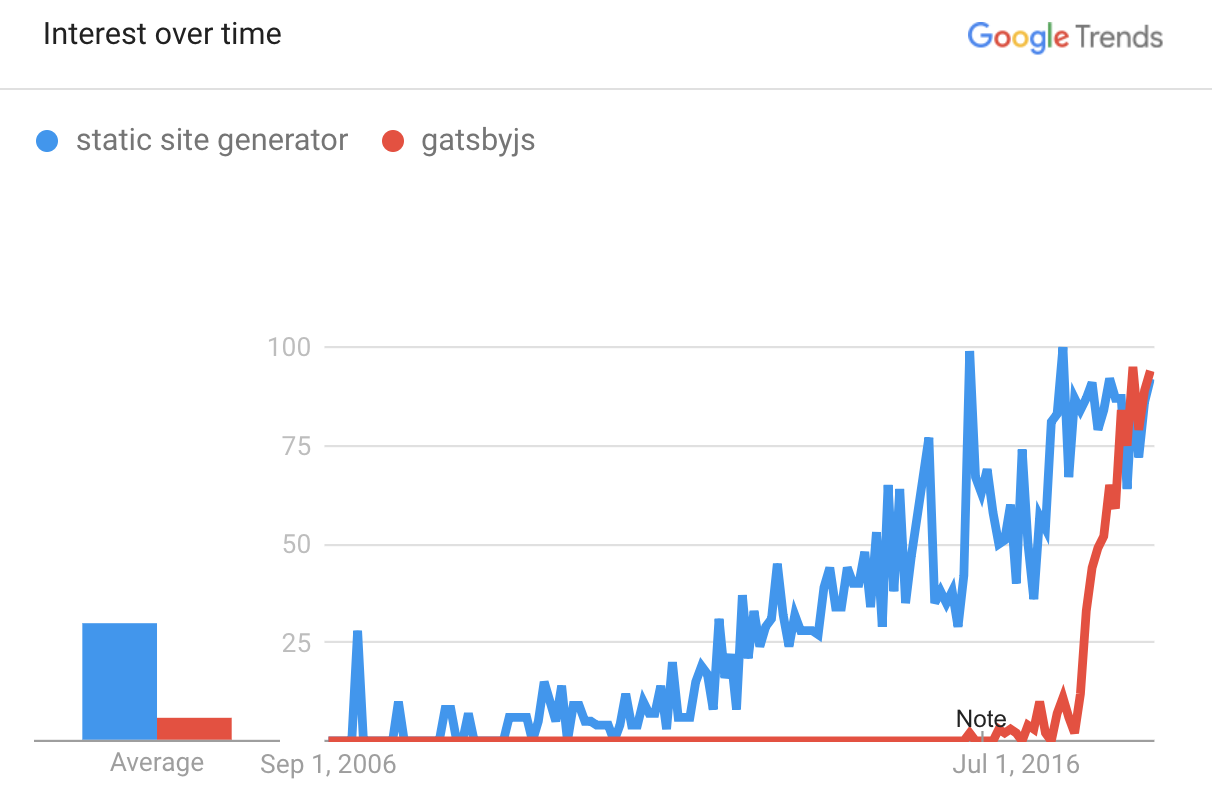
Great Developer Experience
-
React ❤️
-
Webpack, Hot Reloading, ES6 support
-
GraphQL
Performance built-in
Optimisation Techniques:
-
Code Splitting
-
Pre-loading Critical Resources
-
Pre-render HTML
-
Inlining Critical CSS
-
Tree-Shaking
-
...
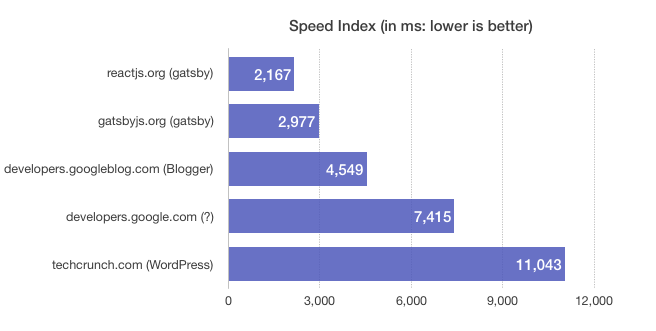
Speed Index (perceived speed): Avg time at which visible parts of the page are displayed
Speed Index
Time To Interactive (TTI): Time until page is considered minimally usable and will respond to user input
Time To Interactive
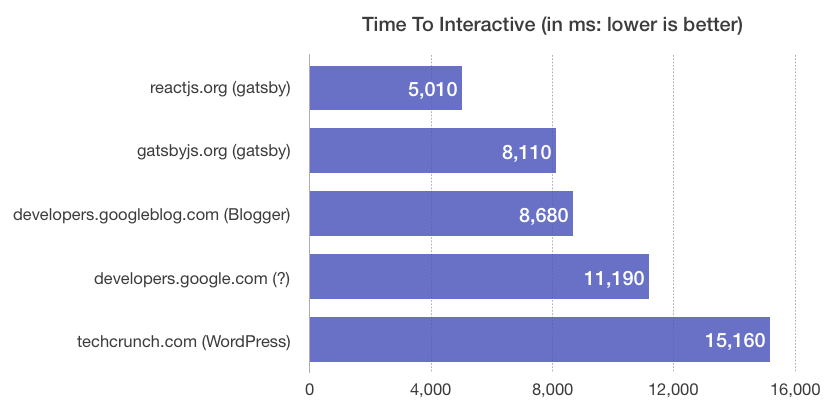
Demo 1
gatsby new hello-react-london
Gatsby Starters
-
Boilerplate Gatsby Projects
-
Maintained by the community
-
Good for learning
Gatsby Plugins
-
3 types of plugin
-
Integration Plugins
-
Source Plugins
-
Transformer Plugins
-
Gatsby Plugins
-
gatsby-plugin-styled-components
- Support for react styled-components
-
gatsby-plugin-offline
- Set up a service worker for your site
-
gatsby-plugin-algolia
- Add Algolia search to your site
-
...
Building the Blog
-
Step 1:
-
Add Markdown content to data layer
-
-
Step 2:
-
Generate pages based on markdown data
-
GraphQL
-
Used to manage the data layer in Gatsby
-
Explore available data at http://localhost:8000/___graphql
-
Common dev flow:
-
Construct query in GraphiQL
-
Add query to React component
-
Result available as `props.data`
-
Source Plugins
- Make additional data sources available in GraphQL
Transformer Plugins
- Transform existing raw data to more useful format
Extending the Data Layer
- E.g. get access to files on your filesystem:
- E.g. transform all markdown data to HTML
- Plugin:
gatsby-source-filesystem
- Plugin:
gatsby-transformer-remark
Creating Pages
-
Option 1:
-
Add React component to
src/pages
-
-
Option 2:
-
Implement
createPagesAPI ingatsby-node.js
-
Bootstrap Process
- load siteconfig
- load plugins
- source nodes
- transform nodes
- create graphql schema
- create pages
- compile component queries
- run queries
- Finish
Extend this subprocess
createPages API
// gatsby-node.js

const path = require('path');

exports.createPages = ({ graphql, actions }) =>
  new Promise((resolve, reject) => {
    graphql(`
      {
        allMarkdownRemark {
          edges {
            node {
              frontmatter {
                path
              }
            }
          }
        }
      }
    `).then(result => {
      result.data.allMarkdownRemark.edges.forEach(({ node }) => {
        actions.createPage({
          path: node.frontmatter.path,
          component: path.resolve('./src/templates/blog-post.js'),
        });
      });
      resolve();
    });
  });
Query all markdown files
Create a new page for each file
Specify path and React component
Using the Blog
-
Keep repo on Github
-
Devs draft article in markdown
-
Open PR with new post -> get reviews
-
To publish, merge the PR
Netlify
-
Deploy Static Sites to CDN
-
Integrate with GitHub for Continuous Deployment
-
Deployment Previews
-
Free
Netlify CMS
-
CMS for your static site
-
Content stored in Github repo
Going further
-
Support for multiple authors
-
Search Engine Optimization (SEO)
-
Google Analytics
-
Disqus Comments
-
...
Thank You !
Brian Azizi
Gatsby
By Brian Azizi