Graphics Programming Virtual Meetup


Discord
Tiny Renderer
Lesson 6
Shaders
Tutorial link:
https://github.com/ssloy/tinyrenderer/wiki/Lesson-6-Shaders-for-the-software-renderer
My Code:
https://github.com/cdgiessen/TinyRenderer
Lesson 4/5:
Camera Recap
Graphics Vertex Pipeline
-- The short version --
- Take vertex in 'Model' Space, turn it into 'Screen' Space
- Model -> World -> Perspective -> Screen
- All done by multiplying matrices with the vec3 position
- Much better explained by LearnOpenGL.com
https://learnopengl.com/Getting-started/Transformations
vec3 screen_pos =
   vec3(screen_mat *
        perspective_divide *
        world_space *
        vec4(vertex_position, 0));
Lesson 6:
Shaders
From Wikipedia...
In computer graphics, a shader is a type of computer program originally used for shading in 3D scenes.
Therefore, a shader is just code
There are two kinds of shaders
- Vertex
- Fragment
We use virtual methods to easily allow different shaders to be used
struct IShader {
    virtual ~IShader();
    virtual vec3 vertex(int iface, int nthvert) = 0;
    virtual bool fragment(vec3 bar, TGAColor &color) = 0;
};
Vertex Shader
The main goal of the vertex shader is to transform the coordinates of the vertices.
The secondary goal is to prepare data for the fragment shader.
vec4 vertex(int iface, int nthvert) {
    varying_intensity[nthvert] = std::max(0.f,
      	model->normal(iface, nthvert)*light_dir);
    vec4 gl_Vertex = embed<4>(model->vert(iface, nthvert));
    return Viewport*Projection*ModelView*gl_Vertex;
}
Fragment Shader
The main goal of the fragment shader - is to determine the color of the current pixel.
Secondary goal - we can discard current pixel by returning true.
bool fragment(Vec3f bar, TGAColor &color) {
    float intensity = varying_intensity*bar;
    color = TGAColor(255, 255, 255)*intensity;
    return false; // no, we do not discard this pixel
}
Graphics Pipeline
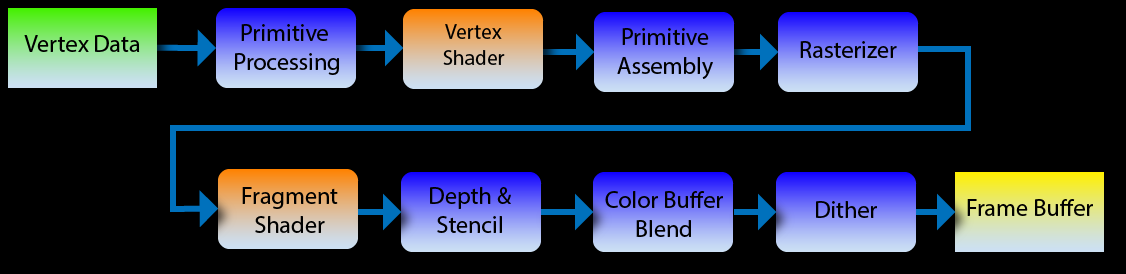
The steps that take a 3d model of vertices and make a 2d image out of it
Primitive Processing - Getting the 'primitives' we want to draw read
It is the double for loop that goes through the vertices in a mesh
Primitive Assembly - Take vertex shader output and determine what to rasterize
Not present, since we only draw triangles
Rasterizer - the 'triangle' function
Takes a triangle and calls the fragment shader on each pixel 'in the triangle'
Depth & Stencil - Culling, depth uses 'z axis' while stencil uses special buffer which we don't implement
Color Blending - Step that blends new fragments with old ones if the triangle isn't opaque.
Also not implemented
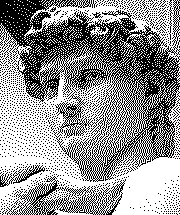
Dithering - Make a low value space appear higher by smart value choice. Much more prevalent in older hardware
Gouraud shading
struct GouraudShader : public IShader {
    // written by vertex shader, read by fragment shader
    vec3 varying_intensity;

    virtual vec4 vertex(int iface, int nthvert) {
        // get diffuse lighting intensity
        varying_intensity[nthvert] = std::max(0.f,
            model->normal(iface, nthvert)*light_dir);
        // read the vertex from .obj file
        vec4 gl_Vertex = embed<4>(model->vert(iface, nthvert));
        // transform it to screen coordinates
        return Viewport*Projection*ModelView*gl_Vertex;
    }

    virtual bool fragment(vec3 bar, TGAColor &color) {
        // interpolate intensity for the current pixel
        float intensity = varying_intensity*bar;
        color = TGAColor(255, 255, 255)*intensity; // well duh
        return false; // no, we do not discard this pixel
    }
};
"Our GL Implementaion"
int main(int argc, char** argv) {
    Model model = Model("obj/african_head.obj");

    //setup globals
    //matrices & lights specifically

    TGAImage image  (width, height, TGAImage::RGB);
    TGAImage zbuffer(width, height, TGAImage::GRAYSCALE);

    GouraudShader shader;
    for (int i=0; i<model->nfaces(); i++) {
        std::array<vec4,3> screen_coords;
        for (int j=0; j<3; j++) {
            screen_coords[j] = shader.vertex(i, j);
        }
        triangle(screen_coords, shader, image, zbuffer);
    }

    image.  write_tga_file("output.tga");
    zbuffer.write_tga_file("zbuffer.tga");

    return 0;
}
void triangle(std::array<vec4,3> pts, IShader &shader, TGAImage &image, TGAImage &zbuffer) {
vec2 bboxmin( std::numeric_limits<float>::max(), std::numeric_limits<float>::max());
vec2 bboxmax(-std::numeric_limits<float>::max(), -std::numeric_limits<float>::max());
for (int i=0; i<3; i++) {
for (int j=0; j<2; j++) {
bboxmin[j] = std::min(bboxmin[j], pts[i][j]/pts[i][3]);
bboxmax[j] = std::max(bboxmax[j], pts[i][j]/pts[i][3]);
}
}
vec2 P;
TGAColor color;
for (P.x=bboxmin.x; P.x<=bboxmax.x; P.x++) {
for (P.y=bboxmin.y; P.y<=bboxmax.y; P.y++) {
vec3 c = barycentric(proj<2>(pts[0]/pts[0][3]),
proj<2>(pts[1]/pts[1][3]), proj<2>(pts[2]/pts[2][3]), proj<2>(P));
float z = pts[0][2]*c.x + pts[1][2]*c.y + pts[2][2]*c.z;
float w = pts[0][3]*c.x + pts[1][3]*c.y + pts[2][3]*c.z;
int frag_depth = std::max(0, std::min(255, int(z/w+.5)));
if (c.x<0 || c.y<0 || c.z<0 || zbuffer.get(P.x, P.y)[0]>frag_depth) continue;
bool discard = shader.fragment(c, color); //take color by reference
if (!discard) {
zbuffer.set(P.x, P.y, TGAColor(frag_depth));
image.set(P.x, P.y, color);
}
}
}
}Triangle Function
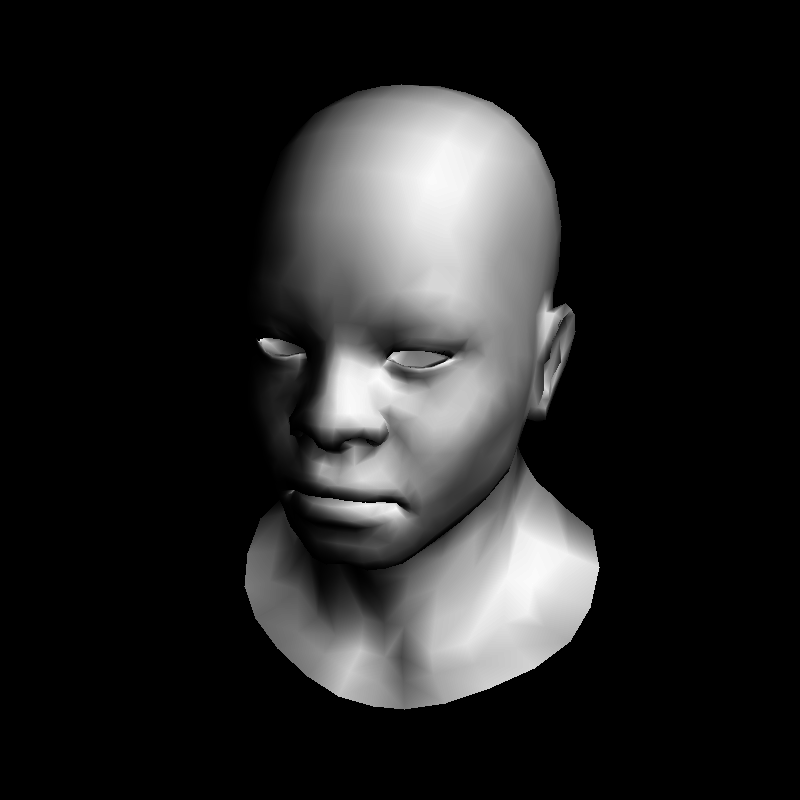
Outcome: per-vertex lighting!
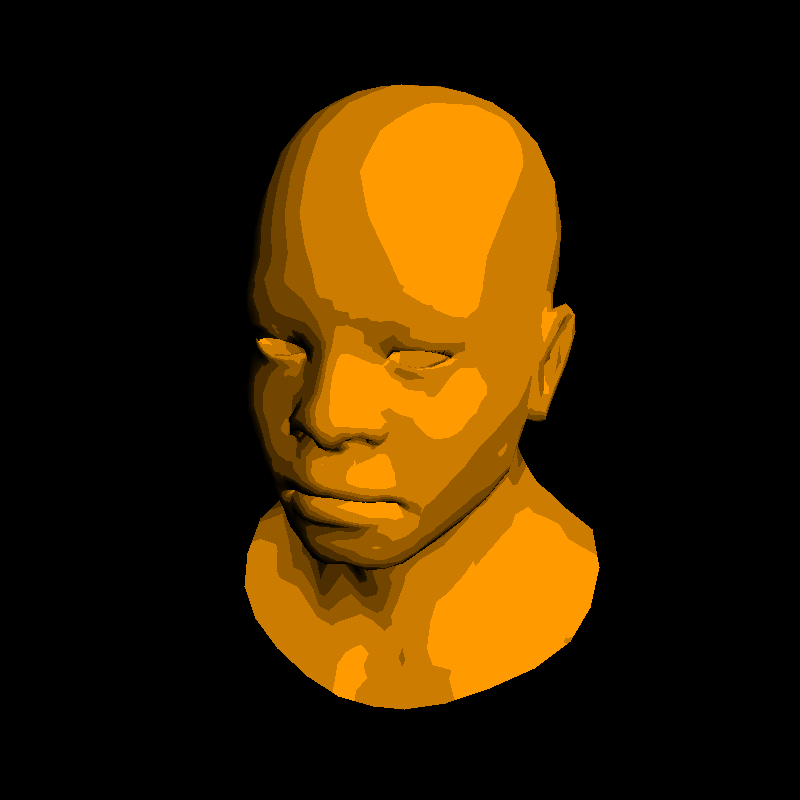
Easily change what is rendered :)
virtual bool fragment(vec3 bar, TGAColor &color) {
    float intensity = varying_intensity*bar;
    if (intensity>.85) intensity = 1;
    else if (intensity>.60) intensity = .80;
    else if (intensity>.45) intensity = .60;
    else if (intensity>.30) intensity = .45;
    else if (intensity>.15) intensity = .30;
    else intensity = 0;
    color = TGAColor(255, 155, 0)*intensity;
    return false;
}
Lets re-implement textures
struct Shader : public IShader {
    vec3        varying_intensity; // written by vertex shader, read by fragment shader
    mat<2,vec3> varying_uv;        // same as above

    virtual vec4 vertex(int iface, int nthvert) {
        varying_uv.set_col(nthvert, model->uv(iface, nthvert));
        // get diffuse lighting intensity
        varying_intensity[nthvert] = std::max(0.f, model->normal(iface, nthvert)*light_dir);
        vec4 gl_Vertex = embed<4>(model->vert(iface, nthvert));
        return Viewport*Projection*ModelView*gl_Vertex; // transform it to screen coordinates
    }

    virtual bool fragment(vec3 bar, TGAColor &color) {
        float intensity = varying_intensity*bar; // interpolate intensity for the current pixel
        vec2 uv = varying_uv*bar;                // interpolate uv for the current pixel
        color = model->diffuse(uv)*intensity;    // well duh
        return false;                            // no, we do not discard this pixel
    }
};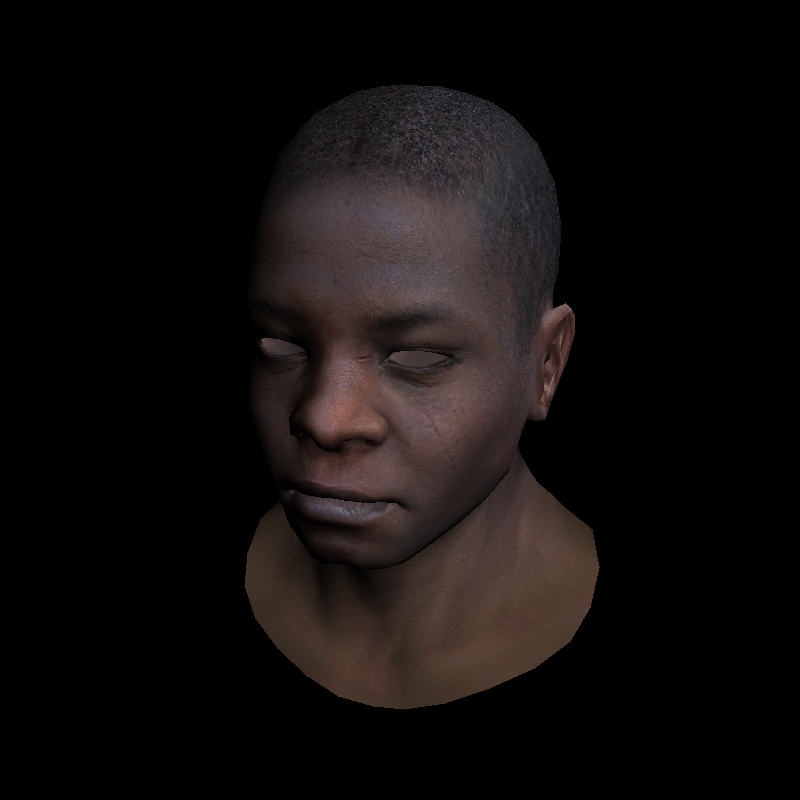
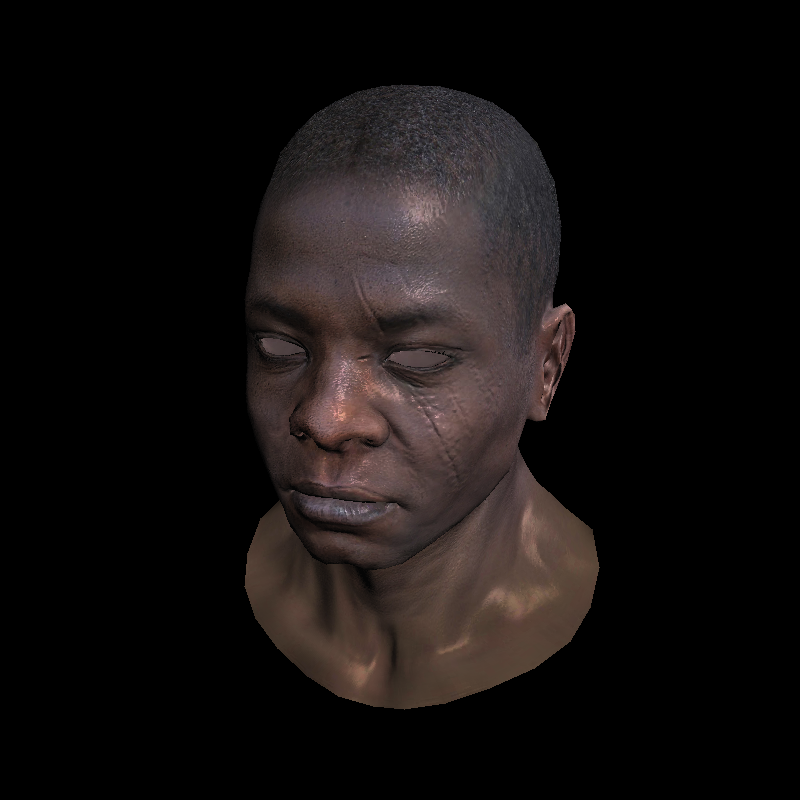
Result
Normal Mapping
Just like with textures where we sample color data across a surface instead of interpolating from the vertices, we can do the same for the normals
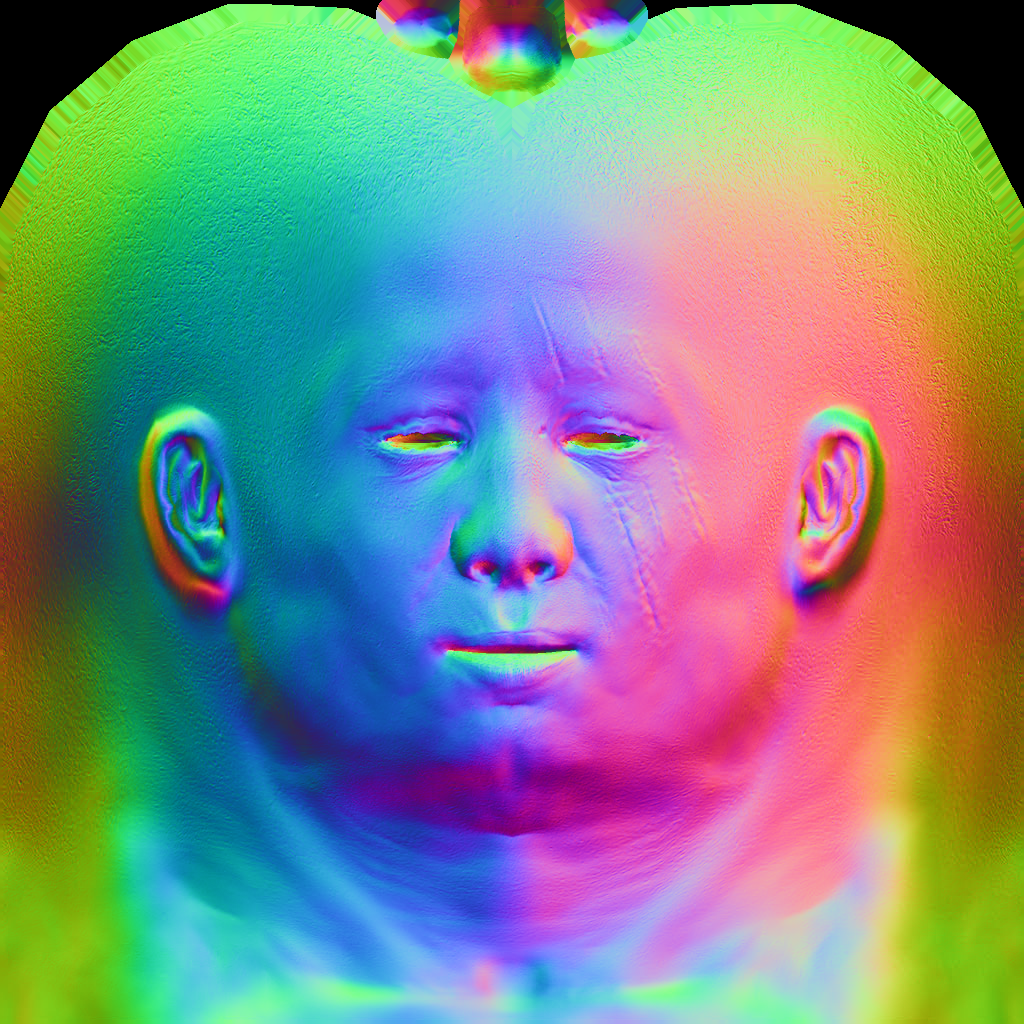
Shader with normal mapping
struct Shader : public IShader {
    mat<2,vec3> varying_uv;  // same as above
    mat<4,vec4> uniform_M;   // Projection*ModelView
    mat<4,vec4> uniform_MIT; // (Projection*ModelView).invert_transpose()

    virtual vec4 vertex(int iface, int nthvert) {
        varying_uv.set_col(nthvert, model->uv(iface, nthvert));
        vec4 gl_Vertex = embed<4>(model->vert(iface, nthvert));
        // transform it to screen coordinates
        return Viewport*Projection*ModelView*gl_Vertex;
   }

    virtual bool fragment(Vec3f bar, TGAColor &color) {
        vec2 uv = varying_uv*bar;
        vec3 n = proj<3>(uniform_MIT*embed<4>(model->normal(uv))).normalize();
        vec3 l = proj<3>(uniform_M  *embed<4>(light_dir        )).normalize();
        float intensity = std::max(0.f, n*l);
        color = model->diffuse(uv)*intensity;
        return false;
    }
};
Set uniforms
Shader shader;
shader.uniform_M   =  Projection*ModelView;
shader.uniform_MIT = (Projection*ModelView).invert_transpose();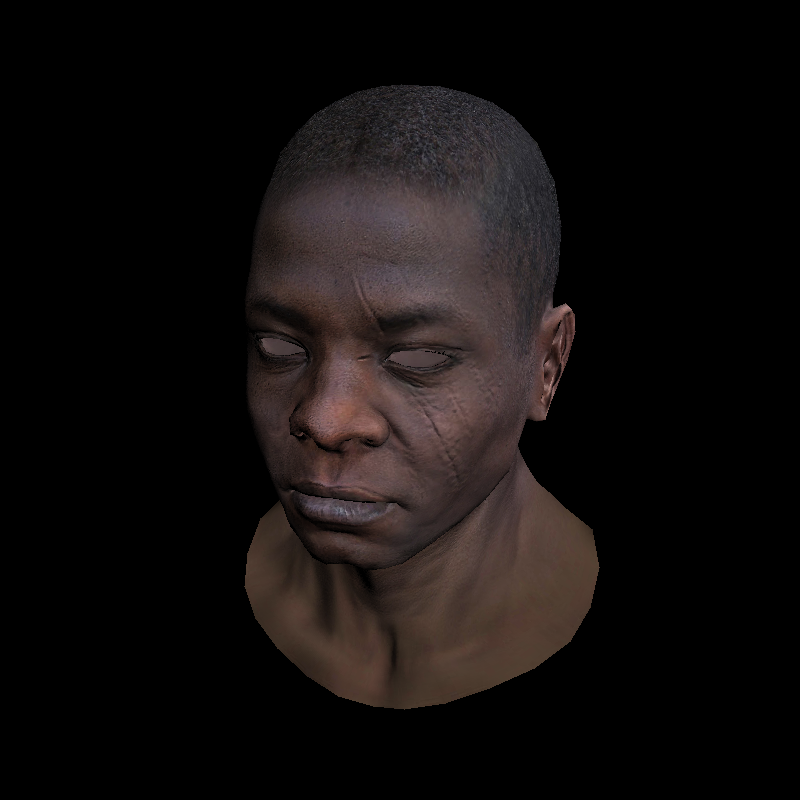
Result
Specular highlights
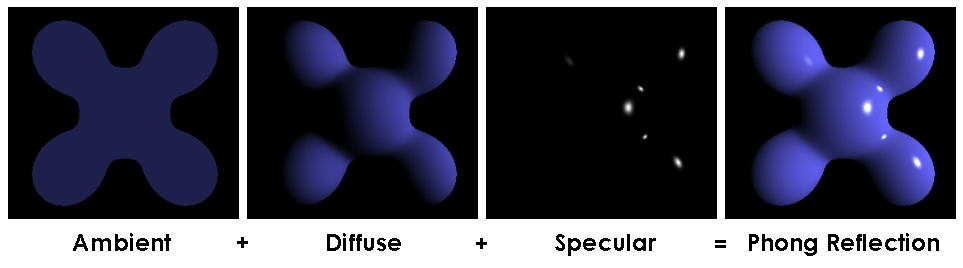
Phong approximation's way of having shiny bits
Represents how 'glossy' a surface is
Not super realistic, but very fast to compute compared to more accurate methods
Diffuse Lighting:
Compute the cosine between vectors n (normal) and l (light)
Specular Lighting:
Compute the cosine between r (reflected light) and v (view), then raise that value by however 'specular' the surface is
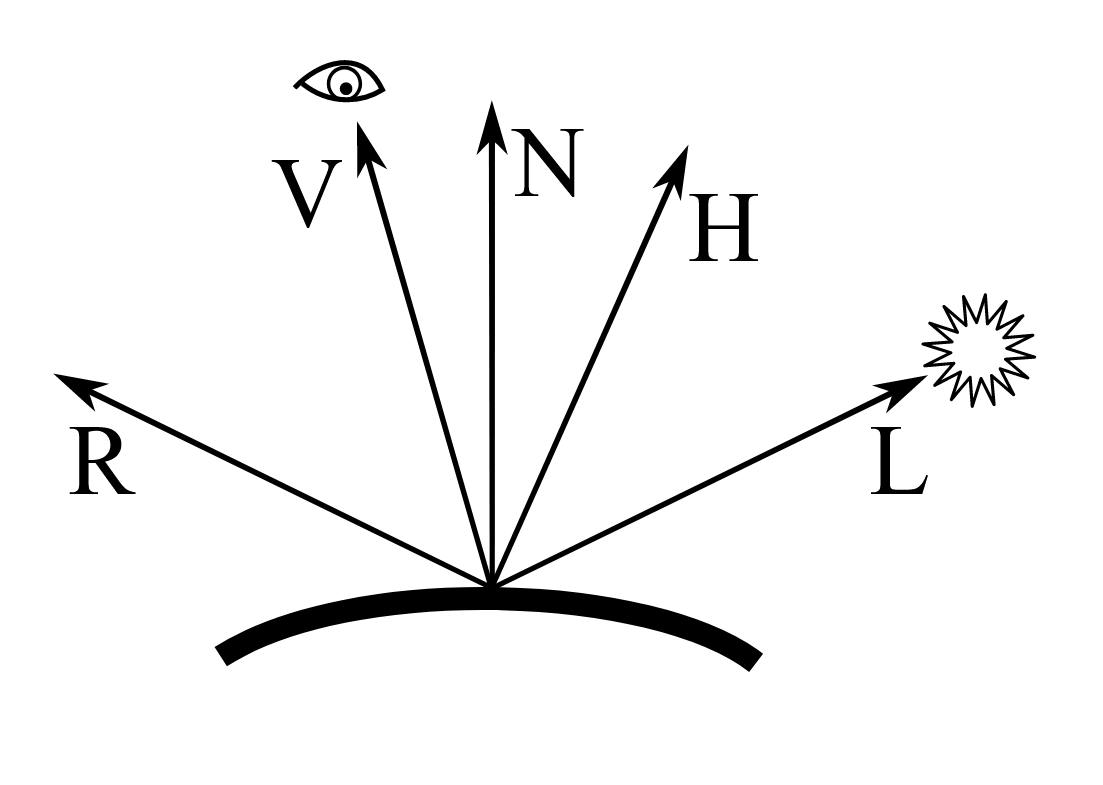
Phong Shader
virtual bool fragment(vec3 bar, TGAColor &color) {
    vec2 uv = varying_uv*bar;
    vec3 n = proj<3>(uniform_MIT*embed<4>(model->normal(uv))).normalize();
    vec3 l = proj<3>(uniform_M  *embed<4>(light_dir        )).normalize();
    vec3 r = (n*(n*l*2.f) - l).normalize();   // reflected light
    float spec = pow(std::max(r.z, 0.0f), model->specular(uv));
    float diff = std::max(0.f, n*l);
    TGAColor c = model->diffuse(uv);
    color = c;
    for (int i=0; i<3; i++)
    	// this combines the smbient, diffuse, and specular together
        color[i] = std::min<float>(5 + c[i]*(diff + .6*spec), 255);
    return false;
}
Graphics Programming Virtual Meetup
Tiny Renderer Lesson 6
By Charles Giessen