Graphics Programming Virtual Meetup


Discord
Tiny Renderer
Lesson 3
Depth Buffer
Tutorial link:
https://github.com/ssloy/tinyrenderer/wiki/Lesson-3-Hidden-faces-removal-(z-buffer)
My Code:
https://github.com/cdgiessen/TinyRenderer
Issue: Overlapping Triangles
- Triangles are drawn first to last
- No concept of in front or behind
- Causes ordering artifacts
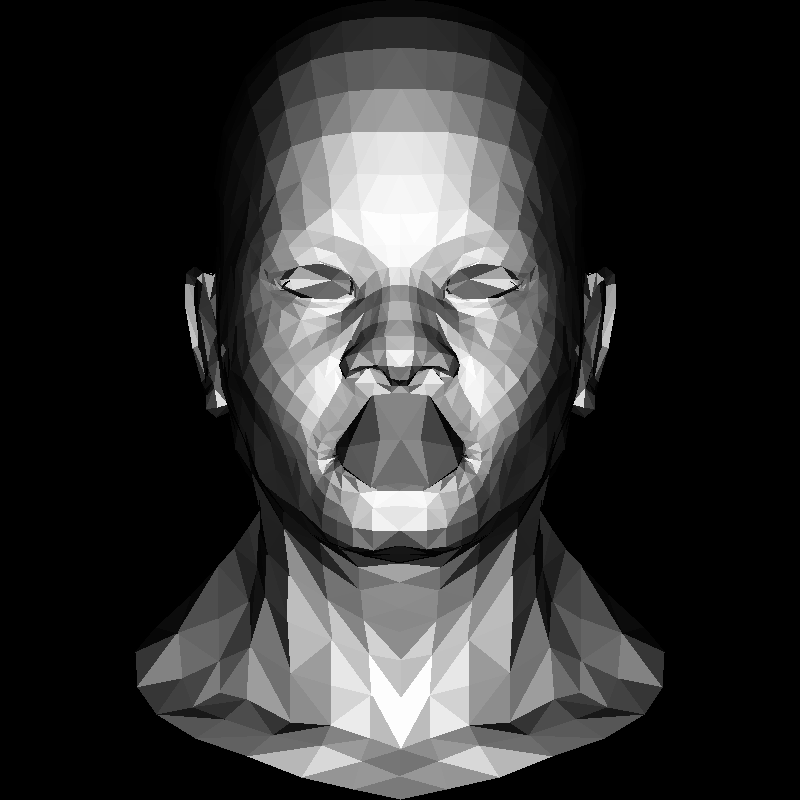
Example: Note the mouth
Possible Solution:
Painters Algorithm
- Sort the triangles in 'back to front' order
- Draw the back triangles first
- If there are any overlapping triangles, divide the triangles into smaller segments
Drawbacks
- Requires processing the triangle list
- Must subdivide triangles to prevent artifacts
- Needs to be calculated every time the camera moves
Conclusion: Its no good!
Idea: Keep track of "Depth"
- Have each coordinate remember how far into the scene it is
- Only draw a pixel if its depth is closer to the camera than the last pixel at that coordinate
Lets draw a simplified scene to illustrate the technique
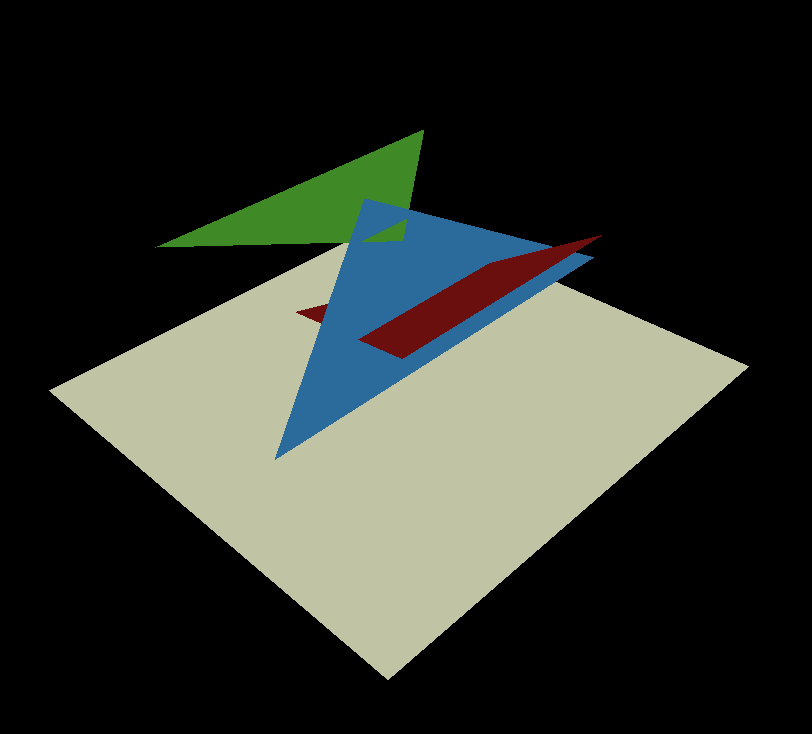
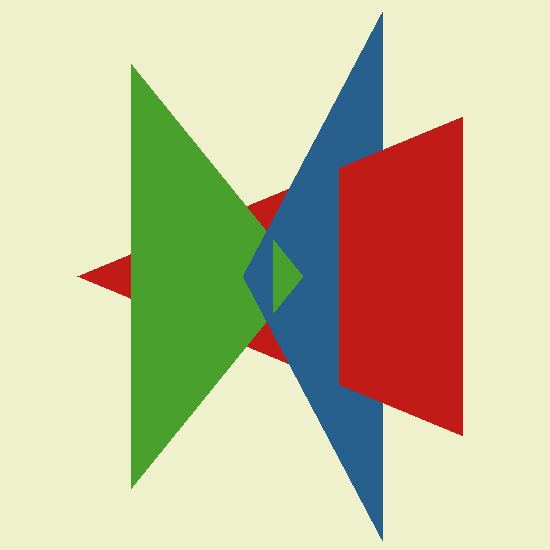
Same scene from 'above'
Let a 2d plane intersecting our scene
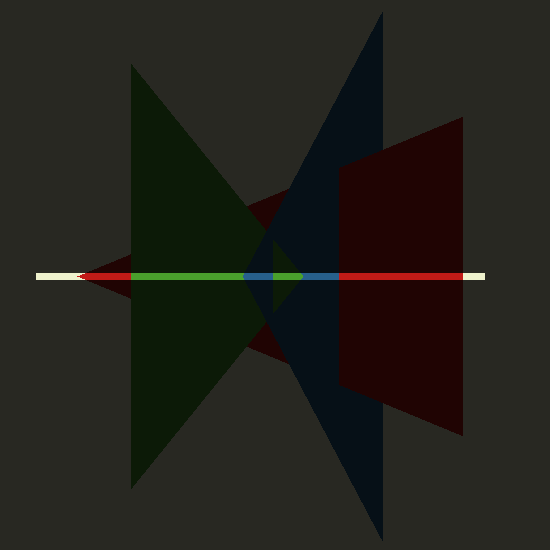
Draw the 2d version of that scene projected on the plane
// scene "2d mesh"
line(Vec2i(20, 34),   Vec2i(744, 400), scene, red);
line(Vec2i(120, 434), Vec2i(444, 400), scene, green);
line(Vec2i(330, 463), Vec2i(594, 200), scene, blue);

// screen line
line(Vec2i(10, 10), Vec2i(790, 10), scene, white);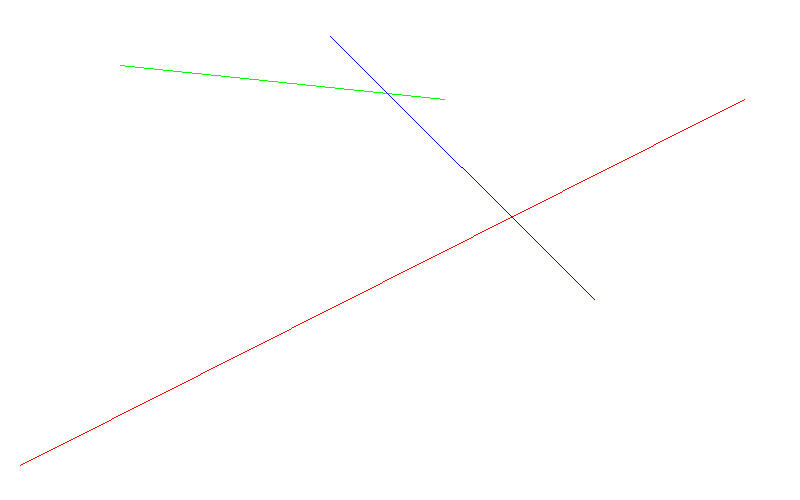
Create a "line strip" and draw it
We make the line strip 16 pixels tall so we can more easily see it.
TGAImage render(width, 16, TGAImage::RGB);
std::vector<int> ybuffer(width * 16, std::numeric_limits<int>::min());

rasterize(Vec2i(20, 34),   Vec2i(744, 400), render, red,   ybuffer);
rasterize(Vec2i(120, 434), Vec2i(444, 400), render, green, ybuffer);
rasterize(Vec2i(330, 463), Vec2i(594, 200), render, blue,  ybuffer);
void rasterize(Vec2i p0, Vec2i p1, TGAImage &image,
TGAColor color, std::vector<int>& ybuffer) {
if (p0.x>p1.x)
std::swap(p0, p1);
for (int x=p0.x; x<=p1.x; x++) {
float t = (x-p0.x)/(float)(p1.x-p0.x);
int y = p0.y*(1.-t) + p1.y*t;
if (ybuffer[x]<y) {
ybuffer[x] = y;
image.set(x, 0, color);
}
}
}1d rasterizer function
- Draw a line between p0.x and p1.x
- For each pixel draw, determine the 'y' value - (interpolate p0.y & p1.y)
- If y < the ybuffer at the current pixel, draw it, else skip the pixel



First triangle - red
depth buffer
Second triangle - green

depth buffer
Third triangle - blue


depth buffer
Compare with top down view
Time to make it 3d!
2d depth buffer - simpler to make a 1d vector of floats and index into it manually
// 2d->1d
int idx = x + y*width;

// 1d->2d
int x = index % width;
int y = index / width;
for 3d depth value, use the barycentric coordinates gotten in the previous lesson
Vec3f bc_screen  = barycentric(pts[0], pts[1], pts[2], P);
if (bc_screen.x<0 || bc_screen.y<0 || bc_screen.z<0) continue;
P.z = 0;
for (int i=0; i<3; i++) P.z += pts[i][2]*bc_screen[i];
if (zbuffer[int(P.x+P.y*width)]<P.z) {
    zbuffer[int(P.x+P.y*width)] = P.z;
    image.set(P.x, P.y, color);
}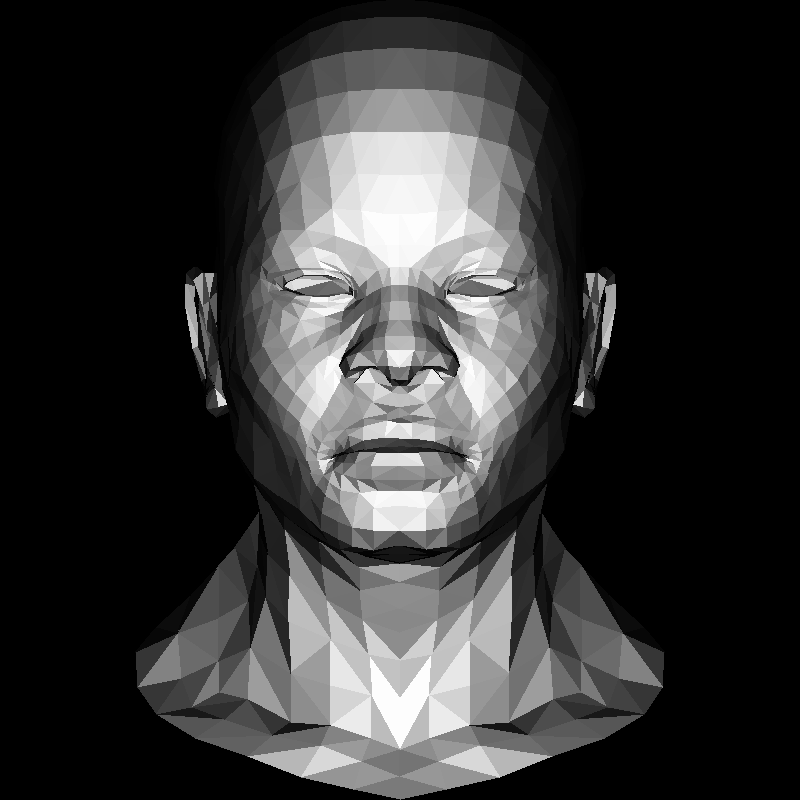
Voila!
Textures - left as an exercise to the reader
Texture mapping outline:
- Load UV data from model
- Load Texture
- Get UV coordinate from barycentric function
- Use UV coord to sample from Texture, combine color with lighting value.
Graphics Programming Virtual Meetup
Tiny Renderer Lesson 3
By Charles Giessen