


























Content ITV PRO
This is Itvedant Content department
Learning Outcome
5
Connect LangChain to LangGraph and LangSmith
4
Apply a clean setup and make a first model call
3
Recognize safe practices for storing API keys
2
Identify the core, main, integration, community, and classic packages
1
Understand what LangChain is and why it's used
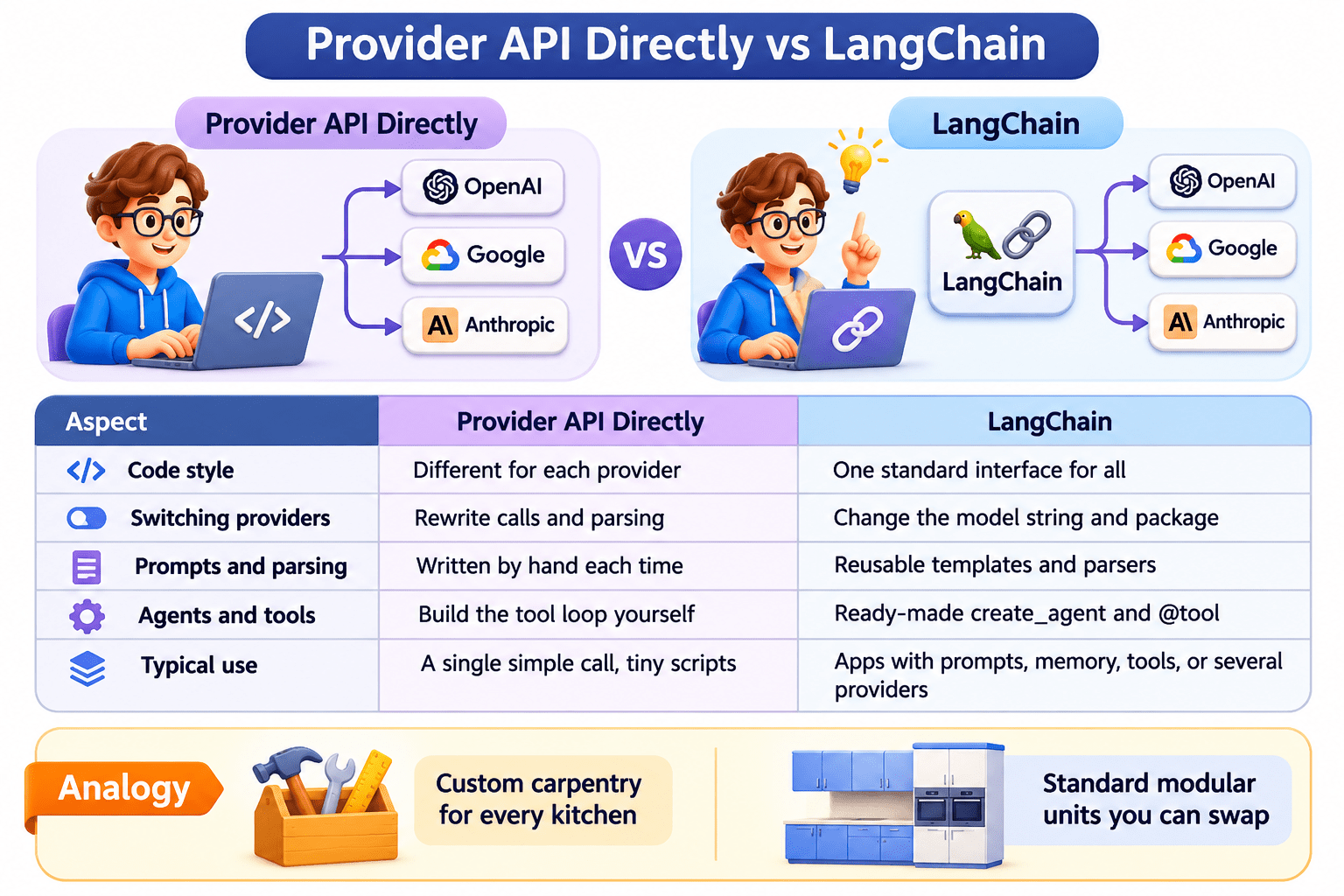
Imagine you are setting up a modular kitchen
Prepare the Connections
The electrician and plumber first set up the power and water lines, creating the foundation needed for everything else to work.
Fit Standard Units
Cabinets, drawers, and appliances are installed as separate modular components, each with its own purpose.
Swap Without Rebuilding
You can replace a gas hob with an induction hob without redesigning the entire kitchen, just like one component can be replaced while the rest of the system stays unchanged
Think about it:
Why are the power points and water lines prepared before fitting the units?
Why are standard-size units easier than building everything from scratch?
How can you change the hob without rebuilding the whole kitchen?
Preparing first and using standard parts saves effort and makes changes easy.
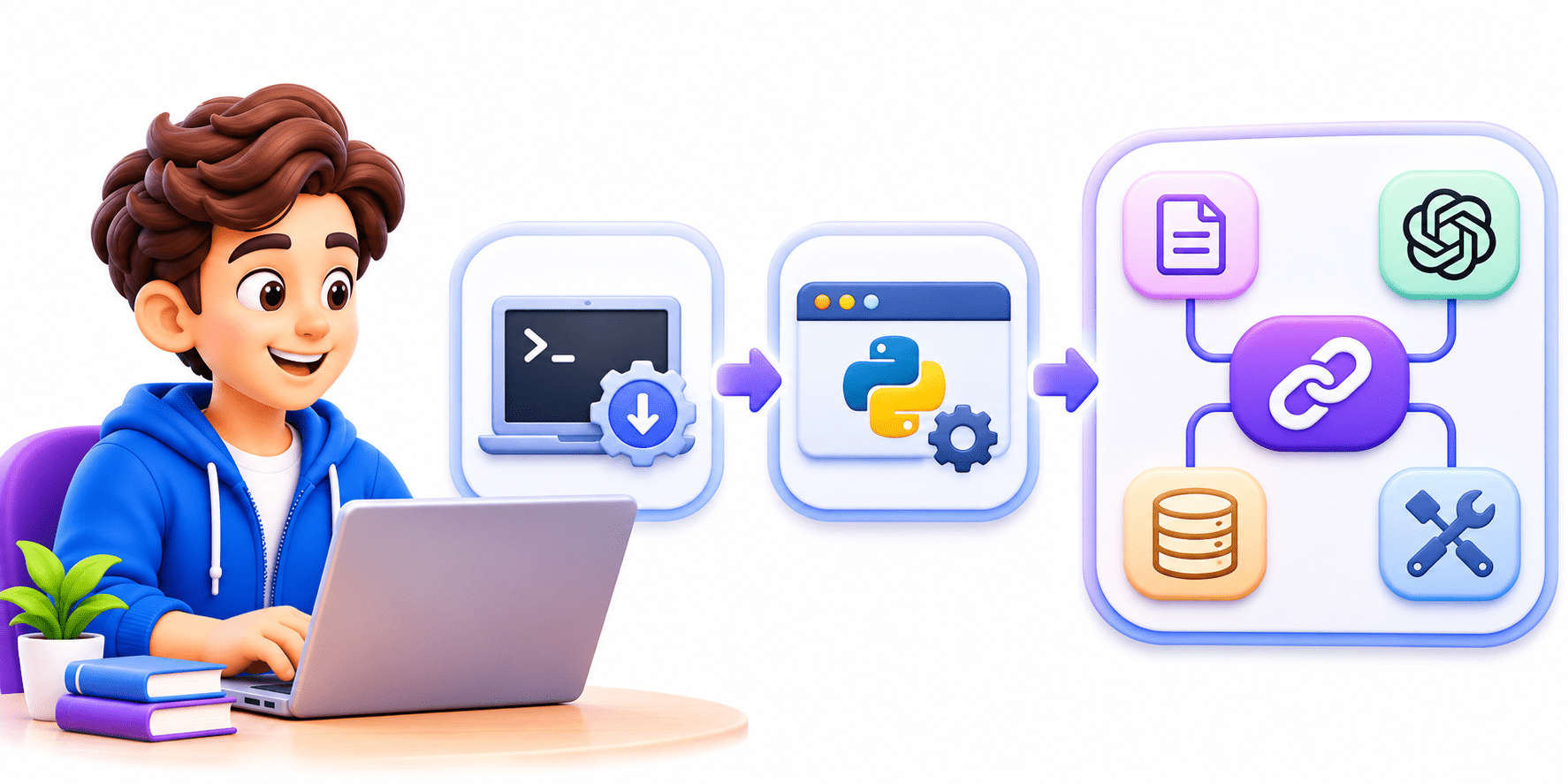
Similarly, before building an LLM application, we prepare the project: a virtual environment, the right packages, and API keys stored safely.
Then we build with ready-made, standard components such as chat models, prompts, and parsers. Because every model follows the same interface, we can switch providers by changing one line.
This framework is called LangChain, and preparing the project is called environment setup.
What is LangChain?
An open-source framework, in Python and JavaScript, for building applications powered by LLMs. First released by Harrison Chase in October 2022; version 1.0 arrived in October 2025.
Standard model interface: the same code calls OpenAI, Anthropic, Google, Mistral, or local open-weight models.
Reusable components: prompt templates, output parsers, message types, and tools, ready to combine.
Composition: components connect into pipelines, called chains, with one consistent syntax
Agents: a standard way to let a model call tools and work through multi-step tasks.
Setting Up the Project
Check Python
LangChain 1.x needs Python 3.10 or newer.
Create a virtual environment
keeps this project's packages separate from others
Install the core package
langchain, which brings langchain-core with it.
Install a provider package
e.g., langchain-openai, langchain-anthropic, langchain-google-genai, or langchain-ollama for local models.
Install helpers
python-dotenv to load keys from a .env file
Pin versions
save exact versions, because LLM libraries update very often.
python -m venv .venv
pip install -U langchain langchain-openai python-dotenv
pip freeze > requirements.txt
a clean setup prevents most beginner problems
Managing API Keys Safely
Environment variables
each provider package reads a standard variable, such as OPENAI_API_KEY or ANTHROPIC_API_KEY.
.env file locally
store keys there and call load_dotenv() at the start of the program
Never commit keys
add .env to .gitignore before the first commit; share .env.example with placeholders
Managing API Keys Safely
Watch spending
set usage limits and budget alerts in the provider's console.
In Google Colab
store keys in the Secrets panel instead of typing them into a cell.
The LangChain Package Architecture
langchain-core
the foundation; message types, prompt templates, output parsers, and the Runnable interface
langchain
the main toolkit; init_chat_model, the @tool decorator, and create_agent.
Integration packages
one per provider, e.g., langchain-openai, langchain-anthropic; install only what you use.
The LangChain Package Architecture
langchain-community
community-maintained integrations for smaller tools and services
langchain-classic
older chains from before 1.0, kept for compatibility; new projects shouldn't need it.
The Wider Ecosystem: LangGraph and LangSmith
LangGraph: a lower-level framework for stateful, multi-step agent workflows as graphs; LangChain agents run on top of it.
LangSmith: a platform for tracing, debugging, and evaluating LLM apps; shows every prompt, response, token count, and step
Together: LangChain to build, LangGraph to run complex agents, LangSmith to see what happened.
The Wider Ecosystem: LangGraph and LangSmith
Load the keys: load_dotenv() makes the provider key available
Create a model: init_chat_model("provider:model-name"); the prefix tells LangChain which integration to use.
Call it: model.invoke("…") sends the prompt and waits for the reply
Read the result: response.content holds the text; response.usage_metadata shows tokens used.
load_dotenv()
model = init_chat_model("provider:model-name")
response = model.invoke("Explain a virtual environment in two sentences.")
print(response.content, response.usage_metadata)
Provider API Directly vs LangChain
Think About This: Spotting the Difference
Defines message types, prompt templates, and the Runnable interface → langchain-core: the foundation.
Connects your app to Anthropic's Claude models → langchain-anthropic: an integration package.
ConversationBufferMemory from a 2023 tutorial → langchain-classic: legacy, not for new projects
Core is the foundation, langchain is the toolkit, integrations plug in providers
Real-World Applications
Switch providers: move from one provider to another by changing the model string, without rewriting the app.
Local models: run open-weight models with Ollama for privacy-sensitive work and learning without API costs.
Class labs: Colab Secrets keep keys out of shared notebooks.
Debugging: LangSmith traces show exactly which prompt and response caused a problem.
Summary
5
init_chat_model, then invoke.
4
core, langchain, integrations, community, classic.
3
Never commit API keys
2
venv, packages, keys in .env
1
LangChain: one framework, any LLM provider
Quiz
A tutorial uses ConversationBufferMemory, and it fails in your new LangChain 1.x project. Why?
A. Your API key is missing
B. It's a legacy class, now in langchain-classic
C. Python 3.12 isn't supported
D. langchain-openai isn't installed
A tutorial uses ConversationBufferMemory, and it fails in your new LangChain 1.x project. Why?
A. Your API key is missing
B. It's a legacy class, now in langchain-classic
C. Python 3.12 isn't supported
D. langchain-openai isn't installed
Quiz-Answer
By Content ITV