Light/Dark Mode
light-dark()
html {
  --primary: #5000ca;
  --secondary: #463866;
  --accent: #fb28a8;

  --space-xxs: 0.25rem;
  --space-xs: 0.5rem;
  --space-sm: 1rem;
  --space-md: 1.5rem;
  --space-lg: 2rem;
  --space-xl: 3rem;
  --space-xxl: 6rem;
}
"Consistency"
html {
  --my-color: green;
}

aside {
  --my-color: red;
}

h2 {
  color: var(--my-color);
}
Scope
<html>
  <body>

    <h2>Jeg er green</h2>

    <aside>
      <h2>Jeg er red</h2>
    </aside>

  </body>
</html>
<html>
<body>
<h2>Jeg er green</h2>
<aside>
<h2>Jeg er red</h2>
</aside>
</body>
</html>html {
--my-color: green;
}
aside {
--my-color: red;
}
h2 {
color: var(--my-color);
}Scope
light-dark()
Differentiér mellem lyst og mørkt tema i CSS

light-dark()
To enable support for the light-dark() color function, the color-scheme must have a value of light dark, usually set on the :root pseudo-class.
:root
light-dark()
= html
html /* eller :root */ {
  color-scheme: light dark;
}
Aktivering af light-dark-funktionen
:root
light-dark()
med custom properties
html /* eller :root */ {
  color-scheme: light dark;

  --color-brand:
}
Opsætning af custom properties
:root
Light mode
#5000ca;light-dark( , )light-dark()
med custom properties
html /* eller :root */ {
  color-scheme: light dark;

  --color-brand:
}
Opsætning af custom properties
:root
light-dark( , )#5000ca;#e0d3ffLight mode
Dark mode
light-dark()
med custom properties
html /* eller :root */ {
  color-scheme: light dark;

  --color-brand: light-dark(#5000ca, #e0d3ff);
  --background-primary: light-dark(#eee, #1b1b1b);
}
:root
light-dark()
med custom properties
html {
  background: var(--background-primary);
}

h1 {
  color: var(--color-brand);
}
:root
light-dark()
light-dark()
med JavaScript
html {
  color-scheme: light;
}

html[data-theme="dark"] {
  color-scheme: dark;
}'invalid''submit'function applyTheme(theme) {
html.dataset.theme = theme;
toggleSwitch?.checked = theme === "dark";
}
function toggleSwitchFn(event) {
const theme = event.target.checked ? "dark" : "light";
applyTheme(theme);
localStorage.setItem("theme", theme);
}
function getSavedTheme() {
const savedTheme = localStorage.getItem("theme");
const theme = savedTheme ?? "light";
applyTheme(theme);
}
getSavedTheme();
toggleSwitch?.addEventListener("change", toggleSwitchFn);med JavaScript
html {
  color-scheme: light;
  --color-brand: light-dark(#5000ca, #e0d3ff);
  --background-primary: light-dark(#eee, #1b1b1b);
}

html.dark {
  color-scheme: dark;
}
Typisk pattern
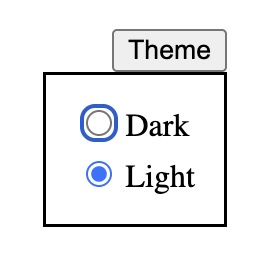
Eksempel med radio-knapper
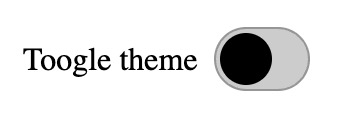
Eksempel med checkbox (forklædt som switch)
Typisk pattern
Lokale themes
Scoped temaer
section[data-theme="dark"] {
  color-scheme: dark;
}
:root
light-dark()
By Dannie Vinther
light-dark()
CSS: light-dark()