


Keylite Web Team
Keylite Roof Windows Web Sqwad
Sales Process
Nav Quoting
Updating an Opportunity
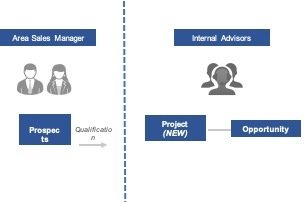
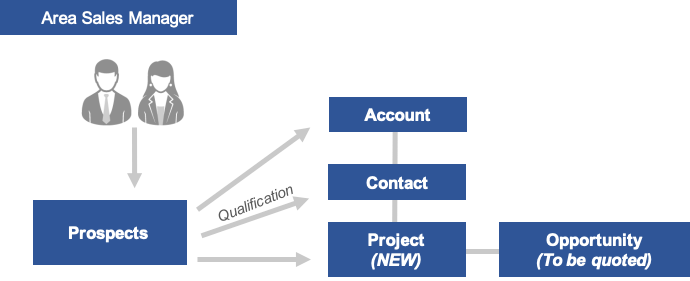
The data entry of the sales process uses both our Navision and Key Link systems. The record begins via direct enquiries or qualified prospects.
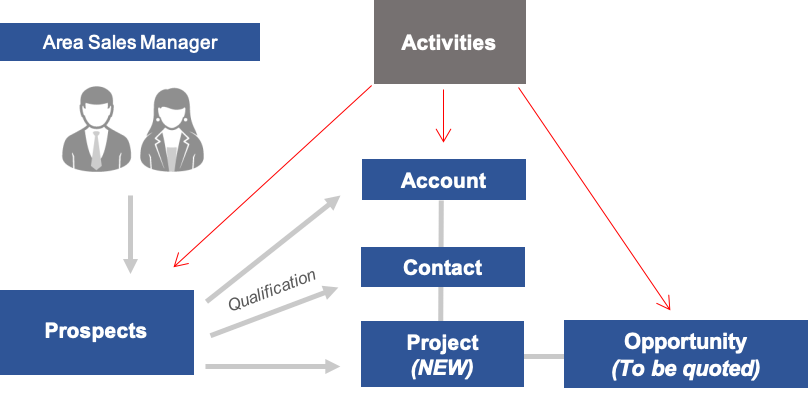
An Area Sales Manager is responsible for identifying any information regarding a potential sale and logging all details as prospects.
Once an ASM qualifies their prospects, they must ensure a quote is created for each opportunity generated.
Area Sales Managers can log activities against:
When a Lead is qualified, all activities logged under that Lead will link to the opportunity and accounts associated/created with it.
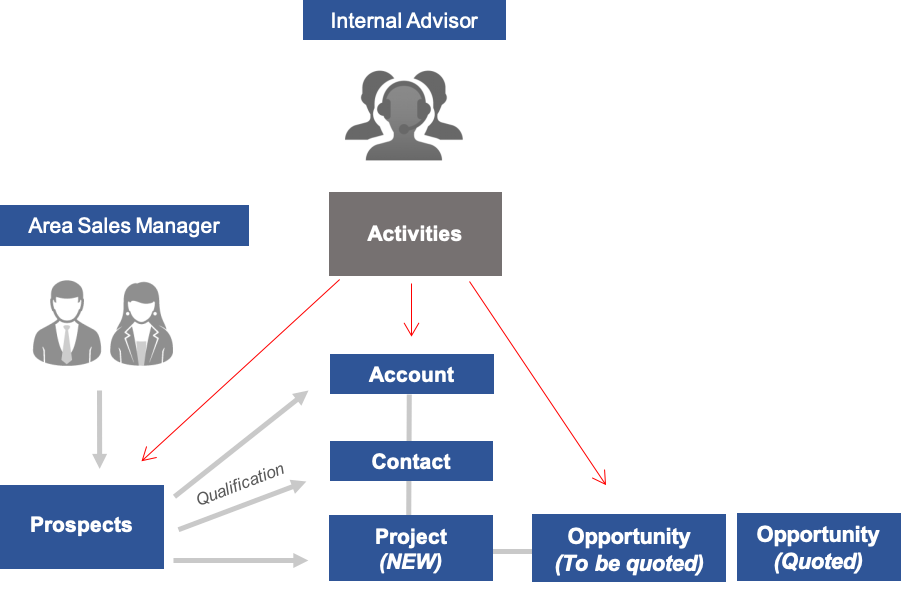
Area Sales Managers are required to work with their Internal Sales Advisor to manage and regularly update outstanding opportunities within their sales area. Internal advisors can also assist with logging activities.
Leads
When an enquiry is received directly into the sales office, the quote created on Nav will automatically generate a ‘Project’ within Key Link where the quoted ‘Opportunity’ will be attached.
Area Sales Managers will generate ‘Opportunities’ when qualifying leads. However, since they have not been received by the sales office these will not have been quoted.
Leads
In an open ‘Opportunity’ that requires quoting, by selecting
this can be forwarded directly to our estimating team where a quote will be generated and attached to the relevant 'Opportunity'.
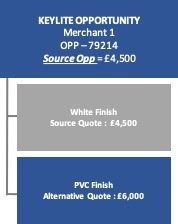
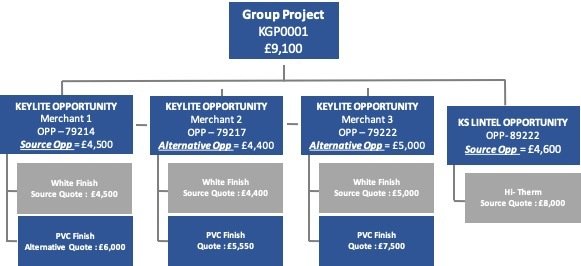
Multiple quotations can be created for a single Project. A customer may request different schedules to compare product costs.
Eg. A quote for White Finish roof windows and another for PVC Finish.
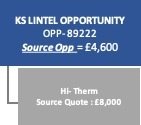
The first quote generated will always be known as the ‘Source Quote’. The total value of the ‘Source Quote’ will amount to the total value of the ‘Source Opportunity’.
In this example, the second (PVC Finish) schedule has been generated as an alternative, not in addition to the ‘Source’ (White Finish) quote. Therefore the overall source opportunity total amounts to £4,500 not £10,500. The quote values are not added together.
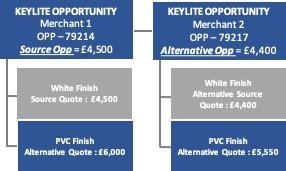
Alternative merchants may request quotations for the same Project.
The first customer we receive the enquiry from will always be known as the ‘Source’.
All other quotes created for additional merchants will be known as ‘Alternative Opportunities’.
A ‘Project’ may also have active opportunities attached from other Keystone Group brands.
When a particular site has a variety quotes across the group, this increases the value of a single project.
All ‘Source Opportunity’ totals for each brand combined together amount to the overall value of a Keystone Group Project.
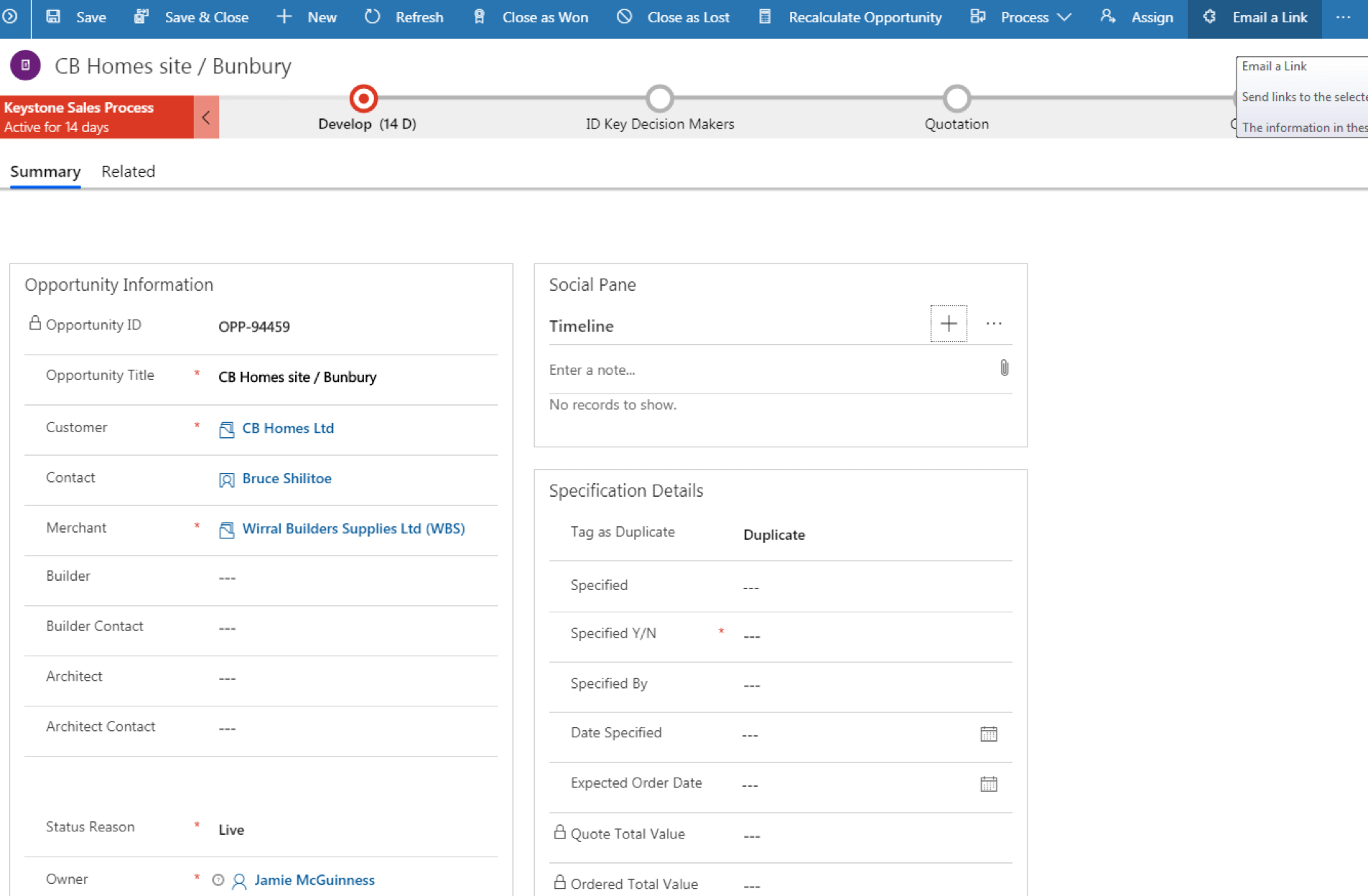
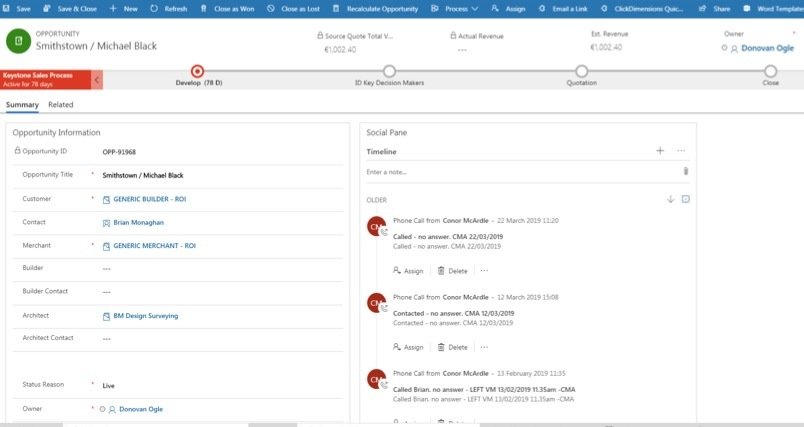
Internal advisors can update opportunities and record all relevant activities within the Social Pane. This provides the visibility to both an internal advisor as well as an ASM of the last correspondence/ contact with their customer.
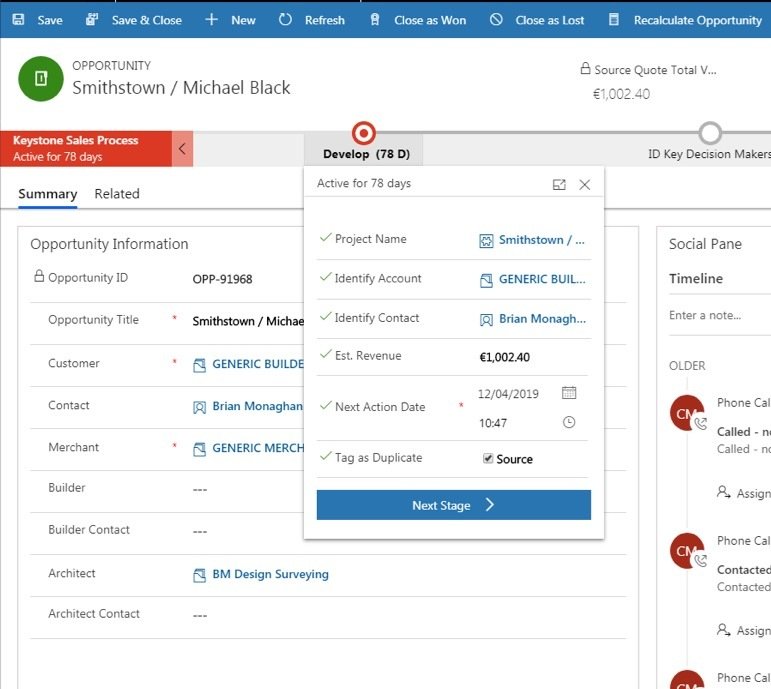
Using the separate stage tabs within an open Opportunity towards the top of the screen quickly identifies the next field which requires completing to bring you another step closer to closing your opportunity and winning an order.
Under the ‘Develop’ field ASMs or internal advisors can edit the ‘Next Action Date’ for an open Opportunity.
Changing this date could be due to the outcome of a phone call made by an internal advisor, therefore all details will be logged and clarified within the notes of the social pane.
Please continue to the quiz below
By Keylite Web Team
Key Link Advanced