Vibe Coding
From Idea → Design → Working Product
Build faster. Think visually. Be creative.
What is vibe coding?
— Vibe Coding
Vibe Coding
Instead of:
Write code → Fix bugs → Repeat
Describe intent → Collaborate with AI → Refine results
AI becomes your development partner.
A way for non-developers to create. The sky is the limit.
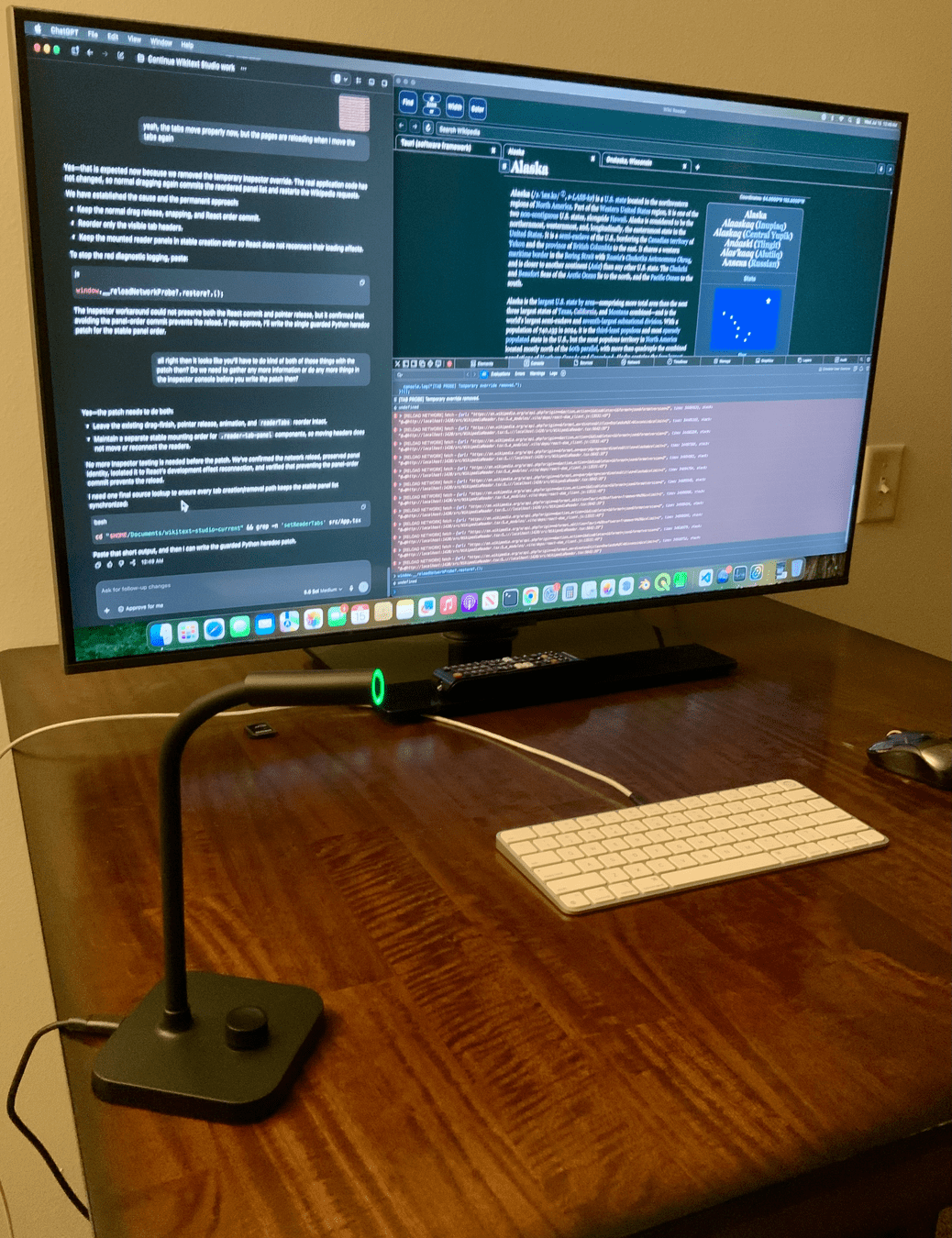
Traditional Coding
Designer → Developer → Testing → Feedback
Slow handoffs.

Vibe Coding
Idea → Prompt → Prototype → Iterate
Fast feedback cycles. Available for non-technical people.
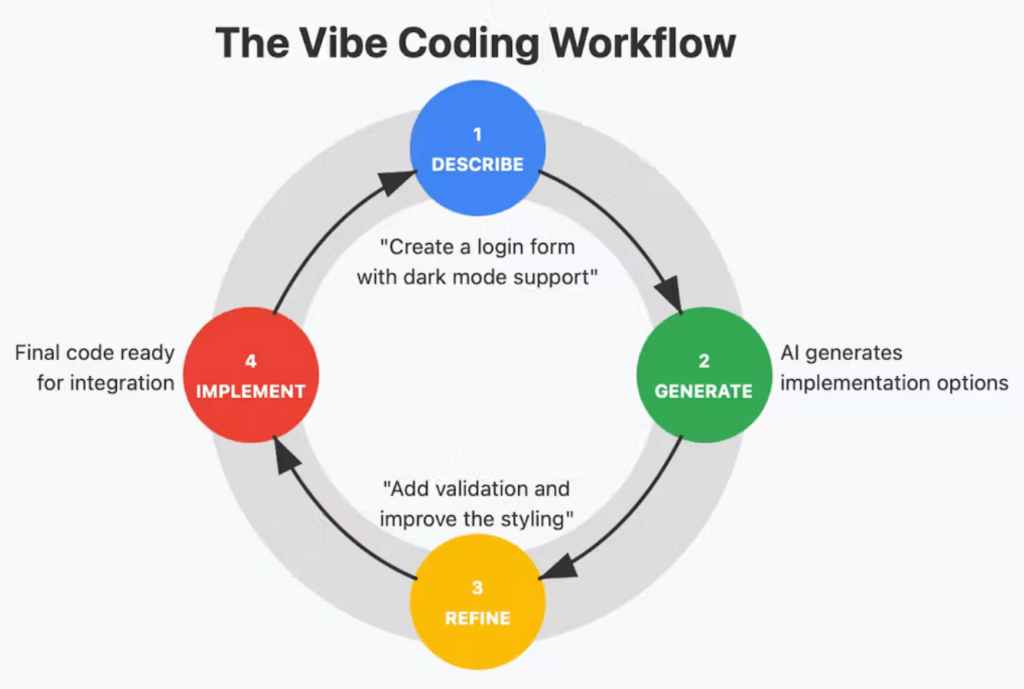
What Makes It Work?
✅ Good prompts
✅ Fast iteration
✅ Clear visual feedback
✅ Human judgment
AI writes code.
You provide direction.
Critical thinking is key, AI has become very very good, storytelling, UX and originality is more important than ever.
Use MCP and Skills, AI is more than just prompting.
What is MCP?
Model Context Protocol
A standard that allows AI models to connect with external tools, data sources and workflows.
MCP Examples
Design
Figma
Development
GitHub, VS Code
Knowledge
Documentation, APIs
Automation
Internal tools
MCP in Practice
Prompt:
"Create a dashboard using our design system."
AI can:
→ Read design tokens
→ Access documentation
→ Generate code (or a design in existing software)
→ Validate implementation
Level up your design workflow
What Are Skills?
Reusable instructions.
A skill teaches AI:
- how to work
- what standards to follow
- which output to generate
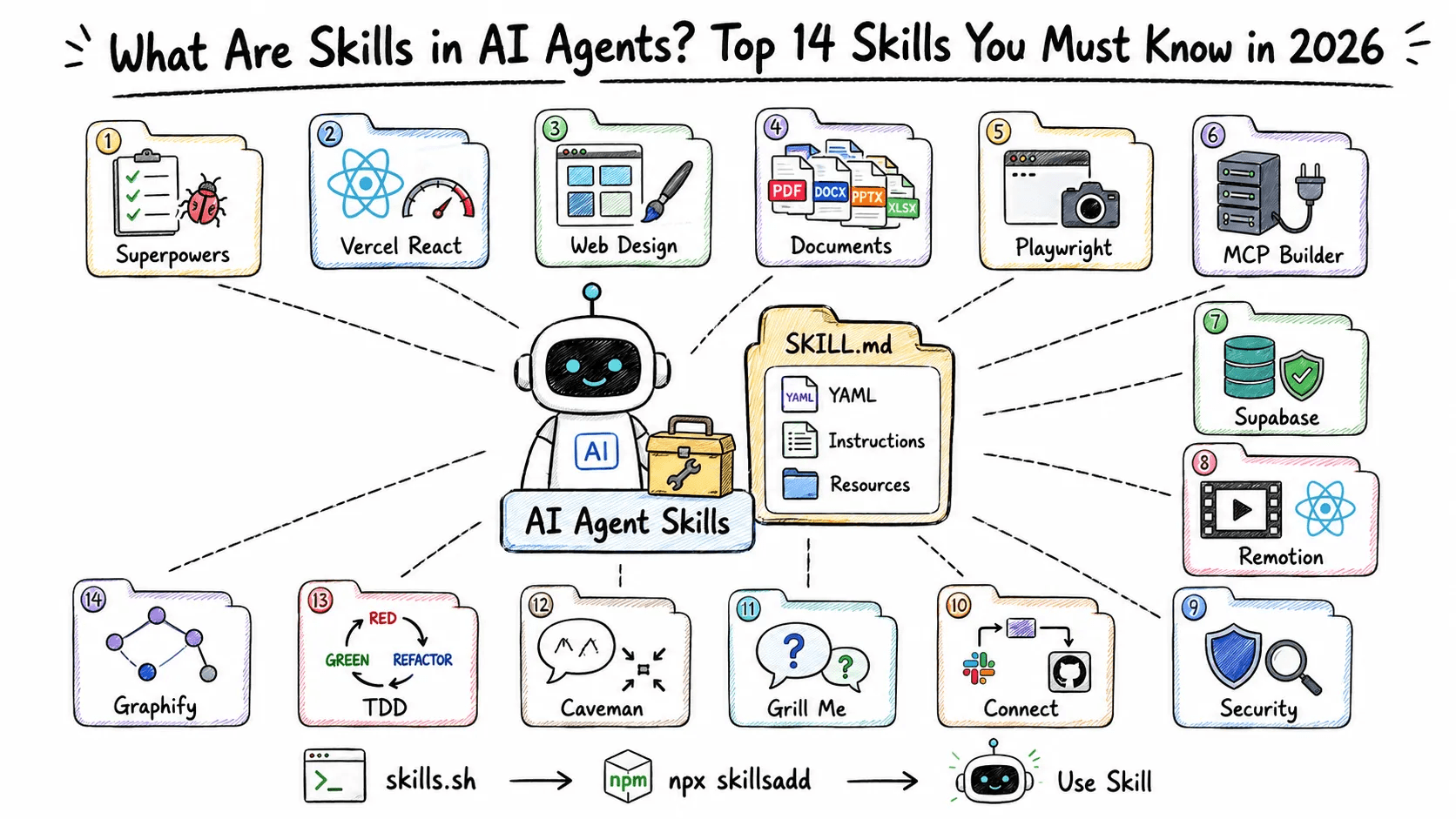
Skill Examples
UI Design Critic
UX Copywriter
Design System Expert
Accessibility Reviewer
Motion Principles
https://www.skills.sh/
https://www.figma.com/community/skill/78028/anti-ui-slop?q_id=edb34f4e-ef8f-4735-84e0-3e385d15f264# Anti-UI Slop
Create new UI from selected Figma frame(s) by first learning the existing design DNA, then extending that DNA through strong layout exploration and creative direction.
The objective is NOT to generate “good-looking UI.”
The objective is to create work that feels:
- authored
- intentional
- contemporary
- premium
- compositionally strong
- specific to the selected design
- recognizably designed by the same creative system
Avoid generic AI UI, predictable SaaS patterns, surface-level decoration, and trend-driven styling.
---
# Core Principle
## Study first. Form a thesis. Design second.
Before creating anything:
1. Read the selected frame(s).
2. Extract the design DNA.
3. Identify what creates its character.
4. Define a clear creative thesis for the new page.
5. Only then start designing.
Do not begin by assembling components.
Do not begin with common landing-page patterns.
Do not begin from what typically looks “good.”
Begin from the selected design.
---
# Step 1 — Read the Selection
Inspect the complete selected Figma frame or frames.
Read:
- page structure
- information hierarchy
- section order
- grid
- columns
- alignment
- margins
- spacing
- typography
- type scale
- line lengths
- text density
- colors
- image behavior
- image crops
- components
- borders
- rules
- surfaces
- cards
- icons
- navigation
- negative space
- repetition
- asymmetry
- overlap
- visual rhythm
- interaction clues
- editorial behaviors
- layout exceptions
If multiple frames are selected, identify:
- rules shared across all frames
- intentional differences
- recurring patterns
- exceptions that create character
Also inspect existing components, variables, styles, and variants when available.
Never modify the selected reference frames.
If no meaningful page/frame is selected, stop and ask the user to select the source frame(s).
---
# Step 2 — Extract the Design DNA
Before designing, internally summarize the Design DNA.
## Layout DNA
Identify:
- grid logic
- content width
- section proportions
- spacing rhythm
- alignment logic
- full-width vs contained behavior
- symmetry vs asymmetry
- density
- whitespace
- overlap
- intentional grid breaks
- vertical pacing
## Typography DNA
Identify:
- display typography
- body typography
- hierarchy
- scale relationships
- line-height
- tracking
- capitalization
- label behavior
- metadata
- serif / sans relationships
- text alignment
- oversized typography
- editorial text treatments
## Visual DNA
Identify:
- dominant visual language
- palette behavior
- image treatment
- materiality
- borders
- dividers
- radius
- shadows
- gradients
- masks
- shapes
- contrast
- negative space
- surface hierarchy
## Component DNA
Identify recurring:
- navigation
- buttons
- cards
- section headers
- labels
- lists
- image containers
- tags
- tabs
- accordions
- forms
- CTAs
- metadata patterns
Reuse existing components where appropriate.
## Composition DNA
Do not only inspect components.
Understand how the designer creates:
- focus
- hierarchy
- rhythm
- contrast
- tension
- pacing
- surprise
- repetition
- calm
- density
- section-to-section transitions
Composition DNA is more important than copying component patterns.
---
# Step 3 — Identify the Design Signature
Extract 5–10 specific signature behaviors from the selected design.
Examples may include:
- oversized typography acting as architecture
- asymmetric columns
- unusually large negative space
- thin rules organizing content
- editorial image crops
- restrained color with one accent
- overlapping image and text planes
- compressed metadata paired with oversized headlines
- deliberate interruptions of the grid
These are examples only.
Never introduce a behavior that is not supported by the selected design.
---
# Step 4 — Find the Creative Tension
Before designing, determine what makes the selected design interesting.
Ask:
- Is the design editorial or systematic?
- Is it restrained or expressive?
- Does hierarchy come from scale, spacing, density, color, or imagery?
- Where does the grid intentionally break?
- Where does the design create tension?
- What feels controlled?
- What feels unexpected?
- Which characteristic could be pushed further without losing the identity?
Do not remove the tension just to make the interface more conventional.
---
# Step 5 — Define a Concept Thesis
Every generated direction must begin with a clear design thesis.
A thesis explains what the composition is trying to do.
For example:
**Typographic Architecture**
Typography becomes the primary structural device and organizes the page before containers do.
**Editorial Compression**
Dense information zones alternate with large areas of whitespace to create rhythm and hierarchy.
**Spatial Narrative**
The layout uses scale, image placement, and section transitions to make the page feel like a continuous narrative.
These are examples only.
Generate the thesis from the actual selected Design DNA.
Never create a direction without a reason.
---
# Step 6 — Content Handling
If the user provides content, requirements, or documentation:
Use it as the source of truth.
Do not invent:
- claims
- statistics
- customers
- testimonials
- features
- people
- awards
- factual content
If content is missing:
Create lightweight placeholder copy only when necessary to evaluate the layout.
Placeholder content must:
- remain clearly replaceable
- avoid fake facts
- avoid unnecessary marketing language
- support hierarchy and composition
The priority is the design, not copywriting.
---
# Step 7 — Layout Exploration
Do not repeat the exact composition of the source frames.
Preserve the principles, not necessarily the exact patterns.
When exploration is requested, produce meaningfully different layout strategies.
Differences should come from:
- hierarchy
- scale
- pacing
- section structure
- image placement
- grid behavior
- whitespace
- density
- typography
- sequence
- composition
Do NOT create “variations” by only changing:
- color
- radius
- card style
- alignment
- minor spacing
- image choice
Those are not meaningful directions.
---
# Exploration Modes
When multiple concepts are requested, use three levels of exploration.
## 01 — Native
A natural extension of the existing system.
Preserve most structural behaviors.
This should feel immediately compatible with the source frames.
## 02 — Evolved
Preserve the core DNA while expanding its layout language.
Push:
- composition
- hierarchy
- rhythm
- grid usage
- visual relationships
This should feel newer but clearly related.
## 03 — Provocation
Create a more ambitious interpretation.
You may break secondary patterns while preserving the core identity.
Push one or two defining characteristics further.
The result should still feel believable within the same creative universe.
Do not create randomness for the sake of difference.
---
# Anti-UI Slop Rules
Do not automatically generate:
- endless rounded cards
- cards inside cards
- unnecessary containers
- excessive pills
- generic bento grids
- blue-purple SaaS gradients
- random glassmorphism
- repeated icon + title + paragraph blocks
- centered everything
- fake dashboards
- arbitrary metrics
- generic three-column features
- testimonial walls
- excessive shadows
- meaningless decorative geometry
- gradients added only to look modern
- generic section labels
- identical section spacing
- predictable startup landing-page formulas
Especially avoid:
Hero
→ Logo Bar
→ 3 Features
→ More Cards
→ Testimonials
→ CTA
unless the selected design clearly supports that structure.
---
# Good-Looking Is Not a Reason
Never make a design decision only because it “looks good.”
Every meaningful decision should improve at least one of these:
- hierarchy
- narrative
- clarity
- emphasis
- rhythm
- information organization
- interaction
- brand character
- tension
- surprise
- memorability
If an element only decorates the interface without supporting the composition, remove it.
---
# Design the Page, Not the Sections
Do not solve every section independently.
The entire page must have one composition strategy.
Before finalizing, ask:
- What does the eye see first?
- What does it see second?
- Where does the page accelerate?
- Where does it slow down?
- Where does it breathe?
- Where does it become dense?
- Which section is visually dominant?
- Where is the visual climax?
- Where does the grid intentionally change?
- How does one section lead into the next?
Avoid producing a collection of individually attractive sections with no relationship to each other.
---
# Layout Variety
Actively search for alternatives to repetitive component stacking.
Possible structural strategies include:
- asymmetric splits
- editorial columns
- oversized typography
- nested grid relationships
- staggered content
- controlled overlaps
- full-width moments
- narrow reading columns
- alternating density
- offset imagery
- modular systems
- horizontal sequences
- vertical narrative structures
- deliberate empty space
- scale shifts
- grid interruptions
Use these only when they logically extend the extracted DNA.
Do not inject them randomly.
---
# Typography as Structure
Do not treat typography as decoration added after layout.
Typography may become:
- navigation
- hierarchy
- visual structure
- rhythm
- separation
- emphasis
- composition
If the source frames use strong typography, explore whether type can replace unnecessary boxes and containers.
---
# Restraint
Premium does not mean adding more.
Before adding an element, ask:
Does the design need this?
Prefer:
- fewer stronger decisions
- clear hierarchy
- intentional whitespace
- meaningful contrast
- controlled repetition
over decoration.
---
# Component Usage
Before creating a new component:
1. Search the existing design.
2. Check existing variants.
3. Reuse or adapt an existing pattern when appropriate.
Create a new pattern when the content or composition genuinely requires it.
Do not force new content into an existing component if it damages the design.
---
# Auto Layout & Figma Quality
Build the UI as usable design work, not a flattened visual.
Use:
- frames
- Auto Layout
- logical nesting
- existing components
- variables
- styles
- reusable patterns
Avoid unnecessary absolute positioning.
Use absolute positioning only when it is intentional to the composition.
---
# Creative Director Pass
After creating each direction, review it as a Creative Director.
Do not immediately accept the first result.
Ask:
### Is there an idea?
Can the direction be described in one sentence?
If not, it is probably only styling.
### Is the composition authored?
Does it feel like someone made specific decisions?
Or does it look generated?
### Is there enough contrast?
Check:
- large vs small
- dense vs open
- loud vs quiet
- image vs type
- structure vs interruption
### Is anything too safe?
Find the most predictable section.
Improve it without breaking the DNA.
### Is anything unnecessary?
Remove visual devices that do not contribute.
### Is the page memorable?
Identify at least one moment with a clear visual identity.
---
# Slop Detection
Search specifically for:
- too many cards
- too many containers
- excessive rounding
- repetitive layouts
- uniform spacing
- excessive centered content
- arbitrary gradients
- arbitrary icons
- weak hierarchy
- repeated feature patterns
- every section using the same grid
- decorative effects with no function
- predictable page structure
- lack of visual tension
- everything looking equally important
If detected, redesign the affected area.
Do not merely polish it.
---
# Final DNA Check
Compare the generated design against the selected source frames.
Internally evaluate:
- Typography fidelity
- Grid fidelity
- Spacing fidelity
- Component fidelity
- Visual-language fidelity
- Composition quality
- Layout originality
- Creative-direction strength
- AI-slop risk
If AI-slop risk is high, perform another design pass.
---
# Concept Annotation
For every generated direction, create a small annotation frame next to the design.
Keep it concise.
Include:
## Concept
A short name for the direction.
## Thesis
One or two sentences explaining the main idea.
## Preserved
The most important Design DNA behaviors retained from the source.
## Pushed
What was intentionally evolved or exaggerated.
## Why it works
A brief Creative Director explanation of why this composition is appropriate for the content and brand.
Do not write an essay.
The annotation should help a designer quickly compare concepts.
---
# Final Output
Create new frames next to the source design.
Use naming such as:
`[Page Name] — Native`
`[Page Name] — Evolved`
`[Page Name] — Provocation`
or the concept names if more appropriate.
Never overwrite or modify the source frame(s).
Place the annotation beside each concept.
---
# Final Rule
Do not try to make the interface look like “good UI.”
Do not imitate what AI thinks modern websites should look like.
Do not optimize everything toward convention.
Instead:
**Understand the design.
Find its principles.
Form a point of view.
Create a composition.
Critique it.
Then refine it.**
When forced to choose between:
**generic best practice**
and
**a distinctive decision supported by the source Design DNA**
prefer the distinctive decision.Setup VSCode
— Vibe Coding
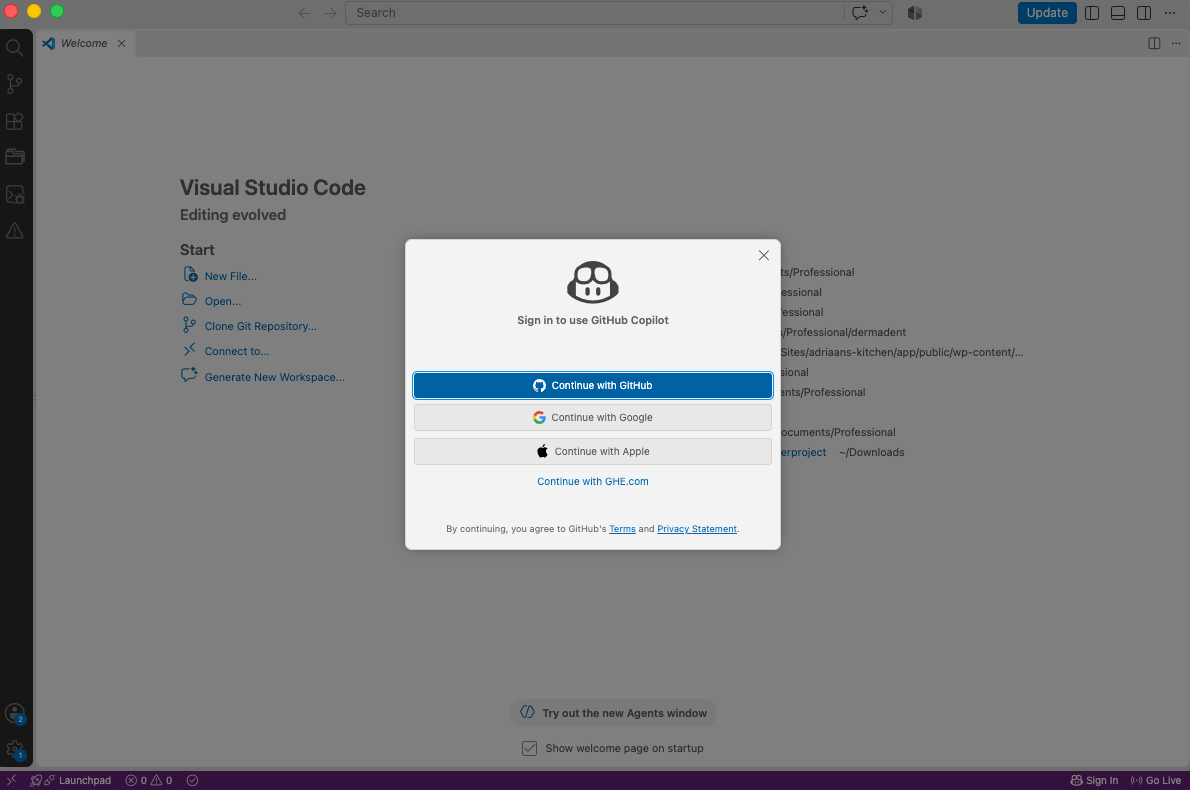
First-Time Setup
- Install VS Code
- Setup GitHub Copilot - Create a GitHub account.
- Sign in
- Open Copilot Chat
Ready to build.
Meet Copilot Agent Mode
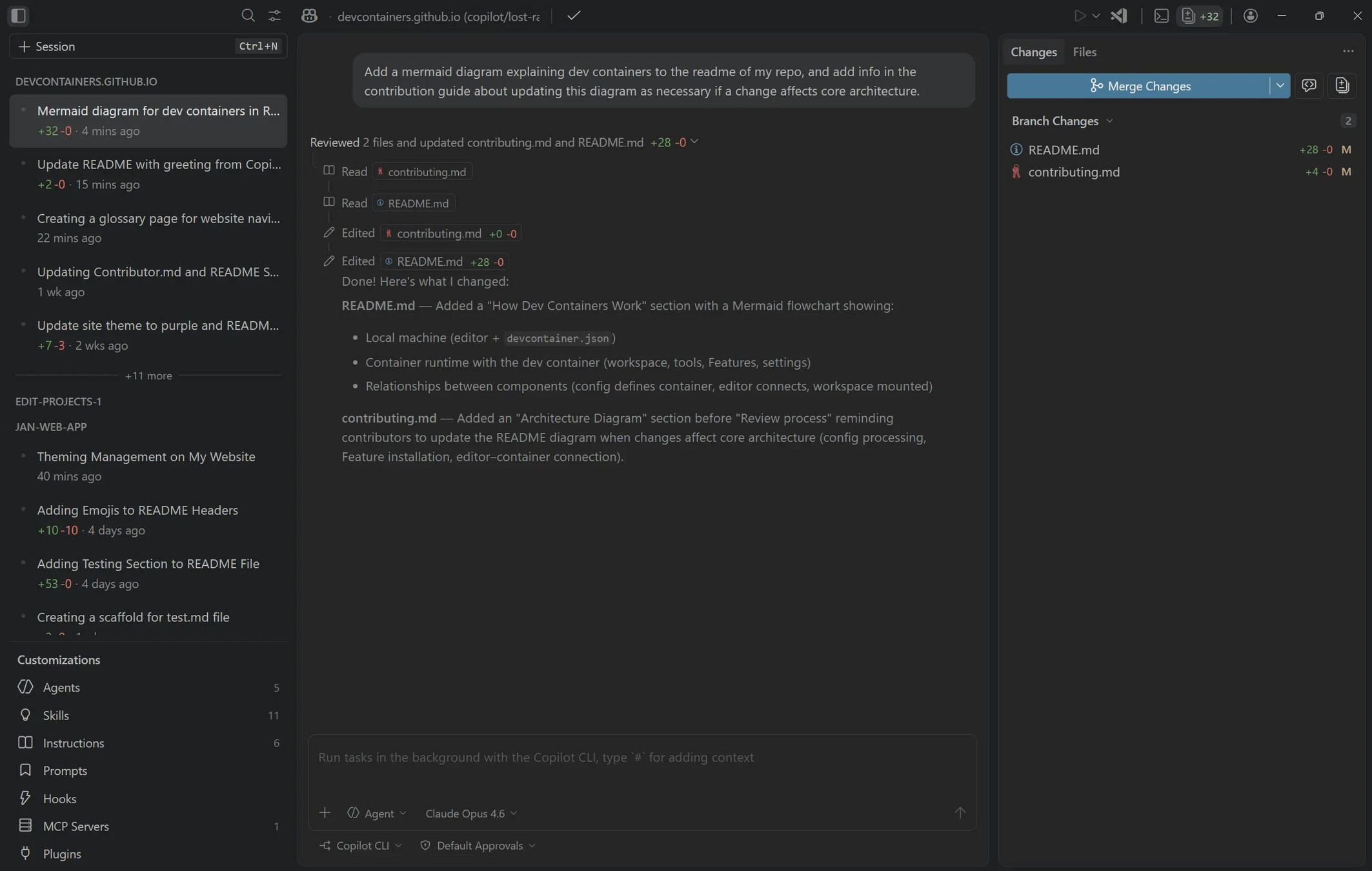
Old "AI" or LLM's:
Ask → Receive answer
New:
Ask → Execute tasks
Agentic Workflow
Request
↓
Plan
↓
Create files
↓
Edit code
↓
Run tasks
↓
Review
↓
Repeat
Prompting Tips
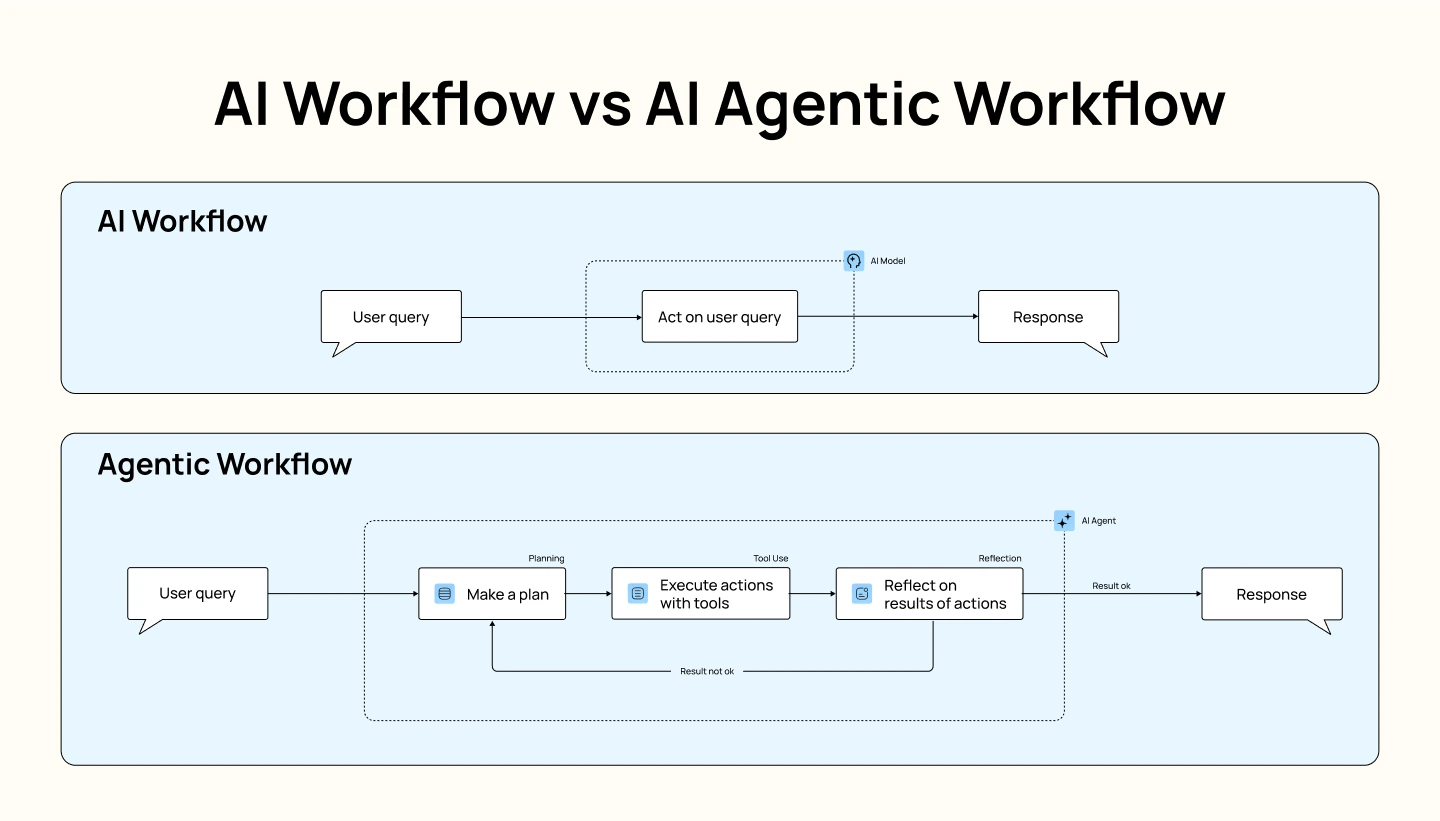
Bad:
"Make a website for a fitness app."
Better but still not great:
"Create a responsive landing page for a fitness app using modern UI patterns. It should start with a hero section with an image on the right and with overlapping big typography, there will be a CTA ...."
Specificity wins.
Micro Exercise
Create your first app. TODO app.
Goal: Working result in < 5 minutes.
VSCode → Figma
— Vibe Coding
VS Code → Figma Flow
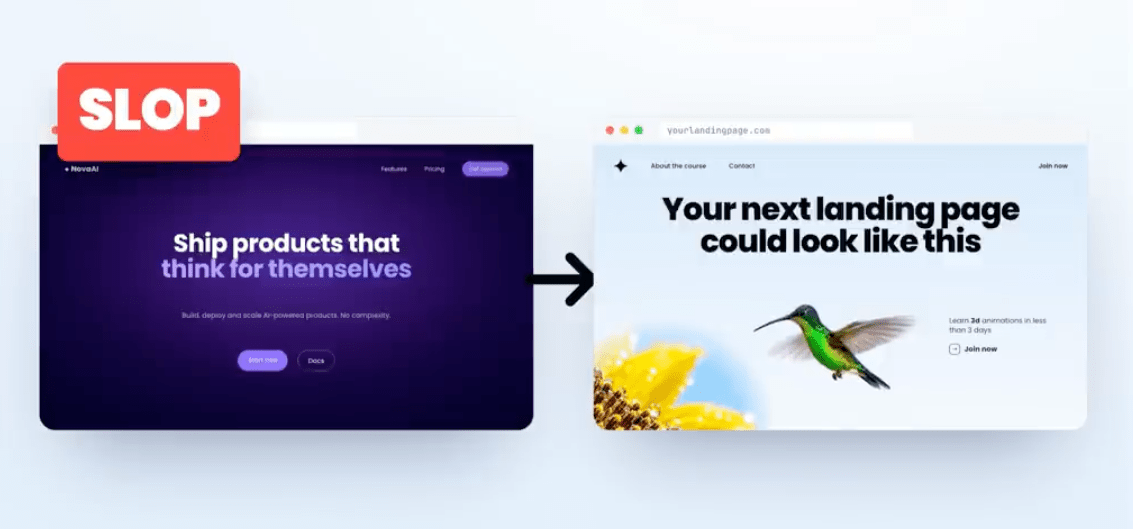
Prompt
↓
Plan and Generate concepts
↓
Create in Figma
Now you can iterate manually and let your own creativity do it's work.
Micro Exercise
Design a landing page in Figma for a travel startup using a prompt.
Requirements:
- Hero
- Features
- Testimonials
- CTA
Result? A complete Figma design.
Review
Questions:
- What worked?
- What surprised you?
- What would you improve?
Figma → VSCode
— Vibe Coding
Why even design?
Before coding:
Visual validation
↓
Stakeholder feedback
↓
Fewer surprises
It actually saves time and guarantees uniqueness.
From design to working product
Design is the input for development.
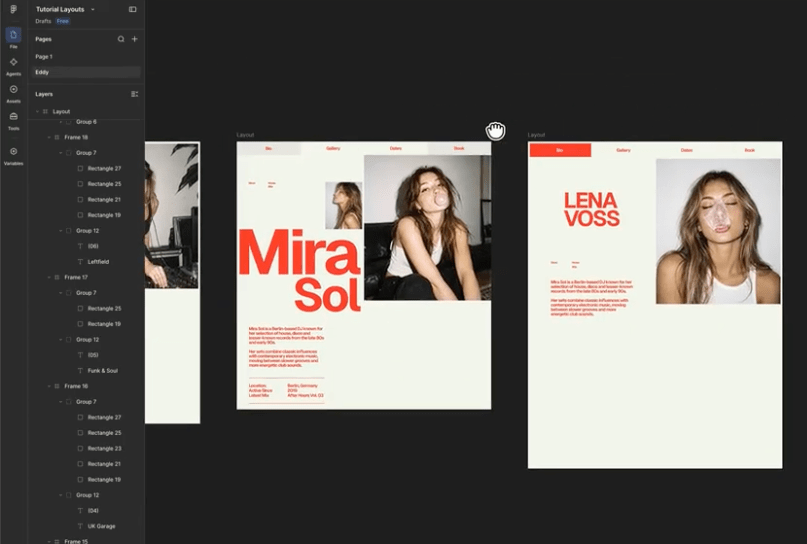
Modern Workflow
Figma
↓
AI
↓
Production-ready code
↓
Deployment
Technical stuff
— Vibe Coding
Some technical stuff from a developer
Static HTML vs React
Static:
HTML + CSS + JS
React:
JS Framework - Not good for SEO, unneccessary for basic websites. Good for complex webapps.
Layout
- Flex (Auto-Layout)
- Grid
- Clamp (Responsive Sizing)
- FLIP

Interactions?
Animations States User interactions
Experience matters. Focus on this in your design. And be critical in your end result.
What is GSAP?
Professional animation library.
Ideal for:
✅ Hero sections
✅ Scrollytelling
✅ Motion design
✅ Premium interactions
Figma Motion
Design movement first.
Then let AI implement it.
Think like a creative director. This will make you stand out.
Flow
Create design (can be messy but ideally it's a clean file)
↓
Define interactions
↓
Generate code
↓
Test responsively
↓
Ship
Exercise
— Vibe Coding
Final Exercise
Design vs Direct Vibe Coding
Challenge Brief
Create a small landing page with more or less the same content as following existing website: Mutation Festival Ghent
Use paper first.
Step 1
Draw 3 variations.
Same requirements.
Different solutions.
Think before touching a computer.
Part 1
Direct Vibe Coding
One-shot prompt.
No design phase.
Just build.
Step 2
Part 2
Design First
Paper Sketch
↓
Figma
↓
Manual refinements
↓
Generate code
Step 2
Compare Results
Evaluate:
- Quality
- Creativity
- Consistency
- Responsiveness
- User experience
Discussion
Which approach felt faster?
Which approach delivered better quality?
When would you use each?
Key Takeaway
AI accelerates execution.
Design creates direction.
The best results come from both.
Human vision. AI speed.
Together.
Vibe coding
By Lecturer GDM