
Content ITV PRO
This is Itvedant Content department
Understand cloud architecture and deploy a basic web application
You are working as a Cloud Security Engineer at SecureXit. The company has deployed a web application on an AWS EC2 instance using the Nginx web server. During a security assessment, you are assigned to configure firewall rules, restrict unauthorised network access, and test server accessibility.
Business Scenario
Pre-Lab Preparation
Topic: Cloud and Advanced Web Security
1) Cloud Architecture & Web Application Hosting
2) Access Control & Identity Exploitation
3) API Security in Cloud Environments Storage, Data Exposure & Misuse.
4) Cloud Attack Simulation & Defense
Task 1: Deploy Nginx on AWS EC2 and Control Traffic with UFW
1
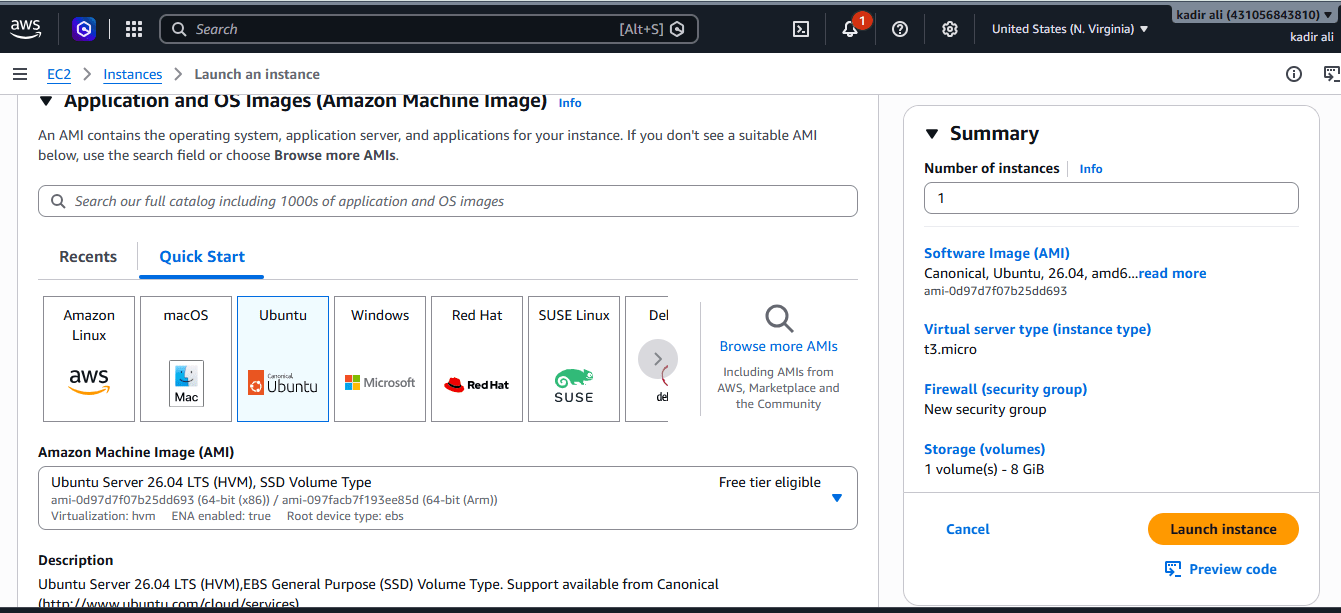
Launch the EC2 Instance
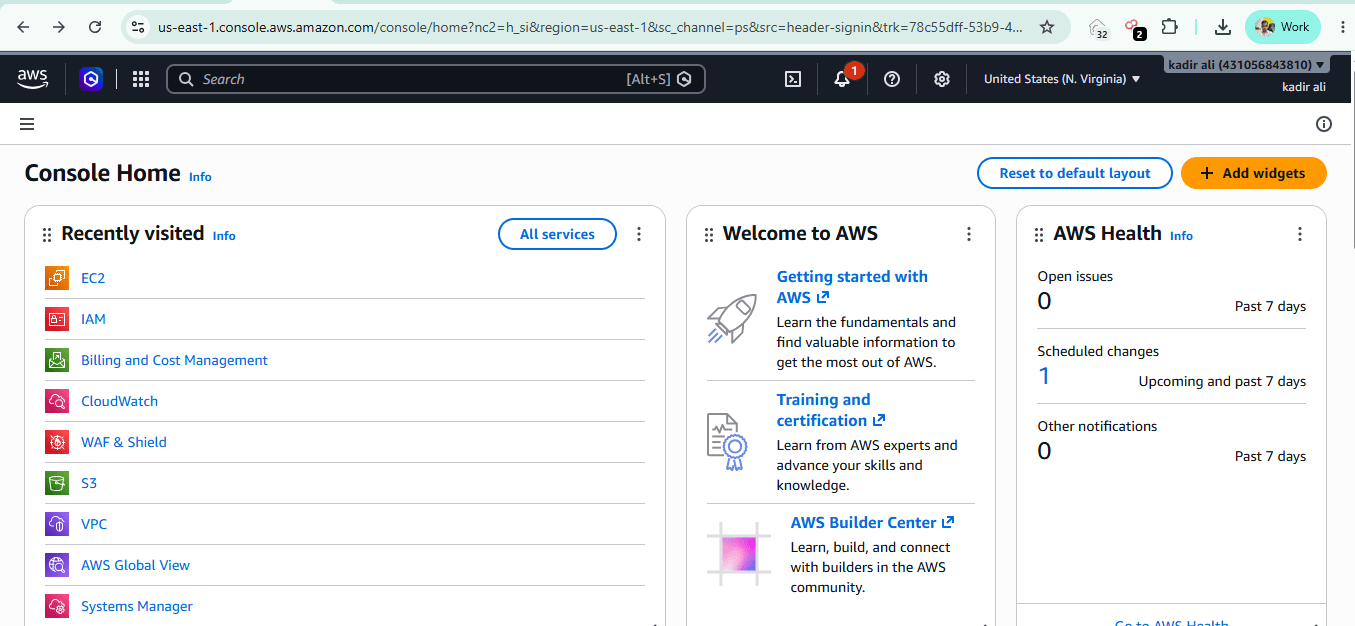
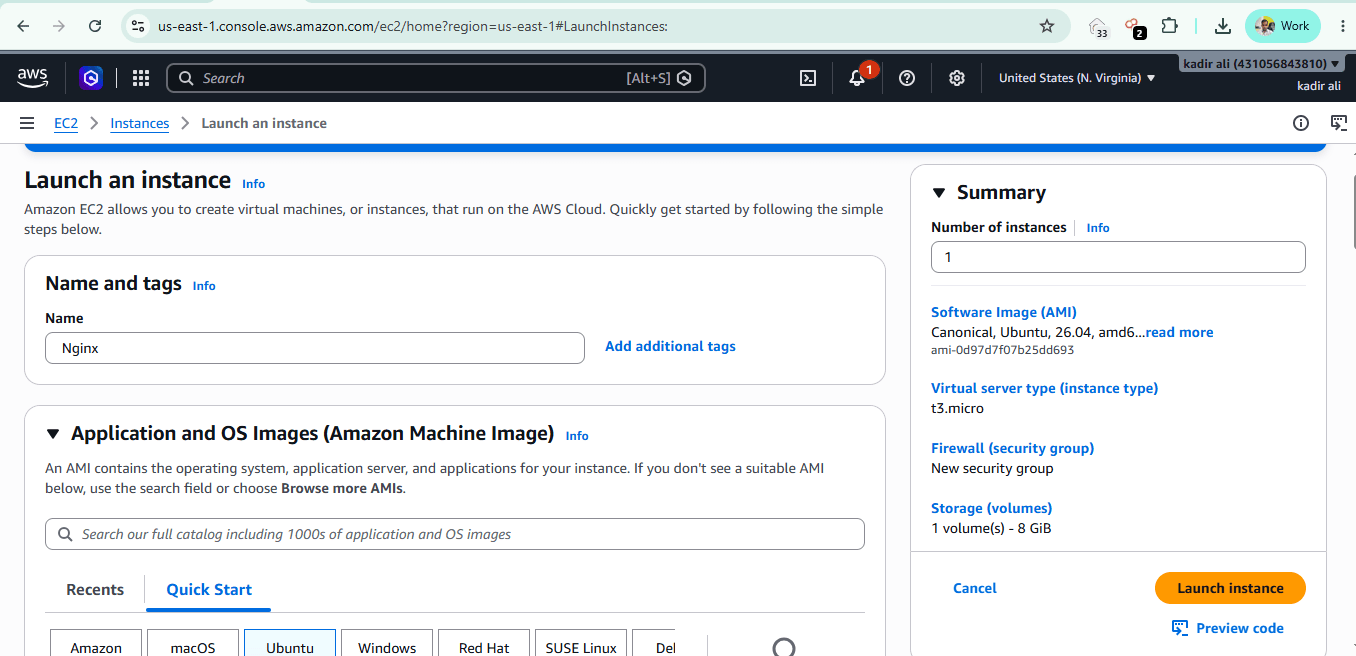
AWS Console → EC2 → Launch instance
| Setting | Value |
|---|---|
| Name | Nginx |
| AMI | Ubuntu Server 26.04 LTS |
| Instance type | t3.micro (free tier eligible) |
| Key pair | Create new key pair → downloadhacker.pem |
| Storage | 8 GiB |
2
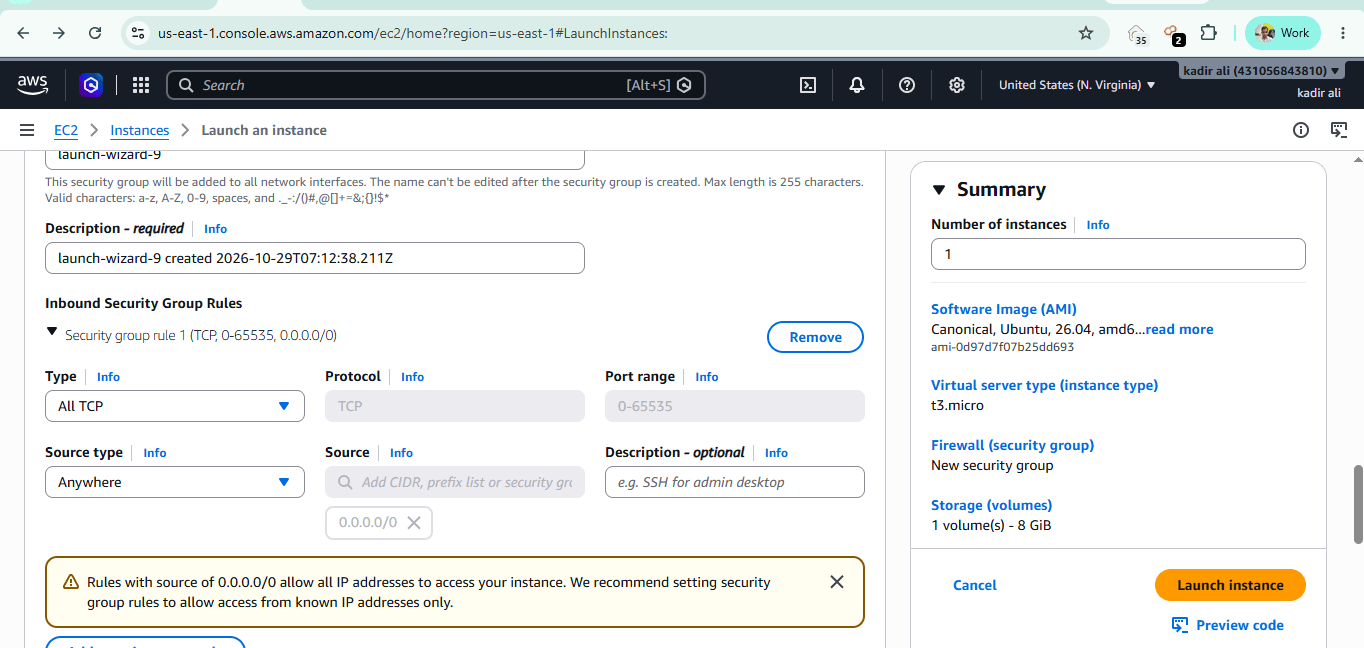
Security Group (Important Fix)
Your screenshot showed All TCP, 0.0.0.0/0. That is bad practice, even in a lab. Use these rules instead:
| Type | Port | Source |
|---|---|---|
| SSH | 22 | My IP |
| HTTP | 80 | 0.0.0.0/0 |
| HTTPS | 443 | 0.0.0.0/0 |
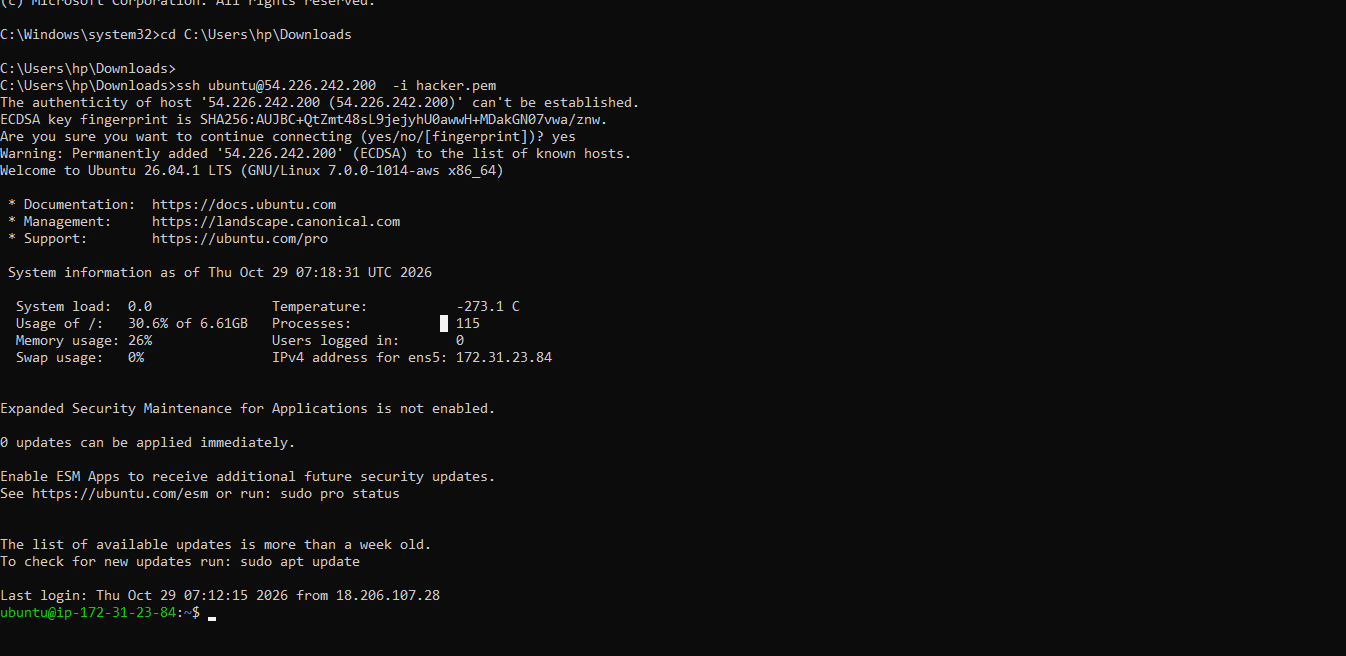
cd C:\Users\hp\Downloads
ssh -i hacker.pem ubuntu@<PUBLIC-IP>
3
Connect via SSH
In Windows CMD:
4
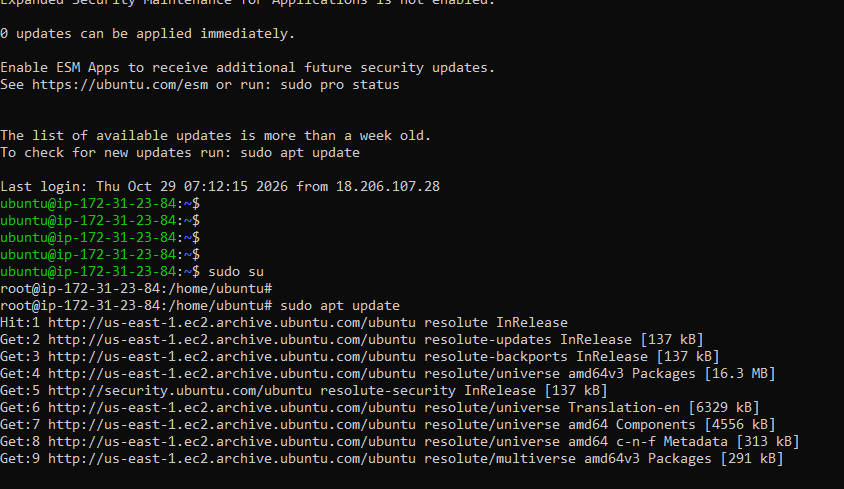
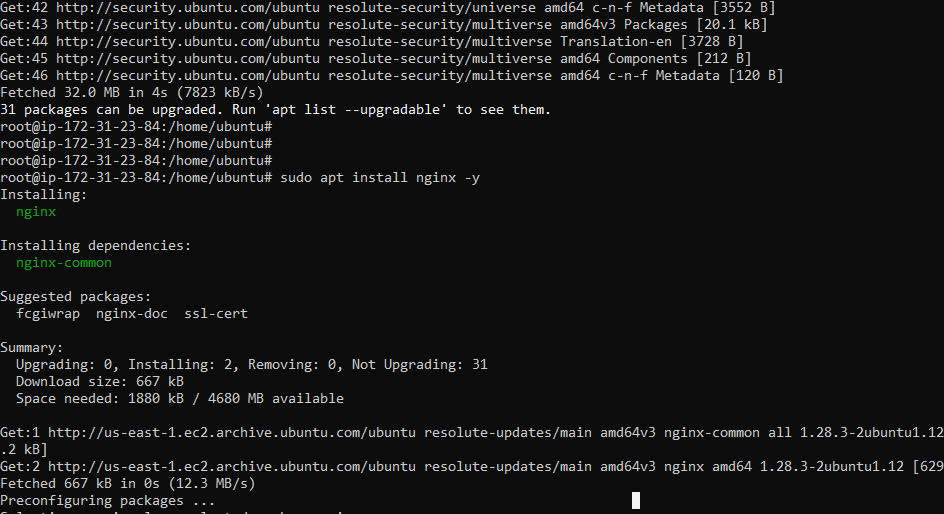
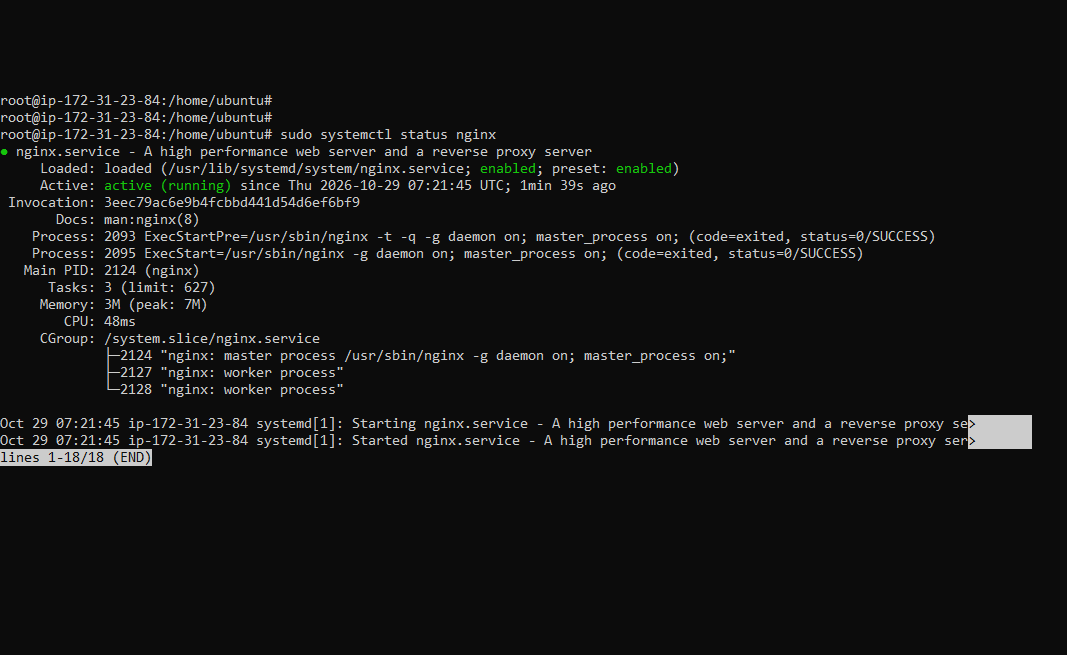
Install Nginx
sudo su
apt update
apt install nginx -y
systemctl status nginx     # press q to exit
5
Browser Test
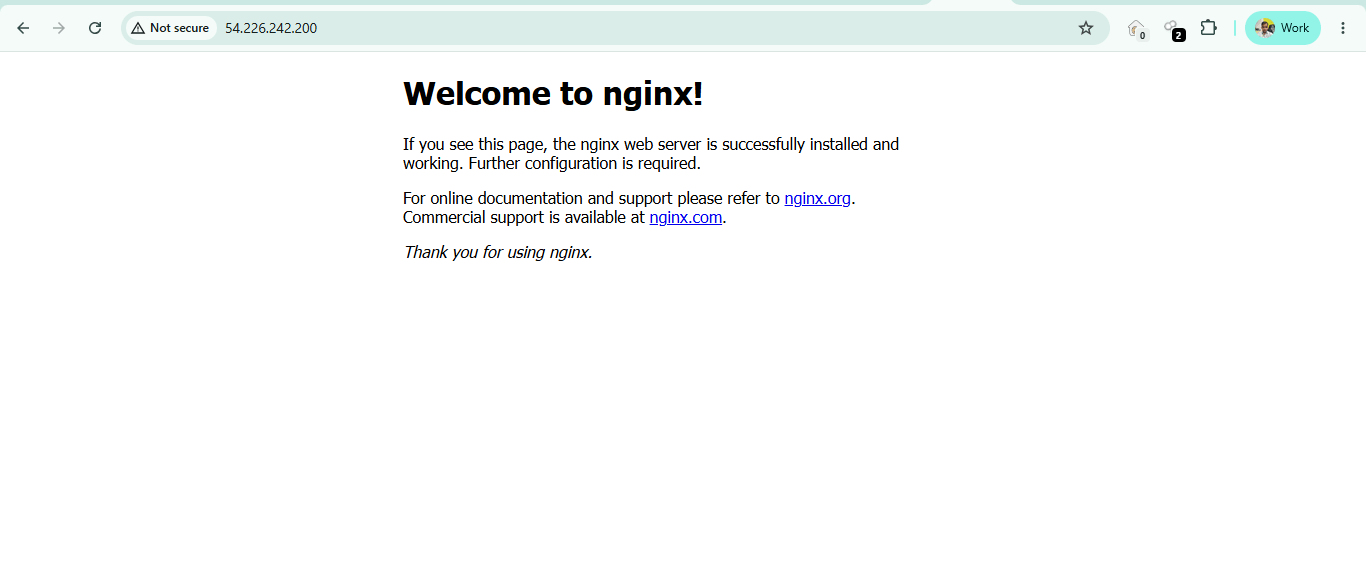
Open http://<PUBLIC-IP>. You should see the “Welcome to nginx!” page.
6
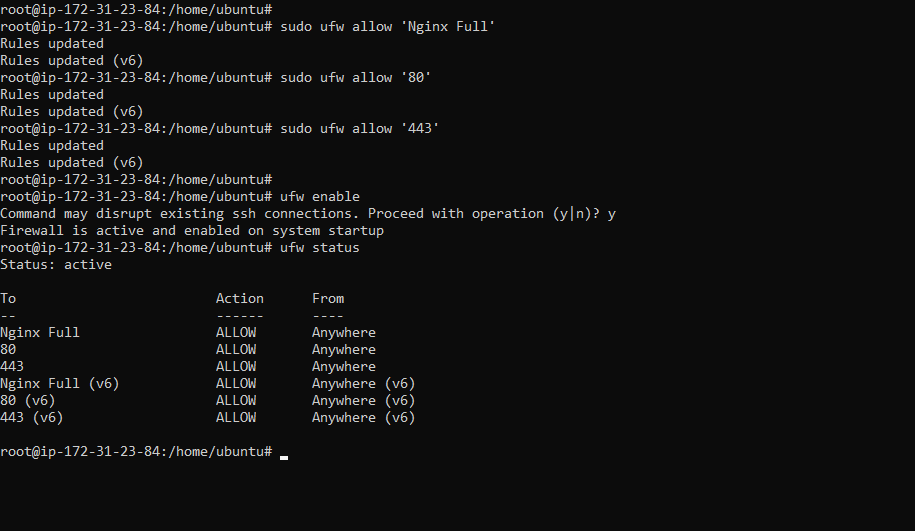
Set Up the UFW Firewall
Allow SSH first, otherwise you can lock yourself out.
ufw allow 22/tcp
ufw allow 'Nginx Full' # ports 80 + 443
ufw enable # press y
ufw status numbered
7
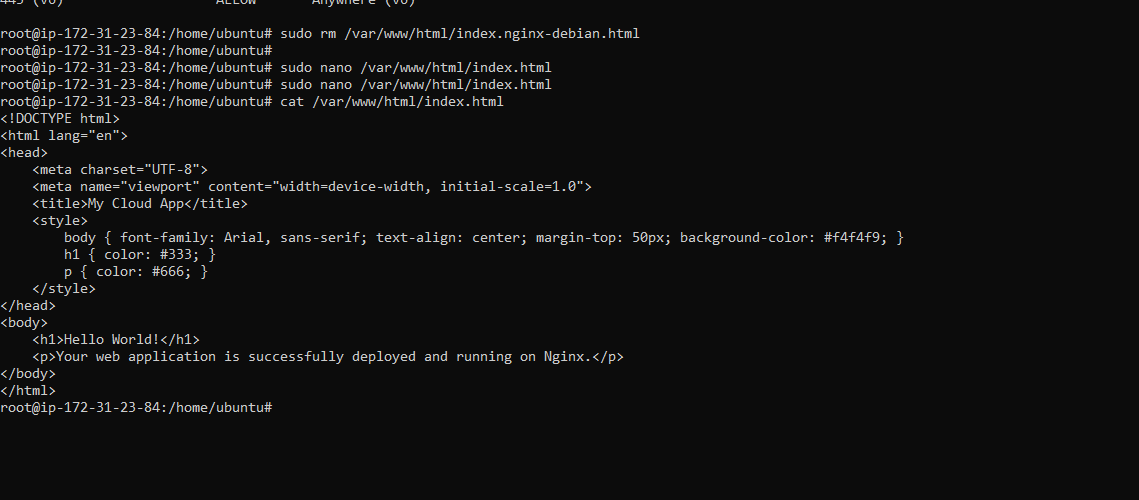
Deploy a Custom Page Delete the default page
rm /var/www/html/index.nginx-debian.htmlRefresh the browser. You’ll get 403 Forbidden, because there is no index file to serve.
Now create your own page:
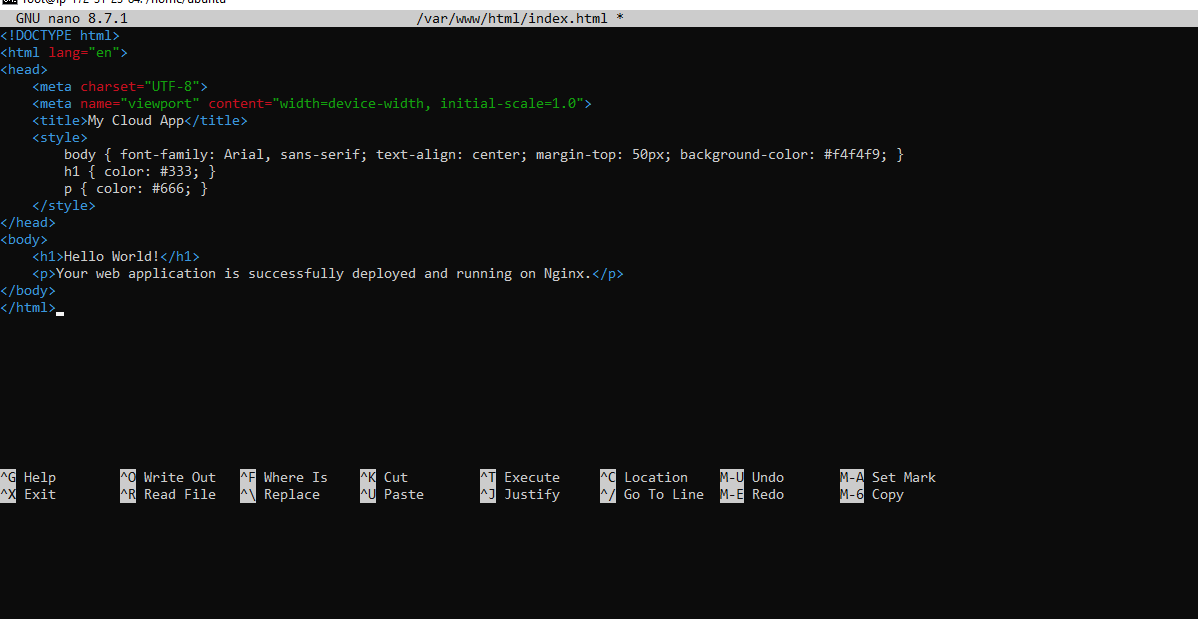
nano /var/www/html/index.html
<!DOCTYPE html>
<html lang="en">
<head>
    <meta charset="UTF-8">
    <title>My Cloud App</title>
    <style>
        body {
        font-family: Arial, sans-serif;
        text-align: center;
        margin-top: 50px;
        background-color: #f4f4f9;
        }
        h1 { color: #333; }
        p { color: #666; }
    </style>
</head>
<body>
    <h1>Hello World!</h1>
    <p>Your web application is successfully
    deployed and running on Nginx.</p>
</body>
</html>
<!DOCTYPE html>
<html lang="en">
<head>
    <meta charset="UTF-8">
    <title>My Cloud App</title>
    <style>
        body {
        font-family: Arial, sans-serif;
        text-align: center;
        margin-top: 50px;
        background-color: #f4f4f9;
        }
        h1 { color: #333; }
        p { color: #666; }
    </style>
</head>
<body>
    <h1>Hello World!</h1>
    <p>Your web application is successfully
    deployed and running on Nginx.</p>
</body>
</html>
Save with Ctrl+O, Enter, Ctrl+X. Verify:
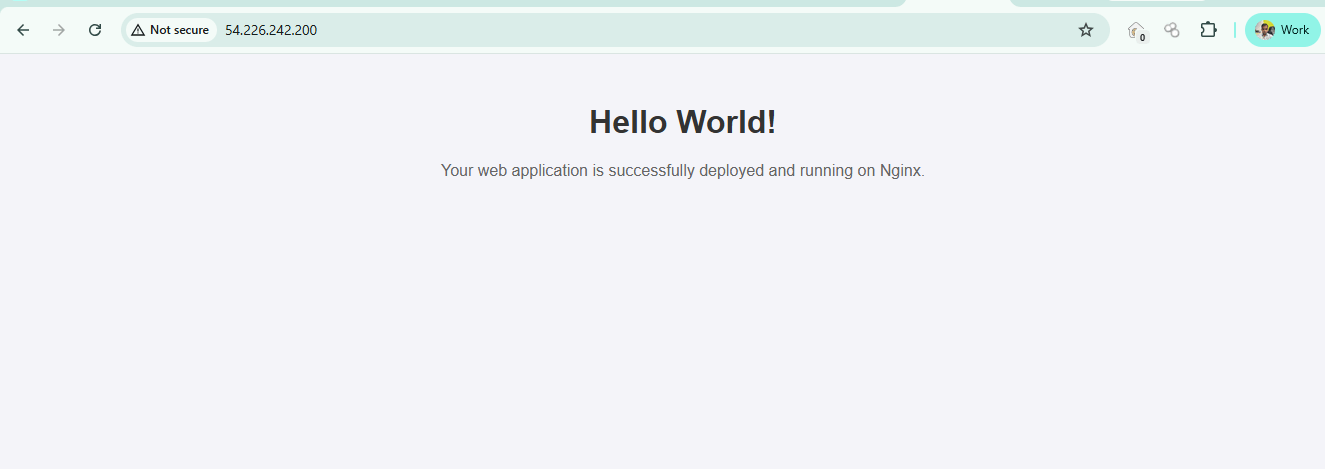
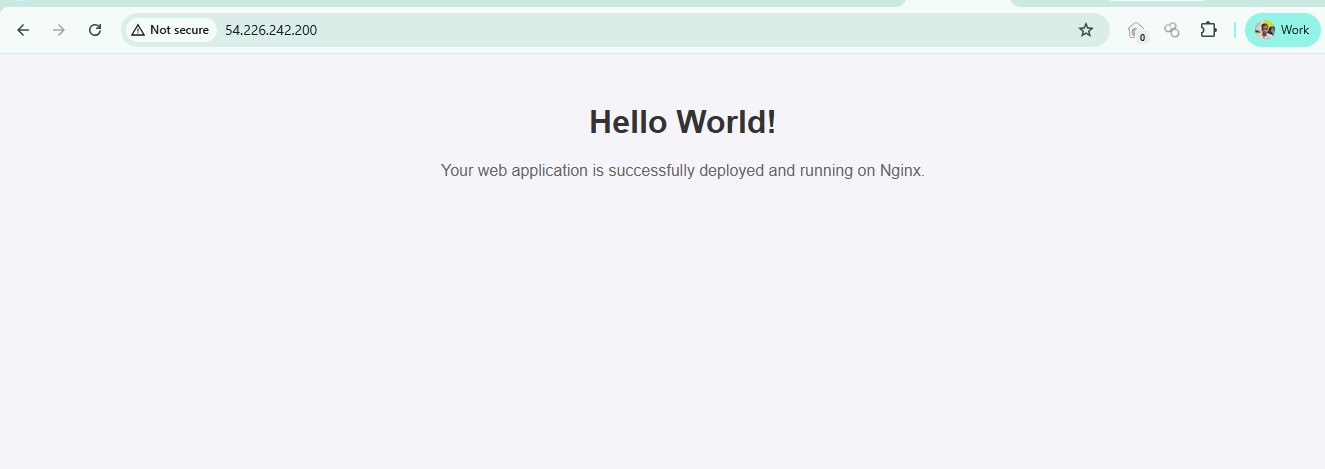
cat /var/www/html/index.htmlRefresh the browser and you’ll see Hello World!.
8
Delete Firewall Rules and Deny Port 80
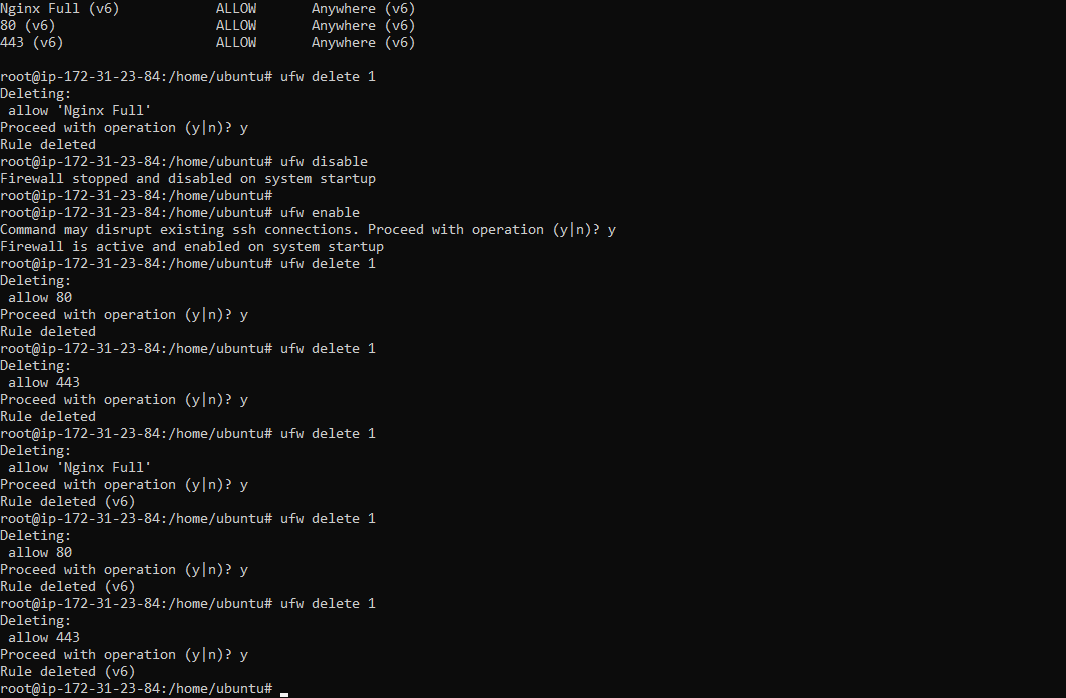
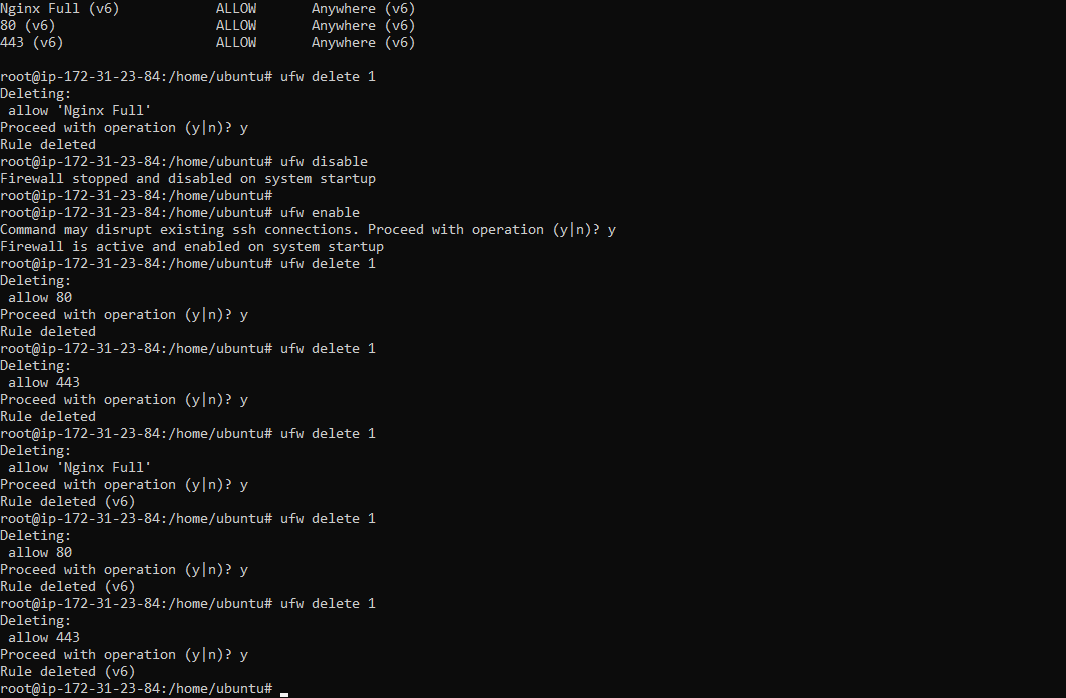
ufw status numbered
ufw delete 1               # repeat for each rule (press y)
ufw deny 80
ufw status
9
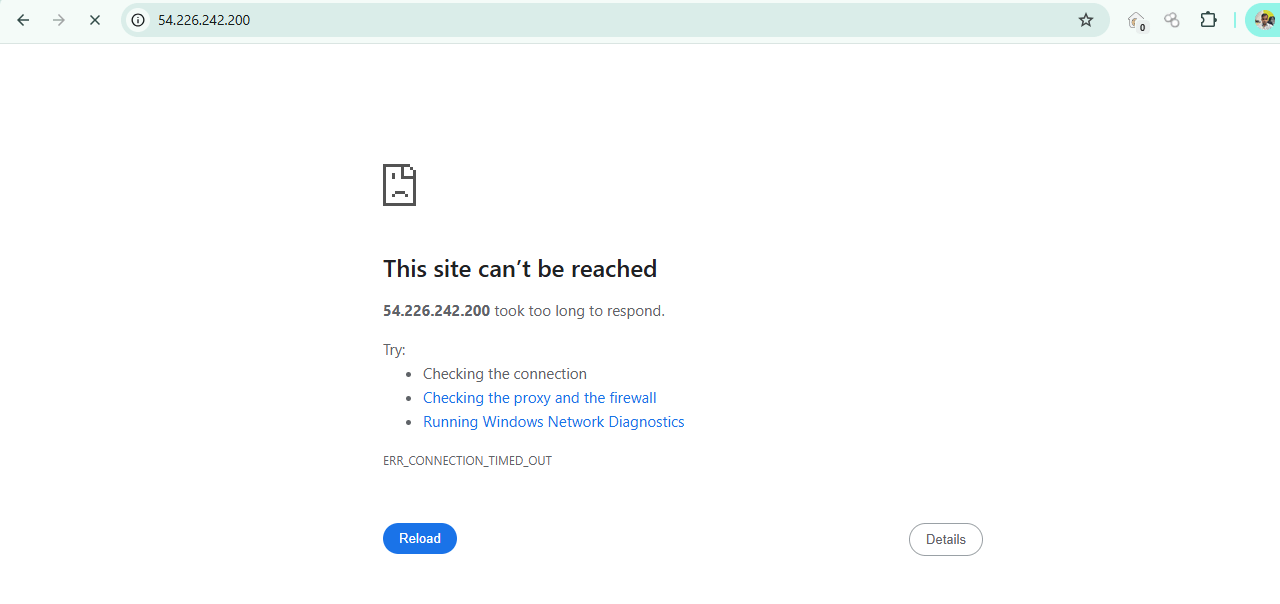
Refresh the browser → ERR_CONNECTION_TIMED_OUT. Port 80 is now blocked
10
Restore Access
ufw delete deny 80
ufw allow 80/tcp
ufw status
ufw delete deny 80
ufw allow 80/tcp
ufw status
The site comes back.
11
Cleanup (avoid charges)
EC2 → select the instance → Instance state → Terminate.
Key Takeaways .
Two firewall layers exist: the AWS Security Group (network level) and UFW (OS level). The port must be open in both.
403 vs. timeout: A 403 means the request reached the server but no file was found. A timeout means a firewall dropped the packet.
Always allow port 22 before running ufw enable.
Opening all ports to 0.0.0.0/0 is a security risk. Follow least privilege.
Great job!
1. Successfully deployed the Nginx web server on an AWS EC2 Ubuntu instance and verified its accessibility through a browser.
2. Configured AWS Security Groups and UFW firewall rules to allow or deny SSH, HTTP, and HTTPS traffic.
3. Tested network accessibility by blocking and restoring port 80, and understood the difference between 403 Forbidden and Connection Timed Out errors.
Checkpoint
Great job!
1. Successfully deployed the Nginx web server on an AWS EC2 Ubuntu instance and verified its accessibility through a browser.
2. Configured AWS Security Groups and UFW firewall rules to allow or deny SSH, HTTP, and HTTPS traffic.
3. Tested network accessibility by blocking and restoring port 80, and understood the difference between 403 Forbidden and Connection Timed Out errors.
Checkpoint
Next-Lab Preparation
Topic: Cloud and Advanced Web Security
1) Cloud Architecture & Web Application Hosting
2) Access Control & Identity Exploitation
3) API Security in Cloud Environments Storage, Data Exposure & Misuse.
4) Cloud Attack Simulation & Defense
By Content ITV